
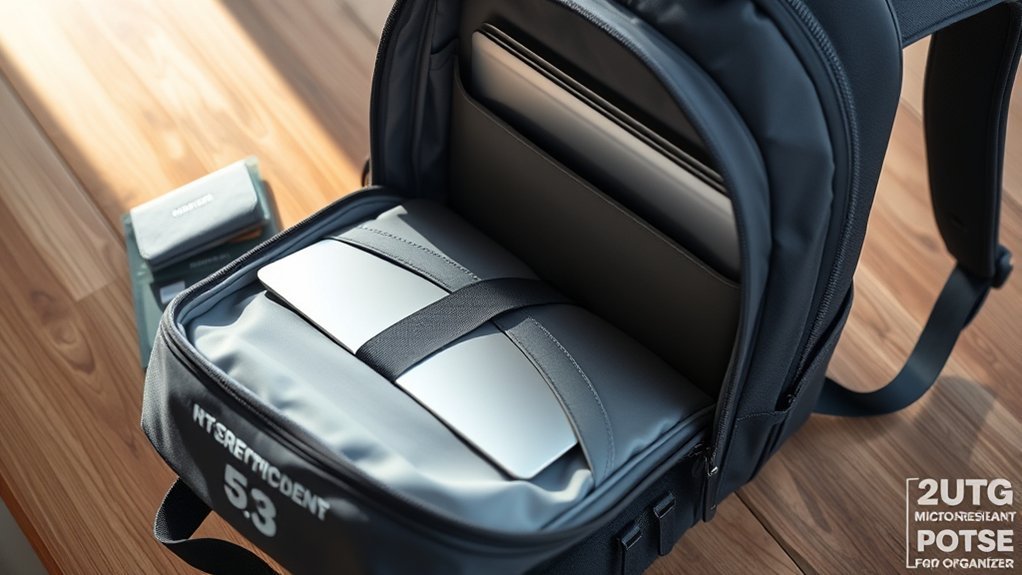
To protect your laptop in a travel backpack, choose one with a padded compartment and thick protection to minimize movement. Organize with separate pockets for accessories and consider using a laptop sleeve for extra safety. Select a weather-resistant backpack to guard against moisture and invest in good security features like combination locks. Always keep your backpack close and be aware of your surroundings. If you want more tips on enhancing your laptop security, continue exploring!
Choose the Right Laptop Backpack

When choosing the right laptop backpack, you want to prioritize protection and security. Start by selecting a backpack with a dedicated compartment featuring thick padding both inside and out. This guarantees your laptop is shielded from impacts. Look for high-density foam padding and suspended compartments designed to absorb shocks, reducing the risk of damage during falls.
Next, consider anti-theft features like combination locks and cut-proof fabric to keep your laptop safe while you’re on the move. Make sure the laptop compartment fits your device snugly, minimizing any movement that could lead to scratches or other damage.
Finally, opt for a streamlined design that allows for easy storage under airplane seats, giving you quick access whenever you need it. By focusing on these essential elements, you’ll create a safe and secure way to transport your laptop, freeing you to travel with confidence.
Keep Your Laptop Secure and Organized
Keeping your laptop secure and organized is just as important as choosing the right backpack. Start by using a travel backpack with a dedicated padded compartment designed to fit your laptop snugly, preventing any movement during transport. To keep everything tidy, utilize separate pockets for accessories and confirm your laptop is the sole occupant of its compartment, minimizing the risk of scratches or damage.
Consider investing in a laptop sleeve for added protection. It provides shock absorption while guarding against dust and spills, giving you peace of mind. Avoid overpacking your backpack; too much pressure can lead to damage, so make certain you can zip it up easily without straining. Finally, regularly assess your packing methods to guarantee easy access to your laptop, while maintaining an organized and hazard-free environment. By following these steps, you’ll keep your laptop secure and ready for your next adventure.
Protect Against Environmental Damage
To safeguard your laptop against environmental damage, choose a weather-resistant backpack crafted from durable materials like polyester or nylon, ideally with PU or DWR coatings that repel moisture. This guarantees light rain won’t compromise your device. For heavy rain or unexpected weather changes, invest in a rain cover or dry bag for an extra waterproof barrier.
Regularly inspect and maintain your backpack’s waterproof features to keep them effective. During travel, avoid exposing your laptop to direct sunlight; prolonged heat can damage internal components and degrade the screen.
Additionally, consider using a laptop sleeve for extra protection against dust, debris, and minor spills. This acts as a shield even when your laptop’s inside a padded backpack. By following these steps, you’ll help your laptop withstand environmental challenges, allowing you to focus on your journey without worry.
Safeguard Your Data and Privacy
While traveling, safeguarding your data and privacy is essential to protect sensitive information from unauthorized access. Start by ensuring your laptop is password-protected; this simple step can deter potential intruders. Regularly back up your data using cloud storage or an external drive, so you’re prepared for any unexpected data loss.
Install reputable antivirus software and consider encrypting your laptop’s drive to fend off malware and unauthorized access. When connecting to public Wi-Fi networks, always use a VPN to secure your internet connection and shield your data from hackers.
Additionally, explore theft recovery software that can help locate your laptop if it’s lost or stolen. By taking these proactive measures, you can travel with peace of mind, knowing your information is better protected against potential threats, allowing you to focus on enjoying your adventure.
Travel Smart and Stay Aware
How can you guarantee your laptop stays safe while you’re on the go? Staying vigilant is key. Keep your backpack in sight and maintain physical contact in crowded places to deter theft. Make your bag stand out with distinctive identifiers like patches or ribbons; this helps prevent accidental mix-ups and theft.
Educate yourself on common theft tactics, such as snatching and running. By knowing what to watch for, you can develop strategies to avoid risks. When you need to rest, secure your backpack in safe locations—use hooks or keep it in your lap.
Always be aware of your surroundings. Identify potential theft risks, like unoccupied areas or suspicious individuals, to enhance your security. A proactive mindset will empower you to travel freely while keeping your laptop safe. Stay aware, and travel smart!
Frequently Asked Questions
Can I Carry My Laptop in a Regular Backpack?
Yes, you can carry your laptop in a regular backpack. Just make sure it fits snugly and is cushioned to prevent damage. Consider using a protective sleeve for extra safety while you’re on the go.
What Size Laptop Backpack Should I Choose?
Choose a backpack that fits your laptop snugly, ideally with a dedicated compartment. Aim for a size that comfortably accommodates your device’s dimensions while leaving room for accessories, ensuring ease and freedom during your travels.
Is It Safe to Leave My Laptop Charging While Traveling?
It’s generally not safe to leave your laptop charging while traveling. Unstable power sources can cause damage, and overheating is a risk. It’s best to unplug when you’re on the move to keep your device safe.
How Often Should I Clean My Laptop While Traveling?
You should clean your laptop every few days while traveling. Keeping it tidy helps maintain performance and guarantees you’re not carrying unnecessary baggage. A quick wipe can free you from distractions and enhance your experience.
Can I Use a Laptop Case Inside My Backpack?
Yes, you can definitely use a laptop case inside your backpack. It provides extra cushioning and protection from bumps, keeping your laptop safe during travel. Just guarantee it fits comfortably within your backpack’s dimensions.
Conclusion
In the bustling journey of travel, your laptop deserves a fortress, not just a backpack. By choosing the right bag, securing your device, and shielding it from the elements, you’re weaving a protective cocoon around your tech. Safeguarding your data and staying vigilant turn your adventures into a seamless experience. So, as you navigate through crowded terminals and scenic trails, keep your laptop safe, and let your creativity soar without a hitch. Safe travels!