Last Updated on September 10, 2026 by Mason Reed
Phones, cameras, headlamps, GPS units, and power banks make camping easier, but rain is only one moisture threat. A wet tent floor, condensation on the walls, damp hands, and an exposed charging port can also damage electronics. A simple packing system, careful placement, and safe charging habits can keep your gear working without making camp complicated.
Quick Answer
Keep electronics dry by sealing each device in an inner pouch inside a properly closed dry bag, storing it above the tent floor and away from damp walls, and charging only when every connector is dry. Watch forecasts, manage condensation during temperature changes, and never use rice or heat to dry a wet device.
Key Takeaways
- Use two barriers for valuable electronics: a sealed inner pouch and a well-closed dry bag or protective case.
- Keep devices off the tent floor and away from tent walls, open doors, wet clothing, and drink containers.
- Do not charge a wet device, cable, power bank, or adapter.
- Prevent condensation by packing devices dry and letting cold gear warm up while it remains sealed.
- If a device gets wet, power it off, disconnect it, air-dry it, and follow the manufacturer’s instructions.
At a Glance
| Time Required | About 10–15 minutes before the trip, plus a quick check after each use |
| Difficulty | Easy |
| Tools Needed | Dry bag or rated case, inner zip pouch, dry microfiber cloth, fresh desiccant packets, and an elevated organizer or table |
| Cost | About $0–$60, depending on the storage gear you already own |
Disclosure: As an Amazon Associate I earn from qualifying purchases. Some links on this page are affiliate links, at no extra cost to you.
Invest in Waterproof Storage Solutions
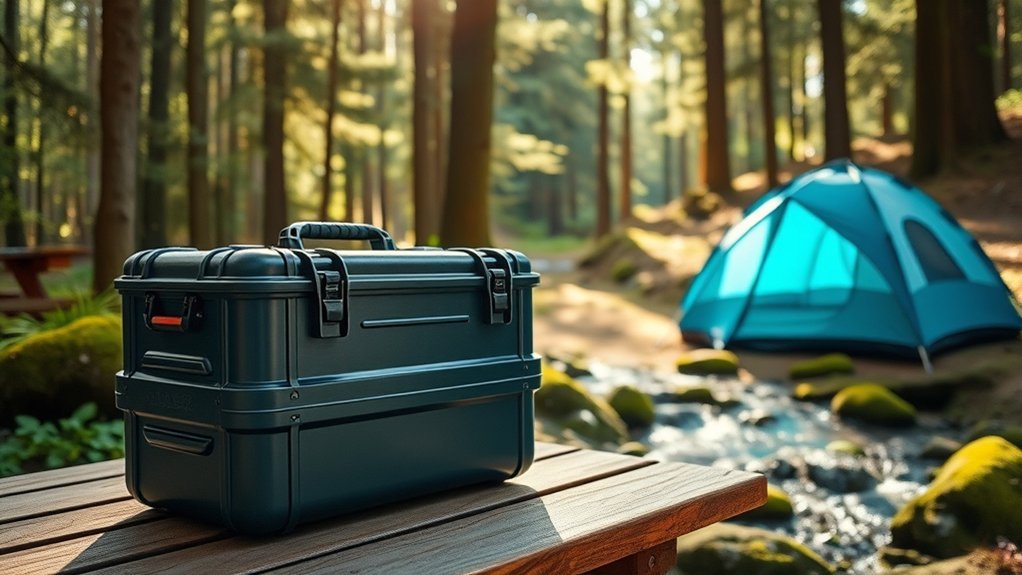
Start with a storage system that matches the amount of water exposure you expect. A dry bag is useful for rain, splashes, damp gear, and a wet tent floor. A hard protective case may offer better crush protection and, when it has a tested seal, stronger water protection. For a phone, camera, or GPS unit, place the device in a sealed inner pouch before putting it in the outer bag or case.
Do not assume every product labeled “waterproof” can be submerged. Many roll-top dry bags protect well from rain but can leak through the closure if held underwater. Follow the manufacturer’s closure instructions, keep the sealing surfaces clean, and inspect the bag for pinholes, worn coatings, or damaged buckles before each trip. Sea to Summit, for example, states that its roll-top dry bags are not guaranteed to protect electronics during heavy submersion.
Understand IP Ratings Before You Buy
The International Electrotechnical Commission’s IP rating system describes how an enclosure resists dust and water. An “X” means that one part of the rating was not reported or tested; it does not mean maximum protection. IPX7 and IPX8 indicate immersion testing, but the exact depth, duration, and conditions can differ, especially for IPX8. Check the device or case manufacturer’s limits instead of relying on the number alone.
Note: Water resistance can decrease as seals age or after a device is dropped, repaired, or exposed to dirt, saltwater, soap, or extreme temperatures. Treat an IP-rated phone as a backup layer, not as your primary camping storage system.
Pack Each Device in Five Steps
- Turn the device off or lock the screen, then wipe it and its ports dry.
- Place the device in a clean zip pouch or fitted waterproof sleeve.
- Add a fresh desiccant packet beside the device, not inside an open charging port.
- Put the sealed pouch in a dry bag or protective case and close it exactly as directed.
- Store chargers, cables, spare batteries, and power banks in a separate sealed pouch so one wet item does not expose everything else.
Pro Tip: Test an empty storage bag at home with paper towels inside. Spray or briefly expose it only within the manufacturer’s stated limits, then check for dampness. Never test it with electronics inside.
Ensure Safe Device Placement
Good storage can fail if you leave the bag in the wrong place. Keep electronics on an elevated, stable surface or inside a hanging tent organizer. Avoid the tent floor, corners where runoff can collect, and spots beside the door where rain can blow in. Keep devices away from tent walls because condensation can run down the fabric.
Elevated Surface Placement
A portable table, gear shelf, hanging pocket, or upside-down storage bin can keep electronics above ground moisture. Use a dry cloth beneath devices when you need a clean temporary work surface, but do not treat cloth alone as waterproof protection. Leave space around a charging power bank or phone so heat can escape, and keep it away from sleeping bags, clothing, and other soft materials.
| Elevated Surfaces | Moisture Prevention | Tips |
|---|---|---|
| Dry Cloths | Protects from damp | Replace the cloth if it becomes damp |
| Portable Tables | Keeps devices high | Keep the surface stable and allow airflow |
| Waterproof Cases | Shields from splashes | Close and store the case within its tested limits |
Use of Dry Cloths
Carry at least one microfiber cloth that stays inside a sealed pouch. Use it to dry your hands and the outside of a device before opening a charging-port cover or storage case. On damp ground, several cloth layers can add insulation, but they will eventually absorb moisture. Move the device if the cloth feels cool or damp, and never place electronics beneath wet clothing.
Monitor Weather Conditions
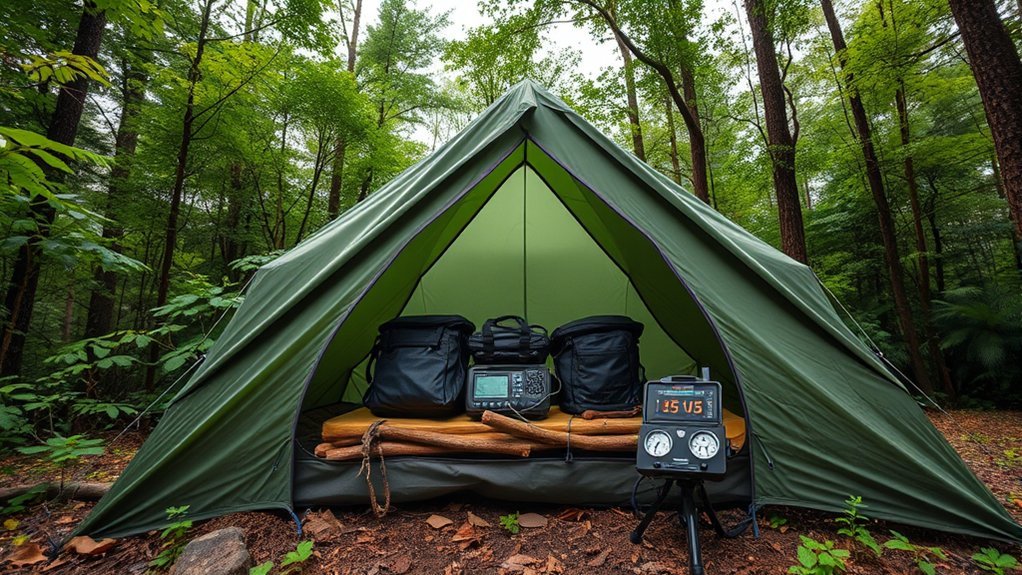
Check the forecast before leaving home and continue checking it at camp. The National Weather Service recommends monitoring conditions and having more than one way to receive alerts. Download an offline forecast or screenshot key information before entering an area with weak service, and carry a weather radio when severe weather is possible.
- Check for rain, flood, thunderstorm, and high-wind watches or warnings.
- Move electronics into sealed storage before the first drops arrive.
- Keep emergency communication gear accessible rather than buried at the bottom of a pack.
- Plan where you will move during lightning, flash flooding, or damaging wind.
- Do not rely on a phone as your only map, light, alarm, or emergency contact method.
“A tent offers no protection from lightning.” — National Weather Service
Warning: Do not stay in a tent to protect electronics during a thunderstorm. Move people first to a substantial building or a hard-topped vehicle when one is available. Electronics can be replaced; personal safety cannot.
Use Double-Bagging Techniques
Double-bagging gives sensitive gear two moisture barriers. Place the dry device in a zip-seal pouch or fitted sleeve, remove excess air without stressing the device, and close it fully. Put that pouch inside a larger roll-top dry bag or rated hard case. This setup also keeps a small leak, wet cable, or damp cloth from reaching every item.
Use durable bags without holes, worn seams, cloudy stress marks, or damaged closures. For a roll-top bag, align the top edges and complete the minimum number of rolls required by the manufacturer before buckling it. Do not overfill the bag because a stretched closure is harder to seal correctly.
Keep chargers and cables in their own inner pouch. Cover exposed USB ends only after they are fully dry, and avoid tightly bending cables at the connector. Label pouches so you can find a headlamp or emergency phone without leaving the main bag open in rain.
Implement Charging Precautions
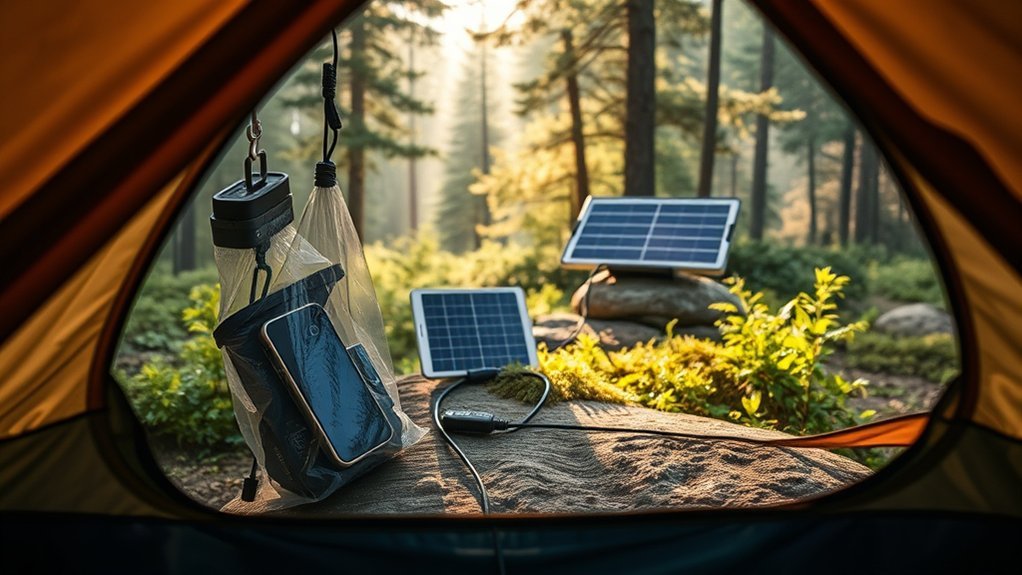
Charge only in a dry, ventilated place on a firm surface. Shelter from rain is not enough if the device, cable, adapter, or power bank is damp. Keep the setup away from tent walls, sleeping bags, loose clothing, and other materials that can trap heat. Use the device manufacturer’s approved or compatible charger and inspect every cable for cuts, bent connectors, or corrosion.
- Dry your hands before handling plugs, ports, power banks, or campground outlets.
- Do not charge a device while it is sealed in an airtight bag; trapped heat can build up.
- Do not place a charging phone or power bank on bedding or inside a sleeping bag.
- Keep campground electrical connections off wet ground and follow all posted outlet rules.
- Disconnect the charger if you see a liquid warning, smell an unusual odor, hear hissing, or notice swelling or excess heat.
- Protect unused cables and adapters in waterproof pouches.
Warning: Stop using a swollen, leaking, unusually hot, hissing, smoking, or damaged lithium-ion battery or power bank. Keep people away, follow the manufacturer’s emergency instructions, and call emergency services if there is smoke, fire, or an immediate threat.
Treat Wet Electronics Promptly
Fast action can reduce damage, but the wrong drying method can make the problem worse. Follow these steps unless the device manufacturer gives different instructions:
- Disconnect power. Unplug cables and remove the device from any charger or external battery.
- Turn it off. Do not press extra buttons to “test” whether it still works.
- Remove only user-removable parts. Take out a removable battery, memory card, or SIM tray only when the manual permits it. Do not pry open a sealed device.
- Dry the outside. Blot with a clean, lint-free cloth. Hold the charging port downward and gently tap the device to help excess liquid drain.
- Allow airflow. Leave the device in a dry place with gentle air circulation. Do not use a hair dryer, oven, heater, compressed air, or direct sun.
- Wait before charging. Reconnect power only after the device and connectors are fully dry and any liquid-detection warning has cleared.
- Get service when needed. Contact the manufacturer or a qualified repair provider after saltwater exposure, full submersion, persistent warnings, corrosion, battery swelling, unusual heat, odor, or failure to start.
Apple’s current liquid-detection guidance specifically says not to put an iPhone in rice because particles can damage the connector. Google’s guidance likewise says not to insert objects into a wet USB-C port and to wait until the port and cable are dry. Rice is not a controlled repair method, and a fixed “24–48 hour” drying time cannot guarantee that every device is safe to power on.
Note: Desiccant packets are useful for keeping already-dry storage dry. They are not a substitute for the manufacturer’s wet-device procedure, professional cleaning after contaminated-water exposure, or inspection of a damaged battery.
Understand Condensation Risks
Condensation can form even when rain never reaches your gear. A cold camera or phone can collect moisture when it enters warm, humid air. A damp device sealed in a bag can also trap moisture inside with it. Waterproof storage works best when both the device and the inside of the container are dry before sealing.
- Wipe devices dry before putting them away.
- Use fresh desiccant packets and replace or recharge them as directed.
- Keep wet clothing, towels, and shoes in a separate part of the tent.
- Ventilate the tent to reduce interior humidity when weather and campsite conditions allow.
- After bringing a cold device into a warm tent or vehicle, leave it sealed until it warms closer to the surrounding temperature.
- Check clear cases and bags for fogging or droplets before opening them.
Avoid repeatedly moving electronics between a cold outside environment and a warm, humid tent. When you must make the change, keep the device sealed during the warm-up period so condensation forms on the outside of the bag rather than on the device.
Maintain Gear and Equipment Regularly
Inspect waterproof cases, dry bags, cable pouches, and charging gear before and after every trip. Clean dirt from gaskets and roll-top sealing surfaces, allow all storage gear to dry fully, and follow the manufacturer’s care instructions. Replace cracked cases, peeling coatings, worn gaskets, punctured bags, damaged buckles, and corroded cables.
Store electronics and moisture-control supplies in a dry indoor location between trips. Keep desiccant in a sealed container until needed, and replace packets that are saturated or damaged. Back up important photos, maps, contacts, and documents before leaving home so a damaged device does not become a lost-data emergency.
Do not place lithium-ion batteries or devices containing them in household trash or curbside recycling. The U.S. Environmental Protection Agency recommends separate battery or electronics recycling and household hazardous-waste collection options. A swollen battery is damaged and may present a fire hazard, so contact the manufacturer or local household hazardous-waste program for instructions.
Packing Checklist by Device Type
- Phone: Rated case, inner zip pouch, offline maps, emergency contacts, dry charging cable, and backup battery.
- Camera: Padded waterproof case, lens cloth, capped lenses, sealed spare batteries, and a separate memory-card pouch.
- GPS or satellite communicator: Tether, protective pouch, downloaded route, charged backup power, and quick access for emergencies.
- Headlamp: Dry pouch, spare batteries stored separately, and a simple backup light.
- Power bank: Individual pouch, intact cable, covered ports, and protection from heat, crushing, and wet ground.
- Laptop or tablet: Padded sleeve inside a larger dry bag or hard case; avoid bringing it when a smaller device can do the job.
Common Mistakes to Avoid
- Calling a bag waterproof without checking its test rating or submersion limits.
- Leaving a phone loose in a tent pocket against a wet wall.
- Opening the main dry bag repeatedly in rain instead of using labeled inner pouches.
- Putting a damp device into an airtight bag.
- Charging on bedding, inside a closed bag, or with wet connectors.
- Using rice, direct heat, compressed air, or objects pushed into a wet port.
- Depending on one electronic device for navigation, light, weather alerts, and emergency communication.
Frequently Asked Questions
Can I use regular bags for electronics instead of waterproof ones?
A clean zip-seal food bag can work as an inner splash barrier, but it is easier to puncture and is not a substitute for a tested dry bag or protective case. For valuable devices, use the regular bag inside a stronger outer barrier and inspect both closures before packing.
What types of electronics need extra protection while camping?
Phones, cameras, GPS units, satellite communicators, hearing devices, power banks, spare batteries, and anything with an open charging port need careful protection. Cameras and laptops also need padding against impact, while emergency communication gear should stay dry but easy to reach.
How do I know if a bag is truly waterproof?
Read the manufacturer’s test rating, closure instructions, and limits. An IP rating applies to the tested product and conditions, while a roll-top dry bag may protect against rain yet still leak during submersion. Floating is not a valid waterproof test. Inspect seams and seals, and test an empty bag within its stated limits.
Are specific waterproof brands recommended for camping?
Choose a specific model by its tested rating, seam construction, closure, size, warranty, and published limits rather than by brand name alone. Reputable outdoor brands such as Sea to Summit and ORTLIEB publish closure guidance, but not every bag from a brand has the same protection level.
What should I do if my electronics get wet despite precautions?
Disconnect power, turn the device off, blot the outside, let liquid drain from ports, and allow gentle airflow. Do not use rice, heat, compressed air, or objects inside the port. Wait until the device is fully dry and follow the manufacturer’s instructions before charging or restarting it.
Can I charge a phone or power bank inside a tent?
Only charge when the device, connectors, and area are completely dry. Use a stable, firm, ventilated surface away from tent walls, bedding, clothing, and other flammable materials. Do not charge inside a sealed bag, on a sleeping bag, or when the battery is swollen, damaged, unusually hot, or wet.
How can I prevent condensation on a camera or phone?
Pack the device dry, include fresh desiccant, and keep it sealed while it warms after moving from a cold environment into warm, humid air. Open the bag only after the device is closer to the surrounding temperature and no fog or droplets are visible inside.
Conclusion
Keeping electronics dry while tent camping depends on several small habits working together. Pack dry devices in two protective layers, place them above the floor and away from tent walls, watch the weather, and charge only on a dry, firm, ventilated surface. If water reaches a device, turn it off and follow the manufacturer’s drying guidance instead of using rice or heat. These steps protect your gear while keeping campsite safety the first priority.
Sources
- International Electrotechnical Commission: Ingress Protection Ratings — explains what IP ratings measure.
- National Weather Service: Campground Weather Safety and Preparedness — supports forecast monitoring and multiple alert methods.
- Sea to Summit: How to Close a Roll-Top Dry Bag — supports correct closure technique and submersion limits.
- Apple Support: Liquid-Detection Alert Guidance — supports safe drying steps and the warning not to use rice or external heat.
- Google Pixel Help: Liquid or Debris in the USB-C Port — supports waiting for wet ports and cables to dry before charging.
- U.S. Environmental Protection Agency: Used Lithium-Ion Batteries — supports separate recycling and household hazardous-waste handling.