
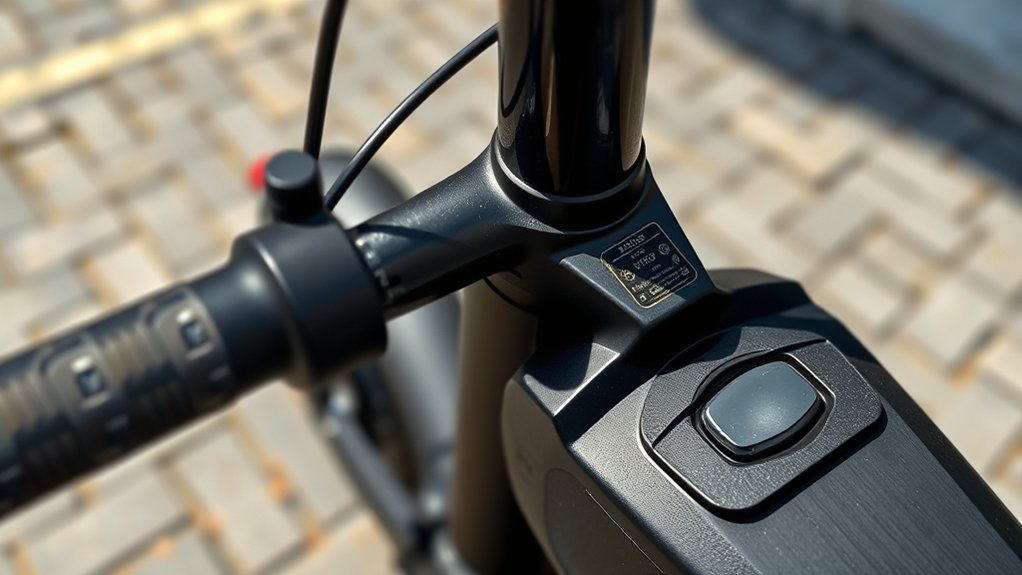
Last Updated on August 26, 2026 by Caleb Warren
You may find a reset button on some electric scooters, but there is no universal location or reset method. Older scooters such as certain Razor E-series models use a physical overload-reset button, while many modern scooters use a power cycle, an app, or a model-specific control sequence. Before pressing anything, identify your exact scooter model and check what the manufacturer means by “reset.”
Quick Answer
An electric scooter reset button, if your model has one, may be near the power switch, charging area, controller, or deck. However, many scooters have no physical reset button. Start by checking the model manual because Razor, Xiaomi, Segway, GOTRAX, and other brands use different reset systems.
Key Takeaways
- There is no universal electric scooter reset button location or button sequence.
- A physical “reset” button may actually be an overload circuit breaker, as documented on some Razor E-series scooters.
- A soft reboot, factory reset, Bluetooth reset, and battery/BMS service procedure are different operations.
- Do not copy button combinations from another scooter model; the same controls can activate different functions.
- Do not open a sealed battery compartment simply to perform a reset unless the manufacturer specifically instructs you to do so.
At a Glance
| Time Required | About 1–5 minutes for a basic power cycle; longer if you must diagnose an error code |
| Difficulty | Easy for a normal reboot; model-specific service procedures may require professional help |
| Tools Needed | Usually none; use a tool only when your manual specifically identifies a recessed reset control |
| Cost | $0 for a normal reset; repair costs apply if a battery, controller, throttle, brake sensor, wiring harness, or other component has failed |
Warning: Turn the scooter off and disconnect the charger before inspecting it. Do not open, puncture, modify, or disconnect a sealed lithium-ion battery pack simply to “reset” the scooter. Stop using and charging the scooter if the battery is swollen, damaged, unusually hot, smoking, hissing, leaking, or producing a burning or chemical odor.
Disclosure: As an Amazon Associate I earn from qualifying purchases. Some links on this page are affiliate links, at no extra cost to you.
What Does the Electric Scooter Reset Button Do?
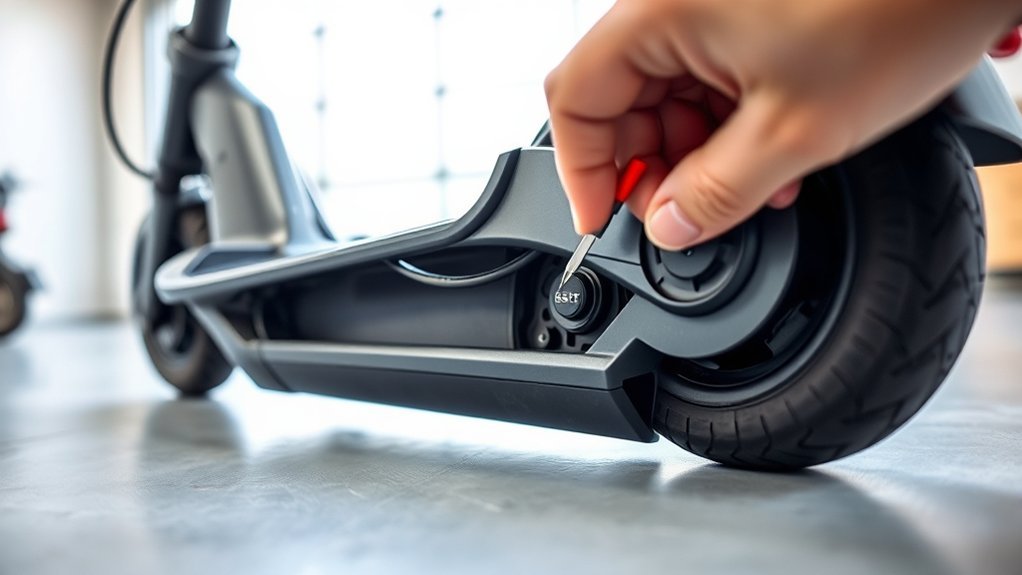
The answer depends on the scooter. The term reset is used for several different operations, and they should not be treated as interchangeable.
- Overload or circuit-breaker reset: Some scooters use a physical button that trips when the electrical system is overloaded. Razor documents this design on several E-series scooters.
- Soft reboot or power cycle: Turning the scooter completely off and back on can restart the display and controller and may clear a temporary software state.
- Factory reset: Some smart scooters can restore software settings through an app or a model-specific control combination. This may remove settings, Bluetooth pairings, or other saved information.
- Battery/BMS procedure: Battery-management troubleshooting is model-specific and should not be assumed to happen when a normal reset button is pressed.
For example, the Razor E200 owner’s manual says its reset button trips when the motor is overloaded, such as under excessive load or on a steep hill. Razor instructs the user to wait a few seconds, press the reset button, and correct the riding condition that caused the overload.
A reset therefore may clear a temporary condition, but it cannot repair a broken throttle, worn brake, damaged wiring harness, failed motor, defective controller, deteriorated battery, or water-damaged electronics. It also does not automatically install a firmware update.
Note: If an error immediately returns after a reset, treat the error as a diagnostic clue rather than repeatedly clearing it. Persistent faults usually need model-specific troubleshooting.
Where Is the Electric Scooter Reset Button Located?
There is no standard location shared by all electric scooters. If your model has a physical reset button or circuit breaker, it may be located near other electrical controls on the deck, near the power switch or charging area, or within a manufacturer-designated service area. Many modern scooters have no physical reset control at all.
The safest way to locate one is to find the model number on the scooter’s product label and compare it with the diagram in the owner’s manual. Do not press an unidentified recessed hole simply because it looks like a reset switch; it could be a fastener opening, service access point, microphone opening, or another component.
Common Button Locations
On scooters that genuinely have a physical reset control, manufacturers may place it where the electrical system can be accessed without disassembling major components. Possible areas include:
- beside the main on/off switch;
- near the charging port;
- on the side or top of the deck;
- on a controller or circuit-breaker housing identified in the manual; or
- inside a user-accessible service area on certain older designs.
These are possible locations, not universal ones. The exact diagram for the scooter is more reliable than searching the chassis at random.
Pro Tip: Search the manufacturer’s manual for the words “reset,” “circuit breaker,” “factory reset,” “reboot,” and the exact error code shown on the display. Manufacturers do not always use the same terminology.
Model-Specific Reset Methods
Different manufacturers—and even different models from the same manufacturer—use different reset systems. The examples below show why you should match the procedure to the exact scooter rather than relying on a universal button sequence.
| Brand / example | Verified reset information |
|---|---|
| Razor E200/E200S | Uses a documented physical reset button/circuit breaker. If overload trips it, Razor says to wait a few seconds, press the button, and correct the overload condition. |
| Xiaomi Electric Scooter 5 Plus | Xiaomi documents an app-based factory reset or, while powered on, holding the accelerator, brake, and power control together for seven seconds. The procedure is model-specific. |
| Segway Ninebot F2 | The F2 manual documents a five-brake-squeeze plus power-button sequence for resetting Apple Find My association. This should not be treated as a universal controller reset for all Ninebot scooters. |
| GOTRAX | GOTRAX publishes separate manuals and error-code instructions for its models. Use the procedure for your exact scooter instead of assuming a universal 10–15-second power-button reset. |
Xiaomi is a useful example of model variation. The Xiaomi Electric Scooter 5 Plus support page documents a seven-second factory-reset sequence using the accelerator, brake, and power button together. Other Xiaomi models can use different commands, so that procedure should not automatically be applied to an M365, M365 Pro, or another Xiaomi scooter.
Segway provides another example. The Ninebot KickScooter F2 manual includes a control sequence labeled RESET, but the documented function removes or resets Apple Find My association. It is not evidence that every Segway scooter uses the same combination to reboot its motor controller.
If No Button Exists
If you cannot find a physical reset button in the manual, assume your scooter may not have one. Start with the least invasive troubleshooting method:
- Bring the scooter to a complete stop.
- Turn it off normally.
- Disconnect the charger if it is connected.
- Wait about 30–60 seconds.
- Turn the scooter back on.
- Check the display for an error code.
- If the fault remains, look up the code in the manufacturer’s manual, app, or support guide.
Do not automatically try combinations such as power + brake or power + throttle. Those controls can perform unrelated functions depending on the scooter.
How Do You Reset an Electric Scooter Without a Button?
For a scooter without a dedicated reset button, start with a normal power cycle. Turn the scooter off completely, wait 30–60 seconds, and turn it back on. This is the safest general first step because it does not require opening the scooter or changing saved settings.
If the problem remains, follow this order:
- Read the display: Write down any error code before resetting again.
- Check the model manual: Look for reboot, reset, calibration, pairing, and factory-reset instructions.
- Check the official app: If your scooter has Bluetooth, the manufacturer may provide diagnostics, firmware information, or a factory-reset option.
- Inspect basic external items: Make sure the brake lever and throttle return freely to their normal positions and that visible cables are not damaged.
- Check the charge state: Use the correct manufacturer-specified charger and verify that the scooter has enough charge to start normally.
- Stop if the fault persists: Repeated resetting will not repair failed hardware.
Warning: Do not remove deck screws and disconnect a sealed battery as a routine “hard reset.” Only remove or disconnect a battery when it is designed to be user-removable or the manufacturer’s service instructions specifically tell you to do so.
The U.S. Consumer Product Safety Commission advises owners to use manufacturer-approved batteries and chargers and not to use battery packs that have been modified or rebuilt by unqualified personnel. See the CPSC Micromobility Information Center for current battery and charging guidance.
Which Electric Scooter Brands Use a Reset Button?
Some Razor scooters are well-documented examples of electric scooters with a physical reset button, but a brand name alone is not enough to determine the reset method. A manufacturer may use a physical circuit breaker on one model and software controls on another.
Modern smart scooters from Xiaomi, Segway, GOTRAX, and similar brands commonly rely on power controls, apps, diagnostic codes, or model-specific procedures rather than one standardized reset button.
Razor Reset Locations
Razor documents reset buttons on several E-series electric scooters. Its E-Series support section includes manuals and reset-button replacement information.
On the Razor E200/E200S, the owner’s manual identifies the reset button in the scooter’s deck control area along with the power switch and charger port. More importantly, Razor describes this button as an overload reset: if the motor is overloaded, the button can trip. The rider should correct the overload condition rather than repeatedly pressing the button.
- If it tripped after a steep hill: Move to flatter terrain before riding again.
- If the scooter was overloaded: Check the model’s rider-weight limit.
- If it trips repeatedly: Stop riding and diagnose the cause rather than repeatedly resetting it.
Razor models differ, so always match the manual to the complete model name rather than assuming that every Razor scooter uses the E200 arrangement.
Gotrax Reset Methods
GOTRAX has many scooter families, including the GXL V2, Apex, G4, G5, G6, GMAX, GX series, and others. Its current manual library provides separate documentation by model.
The official GOTRAX electric scooter troubleshooting guide also uses displayed error codes to identify problems such as communication, brake-lever, handlebar, motor, and controller faults on supported models.
Because of that model variation, do not assume that holding the GOTRAX power button for 10–15 seconds is a factory reset or controller reset. Power the scooter off normally first, record any error code, and follow the instructions for that exact model.
Generic Brand Variations
Unbranded and generic scooters vary even more. A small button under the deck is not automatically a reset button, and a button combination copied from another scooter can trigger an unrelated setting.
- Look for a brand and model label on the stem, deck, underside, battery label, or original packaging.
- Search the manufacturer’s manual using the exact model number.
- Do not press unidentified recessed controls with a pin.
- Do not open the battery housing unless the manufacturer describes it as user-serviceable.
- If no reliable documentation exists, use only a normal power-off/power-on cycle and seek qualified service for persistent faults.
How Do You Reset Your Electric Scooter Safely?
Use the least invasive reset procedure first. A safe general sequence is:
- Stop riding and place the scooter on a stable surface.
- Turn the scooter off normally.
- Unplug the charger.
- Wait 30–60 seconds.
- If the manual identifies a physical reset or circuit-breaker button, operate it exactly as instructed.
- If the manual specifies a button sequence or app reset, verify that the instructions match your exact model.
- Turn the scooter on and check for error codes.
- Before riding, test the brakes, throttle, display, lights, and steering at very low speed in a safe area.
Do not force a recessed switch. If the manual says to press a button briefly, do not hold it longer in the hope of producing a “deeper” reset. Longer presses can activate a different function on some electronics.
Note: A factory reset can be more disruptive than a normal reboot. It may erase settings, pairings, or account-related configuration. Xiaomi, for example, warns that factory resetting supported scooter models deletes stored scooter data.
What Should You Check If a Reset Doesn’t Work?
If a reset does not solve the problem, stop treating the reset itself as the repair. Check what the scooter is telling you and work from the simplest external causes toward professional diagnosis.
- Error code: Record the exact code and check the manufacturer’s definition.
- Battery charge: Confirm that the battery has sufficient charge and that you are using the approved charger.
- Brake lever: Make sure it returns fully to its resting position. Some scooters will not drive if the brake sensor remains active.
- Throttle: Check that it moves freely and returns normally.
- Visible wiring: Look for obviously loose or damaged external connectors without opening sealed battery components.
- Motor and wheels: Check for mechanical binding or obvious damage.
- Firmware: If the manufacturer’s official app reports a required firmware update, follow its instructions rather than repeatedly resetting the scooter.
GOTRAX, for example, publishes model-specific error-code troubleshooting and advises riders not to continue riding when certain error codes appear. A persistent communication, brake, motor, or controller error needs diagnosis rather than repeated resets.
When Should You Stop Troubleshooting?
Stop using the scooter and arrange manufacturer or qualified technician support if:
- the same error immediately returns after a correct reset;
- the scooter cuts power while riding;
- the throttle activates unpredictably;
- the brakes do not work normally;
- the battery will not charge with the correct charger;
- the battery or deck becomes unusually hot;
- you see swelling, smoke, sparks, melted wiring, or liquid leakage;
- you smell burning plastic, solvent, or another unusual chemical odor; or
- the scooter has suffered significant water intrusion, impact, or battery damage.
Warning: Do not charge a damaged, swollen, smoking, leaking, or abnormally hot lithium-ion battery. Move away from the device and follow local emergency guidance if there is smoke, fire, or signs of thermal runaway.
How Do You Avoid Frequent Electric Scooter Resets?
Frequent resets usually indicate that something is repeatedly triggering a protection system or fault. Good maintenance can reduce avoidable problems, but it cannot compensate for a failing component.
- Follow the scooter’s rider-weight and hill-grade limits.
- Keep tires at the pressure specified by the manufacturer when pneumatic tires are used.
- Keep the scooter clean and follow its stated water-resistance limitations.
- Inspect brakes, throttle operation, tires, visible cables, lights, and folding hardware before riding.
- Use only the charger supplied or specifically approved for the scooter.
- Use only manufacturer-approved replacement batteries.
- Do not modify the battery pack, wiring, controller, or charging system.
- Install firmware only through the manufacturer’s official method.
- Investigate repeated overload trips or error codes rather than continuing to reset them.
CPSC specifically recommends using the supplied or manufacturer-approved charger, being present while charging, and unplugging the device when charging is complete. It also warns against unapproved replacement battery packs and improperly modified lithium-ion batteries.
Frequently Asked Questions
Do electric scooters have a reset button?
Some do, but many do not. Certain Razor E-series scooters use a physical overload-reset button, while many modern smart scooters rely on power cycling, apps, error-code diagnostics, or model-specific control sequences. Check the exact model manual before looking for a hidden button.
Where is the reset button on an electric scooter?
There is no universal location. On models that have one, it may be near the power switch, charging area, deck controls, or another location shown in the owner’s manual. Do not press an unidentified recessed opening simply because it looks like a reset switch.
How do you factory reset an electric scooter?
Use the factory-reset method documented for your exact model. It may be available in the manufacturer’s app or require a specific control sequence. Do not substitute a physical circuit-breaker reset for a factory reset. A factory reset may delete saved settings, Bluetooth pairings, or other data.
What should I do if my electric scooter is not working?
Turn it off, disconnect the charger, wait about 30–60 seconds, and restart it. Then record any error code, confirm the battery has charge, check that the throttle and brake controls return normally, and follow the manufacturer’s troubleshooting guide. Stop riding if the scooter has a brake, throttle, battery, motor, or controller fault.
How do I reset my electric scooter controller?
Start with a normal power cycle. If the manufacturer documents a controller reset, calibration, or factory reset, follow that exact procedure. There is no universal power-and-brake combination that safely resets every scooter controller.
Can I disconnect the battery to reset my electric scooter?
Only if the battery is designed for normal user removal or the manufacturer’s instructions specifically tell you to disconnect it. Do not open a sealed deck battery simply to perform a hard reset. Lithium-ion battery wiring can carry substantial current, and improper servicing can damage the scooter or create a fire hazard.
Will resetting an electric scooter erase my settings?
A normal power cycle usually does not erase saved settings, but a factory reset can. Depending on the model, it may remove Bluetooth pairings, preferences, account associations, or other stored information. Read the manufacturer’s reset warning before confirming a factory reset.
Conclusion
The most important point is that an electric scooter reset is model-specific. Some older scooters have a physical overload-reset button, while many modern models use software, apps, error-code diagnostics, or specialized control sequences. Start with a normal power cycle, identify the exact model, and follow its official instructions before trying a button combination.
If the same fault keeps returning, look for the underlying battery, controller, brake-sensor, throttle, motor, wiring, charging, or mechanical problem instead of repeatedly resetting the scooter. Stop using the scooter when a safety-critical fault or battery warning sign appears.
Sources
- Razor E-Series Electric Scooter Support — manuals, reset-button information, parts, and model-specific support.
- Razor E200/E200S Owner’s Manual — documents the overload reset button and troubleshooting procedure.
- Xiaomi Electric Scooter 5 Plus FAQ — documents app and seven-second model-specific factory-reset procedures.
- Segway Ninebot KickScooter F2 User Manual — documents the F2-specific Apple Find My RESET procedure.
- GOTRAX Electric Scooter Troubleshooting Guide — official model and error-code troubleshooting guidance.
- U.S. Consumer Product Safety Commission Micromobility Information Center — lithium-ion battery, charger, riding, and micromobility safety guidance.
