
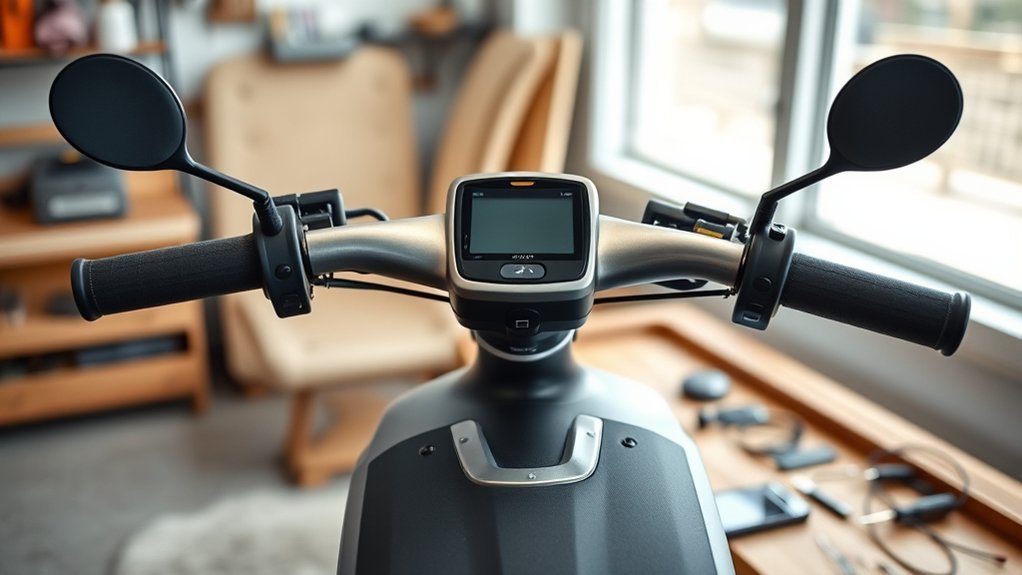
Last Updated on August 26, 2026 by Caleb Warren
A factory reset on an electric scooter is model-specific, so there is no single reset button or 10–15-second button combination that works for every scooter. Start by identifying the exact brand and model, then use the reset procedure in its official manual or manufacturer app. A reset can clear settings or some software problems, but it will not repair a damaged battery, controller, motor, brake, or wiring.
Quick Answer
To factory reset an electric scooter, first identify the exact model and follow its official reset instructions. Some Xiaomi scooters, for example, reset while powered on by holding the brake, accelerator, and power button for 7 seconds, while other models use different sequences or an app. Never assume one reset method works for every scooter.
Key Takeaways
- There is no universal factory-reset sequence for electric scooters.
- Check the scooter’s exact model number and official instructions before pressing button combinations.
- A factory reset may erase settings, app data, passwords, or pairing information, but what is erased varies by model.
- Do not open or disconnect an enclosed lithium-ion traction battery simply to force a reset.
- A reset can help with some software or configuration problems, but it cannot repair worn or damaged hardware.
At a Glance
| Time Required | Usually 5–15 minutes, depending on the model and app setup |
| Difficulty | Easy when the correct manufacturer procedure is available |
| Tools Needed | Usually none; a phone with the manufacturer’s app may be needed |
| Cost | Usually free |
Warning: Do not open the deck or disconnect an enclosed traction battery just to reset the scooter unless the manufacturer specifically documents that procedure for users. Stop using and charging the scooter if the battery is swollen, leaking, smoking, unusually hot, visibly damaged, or producing an unusual odor.
Disclosure: As an Amazon Associate I earn from qualifying purchases. Some links on this page are affiliate links, at no extra cost to you.
Why Factory Reset Your Electric Scooter
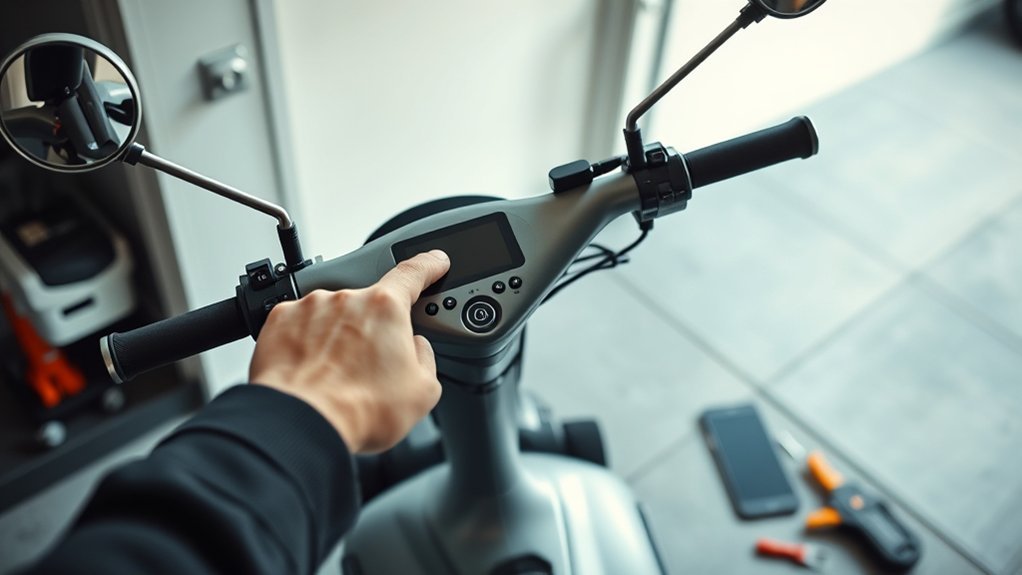
A factory reset returns supported scooter settings to their manufacturer-defined defaults. Depending on the model, it may erase customized ride settings, Bluetooth information, app preferences, passwords, or locally stored data.
A reset can be useful when settings are corrupted, an app connection repeatedly fails, or a software-related problem continues after a normal restart. Xiaomi, for example, includes factory resetting among the troubleshooting steps for some firmware and connection problems.
However, a reset is not a mechanical repair. It will not restore capacity to a worn battery, repair damaged wiring, straighten a bent brake component, fix a failed controller, or correct a defective motor. Persistent error codes should be checked against the manufacturer’s diagnostic information rather than repeatedly resetting the scooter.
The safest reset procedure is the one documented for your exact scooter model—not a generic button combination found for a different scooter.
Before You Factory Reset
Before resetting your electric scooter, identify the exact model, save any settings you want to keep, check that the battery has enough charge to complete the procedure, and read the manufacturer’s instructions. Do not assume the scooter must be powered off: several current Xiaomi models are specifically reset while powered on.
Check Battery Level
Check the battery indicator before starting so the scooter is unlikely to lose power during the reset. You do not need to assume that every scooter requires a 100% charge; use the battery requirement stated by the manufacturer.
If charging is necessary, use the charger supplied with the scooter or one specifically approved by the manufacturer. The U.S. Consumer Product Safety Commission (CPSC) recommends following manufacturer charging instructions, being present while charging, unplugging the device when charging is complete, and avoiding incompatible so-called universal chargers.
See the CPSC Micromobility Information Center for current battery and charging safety guidance.
Back Up Settings
A factory reset may erase customized settings. Before proceeding, take screenshots of settings such as ride mode preferences, lighting behavior, regenerative-braking settings, units, cruise-control options where legal and supported, and other preferences you may want to restore.
If the manufacturer’s app allows ride-history export or synchronization, complete that process before resetting. Do not assume that all data will be erased or preserved in the same way on every scooter. For example, Xiaomi states that a factory reset of the Electric Scooter 3 Lite deletes stored data but retains its total mileage and activation status.
Read Model Manual
Your scooter’s model manual or official support page should be the primary source for reset instructions. Locate the model name or number on the scooter’s label, packaging, purchase record, app profile, or manual before you begin.
This matters because even scooters from the same manufacturer can use different reset procedures. The required power state, buttons, timing, app steps, and data-loss behavior may all differ.
Pro Tip: Search the manufacturer’s support site using the complete model name followed by “factory reset.” Avoid following a video or forum post for a visually similar scooter unless its exact model number matches yours.
How to Factory Reset Your Electric Scooter
Because reset procedures are model-specific, use this sequence as a decision process rather than as a universal button combination.
| Step | Action |
|---|---|
| 1 | Identify the exact scooter brand, model, and generation. |
| 2 | Open the official manual, support page, or manufacturer app instructions. |
| 3 | Place the scooter on a stable surface and make sure it is not being ridden or charged unless the instructions specifically say otherwise. |
| 4 | Perform the exact documented app command or button sequence. |
| 5 | Wait for the manufacturer’s stated confirmation, such as a beep, display change, restart, or app message. |
| 6 | Reconnect the official app if required, restore settings, check for approved firmware updates, and test the scooter at low speed. |
Current Xiaomi Reset Examples
These examples show why one generic reset sequence should not be used for every electric scooter:
- Xiaomi Electric Scooter 5 Plus: Xiaomi says you can use Restore scooter settings in the scooter’s app settings, or—with the scooter powered on—hold the accelerator, brake, and power button together for 7 seconds. The brake must be fully pressed. See Xiaomi Electric Scooter 5 Plus support.
- Xiaomi Electric Scooter 4 Pro (2nd Gen): with the scooter powered on, squeeze the brake lever and hold the accelerator and power button for 7 seconds. Xiaomi states that a beep confirms the reset. See Xiaomi’s official reset instructions.
- Xiaomi Electric Scooter 3 Lite: its factory-reset sequence also differs from its separate Bluetooth-reset procedure, illustrating that “Bluetooth reset” and “factory reset” are not interchangeable. See Xiaomi Electric Scooter 3 Lite FAQ.
Note: The examples above apply only to the named Xiaomi models. Segway, NIU, Apollo, GOTRAX, Razor, Hiboy, and other brands may use completely different procedures. Check the exact model’s official documentation.
Find the Reset Button or Combo
Do not assume your scooter has a physical reset button. Some scooters use dashboard controls, some use an accelerator/brake/power combination, some offer an app command, and some do not provide a user-accessible factory-reset procedure at all.
If you find a recessed button near the charging port, deck, controller, or battery area, do not press it simply because it looks like a reset button. It may serve another function. Confirm its purpose in the manufacturer’s manual first.
Likewise, avoid trying random power, brake, and throttle combinations. Incorrect combinations may activate another function, reset Bluetooth instead of factory settings, or do nothing.
Restart vs Factory Reset vs Bluetooth Reset vs Unbinding
- Restart: turns the scooter off and back on without intentionally erasing settings.
- Factory reset: restores manufacturer-defined settings and may erase stored information.
- Bluetooth reset: clears or restarts Bluetooth-related pairing information on supported models; it may be separate from a full factory reset.
- Unbinding: removes the scooter from an app account. This may require a separate app action and should not be assumed to happen automatically after a factory reset.
For example, Xiaomi documents separate Bluetooth-reset, factory-reset, and device-deletion procedures for the Electric Scooter 3 Lite. It also states that a scooter already bound to an account cannot simply be bound to another account without the required account-management steps.
What If the Reset Fails?
If the factory reset does not work, do not immediately open the scooter or disconnect its traction battery. Work through the following checks instead:
- Confirm the exact model. A procedure for another generation may look plausible but fail.
- Check the required power state. Some models must be powered on; others may have different requirements.
- Make sure the scooter is stationary. Some models block reset commands while riding.
- Unlock the scooter if required. Xiaomi states that some models cannot be factory-reset while locked.
- Repeat the documented sequence exactly. Button order, brake position, timing, and throttle position can matter.
- Check the app connection. Enable Bluetooth and follow the manufacturer’s pairing instructions if an app is part of the reset.
- Restart the scooter and phone. A normal restart can resolve temporary communication problems without erasing settings.
- Contact official support. Persistent errors may indicate a controller, dashboard, battery, sensor, wiring, or firmware problem that resetting cannot repair.
Warning: Do not bypass the battery-management system, bridge electrical terminals, short connectors, or open a sealed battery enclosure in an attempt to force a reset. Lithium-ion battery faults can cause fire, burns, or electrical injury.
Factory Reset in the App
Some scooters can be factory-reset through their official companion app, but the menu names differ by manufacturer, scooter model, region, and app version. Do not rely on a universal path such as “Settings → My Scooters → Restore Factory Settings” unless your manufacturer’s documentation shows that exact path.
For example, Xiaomi says the Electric Scooter 5 Plus can be reset by selecting Restore scooter settings in the scooter’s settings interface in the Xiaomi Home app. Older Xiaomi support documentation also describes a Mi Home scooter interface with a More menu followed by a factory-reset option.
App Reset Navigation
A safe app-reset workflow is:
- Install or update the scooter manufacturer’s official app.
- Sign in to the account legitimately associated with the scooter.
- Connect to the exact scooter shown in the app.
- Open the device settings and look for a reset or restore option documented for that model.
- Read the data-loss warning before confirming.
- Allow the app and scooter to complete the process without riding, charging, or powering the scooter off unless instructed.
- Reconnect or rebind the scooter afterward if the manufacturer requires it.
Authentication also varies. If the app requests a password, PIN, account sign-in, or another verification method, use the method shown by that app rather than assuming biometric verification is available.
PIN Verification Process
| Step | Action | Result |
|---|---|---|
| 1 | Use the account, PIN, or verification method requested by the official app. | The app verifies authorized access. |
| 2 | Read the reset warning and confirm only if you understand what will be erased. | Reset authorization is accepted. |
| 3 | Allow the documented reset process to finish. | The scooter returns to its supported default state. |
If you have forgotten an app password or ownership credential, use the manufacturer’s documented recovery process. Do not assume a hardware reset will bypass account ownership. Xiaomi, for example, advises contacting after-sales support with proof of purchase in certain account-loss situations.
What a Factory Reset Can and Cannot Fix
| A Reset May Help With | A Reset Will Not Repair |
|---|---|
| Corrupted user settings | A damaged battery |
| Some app or Bluetooth configuration problems | A failed motor or controller |
| Certain software-related errors | Broken wiring or connectors |
| Incorrect customized settings | Worn brakes, tires, bearings, or mechanical parts |
Set Up Your Scooter Again
After the reset, reconnect the scooter to its official app if required and restore only the settings that are supported by your model. Check ride modes, lighting, units, regenerative-braking preferences, lock settings, and other options before riding.
If the manufacturer offers a firmware update through its official app, review and install it according to the manufacturer’s instructions. Keep the scooter stationary during the update and do not interrupt power unless the manufacturer specifically tells you to do so.
Then perform a controlled safety check:
- Confirm that the display starts normally and shows no unexplained error code.
- Check the headlight, tail light, brake light, and turn signals if fitted.
- Test the throttle only in a safe area and according to the scooter’s normal kick-start requirements.
- Test both braking systems at walking speed before riding faster.
- Listen for unusual noises and check that the wheels rotate normally.
- Confirm that the app recognizes the correct scooter and settings.
If an error immediately returns after the reset, record the error code and check the manufacturer’s diagnostic information instead of repeatedly resetting the scooter.
Prevent Future Scooter Issues
Good maintenance reduces the chance that normal mechanical or electrical problems will be mistaken for software faults. Before riding, inspect the tires, brakes, lights, controls, frame, cables, and visible connectors for damage.
Keep the scooter within its rated load and operating conditions, and store it in a dry location within the temperature range specified by the manufacturer. Avoid pressure washing or exposing electrical components to water beyond the scooter’s published water-resistance rating.
For the lithium-ion battery, follow the manufacturer’s charging instructions and use only an approved charger. CPSC specifically advises consumers to be present during charging, avoid charging while asleep, unplug the device after charging is complete, and use only compatible replacement batteries and chargers.
Firmware should be obtained only through the manufacturer or its official app. Avoid unofficial firmware, controller modifications, or wiring changes intended to defeat safety or speed restrictions.
When to Stop Troubleshooting and Get Service
Do not keep factory-resetting a scooter that shows signs of a hardware or battery fault. Contact the manufacturer or an authorized repair provider when you notice:
- A battery that becomes unusually hot, swells, leaks, smokes, or smells abnormal.
- Repeated battery or controller error codes after a documented reset.
- A scooter that suddenly shuts down while riding.
- Visible melted, burned, corroded, or damaged electrical connectors.
- A motor that jerks, locks, grinds, or loses power unpredictably.
- Brakes that do not operate correctly.
- Firmware updates that repeatedly fail after following official troubleshooting instructions.
Frequently Asked Questions
How do you hard reset an electric scooter?
There is no universal hard-reset combination for electric scooters. Identify the exact model and follow its official factory-reset instructions. Some Xiaomi models use the brake, accelerator, and power button for 7 seconds while powered on, but other scooters use different procedures.
Is there a reset button on an electric scooter?
Some scooters may have a physical reset control, but many do not. A scooter may instead use its power, brake, or accelerator controls or an official app. Never press an unidentified recessed button without checking the manual.
How do you remove an e-scooter speed limiter?
Use only manufacturer-provided riding modes or speed settings that are legal where you ride. Avoid undocumented controller wiring, unofficial firmware, or safety-system bypasses. Those modifications can damage the scooter, affect braking or electrical behavior, void warranty coverage, or make the scooter illegal to operate.
What does factory resetting an electric scooter do?
It restores supported settings to their manufacturer-defined defaults. Depending on the model, it may erase preferences, passwords, pairing information, or other stored data. It does not necessarily erase everything; some scooters retain information such as total mileage or activation status.
Does a factory reset unbind the scooter from the previous account?
Not necessarily. Factory resetting and account unbinding can be separate actions. Follow the manufacturer’s account-removal instructions, especially before selling or transferring a scooter. If the original account is unavailable, the manufacturer may require proof of purchase.
Does factory resetting recalibrate the scooter battery or BMS?
Do not assume so. A normal factory reset primarily restores software or user settings. Battery-management-system calibration or service procedures are separate and should be performed only when the manufacturer specifically documents them for your model.
Does an electric scooter need a full battery before a factory reset?
Not universally. Having adequate charge helps prevent an interruption, but the required battery level depends on the model. Follow the manufacturer’s instructions rather than assuming a 100% charge is mandatory.
Will a factory reset clear an electric scooter error code?
It may clear an error caused by software or incorrect settings, but a reset will not repair a physical fault. If the same error returns, look up the model-specific error code and contact the manufacturer or an authorized service provider when necessary.
Sources
- Xiaomi Electric Scooter 5 Plus FAQ — official factory-reset and app-reset procedures.
- Xiaomi Electric Scooter 4 Pro (2nd Gen) reset instructions — official 7-second brake, accelerator, and power-button procedure.
- Xiaomi Electric Scooter 3 Lite FAQ — distinguishes Bluetooth reset, factory reset, app deletion, and retained data.
- Segway Service and Support — official manuals, FAQs, maintenance information, and model-specific support.
- U.S. Consumer Product Safety Commission Micromobility Information Center — battery, charging, inspection, and micromobility safety guidance.
- CPSC warning on universal micromobility chargers — charger compatibility and lithium-ion fire-safety guidance.
Conclusion
To factory reset an electric scooter safely, first identify the exact model and use its official reset instructions. Do not rely on a universal reset button, a generic 10–15-second button sequence, or advice to disconnect the traction battery.
A factory reset is useful for some settings, pairing, and software problems, but it is not a repair for damaged batteries, motors, controllers, wiring, brakes, or other hardware. After resetting, reconnect the official app if required, restore your settings, install manufacturer-approved firmware updates, and test the scooter at low speed before returning to normal riding.
