
Last Updated on August 25, 2026 by Caleb Warren
On an electric scooter, the “D” symbol on your display stands for Drive mode (also referred to as Standard or Normal mode). It serves as the primary factory-balanced setting designed for everyday riding, capping your top speed—typically around 12 to 15.5 mph (20 to 25 km/h) depending on regional regulations—while moderating motor current to balance acceleration, hill-climbing power, and battery range.
Quick Answer
“D” stands for Drive Mode, the default everyday riding profile on an electric scooter. It delivers a moderate top speed (usually 15.5 mph / 25 km/h), smooth throttle response, and balanced energy consumption. You can activate it on most scooters (such as Segway-Ninebot and Xiaomi) by powering on the device and double-pressing the single power/function button.
Key Takeaways
- Balanced Performance: Drive (D) mode limits top speed to roughly 12–15.5 mph (20–25 km/h) to maintain steady cruising without aggressive battery drain.
- Energy Management: D mode restricts continuous motor amperage, reducing voltage sag and overheating compared to Sport (S) mode.
- Easy Switching: Most single-button models toggle modes via a quick double-tap of the power button, while other brands use a dedicated “M” or mode switch.
- Troubleshooting: Inability to switch into D mode typically points to low battery cutoffs, active mobile app locks, sticking buttons, or electronic throttle sensor faults.
Disclosure: As an Amazon Associate I earn from qualifying purchases. Some links on this page are affiliate links, at no extra cost to you.
What Does D Mean on an Electric Scooter?
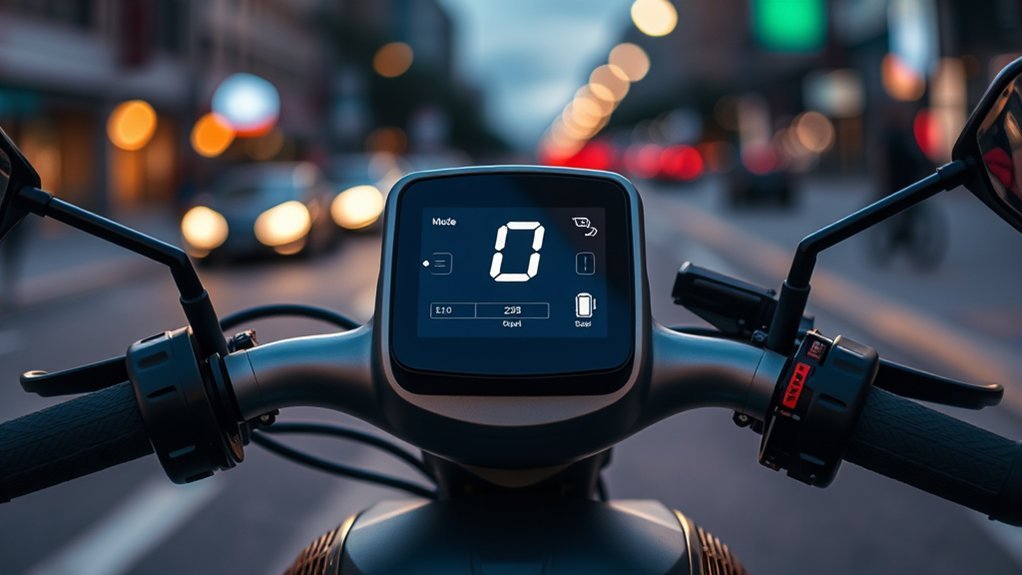
When the letter D illuminates on your scooter’s LED or LCD cockpit, the motor controller operates under its Drive programming. Electric scooters feature tiered riding profiles programmed directly into the motor controller firmware. While manufacturers like Segway-Ninebot, Xiaomi, NIU, and Apollo use varying naming conventions, “D” universally denotes the balanced middle tier between sluggish energy-saving profiles and aggressive high-draw performance profiles.
Choosing Drive mode configures your vehicle for standard commuting: the throttle response curve is smoothed to prevent jerky starts, the controller limits continuous current output, and electronic braking assists in energy recovery via regenerative braking (KERS).
How D Mode Works
Selecting D mode fundamentally changes how the electronic speed controller (ESC) delivers power from the lithium-ion battery pack to the brushless DC (BLDC) hub motor. It manages three core variables: maximum speed, power curve modulation, and thermal efficiency.
Balanced Speed Control and Throttle Mapping
In D mode, the motor controller alters throttle sensitivity using a progressive acceleration curve. Instead of dumping peak amperage immediately upon throttle depression, power ramps up gradually. Top speed is electronically governed to align with municipal urban speed limits—commonly 15.5 mph (25 km/h) in North America and 20–25 km/h across European jurisdictions adhering to the EN 17128 safety standard.
Efficient Battery Use and Heat Management
Lithium-ion battery packs suffer from a phenomenon known as voltage sag when subjected to high instantaneous current draws (such as rapid takeoffs in Sport mode). D mode caps the continuous amperage draw from the Battery Management System (BMS). By drawing power at a steady, moderate rate, D mode yields significant benefits:
- Extended Real-World Range: Expect 20% to 35% more mileage per charge compared to sustained riding in Sport mode.
- Reduced Cell Degradation: Lower discharge rates generate less internal heat, directly prolonging overall battery cycle life.
- Minimized Thermal Throttling: Keeps both the controller MOSFETs and the motor windings within safe operating temperatures on warm days.
Daily Riding Comfort
The calibrated power curve in D mode minimizes the “on-off switch” sensation common in budget electric scooters. Because power delivery is linear, riders maintain precise balance when navigating tight urban corners, navigating around pedestrians, or rolling over light pavement irregularities without unexpected surges.
D Mode vs. Eco Mode vs. Sport Mode
Understanding where D mode sits relative to other riding modes ensures you select the correct profile for terrain, battery health, and riding conditions.
| Riding Mode | Typical Speed Cap | Acceleration Profile | Battery Consumption | Hill Climbing Ability | Best Scenario |
|---|---|---|---|---|---|
| Eco (E) | 9–10 mph (15 km/h) | Very gradual; soft | Lowest (Maximum range) | Poor (Struggles on slopes) | Low battery limp mode, crowded sidewalks |
| Drive (D) | 12–15.5 mph (20–25 km/h) | Moderate; linear | Moderate (Balanced) | Moderate (Up to 10–14% grade) | Daily commuting, bike lanes, flat-to-rolling roads |
| Sport (S) | 18–28+ mph (30–45+ km/h) | Instant torque; aggressive | Highest (Fast drain) | Maximum motor torque | Steep inclines, fast open roads, headwind travel |
What D Mode Means for Speed and Battery
Choosing D mode represents an intentional compromise between operational velocity and travel radius. Operating consistently in D mode delivers roughly 75% to 85% of the manufacturer’s advertised lab range, whereas running exclusively in Sport mode often cuts real-world range down to 50% to 60% of rated claims.
“Operating an electric scooter in Drive (D) mode reduces continuous controller discharge by up to 30% compared to Sport mode, preserving cell voltage stability and curbing internal heat buildup.”
How to Switch to D Mode
At a Glance
| Time Required | 5 seconds |
| Difficulty | Very Easy (Beginner) |
| Tools Needed | None (Handlebar interface or Bluetooth app) |
| Cost | $0 |
Locating the Mode Button
Cockpit configurations vary across major electric scooter brands:
- Single-Button Interfaces (Segway-Ninebot MAX / E / F Series, Xiaomi 1S / Pro 2 / 4): The power button mounted below the central display doubles as the multi-function mode selector.
- Dedicated Mode Button (Apollo, Vsett, Zero): A secondary button labeled “M” or “MODE” sits adjacent to the throttle assembly.
- Smart Dashboards (NIU KQi Series, Segway GT Series): Feature a dedicated thumb toggle or handle-integrated rocker switch.
Switching to Drive Mode
- Power on the scooter by pressing the power button once. Ensure the vehicle is stationary.
- Double-press the power button in rapid succession (on Segway and Xiaomi models) or single-press the Mode (M) button (on Apollo and NIU models).
- Observe the mode cycling sequence: typically Eco → Drive (D) → Sport (S). Continue double-pressing until the letter D illuminates.
Pro Tip: Always come to a complete stop or coast off-throttle before switching riding modes. Changing modes under heavy throttle input can cause sudden acceleration lurches or unexpected motor braking engagement.
Confirming D on Display
Verify mode activation on your screen:
- A standalone, steady letter D will appear (usually white, blue, or green).
- Ensure the icon is not flashing (a flashing mode icon indicates firmware synchronization or Bluetooth connectivity in progress).
- If the display shows an S or an ECO icon, double-click once more to advance back to D.
When to Use D Mode
D mode is the optimal setting across the majority of daily urban scenarios:
- Daily Commuting in Traffic: Provides enough speed to flow safely with bicycle and light scooter lane traffic without overwhelming the rider.
- Wet or Slippery Pavement: The restrained torque profile prevents wheel spin on wet painted road lines, metal utility covers, and damp asphalt.
- Preserving Low Battery: When your battery gauge drops below 30%, switching from Sport to Drive mode prevents premature low-voltage cutoffs.
- Navigating Crowded Corridors: Offers predictable low-speed throttle control when sharing pathways near pedestrians.
Why D Mode Isn’t Working (Troubleshooting)
If your scooter refuses to enter or stay in Drive mode, work through these diagnostic checks:
Warning: If your display flashes a red wrench icon alongside an error code (such as Ninebot Error 14 or Xiaomi Error 21), stop riding immediately. This signals a hardware sensor failure or battery communication fault that mode switching cannot override.
- Low Battery Cutoff (BMS Protection): If battery charge drops below 10%–15%, many smart BMS units automatically lock the vehicle into Eco mode to protect the cells from deep discharge, preventing access to D or S mode.
- Digital App Lock Active: Scooters locked via manufacturer apps (such as the Segway-Ninebot or Mi Home app) disable mode toggling on the handlebar until unlocked in the software.
- Hardware Switch Failure: Dirt, moisture ingress, or physical wear under the silicone dashboard button can prevent double-tap detection. Clean gently around the button housing with isopropyl alcohol.
- Thermal Protection Mode: Heavy riding up hills in hot weather can trigger motor over-temperature protection, restricting performance to reduced power modes until the stator cools.
- Firmware Glitches: Connect your scooter to its official companion app to verify your firmware is up to date and re-calibrate the electronic throttle Hall sensors.
Display Symbols That Affect D Mode
Keep an eye on secondary cockpit indicators that directly alter D mode performance:
- Red Wrench / Spanner: Indicates an active diagnostic fault code (throttle, brake sensor, or motor phase wire failure).
- Thermometer Icon: Controller or battery temperature exceeds safe operating thresholds (>50°C/122°F), triggering automatic power de-rating.
- Bluetooth Icon: Verifies an active data link with your smartphone for custom speed-governor adjustments.
- Headlight Icon: Activating headlights on certain budget scooters slightly reduces display brightness and total electrical wattage.
Frequently Asked Questions
What is the main difference between D mode and S mode?
D (Drive) mode caps top speed (typically 12–15.5 mph / 20–25 km/h) and delivers moderate acceleration to maximize energy efficiency. S (Sport) mode unlocks the motor’s full amperage and top speed (often 18–30+ mph), providing faster acceleration and superior hill climbing at the expense of rapid battery consumption.
Does riding in D mode make the scooter battery last longer?
Yes. Riding in D mode extends real-world range by 20% to 35% compared to Sport mode. By capping peak current draw, D mode reduces battery heating and voltage sag, which also prolongs the overall health and lifespan of the lithium-ion battery pack.
Why won’t my electric scooter go faster than 15 mph in D mode?
D mode is electronically speed-limited in the scooter’s firmware to comply with regional micromobility regulations (such as EN 17128 or US city ordinances). If you require higher speeds and your scooter supports it, you must switch into Sport (S) mode.
Can D mode handle riding up steep hills?
D mode easily handles mild-to-moderate inclines (up to roughly 10%–14% grade depending on rider weight). For steep hills exceeding 15% grade, switching to Sport (S) mode is recommended to supply the motor with the peak wattage required to prevent stalling.
Conclusion
The “D” (Drive) setting on an electric scooter represents the engineering sweet spot for daily commuting. By balancing speed regulation near 15.5 mph with controlled current draw, Drive mode prevents early battery depletion, curbs motor heat buildup, and provides a smooth throttle response. Master the simple double-tap button toggle, monitor your cockpit symbols, and rely on D mode as your dependable default setting for safe, efficient urban riding.
Sources
- Segway-Ninebot Official Support & User Manuals — Reference for KickScooter interface controls, riding mode switching sequences, and speed limits.
- Xiaomi Global Support Documentation — Reference for Mi Electric Scooter dashboard indicators, KERS configurations, and firmware settings.
- UL Solutions E-Mobility Standards (UL 2272 & EN 17128) — Electrical systems, battery safety parameters, and speed governing standards for personal e-mobility devices.
