
Last Updated on August 25, 2026 by Caleb Warren
On an electric scooter display, the “S” icon stands for Sport mode. Activating this setting unlocks the scooter’s maximum power output, delivering sharper throttle response, faster acceleration, and the highest top speed available on your model. While Sport mode provides the torque needed for hill climbs and quick merges, it draws maximum current from the battery, reducing your total range by 30% to 50% compared to standard riding modes.
Quick Answer
The “S” on an electric scooter display indicates Sport Mode. It unlocks the motor’s full wattage for maximum acceleration, stronger hill-climbing torque, and top speeds (typically 25 to 32 km/h / 15.5 to 20 mph). However, it drains the battery significantly faster than Eco (E) or Drive (D) modes.
Key Takeaways
- S = Sport Mode: Uncaps the motor controller to deliver peak amperage, instant throttle response, and top speed.
- Battery Trade-Off: Continuous riding in S mode increases power consumption, significantly cutting your overall riding distance per charge.
- Icon Color Matters: On brands like Xiaomi and Segway-Ninebot, a Red “S” indicates Sport mode, while a White “S” or standard “D” represents standard Drive mode.
- Switching Method: Most electric scooters switch modes via a quick double-press of the main power button or through a companion mobile app.
- Safety First: Higher speeds reduce stopping distance; always wear a helmet and inspect tire pressure before engaging Sport mode.
Disclosure: As an Amazon Associate I earn from qualifying purchases. Some links on this page are affiliate links, at no extra cost to you.
What S Means on an Electric Scooter Display
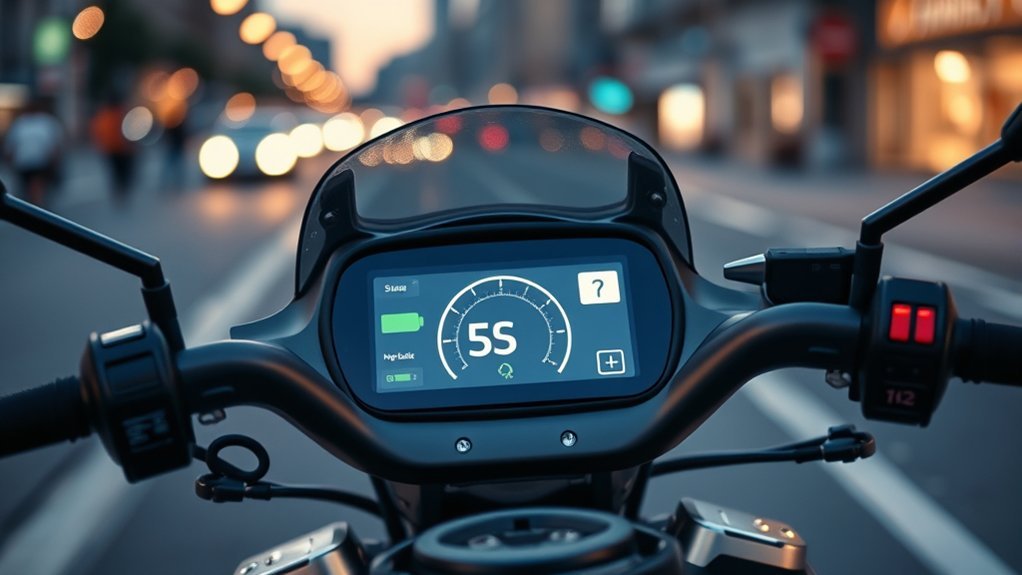
When the letter “S” illuminates on your scooter’s LED or LCD dashboard, the motor controller is configured for Sport mode. In this mode, the electronic speed controller (ESC) removes efficiency restrictions, allowing the motor to draw peak wattage from the battery pack. This provides immediate torque from a standstill and allows the scooter to reach its factory-rated top speed.
Sport mode is engineered for experienced riders who need rapid acceleration, improved hill-climbing capability on steep inclines, and the ability to keep pace with urban bicycle traffic. Because the motor operates at peak output, throttle sensitivity is significantly higher, requiring smooth finger or thumb control to avoid sudden jerks.
Note on Icon Colors: On many popular models from manufacturers like Segway-Ninebot and Xiaomi, display icons are color-coded. A White “S” often denotes Standard (Drive) mode, whereas a Red “S” signifies Sport mode (maximum speed and power).
How S Mode Compares With Eco and Drive (D) Modes
Modern electric scooters typically feature three primary riding profiles: Eco (E), Drive (D), and Sport (S). Each profile adjusts the controller’s amperage delivery, acceleration curve, and top speed governor.
| Riding Mode | Top Speed Range | Acceleration & Torque | Battery Drain Rate | Ideal Use Case |
|---|---|---|---|---|
| Eco (E / 🌱) | 10–15 km/h (6–9 mph) | Gentle, gradual ramp-up | Lowest (Maximum range) | Crowded paths, low battery, beginners |
| Drive (D) | 15–20 km/h (9–12 mph) | Smooth, moderate pull | Moderate (Balanced) | Daily commuting, flat urban streets |
| Sport (S / Red S) | 25–32+ km/h (15.5–20+ mph) | Instant, maximum torque | Highest (Fast discharge) | Hill climbing, quick overtakes, open roads |
Speed and Power Delivery
In Eco mode, the motor output is capped to prevent rapid battery discharge, making it difficult to maintain speed on inclines. Drive (D) mode offers a balanced linear power curve suitable for general commuting. In contrast, Sport (S) mode unlocks the motor’s full rated and peak wattage. On a 350W nominal motor, Sport mode can draw up to 700W peak power during hard acceleration, allowing riders to tackle inclines of 15% to 20% without stalling.
Battery Consumption and Voltage Sag
Continuous high-amperage draw in Sport mode generates heat within the battery cells, leading to a phenomenon known as voltage sag. Under heavy load, the battery percentage display may temporarily drop, recovering slightly once throttle pressure is released. If you commute across long distances, operating exclusively in S mode will reduce your real-world travel range by roughly one-third to one-half compared to Eco mode.
“Riding at top speed in Sport mode increases aerodynamic drag exponentially, requiring up to 50% more battery power to maintain 25 km/h compared to cruising at 15 km/h in Eco mode.”
How to Switch Your Scooter to S Mode
Switching between riding modes on most modern electric scooters can be done directly from the handlebar cockpit without stopping, though switching while stationary is recommended for safety.
At a Glance
| Time Required | 5 seconds |
| Difficulty | Very Easy |
| Tools Needed | None (Power button or companion mobile app) |
| Cost | Free ($0) |
- Turn On the Scooter: Press and hold the primary power button on the handlebar stem until the digital display illuminates.
- Double-Press the Power Button: On most standard models (including Xiaomi, Segway-Ninebot, and GoTrax), press the power button twice in rapid succession.
- Verify the Display Icon: Observe the display cycle from Eco to D, and finally to S (or a highlighted Red S).
- Alternative Method (App Control): For smart scooters like NIU or Apollo, open the manufacturer’s mobile app via Bluetooth to toggle Sport mode or configure custom speed ceilings.
Pro Tip: If double-pressing the button turns your headlight on and off instead of changing modes, your model uses a single-press for lights and a double-press for modes—or vice versa. Check your manual if the input is reversed.
When to Use S Mode Safely
Because Sport mode sharpens acceleration and raises your speed, it should be chosen deliberately based on environmental conditions and terrain.
- Uphill Climbs: Switch to S mode at the base of a hill to provide the motor controller with sufficient amperage to maintain momentum without stalling.
- Clear Bike Lanes & Open Roads: Use S mode when riding in designated bike corridors where traffic flow moves at 25–32 km/h (15–20 mph).
- Merging and Overtaking: The extra punch allows you to pass slower riders or clear intersections decisively.
Warning: Avoid using Sport mode on wet asphalt, loose gravel, or crowded pedestrian pavements. High torque increases the risk of wheel slip during launch, and higher velocities significantly lengthen emergency braking distances. Comply with the safety guidelines set by the U.S. Consumer Product Safety Commission (CPSC) and always wear a certified helmet.
What Other Scooter Display Icons Mean
In addition to the speed mode indicators (E, D, S), electric scooter dashboards display telemetry and diagnostic icons that communicate system status:
- Speedometer: Displays current velocity in either km/h or mph (often toggled via 3 quick button presses or in-app settings).
- Battery Gauge: Represented by horizontal bars or a percentage block. When the final bar flashes or turns red, power throttling occurs automatically.
- Bluetooth Icon: Illuminates solid blue or white when paired with your smartphone app.
- Headlight Icon: Indicates that front and rear running lights are active.
- Cruise Control (Speedometer with Arrow): Illuminates when a continuous speed has been maintained for 5–8 seconds, holding throttle position automatically.
- Pedestrian Mode (Walking Figure): Caps top speed at 5–6 km/h (3 mph) with low power draw for walking the scooter alongside foot traffic.
Understanding Dashboard Warning Lights
When an internal system fault occurs, the dashboard displays dedicated warning icons accompanied by error codes:
- Thermometer Icon (Overheating): Indicates that either the motor stator or the battery pack exceeds safe operational temperatures (typically >55°C / 131°F). Stop immediately and allow the unit to cool down.
- Red Wrench / Spanner: General diagnostic maintenance warning indicating a hardware or communication error between the throttle, controller, or electronic brake sensor.
- Exclamation Mark in a Red Triangle: Brake fault or throttle hall-sensor disconnect. The scooter may disable motor drive as a failsafe.
- Tire Pressure Alert: Built-in periodic reminder on select models prompting a check of tire PSI to prevent pinch flats.
Why Lights May Turn On Automatically in S Mode
On select modern electric scooters, activating Sport mode automatically switches on front LED headlights and rear taillights. Manufacturers implement this as an active safety measure: higher speeds reduce reaction time for oncoming vehicles and pedestrians. In addition, scooters equipped with integrated ambient light sensors continuously monitor dusk or overcast conditions, illuminating daytime running lights (DRL) to ensure high visibility whenever high-performance modes are engaged.
Troubleshooting: How to Fix S Mode Display Problems
If your scooter refuses to switch into Sport mode or the “S” icon fails to appear on the dashboard, follow this step-by-step diagnostic process:
- Check Battery Level (BMS Limiter): Many Battery Management Systems automatically lock out Sport mode when charge falls below 15–20% to prevent cell over-discharge and low-voltage cutoff. Recharge the battery to 100% and retest.
- Verify In-App Safety Locks: New scooters often ship in “Beginner Mode” (capping speed at Eco/Drive) until you complete the safety tutorial in the official companion app (e.g., Segway-Ninebot or Xiaomi Home).
- Inspect the Power Button Mechanism: Dirt, moisture, or a worn rubber membrane can prevent the rapid double-press contact from registering on the display PCB.
- Check for Error Codes: Look for a small two-digit number next to the wrench icon (e.g., Error 14 for throttle, Error 15 for brake hall sensor) and reference your user manual.
- Perform a Factory Reset: Hold the throttle, brake lever, and power button simultaneously for 5–10 seconds while powered off until the dashboard beeps and resets to factory defaults.
Frequently Asked Questions
What does the “S” symbol mean on an electric scooter?
The “S” symbol stands for Sport mode. It configures the scooter’s motor controller to deliver maximum power, highest top speed, and rapid throttle response, at the cost of higher battery consumption.
What is the difference between a Red “S” and a White “S”?
On popular brands such as Xiaomi and Segway-Ninebot, a White “S” indicates standard Drive mode (moderate speed and balanced range), while a Red “S” indicates Sport mode (full speed and maximum acceleration).
Does riding in Sport mode damage the scooter battery?
No, Sport mode does not directly damage the battery because the Battery Management System (BMS) prevents current draw beyond safe thresholds. However, it generates more cell heat and requires more frequent charge cycles, which gradually accelerates battery degradation over several years.
Why won’t my electric scooter reach top speed in S mode?
Common causes include low battery voltage (under 30%), low tire pressure (which creates high rolling resistance), exceeding the maximum rider weight limit, headwind, steep grades, or regional firmware speed caps set in the companion app.
Can beginners use Sport mode safely?
Beginners should start in Eco or Drive mode until they master balance, smooth throttle modulation, and emergency braking. Sport mode’s sensitive throttle response can cause abrupt acceleration that may lead to loss of control for inexperienced riders.
Sources
- Segway-Ninebot Official Support — User manuals and speed mode configurations for KickScooter series.
- Xiaomi Global — Mi Electric Scooter operating guidelines and dashboard telemetry documentation.
- NIU Technologies — KQi series electric scooter app configuration and dynamic riding mode manuals.
- U.S. Consumer Product Safety Commission (CPSC) — Micromobility safety standards, helmet advisories, and speed regulations.
Conclusion
The “S” icon on an electric scooter display signals Sport mode—the highest performance setting engineered for maximum acceleration, stronger hill climbs, and unrestricted top speed. While it delivers the most responsive riding experience, it directly trades off battery efficiency and range. By understanding how to toggle modes with a simple double-press, monitoring your dashboard warning indicators, and reserving Sport mode for open and predictable roads, you can maximize both the performance and lifespan of your electric scooter.
