

Last Updated on September 10, 2026 by Daniel Globe
If your electric scooter battery dies mid-ride, pull over safely, get out of traffic, and turn on any lights you still have. Check for a nearby charger, outlet, or safe place to push the scooter home. If the battery seems dead, let it charge slowly for 12–24 hours and inspect the connectors, BMS, and battery for damage or swelling. Use proper charging habits next time, and you’ll spot the best fixes and prevention steps below.
Quick Answer
Pull over safely, then check for a nearby outlet or charging station. If none is available, fold and push or ride-share the scooter home. Once home, charge the battery slowly for 12–24 hours and inspect the connectors and BMS — many “dead” batteries are actually just in a protective lockout, not truly failed.
Disclosure: As an Amazon Associate I earn from qualifying purchases. Some links on this page are affiliate links, at no extra cost to you.
What to Do When Battery Dies Mid-Ride
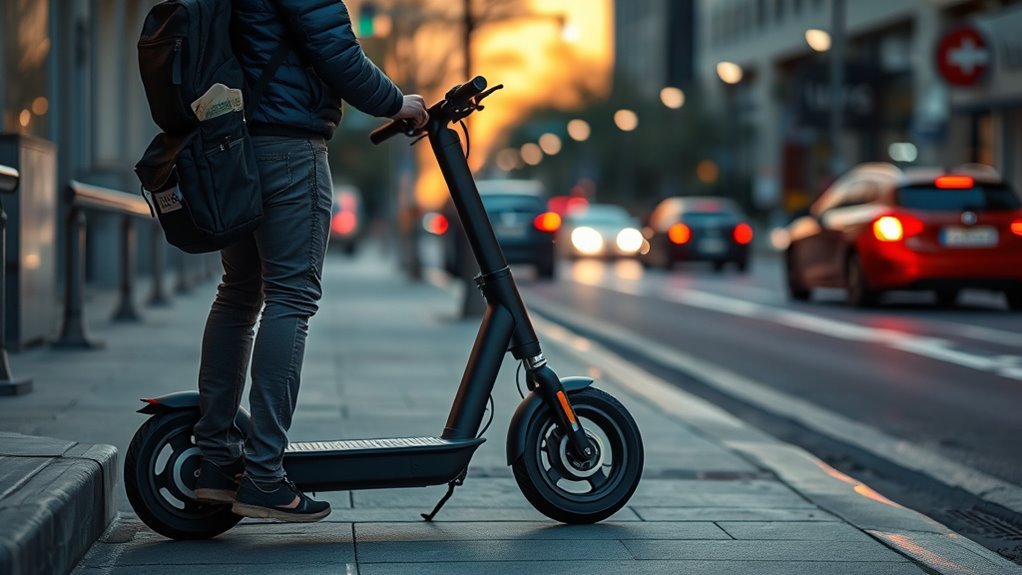
If your e-scooter battery dies mid-ride, pull over safely to the side of the road first so you avoid traffic and other hazards. Keep your feet down, scan for cars, and stop in a stable spot before you assess options. Take basic safety precautions: turn on lights if you have power, watch for uneven pavement, and stay visible. Then check your emergency tools and any backup power options, such as a secondary battery or portable charger. If you can’t restore power, look for nearby charging stations or public places like cafes or malls that may offer outlets. If none are available, walk or push the scooter to a safer location where you can arrange transport. Folding the scooter can make it easier to carry or load onto public transit or a ride-share. Stay calm, move deliberately, and choose the path that keeps you mobile without risking injury.
Get Home Safely
To get home safely, first move your scooter and yourself out of traffic, then decide on the quickest low-risk option. Prioritize scooter safety by stopping on the shoulder, sidewalk edge, or another protected area, then assess your route. If you’re in a city, scan for charging options at nearby stations, outlets, shops, or cafes; ask politely before plugging in. If power’s unavailable, switch to a backup plan that keeps you mobile and free:
- Push or walk the scooter to a safer location away from busy streets.
- Check transit rules for folded e-scooters on buses, trains, or subways.
- Use a ride-sharing service that accepts scooters without blocking traffic.
- Ask passersby or local staff for practical help or directions.
Keep your lights visible, avoid rushing, and choose the path that minimizes exposure to cars, intersections, and hazard zones.
Is It Really Dead, or Is the BMS Just Locked Out?
Before assuming the pack has failed, rule out the most common cause of a “dead” e-scooter battery: the Battery Management System (BMS) shutting itself down as a safety measure. Every lithium-ion e-scooter battery has a BMS that cuts power when voltage, temperature, or current fall outside safe limits — this protects the cells, but it can look identical to a truly dead battery from the outside.
Note: Signs you’re dealing with a BMS lockout rather than a dead cell: the scooter cuts out only under load (throttle), the charger’s light stays green immediately after plugging in as if nothing is connected, or the dashboard shows an error code instead of simply staying blank.
A true dead-cell failure, by contrast, usually follows months of storage at 0% charge, a physical impact, or visible swelling — situations where reconditioning is unlikely to help and replacement is the safer call.
Revive a Dead Scooter Battery
Start by charging the scooter battery slowly for 12–24 hours so the charger can wake up a deeply discharged pack. Use patient charging techniques; don’t rush the process. If voltage still sits below the pack’s minimum after that, some BMS lockouts require briefly connecting a current-limited power source directly to the B+ and B- terminals to nudge cell voltage back into the BMS’s acceptable range — this is a delicate, short pulse of seconds to a couple of minutes, not a sustained connection, and it’s only appropriate if the manufacturer’s documentation or a qualified technician confirms it for your specific pack.
Warning: Bypassing a BMS carries real fire risk. Never attempt this on a battery that is swollen, punctured, or has been exposed to water. Work in a ventilated, non-flammable area, never leave the battery unattended while attempting a revival, and stop immediately if you notice heat, smell, or smoke. The U.S. Consumer Product Safety Commission has documented hundreds of lithium-ion micromobility battery incidents tied to charging and DIY intervention, including fatalities — if you’re not confident, take the battery to a scooter shop instead.
| Check | Action |
|---|---|
| Swelling | Stop; replace it |
| Corrosion | Clean only if safe |
| Low voltage | Try terminal charging |
| Recovery | Verify with multimeter |
Inspect the pack before and after charging. Any swelling or corrosion can signal internal damage that won’t revive. After reconditioning, disconnect the battery for 10–15 minutes, reconnect it, and try again. When the battery comes back, measure voltage with a multimeter; a successful revival should show a reading back within the manufacturer’s normal operating range for that pack, not necessarily its absolute maximum.
Reset the BMS and Inspect Connections
Disconnect the battery from the scooter and let it sit for 10–15 minutes so the BMS can fully reset, then reconnect it to reinitialize the pack. This quick reset can restore control logic and support battery calibration after a fault. Next, inspect every connector for a tight, clean fit; loose or corroded terminals can choke charging and limit output. Use terminal cleaning if you see oxidation, then secure the leads firmly.
- Check B+ and B- with a multimeter.
- Compare the voltage to the minimum required level.
- Look for swelling, corrosion, or other visible damage.
- Verify the power switch actually delivers power.
If the voltage stays low, the pack may have deeper damage. If the switch fails, the battery can’t free the scooter, even when charged. By confirming the BMS, connections, and switch, you isolate the fault fast and keep your ride on your terms.
When to Repair vs. Replace the Battery
Reconditioning is worth trying once, but it isn’t always the right call. Replace the battery instead of continuing to recondition it if you notice any swelling, a burning smell, a battery that won’t hold voltage even after a full charge cycle, or a pack that’s been through repeated deep-discharge events. If the battery has been sitting completely flat for several months, cell damage may already be permanent.
Pro Tip: Always charge with the original or manufacturer-approved charger, and keep charging temperature between about 32°F and 105°F (0–40°C) — charging outside that range is a common trigger for both poor charge quality and battery failure, per U.S. Fire Administration guidance.
If a battery is damaged, swollen, or beyond revival, never throw it in regular household trash or a standard battery-recycling bin — damaged lithium-ion packs can ignite during collection or transport. Contact your local hazardous waste program or a scooter retailer for a proper lithium-battery drop-off point.
Prevent Battery Failure Next Time
Now that you’ve ruled out a BMS fault, loose wiring, and switch issues, focus on habits that prevent the battery from failing again. Check battery level before every ride and start fully charged when you can. That simple discipline keeps you moving and reduces stress on the pack. Use energy-saving modes, avoid steep hills when possible, and apply energy conservation strategies to stretch range without waste. Keep tire pressure correct and verify all connectors stay tight; poor rolling efficiency and weak contacts drain power fast. Store the scooter in a cool, dry place away from doorways and exits, and if you park it long term, charge it every 30 days to prevent deep discharge. Use the original or a high-quality charger, stop charging once full, and don’t leave it plugged in unattended or overnight longer than needed. These battery maintenance tips protect capacity, delay wear, and help you ride with more freedom, less interruption, and stronger battery health.
Key Takeaways
- Pull over out of traffic first — safety before troubleshooting.
- A “dead” battery is often a BMS lockout, not a failed cell — check for load-only cutouts or a green charger light with no response.
- Slow-charge for 12–24 hours; only attempt a terminal-bypass wake-up briefly and cautiously, never on a swollen or damaged pack.
- Replace rather than recondition if you see swelling, smell, or repeated deep discharges — and recycle damaged packs properly.
- Prevent repeat failures with full charges before rides, correct tire pressure, and cool/dry storage.
At a Glance
| Time Required | 12–24 hours for a slow recovery charge; 10–15 minutes for a BMS reset |
| Difficulty | Easy for charging and BMS reset; moderate-to-advanced (and best left to a technician) for terminal-bypass wake-up |
| Tools Needed | Original charger, digital multimeter, contact cleaner (optional) |
| Cost | Free if the battery recovers; a replacement pack typically runs $80–$300+ depending on scooter model |
Frequently Asked Questions
What if an electric scooter battery dies mid-ride?
Pull over safely first, then look for a nearby outlet or charging station. If none is available, fold the scooter and use transit, a ride-share, or push it to a safer spot. Once home, check battery maintenance tips and charging best practices to prevent repeats.
How do you revive a dead scooter battery?
Charge it slowly for 12–24 hours, inspect for swelling or leaks, let the BMS reset by disconnecting the battery for 10–15 minutes, and measure cell voltage with a multimeter. If it’s still weak or shows no recovery, replace it rather than continuing to recondition it.
How do I start my scooter with a dead battery?
You can’t start it with a genuinely dead battery — you’ll need to charge it first. Check connections, let the BMS reset, test voltage with a multimeter, and consider battery replacement if it still won’t power up after charging.
How do you wake up an e-scooter battery?
Connect your e-scooter battery to its original charger for 12–24 hours first. If it’s still unresponsive, inspect for damage, then — only with manufacturer guidance or a technician’s help — a brief, current-limited connection to the B+ and B- terminals can sometimes wake a locked-out BMS.
Conclusion
When your scooter battery dies mid-ride, panic can feel bigger than the problem. Stay calm, push to safety, and check the basics: charger, connections, and BMS. A dead battery can mean a temporary lockout or a deeper failure, but either way, quick inspection beats guesswork — and any step that involves bypassing the BMS deserves real caution given the fire risks lithium-ion packs carry. Prevent the next breakdown with proper charging, storage, and maintenance. A little routine now keeps your ride ready later — and turns frustration into control.
Sources
- U.S. Consumer Product Safety Commission — fire-risk data and battery management system safety standards for micromobility batteries
- CPSC proposed e-bike/e-scooter battery rules coverage — incident and fatality data behind the proposed 2026 safety standards
- U.S. Fire Administration lithium charging safety guidance — safe charging temperature range and warning signs
