Last Updated on August 22, 2026 by Caleb Warren
A dead, weak, or swollen electric scooter battery is usually fixable without a shop visit. Start with the basics — connections, voltage, and the charger — before assuming the pack itself has failed. Below is a step-by-step troubleshooting sequence, plus the safety checks you shouldn’t skip when a lithium battery is involved.
Quick Answer
Most electric scooter battery problems trace back to loose or corroded connections, a failing charger, or unbalanced cells. Check connections and voltage first, then test the charger, balance the cells, and reset the BMS. If the battery is swollen or won’t hold a charge after these steps, replace it — don’t keep riding on it.
Key Takeaways
- Check terminals and cables for corrosion or looseness before assuming the battery is bad.
- Test voltage with a multimeter and compare it to the manufacturer’s spec.
- A weak charger can mimic a dead battery — test it separately.
- Balancing cells and resetting the BMS can fix uneven power and sudden sag.
- A swollen battery is a safety hazard and needs immediate replacement, not troubleshooting.
- If the scooter won’t power on at all, check fuses and the controller before blaming the battery.
At a Glance
| Time Required | 15–45 minutes for diagnostics; longer if a full battery replacement is needed |
| Difficulty | Easy for connection checks and cleaning; moderate for BMS resets and battery replacement |
| Tools Needed | Multimeter, soft brush, mild cleaning solution, wrench or pliers, gloves and goggles for battery work |
| Cost | Free for cleaning and testing; a replacement battery typically runs from around $50 to $200+ depending on the scooter model |
Disclosure: As an Amazon Associate I earn from qualifying purchases. Some links on this page are affiliate links, at no extra cost to you.
Check Electric Scooter Battery Connections
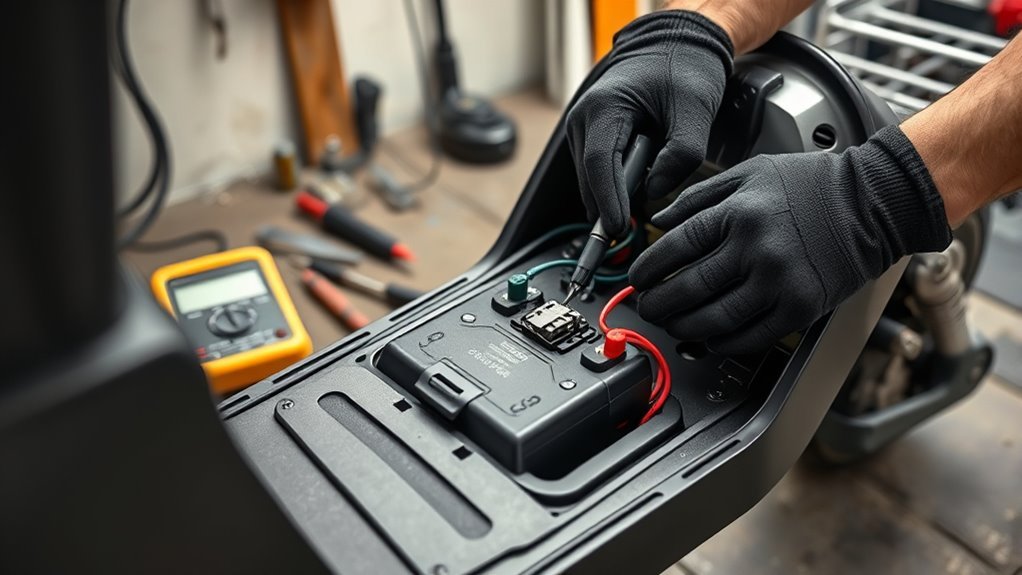
Before you inspect the battery, turn off the scooter to keep the system safe. Open the battery compartment and check every terminal and cable. Look for corrosion, dust, or residue that can block current and trigger power loss. If you see buildup, use a soft brush with a mild cleaning solution to clean the contacts, then let them dry fully. Next, confirm each connector sits tight and secure; loose wiring can break the circuit and stop the scooter from running. Pull gently on each lead to verify it won’t slip free. If a plug or terminal looks damaged, replace it before riding. Make this check routine, not random — regular inspection supports reliable performance and longer battery life.
Test Battery Voltage and Charge Level
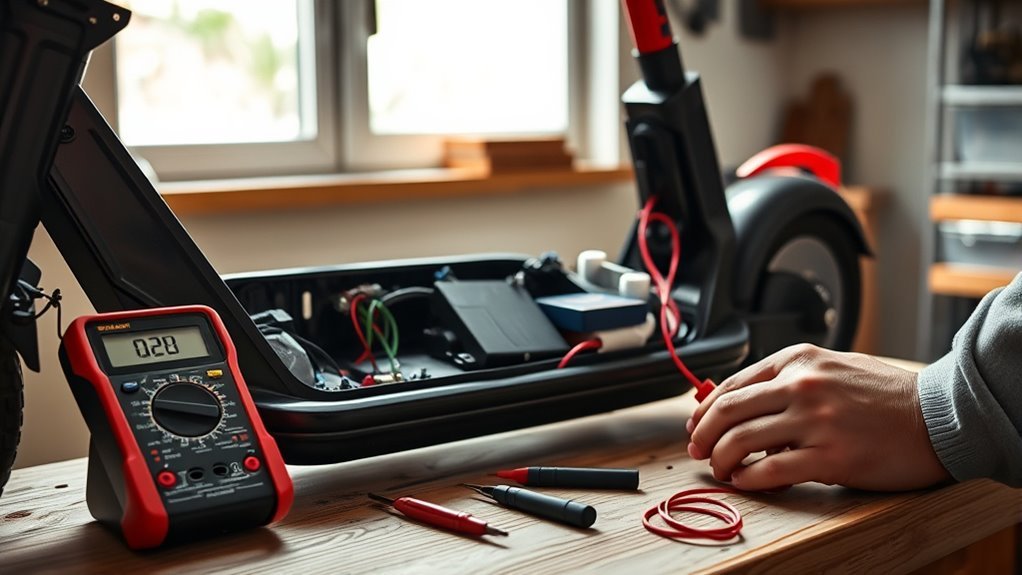
Use a multimeter to test the battery voltage and compare the reading with the manufacturer’s specification. If you see voltage discrepancies, treat them as a diagnostic signal, not a nuisance. A reading well below spec usually means the pack is deeply discharged or a cell has failed, so charge it fully and retest. Don’t trust a single quick check; verify the charge level after the battery has rested, then note whether the voltage holds steady under use. Keep monitoring it during rides, because sudden drops can expose weak cells, poor balance, or hidden damage. Avoid over-discharging the pack, since that cuts capacity and shortens its life.
Inspect the Electric Scooter Charger
Check the charger next, because a bad power supply can mimic a bad battery. Verify charger compatibility with your scooter’s voltage and amperage first; mismatched specs can damage the pack and stall charging. Inspect the cord, plug, and connector for frayed insulation, bent pins, or heat marks. If you see wear, replace the unit — don’t improvise. Plug it into a known working outlet and check the indicator light. Indicator colors aren’t standardized across brands, so confirm what your specific charger’s lights mean in the user manual before relying on them as a diagnostic. Use a multimeter to confirm output voltage matches the manual’s rating, and keep the charging port clean, since dust or grit can block contact.
| Check | Good sign | Action |
|---|---|---|
| Cord | Intact | Keep using it |
| Connector | Clean, snug | Continue charging |
| Indicator | Matches manual’s description of “charging” | Test voltage |
| Output | Manual spec | Proceed |
Confirming the charger works removes one variable so you know whether the problem is really the battery.
Balance the Battery Cells
If your scooter’s range has dropped or the power feels uneven, balance the battery cells to restore even voltage across the pack. Mismatched cell voltage cuts capacity, weakens output, and can damage the pack over time. Use a balance charger to equalize the cells — it reduces voltage on the high cells and raises it on the low ones. Do this after long storage or when you notice inconsistent power delivery, sudden sag, or shorter range. Balanced cells improve efficiency, protect battery longevity, and help your scooter deliver steady power.
Reset the BMS
Once the cells are balanced, clear any lingering control faults by resetting the battery management system (BMS). First, fully charge your battery, then disconnect it from the scooter for 10–15 minutes. This pause lets the controller clear minor errors and can restore normal operation after over-discharge or under-voltage warnings.
| Step | Purpose |
|---|---|
| Charge fully | Prevents incomplete resets |
| Disconnect 10-15 min | Clears stored faults |
| Reconnect and test | Confirms recovery |
Reset methods vary by manufacturer, so check your scooter’s guidelines before you start. Don’t force a reset on a weak pack; low voltage can keep problems alive. If the scooter still misbehaves after the reset, the fault likely needs deeper diagnosis.
Rule Out Non-Battery Causes
Not every power problem is the battery. Before you replace anything, check these common non-battery culprits:
- Fuse or circuit breaker: A blown fuse cuts power completely even with a healthy battery. Check your scooter’s fuse location in the manual and swap in a matching replacement.
- Controller: If the battery tests at full voltage but the scooter still won’t move, the motor controller may have failed — this needs a technician’s diagnosis.
- Throttle or brake sensor: Some scooters won’t engage power if a safety sensor (like a brake lever switch) is stuck or miswired.
- Water exposure: Riding through deep puddles can corrode connectors or short circuits even on batteries rated for light rain. Dry and inspect the compartment before assuming battery failure.
Clean Loose or Corroded Battery Terminals
Inspect the battery terminals for corrosion, especially a white powdery buildup, and tighten any loose connections that can cause intermittent power loss. Clean the contacts gently with a soft brush or cloth and a mild cleaning solution so you don’t damage the terminal surface. Make sure the terminals are fully dry before reconnecting them.
Inspect Terminal Corrosion
Look closely at the battery terminals for corrosion, since buildup can block electrical flow and cause power issues.
| Check | Action |
|---|---|
| White powder | Brush it off gently |
| Green residue | Clean with mild solution |
| Damaged coating | Inspect for wear |
| Moisture | Dry the area fully |
| Recheck | Confirm clean contact |
Clean only the affected surfaces with a soft brush and mild cleaner — don’t scrape hard or disturb nearby parts. After cleaning, make sure the terminals stay secure and stable. If corrosion keeps coming back, replace the terminals or consult a professional.
Tighten Battery Connections
Before you tighten anything, power off the scooter and disconnect it from the charger. Check each terminal for looseness and white, powdery corrosion that blocks current. If you see buildup, remove it gently, then reseat the terminals and tighten them with a wrench or pliers until secure — not overstrained.
- Loose terminals can cut your ride short.
- Corrosion steals conductivity and weakens performance.
- Regular maintenance helps prevent avoidable power loss.
After tightening, give the wires a light pull to confirm stability.
Clean Contacts Safely
With the scooter powered off and unplugged, brush the terminals with a soft cloth dipped in a mild baking soda and water mix. Work gently, and keep solution out of the battery casing. After scrubbing, wipe away residue, rinse with a small amount of clean water, then dry completely before reconnecting. Repeat this inspection every few months, or sooner if power drops.
Replace a Weak or Swollen Battery
If your battery case is bulging, deformed, or the pack won’t hold a charge, you’re likely dealing with internal cell failure. Replace it with a compatible battery that matches your scooter’s voltage and capacity. Disconnect the old pack safely, recycle it at a designated center, and fully charge the new battery before you ride.
Warning: A swollen lithium battery is a genuine fire risk, not just a performance issue — swelling signals internal gas buildup that can lead to thermal runaway. Stop using the scooter immediately, don’t puncture or bend the casing, and don’t charge it. Handle and dispose of it through a battery recycling program that accepts lithium-ion cells.
The U.S. Consumer Product Safety Commission identified 227 unique battery-related incidents involving micromobility products between 2019 and 2023, including 39 fatalities — a major reason regulators now push for UL-certified batteries and electrical systems.
Signs Of Battery Damage
A swollen battery is a clear warning sign of internal gas buildup from overcharging or cell failure — replace it immediately for safety. Also inspect the casing for cracks, dents, or leaks, since physical damage can compromise the pack and shorten its lifespan. If your scooter loses power fast, the cells may be aging or damaged.
- Swelling: replace it now.
- Damage: check for cracks, dents, or leaks.
- Performance: watch for rapid voltage drop or overheating.
If the battery reads far below spec after a full charge, or gets hot while charging or riding, it’s failing. Retire it rather than continuing to ride on a weak pack.
Safe Battery Replacement
Shut down the scooter, unplug the charger, and wait for the system to cool. Put on gloves and goggles before handling lithium-ion cells. Inspect for reduced range, heat, or casing deformation, then use the correct tools to open the compartment without damaging wires. Match the new battery’s voltage, capacity, and connector type exactly to the original, or you’ll risk poor performance and controller damage. Remove the old pack carefully, install the new one, and secure all fasteners. Test the scooter at low speed first, then dispose of the old battery through an approved recycling program.
Cold Weather and Battery Performance
Lithium-ion batteries temporarily lose capacity in cold weather — this isn’t the same as battery failure. In freezing conditions, expect shorter range and slower acceleration; the chemistry inside the cells simply moves ions less efficiently at low temperatures. Warm the battery to room temperature before charging in cold weather, since charging a very cold pack can stress the cells. If performance returns to normal once the battery warms up, the cold is the cause — not a failing battery.
Avoid Overcharging and Deep Discharge
Avoid overcharging and deep discharging to protect your scooter’s battery life and safety. Unplug the charger when you hit full capacity — overcharging traps heat in lithium-ion cells, which cuts lifespan and can raise safety risks. Most scooter batteries work best around 3.0V to 4.2V per cell (some LFP-based packs run lower, closer to 2.5V–3.65V), so keep them inside your manufacturer’s recommended band. A smart charger helps because it stops automatically at full charge.
Pro Tip: Charge before the pack runs flat rather than waiting until it’s nearly dead — frequent shallow charges are gentler on lithium cells than repeated deep discharges.
- Check voltage with a multimeter so you know when to charge.
- Recharge before the battery dips below the recommended level.
- Stop charging as soon as the pack reaches full capacity.
Store Your Scooter Battery Properly
Store your scooter battery in a cool, dry place, ideally between 32°F and 77°F (0°C to 25°C), so heat and freezing don’t damage the cells.
| Storage state | Target | Why it matters |
|---|---|---|
| Charge level | 50–70% | Limits deep discharge |
| Environment | Cool, dry | Reduces corrosion |
| Check interval | Every 2–3 months | Catches voltage drop |
Keep the battery out of direct sunlight and away from humidity. If you store it for months, inspect voltage every few months and recharge when it drops below the recommended range. Don’t leave it full or empty; either extreme strains the cells.
When to Contact a Professional or Use Your Warranty
Some situations call for a technician or your manufacturer’s support line instead of a DIY fix:
- The battery is swollen, leaking, or smells unusual — stop troubleshooting and handle it as a safety issue.
- The scooter is still under warranty — opening the battery compartment yourself may void coverage.
- Voltage tests pass but the scooter still won’t run, pointing to a controller or wiring fault beyond the battery.
- You’re not comfortable working with lithium-ion cells directly; a certified repair shop has the right tools and disposal process.
Frequently Asked Questions
How to Reset an Electric Scooter Battery?
Disconnect your scooter’s battery for 10–15 minutes with the charger unplugged, then reconnect it securely. Clean the terminals, fully charge the pack, and follow the maintenance steps above to restore the BMS and normal performance.
How to Reset a Dead Lithium Battery?
Disconnect the battery, wait 10–15 minutes, then reconnect and charge it fully. Check voltage, clean the contacts, and avoid forcing a reset on a battery that reads dangerously low — a pack that won’t hold any charge after this may need replacement rather than another reset attempt.
What Is the Most Common Problem With Electric Scooters?
The most common problem is a dead or depleted battery, usually from charging issues or shortened battery lifespan. You’ll often see reduced range, slow starts, or no power, so check charging practices, connections, and the charger first.
How Do I Know if My Electric Scooter Battery Is Bad?
You’ll know it’s bad if voltage drops sharply, runtime shrinks, charging slows, or the scooter won’t power on. Swelling also signals failure and means the battery should be replaced right away, not repaired.
Is It Safe to Ride With a Swollen Scooter Battery?
No. A swollen battery indicates internal gas buildup and a real risk of thermal runaway. Stop riding, avoid charging it, and replace and recycle the battery through a program equipped to handle lithium-ion cells.
Sources
- U.S. CPSC / Federal Register — Safety Standard for Lithium-Ion Batteries in Micromobility Products — backs the fire-incident and fatality data on swollen/failing batteries.
- UL Solutions — Personal e-Mobility Evaluation, Testing and Certification — backs the UL 2272/2271 electrical and battery safety standards referenced.
- EBL — Lithium-Ion Battery Cell Voltage Guide — backs the 3.0V–4.2V per-cell operating range.
- Cell Saviors — Best Lithium Battery Storage Voltages — backs the storage charge-level and environment recommendations.
Conclusion
You can fix most electric scooter battery issues by checking connections, testing voltage, inspecting the charger, balancing cells, resetting the BMS, and cleaning terminals. If those steps come up clean, check for non-battery causes like a blown fuse or failed controller before assuming the pack is dead. If the battery is weak or swollen, replace it right away rather than trying to nurse it along. Avoid overcharging, deep discharge, and poor storage habits, and you’ll keep your scooter running safely and efficiently for years.