

Last Updated on July 23, 2026 by Ethan Caldwell
Google Maps usually recommends the route it considers best based on travel time, current traffic, road conditions, and route simplicity. However, the blue route is not always the shortest, cheapest, or most fuel-efficient choice. To choose the best route for your trip, compare arrival times, distances, tolls, ferry requirements, and route restrictions before you start driving.
Quick Answer
Enter your destination, tap Directions, and compare the blue recommended route with the gray alternatives. Choose the lowest travel time for speed, compare mileage for a shorter route, or select the leaf-marked option for better fuel efficiency. Check toll, highway, and ferry settings before starting navigation.
Key Takeaways
- Google Maps normally shows its recommended route in blue and alternative routes in gray.
- There is no documented setting that forces the shortest route by distance.
- You can add up to nine stops, including the final destination, and rearrange them manually.
- Avoiding tolls, highways, or ferries can increase the distance or travel time.
- The shortest route is not always the most fuel-efficient because traffic, hills, and road type also matter.
At a Glance
| Time Required | About 2 to 5 minutes for a simple route |
| Difficulty | Easy |
| Tools Needed | Google Maps app or a web browser, GPS, and an internet connection for live traffic |
| Cost | Google Maps is free; tolls, ferries, fuel, parking, and mobile data may cost extra |
Disclosure: As an Amazon Associate I earn from qualifying purchases. Some links on this page are affiliate links, at no extra cost to you.
What’s the Fastest Route vs Shortest Route?

The fastest route has the lowest estimated travel time. It may use highways, toll roads, or a longer distance when those roads are moving faster. The shortest route covers the fewest miles or kilometers, but it may include local streets, traffic lights, lower speed limits, or congestion.
Google Maps does not provide a documented switch that forces the shortest route by distance. Instead, it displays a recommended route and may show one or more alternatives. According to Google Maps Help, the recommended route appears in blue and alternatives appear in gray. Tap or click an alternative to select it.
| Route goal | What to compare | Possible tradeoff |
|---|---|---|
| Fastest arrival | Lowest current ETA | May include tolls or more miles |
| Shortest distance | Mileage or kilometer total | May take longer on slower roads |
| Lowest road fees | Toll and ferry information | May add time and fuel use |
| Better efficiency | Leaf icon and estimated savings | May have a slightly later ETA |
A route with fewer miles is not automatically cheaper or more fuel-efficient. Stop-and-go traffic, hills, road speeds, and your vehicle’s engine type can all affect energy use.
How Do You Set Google Maps for the Fastest Route?
You do not need to turn on a special fastest-route setting. Google Maps automatically compares available routes and recommends the one it considers best. You can then compare the recommended route with the alternatives before starting navigation.
Choose the Fastest Route on Android or iPhone
- Open the Google Maps app.
- Search for your destination or tap it on the map.
- Tap Directions.
- Select the driving icon.
- Review the blue recommended route and any gray alternatives.
- Tap each route to compare its estimated arrival time, distance, tolls, and warnings.
- Select the route with the lowest suitable travel time.
- Tap Start to begin navigation.
Choose the Fastest Route on a Computer
- Open Google Maps in your browser.
- Click Directions.
- Enter your starting point and destination.
- Select the driving mode.
- Compare the travel times shown on the recommended and alternative routes.
- Click the route you want to use.
- Use Options to review toll and highway avoidance.
You can also click Leave now and select a future departure or arrival time. Google uses expected traffic for that time to estimate the trip. This scheduling feature works only when the route has one destination.
| Setting or choice | Effect | When to use it |
|---|---|---|
| Avoid tolls | Removes or reduces routes that use paid roads | When avoiding road fees matters more than the fastest ETA |
| Avoid highways | Favors local or secondary roads | When highways are unsuitable or you prefer local roads |
| Avoid ferries | Excludes routes that require a ferry where alternatives exist | When the ferry schedule, fare, or vehicle rules do not suit your trip |
| Prefer fuel-efficient routes | Allows efficiency to influence the recommendation | When reducing fuel or energy use matters |
| Select a gray alternative | Changes from the recommended route to another displayed route | When the alternative has a better distance, road type, or cost for your needs |
Warning: Set your destination and route options before moving. Do not hold or adjust your phone while driving. If you need to change the route, stop in a safe and legal place or ask a passenger to make the change.
How Do You Choose the Fastest Route Between Two Stops?
To find the fastest route between two places, compare the current travel time shown for each route. Do not judge the route only by distance. A longer highway route may be faster than a shorter route with traffic lights, construction, or heavy congestion.
Google Maps Route Options
After you enter the starting point and destination, Google Maps normally highlights its recommended route in blue. Alternative routes appear in gray when they are available. Each option shows an estimated travel time, and the route card may also show distance, toll information, closures, or warnings.
Turn off Avoid tolls, Avoid highways, or Avoid ferries when those restrictions are not important. An unnecessary avoidance setting can remove a faster route from consideration.
During navigation, Maps can use current traffic information and suggest a different route when conditions change. You should still follow road signs, traffic laws, closures, and instructions from local authorities.
Fastest Path Factors
Review these factors before choosing:
- Current ETA: The most useful measure when your goal is the earliest arrival.
- Traffic: A short route may be slow during rush hour or after a crash.
- Road type: Highways can be faster, but congestion may remove that advantage.
- Tolls: A toll road may save time but increase the trip cost.
- Ferries: A crossing may shorten the drive but add waiting and boarding time.
- Distance: Useful for comparing mileage, but not a complete measure of travel time or fuel use.
- Closures and restrictions: Temporary closures, vehicle restrictions, and local rules can change the practical route.
The shortest route is not always the fastest, and the fastest route is not always the cheapest. Compare the full trip rather than one number.
Pro Tip: For an important appointment, use the departure-time tool before the trip and check the route again shortly before leaving. Traffic predictions help with planning, while the final check reflects current conditions.
How Do You Plan a Fastest Route With Multiple Stops?
Google Maps can create a route with several destinations, but it is not a complete route-optimization system. You choose the stops and arrange their order yourself.
- Enter your starting point and first destination.
- Select Add destination or Add stop.
- Add the remaining locations.
- Drag each stop up or down to change its position.
- Place nearby stops together to reduce backtracking.
- Check the total travel time after every major change.
- Review traffic, tolls, ferries, parking, and opening times before leaving.
Note: Google Maps allows up to nine stops, including the final destination. Your starting point is separate. The documented departure and arrival-time planning tool is available only for routes with one destination.
Google Maps lets you rearrange stops, but its official instructions do not describe automatic stop-order optimization. For three or four stops, manual ordering is usually manageable. Start with the farthest destination, a fixed appointment, or the stop with the earliest closing time, then group the remaining locations by area.
When to Use Dedicated Route Optimization
A specialized route planner becomes more useful when you have:
- More stops than Google Maps accepts in one route.
- Several drivers or vehicles.
- Customer appointment windows.
- Vehicle-capacity limits.
- Required service time at each stop.
- Regular sales, service, or delivery routes.
- A need to import addresses from a spreadsheet or business system.
Route optimization is different from ordinary navigation. Navigation tells you how to travel through a chosen list of stops. Optimization calculates a more efficient stop order while considering the rules you provide.
Which Route Planner App Is Best for Multi-Stop Trips?
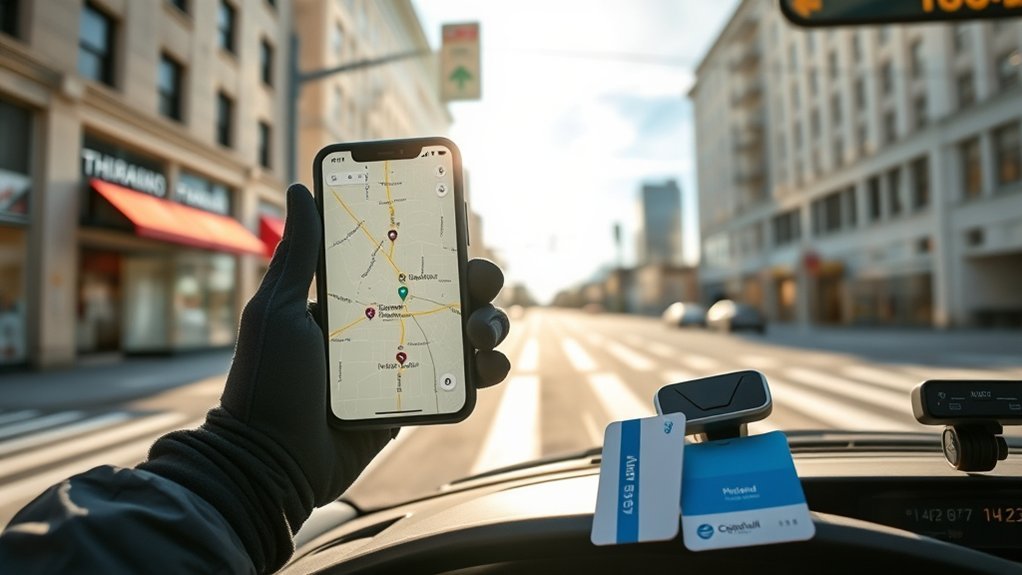
The best route-planning app depends on whether you are planning a personal trip, a sales territory, or a delivery operation. Do not choose an app only because it accepts many stops. Consider time windows, driver limits, spreadsheet imports, reporting, navigation support, and total cost.
| App | Best for | Important consideration |
|---|---|---|
| Google Maps | Personal trips and occasional routes | Up to nine stops including the final destination; stop order is manual |
| Badger Maps | Outside sales and field teams | Vendor documentation lists optimization for up to 120 stops; review plan limits and CRM needs |
| Mapline | Spreadsheet-based planning and geographic analysis | Useful for importing, mapping, and applying business constraints to location data |
| OnFleet | Last-mile delivery teams | Supports constraints such as schedules, capacity, time windows, service time, and road restrictions |
| WorkWave RouteManager | Delivery and service fleets | Designed for route optimization, tracking, dispatch workflows, and operational dashboards |
Personal users usually do not need fleet software. Google Maps is often enough for a day trip or a short list of errands. A business should test whether a paid platform can handle its actual addresses, appointment rules, vehicle limits, reporting needs, and navigation workflow before subscribing.
How Can You Save Time and Gas on Multi-Stop Routes?
Reducing unnecessary backtracking is one of the simplest ways to improve a multi-stop trip. Arrange stops by area, but also account for appointments, business hours, road access, and the direction of traffic.
- Group nearby stops together.
- Place fixed appointments before flexible errands.
- Avoid crossing the same busy area several times.
- Compare total travel time after reordering stops.
- Remove unnecessary toll, highway, or ferry restrictions.
- Allow time for parking, loading, meetings, and breaks.
- Check current traffic shortly before departure.
- Use a dedicated optimizer when the route is too complex to arrange reliably by hand.
For fuel or energy savings, open Google Maps’ navigation settings and review Prefer fuel-efficient routes. Where supported, you can also choose an engine type such as gas or petrol, diesel, hybrid, or electric. Google explains that its estimates may consider traffic patterns, hills, road type, and typical vehicle energy use. Read the current instructions in Google Maps’ fuel-efficient routing guide.
A leaf-marked route may be more efficient even when it covers slightly more distance. In contrast, a shorter route filled with traffic lights and slow congestion may use more fuel than a steady highway route.
Note: Google states that its energy-efficient routes for electric vehicles do not include charging stops. Plan charging separately and confirm charger availability before a long EV trip.
How Do Tolls, Highways, and Ferries Affect Your Route?
Tolls, highways, and ferries can change the total cost and travel time in different ways. Avoiding one of them does not guarantee a cheaper trip because the alternative may be longer or slower.
Toll Impact on Travel
A toll road may offer a more direct or faster path, especially when free roads are congested. Compare the toll with the value of the time and fuel the route may save.
Google Maps can display estimated toll prices in certain cities. These estimates may account for the day, time, payment method, and toll pass. They are not a replacement for the official price published by the toll operator.
- Compare the complete trip cost, not only the toll.
- Check whether your toll pass receives a lower rate.
- Review rental-car toll fees before using a paid road.
- Confirm the official toll when the exact price matters.
Highway Speed Advantages
Highways often allow higher speeds and fewer stops than local streets. That can reduce travel time, but it is not guaranteed. Rush-hour congestion, crashes, construction, weather, or lane closures can make a local-road alternative faster.
Keep highway avoidance turned off when your main goal is the earliest arrival and you are comfortable using highways. Turn it on when your vehicle, experience, route preference, or local conditions make highways unsuitable.
Ferry Time Tradeoffs
A ferry can turn a long drive around a bay, river, or island into a shorter journey. However, the route card may not fully reflect every practical delay.
Before choosing a ferry route, check:
- The departure schedule.
- Recommended arrival time before boarding.
- Vehicle size or height limits.
- Reservation requirements.
- Ticket prices.
- Weather-related cancellations.
- The last return crossing.
If the schedule is infrequent, arriving a few minutes late could make the ferry route much slower than the road alternative.
Which Route Settings Give You Better Results?

The best route settings depend on your actual goal. Review your saved settings when Maps repeatedly avoids a road type you are willing to use.
| Your priority | Recommended approach |
|---|---|
| Arrive as soon as possible | Compare current ETAs and disable avoidances you do not need |
| Drive fewer miles | Compare the displayed distances and manually select the shorter alternative |
| Reduce road fees | Enable Avoid tolls and review ferry charges |
| Reduce fuel or energy use | Enable fuel-efficient routing and choose the correct engine type where available |
| Use local roads | Enable Avoid highways and compare the added time |
| Plan for a future trip | Set a departure or arrival time for a route with one destination |
How to Fix a Bad or Unexpected Google Maps Route
If Google Maps suggests an unexpected route, check the settings and trip details before assuming the map is wrong.
- Confirm the destination pin. A business entrance, parking lot, building number, or similarly named town can lead to a different route.
- Check the starting point. Maps may use your current GPS location instead of the place where the trip will actually begin.
- Review route options. Turn off Avoid tolls, Avoid highways, or Avoid ferries when those restrictions are not needed.
- Compare gray alternatives. Select another displayed route when it better matches your needs.
- Check current traffic. A familiar road may be slower because of a closure, crash, or unusual congestion.
- Check your connection. Without current data, Maps may not have live traffic or updated alternatives.
- Update the app. An outdated version can have interface or performance problems.
- Report a wrong direction. Google provides a desktop process for reporting an incorrect step in supported locations.
If you expect poor mobile service, download the area before leaving. Google Maps can provide offline driving directions when the full route is inside the downloaded area. However, Google’s offline map documentation says live traffic and alternative routes are not available while you are offline.
Frequently Asked Questions
What is the best free app for routes with multiple locations?
Google Maps is a practical free choice for occasional trips. It allows up to nine stops, including the final destination, and lets you drag them into a different order. It does not automatically calculate the best stop sequence, so complex routes may need dedicated optimization software.
Can Google Maps automatically optimize the order of my stops?
Google Maps lets you rearrange destinations manually, but its official instructions do not describe automatic stop-order optimization. You must drag stops into the order you want or use a specialized route optimizer.
Is there a better route planner than Google Maps?
A specialized planner may be better for sales calls, field service, or deliveries involving many stops, several drivers, time windows, capacity limits, or spreadsheet imports. Google Maps remains a strong choice for ordinary point-to-point navigation and short personal routes.
What is the best free driving-directions website?
Google Maps is one of the most complete free options because it provides driving directions, current traffic, alternative routes, future departure planning, and several route preferences. The best service still depends on local map quality and the features you need.
What is the hardest type of driving route to optimize?
Routes become difficult to optimize when they include many stops, strict appointment windows, several drivers, ferry schedules, vehicle restrictions, changing traffic, and different service times. These constraints interact, so the shortest stop order may not produce the best workable schedule.
How do I force Google Maps to use the shortest route?
Google Maps does not provide a documented setting that forces the shortest route by distance. Compare the mileage or kilometer total for the displayed alternatives and select the shortest suitable option. On a computer, you may also be able to drag a driving route to a preferred road.
Why does Google Maps change my route while I am driving?
Google Maps may find a different route after receiving new traffic, incident, or road-condition information. Review any proposed change without handling the phone. Road signs, closures, traffic laws, and instructions from authorities take priority over the app.
Conclusion
The best route depends on whether you care most about arrival time, distance, road fees, fuel use, or a simple drive. Compare the blue recommended route with the gray alternatives, check your avoidance settings, and review toll or ferry details before leaving. For multi-stop trips, arrange destinations manually or use an optimizer when appointments and business rules make the route too complex.
Plan the route while parked, check it again shortly before departure, and let current road signs and traffic laws guide your final decisions.
Sources
- Google Maps Help: Get directions and show routes — route colors, alternative routes, route options, multiple destinations, and future trip planning.
- Google Maps Help: Fuel-efficient routes — efficiency settings, engine types, calculations, availability, and EV limitations.
- Google Maps Help: Use navigation — live traffic, route updates, GPS requirements, and navigation guidance.
- Google Maps Help: Download areas and navigate offline — offline driving support and the loss of live traffic and alternative routes.
- National Highway Traffic Safety Administration: Distracted Driving — risks from interacting with phones and navigation systems while driving.
- OnFleet Support: Route Optimization Setup — examples of the operational constraints used by dedicated delivery-route software.
