
Last Updated on September 10, 2026 by Daniel Globe
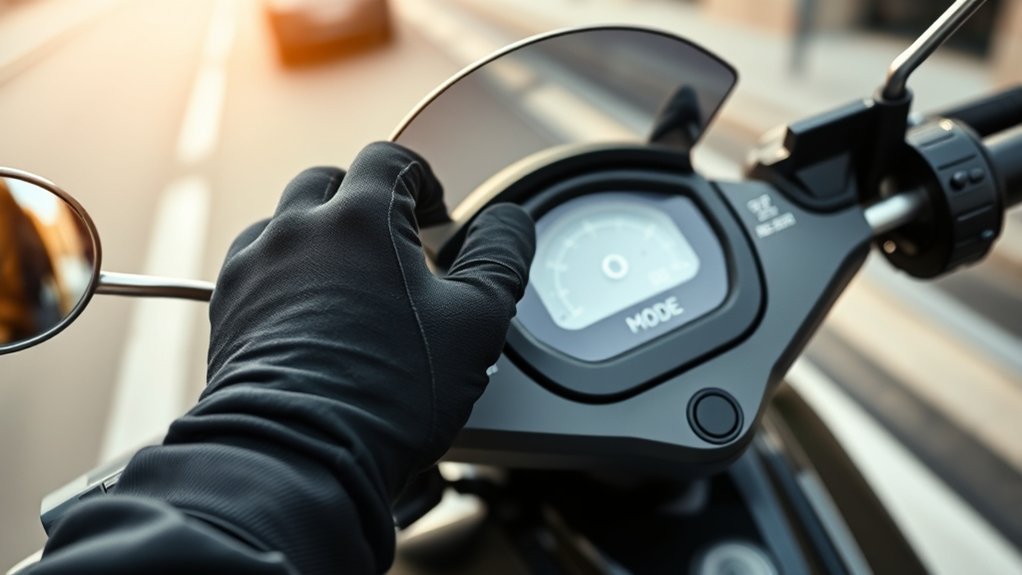
Changing an electric scooter’s riding mode is usually simple, but the exact button sequence, mode names, and speed limits depend on the model. Some scooters use a dedicated mode button, while many Xiaomi models use a double-press of the power button and some Segway models also rely on app settings. For the safest result, identify your exact scooter model, stop riding, and follow its manual before switching modes.
Quick Answer
To change an electric scooter riding mode, bring the scooter to a stop, power it on, and use the model’s mode or power-button sequence to cycle through the available settings. Confirm the new mode on the dashboard. Mode names, switching controls, and maximum speeds vary by scooter, firmware, and local regulations.
Key Takeaways
- Stop the scooter before changing riding modes unless the manufacturer specifically says otherwise.
- Eco, Standard or D, Sport or S, Walk, Pedestrian, Assist, and S+ are common labels, but not every scooter has all of them.
- There is no universal speed for Standard or Sport mode; limits vary by model, region, firmware, and local law.
- If a mode will not change, check the manual, dashboard, app settings, lock status, battery level, and any fault indicator before assuming something is broken.
- Do not bypass manufacturer speed or battery protections to obtain a higher top speed.
At a Glance
| Time Required | About 1–2 minutes |
| Difficulty | Easy |
| Tools Needed | Scooter manual; manufacturer app or phone if your model uses app-controlled settings |
| Cost | Usually $0 |
Disclosure: As an Amazon Associate I earn from qualifying purchases. Some links on this page are affiliate links, at no extra cost to you.
How to Change Electric Scooter Riding Modes
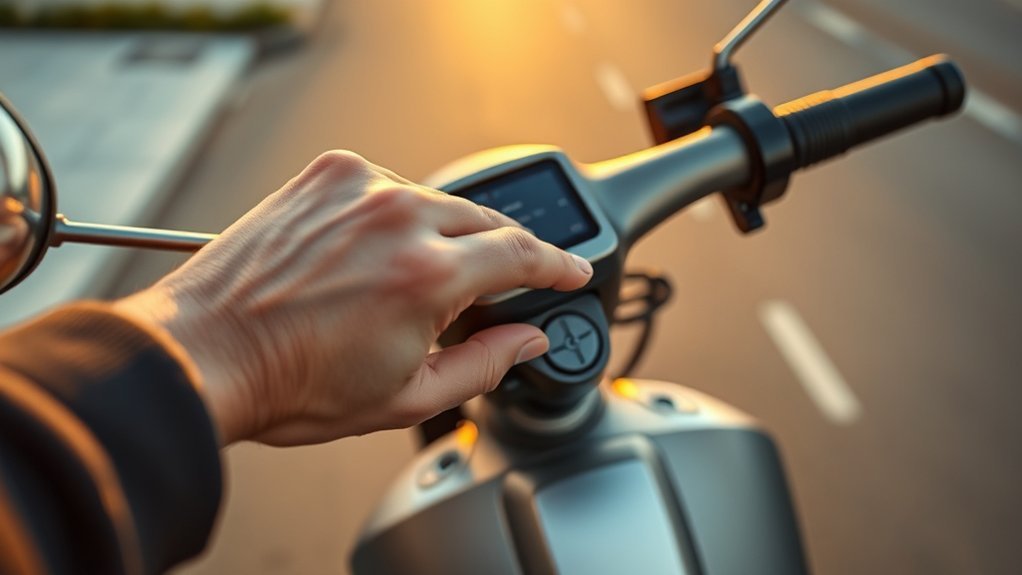
The safest way to change an electric scooter’s riding mode is to follow the control sequence for your exact model. Manufacturers use different buttons, dashboard symbols, apps, and mode names, so a method that works on one scooter may not work on another.
- Identify the exact scooter model. Check the frame label, manufacturer app, packaging, or owner’s manual. Do not rely only on the brand name because different models from the same manufacturer can use different controls.
- Bring the scooter to a complete stop. Several current Xiaomi models specifically instruct riders not to cycle through modes while riding.
- Power on and unlock the scooter. If your model has an electronic or app-based lock, release it using the manufacturer’s normal procedure.
- Use the correct mode control. Depending on the scooter, this may be a dedicated mode button, a double-press of the power button, or an app setting.
- Watch the dashboard. Look for an icon or label such as ECO, D, S, S+, Walk, or a pedestrian symbol.
- Confirm the mode before moving. Start slowly and make sure throttle response and the displayed mode match what you selected.
Warning: Do not assume you can safely change modes while moving. Some manufacturers specifically prohibit cycling riding modes while the scooter is in motion. Stop first unless your exact owner’s manual clearly instructs otherwise.
Pro Tip: If pressing the obvious “mode” control does nothing, check whether your scooter actually uses the power button for mode switching. On several Xiaomi models, a quick double-press of the power button cycles through the available modes.
Eco, Standard, and Sport Explained
Eco, Standard, and Sport modes usually change the scooter’s speed limit, throttle response, acceleration, and energy use. However, these names do not represent universal performance specifications. The exact behavior is programmed by the manufacturer and may also change with regional firmware or local regulations.
| Mode | Typical Purpose | What Usually Changes |
|---|---|---|
| Eco | Conserving battery and using gentler acceleration | Lower speed cap and softer throttle response on many models |
| Standard / D | Everyday riding | Balanced speed, acceleration, and energy use |
| Sport / S | Higher-performance riding where permitted | Usually a higher speed cap and stronger acceleration response |
| S+ | Additional performance setting on selected models | May alter acceleration while sharing the same legal maximum speed as Sport |
| Walk / Pedestrian | Moving slowly beside pedestrians or walking the scooter | Very low assisted speed, commonly around 5–6 km/h on models that offer it |
For example, the Xiaomi Electric Scooter 5 lists Walking mode at 6 km/h, Standard at 20 km/h, and Sport/Sport+ at 25 km/h. Xiaomi’s Electric Scooter 4 GO instead lists about 6 km/h, 15 km/h, and 20 km/h for its corresponding modes. Segway’s F2 family uses different limits again, demonstrating why you should never treat one set of speeds as universal.
There is no universal “Standard speed” or “Sport speed” for an electric scooter. Always use the specifications for your exact model and region.
Note: A scooter’s displayed mode does not override local law. Manufacturers may reduce maximum speeds for particular countries or regions, and local rules can also restrict where and how an electric scooter may be ridden.
How to Switch to Sport Mode
To enter Sport Mode, stop the scooter and confirm that it is powered on and ready. Then use the mode-switching method specified for your scooter. On some models you double-press the power button; on others you use a separate mode control or enable certain performance settings through the manufacturer’s app.
| Check | Action | Result |
|---|---|---|
| Power | Turn the scooter on while stationary | Dashboard becomes ready for mode selection |
| Control | Use the manufacturer-specified button sequence or app control | Available modes cycle or become selectable |
| Display | Look for “S” or the model’s Sport indicator | Sport Mode is confirmed |
| Battery | Check the remaining charge | Helps you plan for the greater energy use that higher performance can cause |
| Gear | Wear a properly fitted helmet and inspect the brakes and tires | Reduces avoidable risk before higher-speed riding |
Sport mode generally provides the scooter’s strongest permitted performance, so use it only where the surface, visibility, traffic, local rules, and your riding ability make the higher response appropriate. Higher speed also means you need more time and distance to react and stop.
Fix Electric Scooter Mode Problems
If your scooter won’t change modes, avoid repeatedly pressing controls at random. Work through the likely causes in order.
- Stop moving first. A scooter may restrict certain controls while it is being ridden, and some manufacturers tell users not to change modes in motion.
- Confirm the correct button sequence. A short press, double-press, long press, or dedicated button can perform different functions depending on the model.
- Check the dashboard for a fault indicator. If an error or service symbol is present, use the manufacturer’s troubleshooting instructions before continuing to ride.
- Check the electronic lock. If the scooter is locked through its official app, unlock it normally before testing the controls.
- Check app-controlled settings. Some Segway models, for example, use the app to enable Walk mode or configure Sport-related settings.
- Restart the scooter. A normal power-off and restart can clear a temporary interface problem. Do not perform undocumented reset procedures.
- Check the battery level. A low battery may reduce available performance or maximum speed on some scooters even when the dashboard still shows Sport mode.
- Check regional restrictions. Your model may have a lower programmed speed limit because of the region in which it is sold or configured.
- Use the official app and firmware. If the manufacturer provides an app, check its settings and official update notices rather than installing modified firmware.
- Contact manufacturer support if the problem continues. A nonresponsive button, persistent error, or mode that disappears unexpectedly can indicate a hardware or software problem that needs model-specific diagnosis.
Also separate a mode-selection problem from a speed problem. If the display changes from D to S correctly but the scooter still seems slow, mode switching may be working normally. Battery charge, rider/load, hills, temperature, tire condition, regional programming, and other operating conditions can affect actual speed.
Which Scooter Mode Should You Use?
Choose a riding mode according to your surroundings, experience, battery needs, and the instructions for your scooter.
- Eco Mode: useful when you want gentler acceleration or want to reduce energy use.
- Standard / D Mode: usually the most practical setting for normal commuting because it balances acceleration and battery use.
- Sport / S Mode: best reserved for situations where higher performance is permitted and you have adequate visibility, traction, braking distance, and riding experience.
- Walk or Pedestrian Mode: designed for very low-speed movement on scooters that provide it. Follow local rules around pedestrians rather than assuming this mode makes riding on a walkway legal.
- S+ or other special modes: use only after checking what the mode actually changes on your particular scooter.
Switch to the appropriate mode before entering a busy, steep, slippery, or otherwise demanding area. Do not wait until you are already in a situation that requires sudden changes in speed or acceleration.
Warning: Before riding, inspect the handlebars, brakes, throttle, lights, tires, cables, and frame, and wear a properly fitted helmet. Higher-performance modes cannot compensate for worn brakes, damaged tires, poor visibility, or an unsafe riding surface.
Frequently Asked Questions
How to Switch Modes on an Electric Scooter?
Stop the scooter, power it on, and use the mode-switching sequence specified in its manual. This may involve a dedicated mode button or a double-press of the power button. Watch the dashboard for ECO, D, S, S+, Walk, or another mode indicator before riding again.
How to Put an Electric Scooter in Drive Mode?
On scooters that use the letter D, it normally identifies the standard everyday riding mode. Use the normal mode-switching control until D appears on the dashboard. Not every manufacturer uses “D,” so check your manual rather than assuming the symbol is universal.
Is 30 Mph Fast for an E-Scooter?
Yes. Thirty mph is about 48 km/h, which is substantially faster than the 20–25 km/h Sport limits used by many mainstream commuter scooters. At higher speeds, you have less reaction time and greater stopping and crash consequences. Wear appropriate protective equipment and obey all local speed and roadway rules.
How to Mod Your Electric Scooter to Go Faster?
Do not bypass the manufacturer’s speed limiter, substitute an unapproved battery, or install modified firmware simply to gain speed. Those changes can exceed the scooter’s braking, electrical, thermal, tire, or structural design limits and may violate local law or warranty terms. Use only manufacturer-approved performance settings and compatible replacement parts.
Can You Change Electric Scooter Modes While Riding?
Do not assume you can. Several Xiaomi models explicitly instruct users not to cycle through riding modes while riding. The safest generic procedure is to stop first and follow the instructions for your exact scooter.
Why Is Sport Mode Slower Than the Advertised Speed?
The displayed mode and actual road speed are not the same thing. Battery charge, regional programming, legal speed limits, rider/load, hills, temperature, tire condition, and other operating conditions may reduce achievable speed. Check the specification and troubleshooting guidance for your exact model.
Conclusion
Changing your scooter’s riding mode should take only a few moments once you know the correct controls. Stop first, follow the instructions for your exact model, and confirm the new setting on the display before moving. Use Eco or Standard when you want smoother, more efficient riding and Sport only when higher performance is appropriate and legal. If a mode will not change, check the manual, app settings, lock status, dashboard warnings, battery level, and regional restrictions instead of trying undocumented resets or modifications.
Sources
- Xiaomi Global Support — Electric Scooter 5 riding modes — confirms double-press mode switching, model-specific Walking/Standard/Sport/Sport+ limits, stationary switching guidance, and regional speed differences.
- Xiaomi Global Support — Electric Scooter 4 GO riding modes — demonstrates that Standard and Sport speeds differ between scooter models.
- Segway-Ninebot F2 Product Manual — documents Eco, Standard, Sport, Walk, adjustable Sport behavior, and battery-related performance differences.
- Segway-Ninebot P65 Product Handbook — documents mode-switching controls, Walk/Assist modes, app functions, and model-specific speed settings.
- U.S. Consumer Product Safety Commission — Micromobility Safety Guidance — supports helmet use, pre-ride inspections, local-law compliance, manufacturer instructions, and approved battery/charger practices.
