

Last Updated on July 24, 2026 by Daniel Globe
You do not need to “declare” a Route as a separate step in Pokémon GO. Instead, you create the Route in the app, choose a PokéStop or Gym for its start and end points, record the path while walking, add the Route details, and submit it for moderation. A good Route is safe, public, continuous, clear, and useful to other Trainers.
Quick Answer
To create a Pokémon GO Route, open Route Creator, select valid PokéStop or Gym endpoints, walk and record a continuous public path, add a clear title, description, tags, and badge, then submit it for review. Avoid private, dangerous, sensitive, inaccessible, school, and restricted commercial locations.
Key Takeaways
- Route creation is currently available to Pokémon GO accounts at Level 30 or higher, but not to child accounts.
- The Route must start and end at eligible PokéStops or Gyms, and the same location can be used for a loop.
- Record one continuous pedestrian path without gaps, unsafe crossings, trespassing, or inaccessible sections.
- Use a clear title, an accurate description, and up to five optional tags without personal information or promotional content.
- Review every detail before submitting because a published or pending Route normally cannot be edited or deleted.
At a Glance
| Time Required | The time needed to walk the Route, plus a few minutes to add and review its details |
| Difficulty | Easy to moderate |
| Tools Needed | Level 30 or higher Pokémon GO account, compatible phone, location services, mobile data, and enough battery |
| Cost | No in-game Route creation fee; normal mobile data charges may apply |
What Makes a Good Pokémon GO Route?
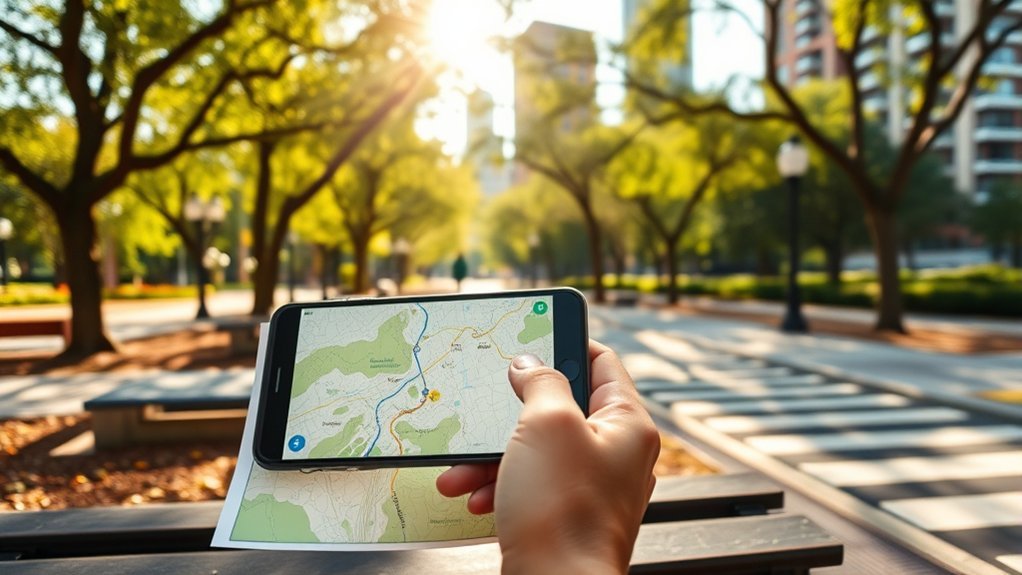
A good Pokémon GO Route gives other Trainers a path they can follow safely without guessing where to go. It should use public pedestrian areas, follow a continuous recorded line, and begin and end at recognizable PokéStops or Gyms.
The best Routes also offer a reason to take the walk. A park loop, public-art tour, riverside walkway, historic district, or quiet neighborhood trail may be more useful than a random line between two points. The experience should remain available throughout the year instead of depending on a concert, temporary display, festival, or other short-lived event.
A high-quality Route is easy to find, safe to walk, simple to follow, and interesting enough that Trainers may want to complete it again.
Who Can Create a Pokémon GO Route?
According to the current Pokémon GO Routes FAQ, you must be at least Level 30 to create a Route. Route creation is not available to Trainers who sign in through a Niantic Kids child account or a Pokémon Trainer Club child account.
Before leaving to record a path, check the following:
- Your Pokémon GO app is updated.
- Your phone has location services enabled.
- Pokémon GO has permission to use your precise location.
- You have a stable data connection.
- Your phone has enough battery to record the complete walk.
- You can safely walk the planned path without trespassing or entering a restricted area.
Pro Tip: Walk the planned path once before recording it. This lets you check gates, construction, difficult crossings, seasonal closures, weak GPS areas, and places where a pedestrian path unexpectedly ends.
Pick a Safe, Scenic Start and End
Choose start and end points that are easy to identify and safe for Trainers to approach on foot. Parks, public squares, walking paths, and outdoor landmarks often work well when they meet the current Route policies.
The official Route creation guide requires the start and end points to be eligible PokéStops or Gyms. You may select the same location for both points to create a loop Route.
Choose the start carefully. Once path recording begins, you cannot change the start point without quitting the creation process and starting again. You can select the end point later or change it while recording.
PokéStops or Gyms tied to special events, such as Pokémon GO Fest, and Sponsored PokéStops cannot be selected as Route endpoints according to the official best-practices guidance.
Warning: Do not select an endpoint that directs Trainers onto private property, into a school, through a dangerous road, inside a restricted building, or toward another prohibited location. Never record a Route while driving.
Keep Your Route Short and Easy to Follow
A manageable distance makes a Route useful to more Trainers. The official Route Requirements and Best Practices page recommends keeping Routes at 2 km or less when possible, although longer Routes may be allowed.
Note: The official help pages currently give different minimum-distance figures. The newer creation guide says the recording minimum is 0.1 km, while the older best-practices page describes a 0.5 km to 20 km range. Follow the minimum displayed in your app. For a practical community Route, about 0.5 km to 2 km is usually an accessible target.
There is no current official rule requiring you to leave 500 meters between separate Routes. The current official documentation also does not list a general four-submissions-per-week limit. Do not use either claim when planning or reviewing a Route.
Distance alone does not make a Route easy. Avoid unnecessary backtracking, repeated loops around the same small area, sudden turns that are hard to see on the map, and paths that change from public to restricted access.
Make the Path Smooth and Unbroken
Your Route should form one continuous recorded path from the starting PokéStop or Gym to the ending point. It should not stop in one area and restart somewhere else with an unexplained jump.
Continuous Pedestrian Flow
Use connected sidewalks, public trails, pedestrian crossings, and open public spaces. Trainers should not need to cross a barrier, walk through traffic, climb over a fence, or leave the visible Route to reach the next section.
A Route does not need to be perfectly straight. Curves and turns are fine when they follow a real pedestrian path and remain easy to understand on the game map.
No Gaps or Jumps
Begin recording only when you are ready to walk the path. Large GPS jumps, vehicle travel, or resuming from the wrong location can create a broken line that is confusing or impossible to complete.
If you pause creation, Pokémon GO marks the pause point. The official creation guide says you must return within 10 meters of that location before you can resume recording.
Safe Route Alignment
Keep the recorded line on the path that Trainers are actually expected to use. Avoid cutting across lawns, parking areas, railway tracks, vehicle-only bridges, construction zones, industrial areas, or waterways.
Check each street crossing before recording. A legal crossing with signals, good visibility, and a pedestrian path is safer than the shortest possible line.
Choose Stops With Views, Art, or Landmarks
Scenic views, gardens, public art, historic markers, green spaces, and quiet public paths can make a Route more rewarding. These features give the Route a clear theme and help Trainers understand why the walk is worth taking.
Choose places that remain available throughout the year. Do not build the Route around a concert, temporary market, political event, seasonal gate, short-term construction detour, or display that will soon disappear.
A Route may pass near a popular area, but it should not advertise a particular restaurant, store, sale, or commercial promotion. Current Route policy does not allow organic business promotion outside official sponsored-location programs.
How to Create and Submit a Pokémon GO Route
- Open Route Creator. Open the Nearby menu, select the Routes section, and tap Create New Route. You can also open your Trainer Profile, scroll to Routes, and tap Create New Route.
- Select the start point. Choose a nearby eligible PokéStop or Gym and tap Set as Start Point.
- Select the end point. Choose another eligible PokéStop or Gym, select the start point again for a loop, or use Select Later if the option appears.
- Go to the start point. Look for the blue flag above the selected PokéStop or Gym. When the game prompts you, confirm that you want to begin recording.
- Walk and record the path. Follow the exact public pedestrian path that other Trainers should use. Open the Route Edit menu to check distance, pause, quit, resume, or change the end point.
- Finish near the endpoint. When the completion prompt appears, choose to finish recording or continue if the line is not complete.
- Add the Route details. Write an accurate title and description, select up to five optional tags, and create a Route Badge using an available photo from the start or end point.
- Review and submit. Check the path, wording, tags, and badge carefully, then submit the Route for moderation.
- Check its status. Open your Trainer Profile, go to Routes, and select the Creator tab to see whether the Route is published, pending, or rejected.
Write a Clear Route Title and Description
The title and description should tell Trainers what the Route offers and what they should expect. Keep the wording accurate, readable, and free from personal information, harassment, advertising, or misleading claims.
Title Clarity
Use a short title that describes the place or experience. Useful examples include:
- Riverside Park Loop
- Downtown Public Art Walk
- Historic Square to City Garden
- Lake View Walking Trail
Avoid titles containing phone numbers, home addresses, full names, political messages, religious promotion, insults, discount offers, or claims about specific businesses.
Description Details
Use the description to explain the surface, scenery, important turns, accessibility, or other useful details. For example:
“A mostly flat public park loop with paved paths, several Gyms, shaded seating, and a clear view of the lake.”
You may add up to five optional Route tags, such as tags for nature, art, accessibility, or Raid-friendly features. Choose only tags that accurately describe the recorded path.
Note: Your Trainer nickname may appear on the Route details page. During creation, use the Show your Trainer Name toggle if you prefer to hide it.
Check Pokémon GO Route Rules Before You Submit
Review the current Pokémon GO Routes Guidelines before submitting. Policies can change, so the official page and the rules shown in the app should take priority over older guides.
Prohibited or Restricted Locations
A Route should not begin, end, or direct Trainers through or inside locations such as:
- Private residences and private residential property
- Highways, freeways, railway tracks, vehicle-only bridges, construction areas, airport runways, and other dangerous infrastructure
- Military zones, industrial sites, power plants, and restricted facilities
- Schools, preschools, and daycares
- Hospitals, police stations, fire stations, prisons, shelters, cemeteries, and other sensitive locations listed in the policy
- Gated or otherwise inaccessible areas
- Adult-oriented businesses or services
- Commercial properties such as restaurants, stores, and malls when the Route directs Trainers through or inside them
The current policy explains that simply passing by a restricted location may be acceptable when the Route does not begin there, end there, or ask Trainers to enter or pass through it. Use a legal public sidewalk or trail and keep the recorded line outside the property.
Prohibited Content and Behavior
Do not use a Route to:
- Harass, target, threaten, shame, or draw attention to another Trainer
- Create abusive or inappropriate words or images on the map
- Share personally identifiable information
- Promote a political candidate, party, rally, protest, or political donation
- Proselytize, solicit religious donations, or promote a specific religious event
- Advertise a business, sale, product, restaurant, or store
- Promote cheats, location spoofing, spam, or other rule violations
Repeatedly submitting Routes that violate the policies or best practices may lead to Route-related enforcement or account suspension.
Avoid Common Pokémon GO Route Mistakes

- Starting before planning: Once recording starts, you cannot change the starting point.
- Using an invalid endpoint: Sponsored or special-event PokéStops may not be available as start or end points.
- Recording from a vehicle: This creates unsafe behavior and may produce an unusable path.
- Allowing GPS jumps: Sudden location changes can leave gaps or strange lines.
- Using private shortcuts: Trainers must be able to complete the path legally without trespassing.
- Routing through restricted places: Schools, sensitive sites, dangerous infrastructure, inaccessible property, and other prohibited locations can cause rejection.
- Writing promotional text: Do not advertise a business, sale, political cause, or religious activity.
- Including personal details: Remove names, addresses, phone numbers, and identifying information.
- Using inaccurate tags: Select only tags that match the Route.
- Submitting without reviewing: A submitted Route normally cannot be edited or deleted.
What Happens After You Submit a Route?
After submission, the Route goes through moderation before it becomes available to other Trainers. The official help pages do not promise a fixed review time.
You can check the Route from your Trainer Profile under Routes > Creator. Its status may appear as published, pending moderation, or rejected.
A submitted Route normally cannot be edited or deleted. If a Route is rejected, open it in the Creator list to read the reason. Certain rejected Routes may display an Edit and Resubmit option, but this is not available for every rejection.
Other Trainers cannot be excluded from a public Route. Record the path and write its details with the understanding that anyone who can access the Route may follow it.
Tips for Easy Route Completion
Design the Route around the experience of the person following it. Clear endpoints, a sensible distance, an accurate recorded line, and safe public access make completion easier.
| Tip | Why It Helps | Your Move |
|---|---|---|
| Manageable distance | Makes the Route accessible to more Trainers | Aim for about 0.5 km to 2 km when practical |
| Recognizable endpoints | Makes the beginning and finish easier to find | Use eligible public PokéStops or Gyms |
| Continuous path | Reduces missed sections and completion problems | Record the exact pedestrian route |
| Scenic or useful theme | Gives Trainers a reason to choose the Route | Include public art, nature, history, or useful game locations |
| Accurate tags | Helps Trainers judge whether the Route suits them | Add up to five relevant tags |
Troubleshooting Route Creation Problems
The Create New Route Button Is Missing
Confirm that your account is Level 30 or higher and is not a child account. Update Pokémon GO, restart the app, and check that location permissions are enabled. If the feature remains unavailable despite meeting the requirements, use the in-app support option.
The Recorded Line Jumps or Drifts
Pause in a safe place and wait for your location to stabilize. Check your phone’s location accuracy, avoid recording from a moving vehicle, and move away from places where tall buildings, tunnels, or heavy cover interfere with GPS.
The Route Will Not Resume
Return to the marked pause point. The official guide requires you to be within 10 meters of that point before recording can resume.
The Selected End Point Does Not Work
Open the Route Edit menu and choose a different eligible end point. The ending point can be changed during recording, but the starting point cannot be changed after recording begins.
The Route Was Rejected
Open the rejected Route in the Creator tab and read the stated reason. Correct any safety, location, privacy, content, or accessibility issue. Use Edit and Resubmit only if that option appears. Do not repeatedly submit the same policy violation.
Frequently Asked Questions
Do You Have to Declare a Route in Pokémon GO?
No separate declaration is required. You create the Route in Pokémon GO, record its path, add its details and badge, and submit it for moderation.
Does a State Route Count as a Highway for Pokémon GO?
The road number alone does not decide whether it is suitable. Do not create a Route on a highway, freeway, vehicle-only road, or another unsafe area. A public pedestrian path beside a state route may be usable only when it is legal, safely separated from traffic, publicly accessible, and compliant with the current Route policy.
How Does Pokémon GO Choose Which Route to Show First?
In the Nearby Routes list, Pokémon GO shows the nearest Routes by default. Trainers can use the available sorting controls to view the list in other ways.
What Kind of Route Is Hardest to Approve?
Routes are likely to face problems when they cross private or inaccessible property, use dangerous roads, direct Trainers through schools or sensitive locations, contain broken GPS sections, advertise a business, share personal information, or include inappropriate content.
What Are the Main Rules for Routes in Pokémon GO?
Use eligible PokéStops or Gyms as endpoints, record one continuous public pedestrian path, avoid dangerous and prohibited locations, keep the details accurate, exclude personal information, and follow the current Routes Guidelines and Player Guidelines.
Can You Use the Same PokéStop for the Start and End?
Yes. Selecting the same eligible PokéStop or Gym as both points creates a loop Route.
Can You Edit a Pokémon GO Route After Submitting It?
Normally, no. A submitted Route cannot be edited or deleted. Some rejected Routes may provide an Edit and Resubmit button, but the option is not guaranteed.
How Long Does Route Approval Take?
The official help pages do not provide a guaranteed moderation time. Check the Creator tab in your Trainer Profile for the current status.
Conclusion
A good Pokémon GO Route does not need to be complicated. Choose valid public endpoints, record a safe and continuous pedestrian path, keep the distance practical, and describe the experience accurately. Review the location rules, privacy details, tags, and badge before submitting because editing options are limited afterward.
The most useful Routes are easy to find, legal to access, clear on the map, and interesting enough for other Trainers to complete. When the app and an older online guide show different requirements, follow the value displayed in the current app and check the official help pages before submitting.
Sources
- Pokémon GO Help Center: How Do I Create a Route? — Route Creator steps, endpoints, recording, tags, badges, pausing, submission, and moderation status
- Pokémon GO Help Center: Route Requirements and Best Practices — route length guidance, continuity, scenery, endpoints, descriptions, and public access
- Pokémon GO Help Center: Routes Guidelines — prohibited locations, commercial promotion, politics, religious promotion, behavior, and content restrictions
- Pokémon GO Help Center: Routes FAQ — creator eligibility, editing limits, privacy, rejection reasons, and account restrictions
- Pokémon GO Help Center: What Are Routes? — Route discovery, sorting, loops, reverse direction, following, completion, and reporting
- Scopely Explore Player Guidelines — real-world safety, privacy, respectful conduct, trespassing, traffic awareness, driving, and fair play
