
Last Updated on September 11, 2026 by Daniel Globe
Trip.com’s Daily 100 GB option usually means that you receive up to 100 GB of data during each plan day, rather than sharing one 100 GB allowance across your entire trip. However, the label describes the data allowance only. Reset timing, speed, hotspot support, network access, and post-quota treatment depend on the exact eSIM product you select.
Quick Answer
If the Trip.com package selector says Daily 100GB, you normally receive a new 100 GB allowance for each included day. It is not the same as a Total 100GB package. Check whether the product uses 24-hour or calendar-day billing and review its speed and fair-use terms before paying.
Key Takeaways
- Daily 100GB and Total 100GB are different package types.
- A daily package normally refreshes its allowance each plan day, but the reset may follow a 24-hour cycle or a calendar day.
- The 100 GB figure does not guarantee uncapped 5G speed, unrestricted hotspot use, or unlimited data after the quota.
- Prices and available packages change, so compare the live checkout total for the same destination and trip length.
- Confirm that your phone is unlocked and supports eSIM before buying.
Disclosure: As an Amazon Associate I earn from qualifying purchases. Some links on this page are affiliate links, at no extra cost to you.
What Is Trip.com’s Daily 100 GB Plan?
Trip.com sells travel eSIM products from several suppliers. Depending on the listing, you may see daily packages, total-data packages, different networks, and different validity periods. Trip.com’s current China eSIM guidance lists options ranging from small daily allowances to packages advertised with up to 100 GB per day.
When the option you select is specifically labeled Daily 100GB, the allowance is intended for each included plan day. For example, a five-day Daily 100GB package can provide a separate allowance on each of those five days. It does not normally mean that you receive only 100 GB to divide across all five days.
Note: Trip.com also sells packages labeled Total 100GB. Always read the complete option name before checkout. The word “daily” is the part that indicates a repeating allowance.
How the Daily 100 GB Plan Works
The package becomes usable for the number of days you purchase. During each plan day, your phone connects through the eSIM’s supported roaming network and uses data from that day’s allowance.
| Use case | What the plan supports |
|---|---|
| Navigation | Live maps, route searches, traffic updates, and ride-hailing location services |
| Social and messaging apps | Messages, photos, voice calls, video calls, feeds, and mini-programs |
| Urban services | Didi, food delivery, translation, payment apps, ticketing, and hotel tools |
| Heavy use | Streaming, video meetings, cloud uploads, software downloads, or hotspot use when permitted |
The allowance normally refreshes rather than accumulating. Treat unused data as expiring at the end of the plan day unless the selected package expressly says that unused data carries forward.
Daily 100 GB vs Total 100 GB
The most important check is whether the option says daily or total. These labels change how the allowance is shared across your trip.
| Package label | How the allowance works | Main trade-off |
|---|---|---|
| Daily 100GB | A separate allowance is available during each included plan day. | Unused data may expire at the daily reset. |
| Total 100GB | One 100 GB pool is shared across the package’s entire validity period. | Heavy use early in the trip leaves less data for later days. |
A total package can suit travelers whose usage changes from day to day. A daily package can suit travelers who want a predictable reset and do not want one unusually heavy day to consume most of the trip’s allowance.
How the Daily Reset Timing Works
Trip.com listings may use either 24-hour billing or calendar-day billing. You should not assume that every daily plan resets at midnight.
- 24-hour billing: A plan day normally runs for 24 hours from the service’s activation or first supported network connection.
- Calendar-day billing: A plan day may follow the supplier’s stated local calendar and end at a set daily cutoff, often midnight.
Read the activation and usage instructions before switching on the eSIM. Activating a calendar-day plan late in the evening could use part of the first day for only a short period.
Pro Tip: Install the eSIM while you still have reliable Wi-Fi, but leave the travel line turned off until the supplier says it is safe to activate. This reduces the risk of starting the validity period too early.
Why Choose the 100 GB Plan?
A Daily 100GB package gives you a very large allowance for each plan day. That can be useful when you expect video calls, streaming, cloud backups, large file transfers, app updates, or hotspot use across several devices.
It can also reduce how often you need to check your remaining data. However, a larger allowance is not automatically the best value. Most travelers who mainly use maps, messaging, payments, translation, and occasional social media may not need anything close to 100 GB each day.
Choose the package based on the complete terms, not the largest number. A smaller full-speed package may be a better purchase than a 100 GB package with a lower speed limit or stricter hotspot policy.
Daily 100 GB vs 3 GB Plans
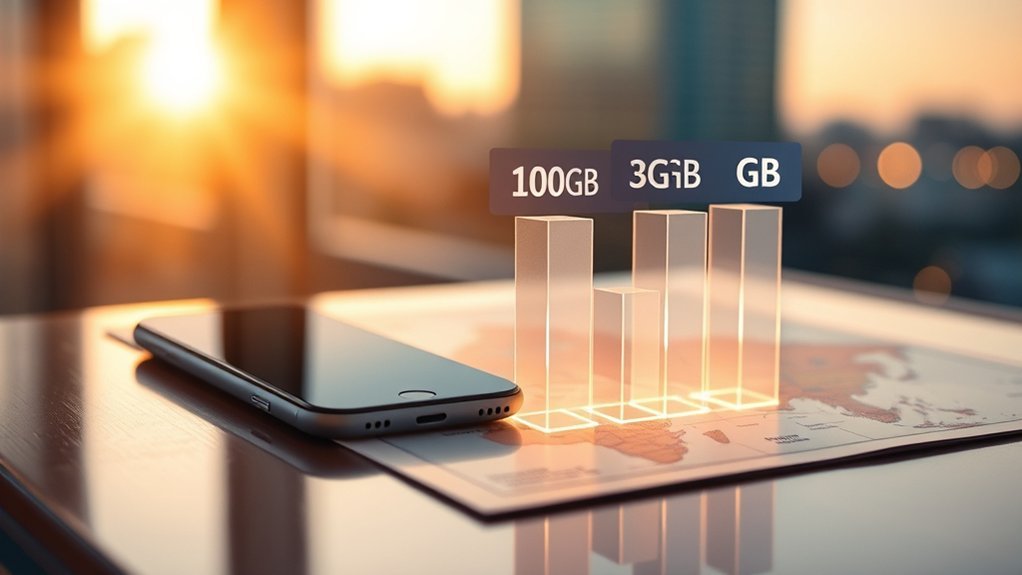
A 3 GB daily plan and a 100 GB daily plan both refresh their allowances each plan day when sold under the same billing system. The difference is the amount available before that day’s quota is reached.
| Option | Likely fit | Check before buying |
|---|---|---|
| 3 GB per day | Maps, messages, payments, translation, web browsing, and limited media use | Post-quota speed, renewal options, and whether video or backups could exhaust the allowance |
| 100 GB per day | Frequent video, remote work, cloud transfers, downloads, or shared connections | Maximum speed, fair-use terms, hotspot permission, network, and live price |
| 100 GB total | Travelers who prefer one flexible pool for the full trip | Validity period and how quickly heavy use could consume the shared pool |
Do not compare only the displayed data amount. Compare the final trip price, network, billing method, speed language, hotspot rules, refund policy, and what happens after the allowance is used.
Which Apps Use the Most Data in China?
Your largest data use usually comes from video, cloud transfers, operating-system downloads, social feeds with autoplay, and hotspot sharing. Maps, payments, messaging, and ride-hailing generally use less than continuous high-quality video, although background activity can still add up.
Navigation Apps
Navigation apps such as Amap, Apple Maps, and other supported map services use data for map tiles, live traffic, route changes, location searches, and public-transport information. Usage rises when you repeatedly load new areas, use satellite imagery, or leave navigation running for long periods.
- Download offline maps where the app and destination support them.
- Avoid satellite or highly detailed map layers when you do not need them.
- Check the app’s cellular usage after your first travel day.
- Keep location access limited to the level each app genuinely needs.
There is no reliable universal rule that navigation alone requires several gigabytes per day. Your own phone’s data report gives you a better estimate.
Super Apps
WeChat, Alipay, Didi, food-delivery platforms, and mini-programs combine many services inside one app. Messaging and payments may use little data, while video feeds, voice or video calls, large image downloads, and embedded mini-program content can use considerably more.
Background refresh, automatic media downloads, and repeated location updates can increase usage even when you are not actively watching video. Review each app’s media and background settings before your trip.
Streaming and Ads
Streaming is usually the activity most likely to justify a large daily package. High-resolution video, long video calls, cloud photo backups, and large file uploads can consume far more data than maps or text messages.
- Lower the playback quality when full resolution is unnecessary.
- Turn off autoplay in social apps.
- Pause cloud photo and video backups unless you have confirmed the plan’s speed and allowance.
- Disable automatic operating-system and app downloads over cellular data.
When a 100 GB Plan Makes Sense
A Daily 100GB package makes the most sense when your expected use goes far beyond basic travel tasks. It may suit remote workers, content creators, families sharing one connection, travelers without dependable hotel Wi-Fi, or anyone transferring large files.
Heavy App Usage
Consider the larger package when you expect several of these activities:
- Long video meetings
- Frequent high-resolution streaming
- Cloud photo or video backups
- Large work-file uploads and downloads
- Hotspot sharing across multiple devices
- Large game, app, or operating-system downloads
Basic messaging, payments, translation, maps, and occasional browsing usually do not require the same allowance as all-day video or hotspot use.
Cheap Upgrade Value
The larger package may be good value when its live checkout price is only slightly higher and its speed and hotspot terms are acceptable. However, there is no permanent price difference between the 3 GB and 100 GB options.
Trip.com changes packages and promotions, and different suppliers can charge different prices. Compare options for the same destination, currency, and number of days immediately before buying.
Speed, Fair Use, and the Daily Limit
100 GB describes volume, not speed. A package can provide a large allowance while still applying a maximum connection speed, network-management rule, or fair-use condition.
Before paying, inspect the selected package for:
- Maximum advertised speed
- Supported 4G or 5G networks
- Any continuous speed cap
- Fair-use or reasonable-use language
- What happens after 100 GB is used
- Whether additional data can be purchased
- Whether hotspot use is allowed
Warning: Do not assume that Daily 100GB means unlimited full-speed 5G. The connection may stop, slow down, reset later, or require a renewal after the daily allowance, depending on the supplier’s terms.
How Much Does the 100 GB Plan Cost?
Trip.com does not have one permanent price for every Daily 100GB package. Your price can depend on the country or region covered, number of days, network supplier, billing system, currency, taxes, promotion, and account eligibility.
Use this comparison process:
- Select the exact destination or regional coverage you need.
- Select the same number of days for each package.
- Compare Daily 3GB, Daily 100GB, and Total 100GB separately.
- Open the package details and compare speed, hotspot, network, and fair-use terms.
- Check the final checkout total rather than relying on an old price shown in an article or screenshot.
You can review Trip.com’s current range in its official China eSIM guide and then confirm the exact terms in the live product selector.
What to Check Before Buying
Phone Compatibility and Carrier Lock
Your phone must support eSIM and must not be locked to a carrier that prevents another plan from being added. You should also have an internet connection available during installation.
Apple says supported iPhones can install an eSIM using a QR code, carrier link, app, or manual information. Check Apple’s current eSIM setup requirements for your model. Android steps differ by manufacturer; Google provides separate Pixel eSIM setup instructions.
Phones manufactured for or purchased in certain regions may have different eSIM support. Look for an EID in your device information or confirm compatibility with the phone manufacturer before paying.
Data-Only Service
Many travel eSIM packages provide mobile data but do not include a local Chinese phone number, standard voice minutes, or SMS service. You can still use internet-based calling and messaging apps, but services that require an SMS verification code may need your home SIM or another supported number.
Keep your home line enabled for incoming verification messages only when your carrier’s roaming fees and settings make that safe. Set the Trip.com eSIM as the cellular-data line so your phone does not accidentally use expensive roaming data from your main carrier.
Hotspot and Tethering
Some Trip.com eSIM listings are marked as hotspot-capable, but support can differ by product and supplier. Confirm the hotspot label and any sharing limit before planning to connect a laptop, tablet, or another traveler’s phone.
Hotspot use can also increase battery drain and consume data much faster than normal phone use.
Access to Overseas Apps in China
Some Trip.com China travel eSIM listings advertise access to services such as Google Maps, ChatGPT, WhatsApp, Instagram, and other overseas apps without a separate VPN. This can work because the travel eSIM may route data through an international roaming connection.
However, app access is a feature of the selected product, not a guarantee covering every Trip.com eSIM. Read the product title and usage details. TikTok and other services may also apply account, SIM, or location-based restrictions that are separate from China’s network filtering.
How to Install and Activate the Trip.com eSIM
- Buy the correct package. Confirm the destination, number of days, daily or total allowance, billing method, network, and device compatibility.
- Open the installation details. Trip.com may provide an in-app installation option, QR code, activation link, or manual information.
- Connect to reliable Wi-Fi. Complete the installation before you lose access to your normal internet connection.
- Add the eSIM to your phone. Follow the iPhone, Pixel, Samsung, or other manufacturer’s instructions.
- Label the line. Use a clear name such as “China Travel Data.”
- Select it for cellular data. Keep your primary line from using roaming data unless you intentionally need it.
- Follow the supplier’s activation timing. Some plans begin when they first connect to a supported destination network, while others may have different rules.
- Turn on data roaming for the travel eSIM. International travel eSIMs commonly need roaming enabled on that line.
- Test the connection after arrival. Open a simple webpage or map and confirm that the travel line is carrying the data.
Do not delete the eSIM profile until your trip is finished. Some QR codes can be installed only once and may not work again after the profile is removed.
How to Monitor Data Use in China

Your phone’s built-in data report is more useful than a general estimate because it shows how your own apps behave.
On iPhone
- Open Settings.
- Tap Cellular or Mobile Data.
- Scroll down to view app-by-app usage.
- Turn off cellular access for apps that do not need it.
- Use Low Data Mode when you want to reduce background activity.
Apple explains these controls in its cellular-data usage guide.
On Android
- Open Settings.
- Open Network & internet, Connections, or the equivalent menu.
- Select SIMs, Mobile network, or Data usage.
- Choose the travel eSIM and review app-level usage.
- Turn on Data Saver or restrict background data for unnecessary apps.
Menu names differ by manufacturer and Android version. Google’s mobile-data management guide explains the controls used on Pixel phones.
What to Do If the Trip.com eSIM Does Not Work
- Confirm that the eSIM line is turned on.
- Set it as the cellular-data line.
- Turn on data roaming for that eSIM.
- Turn Airplane Mode on and off.
- Restart the phone.
- Check the APN. Use only the APN supplied in the package instructions.
- Try automatic network selection first. If the instructions name a network, select it manually when automatic selection fails.
- Disable conflicting VPN or private-DNS settings temporarily.
- Confirm that the validity period has started and has not expired.
- Contact Trip.com or the listed supplier. Include your booking details, phone model, location, screenshots, and troubleshooting steps.
A weak signal does not always mean the eSIM is incorrectly installed. Coverage, congestion, building materials, subway tunnels, and the selected partner network can affect performance.
How to Choose the Right China Data Plan
Choose the smallest package that comfortably supports your real activities while meeting your speed and hotspot needs.
- Light use: Payments, text messaging, translation, occasional maps, and basic browsing
- Moderate use: Frequent maps, social feeds, voice calls, photo sharing, and some short video
- Heavy use: Long video calls, streaming, cloud backups, large transfers, or hotspot sharing
Then compare these package details:
- Daily allowance or total allowance
- 24-hour or calendar-day billing
- Validity period and activation rule
- Maximum or managed speed
- Post-quota treatment
- Supported network and coverage area
- Hotspot permission
- Access to the overseas apps you need
- Data-only, calls, SMS, and phone-number support
- Cancellation, refund, renewal, and support terms
- Final checkout price
A Daily 100GB option can provide peace of mind for very heavy use, but it may be unnecessary for ordinary navigation and messaging. The best plan is the one whose complete terms match your trip, not simply the one displaying the largest allowance.
Frequently Asked Questions
Does Trip.com Daily 100GB mean 100GB every day?
Yes, when the exact option is labeled Daily 100GB, it normally provides a separate allowance during each included plan day. Confirm the product’s billing method and activation rules because the reset can follow a 24-hour period or a calendar-day system.
Is Daily 100GB the same as Total 100GB?
No. Daily 100GB refreshes the allowance for each plan day. Total 100GB gives you one shared 100 GB pool for the package’s full validity period.
When does the Daily 100GB allowance reset?
It depends on the selected listing. A product marked 24-hour billing normally counts each day as a 24-hour period. A calendar-day product can reset according to a stated daily cutoff. Check the package details before activation.
Does unused daily data roll over?
Do not assume it does. Daily allowances commonly expire when the plan day resets. Treat unused data as non-transferable unless the package terms expressly promise rollover.
Is the full 100GB always available at maximum 5G speed?
Not necessarily. The allowance and the connection speed are separate terms. Check for maximum-speed, network-management, fair-use, and post-quota language in the selected package.
What happens after I use 100GB in one day?
The result depends on the supplier. The connection may stop, slow down, reset at the next plan day, or require a renewal. Read the package’s post-quota terms rather than assuming unlimited service or automatic overage billing.
How long does 100GB of data usually last?
For a Total 100GB package, the answer depends on your streaming, calls, downloads, backups, and hotspot use. For a Daily 100GB package, that day’s allowance lasts only until its daily reset, even when some data remains unused.
Is 100GB enough for one day?
It is more than enough for most single-phone travel use. Heavy hotspot sharing, large downloads, high-resolution streaming, or cloud transfers can use much more data, but your actual experience also depends on the package’s speed and fair-use rules.
Is 100GB enough for a month?
A Total 100GB package can last a month for many moderate users, but heavy video, backups, gaming downloads, or hotspot use can consume it sooner. A Daily 100GB package is different because the allowance refreshes instead of forming one monthly pool.
Is 100GB enough for 180 days?
A Total 100GB package spread across 180 days averages about 0.56 GB per day. Whether that is enough depends on your usage. This calculation does not apply to Daily 100GB, and the package must also have a validity period covering the full 180 days.
Does the Trip.com eSIM include calls, SMS, or a Chinese number?
Many travel eSIMs are data-only. Unless the selected product expressly includes calls, SMS, or a local number, assume that you will use internet-based apps and keep another line available for verification messages.
Can I use the Daily 100GB plan as a hotspot?
Only when the selected product permits hotspot or tethering. Check the listing for a hotspot-capable label and review any sharing or speed restrictions.
Do I need a VPN with a Trip.com China eSIM?
Some Trip.com China eSIM products advertise access to overseas apps without a separate VPN. Confirm that feature in the exact product you select because it is not guaranteed across every eSIM sold on the platform.
Conclusion
Trip.com’s Daily 100GB label normally means that you receive a new allowance during each included plan day. It does not mean the same thing as a Total 100GB package, and it does not by itself promise unrestricted full-speed 5G.
The plan can be useful when you stream, work remotely, upload large files, or share data across devices. For normal maps, messaging, payments, and translation, a smaller package may be sufficient. Before buying, verify the daily or total label, reset system, speed, fair-use policy, hotspot rules, network, app access, phone compatibility, and final checkout price.
Sources
- Trip.com China eSIM Guide — current daily and total package ranges, network information, app access, and setup guidance
- Trip.com: Does eSIM Work in China? — daily allowance refresh, package comparisons, pricing disclaimer, and troubleshooting
- Trip.com China eSIM Product Listing — live package availability, billing method, validity, pricing, and supplier-specific terms
- Apple Support: Set Up eSIM on iPhone — device requirements and installation methods
- Apple Support: Use Cellular Data — app-level cellular usage and data controls
- Google Pixel Help: Set Up a New eSIM — Android eSIM installation and troubleshooting guidance

