
Last Updated on November 4, 2026 by Tyler Morgan
Southwest check-in still opens 24 hours before your flight, but since the airline switched to assigned seating on January 27, 2026, checking in no longer decides where you sit or when you board. It confirms your trip, assigns a seat if you do not have one, and gives you a boarding pass that shows your seat and boarding group.
This guide covers check-in times and deadlines, how to check in online or in the app, every way to get or print a Southwest boarding pass, what Basic fares get at check-in, and the situations where you must check in at the airport.
Quick Answer
Southwest check-in opens 24 hours before your flight’s original scheduled departure on Southwest.com or the Southwest app. Enter your confirmation number and the passenger’s first and last name, then save your mobile boarding pass or print it. Domestic check-in closes 30 minutes before departure, international check-in 60 minutes before (75 from Aruba).
Key Takeaways
- Check-in opens exactly 24 hours before the original scheduled departure, even if your flight is later delayed.
- Deadlines: 30 minutes before domestic flights, 60 minutes before international flights (75 minutes from Aruba), and be at the gate with a boarding pass 10 minutes before departure.
- With assigned seating, checking in early no longer improves your boarding position. Your group (1–8) comes from your fare, seat, status and card benefits.
- Basic fares get a Standard seat assigned at check-in, or at the gate if one cannot be assigned right away.
- Travelers to or from Aruba, Havana and Punta Cana cannot check in online, and some passengers cannot use mobile boarding passes.
When Does Southwest Check-In Open and Close?
Online check-in opens 24 hours before your flight’s original scheduled departure time. If your 9:00 a.m. flight is delayed to 11:00 a.m., check-in still opened at 9:00 a.m. the day before. You can check in through the Southwest app, Southwest.com, an airport kiosk where available, a Skycap podium at select airports, or the ticket counter.
| Milestone | Domestic flights | International flights |
|---|---|---|
| Online and app check-in opens | 24 hours before the original scheduled departure | 24 hours before (passport verification required) |
| Check-in deadline | 30 minutes before departure | 60 minutes before (75 minutes from Aruba) |
| Checked-bag deadline | 45 minutes before (90 minutes from St. Thomas) | 60 minutes before (75 minutes from Aruba) |
| Boarding can begin | As early as 30 minutes before departure | As early as 30 minutes before departure |
| Be in the gate area with a boarding pass | At least 10 minutes before departure | At least 10 minutes before departure |
Warning: If you try to check in after the cutoff, for example 25 minutes before a domestic flight, Southwest says you will need to be rebooked on the next available flight. If you are not in the gate area with a boarding pass 10 minutes before departure, your reservation may be canceled.
The cutoffs are minimums, not arrival advice. Southwest notes that airport arrival and bag check times vary by location, so allow time for security lines, especially at large airports. If you fly from Los Angeles, our Southwest LAX terminal guide explains where to check in and drop bags.
How to Check In Online or in the Southwest App
You need two things: the confirmation number and the first and last name of a passenger on the reservation, typed as they appear on the booking. The confirmation number is the six-character code in your booking email and in your Southwest account trips.
- Open the Southwest app or Southwest.com and select Check in.
- Enter the confirmation number and the passenger’s first and last name, then select Check in (desktop) or Retrieve reservation (app or mobile site).
- Review the passengers, your assigned seat and your boarding group. Change or buy a different seat if your fare allows and seats are available.
- Add checked bags if needed and pay any bag fees.
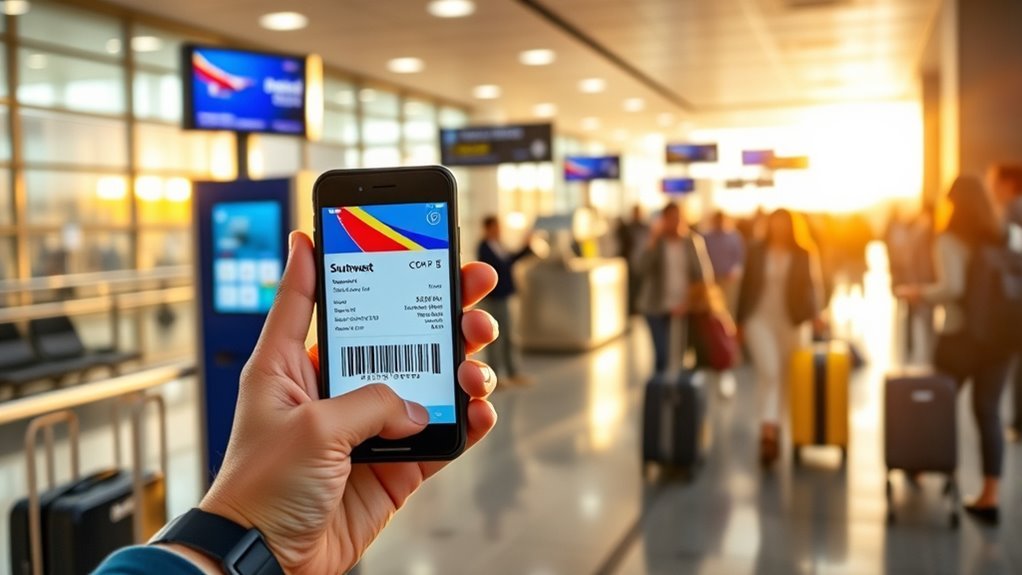
- Open your boarding pass. Save it to Apple Wallet or Google Wallet, or print it.
On a connecting itinerary you receive a boarding pass for each flight. If you booked through a Southwest partner, check in with the airline that operates the first flight of the trip; use Southwest only if the first flight is a Southwest flight.
| Method | Best for | Boarding pass you get |
|---|---|---|
| Southwest app | Most travelers; fastest option | Mobile pass you can save to Apple Wallet or Google Wallet |
| Southwest.com | Printing at home or checking in for others | Printable pass, or mobile pass on the mobile site |
| Airport kiosk | Printing a paper pass, passport scan, bags | Paper pass |
| Skycap podium (select airports) | Curbside bag drop with check-in | Paper pass |
| Ticket counter | International trips, special reservations, problems | Paper pass from an agent |
Searching for a “Southwest check-in number”? Online check-in does not require a phone call; the number you need is your confirmation number. If you need help, use the contact options listed on Southwest.com rather than a phone number from a search ad or forum post, since unofficial numbers are common.
How to Get or Print a Southwest Boarding Pass
After you check in, you can use your boarding pass in three ways:
- Mobile boarding pass. Tap the boarding pass button in the app or on the mobile website. Southwest encourages saving it to Apple Wallet or Google Wallet. If a travel companion in your boarding group has no wallet app, you can save both passes on your phone and swipe between them.
- Print at home. Check in on Southwest.com from a computer, open the boarding pass and use your browser’s print command. Make sure the barcode, name, flight, seat and group print clearly.
- Print at the airport. Use a Southwest kiosk, a Skycap podium where available, or the ticket counter.
Not everyone can use a mobile pass. Southwest lists Lap Children, Unaccompanied Minors, travelers on certain international itineraries, partner reservations, and military and government fares as ineligible. Those travelers get a paper pass at the airport.
For step-by-step printing tips and troubleshooting, see our Southwest boarding pass printing guide. If your flight changes after you check in, retrieve a new pass, because the old one can show the wrong flight or seat.
Basic Fares, Seat Assignments and Check-In
Your fare decides whether you pick a seat before check-in:
- Choice Extra: choose an Extra Legroom, Preferred or Standard seat at booking.
- Choice Preferred: choose a Preferred or Standard seat at booking.
- Choice: choose a Standard seat at booking.
- Basic: a Standard seat is assigned at check-in or at the departure gate.
- A-List Preferred and A-List Members (and some Rapid Rewards Credit Cardmembers) can choose seats before check-in, even on Basic.
Yes, you can check in online on a Basic fare. If Southwest cannot assign your seat immediately, you will see a message that your seat will be assigned at the gate, and you will receive a security document instead of a full boarding pass. Use it to clear security, then see an agent at your gate. Any traveler can change to another available seat (according to fare and status) or buy one up to one hour before the original departure time.
Seat types are explained in our Southwest assigned seating policy guide, and our article on Southwest’s Choice Extra fare covers the top fare bundle.
Boarding Groups and Priority Boarding
Every passenger now gets a boarding group from 1 to 8, printed on the boarding pass. Groups are based on fare, Rapid Rewards tier, credit card status, seat type and seat location, and everyone on the same reservation gets the same group (Group travel reservations excepted).
| Boarding call | Who boards |
|---|---|
| Preboarding | Customers with disabilities who need extra time or help; Unaccompanied Minors |
| Priority Boarding | Customers who bought Priority Boarding; active-duty U.S. military with valid ID |
| A-List Preferred | Rapid Rewards A-List Preferred Members |
| Group 1 | A-List Members; Choice Extra fares |
| Group 2 | Extra Legroom seats on Choice or Choice Preferred fares |
| Groups 3–4 | Choice Preferred fares in Standard or Preferred seats |
| Group 5 | Primary Southwest Rapid Rewards Credit Cardmembers (if not already earlier) |
| Groups 3–7 | Choice fares in Standard or Preferred seats |
| Group 8 | Basic fares |
Because your group no longer depends on check-in time, the old race to check in at exactly 24 hours is over. It is still smart to check in early, especially on Basic, so you can see your seat, fix problems and add bags.
Priority Boarding is the current paid way to board before Group 1. It goes on sale 24 hours before the original departure and can be bought up to 30 minutes before, if available, for $10 to $75 per flight segment per customer. It is nonrefundable if you change or cancel, but Southwest refunds it if Southwest cancels the flight or makes a significant change (generally three or more hours domestically) and you cancel. It does not change your seat.
EarlyBird Check-In belonged to the open-seating era; Southwest’s help center now sends EarlyBird links to the regular check-in page. If you are wondering what replaced it, our Southwest EarlyBird guide explains the change.
Checking Bags When You Check In
You can add checked bags during online check-in and pay for them in advance, then drop them at the airport before the bag deadline (45 minutes before domestic departures). Every passenger still gets one carry-on and one personal item free; see our Southwest carry-on rules for sizes and banned items.
| Fare or status (U.S. mainland, one way) | 1st checked bag | 2nd checked bag |
|---|---|---|
| Basic, Choice, Choice Preferred | $45 | $55 |
| Choice Extra | Free | Free |
| A-List Preferred | Free | Free |
| A-List | Free | $35 |
| Rapid Rewards Credit Cardmember (primary, number on reservation) | Free | $55 |
| Active-duty military | Free | Free |
Fees above are Southwest’s published U.S. mainland prices as of November 2026. Interisland Hawaii, partner itineraries, groups and Getaways by Southwest packages have different rules, and overweight (51 to 100 pounds) or oversized bags cost extra.
When You Must Check In at the Airport
Online check-in is not available, or not complete, in some situations:
- Aruba, Havana and Punta Cana. Southwest says customers traveling to or from these airports cannot check in online.
- Other international flights. Travelers who do not need a visa can scan a passport or U.S. Permanent Resident Card with the app’s camera. Otherwise, an agent or kiosk verifies the passport at the ticket counter. Checked bags on any international itinerary must be checked at the ticket counter.
- Travelers who cannot use mobile passes, such as Unaccompanied Minors and Lap Children, collect paper passes at the airport.
- Basic seat “assigned at the gate” messages: clear security with the security document, then see the gate agent.
Check-In Problems and Fixes
- “Reservation not found”: recheck the confirmation number and the passenger’s name spelling, and make sure the 24-hour window has opened.
- Boarding pass will not load: close and reopen the app, or check in on Southwest.com and print the pass, or use a kiosk.
- Running close to the cutoff: stop retrying online and go straight to a Southwest agent.
- Missed the deadline or the flight: see our guide to what happens if you miss a Southwest flight, and remember to cancel at least 10 minutes before departure if you will not travel, to avoid losing your funds under the no-show policy.
Frequently Asked Questions
When does Southwest check-in open?
Southwest online and app check-in opens 24 hours before your flight’s original scheduled departure time. The window is based on the original time, so a delay does not move it. You can also check in at an airport kiosk, a Skycap podium at select airports or the ticket counter, but you must finish before the 30-minute domestic or 60-minute international deadline.
How do I check in online and print my Southwest boarding pass?
Go to Southwest.com, select Check in, and enter your confirmation number plus the passenger’s first and last name. Review your seat and boarding group, add bags if needed, then open the boarding pass and use your browser’s print command. You can also print a pass at a Southwest airport kiosk or get one from the ticket counter.
What is Southwest’s check-in policy and deadline?
Check in at least 30 minutes before the original scheduled departure for domestic flights and 60 minutes before international flights, or 75 minutes when departing Aruba. Checked bags are due 45 minutes before domestic flights. All passengers must have a boarding pass and be in the gate area 10 minutes before departure, or the reservation may be canceled.
Can I check in online with a Southwest Basic fare?
Yes. Basic passengers check in the same way, starting 24 hours before departure, and receive an automatically assigned Standard seat. If no seat can be assigned right away, Southwest issues a security document and assigns the seat at the gate. Basic fares board in Group 8 unless status or card benefits move you earlier, and you can buy a different seat if available.
Does checking in early get me a better boarding position on Southwest?
Not anymore. Since assigned seating began on January 27, 2026, boarding groups 1 through 8 are based on your fare, seat, Rapid Rewards tier and credit card status, not check-in time. Checking in early is still useful because you see your seat sooner, can add bags and fix problems. Priority Boarding is the paid option to board before Group 1.
Is airport check-in required for Southwest?
Usually not. Most domestic travelers can check in online and go straight to security if they have no bags. You need the airport if you fly to or from Aruba, Havana or Punta Cana, need passport verification, check bags on an international trip, or are not eligible for a mobile pass, such as Unaccompanied Minors and Lap Children.
What is the Southwest check-in number?
The number you need is your six-character confirmation number, found in your booking email or your Southwest account. Enter it with the passenger’s first and last name to check in. You do not need to call to check in. If you need help, use the contact options on Southwest.com, because phone numbers in search ads and forum posts are often not official.
Sources
- Southwest Airlines – Online Check-In – 24-hour opening time, methods, required details, deadlines and partner itineraries.
- Southwest Airlines – When to Arrive for Your Flight – Checked-bag deadlines, including St. Thomas and Aruba, and the 10-minute gate rule.
- Southwest Airlines – Mobile Boarding Pass – Wallet apps and passengers who are not eligible for mobile passes.
- Southwest Airlines – Assigned Seat Selection – Seat rules by fare and tier, Basic seats at check-in or the gate, and the security document.
- Southwest Airlines – Boarding Process – Boarding groups 1–8 and who qualifies for each.
- Southwest Airlines – Booking and Checking In for International Flights – Passport scanning and routes where online check-in is not available.
- Southwest Airlines – Optional Travel Charges – Checked-bag fees by fare and status and the Priority Boarding price range (Priority Boarding terms from Southwest’s Priority Boarding help page).
