
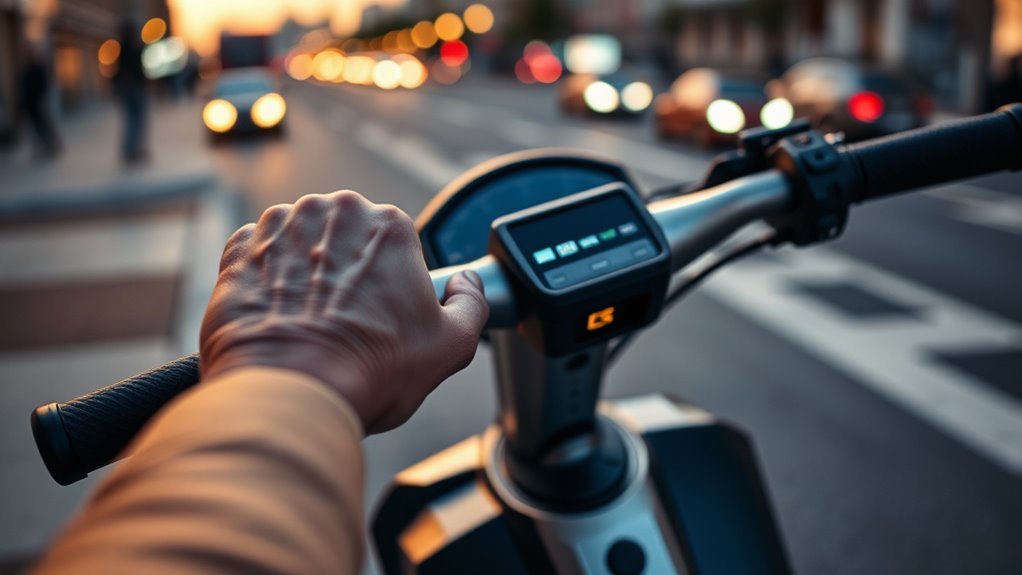
Last Updated on August 26, 2026 by Caleb Warren
Turning off Eco Mode on an electric scooter is usually simple, but the exact button sequence depends on the brand and model. The safest approach is to stop the scooter, keep it powered on and unlocked, then use its documented mode control or manufacturer app to select Standard, Drive, or Sport. Do not assume your scooter needs a 200 km break-in period before modes become available.
Quick Answer
Stop the scooter and keep it powered on and unlocked. Then use the model’s documented mode control—often a double-press of the power or mode button, a single press on some models, or the manufacturer app—to select Standard, Drive, or Sport. There is no universal 200 km break-in requirement for changing modes.
Key Takeaways
- Mode-switching controls vary by scooter; do not rely on one universal button sequence.
- For safety, stop before changing modes unless your manufacturer specifically says switching while riding is allowed.
- A low battery, high temperature, parking lock, app lock, firmware setting, or regional speed limit can reduce performance without actually putting the scooter into Eco Mode.
- A 200 km break-in lock is not a standard electric-scooter requirement.
- If Sport or Standard remains unavailable, check the model manual, app settings, error codes, battery status, and firmware before contacting support.
At a Glance
| Time Required | About 2–5 minutes |
| Difficulty | Easy |
| Tools Needed | Usually none; the manufacturer app may be needed on some models |
| Cost | $0 |
Warning: Stop before changing ride modes unless your scooter’s manual specifically permits switching while moving. Sport mode may increase acceleration and maximum speed. Wear appropriate protective gear, test the brakes, obey local speed rules, and follow the manufacturer’s safety instructions.
Disclosure: As an Amazon Associate I earn from qualifying purchases. Some links on this page are affiliate links, at no extra cost to you.
What Eco Mode Does
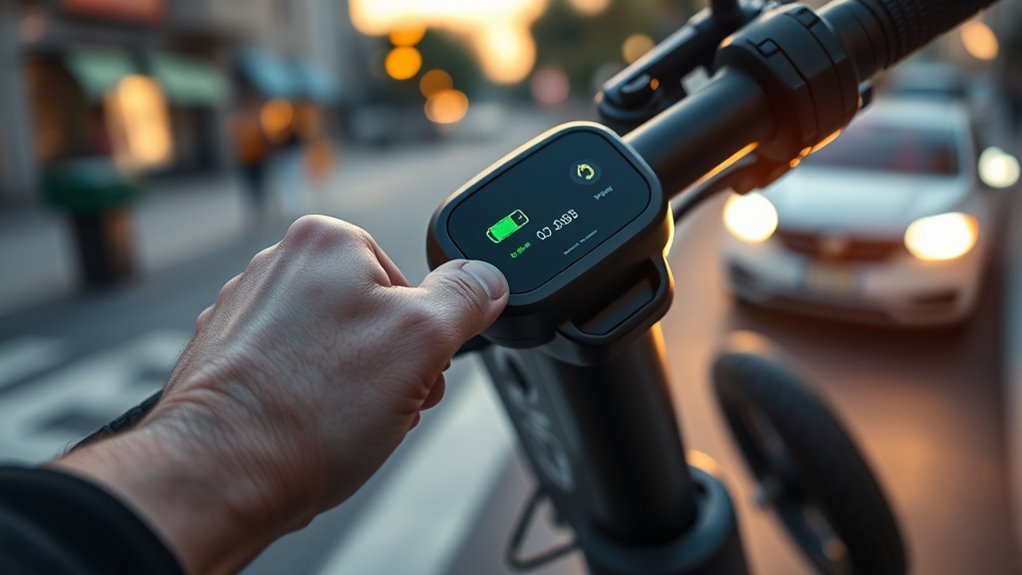
Eco Mode is an energy-saving ride profile. Depending on the scooter, it may reduce maximum speed, soften acceleration, limit peak motor demand, or combine several of those changes. The exact limits are model-specific, so there is no universal Eco speed or motor-power percentage.
For example, Xiaomi documents an energy-saving mode of about 15 km/h on the Mi Electric Scooter 1S, while Segway lists 9 mph (15 km/h) for Eco on its F2 series. Those figures show why the scooter’s own specifications matter more than a generic Eco-mode speed estimate. See Xiaomi’s Mi Electric Scooter 1S support information and the Segway F2 product manual.
Eco Mode can also improve range because gentler acceleration and lower speed generally reduce energy demand. However, the gain is not a fixed percentage. Rider weight, tire pressure, hills, wind, temperature, stop-and-go riding, speed, and battery condition all affect how far a scooter travels.
How to Turn Off Eco Mode
The correct procedure depends on your scooter, but this sequence is safe for most models:
- Stop the scooter. Keep both feet secure and make sure the scooter is stable.
- Leave it powered on. If the scooter has an electronic lock, PIN, NFC lock, app lock, or parking mode, unlock it first.
- Check the dashboard. Look for an ECO, D, S, 1/2/3, or similar ride-mode indicator.
- Use the documented mode control. Some scooters use a double-press of the power button, while others use a dedicated M or Mode button.
- Select the next mode. Cycle from Eco to Standard/Drive and then Sport if your scooter offers those profiles.
- Confirm the display changed. Do not rely only on how fast the scooter feels.
| Check | Why It Matters |
|---|---|
| Scooter stopped | Avoids distraction and accidental acceleration while changing settings |
| Powered on and unlocked | A lock or parking state may disable normal controls |
| Correct button sequence | The sequence differs between manufacturers and models |
| Dashboard changes from ECO | Confirms that the ride profile actually changed |
| No error or temperature warning | Protection systems can limit performance even outside Eco Mode |
Do not automatically hold the power or mode button for several seconds. On some scooters, a long press is the power-off command rather than the mode-switch command.
Pro Tip: Watch the dashboard while pressing the control. If ECO changes to D, Drive, Standard, S, Sport, or another numbered mode, the command worked. This is more reliable than judging the change from acceleration alone.
Examples of Common Mode-Switching Controls
There is no single button sequence shared by all scooters. These current manufacturer examples show the difference:
- Xiaomi Electric Scooter 5: press the power button twice to cycle through the riding modes. Xiaomi says not to cycle modes while riding. See Xiaomi’s official mode-switching instructions.
- Segway Ninebot F2: with the scooter powered on, press the power button twice to switch speed modes. Holding the button for three seconds turns the scooter off. See the official F2 manual.
- Segway P65: Eco, Drive, and Sport use the Mode Switching Button, pressed twice. A separate fast-speed feature has its own conditions and should not be confused with ordinary Eco-to-Drive switching.
- Gyroor: controls differ by model. Gyroor’s own guidance says some models allow Eco/Normal/Sport adjustments through their settings while switching behavior can vary, so check the exact model manual.
Use the App to Change Modes
If the dashboard control does not work, check whether your scooter supports mode control through its manufacturer app. Depending on the model, an app may let you choose the riding profile, adjust acceleration, set a maximum speed, unlock the scooter, activate it for first use, install firmware updates, or view fault information.
Pairing requirements differ. Some scooters work normally without a permanent phone connection, while others require initial activation or use the app for advanced settings. Do not assume that your scooter must remain connected to a phone for basic riding.
When troubleshooting through the app:
- Confirm Bluetooth is enabled and the correct scooter is selected.
- Make sure the scooter is unlocked.
- Check whether a maximum-speed setting is active.
- Look for firmware updates from the manufacturer.
- Check for temperature, battery, error, or protection warnings.
- Close and reopen the app if a setting fails to save.
Note: A user-set speed limit can make Standard or Sport feel like Eco Mode even when the dashboard shows the correct ride profile. Check both the selected mode and any separate maximum-speed setting.
Why Eco Mode May Be Locked
If Eco Mode will not change, do not assume that the scooter is waiting for a universal break-in mileage. Instead, check the conditions that actually vary between models.
Electronic Lock or Parking Mode
An app lock, passcode, NFC lock, anti-theft function, or parking mode may restrict normal controls. Unlock the scooter completely before trying to change ride modes.
Initial Activation
Some connected scooters require activation through the manufacturer app before all features become available. Segway’s F2 documentation, for example, instructs owners to install the Segway-Ninebot app, activate the scooter, and obtain current updates and safety information.
Model-Specific Mileage Requirement
A mileage gate can exist on a particular feature, but it must not be treated as a universal scooter rule. The Segway P65 handbook, for example, states that its separate fast-speed feature becomes available after 3.1 miles (5 km) of riding following activation. That is very different from claiming that every scooter must travel 200 km before it can leave Eco Mode. See the Segway P65 product handbook.
Regional or Legal Speed Restriction
Some scooters have different maximum speeds depending on the country or regulatory version. Changing from Eco to Sport does not necessarily remove a region-specific legal limit. Xiaomi explicitly notes that maximum speeds can differ according to local laws and regulations.
Firmware or App Setting
An outdated app, incomplete firmware update, user speed limit, or corrupted pairing state can interfere with settings. Use only official firmware and the manufacturer’s app. Avoid unofficial firmware or controller modifications intended to defeat safety or legal speed limits.
Check Whether Low Battery Is Limiting Performance
A low battery can make a scooter accelerate more slowly or reach a lower maximum speed, but that does not always mean the controller has switched the scooter into Eco Mode. Some systems reduce available performance as battery voltage falls.
Segway’s F2 manual specifically notes that the current battery level can affect maximum Sport-mode speed. Gyroor also states on some product specifications that maximum speed can fall as remaining battery charge drops. Neither point establishes a universal 20%, 30%, or 15% threshold at which every scooter automatically enters Eco.
Battery Threshold Check
There is no universal battery percentage at which all electric scooters force Eco Mode. If the scooter feels unusually slow, check the battery indicator and recharge it according to the manufacturer’s instructions before testing the ride modes again.
If the display still shows Standard or Sport after charging, the original slowdown was probably caused by battery-related performance limiting rather than an Eco-mode switch. If the dashboard still displays ECO and refuses to change, continue with the other troubleshooting checks.
Other Automatic Performance Limits
Several protections can make a scooter feel restricted even when Eco Mode is not selected:
- Low battery: available speed or acceleration may decrease.
- High or low temperature: the controller or battery-management system may limit output.
- Fault condition: an error code may place the scooter in a reduced-performance state.
- User speed limit: an app setting can cap maximum speed independently of Eco Mode.
- Regional firmware: legal limits may remain active in every ride mode.
- Parking or security lock: the scooter may restrict throttle or other functions until unlocked.
Xiaomi documents temperature-related performance reduction on some models. Its Mi Electric Scooter control-panel guidance states that when a high-temperature warning is active, acceleration may be weakened. See Xiaomi’s official control-panel guidance.
What to Do if Eco Mode Won’t Change
If the scooter remains in Eco Mode, work through these checks in order:
- Stop the scooter and unlock it. Exit any parking, PIN, NFC, or app lock.
- Confirm the actual mode indicator. Make sure the display really says ECO rather than assuming Eco is active because the scooter feels slow.
- Use the correct button sequence. Check the exact model manual rather than holding a button at random.
- Check the battery level. Recharge if it is low, then test again.
- Check temperature warnings. Let the scooter and battery return to the manufacturer’s permitted operating range before testing.
- Check the app. Look for a speed cap, riding-profile setting, activation requirement, or lock.
- Check for error codes. Record any wrench, warning, or numerical fault code shown on the dashboard.
- Update official software. Install manufacturer-provided app or firmware updates if available.
- Power-cycle the scooter. Turn it off normally, wait about 30 seconds, then restart it.
- Contact manufacturer support. Provide the exact model, serial number if requested, firmware/app version, battery level, dashboard mode, mileage, and any error code.
Do not factory-reset, open the controller, alter wiring, or install unofficial firmware merely to defeat a speed or mode restriction. A restriction may be protecting the battery, motor, controller, rider, or compliance with local law.
How to Turn Off Eco Mode on Gyroor Scooters
Gyroor scooters do not all use the same display or controls, so there is no single Gyroor-wide 200 km requirement or universal 2–5 second button hold. Gyroor’s own guidance says settings and switching behavior vary by model and recommends checking the specific manual.
For Gyroor models that provide Eco, Normal/Drive, and Sport profiles, first stop the scooter, unlock it, and check the display or app for the current ride mode. Use the model’s documented M, Mode, power-button, or settings control to cycle away from Eco.
Gyroor’s current P-setting guidance describes Eco, Normal, and Sport behavior and specifically warns that available settings differ by scooter. See Gyroor’s scooter settings guide and the official Gyroor manual library.
- Identify your exact Gyroor model.
- Stop and unlock the scooter before changing settings.
- Check the dashboard for ECO, Normal/Drive, Sport, or numbered modes.
- Use the model-specific button or app instructions.
- Check for a separate speed-limit setting if Sport still feels slow.
- Recharge and retest if the battery is low.
If the scooter still refuses to change modes, note the display symbols and contact Gyroor support rather than assuming a mileage lock is active.
Why New Scooters May Stay in Eco Mode
A new scooter may appear stuck in Eco or a low-performance state because setup is incomplete, but a universal 200 km calibration period is not the reason. Common causes include initial app activation, a default beginner setting, an electronic lock, a user speed limit, transport mode, regional firmware, or a model-specific safety requirement.
For example, Segway tells F2 owners to activate the scooter through its app and obtain the latest updates and safety instructions. Different manufacturers use different first-use procedures, so complete the exact setup steps in your manual before assuming something is faulty.
If the scooter is new and Sport or Standard is unavailable:
- Finish first-use activation.
- Verify the scooter is fully unlocked.
- Check the app for beginner, speed-limit, or riding-profile settings.
- Install official firmware updates.
- Read any warning or error code on the dashboard.
- Check whether the manual documents a genuine mileage-based feature restriction.
When Eco Mode Makes the Most Sense
Eco Mode is useful when range, smooth acceleration, or lower speed matters more than maximum performance. It is often practical for longer commutes, crowded areas where lower speeds are appropriate, beginner practice, or rides where you want to conserve battery.
In Segway’s controlled F2 testing, the listed range is 25 miles in Eco versus 18 miles in Sport. That is a useful model-specific example—not a guaranteed percentage for every scooter or real-world ride.
Segway states that those mode-range tests used a fully charged scooter, a 165 lb (75 kg) rider/load, 77°F (25°C), pavement, and the maximum speed of each mode. Real-world results can be lower or higher depending on terrain, temperature, wind, tire pressure, rider weight, and riding style.
Battery Saving Benefits
Eco Mode generally reduces energy demand by limiting speed, acceleration, or both. That can help you travel farther from the same charge, particularly when the alternative is sustained high-speed riding or repeated hard acceleration.
- Use smoother acceleration instead of full-throttle starts.
- Maintain the tire pressure specified by the manufacturer.
- Expect hills, headwinds, cold weather, and heavier loads to reduce range.
- Use Eco when completing the trip matters more than maximum speed.
Do not assume Eco Mode alone guarantees longer battery lifespan. Battery longevity also depends on temperature, charging practices, storage conditions, depth of discharge, battery chemistry, age, and the manufacturer’s battery-management system.
Safe Low-Speed Riding
When Eco Mode lowers the scooter’s top speed and softens acceleration, it can make low-speed control easier for some riders. That can be useful while learning throttle response or riding where lower speeds are appropriate.
Eco Mode is not a replacement for basic safety precautions. The U.S. Consumer Product Safety Commission recommends wearing a helmet, checking the scooter for damage, testing the brakes, keeping both hands on the handlebars, watching for obstacles, avoiding distractions, and following manufacturer instructions. See the CPSC electric-powered scooter safety alert.
Warning: After switching from Eco to Sport, acceleration and maximum speed may increase immediately. Test the new mode in a safe area, make sure the brakes and tires are in good condition, and follow local laws governing e-scooter speed and riding locations.
Frequently Asked Questions
Why is my electric scooter on Eco Mode?
Eco may be the default riding profile, a mode you selected previously, or part of the scooter’s initial setup. If the scooter only feels slow but the display does not show ECO, low battery, temperature protection, a speed limiter, regional firmware, or another restriction may be reducing performance instead.
How do I deactivate Eco Mode?
Stop the scooter, leave it powered on and unlocked, then use the mode-switching procedure in the model’s manual. Xiaomi and several Segway models use a double-press of the appropriate power or mode control, while other scooters use a dedicated Mode or M button or an app setting.
How do I change my scooter from Eco to Sport mode?
With the scooter stopped, powered on, and unlocked, cycle through its ride modes until S or Sport appears on the dashboard. The exact button sequence varies by model. Do not assume a long button hold is correct, because on some scooters that command turns the scooter off.
Why won’t my electric scooter switch out of Eco Mode?
Check whether the scooter is locked, whether setup or activation is incomplete, whether the battery is low, whether a temperature or fault warning is active, whether the app has a speed limit set, and whether firmware needs updating. Then verify the correct model-specific mode-switching procedure.
Does a low battery automatically force an electric scooter into Eco Mode?
Not universally. Some scooters reduce available speed or acceleration as battery charge falls, but that does not necessarily change the selected ride mode to Eco. Check the dashboard and your model manual rather than relying on a universal battery-percentage threshold.
Do electric scooters have a 200 km break-in lock before Sport mode?
There is no universal 200 km requirement. Some scooters or individual performance features can have model-specific activation or mileage requirements. For example, Segway documents a 5 km requirement for the P65’s separate fast-speed feature after activation, while many other scooters allow ordinary ride-mode switching without such a mileage threshold.
Is 30 mph fast for an e-scooter?
Yes. Thirty mph is a high speed for a standing electric scooter and requires substantially more attention to braking distance, road conditions, protective equipment, visibility, and local laws. Make sure the scooter is designed for that speed and that its brakes and tires are in good condition.
Conclusion
To turn off Eco Mode, first identify how your exact scooter changes ride profiles. Stop the scooter, make sure it is powered on and unlocked, then use the documented mode button, power-button sequence, or manufacturer app to choose Standard, Drive, or Sport. Do not wait for an assumed 200 km break-in period unless your own manual specifically documents a mileage requirement.
If the mode will not change, check the battery, temperature warnings, lock status, app settings, user speed limit, firmware, and dashboard error codes. Remember that reduced speed does not always mean Eco Mode is active. Once you switch to a higher-performance profile, test it carefully and follow the scooter manufacturer’s safety instructions and local riding laws.
Sources
- Xiaomi — Electric Scooter 5 riding-mode instructions — confirms double-press mode switching and advises against changing modes while riding.
- Segway — Ninebot KickScooter F2 Product Manual — documents mode switching, battery effects on maximum speed, and tested Eco/Drive/Sport ranges.
- Segway — P65 Product Handbook — documents the model-specific 5 km requirement for its separate fast-speed feature.
- Gyroor — Official User Manuals — source for model-specific Gyroor controls and instructions.
- Gyroor — Scooter P Settings Guide — explains model-dependent Eco, Normal, and Sport settings.
- U.S. Consumer Product Safety Commission — Electric-Powered Scooters Safety Alert — supports helmet, brake, inspection, and manufacturer-instruction safety guidance.
