
Last Updated on July 23, 2026 by Caleb Warren
Starting an electric scooter is usually simple, but the exact button sequence and motor-start method depend on the model. Before switching it on, check the folding latch, brakes, tires, throttle, battery level, lights, and visible wiring. You may also need to activate or unlock the scooter through its manufacturer app before the motor will run.
Quick Answer
Place the scooter on level ground, raise the kickstand, check its condition, and press the power button using the method in its manual. Confirm the display is active and the scooter is unlocked. For a kick-start model, push off to the required speed, balance both feet on the deck, and then press the throttle gently.
Key Takeaways
- A scooter can be powered on but remain unable to move because it is locked, unactivated, or designed for kick-start operation.
- Power-button behavior varies. Some scooters use a short press to turn on, while others require a longer press.
- Push a kick-start scooter to its required rolling speed before applying the throttle.
- Use only the supplied charger or one approved by the scooter manufacturer for the exact model.
- Do not ride when the brakes, throttle, stem, folding latch, tires, battery, or wiring appear damaged.
At a Glance
| Time Required | About 2–5 minutes for a normal pre-ride check and startup |
| Difficulty | Easy, provided the scooter is charged, assembled, activated, and undamaged |
| Tools Needed | Owner’s manual, manufacturer app if required, helmet, and a tire gauge or pump when needed |
| Cost | No cost for normal startup; charging, replacement parts, or professional repair may cost extra |
Disclosure: As an Amazon Associate I earn from qualifying purchases. Some links on this page are affiliate links, at no extra cost to you.
Inspect the Battery, Brakes, Tires, and Lights
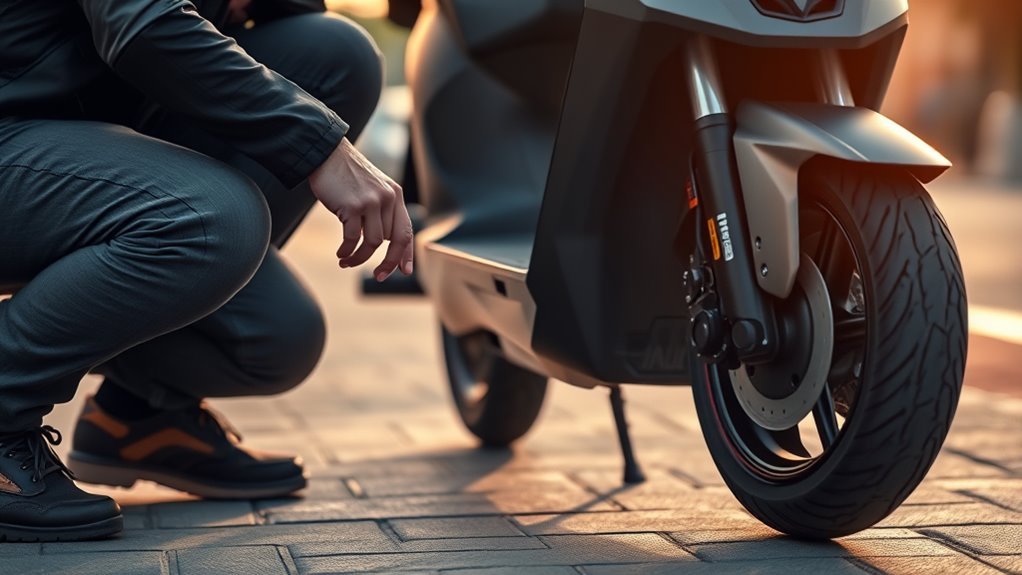
Before you start your electric scooter, place it on a flat, stable surface and perform a quick inspection. The U.S. Consumer Product Safety Commission recommends checking the handlebars, brakes, throttle, bell, lights, tires, cables, and frame before riding.
- Battery: Look for cracks, swelling, leaks, unusual heat, smoke, or a strong chemical smell. Do not use the scooter if you notice any of these signs.
- Folding mechanism: Confirm that the stem is fully raised and the folding latch and safety catch are locked.
- Handlebars and stem: Hold the front wheel steady and gently test for looseness or unexpected movement.
- Brakes: Operate every brake lever or brake control fitted to the scooter. The controls should move smoothly and provide firm resistance.
- Throttle: Press and release it while the scooter is stationary. It should return freely without sticking.
- Tires: Check for low pressure, cuts, exposed cords, punctures, flat spots, and heavy tread wear. Inflate pneumatic tires to the pressure printed in the manual or on the tire.
- Lights and reflectors: Check the headlight, taillight, brake light, turn signals, and reflectors fitted to your model.
- Visible wiring: Look for loose plugs, pinched wires, exposed conductors, or damaged cable insulation.
Warning: Do not open the deck, controller, charger, or lithium-ion battery pack to diagnose a startup problem. Stop using the scooter if the battery is swollen, cracked, leaking, smoking, unusually hot, or giving off a strong odor. Keep people away and contact the manufacturer, emergency services, or local fire authorities as appropriate.
Find the Power Button on Your Scooter
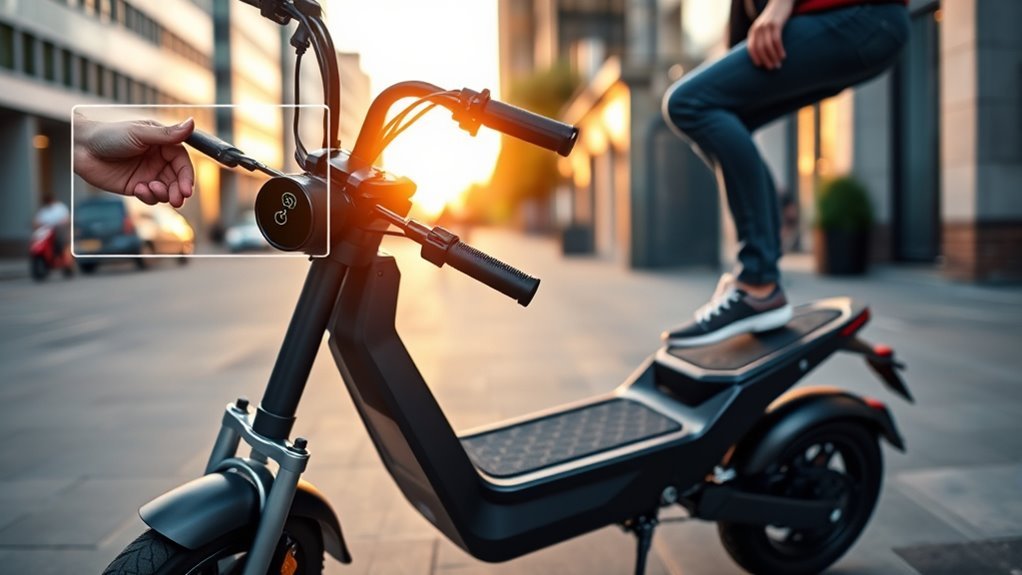
The power control is usually built into the dashboard or a control pad near the handlebars. However, some scooters use a key switch, NFC card, removable display, app control, or a button on the stem or deck.
| Possible Location | What to Look For |
|---|---|
| Dashboard or handlebars | A round power symbol, multifunction button, or rubber control pad near the display |
| Stem | A key switch, button, removable control panel, or NFC reader |
| Deck | A protected key switch, battery switch, or control near the front of the deck on some models |
| Mobile app or rental controls | An unlock command, QR code, Bluetooth connection, passcode, or rental-start button |
Do not assume every scooter uses the same button sequence. For example, the Xiaomi Electric Scooter 4 Pro Plus uses a short press to turn on and a three-second hold to turn off. Other models may require a longer press to start.
Note: The multifunction power button may also control the headlight or riding mode after the scooter is on. Avoid repeated presses until you understand the button functions listed in the manual.
Activate or Unlock a New Electric Scooter
A new scooter may turn on but beep continuously, run at a reduced speed, ignore the throttle, or display an activation symbol until setup is complete. The process varies by brand, but it may include the following steps:
- Connect the supplied charger briefly if the manual says the battery must be awakened before first use.
- Download the official manufacturer app from the link or QR code in the manual.
- Create an account and pair the scooter through Bluetooth.
- Watch any required safety tutorial.
- Accept the activation prompts and install an official firmware update if the manufacturer requires one.
- Unlock the motor or enter the scooter’s passcode before riding.
Segway’s F2 Series instructions, for example, describe a brief charger connection before first use and app activation. Some Xiaomi scooters also remain restricted or continue beeping until activation is completed.
If the scooter belongs to someone else, is still bound to another account, or was purchased used, the previous owner may need to remove it from their app account before you can complete the setup.
Pro Tip: Save a digital copy of the exact model manual on your phone. The model number is commonly printed on a label under the deck, near the charging port, on the stem, or beside the serial number.
Turn On Your Electric Scooter
Once the scooter has passed the inspection and any first-use setup is complete, use this general startup sequence:
- Move to a safe area. Choose level, dry ground away from traffic, people, stairs, water, loose gravel, and steep slopes.
- Unfold and lock the stem. Close the main folding latch and any secondary safety catch completely.
- Raise the kickstand. Hold the handlebars and keep at least one foot on the ground.
- Check the battery level. The battery does not need to be completely full, but it must have enough charge for the planned ride.
- Wake the dashboard. Use the short press, long press, key, NFC card, or app command specified for your model.
- Unlock or activate it. Enter the passcode or use the official app if a lock symbol remains visible or the motor resists movement.
- Check the display. Look for a normal battery reading, selected riding mode, working lights, and the absence of a red warning symbol or error code.
- Select a low mode. Beginners should use the slowest normal riding mode until they understand the throttle and brakes.
- Test the controls. Roll the scooter slowly by hand and test the brakes. Do not test the throttle while a powered drive wheel is lifted from the ground.
- Start moving. If the model has kick-start, place one foot on the deck and push off with the other. Once you reach the required speed and are balanced, place both feet on the deck and apply the throttle gently.
Kick-start thresholds are not universal. Segway’s F2 manual lists a 3 km/h or 1.9 mph threshold on specified variants, while Xiaomi models commonly require about 5 km/h or 3.1 mph. Always follow the value given for your scooter.
Warning: Do not stand beside the scooter and hold the throttle while pushing it. The motor may engage suddenly. Push off first, establish balance, place both feet securely on the deck, and then increase the throttle gradually.
Do a Quick Powered Safety Check Before Riding
After the dashboard turns on, complete a final powered check before entering a road, cycle lane, or shared path:
- Confirm that the battery level is high enough to complete the trip with a reasonable reserve.
- Switch on the headlight and verify that the headlight, taillight, and brake light respond.
- Check turn signals if the scooter has them.
- Walk the scooter forward and apply the brakes to confirm that it stops smoothly.
- Check that the throttle is not already pressed and returns normally after release.
- Make sure bags, phone holders, cables, and other accessories do not block the brakes, throttle, lights, or steering.
- Wear a properly fitted helmet and any additional protective equipment appropriate for your experience and riding conditions.
- Check local rules for helmets, speed limits, riding locations, lighting, age restrictions, and passenger use.
Only one rider should use the scooter unless the manufacturer specifically designed and approved it for more than one person. Keep both hands on the handlebars while moving.
What to Do If Your Scooter Won’t Turn On
Use the following order so you can identify simple problems without opening the battery or deck.
1. Check the Correct Startup Method
Try the documented button sequence once. A short press may start one scooter, while another may require a two- or three-second hold. Check whether the scooter also needs a key, NFC card, passcode, Bluetooth connection, or app command.
2. Charge It With the Correct Charger
Connect only the original charger or a replacement that the manufacturer has approved for the exact scooter and battery. Check that:
- The wall outlet works.
- The charger plug is fully seated.
- The charging-port cover is open and the port is dry and undamaged.
- The charger indicator behaves as described in the manual.
- The scooter is within its approved charging-temperature range.
If the battery is deeply discharged, the scooter may need to remain connected for 30 minutes or longer before it responds. A severely over-discharged pack may require professional service.
Warning: Do not use a charger simply because its plug fits. The CPSC warns that incompatible “universal” micromobility chargers can create a fire hazard. Stay present while charging, never charge while sleeping or away from home, and unplug the scooter when charging is complete.
3. Allow the Battery to Reach a Safe Temperature
Battery protection may block charging or startup when the pack is too hot or too cold. Move the scooter to a dry location within the temperature range stated in the manual and allow it to return naturally to room temperature. Do not heat the battery with a hair dryer, heater, flame, or hot water.
4. Check for Battery Sleep or Transport Mode
Some batteries enter a low-power sleep state after storage or prolonged discharge. The manufacturer may instruct you to connect the approved charger briefly to wake the battery. Follow only the exact procedure for your model.
5. Inspect Only Accessible Assembly Connections
If the scooter was recently assembled, check any external dashboard or handlebar connector that the manual instructed you to join. Turn the scooter off and disconnect the charger first. Do not remove the deck, open the battery, probe wires, bypass a fuse, or reconnect undocumented internal plugs.
6. Look for an Electronic Lock
A scooter in motor-lock mode may power on but reject button commands, resist rolling, display a lock icon, or sound an alarm. Open the official app and use its unlock command. If it is bound to another owner’s account, ask that owner to unbind it.
7. Read Any Error Code
If the dashboard powers on, record the exact warning icon, displayed number, and beep pattern. Look it up in the manual or official app for that exact model. Do not assume that one brand’s error-code list applies to another.
8. Contact Authorized Service
Arrange professional inspection when:
- The scooter remains completely dark after charging with a known-compatible charger.
- The charging port, cable, battery, dashboard, or power button is damaged.
- A red warning icon or error code returns after one normal restart.
- The scooter shuts down while moving.
- The throttle sticks or the drive wheel turns unexpectedly.
- The stem, frame, folding latch, brake system, or wiring is loose or damaged.
- The battery becomes swollen, unusually hot, wet, cracked, smoky, or odorous.
A model-specific reset may help with a software or binding problem, but it should not be the first step. Some reset combinations erase settings or ownership information. Use only a reset procedure published by the manufacturer for the exact model.
Why the Scooter Turns On but Won’t Move
A working display does not always mean the motor is ready. Check these common causes:
- Kick-start is active: Push the scooter to the minimum start speed before pressing the throttle.
- The motor is locked: Unlock it in the manufacturer app or enter the required passcode.
- Activation is incomplete: Finish the safety video, account binding, or activation process.
- The brake is engaged: Release the brake lever completely. Some scooters disable the throttle while a brake signal is active.
- The kickstand is down: Raise it. Some models may use a stand-related safety sensor.
- A fault is present: Check for a warning icon, error number, or unusual beep pattern.
- The battery is too low or outside its temperature range: Charge it safely or allow it to reach the permitted temperature.
- The scooter is in walk or parking mode: Select a normal riding mode according to the manual.
How to Turn Off and Park an Electric Scooter
- Release the throttle and brake smoothly until the scooter stops.
- Step off while holding both handlebars.
- Lower the kickstand on firm, level ground.
- Use the documented power-off method, which may be a long press, key turn, app command, or removable display.
- Lock the scooter with a suitable physical lock when leaving it unattended. An app-based motor lock alone may not prevent someone from carrying it away.
- Allow the battery to cool before charging if the manual requires a cooling period after riding.
- Charge only in a dry, ventilated area where you can remain present.
Frequently Asked Questions
How do beginners start an electric scooter?
Inspect the scooter, wear a helmet, place it on level ground, raise the kickstand, switch it on, and confirm that it is activated and unlocked. Select a low riding mode. For kick-start operation, push to the model’s minimum start speed, place both feet securely on the deck, and press the throttle gently.
Do you have to kick-start every electric scooter?
No. Many commuter scooters use kick-start for safety, but some models allow zero-start or stationary throttle operation. Check the manual and app settings because zero-start may be disabled by default or unavailable in some regions.
Why does my electric scooter turn on but not accelerate?
The most common reasons are kick-start operation, an electronic motor lock, incomplete activation, an engaged brake signal, a low or temperature-protected battery, walk mode, or a displayed fault. Check the dashboard and follow the exact model manual.
Why is my new electric scooter beeping?
Continuous beeping on a new scooter may mean it has not been activated through the official app. Beeping can also indicate a lock, warning, or error code. Complete the manufacturer’s setup process and check the displayed symbols before riding.
Can I use a different charger to start a dead scooter?
Use only the original charger or a replacement approved by the manufacturer for the exact scooter and battery. A plug that physically fits can still have the wrong voltage, current, connector wiring, or charging protocol and may create a fire hazard.
How do you start a rental electric scooter?
Open the rental operator’s official app, locate or scan the scooter’s QR code, complete any identity or payment steps, and tap the rental-start or unlock command. A rental scooter’s physical power button may not begin the trip until the app has released its electronic lock.
Should the battery be fully charged before every ride?
It does not have to be completely full for every short ride, but it should have enough charge to complete the trip with a reserve. Follow the manufacturer’s charging and storage guidance, and avoid repeatedly running the battery completely empty.
Conclusion
To start an electric scooter safely, inspect it first, use the correct power-on method, complete any app activation or unlocking, and check the dashboard for warnings. Remember that turning on the display and engaging the motor are separate steps on many scooters. Push a kick-start model to its required speed before applying the throttle, and stop if any brake, battery, throttle, stem, tire, or wiring problem appears.
Sources
- U.S. Consumer Product Safety Commission Micromobility Information Center — pre-ride inspections, helmet use, local laws, charging, and battery safety
- CPSC Universal Micromobility Charger Warning — charger compatibility and attended charging guidance
- Segway Ninebot KickScooter F2 User Instructions — first-use activation and kick-start procedure
- Xiaomi Electric Scooter 4 Pro Plus FAQ — power-button functions, activation, lights, kick-start operation, and error indicators
- Xiaomi Electric Scooter 5 Plus FAQ — low-battery startup, temperature protection, motor locks, error codes, and troubleshooting
- NIU Kick Scooter FAQ — visible dashboard-cable checks and service guidance
