
Last Updated on August 26, 2026 by Caleb Warren
To connect your E-TWOW electric scooter to its app, first confirm that your scooter actually has a compatible Bluetooth module. Install the official E-TWOW app—the name “E-TWOW Connect” still appears in some E-TWOW documentation—then create and verify your account if prompted. Turn on Bluetooth, power on the scooter, keep it close to your phone, and use the app to search for nearby scooters. If it will not connect, check permissions, model compatibility, app updates, and whether another phone is already connected.
Quick Answer
Turn on your E-TWOW scooter and your phone’s Bluetooth, open the official E-TWOW app, and search for nearby scooters while standing close to the scooter. Select the detected scooter and complete any prompts shown in the app. Before troubleshooting, verify that your specific E-TWOW model has Bluetooth app support.
Key Takeaways
- The current Apple and Google listings call the official application E-TWOW, while some E-TWOW pages and manuals still use the older “E-TWOW Connect” name.
- Your scooter needs compatible Bluetooth hardware; not every E-TWOW model or production version necessarily supports app control.
- E-TWOW’s basic pairing instructions are simple: enable Bluetooth, power on the scooter, keep it nearby, search for the device in the app, and connect.
- The app can provide functions such as battery and speed data, distance, light control, speed-limit settings, Zero Start and electronic locking on supported scooters.
- Make app setting changes while stopped, and do not treat the app’s electronic lock as a replacement for a secure physical lock.
Disclosure: As an Amazon Associate I earn from qualifying purchases. Some links on this page are affiliate links, at no extra cost to you.
Why Connect Your E-TWOW Scooter to the App
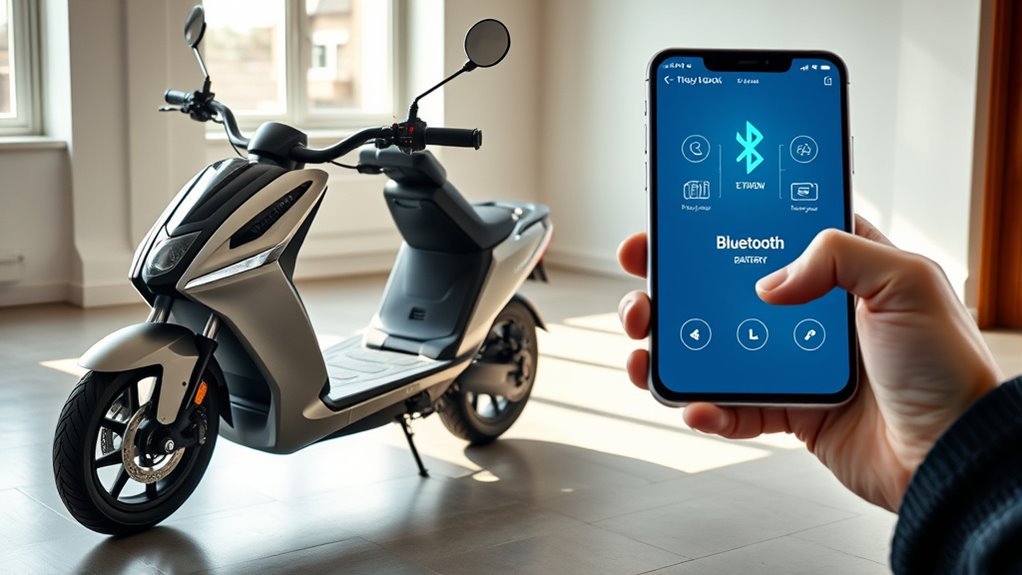
Connecting a compatible E-TWOW scooter to the app gives you a convenient second view of your scooter’s operating information. According to the current official app listings, supported functions can include real-time speed, battery level and total distance traveled. You can also choose metric or imperial units and receive E-TWOW-related notifications.
On supported scooters, the app can provide speed-limit controls, lighting controls, Zero Start settings and an electronic lock. E-TWOW describes Zero Start as a safety function that requires you to get the scooter moving with your foot before the throttle can accelerate it. You can review E-TWOW’s current feature list on its official app information page.
The electronic lock can help prevent someone from simply riding the scooter away under power, but it should not be treated as a complete anti-theft system. The current public E-TWOW app descriptions do not promise dedicated theft alerts, so use a strong physical lock whenever you leave the scooter unattended.
The current public feature lists also do not advertise scooter firmware updating through the standard E-TWOW app. Keep the phone app itself updated through the App Store or Google Play, but do not assume that the app can install scooter firmware unless that option is specifically documented for your model.
Warning: Stop the scooter before using your phone or changing speed, lighting, Zero Start or lock settings. E-TWOW’s user guidance warns against using a phone while riding.
What You Need to Pair the E-TWOW App
Before trying to pair, make sure you have a compatible smartphone, the current official app, Bluetooth enabled and an E-TWOW scooter that actually includes supported Bluetooth hardware.
E-TWOW’s website still describes its software as the “E-TWOW Connect” app in places, but the current Apple App Store listing and Google Play listing use the name E-TWOW. Searching by the developer name, Zhejiang E-TWOW Electric Vehicle Co., Ltd., can help you avoid installing an unrelated scooter app.
Note: E-TWOW’s own compatibility information is not perfectly consistent. Its website says the app is compatible with E-TWOW models featuring Bluetooth wireless technology, while current Apple and Google app descriptions contain a footnote referring specifically to the GT 2020 SE with a Bluetooth module. E-TWOW manuals and product information also document Bluetooth app support on some other models. Check the manual for your exact scooter before assuming a phone problem is causing the connection failure.
For iPhone users, Apple’s current listing requires iOS 12.0 or later. E-TWOW’s older startup information still mentions iOS 10, so the live App Store requirement is the safer standard to follow. E-TWOW’s website mentions Android 5 or later, but Android compatibility can change with app updates; check Google Play on the phone you plan to use and make sure the store lists the app as compatible with your device.
Depending on your phone and operating-system version, the app may request Bluetooth, Nearby Devices, location or related permissions. Allow the permissions required for device discovery. E-TWOW’s published pairing instructions specifically require Bluetooth to be active.
Pairing requires three things at minimum: a Bluetooth-compatible E-TWOW scooter, the official E-TWOW app, and a phone with Bluetooth enabled while the scooter is powered on and nearby.
- Confirm scooter support. Check your exact model in the official E-TWOW user-manual library or its specification sheet for Bluetooth/app support.
- Install the official app. Use the Apple App Store or Google Play listing published by E-TWOW.
- Prepare phone permissions. Turn on Bluetooth and allow the device-discovery permissions requested by the app or operating system.
- Prepare the scooter. Power it on and keep it close to your phone during discovery.
- Prepare your account. If the app requests registration, use a valid email address and enter the verification code E-TWOW sends you.
How to Connect Your E-TWOW Scooter to the App
At a Glance
| Time Required | About 3–5 minutes when the scooter and phone are compatible |
| Difficulty | Easy |
| Tools Needed | Compatible smartphone and Bluetooth-equipped E-TWOW scooter |
| Cost | Free app; normal mobile-data charges may apply |
Once your phone and scooter are ready, follow this sequence. The wording of individual buttons may change as E-TWOW updates the app, so focus on the device-search process rather than looking for one exact button label.
- Install or update the E-TWOW app. Download the official app from your phone’s app store. If it is already installed, update it before troubleshooting an old connection problem.
- Create or sign in to your account. E-TWOW’s startup guide says new users may need to register with a valid email address and enter the verification code sent by email.
- Turn on phone Bluetooth. Also approve Bluetooth, Nearby Devices, location or other discovery permissions if your phone requests them.
- Power on the scooter. Keep the scooter awake and place your phone close to it.
- Open the app’s scooter/device connection area. Use the app to search for nearby devices.
- Select your scooter when it appears. Follow any confirmation prompts shown in the app.
- Confirm the connection. Open the scooter screen and check whether live information such as battery level or speed is displayed.
- Test settings while stationary. If your model supports them, check light control, speed-limit settings, Zero Start and electronic locking without riding the scooter at the same time.
Pro Tip: Do the first pairing with the scooter beside you and other previously paired phones out of the way. A short distance reduces Bluetooth-discovery problems and makes it easier to tell which nearby device is your scooter.
After the link is active, you can use the supported controls available for your model. Keep the phone app current through its app store. If you see a firmware-update option inside the app, follow the model-specific instructions shown there, but the current public E-TWOW app documentation does not list scooter firmware updating as a standard feature.
Fix Common E-TWOW Connection Problems
If the app cannot find your E-TWOW scooter, troubleshoot in a fixed order instead of repeatedly tapping Connect. Start by confirming that your exact scooter model includes Bluetooth app support. A scooter without the required Bluetooth hardware will not become discoverable through a phone setting or reset.
- Confirm the scooter is supported. Check the model name and the E-TWOW manual or specification sheet for Bluetooth app support.
- Turn the scooter fully on. Keep it powered and awake while searching.
- Keep the phone nearby. Move close to the scooter during initial pairing.
- Check Bluetooth. Switch Bluetooth off and back on, then reopen the E-TWOW app.
- Check permissions. In your phone settings, make sure E-TWOW has the Bluetooth/Nearby Devices and any other discovery permission requested by your operating system.
- Update the app. Install the latest E-TWOW release available for your phone.
- Restart both devices. Restart your smartphone, then power-cycle the scooter and try the in-app search again.
- Disconnect another phone. If a different phone is actively connected to the scooter, close its E-TWOW app or disable its Bluetooth temporarily before retrying.
- Forget an old connection if necessary. If your phone shows a stale scooter entry, remove that saved connection only when appropriate, reopen E-TWOW and perform a fresh in-app search.
- Check the model manual before using button combinations. E-TWOW’s general connection instructions do not tell users to hold a power or Bluetooth button to enter a special pairing mode. Do not use a generic pairing sequence unless your exact model documentation specifies one.
If the scooter still will not appear, compare the model number with the official E-TWOW manual library and confirm that the app itself works on your phone. Persistent failures after compatibility, permissions and restarts are checked are better handled through the seller, E-TWOW dealer or official support rather than repeated factory resets or undocumented button combinations.
Note: You normally connect the scooter through the E-TWOW app’s nearby-device search. Do not assume you must first pair it manually from the phone’s general Bluetooth menu unless your model’s instructions specifically tell you to do so.
Use E-TWOW App Features
Once your compatible E-TWOW scooter is connected, the app can act as a secondary dashboard. Current official listings describe real-time speed, battery level and total distance traveled. The app can also switch between metric and imperial measurements.
Supported scooter controls include setting a maximum speed limit, turning the LED light on or off, toggling Zero Start and using the electronic lock. The exact controls you see can vary by scooter model and app version.
Zero Start changes how acceleration begins. When enabled on a supported model, the scooter must already be moving from a foot push before the throttle accelerates it. This can reduce accidental throttle activation while the scooter is standing still.
The remote lock is useful when making a short stop, but it does not physically attach the scooter to anything. Use a suitable physical lock for theft protection, especially when leaving the scooter outside or unattended.
The app also includes E-TWOW community and product features. E-TWOW describes options for sharing ride images, interacting with other riders, browsing posts, receiving notifications and viewing information about E-TWOW vehicles. These social functions are separate from the Bluetooth scooter controls.
Do not rely on the standard E-TWOW app for scooter firmware updates unless your own app screen and model documentation explicitly provide that feature. Updating the E-TWOW phone app through Apple or Google is different from updating firmware stored inside the scooter.
The most useful first connection test is simple: if the app can display your scooter’s live battery or speed data, the Bluetooth link is working.
Frequently Asked Questions
How Do You Connect Your E-Scooter to an App?
Install the manufacturer’s official app, confirm that your scooter supports Bluetooth, enable Bluetooth on your phone, power on the scooter and keep it nearby. Open the app’s device-search area, select the scooter when it appears and complete any prompts. For E-TWOW scooters, use the official E-TWOW app and verify model compatibility first.
Why Won’t My E-Scooter Connect to My App?
Common causes include an incompatible scooter model, Bluetooth being disabled, missing Bluetooth/Nearby Devices permissions, an outdated app, excessive distance between the phone and scooter, or another phone already being connected. Confirm compatibility first, then restart the phone and scooter and perform a fresh in-app search.
Is 30 Mph Fast for an E-Scooter?
Yes. Thirty mph is a high speed for a stand-up electric scooter and can greatly increase stopping distance and injury risk. Only ride at speeds your scooter is designed for, wear appropriate protective equipment and follow the speed limits and riding rules that apply where you are using it.
How Do You Put an E-TWOW Scooter Into Pairing Mode?
E-TWOW’s general app instructions do not describe a separate pairing-button sequence. They tell you to turn on the scooter, enable Bluetooth on your phone, keep the scooter in range, search for nearby devices in the E-TWOW app and connect. Only use a special button combination if the manual for your exact model specifically requires one.
Is E-TWOW Connect the Same as the E-TWOW App?
“E-TWOW Connect” is the name still used in some E-TWOW documentation and manuals. The current Apple App Store and Google Play listings use the shorter name “E-TWOW.” When installing it, verify that the listing is published by E-TWOW rather than relying only on the app name.
Does Every E-TWOW Scooter Work With the App?
No assumption should be made based only on the E-TWOW brand. App control requires compatible Bluetooth hardware, and E-TWOW’s current public compatibility wording is inconsistent across its website, manuals and app-store descriptions. Check the specification sheet or manual for your exact model before troubleshooting the phone.
Conclusion
Connecting an E-TWOW scooter to the app is usually straightforward once you know that the scooter itself supports Bluetooth. Install the current official E-TWOW app, enable Bluetooth and required permissions, power on the scooter, keep it nearby and search for it from inside the app.
Once connected, supported models can provide useful ride data and controls such as battery level, speed, distance, lighting, a speed limit, Zero Start and electronic locking. If the connection fails, check model compatibility before spending time resetting the phone or scooter. Also remember that E-TWOW’s app-lock feature is not a substitute for a physical security lock, and current public documentation does not promise scooter firmware updates through the standard app. Think of the app as a useful second dashboard—not as a replacement for the scooter’s manual, safe riding practices or physical security.
Sources
- E-TWOW — App / E-TWOW Connect — official startup, Bluetooth pairing and supported control information.
- Apple App Store — E-TWOW — current iOS compatibility, developer identity, app features and version information.
- Google Play — E-TWOW — current Android app listing, features, compatibility statement and update information.
- E-TWOW — User Manuals — official model manuals for confirming Bluetooth and app support.
- E-TWOW — GT Sport — current manufacturer product information describing E-TWOW app connectivity.
