
Last Updated on July 30, 2026 by Caleb Warren
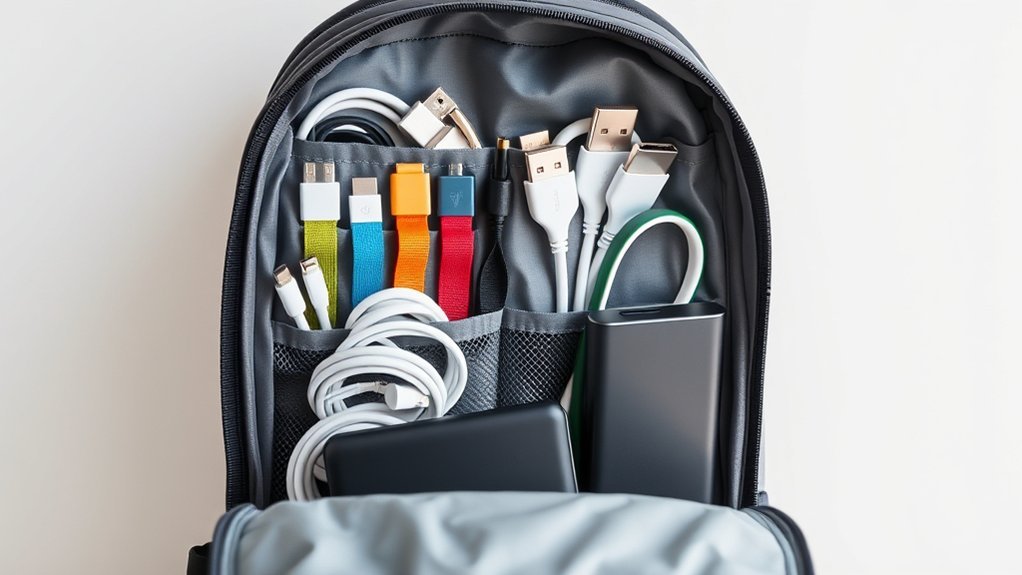
A travel backpack can become messy fast when chargers, adapters, earbuds, power banks, and tiny dongles share the same pocket. The best system is simple: carry only what your devices need, coil each cable in broad, loose curves, secure it with a reusable tie, and keep the complete kit in one dry, easy-to-reach pouch.
Quick Answer
Organize tech accessories by carrying only what your devices need, coiling each cable in wide, loose loops, securing it with a reusable tie, and storing the kit in one labeled pouch. Keep liquids in a separate sealed bag, place the pouch within easy reach, and carry power banks in the aircraft cabin.
Key Takeaways
- List your devices, match each one to a cable and charger, and test the complete setup before leaving.
- Use broad, loose coils. Avoid tight bends, knots, and pressure near cable connectors.
- Choose a pouch that closes without bulging and gives fragile items enough padding.
- Keep toiletries in a separate sealed bag so a leak cannot reach your electronics.
- Power banks and spare lithium batteries belong in carry-on baggage, not checked baggage.
At a Glance
| Time Required | 10–20 minutes |
| Difficulty | Easy |
| Tools Needed | Tech pouch, reusable cable ties, small labels, and an optional sealed bag for liquids |
| Cost | $0 when reusing supplies you own; otherwise varies by organizer |
Disclosure: As an Amazon Associate I earn from qualifying purchases. Some links on this page are affiliate links, at no extra cost to you.
The Importance of Cable Organization

Loose cables can become tangled, crushed by a charger, or bent sharply near their connectors. A simple organization system reduces those risks and makes it easier to find the correct cable without emptying your backpack.
Organization alone cannot guarantee that a cable will not fray. Cable life also depends on its construction, how often it is used, and whether the same area is bent repeatedly. Apple advises users to aim for gentle curves instead of angles and to inspect cables for kinks, breaks, bends, and other damage. A damaged cable should be taken out of service rather than wrapped with tape and returned to the bag.
A reliable travel-tech system gives every item one home, keeps liquids separate, and never forces a cable into a tight bend.
Build Your Travel Tech Kit Before You Pack
Start with your devices rather than your collection of cables. This prevents duplicate gear from filling the pouch and helps you catch missing or incompatible items before the trip.
- List every device. Include your phone, laptop, tablet, watch, camera, headphones, e-reader, and power bank.
- Match each device to its charging connection. Note whether it uses USB-C, Lightning, Micro-USB, a magnetic charger, or a brand-specific cable.
- Choose the correct charger. Confirm that the charger and cable support the power your device needs.
- Test the complete charging chain. Connect the wall charger, cable, adapter, and device before placing them in the pouch.
- Remove unnecessary duplicates. One compatible charger may replace several smaller chargers when it has enough ports and power.
- Add one critical backup. A second phone-charging cable can be useful, but carrying several backups for every device adds bulk.
Note: Two cables can have the same USB-C connector but support different charging power or data speeds. Check the cable label, packaging, or manufacturer specifications instead of assuming every USB-C cable has the same capabilities.
Pro Tip: Photograph your finished tech kit before departure. The photo becomes a quick packing checklist when you change hotels or prepare for the return trip.
Techniques for Wrapping Cables
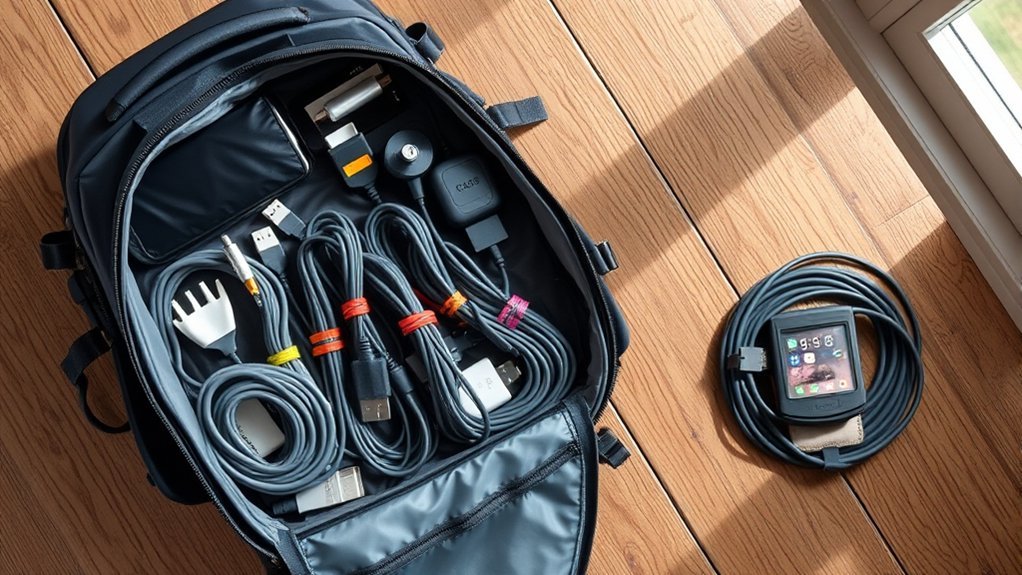
The goal is to contain each cable without forcing it into tight loops. Small circles, knots, and sharp folds can place repeated stress on the wire and connector joints.
How to Wrap Short Charging Cables
- Disconnect the cable by holding the plug rather than pulling on the cord.
- Let the cable relax so you can see its natural curve.
- Form broad, loose loops that fit inside the pouch without being compressed.
- Keep both connectors outside the center of the coil where they will not be crushed.
- Fasten the middle of the coil with a reusable hook-and-loop or releasable cable tie.
- Leave the areas beside both connectors straight or gently curved.
How to Wrap Headphone and Longer Cables
For longer headphone, Ethernet, or audio cables, make larger loops and let the cable turn naturally as you coil it. An over-under coil can reduce twisting on long, flexible cables, but do not force the method on flat cables, stiff cables, or retractable leads. Secure the finished coil at its center rather than tying one connector around the bundle.
Avoid fixed rules such as leaving exactly 8 or 10 inches of slack. The right coil size depends on the cable’s length, thickness, connector design, and natural bend.
Warning: Stop using a cable that has exposed wire, a split jacket, a loose connector, scorch marks, or charging that cuts in and out when the cable moves. Damaged charging equipment can create a fire, shock, or device-damage risk.
Best Bag Organizers for Chargers and Cables
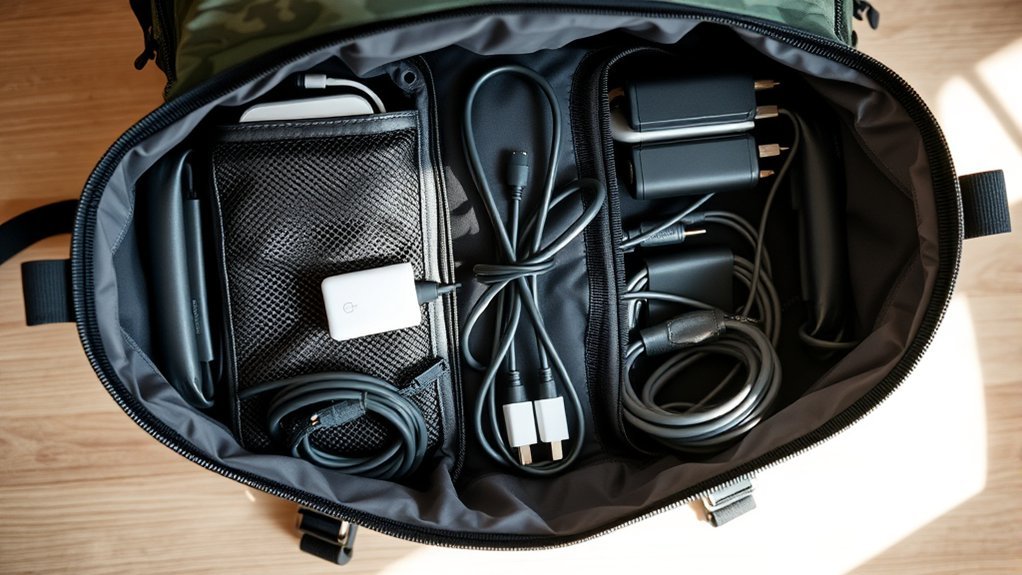
The best organizer is not always the one with the most pockets. It should match the amount of gear you carry, protect fragile items, and close without pressing hard against chargers or connectors.
| Organizer | Verified Strengths and Best Use |
|---|---|
| Incase Nylon Accessory Organizer | Flight-nylon construction, a bi-fold compartment, storage slips, accessory pouches, and a padded faux-fur pocket. Best for a larger, structured tech kit. The official listing does not describe the complete case as waterproof. |
| Container Store Black Micro Mesh Pouches | Visible contents and a simple zippered design. Best for separating cables, adapters, or other light accessories. The pouches remain listed, although size and local availability can change. |
| Vaultz Mesh Storage Bags or Similar Mesh Pouches | A basic option for sorting larger, non-fragile items at a lower cost. Check dimensions before buying because a loose mesh pouch offers little impact protection. |
A mesh pouch gives you fast visibility but little structure. A padded clamshell organizer protects gear better but may weigh more and take up more room. A simple zip pouch works well for a small kit when each cable is already tied and labeled.
Choosing the Right Organizer for Your Needs
Lay out your normal travel accessories before choosing a case. Measure the largest charger and check whether the pouch will still close after the cables are added.
- Capacity: The pouch should hold the planned kit without bulging or crushing connectors.
- Layout: Elastic loops and small zip pockets help control cables, memory cards, SIM tools, and adapters.
- Protection: Padding or a semi-rigid shell is useful for drives, hubs, cameras, and fragile plugs.
- Visibility: Mesh panels or contrasting lining make small black accessories easier to find.
- Opening style: A clamshell case displays the full kit, while a top-opening pouch uses less table space.
- Weight: Do not choose a heavy organizer that weighs almost as much as the accessories inside it.
- Spill plan: Water-resistant fabric may slow a light splash, but it is not the same as a sealed waterproof case.
A single organizer works well for a compact kit. Multiple small pouches can be better when you want separate kits for charging, camera gear, work adapters, or family devices.
Top Picks for Tech and Gadget Storage
The following products represent different organization styles rather than a single best choice. Check current dimensions and availability before purchasing because product details can change.
Essential Organizer Features
The Incase Nylon Accessory Organizer is suited to travelers who want a structured layout with multiple storage slips and a padded pocket. It measures about 9.6 by 6.6 by 1.8 inches, so it may be larger than necessary for a phone-only charging kit.
The Container Store’s Micro Mesh Pouches are a simpler choice when visibility and separation matter more than padding. They can divide cables by device or job, but small hard objects may still press against one another.
The Osprey Ultralight Roll Organizer is a compact roll-style option with a listed 1-liter capacity and a weight of about 0.201 pounds. It can be repurposed for dry tech accessories, but it is not a rigid electronics case.
The Cuyana Travel Case Set offers a premium leather design and two sizes for small essentials. It is mainly positioned for toiletries, cosmetics, jewelry, and general accessories. It should not be treated as waterproof or as a substitute for padded protection.
Recommended Tech Pouches
- Choose the Incase organizer when you carry a charger, several cables, a hub, adapters, and small devices that benefit from assigned pockets.
- Choose Micro Mesh Pouches when you want low-cost, visible groups that can move between bags.
- Choose the Osprey roll organizer when low weight and compact storage matter more than rigid protection.
- Choose a padded or semi-rigid case instead when you carry portable drives, delicate camera accessories, or exposed connector pins.
Organizing Toiletries and Tech Together
Electronics and toiletries should normally have separate pouches. A dual-purpose organizer can be used for toiletries on one trip and dry tech on another, but that does not mean leaking bottles and chargers should share an open compartment.
Dual-purpose Organizers
The Osprey Ultralight Roll Organizer and Cuyana Travel Case Set can both hold different types of small travel items. When either case is used for technology, keep it dry and remove any cosmetic residue before adding cables or chargers.
If one larger outer case must hold both categories, place all liquids, gels, and creams inside a separate sealed bag. Keep that inner liquid bag in a different section from batteries, wall chargers, cables, drives, and adapters.
Warning: Do not place an unsealed shampoo, lotion, sunscreen, or other liquid beside a power bank or charger. A zipper and water-resistant fabric do not make an organizer leakproof.
Compact Packing Solutions
Use one compact pouch for dry technology only when your kit is small enough to close without force. Transparent or mesh pockets can help you spot adapters quickly, while reusable ties stop the cables from tangling inside the shared space.
Place tiny items such as memory cards, USB receivers, SIM tools, and adapter tips in a small zip pocket or rigid mini case. This prevents them from slipping through mesh openings or becoming trapped beneath a heavy charger.
Customizable Options for Cable Management
A modular system is easy to adjust for work trips, vacations, and international travel. Useful options include:
- Micro mesh pouches: Separate accessories while keeping their contents visible.
- Modular pouch systems: Add or remove a charging, camera, or work-adapter module for each trip.
- Reusable hook-and-loop ties: Keep each cable contained without permanently cinching it.
- Color labels: Mark both ends of similar-looking cables or assign one color to each device.
- Small rigid containers: Protect memory cards, USB drives, adapters, and removable batteries.
- Mesh storage bags: Hold larger, non-fragile accessories that do not need padding.
Reusing a pouch you already own is often the lowest-waste choice. Durable ties and repairable organizers can also reduce the need to replace disposable plastic bags or single-use zip ties.
Pack Tech by Access and Weight
Where the pouch sits in your backpack matters almost as much as what is inside it.
- Top or front pocket: Store the tech pouch here when you will need a phone cable, earbuds, or adapter during the journey.
- Near the back panel: Carry a laptop or tablet in its padded sleeve so the weight stays close to your body.
- Middle of the pack: Place dense chargers and power banks close to your back rather than at the outer edge of the bag.
- Away from loose metal: Keep coins, keys, and tools away from exposed battery terminals, device ports, and connector pins.
- Easy to remove: Do not bury the pouch beneath clothing if airport staff or airline personnel may need you to remove a battery or electronic item.
Air-Travel Safety for Power Banks and Spare Batteries
The Federal Aviation Administration requires spare lithium batteries, portable chargers, and power banks to remain in carry-on baggage. The Transportation Security Administration gives the same carry-on-only instruction for power banks.
- Remove all power banks and spare lithium batteries if your carry-on bag is checked at the gate or aircraft.
- Protect battery terminals so they cannot touch coins, keys, cables, or other metal objects.
- Most consumer lithium-ion batteries are limited to 100 watt-hours per battery.
- Batteries from 101 to 160 watt-hours require airline approval, and the FAA limits passengers to two of these larger spare batteries.
- Do not travel with a damaged, recalled, swollen, leaking, unusually hot, or scorched battery.
- Check your airline’s rules because an airline may impose stricter quantity or capacity limits.
Warning: If a power bank becomes hot, expands, smokes, or burns during a flight, stop using it and notify the cabin crew immediately. Do not hide it inside a closed pouch.
Tips for Maintaining Your Cables
Good maintenance begins each time you return a cable to the pouch.
- Disconnect cables by holding the plug, not by pulling the cord.
- Use loose coils and keep the strain-relief sections beside the connectors gently curved.
- Inspect each cable for kinks, cuts, discoloration, loose plugs, and exposed wire.
- Keep connector ends free of dirt, liquid, and pocket debris.
- Wipe cable jackets with a soft, slightly damp cloth only when the manufacturer permits it.
- Do not spray cleaning liquid directly onto a connector, charger, power bank, or organizer.
- Let the pouch and all accessories dry completely before closing and storing them.
- Replace a cable that is damaged or works only when bent into a certain position.
Clean the organizer according to its care label. Mesh and synthetic pouches may accept gentle spot cleaning, while leather cases require their manufacturer’s approved care method.
Troubleshooting Common Organization Problems
| Problem | Likely Cause | Fix |
|---|---|---|
| The pouch will not close easily | Too many duplicate cables or a charger that is too large | Remove duplicates, consolidate chargers, or use a larger pouch instead of forcing the zipper. |
| Cables still tangle | Coils are unsecured or several loose cables share one pocket | Secure every cable separately and give longer cables their own pocket. |
| You cannot find the correct adapter | Small items are mixed in one dark compartment | Use labels, a light-colored lining, or a clear mini pouch for adapters. |
| A toiletry leaks | Liquids were stored beside electronics without sealed containment | Disconnect affected gear, do not charge it while wet, and keep future liquids in a separate sealed bag. |
| A power bank is hot or swollen | Possible battery damage or failure | Stop using it, move away from flammable items when safe, and follow manufacturer or local battery-disposal guidance. |
| Your carry-on must be gate-checked | Limited cabin storage | Remove power banks and spare batteries before handing over the bag. |
Enhancing Your Travel Experience With Effective Organization
A good system should be easy to repeat. Keep the same core accessories in the same pouch and store the pouch in the same backpack location on every trip.
- Use a dedicated organizer, such as the Incase Nylon Accessory Organizer, when you need assigned pockets and added structure.
- Use a modular pouch system when your accessories change from one trip to another.
- Use labels and reusable ties so each cable can be identified and returned to its place quickly.
- Keep a photo or checklist of the completed kit so you can confirm that nothing was left in a hotel room or wall outlet.
After the trip, empty the pouch, remove items you did not use, inspect the cables, recharge the power bank, and return the core kit to storage. This short reset keeps the system useful instead of allowing clutter to build over time.
Frequently Asked Questions
What materials are best for durable cable organizers?
Nylon, ripstop polyester, and molded EVA are practical choices. Nylon and polyester are light, while molded EVA adds structure and impact protection. Mesh improves visibility but offers little protection. Leather can be durable and stylish, although it is often heavier and should not be assumed waterproof.
How can I prevent my cables from fraying during travel?
Form broad, loose coils, avoid sharp bends beside the connectors, and secure each coil at its center with a reusable tie. Do not pull a cable out by its cord or place a heavy charger on top of it. Inspect it before each trip and stop using it if the jacket or connector is damaged.
Are there eco-friendly options for cable organization?
Reuse a pouch you already own and choose adjustable ties that can be used for many trips. A durable organizer that fits your kit may create less waste than repeatedly replacing thin disposable bags. Treat broad environmental claims such as “biodegradable” carefully unless the material and disposal conditions are clearly documented.
Can I use regular zip ties for cable organization?
A standard zip tie is not the best everyday choice because it can be tightened too far and normally must be cut off. Use a reusable hook-and-loop, silicone, magnetic, or releasable tie instead. If a standard zip tie is used temporarily, leave it loose and keep it away from the connector joint.
How do I clean my cable organizers effectively?
Empty the organizer and follow its care label. Spot-clean compatible synthetic fabric with a soft cloth and mild soap, then let it dry fully. Use the manufacturer’s approved method for leather. Never spray cleaner directly onto cables, chargers, batteries, or connectors.
Can a power bank go in checked luggage?
No. Power banks and spare lithium batteries must remain in carry-on baggage. If your carry-on is gate-checked, remove them and keep them in the cabin. Protect their terminals and confirm the battery’s watt-hour rating and your airline’s limits.
Can toiletries and tech accessories share one organizer?
Separate pouches are safer. If both categories must sit inside one larger case, seal all liquids in a leak-resistant inner bag and keep that bag in a different compartment from batteries, chargers, cables, drives, and adapters.
Conclusion
Organizing tech accessories in a travel backpack does not require a complicated case or dozens of pockets. Carry only the gear your devices need, test it before departure, coil cables in broad curves, secure each one separately, and give the kit a consistent place in your bag. Keep liquids isolated and follow carry-on rules for power banks and spare batteries. The result is a smaller, safer kit that is easier to use and repack.
Sources
- Apple Support — Important handling information for Mac — cable bending, inspection, connector care, and damaged-cable guidance.
- Federal Aviation Administration — PackSafe: Lithium Batteries — carry-on requirements, watt-hour limits, terminal protection, and damaged-battery rules.
- Transportation Security Administration — Power Banks — carry-on and checked-baggage guidance.
- Incase — Nylon Accessory Organizer — official construction, dimensions, pockets, and materials.
- Osprey — Ultralight Roll Organizer — official capacity, dimensions, and weight.
- Cuyana — Travel Case Set — official design, intended uses, dimensions, and care information.
