

Last Updated on September 11, 2026 by Daniel Globe
A booking reference is the short code an airline or booking company uses to identify your reservation. You may need it to open your itinerary, check in, choose a seat, add baggage, or contact support. It is not the same as your ticket number, flight number, or boarding pass, and it should be kept private.
Quick Answer
A booking reference is usually a six-character airline confirmation code, such as ABC123 or JCQNHD. It identifies your reservation and helps you retrieve or manage it. The code is often called a record locator or PNR code, but it is different from the longer e-ticket number issued for each passenger.
Key Takeaways
- A booking reference identifies a reservation and is commonly six letters, numbers, or a mixture of both.
- The booking reference points to the passenger reservation record, while the ticket number identifies an issued electronic ticket.
- A booking reference alone does not always prove that payment was completed or that a ticket was issued.
- Travel-agent and partner-airline bookings may have more than one valid reference.
- Keep the code and the passenger surname private because they may be used to open the booking.
Disclosure: As an Amazon Associate I earn from qualifying purchases. Some links on this page are affiliate links, at no extra cost to you.
What Is a Booking Reference?

A booking reference is a short code that identifies an airline reservation. It may also be labeled as a record locator, confirmation code, reservation code, booking code, airline reference, or PNR code.
There is a small technical difference between a PNR and its locator. A Passenger Name Record is the reservation record held in an airline or travel-booking system. The booking reference is the code used to locate that record. Airlines often use “PNR” informally when referring to the short code, so you may see both terms used on the same receipt.
IATA describes a booking reference as a record locator and uses a six-character format in its airline data model. However, the exact format shown to a passenger can vary by airline or booking company.
Note: Receiving a booking reference does not always mean that an e-ticket has been issued. Some airlines allow you to hold a reservation and pay later. Check for a ticket number or e-ticket receipt when you need to confirm that ticketing is complete.
Where to Find Your Booking Reference
You will usually receive your booking reference after creating the reservation. Do not rely on it appearing in one fixed corner of the document. Instead, look for labels such as Booking Reference, Confirmation Code, Record Locator, PNR, Airline Reference, or Reservation Code.
| Place to Check | What to Look For | Useful Tip |
|---|---|---|
| Confirmation page | A short code beside the reservation summary | Save the page or take a private screenshot |
| Confirmation email | Booking reference, confirmation code, PNR, or record locator | Search the email for “reference” or “confirmation” |
| E-ticket receipt or itinerary PDF | Airline reference near the passenger or flight details | Do not confuse it with the longer ticket number |
| Airline app or website | Trips, My Booking, Manage Booking, or My Reservations | Sign in to the account used during booking |
| Travel-agent document | Agency reference and airline reference | You may receive more than one code |
| Boarding pass | Confirmation code or record locator | Do not post the pass publicly |
If the message is missing, check your spam, junk, promotions, and deleted folders. Also search for the airline, booking website, travel agency, route, or passenger name.
Pro Tip: Save both the airline booking reference and the ticket number. The airline may ask for one when the other does not retrieve the trip.
What a Booking Reference Contains
The short booking reference does not itself display or store all of your travel information. It is a key that retrieves the reservation record connected to the code.
Depending on what was collected during booking and check-in, the PNR may contain passenger names, contact details, travel dates, flight segments, ticketing information, seat details, baggage information, frequent-flyer information, payment-related data, and service requests. The exact content varies between bookings. The European Commission’s passenger-data guidance confirms that PNR records can include itinerary, contact, payment, seat, and baggage details.
Booking Code Elements
Airline record locators are commonly six characters long. Depending on the airline, the code may contain:
- Letters only, such as JCQNHD
- Letters and numbers, such as ABC123
- Uppercase letters even when the email displays lowercase characters
A booking company may also give you a longer order number or customer reference. That number may work only on the seller’s website and may not work on the airline’s Manage Booking page.
Traveler Details Included
The reservation linked to the booking code may include the details needed to identify and service the passengers on the booking.
| Possible Detail | What It May Show | Why It Matters |
|---|---|---|
| Passenger name | The name entered during booking | Used to retrieve the reservation and match travel documents |
| Contact information | Email address or phone number | Allows the airline or agency to send updates |
| Itinerary | Airports, dates, flight numbers, and booking status | Shows the planned journey |
| Seat or service request | Seat choice, meal request, assistance, infant, or pet information | Helps the airline prepare the requested service |
| Ticketing details | Ticket number or ticketing status when available | Helps confirm whether a ticket was issued |
Note: A seat number, meal choice, upgrade request, or assistance request shown in a booking may remain subject to confirmation or operational changes. The booking reference does not guarantee every requested extra.
Itinerary and Services
Your reservation may show flight numbers, dates, departure and arrival airports, operating airlines, passenger names, booking status, seat selections, baggage purchases, and special-service requests.
Hotel, car-rental, insurance, or package information may appear in a seller’s combined itinerary, but those services may use separate confirmation numbers and may not be stored in the airline’s PNR. Check each provider’s confirmation document before traveling.
When You Need Your Booking Reference

You may need the booking reference and the passenger’s last name to:
- Open the reservation on an airline website or app
- Check in online
- Download or print a boarding pass
- Choose or change a seat
- Add checked baggage
- Add passenger or travel-document information
- Request meals or assistance
- Change or cancel an eligible itinerary
- Check the status of a held reservation
- Contact the airline or travel agency
- Locate a receipt or confirm ticketing details
The available options depend on the airline, fare rules, ticketing carrier, seller, departure time, and type of booking. Some changes cannot be completed online, especially when a travel agency issued the ticket or several airlines are involved.
Booking Reference, PNR, and Ticket Number
A booking reference, PNR, ticket number, and flight number all serve different purposes. Keeping them separate makes it easier to find the correct document or ask the right company for help.
Booking Reference Basics
The booking reference is the short locator for the reservation. Airlines commonly ask for it together with the passenger’s surname when you open Manage Booking.
It may be shared by everyone in the same reservation. For example, a family booked together may have one booking reference but a separate ticket number for each traveler.
PNR vs Ticket Number
| Identifier | Common Format | Main Purpose |
|---|---|---|
| Booking reference or record locator | Often six letters or letters and numbers | Retrieves the reservation |
| PNR | A reservation record rather than a passenger-facing number | Stores the booking information collected by the reservation system |
| E-ticket number | Commonly 13 digits | Identifies an issued electronic ticket for one passenger |
| Flight number | Airline code followed by numbers, such as VS3 or AA100 | Identifies a scheduled flight service, not your personal booking |
| Boarding pass | Digital or printed travel document with a barcode | Allows an checked-in passenger to pass through the airport and board when accepted |
American Airlines, for example, uses a six-letter confirmation code and a separate 13-digit ticket number. Its official reservation and ticket FAQ explains that the confirmation code manages the trip, while the ticket number identifies the ticket document.
Finding Your Booking Code
Start with the confirmation email or itinerary receipt. Search for:
- Booking reference
- Airline confirmation
- Confirmation code
- PNR or PNR code
- Record locator
- Reservation number
- Airline reference
Do not automatically use the first order number you see. A travel website may display its own order ID before showing the airline’s reference lower on the page.
Why You May Have More Than One Booking Reference
You may receive several valid references when:
- You booked through a travel agency or online booking website
- A partner airline operates one of the flights
- One airline sold the ticket and another airline operates the flight
- The reservation was created in more than one booking system
- The original booking was divided after a passenger or flight change
- A package company created separate airline, hotel, and car reservations
For example, Emirates explains that a travel-agent e-ticket may contain another six-character reference that can be used for airline check-in.
When checking in with an operating airline, use that airline’s reference when available. If it is missing, contact the company that issued the ticket and ask for the operating carrier’s record locator.
What to Do If You Can’t Find It
If you cannot find or use your booking reference, work through these steps:
- Search every email folder. Check inbox, spam, junk, promotions, trash, and archived messages.
- Search by company and route. Try the airline, agency, destination, passenger name, or payment date.
- Open attachments. The airline reference may appear only in an itinerary PDF or e-ticket receipt.
- Check your account. Sign in to the airline or booking site used for the purchase.
- Use the passenger’s surname exactly as booked. Include all parts of the surname when required. Follow the airline’s instructions for spaces, hyphens, and special characters.
- Try the airline reference rather than the agency order number. The seller’s code may not work on the airline website.
- Check the operating airline. A codeshare flight may require a partner-airline locator.
- Try the ticket number. Some airlines allow trip retrieval or check-in with the 13-digit ticket number.
- Contact the correct seller. If a travel agency issued the ticket, the airline may direct you back to that agency for changes or recovery.
When contacting support, have the passenger’s full name, route, travel date, email address, payment date, and ticket number ready. Do not send a complete credit-card number by email or public chat.
Warning: Never post a booking confirmation, e-ticket receipt, or boarding pass on social media without hiding the booking reference, ticket number, barcode, passenger name, frequent-flyer number, and other personal details.
Keep Your Booking Reference Handy
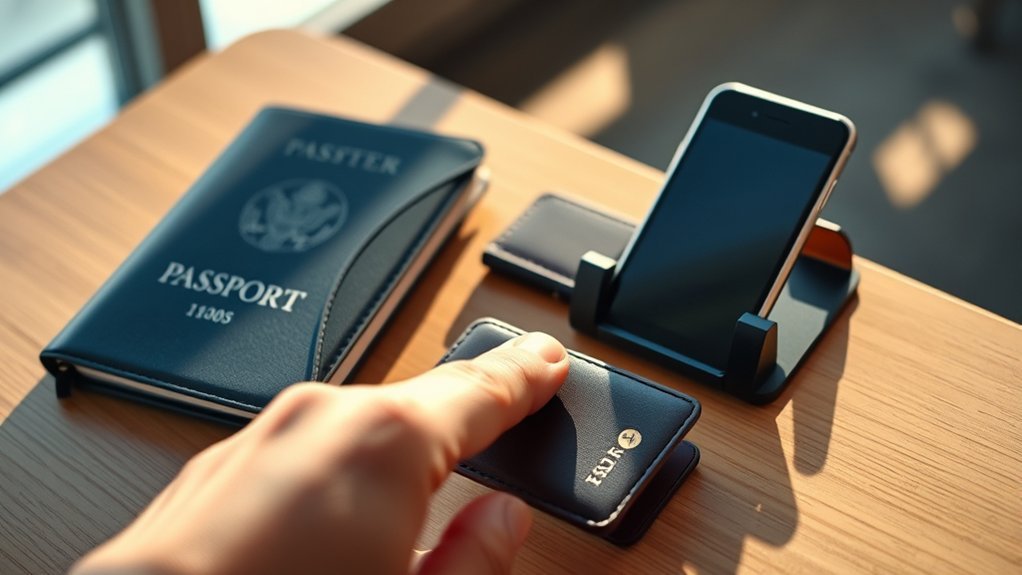
Save the booking reference somewhere you can reach during your trip, such as the airline’s official app, a password-protected travel organizer, or a private offline note. You can also keep the confirmation email, but make sure the email account is protected with a strong password and two-step verification when available.
Do not share the reference more widely than necessary. Many airlines ask for both the reference and the passenger’s surname to open a trip, and some add further checks. Even so, British Airways advises passengers to keep booking references confidential because another person may use one to access booking details.
If you accidentally publish or send the code to the wrong person, remove the post or message where possible and contact the airline if you believe someone accessed or changed the reservation. Review the passenger contact details, seat selections, itinerary, and frequent-flyer information for unexpected changes.
Frequently Asked Questions
What is a booking reference?
A booking reference is a short code used to identify and retrieve an airline reservation. It is also called a confirmation code, record locator, booking code, airline reference, or PNR code.
What does a booking code look like?
It is commonly a six-character code. Some airlines use letters only, such as JCQNHD, while others use letters and numbers, such as ABC123. A travel agency may also provide a separate order number.
Is a booking reference the same as a PNR?
Airlines often use the terms as if they mean the same thing. More precisely, the PNR is the reservation record, while the booking reference or record locator is the short code used to retrieve it.
Does a booking reference mean my ticket is confirmed?
Not always. Some airlines issue a reference for a held reservation before payment. Look for an e-ticket receipt and a ticket number to confirm that the ticket has been issued.
Why do I have two booking references?
One may belong to the travel agency or booking website, while another belongs to the airline. Partner or codeshare airlines may also create their own record locators.
Can another person use my booking reference?
Many airlines also require the passenger’s surname or another check, but the reference can still provide access to sensitive itinerary details. Keep it private and do not post it publicly.
Do I need to print my e-ticket for Virgin Atlantic?
A printed boarding pass is not normally required when Virgin Atlantic provides an eligible digital boarding pass through its app, My Booking, or email. However, an airport document check may still be required, and some passengers may receive their boarding pass at the airport. Keep the e-ticket receipt available for reference.
What should I do if the airline says my booking cannot be found?
Check that you entered the airline’s reference and the passenger surname exactly as booked. If a travel agent or partner airline is involved, ask for the operating airline’s locator. You can also try the ticket number or contact the company that issued the ticket.
Conclusion
Your booking reference is the short code used to retrieve an airline reservation. Keep it with your itinerary and ticket number, but remember that each identifier has a different purpose. The locator opens the booking, while the ticket number identifies an issued ticket for an individual passenger.
Before traveling, confirm that the itinerary is correct, an e-ticket number has been issued, and any important seat or assistance requests are shown. Keep the reference private, and contact the airline or ticket issuer if the code does not retrieve your trip.
Sources
- IATA Booking Reference Identifier — record-locator terminology and common six-character format
- European Commission Passenger Data Guidance — information that may be included in a PNR
- American Airlines Reservations and Tickets FAQ — confirmation-code and ticket-number formats and uses
- Emirates Booking Reference and Ticket Number Help — locating airline and travel-agent references
- British Airways Privacy Guidance — keeping a booking reference confidential
- Virgin Atlantic Airport Journey Guide — booking-reference, e-ticket, check-in, and digital boarding-pass guidance

1 Comment
Pingback: Complete Delta Boarding Pass Guide For 2026