
Last Updated on July 30, 2026 by Caleb Warren
Chargers are small, but loose cables, adapters, and power banks can quickly turn a backpack into a tangled mess. A better approach is to carry only the connections your devices need, place everything in one protective pouch, and check each item for the correct power rating. You also need to follow lithium-battery rules when flying.
Quick Answer
Pack chargers in one padded tech pouch near the top of your backpack. Carry only the connectors your devices use, choose cables rated for the required wattage and data speed, coil them loosely, and separate them from sharp or heavy items. Keep any lithium-ion power bank in your carry-on, not checked luggage.
Key Takeaways
- Match every cable to the device’s connector, required charging wattage, and data-transfer needs.
- Use a small organizer with separate spaces for cables, wall chargers, adapters, and the power bank.
- A 240W USB-C cable does not make every device charge at 240W and cannot replace a compatible charger.
- Coil cables loosely and protect the connector ends from crushing, dirt, moisture, and sharp objects.
- Power banks must stay in carry-on baggage when flying, and airline limits are based on watt-hours.
At a Glance
| Time Required | 10–15 minutes |
| Difficulty | Easy |
| Tools Needed | Tech pouch, reusable cable ties, small labels, and a list of your devices |
| Cost | $0 with supplies you already own; about $10–$40 for a new pouch and reusable ties |
Disclosure: As an Amazon Associate I earn from qualifying purchases. Some links on this page are affiliate links, at no extra cost to you.
Choose the Right Charging Cables for Travel
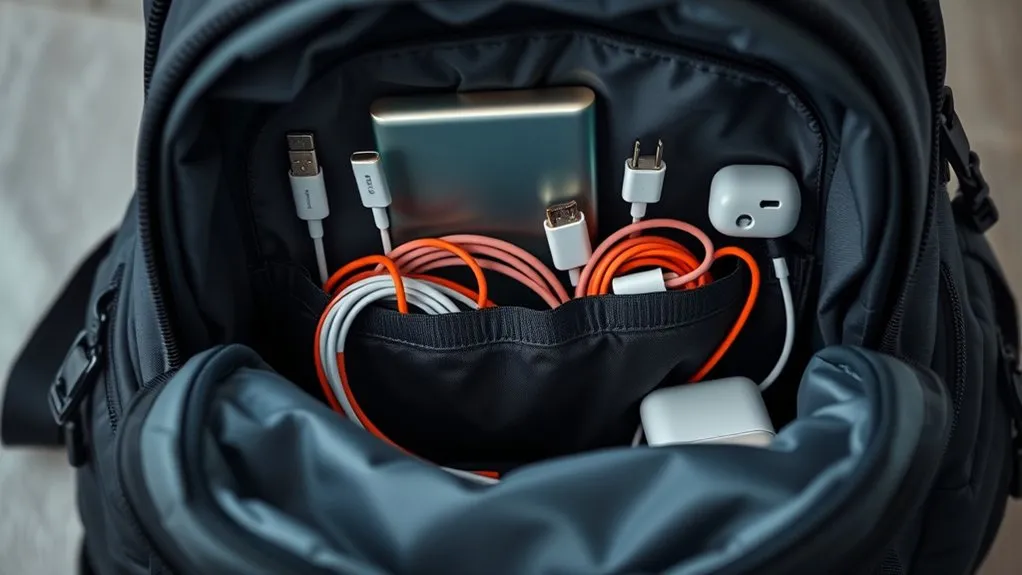
The best travel cable is not simply the shortest or most powerful one. It must have the correct connector, carry enough power for the device, and support the data speed you need. Check these three details before placing a cable in your backpack.
Match the Connector to Each Device
- USB-C: Used by most current phones, tablets, laptops, headphones, cameras, and accessories. Apple confirms that iPhone 15 and later models use USB-C.
- Lightning: Still needed for compatible older iPhones, older iPads, and some Apple accessories.
- Micro-USB: Common on older e-readers, cameras, lights, speakers, and small accessories.
- Proprietary connectors: Some watches, fitness trackers, shavers, cameras, and game systems need their own charging puck or cable.
Make a device list before packing. Check the actual port on every item instead of assuming that all products from the same brand use the same connector.
Check the Cable’s Power Rating
USB Power Delivery can support power levels up to 240W, but a 240W cable does not force that amount of power into a device. Charging is limited by the lowest capability among the wall charger, charger port, cable, device port, and device battery-management system.
For USB-C-to-USB-C cables, look for a clear 60W or 240W marking. The USB Implementers Forum also uses cable markings to identify supported power and data performance. A phone may work well with a 60W cable, while a high-powered laptop may require a compatible 100W, 140W, or higher charging setup. Always follow the laptop manufacturer’s specifications.
Note: A higher cable rating is a capacity limit, not a charging-speed guarantee. A 240W cable connected to a 30W charger can still supply only the power negotiated with that 30W charger.
Check the Data Speed
USB-C describes the connector shape, not the cable’s data performance. Some USB-C cables are designed mainly for charging and may transfer data only at basic USB speeds. Others support 5Gbps, 10Gbps, 20Gbps, or faster connections.
If you move large video files, photographs, or backups, choose a cable with a clearly stated data rate and confirm that the computer and storage device support the same standard. A cable labeled for 20Gbps cannot deliver 20Gbps through a port or drive limited to a slower speed.
When to Use a 3-in-1 Cable
A cable with USB-C, Lightning, and Micro-USB tips can reduce clutter when you carry several low-power accessories. It works best as a compact backup cable. Before relying on one, check:
- Its maximum charging wattage
- Whether it supports data or charging only
- Whether more than one tip can be used at the same time
- Whether simultaneous charging reduces the output to each device
- Whether the tips and connectors have secure protective caps
For a laptop or another high-powered device, carry a dedicated USB-C cable with a clearly stated power rating rather than assuming a multi-tip cable can handle the load.
Charging Cable Checklist by Device
- Phone or tablet: One main USB-C or Lightning cable and, for a long trip, one short backup cable.
- Laptop: A dedicated cable and charger that meet the manufacturer’s required wattage.
- Watch or fitness tracker: The correct proprietary puck or magnetic charging base.
- Camera or portable drive: A data-capable cable if you plan to transfer files.
- Older accessories: One Micro-USB cable or a tested multi-tip backup cable.
How to Organize Your Charging Gear
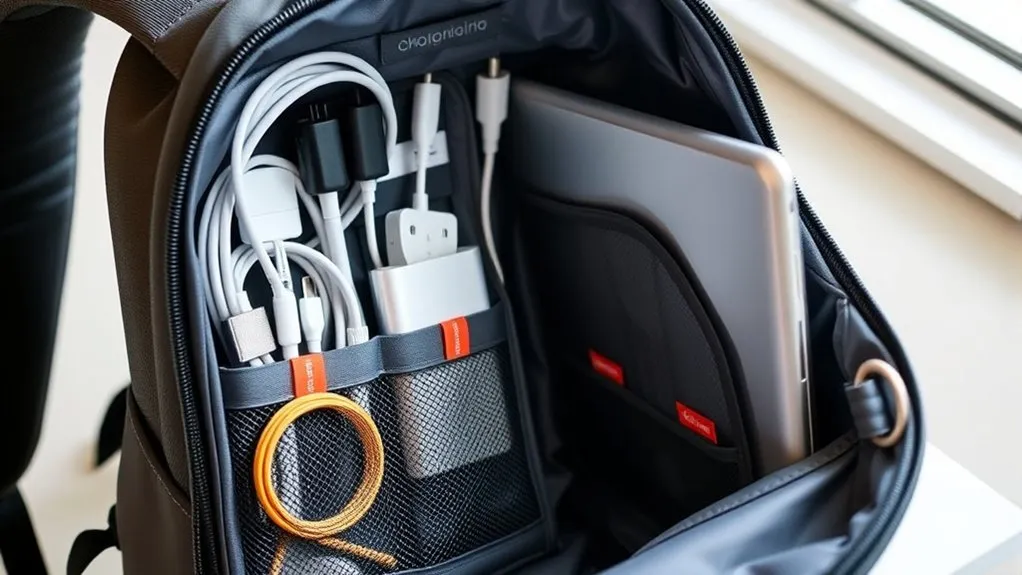
A dedicated tech pouch keeps small charging items together and prevents loose connectors from disappearing into the bottom of your backpack. Choose a pouch that opens wide and has elastic loops, mesh pockets, or padded dividers.
How to Pack Chargers Step by Step
- List every device. Include your phone, laptop, tablet, camera, headphones, watch, e-reader, and any medical or accessibility equipment.
- Match each device to a cable. Write down the connector and required charger wattage. Remove duplicate cables that do not serve a clear backup purpose.
- Test everything before leaving. Connect every cable to the charger and device you plan to use. Confirm that laptops charge normally and data cables can transfer files.
- Label similar cables. Mark laptop, phone, camera, and data cables with small tags or color-coded ties.
- Coil each cable loosely. Make a relaxed loop several inches wide. Secure it with a reusable hook-and-loop tie without pulling the cable tight.
- Separate heavy items. Place the power bank and wall charger in padded sections. Keep cable ends in a separate pocket so they are not crushed.
- Place the pouch near the top. Keep it easy to reach during airport screening, at a hotel desk, or when a carry-on bag must be checked at the gate.
Pro Tip: Take a quick photo of the open pouch before your trip. The photo becomes a visual packing checklist and makes it easier to notice a missing cable before you leave a hotel or airport lounge.
Tips for Preventing Cable Damage
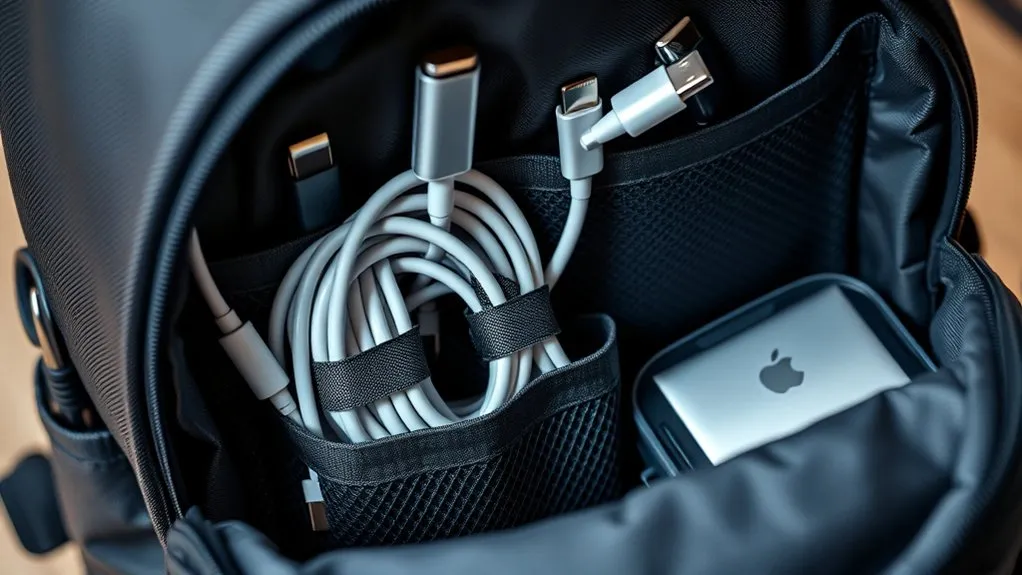
Most travel damage occurs near the connector, where repeated bending places stress on the cable’s strain relief. Good packing habits matter as much as the outer material.
- Make wide loops. Do not fold a cable sharply or wrap it tightly around a charger.
- Hold the plug. Disconnect a cable by gripping the connector housing, not by pulling on the cord.
- Protect the ends. Store exposed connectors in a pocket where keys, coins, sand, or crumbs cannot enter them.
- Keep cables dry. Allow wet cables and pouches to dry completely before connecting them to power.
- Avoid pressure points. Do not place a laptop, water bottle, shoe, or other heavy object directly on top of a cable.
- Inspect before every trip. Look for cracked insulation, exposed wire, loose connectors, bent contacts, discoloration, or melted plastic.
- Use braided cables carefully. A braided outer jacket may resist surface abrasion, but it does not prevent internal wire damage caused by tight bends.
Warning: Stop using a cable with exposed wire, scorch marks, melted plastic, or a loose connector. Stop using a power bank that is swollen, leaking, hissing, giving off an unusual odor, or becoming unusually hot. Lithium-battery and charger failures can cause overheating, burns, or fire, according to the U.S. Consumer Product Safety Commission. Do not puncture, crush, or place a damaged power bank in household trash.
Choosing the Right Power Bank
A power bank should match the devices you need to charge, not just the amount of space available in your bag. Compare capacity, watt-hours, output wattage, number of ports, recharge speed, size, and safety testing.
Understand Capacity and Watt-Hours
Power-bank capacity is often printed in milliamp-hours, or mAh. A compact 5,000mAh model may provide a useful phone top-up, while a 10,000mAh model usually offers more reserve energy. Actual results vary with the phone battery, cable, charging voltage, temperature, and conversion losses.
Airlines use watt-hours rather than mAh. Use this formula when the Wh rating is not printed clearly:
Watt-hours = volts × milliamp-hours ÷ 1,000
For example, a 20,000mAh power bank with a nominal battery voltage of 3.7V is approximately:
3.7 × 20,000 ÷ 1,000 = 74Wh
Airline battery limits are based on watt-hours, not the large mAh number printed on the front of the power bank.
Match the Output Wattage
Check the maximum output of each port and the total output when several ports are in use. A power bank advertised as 100W may provide that level through only one port. Connecting a second or third device may divide the available power.
- Phones and small accessories: Confirm support for the fast-charging method used by the device.
- Tablets and handheld game systems: Choose enough output to charge while the device is being used.
- Laptops: Confirm the laptop accepts USB-C charging and match the power bank, cable, and USB-PD output to the manufacturer’s requirements.
Also check the power bank’s input rating. A high-capacity unit with a slow input can take many hours to recharge.
Look for Recognized Safety Testing
Choose a power bank from an identifiable manufacturer with a clear model number, warranty, safety instructions, and recognized third-party testing. UL 2056 evaluates power banks for issues such as overcharge, short-circuit, overload, impact, and thermal safety.
Certification reduces uncertainty but does not remove all risk. Check the model number for recalls before a trip, especially when buying a used unit or an unfamiliar brand.
Note: Do not buy a power bank that lacks a readable capacity label, voltage or watt-hour information, manufacturer name, model number, and operating instructions. Missing labels can also make airline screening more difficult.
Air Travel Rules for Power Banks
The Federal Aviation Administration treats power banks as spare lithium batteries. The following rules apply to passengers flying in or from the United States:
- Pack power banks in carry-on baggage only, not checked luggage.
- Power banks rated at 100Wh or less are normally allowed for personal use.
- Units rated from 101Wh through 160Wh require airline approval, and the quantity is limited.
- Power banks over 160Wh are generally not allowed on passenger aircraft.
- Protect the unit from crushing, damage, accidental activation, and short circuits.
- Keep loose cables, keys, coins, and other metal objects away from exposed battery terminals or ports.
- If airline staff gate-check your carry-on, remove the power bank and keep it with you in the cabin.
Warning: Airline and national rules can be stricter than the general FAA limits. Check the operating airline’s current policy before departure, particularly for large laptop power banks, connecting flights, and international travel.
Smart Packing Strategies for Minimalists
A minimalist charging kit should cover every device without carrying several versions of the same cable. For many travelers, a compact kit includes:
- One multi-port USB wall charger with enough total output for the largest device
- One main USB-C-to-USB-C cable with the correct power rating
- One short backup cable for the phone or most important device
- One proprietary watch, camera, or accessory cable when required
- One destination plug adapter
- One carry-on-safe power bank
- One small tech pouch with reusable cable ties
Check the wall charger’s input label before international travel. Many modern USB chargers accept a broad input range such as 100–240V, but not every appliance does. A plug adapter changes the shape of the plug; it does not convert the electrical voltage.
A 3-in-1 cable can replace several low-power backup cables, but it should not be the only way to charge an essential phone, laptop, medical device, or accessibility device. Carry one tested backup for anything you cannot go without.
Pro Tip: Charge several devices from one multi-port wall charger overnight, but check how its output is divided. The fastest port may slow down when other ports are occupied.
Common Charging Problems on the Road
Why Is My Device Charging Slowly?
Check the wall charger’s output, the power bank’s remaining charge, the cable rating, and the specific port being used. Multi-port chargers often divide their output when several devices are connected. Charging may also slow when a phone, laptop, charger, or power bank becomes hot.
Why Does the Cable Charge but Not Transfer Files?
The cable may be charge-only, limited to a basic data rate, damaged internally, or connected to a power-only port. Try a cable with a stated data rating and test it with another compatible port and storage device.
Why Will My Power Bank Not Turn On?
Disconnect every device, allow the unit to return to room temperature, and recharge it with the manufacturer-recommended input. Try a known-good cable and charger. Do not continue testing a unit that is swollen, wet, cracked, unusually hot, or giving off an odor.
Why Will My Charger Not Fit the Outlet?
You may need a destination-specific plug adapter. Confirm the outlet type and the charger’s accepted input voltage before connecting it. Do not assume a plug adapter also changes voltage.
Frequently Asked Questions
What types of chargers are essential for different devices?
Most current phones, tablets, and many laptops use USB-C. Older iPhones and some Apple accessories use Lightning, while older small electronics may use Micro-USB. Watches, fitness trackers, cameras, and shavers may require proprietary cables. Check each device rather than packing cables by brand alone.
How can I prevent my power bank from running out quickly?
Fully charge it before the trip, disconnect cables when they are not being used, and turn off optional lights or wireless features when possible. Keep the unit away from excessive heat. For long-term storage, follow the manufacturer’s recommended charge level and recharge interval.
What materials are best for a durable tech pouch?
Choose tightly woven nylon or polyester, strong stitching, dependable zippers, and padded internal dividers. A water-resistant coating can protect against small spills, but it does not make the pouch safe for submersion. The layout and padding are usually more important than the fabric name alone.
Are there eco-friendly options for charging accessories?
Look for durable products with replaceable cables, documented recycled materials, minimal packaging, and a long warranty. Avoid buying duplicate accessories you do not need. Take failed cables, chargers, and power banks to an appropriate electronics or hazardous-battery recycling program rather than placing them in household trash.
How can I find cables in my backpack quickly?
Keep all charging equipment in one pouch, use a separate elastic loop for each cable, and label similar cords with bright ties. Return each cable to the same position after use instead of placing it loose in a backpack pocket.
Can a power bank go in checked luggage?
No. A power bank is treated as a spare lithium battery and must remain in carry-on baggage. If your carry-on is checked at the gate, remove the power bank and keep it with you in the cabin.
Will a 240W USB-C cable charge every device faster?
No. The device controls how much power it accepts, and the charger, port, and cable must support the same charging method. A 240W-rated cable provides additional carrying capacity for compatible equipment but does not increase the charging limit of a phone or laptop.
Conclusion
Carry chargers in one organized, padded pouch instead of scattering them through your backpack. Match each cable to the connector, wattage, and data needs of your devices; coil cables loosely; and keep heavy or sharp objects away from them. Choose a clearly labeled, safety-tested power bank, check its watt-hour rating, and keep it in your carry-on when flying. A small amount of preparation prevents clutter, protects your equipment, and makes charging easier throughout the trip.
Sources
- USB Implementers Forum — USB Power Delivery — USB-C power delivery and support for power levels up to 240W.
- USB Implementers Forum — Cables and Connectors — USB-C cable power and data-performance markings.
- Apple Support — Charge and Connect With USB-C — USB-C compatibility for iPhone 15 and later models.
- Federal Aviation Administration — Airline Passengers and Batteries — Carry-on rules, watt-hour limits, approval requirements, and battery protection.
- UL Solutions — UL 2056 Power-Bank Testing — Overcharge, short-circuit, overload, impact, and thermal safety testing.
- U.S. Consumer Product Safety Commission — Battery Safety — Battery and charger hazards including overheating, electrical shock, fire, and burns.