

Last Updated on August 26, 2026 by Caleb Warren
Electric scooter cruise control can reduce constant thumb pressure on long, predictable stretches, but there is no single activation method that works on every scooter. Some models use a steady throttle hold, while others require an app setting, dashboard menu, or dedicated button. Before using it, check your scooter’s manual, test the brakes, and learn exactly how your model cancels cruise control.
Quick Answer
To use cruise control on an electric scooter, first confirm that your model supports it and enable the feature if required. Ride to a safe, steady speed, then use the throttle hold, button, or app method specified in the manual. Confirm the cruise indicator, keep both hands on the handlebars, and use the documented brake, throttle, or cruise control to cancel it.
Key Takeaways
- Cruise-control activation is model-specific; do not assume every scooter uses a 5–10 second throttle hold.
- Some scooters ship with cruise control disabled and require an app or dashboard setting before you can set a cruising speed.
- Use cruise control only where the path, traction, visibility, traffic, and speed are predictable.
- Cruise control is throttle-free, not hands-free. Keep both hands on the handlebars and stay ready to brake.
- Never rely on a turn, hill, speed limit, or other automatic behavior to cancel cruise control unless your manufacturer specifically documents it.
At a Glance
| Time Required | About 1–2 minutes to check settings and practice the controls |
| Difficulty | Easy once you know your model-specific controls |
| Tools Needed | Scooter owner’s manual; manufacturer app if your model requires one |
| Cost | $0 if cruise control is already supported by your scooter |
Warning: Do not test cruise control for the first time around traffic, pedestrians, intersections, steep grades, wet surfaces, loose gravel, or obstacles. The U.S. Consumer Product Safety Commission recommends testing your brakes, watching for surface hazards, keeping both hands on the handlebars, and staying prepared to stop.
Disclosure: As an Amazon Associate I earn from qualifying purchases. Some links on this page are affiliate links, at no extra cost to you.
What Is Cruise Control on an Electric Scooter?
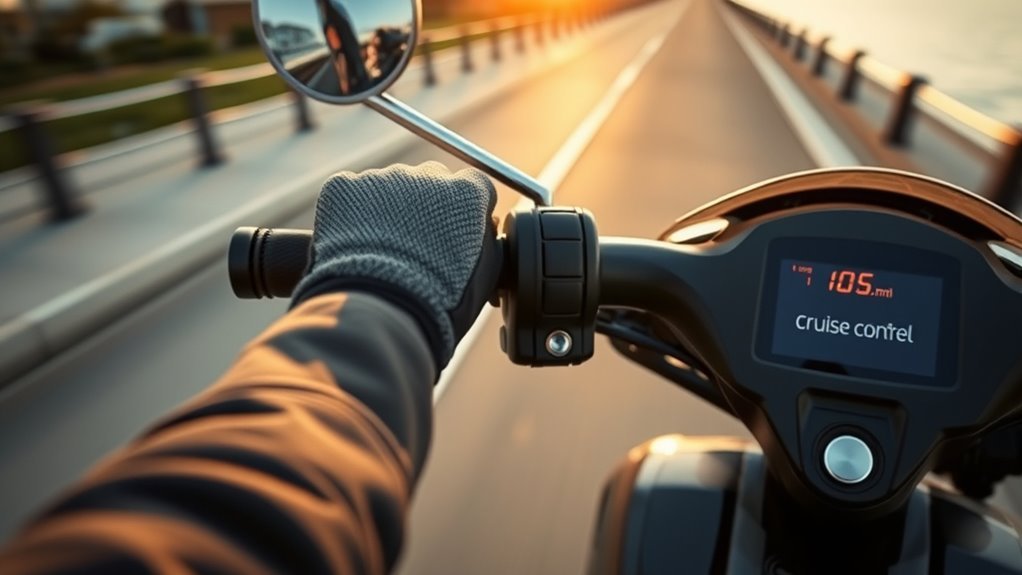
Electric scooter cruise control is a feature that maintains a selected speed without requiring you to keep constant pressure on the throttle. Depending on the scooter, the controller may hold the speed after a timed throttle input, after you press a dedicated cruise button, or after you enable cruise through a display or mobile app.
The feature is mainly useful on long, open, predictable stretches where you do not expect frequent braking, turning, or speed changes. It can reduce thumb and wrist fatigue and help you maintain a smoother pace.
That does not make the scooter autonomous. Cruise control does not steer, detect pedestrians, judge road conditions, or decide when it is safe to stop. You remain responsible for controlling the scooter at all times.
Cruise control is throttle-free, not hands-free. Keep both hands on the handlebars and stay ready to brake.
How to Activate Cruise Control
Start by checking your owner’s manual or manufacturer support page. The correct sequence can include two separate steps: first enabling cruise mode, and then setting the cruising speed. Some scooters ship with cruise control disabled by default.
- Confirm that your scooter supports cruise control. Do not assume it does simply because another model from the same brand has the feature.
- Enable cruise mode if required. This may be done through an app, P-setting, dashboard menu, or control button.
- Test your brakes and throttle before riding. Make sure both respond normally.
- Choose a wide, dry, low-traffic practice area. Avoid hills, intersections, pedestrians, and loose surfaces.
- Accelerate to a comfortable, legal speed. Some scooters require a minimum speed before cruise can be set.
- Use your model’s activation method. That may mean holding a steady throttle, pressing a cruise button, or using another documented control.
- Confirm activation. Look or listen for the manufacturer’s documented beep, cruise icon, or display indicator.
- Practice cancelling it immediately. Know the exact brake, throttle, or button action that returns full manual control.
Finding Cruise Control
The cruise-control setting may be located on the handlebar controls, dashboard, advanced settings menu, or companion app. The important point is that the access method and engagement method are not always the same.
| Method | Access Point | What It Usually Does |
|---|---|---|
| Throttle hold | Thumb or twist throttle | Sets the current speed after a manufacturer-specified hold time |
| Dedicated button | Handlebar control panel | Enables, engages, or cancels cruise depending on the model |
| App setting | Manufacturer mobile app | Turns the feature on or adjusts cruise behavior |
| Dashboard/P-setting | Scooter display | Enables or disables cruise-control functionality |
For example, Xiaomi’s support instructions for the Mi Electric Scooter 1S/Lite/Pro 2 say cruise mode is disabled by default and must first be enabled through the app. With cruise enabled, the rider holds a constant throttle for about five seconds until the scooter beeps.
The Varla Eagle One Pro also has a cruise-control P-setting. Varla documents automatic cruise engagement after the rider holds a fixed speed for more than eight seconds when the feature is enabled.
Engaging the Throttle
If your particular scooter uses throttle-hold cruise control, accelerate smoothly to the speed you want and keep the throttle as steady as possible for the exact period specified by the manufacturer. Avoid surging or repeatedly changing the throttle position because the controller may interpret those changes as normal manual riding rather than a request to set cruise.
Do not assume five seconds, eight seconds, or ten seconds is correct for every scooter. The Razor C45 owner’s manual, for example, says cruise mode must first be enabled while stationary, the scooter must be traveling at least 6 mph (9.7 km/h), and the rider then holds the desired speed for eight consecutive seconds.
Pro Tip: Before your first real trip, practice activating and cancelling cruise control several times in an empty, open area. The cancellation action should feel automatic before you use the feature around other road users.
Confirming Activation
Do not release the throttle and simply assume cruise control has engaged. Check for the confirmation your scooter is designed to provide. Depending on the model, that may be a beep, a cruise-control icon, a persistent indicator on the display, or another visual signal.
- Confirm the scooter holds the expected speed after you release throttle pressure.
- Keep both hands securely on the handlebars.
- Keep your fingers positioned so you can operate the brakes quickly.
- Do not look down at the display for longer than necessary.
- If activation is unclear, cancel the attempt and try again in a safe area rather than guessing.
If your scooter requires a minimum speed, cruise will not activate until that threshold is reached. Check the manual rather than repeatedly accelerating in an attempt to force the system to engage.
When to Use Cruise Control
Use cruise control only when you have enough clear space to maintain a steady speed without frequent braking or steering changes. There is no universal “best” cruise speed such as 12 mph. Your speed should suit the scooter, surface, visibility, traffic, applicable law, and stopping distance.
Flat Open Paths
Flat, open, predictable paths are generally the easiest places to use cruise control because you are less likely to need abrupt speed changes. Look well ahead for cracks, potholes, debris, curbs, pedestrians, animals, driveways, and other hazards.
The U.S. Consumer Product Safety Commission’s e-scooter safety guidance recommends checking the scooter for damage, testing the brakes, watching for obstacles, keeping both hands on the handlebars, and staying prepared to stop.
- Choose dry pavement with predictable traction.
- Leave more stopping distance than you think you need.
- Slow down before bumps and surface changes.
- Cancel cruise before entering a complex or crowded area.
Low-Traffic Straight Rides
A low-traffic straight stretch can reduce the need for repeated throttle adjustments, but “low traffic” does not mean hazard-free. Cars can emerge from driveways, pedestrians can step into your path, and small road defects can upset a scooter much more quickly than they would a car.
Do not use cruise control simply because you expect the road to remain clear. Keep scanning well ahead and cancel cruise before approaching intersections, blind corners, crossings, parked cars, groups of people, or any area where your speed may need to change.
Note: Xiaomi specifically advises against using cruise control in heavy traffic or during or after precipitation. Wet or contaminated surfaces reduce traction and can increase stopping distance.
Safety Tips for Cruise Control
Before using cruise control in normal riding, learn how quickly your scooter responds when you cancel the feature and apply the brakes. Stopping distance varies between scooters and changes with speed, rider weight, tire condition, surface grip, slope, and weather.
- Wear a helmet and any protective equipment required or recommended for your riding environment.
- Keep both hands on the handlebars. Cruise control only removes the need for constant throttle input.
- Test the brakes before every ride. Do not use cruise control if braking or throttle behavior feels abnormal.
- Cancel early. Return to manual speed control before intersections, turns, hills, traffic, pedestrians, or obstacles.
- Avoid poor traction. Skip cruise control on wet pavement, gravel, leaves, ice, sand, or other slippery surfaces.
- Avoid steep or changing grades. Manual throttle control gives you more immediate control when conditions change.
- Do not use a phone while riding. Change app settings only while stationary.
- Follow local rules. E-scooter speed limits, roadway access, age rules, and helmet requirements vary by jurisdiction.
In the United States, the National Conference of State Legislatures’ e-scooter law overview shows that state rules vary substantially, and cities may impose additional restrictions.
Benefits of Cruise Control
The clearest benefit of cruise control is comfort. Holding a thumb throttle at one exact position for a long period can become tiring. Allowing the controller to maintain a steady speed can reduce repetitive thumb and wrist effort on suitable stretches.
Cruise control can also make your speed more consistent. A steady pace may reduce unnecessary acceleration and deceleration, but it should not be treated as a guaranteed battery-range feature. Actual range depends heavily on speed, hills, wind, temperature, rider weight, tire pressure, road surface, stops, and the scooter’s power-management system.
Its practical advantages include:
- less constant thumb pressure on longer rides;
- a more consistent pace on predictable terrain;
- fewer small throttle corrections;
- greater comfort when conditions allow steady-speed travel.
Do not use cruise control merely to preserve battery power. If maximum range is your priority, moderate speed, smooth acceleration, correct tire pressure, and avoiding unnecessary hard acceleration are usually more important than whether cruise mode is active.
Common Cruise Control Problems and Fixes
If cruise control will not engage, start with settings and operating conditions before assuming the controller is faulty.
| Problem | Likely Check | What to Do |
|---|---|---|
| Cruise never activates | Feature disabled | Check the app, dashboard, or P-setting and enable cruise if your model requires it. |
| No beep or cruise icon | Wrong activation sequence | Repeat the exact sequence and hold time in the manufacturer’s instructions. |
| Cruise will not set at low speed | Minimum-speed requirement | Check the manual for the minimum setting speed instead of guessing. |
| Cruise cancels immediately | Brake or throttle input | Make sure you are not resting on a brake lever or making unintended throttle inputs. |
| Throttle response is inconsistent | Throttle, wiring, brake sensor, or controller issue | Stop riding and follow the manufacturer’s troubleshooting procedure or contact support. |
| Feature disappeared after an update | App, firmware, or regional configuration | Check the current manufacturer app and support documentation for your exact model and region. |
A restart can clear a temporary software issue on some scooters, but do not repeatedly power-cycle a scooter that has abnormal braking, throttle behavior, error codes, overheating, damaged wiring, or other signs of a hardware problem. Stop riding and follow the manufacturer’s service instructions.
Also consider the simplest possibility: your scooter may not have cruise control. Similar-looking models from the same brand can have different controllers and features.
How to Turn Off Cruise Control
Use the cancellation method documented for your exact scooter. On many models, applying a brake or making a throttle input cancels the active cruising speed. Other scooters also provide a dedicated cruise-control button or dashboard control.
| Action | Typical Result | Important Note |
|---|---|---|
| Brake lever | Cancels cruise on many documented systems | Verify this behavior on your own scooter before normal use. |
| Throttle input | Cancels cruise on some models | Operation varies by controller. |
| Cruise button/control | Turns off cruise on supported models | Follow the manual’s button sequence. |
| Sharp turn | Do not rely on it to cancel cruise | Cancel cruise deliberately before the turn. |
| Reaching a speed limit | Do not assume cruise will auto-cancel | You remain responsible for controlling your speed. |
After cancelling cruise, confirm that the indicator has disappeared and that normal throttle response has returned. Practice this transition in an open area before relying on the feature during a longer ride.
Electric Scooters With Verified Cruise Control
Cruise-control features can change by model year, firmware, and sales region, so it is better to verify the function through manufacturer documentation than to assume a brand supports it across its entire range. The following examples demonstrate several different implementations.
- Varla Eagle One Pro: Varla documents a cruise-control P-setting and automatic engagement after holding a fixed speed for more than eight seconds when cruise is enabled.
- Xiaomi Mi Electric Scooter Pro 2: Xiaomi’s support documentation says cruise mode is enabled through the app; holding the throttle steady for about five seconds until a beep can then set the cruising speed on supported versions.
- Razor C45: Razor documents a dedicated cruise mode. It is disabled from the factory, can be enabled through the power-button sequence, requires at least 6 mph (9.7 km/h) to set, and uses an eight-second steady throttle hold.
- Apollo Phantom V3/V4: Apollo’s support documentation shows cruise control as a scooter control function, including a four-press power-button command on these versions. Apollo’s app also supports cruise-control settings on compatible scooters.
The earlier Razor E300 is not included as a cruise-control example because Razor’s published E300 specifications list its twist-grip acceleration and hand-operated brake but do not document cruise control for that model.
Before buying or configuring any scooter specifically for cruise control, check the manual for the exact model year and region. A similarly named scooter may use different firmware, controls, or legal configuration.
Frequently Asked Questions
How do I turn on cruise control on an electric scooter?
Check the owner’s manual first because the method varies. Some scooters require cruise to be enabled in an app or dashboard before you set a speed. Others use a dedicated button. Throttle-hold systems may require a specific minimum speed and hold time, so do not assume the common five-to-ten-second method applies to your scooter.
How does cruise control work on an electric scooter?
Once engaged, the scooter’s controller commands the motor to maintain the selected speed without continuous throttle pressure. You still steer, watch the road, and control braking. Cruise control does not detect traffic or obstacles, and cancellation behavior depends on the scooter’s design.
Is 30 mph fast for an e-scooter?
Yes. Thirty mph is a high speed for a stand-up electric scooter and leaves much less time to react to potholes, traffic, pedestrians, and other hazards. It may also exceed the operating speed permitted for e-scooters in your location. Use a suitable helmet and protective equipment, maintain the scooter carefully, and follow local speed and roadway rules.
How do you cruise on a scooter?
If your scooter supports cruise control, enable the feature if required, reach an appropriate steady speed, and use the activation method specified by the manufacturer. Confirm the indicator or beep, keep both hands on the handlebars, and cancel cruise before traffic, turns, hills, poor surfaces, or other situations requiring frequent speed changes.
Why won’t my electric scooter cruise control activate?
Common causes include cruise mode being disabled, riding below the required minimum speed, using the wrong activation sequence, moving the throttle instead of holding it steadily, resting on a brake lever, or using a scooter that does not support cruise control. Check the manual and app settings before troubleshooting hardware.
Does cruise control save electric scooter battery?
It may reduce unnecessary throttle fluctuations when you travel at a steady pace, but it does not guarantee longer range. Speed, rider weight, hills, wind, temperature, tire pressure, stops, and road conditions can have a much larger effect on battery consumption.
Conclusion
Electric scooter cruise control can make long, predictable rides more comfortable by reducing constant throttle pressure, but the safest approach is to treat it as a model-specific convenience feature rather than a universal riding mode. Check the manual, enable it correctly, test the cancellation controls in an open area, and use it only when the road and traffic conditions are predictable.
Most importantly, stay in control. Keep both hands on the handlebars, watch well ahead, cancel cruise before hazards or changing conditions, and never assume a turn, hill, or speed limit will disengage it automatically. Used this way, cruise control can provide steady, convenient riding without replacing the rider’s responsibility to steer, slow, and stop.
Sources
- U.S. Consumer Product Safety Commission — Electric-Powered Scooters Safety Alert — supports brake testing, helmet use, obstacle awareness, both-hands-on guidance, and general e-scooter safety.
- Xiaomi — Mi Electric Scooter 1S/Lite/Pro 2 FAQ — supports app-enabled cruise mode, five-second steady-throttle activation, and cautious public-area use.
- Varla — Eagle One Pro P-Setting Instructions — supports cruise-control settings for the Eagle One Pro.
- Razor — C45 Owner’s Manual — supports C45 cruise enablement, minimum speed, eight-second setting procedure, and cancellation controls.
- Apollo — Phantom V3/V4 Unboxing and Setup — supports model-specific button control for cruise control.
- National Conference of State Legislatures — State E-Scooter Laws — supports the statement that speed, roadway, age, helmet, and operating rules differ by jurisdiction.
