
Last Updated on July 23, 2026 by Caleb Warren
You can track an electric scooter, but the best method depends on the tracker. A cellular GPS unit can send remote location updates, while an Apple AirTag or another Bluetooth network tag depends on nearby participating phones. A phone-scanning app can log where the scooter was scanned, but it does not continuously follow a stolen scooter.
Quick Answer
Yes. Use a built-in or hidden cellular GPS tracker for remote location updates, or use an AirTag or compatible Bluetooth network tag as a lower-cost backup. Set up the tracker before riding, test it outdoors and indoors, and share its location with police rather than trying to recover a stolen scooter yourself.
Key Takeaways
- A true GPS tracker usually needs its own power and a cellular or data connection to send remote updates.
- AirTags and similar tags are not GPS trackers. They report their location when nearby devices in their network detect them.
- Orca Scan can record a scooter’s location when someone scans it, but it is not continuous anti-theft tracking.
- Do not open or modify a scooter battery pack to install a tracker. Follow the scooter maker’s instructions or use a qualified technician.
- After a theft, save screenshots, file a police report, and never confront a suspected thief.
At a Glance
| Time Required | About 10–30 minutes for app setup and testing; physical installation may take longer |
| Difficulty | Easy for an external tag; moderate or professional help recommended for a wired tracker |
| Tools Needed | Phone, tracker app, serial number, secure mount or weather-resistant holder, and the scooter manual |
| Cost | Varies by device; cellular GPS trackers may also require a subscription |
Disclosure: As an Amazon Associate I earn from qualifying purchases. Some links on this page are affiliate links, at no extra cost to you.
Can You Track an Electric Scooter?
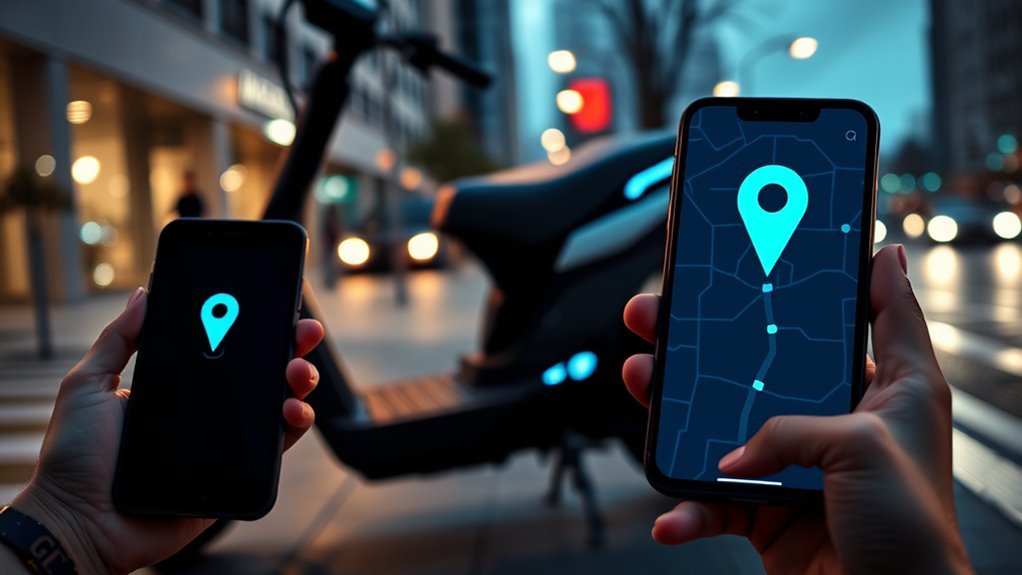
Yes. You can track an electric scooter with a manufacturer-installed system, an add-on cellular GPS tracker, or a Bluetooth network tag. The results are different:
- Cellular GPS tracker: Uses satellite positioning to estimate location and a mobile network to send that location to an app. This is usually the best option for remote theft tracking.
- Bluetooth network tag: Uses Bluetooth and a crowdsourced network of nearby phones. It may show a distant location, but updates depend on another compatible device passing nearby.
- Direct Bluetooth tracker: Helps when the scooter is within Bluetooth range of your phone, such as in a garage or parking area.
- Scan-based asset app: Records the location of the phone at the time a barcode or serial number is scanned. It is useful for fleet records, not continuous recovery tracking.
GPS accuracy varies with the receiver, surroundings, and signal blockage. The U.S. government’s GPS accuracy guidance notes that buildings, bridges, trees, indoor spaces, and reflected signals can reduce accuracy. A tracker can also stop updating if its battery dies, its cellular plan expires, it loses network coverage, or a thief removes or damages it.
Note: A map pin is an estimate, not proof that the scooter is inside a specific room, apartment, or vehicle. Share the data with police and let them decide how to use it.
Built-In GPS, Bluetooth Trackers, and AirTags
Choose a tracker based on how far away you need to locate the scooter, how often you can charge it, and whether you are willing to pay for a data plan. Built-in systems are convenient when the scooter model supports them, but features may stop working if the scooter’s main battery is fully discharged or disconnected.
| Option | How it reports location | Best use | Main limitation |
|---|---|---|---|
| Built-in GPS | Scooter hardware and manufacturer app | Owners whose model already supports tracking | Model-specific; may depend on the main battery or subscription |
| Cellular GPS tracker | GPS position sent through a cellular network | Remote recovery, route history, and geofencing | Needs power, coverage, and often a paid plan |
| Apple AirTag | Bluetooth detections from Apple’s Find My network | Low-maintenance backup for Apple users | Not GPS; updates depend on nearby network devices and anti-stalking alerts may reveal it |
| Find Hub-compatible tag | Bluetooth detections from Google’s Find Hub network | Android users who want a network tag | Performance depends on network participation and nearby devices |
| Direct Bluetooth tracker | Direct connection to your phone | Finding a scooter nearby | Limited when the scooter is far away |
An AirTag does not contain GPS. Apple explains that it sends a Bluetooth signal that nearby devices in the Find My network can report. Precision Finding helps only when you are near the tag and use compatible hardware. Apple introduced AirTag (2nd generation) in 2026 with a replaceable CR2032 battery, improved nearby finding, and a louder speaker, but it still uses the Find My network rather than cellular GPS.
Android users can choose tags compatible with Google’s Find Hub network. Google also supports unknown-tracker alerts for compatible tags and AirTags. These safety systems are important for privacy, but they also mean a hidden tag may alert a person who is moving with the stolen scooter.
Pro Tip: Use a cellular GPS tracker as the primary recovery tool and a separate network tag as a backup. Place them in different safe locations, and test both before relying on them.
How to Track an Electric Scooter With Your Phone
The setup depends on the device. For theft tracking, pair a supported built-in system, cellular GPS tracker, AirTag, or Find Hub-compatible tag with its official app. For fleet records, you can use an asset-scanning app such as Orca Scan, but its GPS entry represents the phone’s location when the scan occurs.
Set Up Phone Tracking
- Choose the right tracker. Confirm phone compatibility, network coverage, battery life, water resistance, subscription terms, and whether the tracker can operate while the scooter is off.
- Create the account and pair the device. Use the manufacturer’s official app, turn on the required Bluetooth and location permissions, and finish any activation or subscription steps.
- Name the scooter clearly. Add the make, model, color, serial number, and a recent photo so you can identify it quickly.
- Enable useful alerts. Turn on movement, geofence, low-battery, disconnection, or “left behind” alerts when the tracker supports them.
- Test the tracker. Check it outdoors, inside your usual parking area, and after the scooter has been turned off for several hours.
- Save recovery details. Keep the purchase receipt, serial number, tracker ID, and police non-emergency contact information somewhere other than on the scooter.
Scan Scooter Location
Orca Scan’s vehicle-tracking workflow lets you scan a scooter’s barcode or serial number and record details such as condition, mileage, inspections, and GPS location. Its GPS field can be captured manually or automatically when a scan occurs.
- Scan the scooter’s serial number, barcode, or asset label.
- Record its current condition, mileage, assigned user, and maintenance status.
- Capture the phone’s GPS location with the scan.
- Review scan history and mapped locations in the web app.
This is useful for fleets, rental operations, warehouses, and scheduled inspections. It does not turn the scooter into a continuously connected tracker. If nobody scans the scooter after it is moved, the map will continue to show the last recorded scan location.
Warning: Do not depend on a scan-based inventory app as your only theft-recovery system. Use a tracker that can send location updates without requiring someone to scan the scooter.
Best GPS Tracker Features for Scooters
Focus on features that affect reliability rather than marketing labels. A useful scooter tracker should match your phone, parking environment, and maintenance habits.
| Feature | Why it matters | What to verify |
|---|---|---|
| Remote location updates | Lets you check the scooter after it leaves Bluetooth range | Update interval, cellular coverage, and plan requirements |
| Geofencing and movement alerts | Warns you when the scooter moves or leaves a chosen area | Alert delay and whether the feature works while parked |
| Independent battery | May continue working if the scooter is turned off or its main battery is disconnected | Real battery life, low-battery alerts, and charging method |
| Weather resistance | Helps protect the tracker from rain, road spray, and dust | The device’s stated ingress-protection rating and mounting instructions |
| Location history | Can show movement and last-known locations | Retention period, export options, and privacy controls |
| Account security | Protects access to sensitive location data | Two-factor authentication, sharing controls, and software updates |
Do not assume “real time” means a continuous second-by-second feed. Many trackers update at intervals to save power, and crowded buildings or weak cellular coverage may delay a new location.
Where to Hide a Scooter Tracker
A tracker should be hard to notice but still able to communicate, stay dry, and remain accessible for battery checks. The safest location depends on the scooter’s design. Read the manual before removing any cover, and avoid drilling, pinching wires, blocking vents, or weakening the scooter’s water-resistant seals.
Hidden Deck Placement
The deck can conceal a compact tracker, but only use this location when the scooter manufacturer allows the cover to be opened and there is a separate, safe mounting area away from the battery pack, controller, moving parts, and high-current wiring. Metal enclosures can weaken Bluetooth, GPS, and cellular signals, so test the tracker with the deck closed before finishing the installation.
- Use a nonconductive mount or holder that cannot rub against wires.
- Keep the tracker away from heat, moisture paths, and sharp edges.
- Do not drill into the deck or battery enclosure unless the manufacturer provides an approved procedure.
- Recheck the mount after rough rides and confirm the app still receives updates.
An external hidden holder under an approved plastic trim piece may be safer than opening a sealed deck. It also makes battery replacement easier.
Concealed Battery Compartment
Do not place a tracker inside the battery pack or modify the pack to power it. Lithium-ion battery systems can present fire and electric-shock risks when damaged or altered. The U.S. Consumer Product Safety Commission advises consumers not to use micromobility devices with battery packs modified by unqualified personnel.
If a manufacturer-approved accessory space exists near, but separate from, the battery compartment, a qualified technician may be able to install a wired tracker there. The tracker should have a fuse or power protection required by its manufacturer, should not block ventilation, and should not compromise the scooter’s certification, warranty, or water resistance.
Warning: Never open, puncture, splice into, or attach a tracker directly to a lithium-ion battery pack unless the scooter and tracker manufacturers provide an approved installation method.
Tracking Limitations and Privacy
No tracker guarantees recovery. Before buying one, understand these limits:
- GPS is not the same as connectivity. A device may calculate its position but still need cellular, Wi-Fi, satellite, or a nearby network phone to send that position to you.
- Indoor accuracy may be poor. Garages, basements, tall buildings, and metal scooter parts can weaken or reflect signals.
- Network tags can be delayed. An AirTag or Find Hub tag may show only the last time a participating device passed nearby.
- Anti-stalking features may expose the tag. Apple and Google can alert people when an unknown compatible tracker appears to move with them.
- Location data is sensitive. Use a strong password, enable two-factor authentication where available, and share access only with people you trust.
- Track only property you own or are authorized to manage. Do not use an item tracker to follow another person without their knowledge or consent.
Apple’s unwanted-tracking guidance states that AirTags and Find My accessories should not be used to track people or property that does not belong to you. Google provides similar unknown-tracker alerts on Android.
How to Track a Stolen Electric Scooter Fast
If your electric scooter is stolen, use the tracker immediately, but keep your personal safety first. A moving map can help police, yet it does not authorize you to enter private property or confront anyone.
Save the location, timestamp, route, serial number, and ownership records, then give those details to police. Do not try to recover the scooter yourself.
- Open the tracking app. Mark the item as lost if the app offers that feature, and turn on notifications for new locations.
- Save evidence. Take screenshots that show the map, time, last update, tracker name, and movement history. Do not edit or crop away useful details.
- Confirm ownership details. Gather the scooter’s make, model, color, serial number, photos, receipt, and tracker identifier.
- Report the theft. Use the local emergency number only when there is an immediate danger. Otherwise, use the police department’s normal reporting process and obtain a case or incident number.
- Share updates with police. Tell the assigned officer when the location changes. Explain whether the pin is live, delayed, or only a last-known location.
- Do not confront anyone. Do not enter a building, follow a suspect, arrange a private meeting, or risk a physical confrontation.
- Notify other parties. Contact your insurer, building security, employer, transit operator, or parking-site manager when relevant, and preserve any available camera footage.
Police response and recovery procedures vary by location. Official police advice for bicycle and e-scooter security commonly recommends sharing tracker data with police instead of confronting the suspected thief.
Electric Scooter Theft Prevention That Works
A tracker helps after a scooter moves, but a strong locking routine is the first line of defense. Layer several protections so a thief needs more time, tools, and exposure.
- Lock the scooter to an immovable object. Pass a high-quality U-lock or hardened chain through a solid structural part that cannot be removed easily.
- Use two different lock types. This may force a thief to carry more than one tool.
- Choose a visible parking area. Use a busy, well-lit location with legitimate foot traffic and camera coverage when possible.
- Remove easy-to-take accessories. Take the display, phone mount, bag, or removable battery with you when the scooter design allows it.
- Record identifying information. Save the serial number, photos, receipt, and unique marks before a theft occurs.
- Use an alarm and tracker. An audible alarm may draw attention, while a hidden tracker can support recovery.
- Check the tracker monthly. Confirm battery level, subscription status, app access, firmware, alert settings, and location updates.
- Store the scooter indoors. A locked room or secure indoor area is safer than leaving it outside overnight.
Police.uk bicycle-security guidance recommends locking to an immovable object and using more than one type of lock. These principles also apply to many electric scooters.
Can You Track an E-Bike the Same Way?
Yes. An e-bike can use the same main tracking methods: manufacturer-installed GPS, an add-on cellular GPS unit, an AirTag, a Find Hub-compatible tag, or another Bluetooth tracker. The same limits also apply. A network tag is not continuous GPS, a wired tracker must be installed safely, and the map location may be delayed or approximate.
- Choose a location that does not interfere with the motor, battery, controller, wiring, brakes, or suspension.
- Keep the tracker separate from the battery pack unless the manufacturer approves the installation.
- Test the signal with the tracker fully concealed and the e-bike powered off.
- Save the frame number, battery serial number, receipt, and clear photos.
For both e-bikes and scooters, a tracker works best as one part of a wider security plan that includes strong locks, safe parking, ownership records, and quick police reporting.
Frequently Asked Questions
Can you track a stolen electric scooter?
Yes, if the scooter had a working tracker before it was stolen. A cellular GPS tracker can provide remote updates when it has power and network service. An AirTag or another network tag may update when a compatible phone passes nearby. Save the data and share it with police rather than recovering the scooter yourself.
Is there a GPS tracker for autistic children?
Dedicated wearable location devices and safety services exist for children who may wander, but an AirTag or scooter tracker is not a substitute for a personal safety plan. Choose a device designed for the child, consider comfort and consent, protect location data, follow local law, and discuss the plan with the child’s caregivers and healthcare team.
How do I track my electric scooter?
Install or activate a compatible tracker, pair it with the official phone app, enable location and movement alerts, test it with the scooter on and off, and check the battery regularly. Use a cellular GPS tracker for remote updates or a Bluetooth network tag as a lower-cost backup.
Can a cell phone detect a tracking device?
A phone can detect some compatible Bluetooth item trackers through automatic unknown-tracker alerts or a manual scan. It cannot reliably detect every GPS, cellular, radio, or hard-wired tracker. If you believe someone is tracking you without consent, move to a safe place, preserve the alert information, and contact local law enforcement.
Will a scooter tracker work when the scooter is off?
It depends on the power source. A self-powered GPS tracker or battery-powered network tag can keep working while the scooter is off. A tracker powered only by the scooter may stop after the main battery is disconnected, discharged, or placed into a deep sleep mode.
Does a GPS scooter tracker need a subscription?
Many cellular GPS trackers require a paid plan because they use a mobile network to send location data. Some built-in systems include service for a limited period, while Bluetooth network tags usually do not require a cellular subscription. Check the device’s current terms before buying.
Can an AirTag track a scooter without an iPhone nearby?
Your own iPhone does not need to remain beside the scooter. However, the AirTag’s location updates only when another device in Apple’s Find My network detects it and reports the location. In an area with few participating devices, updates may be delayed or unavailable.
Conclusion
You can track an electric scooter more effectively when you match the tool to the job. Choose cellular GPS for remote updates, use an AirTag or another Bluetooth network tag as a backup, and use scan-based apps only for asset records. Install the tracker without modifying the battery system, test it regularly, and combine it with strong locks and secure parking. If the scooter is stolen, preserve the location data, report it quickly, and leave recovery to police.
Sources
- GPS.gov: GPS Accuracy — factors that reduce positioning accuracy, including buildings and indoor use
- Apple: AirTag — Find My network operation, Precision Finding, battery, and hardware details
- Google Android Help: Find Unknown Trackers — compatible tracker alerts, manual scans, and safety steps
- Orca Scan: Track Electric Scooters and Bikes — scan-based vehicle records and GPS capture workflow
- U.S. Consumer Product Safety Commission: Micromobility Safety — battery and modification safety guidance
- Police.uk: Protect Your Bike From Theft — layered locking and registration advice applicable to micromobility devices
