

Last Updated on August 26, 2026 by Caleb Warren
If your electric scooter suddenly stopped, the cause may be as simple as a low battery, an activated brake sensor, an overload, or a loose connection. It can also point to a charger, Battery Management System (BMS), controller, motor, or battery fault. Start with safe external checks and the scooter’s error codes before opening anything or testing live electrical circuits.
Quick Answer
If an electric scooter suddenly stops, move to a safe place, switch it off, and check the battery indicator, dashboard error code, charger, brakes, tires, and visible cables. Let an overheated scooter cool before restarting it. Repeated cutouts, battery damage, burning smells, melted wiring, or unresolved electrical faults require professional service.
Key Takeaways
- Check the scooter’s display, app, battery level, and error code first; these often narrow the fault without disassembly.
- Use only the charger supplied with or specifically approved for your scooter and battery.
- Overheating, excessive load, steep climbs, weak battery cells, or BMS protection can cause shutdowns under load.
- Brake-sensor, throttle, controller, motor, and wiring faults can stop acceleration even when the scooter still powers on.
- Do not open, probe, repair, or bypass a sealed lithium-ion battery pack unless the manufacturer specifically authorizes the work and you are qualified to perform it.
At a Glance
| Time Required | 10–30 minutes for basic external checks; longer if professional diagnosis is required |
| Difficulty | Easy for visual checks; advanced electrical or battery work should be left to qualified service |
| Tools Needed | Owner’s manual or manufacturer app, flashlight, tire-pressure gauge, and basic hand tools only where the manual permits user service |
| Cost | $0 for basic checks; replacement parts and professional repairs vary by scooter and fault |
Warning: Stop using or charging the scooter if the battery or deck is swollen, punctured, badly dented, unusually hot, smoking, hissing, leaking, or producing a strong burning or chemical odor. Do not charge a wet or visibly damaged battery or charging port. Use only a charger supplied with or specifically approved for your model.
Disclosure: As an Amazon Associate I earn from qualifying purchases. Some links on this page are affiliate links, at no extra cost to you.
Why Your Electric Scooter Suddenly Stopped
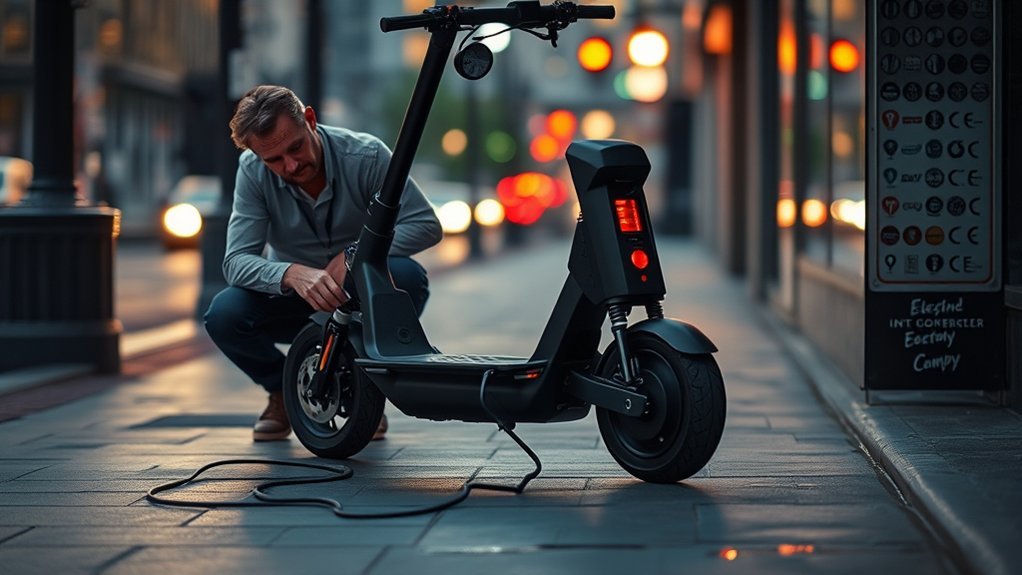
If your electric scooter suddenly stopped, start by identifying exactly what happened. A scooter that is completely dead needs a different troubleshooting path from one that still powers on but refuses to accelerate, and a scooter that cuts out only on hills may have a different problem again.
| Symptom | Likely Areas to Check | First Step |
|---|---|---|
| No display, lights, or response | Battery, charger, power connection, fuse/breaker if fitted | Check the battery indicator and charge using the correct charger |
| Display works but scooter will not accelerate | Brake sensor, throttle, lock mode, kick-start setting, error code | Read the display/app and verify the brake lever fully releases |
| Stops during acceleration or climbing | Low battery under load, BMS protection, overload, overheating, motor/controller fault | Stop riding, let it cool if necessary, then check battery level and error codes |
| Cuts out after bumps or vibration | Loose or damaged wiring/connectors | Inspect only externally accessible cables and connectors for visible damage |
| Wheel feels hard to turn | Dragging brake, tire problem, bearing, motor, or drive-system fault | Switch the scooter off and check the wheel, tire, and brake mechanically |
A depleted or aging battery can cut power, while loose connections may interrupt current. A Battery Management System can also limit or disconnect output when it detects conditions such as excessive temperature, excessive current, overdischarge, or a short circuit on models designed with those protections. Modern scooters may also report throttle, brake, controller, motor, battery-temperature, or wiring faults through the dashboard or companion app.
Pro Tip: Photograph or write down the error code before switching the scooter off. Error codes can disappear after a restart, and the exact code often gives the manufacturer or repair technician a much faster path to the fault.
Check The Battery And Charger
Next, check the battery and charger. A discharged, damaged, or worn battery can prevent startup or cause the scooter to shut down under load. Start with the scooter’s battery gauge or companion app rather than assuming a specific pack voltage means the battery is good or bad.
- Switch the scooter off and inspect the charging port for visible moisture, debris, bent contacts, discoloration, or heat damage.
- Use only the supplied or manufacturer-approved charger. The U.S. Consumer Product Safety Commission warns that physically compatible “universal” micromobility chargers may still be electrically incompatible and create a fire hazard.
- Connect the charger according to the owner’s manual and observe the charger indicator and scooter battery display.
- Compare the indicator behavior with the manual. On some scooters, green means fully charged; on others the light sequence may differ.
- Let a hot or cold battery return to its permitted charging temperature before trying again.
Do not assume that a battery reading “below nominal voltage” proves the pack has failed. Nominal voltage is a rating, not a universal shutdown threshold. A 36-volt pack, for example, operates across a range of voltages determined by its cell configuration, chemistry, BMS, and manufacturer settings. If voltage testing is part of the manufacturer’s service procedure, compare the result with that exact model’s specification.
A charger that remains green does not automatically prove the battery is defective. Depending on the model, it may indicate a full battery, no charging current, an incomplete connection, a temperature restriction, or another condition. Check the scooter’s battery display or app and consult the model-specific troubleshooting guide.
Good battery maintenance means following the manufacturer’s charging and storage instructions, avoiding deliberate deep discharge, and watching for rapid range loss, charging faults, physical damage, or repeated shutdowns. There is no universal rule that every scooter must be recharged at exactly 20%.
The CPSC recommends charging micromobility products according to manufacturer instructions, remaining present while they charge, unplugging them when charging is complete, and using only an approved replacement battery pack. See the CPSC Micromobility Information Center and its warning about incompatible universal chargers.
Inspect Fuses, Connectors, And Wires
Inspect externally accessible connectors and wires for looseness, abrasion, corrosion, melted insulation, pinching, or impact damage. Road vibration can expose a marginal connection, and a damaged power cable may cause an intermittent shutdown.
Some scooters use a replaceable fuse or resettable circuit breaker, but many modern scooters do not provide a user-accessible one. Do not assume there is a fuse box beside the battery. Check the owner’s manual first. If the manual identifies a user-serviceable fuse or breaker, switch the scooter off and follow the specified procedure. Replace a fuse only with the exact type and rating specified by the manufacturer.
Do not open a sealed battery pack or casually probe internal battery, controller, or motor wiring with a multimeter. High-current lithium-ion systems can short, arc, damage electronics, or create a fire hazard if handled incorrectly. If the required measurement involves opening the battery pack or testing energized high-current connections, use qualified service.
Note: If shutdowns occur mainly after bumps, vibration, or folding/unfolding the scooter, tell the service technician. That symptom can help distinguish an intermittent connection from a battery that fails mainly under electrical load.
See If The BMS Shut It Down
A scooter that powers off suddenly may be responding to its Battery Management System (BMS). Depending on the design, a BMS can protect the battery against conditions such as excessive temperature, excessive current, overcharge, overdischarge, or short circuit. For example, current Segway specifications list several of these protections on its scooter battery systems.
| Check | Possible Meaning | Action |
|---|---|---|
| Sudden stop during acceleration | Battery voltage sag, BMS protection, overload, or another electrical fault | Note battery level, load, hill grade, and error code |
| Very low battery indication | Pack near its permitted discharge limit | Charge using the approved charger |
| Fault code | Detected system problem | Look up the exact code in the manufacturer manual/app |
| Temperature warning | Battery, controller, or motor outside its permitted range | Stop riding and allow the scooter to return to a safe temperature |
| Shutdown repeats in normal conditions | Weak battery, BMS, controller, motor, or connection fault | Arrange professional diagnosis |
Use a BMS reset only when the manufacturer documents a reset procedure for your exact model. There is no universal BMS-reset sequence or reset-button location. Some scooters use a physical breaker, some use button combinations or app functions, and others require service. Do not bypass the BMS or disconnect internal battery wiring simply to force the scooter back on.
Check For Heat And Overload
Excessive heat or load can cause reduced performance or a protective shutdown. Long climbs, repeated hard acceleration, hot weather, low tire pressure, excessive rider/cargo weight, or a dragging brake can increase electrical and mechanical load.
Stay within the scooter’s published rider-weight, operating-temperature, slope, and terrain limits. If the scooter displays a temperature warning or loses power after sustained load, stop in a safe place and allow it to cool before testing again.
Overheating During Long Rides
During long rides, an electric scooter can overheat when the motor, controller, or battery is repeatedly asked for high current. Current manufacturer manuals illustrate why a dashboard warning is more useful than guessing by touch: Segway’s E2 documentation, for example, reports a battery-temperature warning and restricts normal acceleration until the temperature returns to its permitted range.
Do not deliberately touch a hot motor, brake, controller area, or battery housing to estimate temperature. Some components can become hot enough to burn skin after riding. Instead, watch for dashboard warnings, reduced power, unusual smells, or repeated cutouts, and let the scooter cool in a safe, dry location away from combustible materials.
If overheating returns during ordinary riding within the manufacturer’s limits, inspect externally visible wiring, wheel drag, tire condition, and brakes, then arrange service for the motor, controller, or battery if the problem remains.
Load Stress And Shutdown
When you push an electric scooter under heavy load, the motor, controller, and battery may draw more current and generate more heat. Steep climbs, a rider or cargo load above the rated limit, repeated hill starts, low tire pressure, or a dragging brake can increase that demand.
If the scooter stops under load, switch it off, move it to a safe location, and record the battery level and any error code. After it cools, test it cautiously on level ground and within the rated load. If it repeatedly shuts down under ordinary conditions, do not keep forcing restarts. A weak battery, motor stall, controller problem, BMS fault, or wiring issue may require service.
Test The Throttle, Brake, And Kill Switch
If the scooter powers on but will not accelerate, inspect the throttle, brake lever, and electronic safety controls before assuming the motor has failed.
Start with the dashboard or app. Many modern scooters can report throttle or brake-sensor faults. For example, Segway’s E2 product documentation includes separate error conditions for abnormal throttle and brake Hall-sensor readings and advises checking whether the throttle or brake is being held during startup.
- Release the brake lever fully. A stuck, damaged, or misaligned electronic brake sensor can prevent acceleration on scooters that inhibit motor power while braking.
- Check the throttle mechanically. It should return freely when released and should not be jammed or visibly damaged.
- Check for lock or immobilizer modes. Depending on the scooter, an app lock, NFC lock, key switch, PIN, or anti-theft mode may prevent driving.
- Check the start mode. Some scooters use kick-to-start and will not drive from a complete standstill until the scooter is rolling.
- If your scooter has a kill switch or safety switch, confirm it is in the normal riding position.
Do not disconnect the throttle or brake sensor and perform a powered test unless the manufacturer specifically instructs you to do so. A model-specific diagnostic procedure is safer and more reliable than bypassing control inputs.
Check The Motor And Controller
Inspect the motor and controller next if simpler checks do not explain the problem. Motor or controller faults can cause sudden stops, weak acceleration, error codes, abnormal noise, or complete shutdowns.
- With the scooter switched off, check whether the driven wheel rotates as the manufacturer describes and listen for scraping, grinding, or binding.
- Look for external signs of electrical trouble such as melted insulation, discoloration, a burnt odor, or damaged cables.
- Check the dashboard or app for motor, controller, temperature, current-sampling, or phase errors.
- If an error code directs you to inspect a user-accessible connector, follow the manufacturer’s procedure.
- If diagnosis requires opening the controller enclosure, probing energized wiring, or servicing the battery pack, use an authorized or qualified technician.
Do not replace a controller simply because the scooter cuts out. Battery voltage sag, a brake sensor, throttle fault, motor problem, loose connection, or BMS protection can create similar symptoms. Diagnosis should identify the failed component before parts are replaced.
Fix Brake, Tire, And Drive Problems
Not every sudden stop is an electronic shutdown. A brake, tire, wheel, bearing, or mechanical drive problem can create drag, loss of control, or an abrupt reduction in speed. Switch the scooter off before checking mechanical movement.
Brake Sensor Issues
A faulty brake sensor can make an electronically controlled scooter behave as if the brake is still applied. Inspect the brake lever for damage and make sure it returns normally after you release it. Check externally accessible wiring for obvious looseness or damage.
- Verify the brake lever returns fully.
- Check that the brake is not mechanically dragging.
- Look for a dashboard or app brake-sensor error.
- Follow the manufacturer’s adjustment procedure if the brake requires adjustment.
If the brake signal remains active or an error continues after a basic inspection, repair or replacement of the sensor, lever assembly, cable, or related wiring may be necessary.
Tire Damage Checks
Check your tires for punctures, cuts, embedded debris, sidewall damage, bulges, and abnormal wear. Maintain the pressure specified by the scooter manufacturer. Correct tire pressure varies substantially by model, so do not copy a PSI figure from another scooter.
Under-inflation increases rolling resistance and can make the motor work harder. It can also worsen handling and tire damage. Use a reliable pressure gauge when the manufacturer specifies pneumatic-tire pressure. If a tire has a bulge, exposed structure, serious cut, or will not hold pressure, replace or repair it before riding.
Drive Train Wear
Once the tires and brakes are in good condition, inspect the mechanical drive parts fitted to your model. Many modern scooters use a hub motor and have no separate chain or transmission, while other designs use a chain, belt, sprocket, or additional mechanical components.
- Check for abnormal wheel resistance or noise.
- Inspect visible drive components for looseness, damage, or contamination.
- Verify the brake is not dragging against the wheel or disc.
- Service only the moving parts the manufacturer identifies as serviceable or lubricated.
Do not apply lubricant indiscriminately around brakes, sealed hub motors, electrical connectors, or parts the manufacturer specifies as maintenance-free. Oil or grease on braking surfaces can severely reduce braking performance.
Check Error Codes And The Manufacturer App
Before opening the scooter, check the dashboard, companion app, and owner’s manual. This is one of the most useful missing steps in many troubleshooting guides.
Modern scooters may identify faults involving the throttle, brake sensor, battery temperature, controller temperature, motor temperature, communication wiring, motor phase connections, overload, or motor stall. Segway’s E2 product manual, for example, lists dedicated error codes for several of these conditions and directs some problems to authorized service.
Write down:
- The exact error number or icon.
- Battery percentage or displayed battery bars.
- Whether the failure happened during acceleration, braking, climbing, or cruising.
- Approximate rider/cargo load.
- Ambient temperature and whether the scooter had been ridden hard.
- Whether the scooter had recently been wet, dropped, crashed, transported, folded, or repaired.
These details can distinguish a repeatable fault from a random shutdown and make professional diagnosis faster.
What To Do After Water Exposure
If the scooter stopped after heavy rain, a puddle, washing, or other water exposure, do not assume its IP rating makes every component waterproof. Water-resistance ratings and permitted riding conditions vary by model, and damage can occur if water reaches connectors, the charging port, controller, or battery enclosure.
- Switch the scooter off.
- Do not connect the charger while the scooter or charging port is wet.
- Move it to a dry, ventilated location.
- Inspect the charging port and external connectors without opening the battery.
- Follow the manufacturer’s drying and inspection instructions.
- If water entered the battery or electronics enclosure, or the scooter behaves abnormally afterward, arrange professional inspection before charging or riding.
When To Stop DIY Troubleshooting
Basic visual checks can solve simple problems, but some symptoms should end DIY troubleshooting immediately. Arrange qualified service if you find:
- A swollen, punctured, crushed, leaking, smoking, hissing, or badly overheated battery.
- A burning or strong chemical odor.
- Melted connectors or scorched wiring.
- Repeated BMS, controller, battery-temperature, motor-temperature, or current-related errors.
- A scooter that repeatedly shuts off during ordinary riding despite a proper charge.
- Water inside the battery or electronics enclosure.
- A motor or wheel that binds, locks, or produces severe grinding.
- An electrical test that requires opening a sealed battery or probing live high-current wiring.
If a lithium-ion battery needs replacement, do not place it in household garbage or curbside recycling. The U.S. Environmental Protection Agency’s lithium-ion battery guidance recommends using appropriate battery/electronics recycling or household hazardous-waste collection options.
Prevent Future Scooter Shutdowns
To reduce future shutdowns, make regular maintenance part of your routine rather than relying on a fixed battery-percentage rule.
- Charge and store the battery according to the manufacturer’s manual.
- Use only the supplied or manufacturer-approved charger and replacement battery.
- Inspect the handlebars, brakes, throttle, tires, cables, lights, and frame before riding.
- Maintain the model-specific tire pressure.
- Stay within the scooter’s published rider/cargo weight limit.
- Avoid repeatedly forcing the scooter up grades or through conditions outside its rated capability.
- Investigate unusual heat, rapid battery drain, repeated error codes, or intermittent cutouts early.
- Keep the charging port clean and dry.
- Have damaged wiring, battery packs, controllers, or motor systems serviced correctly rather than bypassing protection systems.
The safest troubleshooting order is simple: identify the symptom, read the error code, check the battery and charger, inspect external controls and mechanical parts, and move to professional electrical diagnosis only when the basic checks do not explain the shutdown.
Frequently Asked Questions
How to Fix an Electric Scooter That Won’t Start?
Check the battery display, charger connection, charging port, dashboard error code, brake lever, throttle, and any lock or immobilizer mode. Use only the approved charger. If the scooter remains completely dead or shows a battery, controller, motor, or wiring fault that requires internal testing, arrange qualified service.
Why Did My Scooter Suddenly Stop While Driving?
A scooter can stop while riding because of a low or weak battery, BMS protection, overheating, overload, a loose electrical connection, brake or throttle sensor fault, controller problem, motor stall, or a mechanical issue. Note the battery level, riding conditions, and any error code before restarting it.
Why Did My Scooter Suddenly Stop Working?
If the scooter is now completely unresponsive, focus first on the battery, approved charger, charging port, power connection, and any manufacturer-documented fuse or breaker. If it still powers on but will not move, check the error code, brake sensor, throttle, lock mode, and motor-related warnings instead.
Why Does My Electric Scooter Charger Stay Green?
On some models, green means the battery is fully charged. On others, an unchanged indicator can occur when charging current is not flowing. Check the owner’s manual, battery display, charging-port connection, and charger specification rather than relying on color alone. Never substitute an unapproved universal charger.
Is It Safe to Ride After the Scooter Restarts?
Only after you understand why it stopped and basic safety checks are normal. Do not continue riding if shutdowns repeat, an error code remains, the battery or wiring is damaged, the scooter overheats, the brakes or tires are unsafe, or the wheel/motor behaves abnormally. Repeated unexplained shutdowns require service.
Conclusion
If your scooter suddenly stops, start with the observable symptoms: battery level, error code, charger behavior, brakes, throttle, tires, and riding conditions. Then inspect externally accessible wiring and check for heat, overload, or mechanical drag. A battery, BMS, controller, motor, or internal wiring fault may require professional diagnosis rather than trial-and-error replacement.
Most importantly, do not bypass protection systems or continue riding a scooter with repeated shutdowns, battery damage, severe overheating, burning smells, melted wiring, or unresolved electrical faults. A methodical, model-specific check is safer and usually faster than guessing.
Sources
- U.S. Consumer Product Safety Commission — Micromobility Information Center — charging, pre-ride inspection, approved batteries, and general e-scooter safety.
- U.S. Consumer Product Safety Commission — Universal Charger Warning — charger compatibility and lithium-ion fire risk.
- Segway — Ninebot KickScooter E2 Product Manual — error codes, temperature warnings, throttle/brake faults, overload, charging indicators, and maintenance examples.
- Segway — F2 Series Support — model-specific battery-management protections, operating limits, charging temperatures, and tire specifications.
- U.S. Environmental Protection Agency — Used Lithium-Ion Batteries — safe end-of-life handling and recycling guidance.
