
Last Updated on September 11, 2026 by Daniel Globe
If you are looking for a “Swiss Wallet” for train tickets, the official tool you probably need is SBB Mobile. The app can display many SBB tickets and, under the right purchase conditions, a standard Swiss Travel Pass. SwissPass, SwissPass Mobile, and the Swiss Travel Pass are separate products, so knowing the difference can prevent problems when you buy or show your ticket.
Quick Answer
SBB does not call its ticket system “Swiss Wallet.” Use the SBB Mobile app and its Tickets & Travelcards section. A standard Swiss Travel Pass bought from SBB while signed in can appear there automatically. Guest purchases use the emailed QR ticket, while Swiss Travel Pass Flex cannot currently be integrated into SBB Mobile.
Key Takeaways
- SBB Mobile is the official app for journey planning, tickets, and digital ticket inspection.
- Buy a standard Swiss Travel Pass while signed in with your SwissPass login if you want it to appear in SBB Mobile.
- A Swiss Travel Pass bought as a guest cannot later be linked to the app; use the issued QR ticket instead.
- Swiss Travel Pass Flex cannot currently be integrated into SBB Mobile.
- The Swiss Travel Pass covers the base fare on premium panoramic trains, but required reservations and supplements are separate.
- Keep valid identification and a backup way to access your ticket when you travel.
At a Glance
| Time Required | About 5–10 minutes for account and app setup |
| Difficulty | Easy |
| Tools Needed | Smartphone, email access, SBB Mobile, and a SwissPass login if app integration is wanted |
| Cost | SBB Mobile is free; tickets, passes, and any required reservations cost extra |
Disclosure: As an Amazon Associate I earn from qualifying purchases. Some links on this page are affiliate links, at no extra cost to you.
What Is the “Swiss Wallet” for Tickets?
There is no official SBB product called the Swiss Wallet for Tickets. Travelers usually mean one of three different things: the SBB Mobile app, the SwissPass system, or a phone’s digital wallet.
SBB Mobile is the app used to check timetables, buy many tickets, manage journeys, and display eligible tickets during inspections. Tickets purchased using the same SwissPass login can normally appear under Tickets & Travelcards.
SwissPass is the account and card system used for many Swiss public-transport products. SwissPass Mobile is the digital version of an eligible SwissPass card on a phone or tablet. It should not be confused with the Swiss Travel Pass, which is a tourist pass intended for eligible visitors from outside Switzerland and Liechtenstein.
Note: SwissPass and Swiss Travel Pass sound similar but are not the same product. You can create a SwissPass login even if you do not already have a physical SwissPass card, and that login can be used when buying an eligible Swiss Travel Pass from SBB.
How to Set Up SBB Mobile for Digital Tickets
You do not need to download a separate “Swiss Wallet” app. Use the official SBB Mobile app for iOS or Android.
- Install SBB Mobile. Download the official app from your phone’s app store.
- Create a SwissPass login if needed. SBB allows visitors without a SwissPass card to register an account.
- Sign in to SBB Mobile. Use the same email/login that you plan to use when buying tickets from SBB.
- Open Tickets & Travelcards. This is where eligible active tickets and travelcards appear.
- Check the passenger details. Digital tickets are personal, so the name and other details must match the traveler.
- Make the ticket accessible before boarding. Do not wait until a ticket inspection to find your QR code.
SBB Mobile can also buy point-to-point tickets, Saver Day Passes, tickets for traveling companions, and certain dog or bicycle tickets. Its exact available products depend on the journey and account setup.
Pro Tip: If displaying your Swiss Travel Pass inside SBB Mobile matters to you, create the login first and make sure you are signed in with that account before purchasing the pass from SBB.
How to Add the Swiss Travel Pass
The easiest method depends on whether you have already purchased the pass.
If You Have Not Bought the Pass Yet
- Create a SwissPass login through the SBB/SwissPass registration process.
- Sign in before starting the purchase.
- Buy the standard Swiss Travel Pass through the official SBB Swiss Travel Pass page.
- After purchase, install or open SBB Mobile.
- Sign in with the same login used for the purchase.
- Open Tickets & Travelcards. Your eligible Swiss Travel Pass should appear there automatically.
If You Bought the Pass as a Guest
SBB states that a Swiss Travel Pass purchased as a guest cannot later be made to appear in SBB Mobile simply by creating an account. Guest purchasers receive the pass electronically, including a QR code, and can present the valid issued ticket during inspection.
Keep the emailed ticket or PDF somewhere easy to open on your phone. A printed copy can also be useful if your battery fails or your device is damaged.
If You Have a Swiss Travel Pass Flex
Warning: SBB currently says the Swiss Travel Pass Flex cannot be integrated into SBB Mobile for technical reasons. Do not assume that a missing Flex pass means your purchase failed. Use the ticket and activation method supplied with the pass and make sure the intended travel day is valid before traveling.
Swiss Travel Pass Prices and Coverage
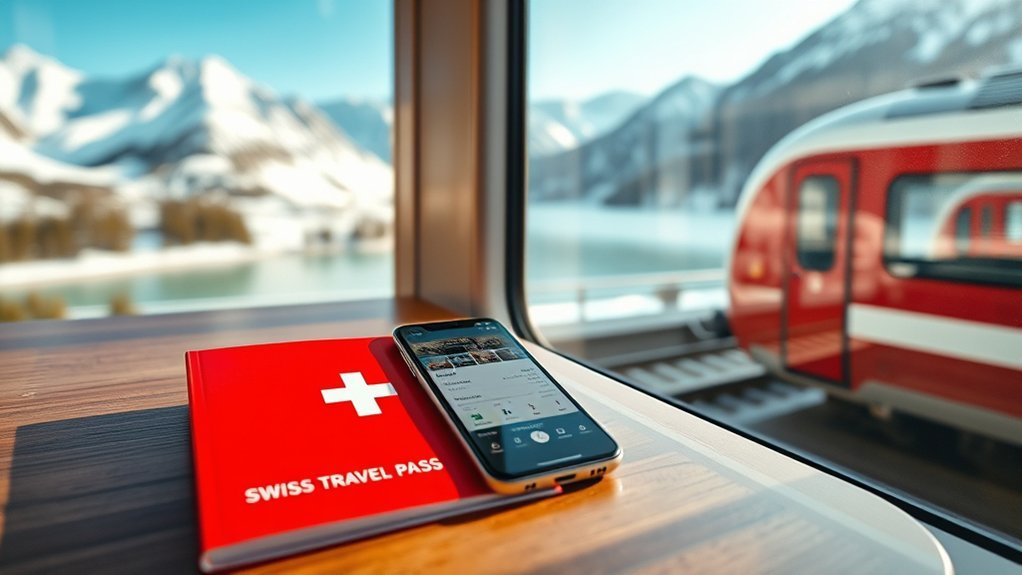
For adults aged 25 and over, the official 2026 Swiss Travel Pass prices published by Switzerland Tourism are:
| Duration | 2nd Class | 1st Class |
| 3 days | CHF 254 | CHF 405 |
| 4 days | CHF 309 | CHF 492 |
| 6 days | CHF 399 | CHF 634 |
| 8 days | CHF 439 | CHF 697 |
| 15 days | CHF 499 | CHF 778 |
The standard pass is valid on 3, 4, 6, 8, or 15 consecutive days. A valid day is based on the calendar rather than a rolling 24-hour period. The pass is valid from midnight on the first day until 5:00 AM on the day after the final valid day.
According to Switzerland Tourism, major benefits include:
- Unlimited travel on covered trains, buses, and boats.
- Public transportation in more than 90 Swiss towns and cities.
- Travel on premium panoramic trains, although reservations and/or supplements can still be required.
- Free admission to more than 500 participating museums.
- Included mountain excursions to Rigi, Stanserhorn, and Stoos.
- Up to 50% off many other mountain excursions.
The pass is intended for people whose permanent residence is outside Switzerland and the Principality of Liechtenstein. Always check the official area-of-validity information for a specific mountain railway, cableway, or cross-border route rather than assuming every segment is fully included.
Swiss Family Card
Parents using an eligible Swiss Travel System ticket can request the complimentary Swiss Family Card. Children aged 6 to 15 can travel free when accompanied by at least one parent holding the qualifying pass. Children under 6 generally travel free when accompanied by a holder of a valid Swiss Travel System ticket.
How to Use the Swiss Travel Pass on Board
There is usually no need to scan your Swiss Travel Pass at a gate before every train. Instead, keep the valid ticket ready for inspection.
- Open the Swiss Travel Pass in SBB Mobile if it is linked to your account, or open the valid QR/e-ticket supplied with your purchase.
- Turn up your screen brightness if the QR code is difficult to scan.
- Present the ticket when the conductor or inspector asks for it.
- Carry valid identification that matches the passenger information on your pass. For international visitors, a passport or recognized official identity document is the safest choice.
- Check before departure whether the particular panoramic or international service requires a seat reservation or supplement.
The standard Swiss Travel Pass uses consecutive calendar days whether you make ten journeys that day or none. If you need non-consecutive travel days, the separate Swiss Travel Pass Flex is designed for that purpose.
A Swiss Travel Pass covers transportation on a large network, but “covered route” does not always mean “no extra charge.” Premium trains can still require a separate reservation or supplement.
Why SBB Mobile Makes Digital Ticket Management Easier
SBB Mobile keeps eligible tickets and travel information in one place, which is more useful to a rail traveler than carrying loose printouts for every ordinary journey.
- You can view active eligible tickets under Tickets & Travelcards.
- You can check schedules and journey details from the same app.
- You can buy many domestic tickets without visiting a ticket machine.
- You can store passenger information for future purchases.
- On iPhone, eligible purchased SBB tickets can be added to Apple Wallet.
SBB currently states that its apps do not support Google Wallet. Android users should therefore keep eligible tickets in SBB Mobile or use the official electronic ticket supplied with the purchase rather than assuming it can be transferred to Google Wallet.
A physical travel wallet can still be useful for your passport, cards, cash, and printed backup ticket. If you carry one, avoid filling it with expired tickets, duplicate cards, or bulky receipts that make important documents harder to reach. RFID protection can be a feature of some physical wallets, but it is unrelated to SBB’s digital-ticket system.
When the Swiss Travel Pass Is Worth It
The Swiss Travel Pass is most attractive when you plan to travel frequently across different parts of Switzerland during a short period. Its value is not limited to train fares because eligible boats, city transport, museums, and mountain discounts can also reduce your total trip cost.
It can make sense when you:
- Travel between several cities or regions on most pass days.
- Want the flexibility to change trains without pricing every ordinary covered journey separately.
- Plan to use lake boats and local public transport as well as intercity trains.
- Will visit several participating museums.
- Plan mountain excursions that are included or discounted.
It may be less economical if you stay in one location, take only a few long-distance trains, or have several days with little public-transport use. In that situation, compare the cost of your likely journeys against point-to-point tickets, Saver Day Passes, the Swiss Half Fare Card, and relevant regional passes.
Do not assume that a pass is automatically cheaper simply because it offers unlimited covered travel. Build a rough itinerary first, then compare the major fares and mountain trips you expect to use.
Seat Reservations and Backup Ticket Tips
Most ordinary Swiss trains do not require you to reserve a seat just because you hold a Swiss Travel Pass. The important exceptions are particular premium panoramic and international services where reservations or supplements may be compulsory.
Reservation-Required Routes
The original CHF 5 rule does not apply to every scenic train. The reservation system depends on the service.
| Service | Reservation | With Swiss Travel Pass |
| Glacier Express | Mandatory | Base journey is covered, but the reservation is extra. The operator currently lists CHF 54 for its standard 1st/2nd-class seat reservation; check the current price when booking. |
| Bernina Express panoramic train | Mandatory | Swiss Travel Pass can cover the eligible base fare, but the panoramic-seat reservation/supplement must be booked separately. |
| Regional trains on the Bernina Line | Optional | RhB currently offers an optional seat reservation for CHF 5 per person. This is not the same product as the panoramic Bernina Express reservation. |
Other premium services, including the Gotthard Panorama Express and Palm Express, can also have reservation or supplement requirements. Check the exact service before travel because reservation rules and prices can change.
Backup Ticket Strategy
A simple backup plan can prevent a dead phone from becoming an expensive problem.
- Keep the original ticket email or PDF available offline.
- If practical, carry an A4 printout of an electronic pass.
- Charge your phone before long travel days.
- Carry a small power bank if you depend heavily on digital tickets.
- Keep your official identification separate from the phone so you can present both when requested.
- Save reservation confirmations for panoramic trains with the main ticket information.
If an eligible Swiss Travel Pass does not appear in SBB Mobile, first confirm that you are signed in with the exact SwissPass login used to buy it. If you purchased as a guest or through another seller, do not expect SBB Mobile to import it afterward; use the issued e-ticket instead.
Frequently Asked Questions
Is there really an SBB app called Swiss Wallet?
No. The official app discussed here is SBB Mobile. SwissPass Mobile is another official feature, but it refers to displaying eligible SwissPass travelcards digitally and should not be confused with the tourist Swiss Travel Pass.
Why is my Swiss Travel Pass not showing in SBB Mobile?
A common reason is that the pass was purchased as a guest, through another seller, or with a different login. SBB says a standard Swiss Travel Pass must be purchased while signed in with the relevant SwissPass login for it to appear in SBB Mobile. Swiss Travel Pass Flex cannot currently be integrated into the app.
Can I show my Swiss Travel Pass on my phone?
Yes. Depending on how it was purchased, you may show it through SBB Mobile or use the valid electronic ticket and QR code supplied with the purchase. Keep the complete valid ticket available for inspection and carry matching identification.
Can I put SBB tickets in Apple Wallet or Google Wallet?
SBB supports adding eligible purchased tickets to Apple Wallet on iPhone. SBB currently states that SBB Mobile and SBB Preview do not support Google Wallet, so Android users should keep tickets in the official app or use the issued electronic ticket.
Is it worth getting a Swiss rail pass?
It can be worth it if you travel long distances on many consecutive days and use included boats, city transport, museums, or mountain benefits. For a lighter itinerary, compare the Swiss Travel Pass with individual fares, Saver Day Passes, a Swiss Half Fare Card, and regional passes before buying.
Does the Swiss Travel Pass include the Glacier Express?
The Swiss Travel Pass covers the eligible Glacier Express transportation fare, but the Glacier Express requires a separate mandatory seat reservation. The reservation is not included with the pass.
What do Gen Z travelers use instead of a physical wallet?
Many travelers use mobile-payment services and digital tickets for everyday purchases and transport. However, Switzerland travelers should still carry any physical identification required for their ticket and should not rely on a phone alone if a dead battery would leave them without access to the pass.
What should not be kept in a travel wallet?
Avoid carrying unnecessary cards, expired tickets, large amounts of cash, and bulky receipts. Keep your active ticket, identification, payment method, and essential travel documents easy to reach, and keep a digital or printed ticket backup where appropriate.
Conclusion
The easiest way to manage Swiss rail tickets digitally is to use the official SBB Mobile system rather than looking for a separate “Swiss Wallet” app. If you want a standard Swiss Travel Pass inside SBB Mobile, buy it while signed in with the correct SwissPass login. If you buy as a guest, keep the issued QR ticket handy, and remember that Swiss Travel Pass Flex follows a different digital process.
Before a scenic journey, check the reservation rules separately. Your Swiss Travel Pass may cover the train fare while the seat reservation still costs extra. With the correct ticket, matching ID, and a simple backup plan, you can travel across Switzerland without depending on paper for every journey.
Sources
- SBB — Buy Swiss Travel Pass Online — app integration, login purchases, guest purchases, Flex limitation, and current SBB prices.
- SBB — SBB Mobile Functions — official app features and digital ticket management.
- Switzerland Tourism — Swiss Travel Pass — 2026 fares, eligibility, validity, museums, public transport, family benefits, and mountain coverage.
- Glacier Express — Prices and Reservations — mandatory reservation and current reservation pricing.
- Rhaetian Railway — Bernina Express — panoramic Bernina Express ticket and reservation requirements.
- Rhaetian Railway — Bernina Line Reservations — optional CHF 5 reservations on regional Bernina Line trains.

