

Last Updated on July 30, 2026 by Ethan Caldwell
A good multi-stop route planner does more than draw a line between addresses. It puts stops in a practical order, accounts for schedules and service time, and gives you a route that can be checked before you drive. The best choice depends on your number of stops, vehicle type, traffic needs, and whether you are planning a road trip, sales day, service route, or delivery run.
Quick Answer
Choose a multi-stop route planner by comparing its stop limit, route-optimization features, traffic support, import options, time-window controls, and sharing tools. Google Maps suits short personal trips, while RouteXL, MapQuest, MyRouteOnline, Badger Maps, and Routific serve different business and higher-volume needs.
Key Takeaways
- Match the planner to your real stop count and use case instead of choosing by brand name alone.
- Route optimization rearranges stops; ordinary navigation may only follow the order you entered.
- Add service times, appointment windows, breaks, and vehicle limits before optimizing the route.
- Check every mapped address and review the route manually before sharing it with a driver.
- Set up navigation before driving and pull over safely before making manual route changes.
At a Glance
| Time Required | About 10–20 minutes for a small route; longer for large imports or multiple drivers |
| Difficulty | Easy for basic trips; moderate when using time windows, capacity limits, or several drivers |
| Tools Needed | A verified address list, route-planning website or app, and a phone or GPS device |
| Cost | Free for many short routes; paid plans are usually needed for larger routes, teams, tracking, or advanced constraints |
Disclosure: As an Amazon Associate I earn from qualifying purchases. Some links on this page are affiliate links, at no extra cost to you.
How Multi-Stop Route Planning Works
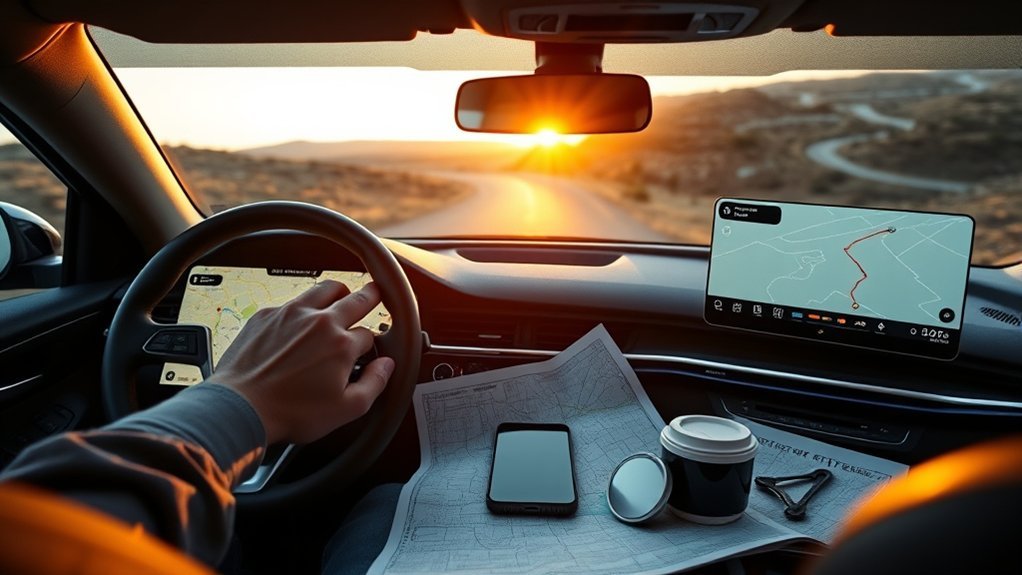
Route planning means creating a path that visits a group of locations. Route optimization goes a step further by calculating a more efficient stop order based on goals such as drive time, distance, schedules, or vehicle limits.
This difference matters. A basic navigation app may guide you through stops in the order you entered them, while an optimizer can rearrange those stops to reduce backtracking. The mathematically shortest route is not always the most practical one, however. A customer who opens at 10 a.m., a fixed lunch break, or a delivery that must arrive before noon can change the best sequence.
The fastest-looking route is only useful when it also respects opening hours, appointment windows, service time, and vehicle restrictions.
Tools such as RouteXL let you type addresses, select map locations, or import stops. RouteXL currently offers free routes with up to 20 addresses and supports features such as time windows and pickup-and-delivery constraints on supported plans or interfaces.
How to Pick the Best Route Planner
Start with the job you need to complete. A traveler visiting six attractions has different needs from a courier assigning 300 deliveries across several drivers. Compare the following before creating an account or uploading a spreadsheet:
- Stop limit: Check whether the limit counts the starting point, final destination, or every address.
- True optimization: Confirm that the tool can reorder stops automatically rather than simply display them.
- Scheduling controls: Look for service time, appointment windows, breaks, fixed stops, and route-duration limits.
- Traffic handling: Find out whether traffic affects the initial plan, live navigation, automatic rerouting, or only estimated arrival times.
- Vehicle support: Delivery fleets may need capacity, driver, depot, pickup, or vehicle-specific restrictions.
- Import and export: Check spreadsheet formats, mobile-app handoff, GPS export, printing, and driver sharing.
- Team features: Dispatch, proof of delivery, tracking, customer alerts, and CRM connections may require a business platform.
- Data handling: Review the privacy policy before uploading customer names, addresses, phone numbers, or delivery notes.
| Planner | Current Capacity or Limit | Best Fit | Useful Features |
|---|---|---|---|
| Google Maps | Up to nine stops, including the final destination; the starting point is separate | Short personal trips and simple errands | Live navigation, traffic information, alternate routes, and manual stop reordering |
| RouteXL | Free for up to 20 addresses; higher limits are available through upgrades | Small delivery, collection, service, and leisure routes | Stop optimization, bulk import, time windows, pickup and delivery points, and multiple rounds |
| MapQuest Route Planner | Up to 26 locations | Free small-business routes, road trips, and errands | Time- or distance-based optimization, spreadsheet import, round trips, printing, and route preferences |
| MyRouteOnline | Plan-dependent limits of up to 350, 500, or 1,000 stops | Larger delivery, service, and multi-driver operations | Excel import, time windows, service time, workload balancing, multi-route planning, and mobile or GPS export |
| Badger Maps | Limits and record capacity depend on the paid plan | Outside sales and field teams | Route planning, territory mapping, mileage tracking, customer records, lead tools, and CRM connections |
| Routific | Capacity depends on the selected delivery plan and order volume | Delivery teams that need dispatch and driver workflows | Route optimization, driver applications, live tracking, proof of delivery, and customer notifications |
Note: Stop limits, trial terms, prices, and integrations can change. Confirm the current plan details on the provider’s official website before building a recurring workflow around it.
Older comparison articles may also mention tools such as EZRoutePlanner or describe a planner as having “unlimited” stops. Verify that the service is still active and check its current limits, export process, support options, and privacy terms before uploading business or customer data.
Add Stops by Map, App, or Import
You can add stops by typing them, selecting points on a map, pasting a list, or importing a spreadsheet. The fastest option depends on the size and quality of your address list.
Add stops your way—type addresses, click the map, or import a clean list for faster planning.
- Type addresses: Best for a short trip with only a few known locations.
- Click or drop map pins: Useful for trailheads, entrances, job sites, or places without a dependable street address.
- Copy and paste: A quick option when each address is already on a separate line.
- Import a spreadsheet: Best for many stops, customer records, service times, or appointment windows.
Clean the data before importing it. Use complete street addresses, include postal codes when possible, and keep unit numbers in a separate field if the planner supports one. Remove blank rows and duplicate stops. If the spreadsheet includes names or phone numbers, upload only the fields the planner needs.
Pro Tip: Add a short location note such as “rear loading dock” or “south entrance” after confirming the map pin. A correct street address can still lead a driver to the wrong side of a large property.
Step-by-Step: Plan an Efficient Multi-Stop Route
-
Prepare the stop list. Confirm each address, remove duplicates, and separate optional stops from required ones.
-
Choose the start and finish. Decide whether the driver returns to the starting point, finishes at a depot, or ends at the final customer.
-
Add fixed commitments. Mark stops that must remain first, last, or at a set time.
-
Enter service times and windows. Include realistic time for parking, loading, paperwork, meetings, repairs, or customer handoff.
-
Add breaks and vehicle limits. For business routes, include driver breaks, route-duration limits, capacity, and pickup-before-delivery requirements where supported.
-
Choose the optimization goal. Select shortest time, shortest distance, balanced driver workloads, or another available objective.
-
Run the optimizer. Let the tool arrange the stops, then review any warnings about unrecognized addresses or impossible time windows.
-
Inspect the route manually. Look for unnecessary crossings, wrong map pins, restricted roads, ferries, tolls, and unrealistic travel times.
-
Export or share it. Send the final route to the driver’s approved navigation app, print a backup, or share a secure route link.
-
Check conditions before departure. Review traffic, closures, weather, and customer changes shortly before the trip begins.
Compare the Features That Save Time

The largest stop count is not always the most valuable feature. A planner that accepts 1,000 addresses but cannot handle your delivery windows or driver workflow may be less useful than a smaller tool with the right controls.
Time Windows and Service Time
A time window tells the planner when a stop can be visited. Service time tells it how long the driver is likely to remain there. For example, a route should not schedule a 30-minute repair appointment at 9:50 a.m. when the next customer is 20 minutes away and expects service at 10 a.m.
MyRouteOnline documents spreadsheet-based time windows, while RouteXL supports time-window and pickup-and-delivery constraints. These features are especially useful for couriers, service technicians, health visits, and scheduled sales calls.
Multiple Drivers and Workload Balancing
Businesses with several drivers should look beyond a single optimized line on a map. A useful multi-route system should divide stops among drivers, respect shift lengths, balance workloads, and preserve required pickup or delivery relationships.
Traffic, Tracking, and Rerouting
These terms do not mean the same thing:
- Traffic-aware planning uses current or historical traffic when estimating a route.
- Live navigation provides turn-by-turn guidance during the trip.
- Automatic rerouting changes the active route when conditions change.
- Driver tracking shows a dispatcher or customer where the driver is.
Check which features are included in the exact plan you are considering. Some optimizers pass the finished stop sequence to Google Maps, Waze, TomTom, Garmin, or another navigation system instead of providing live navigation themselves.
Printing, Sharing, and Proof of Delivery
Printing is useful when phone reception is unreliable or a driver needs a simple backup. Delivery businesses may also need route links, QR codes, driver apps, customer notifications, signatures, photos, barcode scanning, or proof of delivery. These operational features are normally found in paid delivery platforms rather than basic consumer map apps.
Get Faster Driving Directions
Faster directions start before the vehicle moves. Add all known stops, set the route constraints, and review the result while parked. Turn on spoken directions and mount the phone where local law allows so the screen does not need to be handled during the trip.
- Check the first few turns before leaving.
- Confirm that the app is using the correct vehicle or travel mode.
- Review toll, highway, ferry, and unpaved-road preferences.
- Download offline map data when the navigation app supports it.
- Carry a charging cable or power bank for long driving days.
- Pull over safely before making a manual change to the route.
Warning: Do not type addresses, reorder stops, or scroll through route-planning apps while driving. The National Highway Traffic Safety Administration includes navigation-system interaction among activities that can take attention away from safe driving. Park in a safe place before making manual changes.
Use Route Planner Tools More Effectively
Use the planner for the work it handles well, but do not accept every result without review. An optimizer works from the addresses and rules it receives. A missing apartment number, wrong postal code, unrealistic five-minute service time, or forgotten appointment window can make an efficient-looking route unusable.
- Save common starting points: Store your home, office, warehouse, or depot when the service allows it.
- Create reusable spreadsheet columns: Keep separate fields for address, service time, time-window start, time-window end, notes, and order size.
- Use realistic buffers: Allow time for parking, security desks, elevators, loading docks, signatures, and delays.
- Lock critical stops: Keep appointments or high-priority pickups fixed when the software supports this option.
- Review route totals: Compare total distance, drive time, service time, and expected finish time.
- Re-optimize only when needed: A last-minute cancellation may justify a new sequence, but unnecessary changes can confuse drivers and customers.
- Keep software current: Update the browser or mobile app and allow the permissions needed for maps, location, and navigation.
Note: Avoid uploading sensitive customer notes, access codes, medical details, or unnecessary contact data. Review the provider’s privacy and retention terms, especially when routes contain home addresses.
Avoid Common Route Planning Mistakes

Even a well-optimized route can fail when the inputs are incomplete. Check these common problems before sending a driver onto the road:
- Using incomplete addresses: Add the city, state or region, postal code, and country when needed.
- Skipping the map-pin review: Confirm entrances for shopping centers, campuses, apartments, hospitals, and industrial sites.
- Forgetting service time: Driving time alone does not show when the route will finish.
- Creating impossible time windows: Leave enough travel time between fixed appointments.
- Ignoring the return trip: Include the depot or home destination when the driver must return.
- Choosing the wrong objective: The shortest distance may use slow roads, while the fastest route may include tolls.
- Assuming all planners use live traffic: Verify whether traffic affects planning, navigation, or both.
- Trusting the route without a visual check: An unusual stop sequence may reveal a bad address or map pin.
- Changing the route while driving: Make manual edits only after parking safely.
- Using car navigation for a restricted vehicle: Standard planners may not account for bridge height, road weight limits, axle restrictions, hazardous materials, or commercial-vehicle rules.
Warning: Drivers of trucks, oversized vehicles, buses, RVs, or vehicles carrying regulated materials should use navigation designed for their vehicle and verify official road restrictions. A general car route can direct an unsuitable vehicle onto a restricted or unsafe road.
Troubleshoot Route Planner Problems
The Planner Cannot Find an Address
Check spelling, abbreviations, postal codes, and country settings. Remove delivery instructions from the address field and place them in a notes field. If the property is new or rural, use coordinates or select the correct map pin when the planner supports it.
The Route Crosses the Same Area Twice
Look for a fixed appointment, time window, one-way road, pickup-before-delivery rule, or incorrectly mapped stop. Temporarily remove constraints one at a time to identify which rule is forcing the detour.
The Expected Finish Time Is Unrealistic
Confirm that service time is included for every stop. Add breaks, loading time, parking time, and a delay buffer. Traffic estimates cannot account for every queue, security check, customer conversation, or building-access problem.
The Spreadsheet Import Fails
Save the file in a supported format, remove merged cells and blank header rows, and use clear column names. Test a small group of addresses first. If the small import works, check the remaining rows for unusual characters, formulas, or missing address data.
The Route Has Too Many Stops
Split the work by area, day, driver, or depot, or move to a plan with a higher stop limit. Avoid dividing the list randomly because that can create overlapping routes and unnecessary mileage.
Traffic or a Closure Changes the Plan
Use the connected navigation app’s safe rerouting feature when available. For a major disruption, stop in a safe place, update affected appointments, and re-optimize the remaining stops rather than rebuilding completed portions of the route.
Choose a Planner by Route Type
Road Trips and Personal Errands
Google Maps or MapQuest may be enough when you have a small number of stops and mainly need turn-by-turn navigation. Check the stop limit before building a long itinerary, and divide multi-day trips into manageable daily routes.
Small Delivery or Service Routes
RouteXL and MapQuest are practical starting points when you need basic stop optimization without a full dispatch system. Compare their current limits and confirm whether your route needs time windows, spreadsheet imports, or multiple drivers.
Large Delivery Operations
Look for higher stop capacity, driver assignment, route balancing, live tracking, proof of delivery, customer notifications, and reporting. MyRouteOnline and Routific are examples of platforms aimed at more structured delivery or fleet workflows.
Outside Sales and Territory Work
Badger Maps is designed around field sales, customer records, territories, mileage, leads, and CRM-connected workflows. It is a more specialized choice than a basic road-trip planner.
Frequently Asked Questions
Can ChatGPT optimize routes?
ChatGPT can help clean an address list, identify useful constraints, compare route-planning tools, or format information for a spreadsheet. It should not replace a dedicated routing and navigation system for live directions. Check the resulting addresses, stop order, travel times, and road restrictions in a current mapping tool because ChatGPT can produce incorrect information.
What app finds the most efficient route?
There is no single best app for every route. RouteXL and MapQuest suit many smaller routes, Google Maps works well for short personal trips, MyRouteOnline supports larger stop lists, Badger Maps focuses on field sales, and Routific serves delivery operations. The best option is the one that supports your stop count, constraints, vehicle type, and workflow.
How do I choose the best route?
Compare total travel time, distance, tolls, road restrictions, traffic, opening hours, service time, and appointment windows. Then inspect the route on the map. The best route is the one that is both efficient and practical, not automatically the one with the fewest miles.
How can I get better at route finding?
Review the full route before leaving, learn major roads and landmarks, compare alternate routes, and check where the navigation app places each stop. After the trip, note which travel-time or service-time estimates were inaccurate and use that information when planning the next route.
Does Google Maps optimize the order of multiple stops?
Google Maps lets you add and manually reorder a limited number of stops, but it is not a full delivery-route optimizer with advanced time windows, driver balancing, capacity rules, or dispatch controls. For a complex route, optimize the stop sequence in a dedicated tool and then use Google Maps for navigation when the workflow supports it.
Are there free route planners with unlimited stops?
Be cautious with the word “unlimited.” A service may limit daily optimizations, drivers, saved routes, exports, or navigation even when it does not advertise a per-route stop cap. Confirm the current plan terms and test performance with a small, non-sensitive address list before depending on the service.
Should I choose the shortest or fastest route?
Choose the fastest route when arrival time matters and the suggested roads are suitable. Choose the shortest-distance option when reducing mileage is more important and the roads will not cause major delays. Compare tolls, fuel use, road type, and vehicle restrictions before deciding.
Conclusion
The best multi-stop route planner is the one that fits your actual route, not simply the tool with the biggest advertised stop count. Confirm the limits, enter realistic service times and schedules, review every map pin, and check how traffic and navigation are handled. A few minutes of careful setup can prevent missed appointments, unnecessary mileage, and confusing directions.
Once the route is ready, share it in a format the driver can use safely and keep a backup when reception or battery life may be a problem. Recheck conditions before departure, but never manipulate the planner while the vehicle is moving.
Sources
- Google Maps Help — Get directions and show routes — confirms how multiple stops are added and counted.
- RouteXL Documentation — supports its address-import, optimization, time-window, pickup-and-delivery, and multiple-round features.
- MyRouteOnline — Plan as many as 1,000 stops — confirms current plan-dependent stop limits.
- MapQuest Help — How to add a stop — confirms support for routes with up to 26 stops.
- National Highway Traffic Safety Administration — Distracted Driving — supports the warning against manipulating navigation systems while driving.
- OpenAI Help — Does ChatGPT tell the truth? — supports verification guidance for AI-generated route information.

