
Last Updated on July 24, 2026 by Ethan Caldwell
The quickest route planner depends on how many stops you have and what the trip requires. A live-navigation app may find a fast route to one destination, while a true multi-stop optimizer can reorder dozens or hundreds of addresses. The right choice should account for traffic, stop limits, time windows, vehicle restrictions, planning time, and the type of work you do.
Quick Answer
For one destination, Google Maps or Waze can adjust your route using live traffic. For several stops, use a planner that automatically reorders them, such as RouteXL, MapQuest, MyRouteOnline, Badger Maps, or Routific. No single app is always fastest, so compare limits, traffic support, time windows, and vehicle requirements.
Key Takeaways
- Route optimization chooses the stop order, while navigation guides you between those stops.
- Google Maps allows up to nine stops, including the final destination, but you normally reorder them yourself.
- Apple Maps supports up to 14 stops where the feature is available, while Waze allows only one added stop.
- RouteXL and MapQuest are practical free choices for larger personal routes.
- Business tools add spreadsheet imports, time windows, driver assignment, tracking, and customer notifications.
- Always verify addresses, road restrictions, severe weather, and the final route before driving.
At a Glance
| Time Required | About 5 to 15 minutes for a typical personal route; longer for large fleets or complex time windows |
| Difficulty | Easy for errands and road trips; moderate for multiple drivers, delivery windows, or commercial vehicles |
| Tools Needed | Phone or computer, complete addresses, internet access, and an optional spreadsheet for a long stop list |
| Cost | Free for many simple routes; paid plans are usually needed for large stop lists, teams, tracking, or advanced constraints |
Disclosure: As an Amazon Associate I earn from qualifying purchases. Some links on this page are affiliate links, at no extra cost to you.
What Makes a Route Planner Fastest
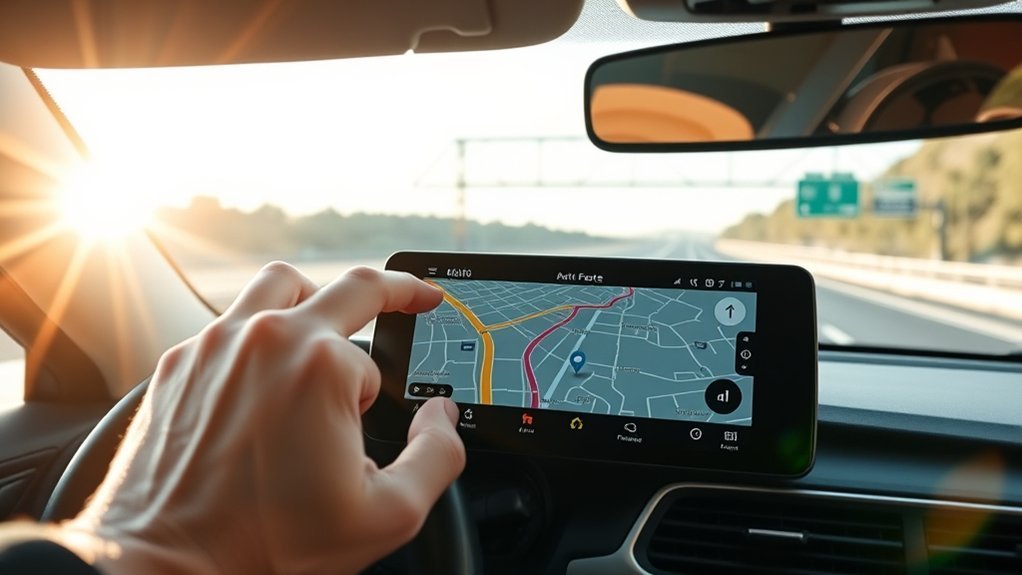
A fast route planner must solve two different problems. First, it needs to arrange your stops in an efficient order. Second, it needs to guide you between those stops while traffic conditions change.
A normal navigation app may calculate the fastest path from point A to point B, but it may not decide whether you should visit stops B, C, D, and E in a different order. A dedicated multi-stop route optimizer evaluates that sequence for you.
Fastest Route vs Shortest Route
The route with the fewest miles is not always the route with the shortest travel time. A longer highway route may be faster than a shorter route filled with traffic lights, school zones, construction, or slow city streets.
A useful planner should let you optimize for the factor that matters most:
- Travel time: Useful when appointments or delivery deadlines matter most.
- Distance: Useful when fuel, mileage, or vehicle wear is the main concern.
- Balanced routing: Useful when you want a practical mix of time and distance.
- Time windows: Necessary when a stop can only be visited during certain hours.
- Vehicle limits: Important for trucks, RVs, trailers, and restricted commercial routes.
Accurate addresses are just as important as the algorithm. A route can look efficient on the map but still fail if an apartment entrance, rural driveway, loading dock, or business suite is pinned incorrectly.
The fastest planning setup often uses one tool to optimize the stop order and a live-navigation app to guide the driver between stops.
How Route Optimization Cuts Drive Time
Route optimization reduces unnecessary driving by comparing possible stop sequences and limiting backtracking. The exact savings depend on your starting route, local roads, traffic, number of stops, and scheduling constraints, so a fixed percentage does not apply to every trip.
| Optimization Feature | Possible Benefit |
|---|---|
| Better stop order | Less backtracking and repeated road use |
| Traffic-aware navigation | Rerouting around current delays when reliable alternatives exist |
| Spreadsheet import | Less manual address entry and fewer typing errors |
| Service times and time windows | More realistic ETAs and fewer missed appointments |
| Multiple-driver assignment | Better workload distribution and less route overlap |
To measure whether a planner actually helps, compare the same type of route before and after using it. Track total mileage, drive time, planning time, late arrivals, missed stops, and fuel use for at least several working days. This gives you a more reliable result than a general savings claim.
Free vs Paid Route Planners
A free route planner may be enough for errands, sightseeing, or occasional service visits. Paid planners become more useful when you need many stops, recurring routes, customer records, driver assignment, delivery windows, tracking, or proof of delivery.
Useful Free and Consumer Options
- Google Maps: Supports up to nine stops, including the final destination. You can drag stops into a different order, but the normal consumer interface does not automatically find the best order for the full list. It uses real-time traffic during navigation. See the official Google Maps directions guide.
- Apple Maps: Supports up to 14 stops in a multistop driving route where the feature is available. You can manually reorder the stops. See Apple’s multistop route instructions.
- Waze: Strong for live navigation, alternate routes, traffic reports, and incidents, but it allows only one added stop before the final destination. See the official Waze stop limit.
- MapQuest Route Planner: Accepts up to 26 locations and can reorder them for shortest time or distance. See the official MapQuest Route Planner.
- RouteXL: Its free plan supports routes with up to 20 stops under its fair-use policy and automatically sorts the destinations. Paid levels support larger routes. See RouteXL’s official plan documentation.
When a Paid Planner Makes Sense
Consider a paid planner when your route has more stops than a free tool allows or when the trip involves business rules that a basic navigation app cannot manage.
- Multiple drivers or vehicles
- Customer delivery windows
- Different service times at each stop
- Recurring routes
- Proof of delivery
- Live driver tracking
- Customer ETA notifications
- CRM or dispatch-system integration
- Truck-specific road restrictions
Note: Stop limits, prices, trials, and included features can change. The limits in this article were checked in July 2026. Review the provider’s current plan page before subscribing.
Do not assume a subscription will automatically save more money than it costs. Compare the monthly fee with your measured reduction in mileage, planning time, overtime, missed appointments, and failed deliveries.
Plan Multiple Stops the Smart Way

You can get a better route by preparing the stop list before pressing the optimize button. Use the following process for errands, appointments, service calls, sales visits, or deliveries.
1. Clean and Verify Every Address
Include the street number, apartment or suite, city, state or province, postal code, and country when needed. Check any address that appears in the wrong place on the map. A small geocoding error can send a driver to the wrong entrance or the opposite side of a large property.
2. Set the Correct Start and Finish
Choose whether the route should start from your home, office, depot, hotel, or current location. Also decide whether it should end at the final customer, return to the starting point, or finish somewhere else.
3. Add Realistic Stop Times
A route containing ten five-minute stops is very different from one containing ten 30-minute appointments. Add loading, parking, paperwork, breaks, and service time where the planner allows it.
4. Add Time Windows and Priority Stops
Mark appointments that must happen first, last, before a deadline, or during a specific window. Do not let the software move a fixed appointment simply because another sequence is shorter.
5. Import a Spreadsheet for Long Lists
Typing dozens of destinations by hand increases the risk of skipped stops and spelling errors. RouteXL, MyRouteOnline, Circuit, Routific, and other business planners offer some form of bulk import or spreadsheet workflow. Confirm the accepted file types and column format before uploading.
6. Optimize and Inspect the Result
Review the route on the map instead of accepting it blindly. Look for unnecessary crossings, toll roads, ferries, difficult turns, restricted roads, border crossings, and unrealistic travel times.
7. Send the Route to the Driver
Some planners include navigation. Others export the optimized stop order to Google Maps, Apple Maps, Waze, a driver app, or a GPS device. Confirm how many stops the navigation app can receive at one time.
8. Reoptimize When the Day Changes
Recalculate the route when a customer cancels, a driver falls behind, a road closes, or a new urgent stop appears. A route that was efficient at 8:00 a.m. may not remain efficient during afternoon traffic.
Pro Tip: Test two planners with the same addresses, starting location, departure time, and route goal. Compare the complete route, not just the ETA to the first stop.
How Maps, Traffic, and GPS Help
Live-navigation apps use current or recently reported conditions to estimate travel time and suggest alternate routes. Google Maps states that it uses real-time traffic information to find a route and can notify you when a better route becomes available. Waze also provides alternate-route suggestions and community-supported incident reports.
- Compare alternate routes before departure
- Reroute when congestion or a closure affects the current path
- Receive updated arrival estimates
- Find fuel, food, parking, or charging stops
- Download offline maps where the navigation app supports them
However, live traffic does not make a route perfect. Reports may be delayed, a road may have changed recently, or a closure may not yet appear. Follow road signs, legal restrictions, police directions, and local authority instructions even when they conflict with the app.
Warning: Set up and edit the route while parked. The National Highway Traffic Safety Administration identifies interaction with navigation systems as a potential driving distraction.
Traffic Information Is Not the Same as Weather-Safe Routing
Some mapping apps display flood, wildfire, storm, or crisis information, but you should not assume that every recommended route is safe during severe weather. In the United States, check the National Weather Service and the relevant state 511 service. Outside the United States, use your national or local weather and road authority.
Use the Right Navigation for Your Vehicle
Consumer car-navigation apps may not account for bridge height, vehicle weight, trailer restrictions, hazardous materials, or commercial-road rules. Google states that oversized vehicles are not the intended users of its normal navigation feature.
Truck, bus, and large-RV drivers should use a product that supports the vehicle’s height, width, weight, axle count, and legal restrictions. Even then, confirm posted signs and official route requirements.
Choose the Best Route Planner by Use Case
The quickest route planner is the one designed for your type of trip. A delivery dispatcher needs different tools from a tourist or an outside sales representative.
| Planner | Best Use | Important Limit or Feature |
|---|---|---|
| Google Maps | Daily navigation and small manually ordered routes | Up to nine stops including the final destination; live traffic |
| Apple Maps | Apple users planning a small road trip or errand route | Up to 14 stops where supported; manual stop ordering |
| Waze | Live navigation to one main destination | Only one added stop per destination |
| MapQuest Route Planner | Free personal and small-business routes | Up to 26 locations with stop reordering |
| RouteXL | Errands, collections, service calls, and simple deliveries | Up to 20 stops free; larger 100- and 200-stop plans are available |
| MyRouteOnline | Large address lists and recurring business routes | Current plans list 350, 500, or up to 1,000 addresses per run |
| Badger Maps | Outside sales and CRM-based account visits | CRM integration and route optimization with up to 120 stops on its listed business plan |
| Routific | Multi-driver local delivery operations | Driver assignment, time windows, live tracking, ETAs, and customer notifications |
| Google My Maps | Visual trip planning, saved places, layers, and shared custom maps | Useful for organizing an itinerary, but not a live automatic stop-order optimizer |
Best for Personal Errands
RouteXL or MapQuest can automatically reorder more stops than the basic consumer map apps. Google Maps and Apple Maps remain useful when you only have a small list and are willing to arrange it manually.
Best for Road Trips
Use Google My Maps to organize attractions, hotels, restaurants, and notes visually. Use Google Maps or Apple Maps for live navigation. For a trip with many daily stops, optimize each day separately instead of creating one oversized route.
Best for Outside Sales
Badger Maps is designed around customer accounts, territory mapping, CRM data, calendars, and sales visits. MyRouteOnline can also work when your main need is importing and sequencing a large address list.
Best for Couriers and Delivery Teams
Routific is more closely aligned with dispatch, multiple drivers, delivery windows, live tracking, and customer notifications. Solo drivers may also consider dedicated driver route-planning apps such as Circuit, depending on current pricing and feature availability.
Best for Very Large Stop Lists
MyRouteOnline’s current pricing page lists 350 addresses per run on Classic and Premium, 500 on Professional, and up to 1,000 on Business. Confirm credit rules, user limits, and export options before choosing a plan.
Avoid Common Route Planning Mistakes
A route can fail even when the software works correctly. Avoid these common planning mistakes before you leave.
- Using incomplete addresses: Include postal codes, unit numbers, and city or state details.
- Ignoring service time: Add realistic time for parking, loading, paperwork, and customer contact.
- Forgetting the return trip: Specify whether the route ends at the final stop or returns to the start.
- Mixing fixed and flexible appointments: Lock time-sensitive stops before optimization.
- Trusting every map pin: Check unusual, rural, new, or multi-entrance properties.
- Ignoring stop limits: Confirm how many destinations the planner and navigation app can each handle.
- Optimizing too early: Recalculate close to departure if traffic has changed.
- Using car navigation for a truck: Choose a commercial-routing product when vehicle restrictions matter.
- Editing while driving: Pull over safely or let a passenger make changes.
- Uploading sensitive data carelessly: Review the provider’s privacy, retention, user-access, and account-security settings before importing customer addresses.
Troubleshooting a Poor Optimized Route
If the suggested route looks wrong, check the following before switching products:
- Confirm that every map pin is in the correct location.
- Check whether the planner is optimizing for time, distance, or a round trip.
- Remove accidental duplicate stops.
- Verify the starting point, ending point, and departure time.
- Review time windows and priority settings that may force a longer route.
- Check toll, ferry, highway, and vehicle-avoidance settings.
- Reoptimize after correcting the data.
- Compare the result with a second planner using the same inputs.
Frequently Asked Questions
Can ChatGPT optimize routes?
ChatGPT can help clean an address list, identify planning constraints, compare route-planning tools, and suggest a possible stop sequence. However, you should verify the result in a current mapping or route-optimization service. Do not rely on a text answer as live turn-by-turn navigation, traffic guidance, or confirmation that a road is legally suitable for your vehicle.
What app finds the fastest route?
There is no single fastest app for every trip. Google Maps and Waze are strong options for live navigation to one destination. RouteXL and MapQuest can reorder a moderate number of stops, while MyRouteOnline, Badger Maps, and Routific serve larger or more specialized business routes.
Is Waze really faster than Google Maps?
Not in every location or at every time. Both apps use live information and may suggest different roads because their traffic data, incident reports, and routing methods differ. Compare their ETAs in your area. Remember that Waze allows only one added stop, so it is not designed for optimizing a long list of destinations.
How do I find the fastest route to multiple locations?
Enter or import all addresses into a planner that automatically reorders stops. Set your starting point, final destination, time windows, service times, and route goal. Optimize the route, verify every map pin, inspect the roads, and then use a supported navigation app for live directions.
Does Google Maps optimize the order of multiple stops?
The normal Google Maps directions interface calculates routes in the order you enter the stops. You can manually drag destinations into a different order. Businesses and developers can use separate Google Maps Platform services that support waypoint or route optimization, but those are not the same as the standard consumer app.
Can I use a normal route planner for a truck or RV?
Use caution. A normal car-routing app may not account for bridge height, vehicle weight, road width, trailer restrictions, or commercial-road rules. Use a truck- or RV-specific routing service that accepts your vehicle dimensions, and always follow posted signs and legal restrictions.
Conclusion
The quickest route planner is not simply the app that displays the lowest first ETA. It is the tool that handles your number of stops, reorders them correctly, respects appointments and vehicle limits, and works with reliable live navigation. Use Google Maps, Apple Maps, or Waze for simpler trips, and move to RouteXL, MapQuest, MyRouteOnline, Badger Maps, or Routific when automatic stop sequencing or business features become necessary. Verify the finished route before driving and measure real results before paying for a long-term plan.
Sources
- Google Maps Help: Get Directions and Show Routes — supports the Google Maps multistop limit and manual stop-order information.
- Waze Help: Add a Stop to Your Route — confirms that Waze allows one added stop per destination.
- Apple Support: Change or Add Stops to Your Route — supports Apple Maps multistop instructions and the 14-stop limit.
- RouteXL Upgrade Documentation — supports its free and paid stop limits.
- MyRouteOnline Pricing and Plan Limits — supports the current 350-, 500-, and 1,000-address plan levels.
- National Highway Traffic Safety Administration: Distracted Driving — supports the warning about interacting with navigation systems while driving.

