
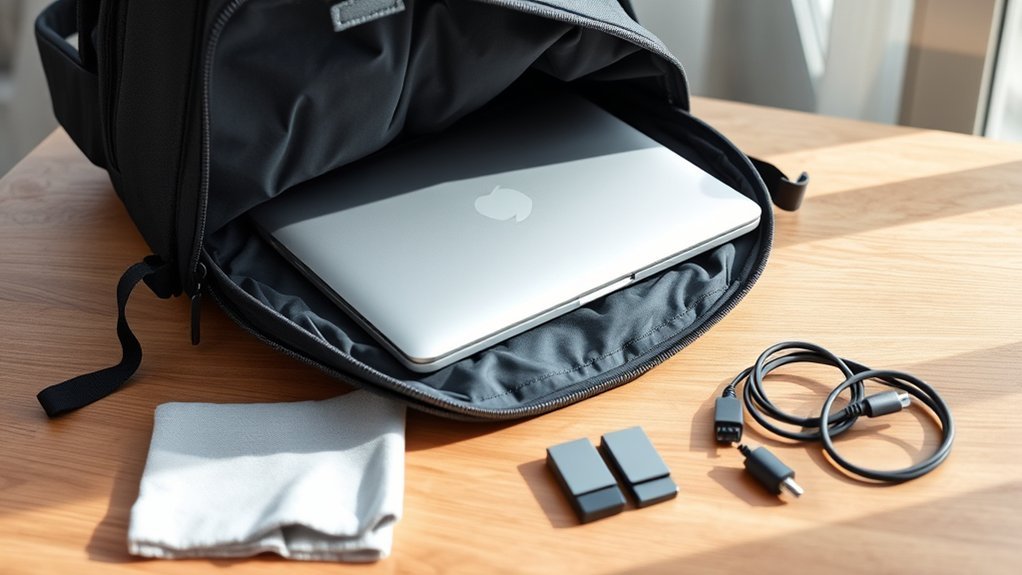
Last Updated on July 30, 2026 by Caleb Warren
Carrying a laptop in a backpack is safe when the device fits the padded compartment, cannot move or press against hard objects, and stays protected from liquids, heat, and theft. The safest setup combines a well-fitted backpack with careful packing, secure device settings, and extra attention to airline battery rules.
Quick Answer
Place your laptop in a snug, padded compartment against the backpack’s back panel. Keep chargers, hard objects, and sealed liquids in separate pockets. Do not overfill the bag. For flights, keep the laptop and all spare batteries in your carry-on whenever possible, and follow current screening instructions.
Key Takeaways
- Measure the laptop’s full width, depth, and thickness instead of relying only on its advertised screen size.
- Use a padded compartment that holds the laptop securely and keeps it above the bottom of the bag when possible.
- Pack the laptop against the padded back panel, with liquids and hard accessories in separate compartments.
- Carry laptops, power banks, and spare lithium batteries in the aircraft cabin whenever possible.
- Protect the files as well as the hardware by using encryption, strong authentication, backups, and automatic screen locking.
At a Glance
| Time Required | About 5–10 minutes to prepare and pack |
| Difficulty | Easy |
| Tools Needed | Measuring tape, padded backpack, and an optional fitted sleeve or waterproof liner |
| Cost | $0 if your current bag fits properly; otherwise the cost varies by backpack and optional accessories |
Disclosure: As an Amazon Associate I earn from qualifying purchases. Some links on this page are affiliate links, at no extra cost to you.
Choose the Right Laptop Backpack
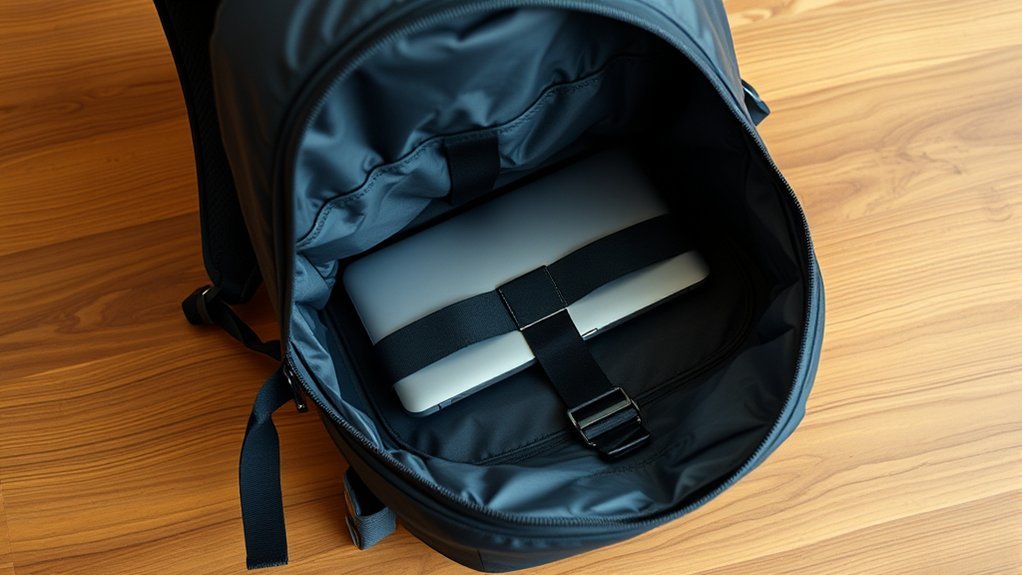
A protective laptop backpack starts with the correct fit. The compartment should hold the computer securely without forcing the zipper closed or leaving enough empty space for the device to slide from side to side.
Measure the Laptop, Not Just the Screen
A label such as “15-inch” or “16-inch” refers mainly to the screen’s diagonal measurement. It does not tell you the full width, depth, or thickness of the computer. Devices with the same screen size can have different chassis dimensions.
Measure the laptop from edge to edge in all three directions. Include any hard shell, skin, or permanently attached accessory that will remain on the device. Compare those measurements with the backpack manufacturer’s published internal laptop-compartment dimensions, not only the bag’s advertised screen-size range.
The fit should be close but not tight. You should be able to insert and remove the laptop without scraping its corners or forcing it past a narrow zipper opening.
Look for a Protective Compartment
Choose a compartment with padding on the front, back, and sides. A suspended compartment that ends above the bottom of the backpack can reduce direct contact when the bag is set down. A firm or padded base also helps, especially if the sleeve is not suspended.
The laptop area should be separate from the main cargo space. This reduces pressure from books, shoes, cameras, tools, and other dense objects. A strap, flap, or secure zipper can keep the device from sliding out when the bag is opened.
Evaluate Security, Comfort, and Travel Fit
Lockable zipper pulls, hidden openings, and cut-resistant panels may deter opportunistic theft, but they do not make a backpack theft-proof. The most effective protection is keeping the bag under your control and avoiding unattended storage in public places.
For comfort, look for two adjustable shoulder straps, back padding, and a shape that keeps the load close to your body. A sternum strap can stabilize a heavier bag. Organizational pockets should prevent chargers and accessories from pressing against the laptop.
If you plan to place the backpack under an airplane seat, compare its packed external dimensions with the operating airline’s current personal-item limit. A bag described as “compact” is not automatically accepted on every aircraft or fare.
Prepare the Laptop Before Packing
A backpack can protect the hardware, but it cannot protect unencrypted files or replace missing data. Complete these steps before a commute or trip:
- Back up important files. Use a trusted cloud service, an encrypted external backup, or both.
- Enable full-disk encryption. Modern versions of Windows, macOS, and many Linux distributions include encryption options.
- Use a strong login and automatic screen lock. Do not rely on an unlocked user account.
- Turn on the manufacturer’s device-location feature when available and appropriate for your privacy needs.
- Install important operating-system and security updates before leaving, not while rushing through an airport.
- Disconnect cables, USB drives, and adapters. A connected plug can bend and damage a port inside the bag.
- Let the laptop cool. Do not close a hot, heavily working computer and immediately seal it inside a tightly packed compartment.
For a short daily commute, sleep mode may be acceptable if the laptop reliably stays asleep and remains cool. Shut it down for flights, long periods inside the bag, tightly packed travel, or any situation in which accidental waking is possible. A laptop placed in checked baggage must be completely powered off under current FAA guidance.
Proper Packing Techniques
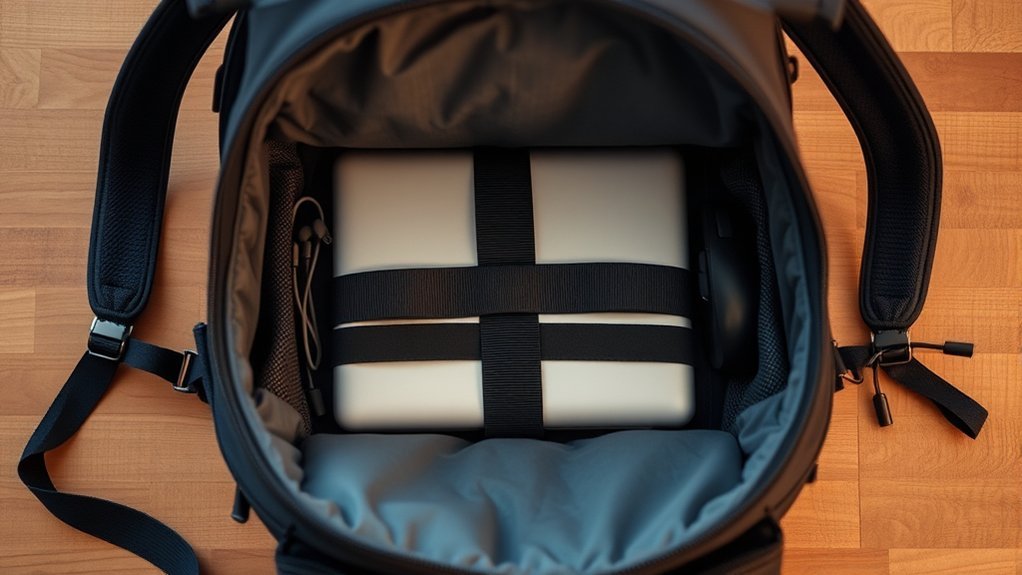
Pack the laptop so that it cannot bend, slide, or receive concentrated pressure from another object. Use this order:
- Empty and inspect the compartment. Remove coins, paper clips, grit, pen caps, and other small objects that could scratch the laptop or enter a port.
- Close the laptop fully. Confirm that nothing is trapped between the keyboard and display.
- Remove incompatible thin covers. Some manufacturers warn that keyboard, palm-rest, or camera covers can contact the display when the lid closes.
- Use a fitted sleeve when needed. A sleeve can add scratch and light-impact protection, especially in a regular backpack with limited built-in padding.
- Place the laptop in the dedicated compartment. Keep it flat against the padded panel closest to your back. Do not let it float loose at the top of the main compartment.
- Secure the compartment. Fasten its strap, flap, or zipper so the laptop cannot slide out when the bag opens.
- Separate hard accessories. Store chargers, plugs, power banks, keys, pens, and external drives in their own padded or organized pockets.
- Isolate liquids. Use tightly closed bottles in an exterior pocket or a separate leak-resistant pouch. Do not place a drink above the laptop.
- Stop before the bag becomes overfilled. If closing the backpack compresses or bends the laptop compartment, remove items or use a larger bag.
Pro Tip: Keep the laptop compartment accessible for airport screening, but protect the device by placing it against the padded back panel. Accessibility and impact protection do not require the laptop to sit loosely on top of the load.
Follow Air-Travel and Battery Rules
Carry your laptop in the aircraft cabin whenever possible. The Federal Aviation Administration recommends carrying devices with lithium batteries in carry-on baggage, where overheating, smoke, or battery expansion can be noticed and reported to the flight crew.
At a U.S. security checkpoint, keep the compartment easy to open and follow the officer’s instructions. The Transportation Security Administration’s laptop guidance explains that standard screening may require a laptop to be placed in a separate bin, while TSA PreCheck procedures normally allow it to remain in the bag. Equipment and instructions can vary by lane.
If the Bag Must Be Checked
If your carry-on is taken at the gate or placed in the cargo hold, remove the laptop when the airline permits. Also remove all power banks and spare lithium batteries. Spare batteries must remain in the cabin and should be protected from short circuits.
When a laptop with its installed battery must travel in checked baggage, it must be completely powered off and protected against accidental activation and physical damage. Do not rely on sleep or hibernation mode.
Warning: Do not fly with a laptop or battery that is swollen, damaged, recalled, unusually hot, leaking, smoking, or giving off an unusual odor. Do not press a swollen laptop into a tight compartment. Check the manufacturer, airline, FAA, and Consumer Product Safety Commission guidance before traveling.
For air travel, the safest default is to keep the laptop and spare batteries in the cabin, where a battery problem can be noticed and handled quickly.
Protect Against Environmental Factors
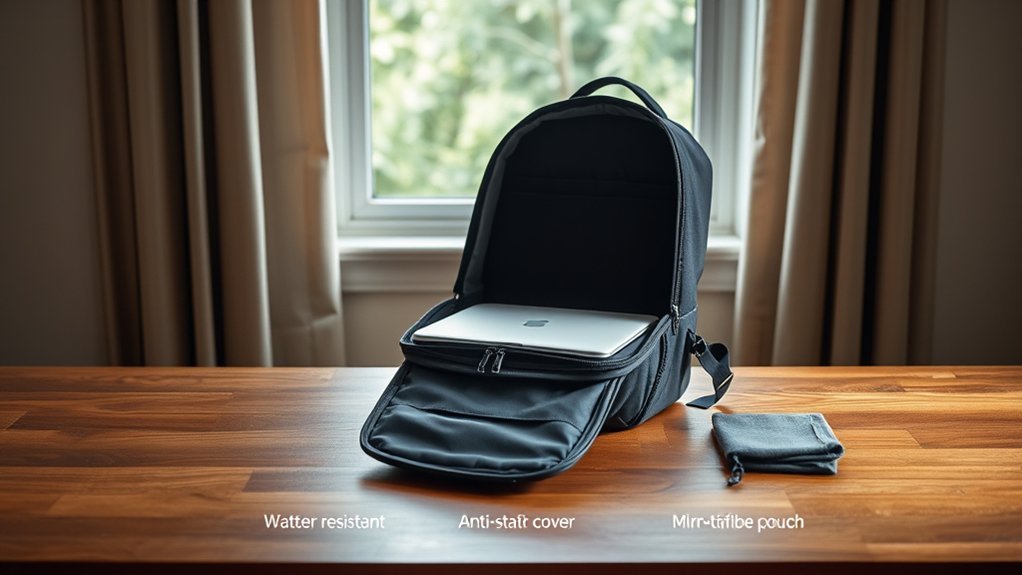
Rain and Moisture
Polyester, nylon, polyurethane coatings, and durable water-repellent treatments may help a backpack resist light rain. However, water-resistant fabric does not make the whole bag waterproof. Water can enter through zippers, seams, worn coatings, and openings.
In sustained or heavy rain, place the laptop inside a waterproof liner, roll-top dry bag, or properly sealed protective sleeve before putting it in the backpack. A fitted rain cover can protect the outside of the bag, but water may still reach the back panel or enter around shoulder straps.
Inspect the fabric, seam tape, zipper coatings, and rain cover before a trip. Replace or repair protection that is peeling, cracked, torn, or no longer repels water.
Heat, Cold, and Condensation
Avoid leaving the backpack in direct sunlight, a hot vehicle, or next to a heater. Manufacturer limits vary by model. For example, Apple’s MacBook Air handling guidance lists an operating range of 50–95°F (10–35°C) and warns users to keep loose objects away from ports and openings.
Cold can also cause problems. After carrying a laptop through very cold conditions, allow it to reach room temperature before turning it on or charging it. This reduces the chance of condensation forming on cold components.
Never operate a laptop while it is sealed inside the backpack. Use it on a stable surface with open ventilation paths.
Note: Temperature limits differ by laptop. Check the safety and handling section of your exact model’s manual instead of applying one manufacturer’s range to every device.
Stay Aware of Your Surroundings
Physical control matters more than a decorative lock or an “anti-theft” label. Use the following habits in airports, cafés, trains, hotels, classrooms, and shared workspaces:
| Tip | What to Do | Why It Helps |
|---|---|---|
| Stay alert | Notice crowding, distractions, open zippers, and anyone reaching toward the bag. | You can react before the bag or a pocket is opened. |
| Keep it close | Keep a strap around your leg, hold the top handle, or place the bag between your feet. | Physical contact makes unnoticed removal more difficult. |
| Do not leave it unattended | Take the bag with you instead of asking a stranger to watch it. | It reduces theft, tampering, and security concerns. |
| Use secure placement | Avoid hanging it loosely over a chair or placing it in a walkway. | The bag is less likely to be taken, kicked, or crushed. |
| Conceal the contents | Close every zipper and avoid displaying the laptop unnecessarily. | It attracts less attention and prevents items from falling out. |
Protect the Data if the Laptop Is Lost
Use full-disk encryption, a strong password or passphrase, automatic screen locking, and multi-factor authentication for important accounts. Maintain a current backup that is not stored only on the laptop. The Cybersecurity and Infrastructure Security Agency recommends encryption and backups to reduce the harm caused by loss, theft, malware, or hardware failure.
Do not attach a luggage label that exposes more personal information than necessary. A phone number or protected contact method is usually more appropriate than a full home address.
Invest in Quality Protective Accessories
Accessories should address a specific risk instead of adding bulk or creating new pressure points.
- Fitted laptop sleeve: Adds scratch protection and light cushioning. It should not make the backpack compartment too tight.
- Waterproof liner or dry bag: Provides stronger moisture protection than coated backpack fabric alone.
- Screen cloth: Prevents a dirty cloth, abrasive paper, or loose cleaning item from being pressed against the display.
- Cable organizer: Keeps charger plugs, adapters, and hard connectors away from the laptop.
- Portable stand: Can make a temporary workspace more comfortable when paired with a separate keyboard and pointing device. Store it away from the laptop’s display surface.
- Tracking device: May help locate the backpack, subject to the tracker manufacturer’s instructions, local law, privacy settings, and airline battery rules.
Warning: Do not assume a thin keyboard, palm-rest, screen, or camera cover is safe to leave installed when the laptop closes. Apple specifically warns that material left between a Mac notebook’s display and top case can damage the screen. Follow the instructions for your exact device.
Carry and Handle the Backpack Carefully
Use both shoulder straps so the bag stays stable and close to your body. Adjust the straps so the backpack does not swing when you walk. A loose bag is more likely to hit a doorway, seat, railing, or another person.
Lift the bag by a reinforced handle or both straps. Do not throw it onto the floor, drop it from one shoulder, sit on it, or use it as a footrest. When placing it under a seat, check that it will not be kicked, crushed by a seat mechanism, or exposed to a leaking bottle.
Avoid stacking heavy luggage on the backpack. Padding can reduce impact, but it cannot prevent the laptop chassis or display from bending under a large load.
What to Do After a Drop or Spill
After a Hard Drop
- Remove the laptop and inspect the case, hinge, display, ports, and charger.
- Look for bulging, separation, cracking, unusual heat, chemical odor, or a distorted trackpad or keyboard.
- Do not turn on or charge a device that appears swollen or badly damaged.
- Back up important data promptly if the laptop operates normally but may have suffered an impact.
After a Spill or Wet Backpack
Remove the laptop from the wet bag, shut it down, and disconnect the charger and accessories. Do not continue charging through a wet port. Blot visible moisture from the exterior with a soft, lint-free cloth and place the device in a dry area with airflow.
Do not use an external heat source, compressed air, or a bag of rice. Apple’s liquid-detection guidance for supported Mac laptops advises shutting down, disconnecting power, allowing the device and connectors to dry, and avoiding heat, compressed air, inserted objects, and rice.
A large spill, sugary drink, salt water exposure, or liquid inside the computer may require professional service even after the exterior appears dry. Follow the manufacturer’s instructions before attempting to power it on.
Inspect and Replace the Backpack
There is no universal requirement to inspect a laptop backpack every week. Check it before a major trip, after a drop or soaking, and periodically based on how often you use it.
Replace or repair the bag when you find:
- Flattened, displaced, or missing laptop-compartment padding
- A suspended sleeve that has torn away from its supports
- A cracked or soft base that no longer protects the bottom edge
- Broken zippers or closures that allow the compartment to open
- Torn seams, damaged shoulder straps, or loose handles
- Peeling waterproof coatings or leaking seams
- A compartment that has become too tight because of a new laptop or attached case
Frequently Asked Questions
What size laptop backpack is suitable for a 15-inch laptop?
Do not choose the bag from the screen-size label alone. Measure the laptop’s width, depth, and thickness, including any attached case, and compare those figures with the backpack’s internal compartment dimensions. The fit should be secure without forcing the zipper or pressing on the corners.
Can I carry a laptop in a regular backpack?
Yes, but place it in a fitted padded sleeve and keep it against the backpack’s back panel. Make sure hard objects and liquids are stored separately. A loose laptop in an unpadded main compartment has less protection against drops, pressure, and spills.
How often should I inspect my laptop backpack?
Inspect it before a major trip, after a drop, snag, or soaking, and periodically according to use. Check the straps, handles, zippers, seams, padding, suspended sleeve, base, and water-resistant coatings. Replace or repair the bag when it can no longer hold the laptop securely.
Are specific brands known for laptop protection?
Brands such as Thule, Targus, SwissGear, Dell, Lenovo, and others sell padded laptop bags, but a brand name does not guarantee the correct fit or protection level. Compare the internal dimensions, padding coverage, suspension, base construction, closures, warranty, and any documented test claims for the exact model.
Is it safe to carry my laptop in a checked bag?
Carry-on is safer because it reduces rough handling, theft exposure, and delays in noticing a battery problem. FAA rules permit a laptop with an installed battery in checked baggage when it is completely powered off and protected against activation and damage. Spare lithium batteries and power banks must remain in carry-on baggage.
Should I shut down my laptop before putting it in a backpack?
Shut it down for flights, long periods in the bag, tightly packed travel, or whenever accidental waking is possible. Sleep mode may be acceptable for a short commute if the laptop is cool and reliably stays asleep. A laptop placed in checked baggage must be completely powered off.
How can I protect a laptop from rain inside a backpack?
Use a waterproof liner, roll-top dry bag, or sealed protective sleeve around the laptop. A rain cover can protect the backpack’s exterior, but water may still enter around the back panel, straps, zippers, or worn seams. Keep bottles in separate leak-resistant compartments.
Conclusion
To carry a laptop safely in a backpack, start with a compartment that matches the device’s physical dimensions and protects every edge. Pack the computer against the padded back panel, separate it from liquids and hard accessories, and avoid overfilling the bag. During air travel, keep the laptop, spare batteries, and power banks in the cabin whenever possible.
Physical protection is only half of the job. Back up important files, use encryption and automatic locking, and keep the backpack under your control. Careful packing cannot prevent every accident, but it can greatly reduce the most common risks from impact, pressure, moisture, heat, and theft.
Sources
- Federal Aviation Administration — Portable Electronic Devices Containing Batteries — carry-on, checked-baggage, shutdown, damaged-battery, and spare-battery guidance
- Transportation Security Administration — Laptops — U.S. checkpoint screening guidance
- Apple — Important Handling Information for MacBook Air — operating environment, carrying precautions, ports, and loose objects
- Apple — Using a Camera, Palm-Rest, or Keyboard Cover — display-clearance warning
- Apple — Liquid Detection and Drying Guidance for Supported Mac Laptops — shutdown, drying, and actions to avoid
- Cybersecurity and Infrastructure Security Agency — Protect Data Stored on Devices — encryption and backup guidance
