
Last Updated on September 11, 2026 by Daniel Globe
A Yale smart lock can replace or upgrade a traditional deadbolt with keypad, fingerprint, phone, or smart-home access. However, Yale models do not all use the same app or wireless technology. Before buying, check the lock type, door measurements, access method, remote-control requirements, battery expectations, and compatibility with your existing smart-home system.
Quick Answer
Yale offers replacement deadbolts, fingerprint locks, Apple Home Key models, Matter locks, retrofit locks, and standalone keypad locks. Bluetooth usually provides nearby control, while remote access requires Wi-Fi or a compatible bridge, home hub, Matter controller, or Z-Wave hub. The best model depends on your door and smart-home ecosystem.
Key Takeaways
- Yale Assure Lock 2 models replace an existing deadbolt and come in several access and connectivity configurations.
- Assure Lock 2 Touch adds fingerprint entry, while Assure Lock 2 Plus adds Apple Home Key.
- Yale Approach fits over the inside of a compatible deadbolt and preserves the outside hardware.
- Yale Code is an electronic keypad lock, but it is not connected and does not use the Yale Access app.
- Remote control is not automatic. It may require Wi-Fi, Yale Connect, Nest Connect, an Apple home hub, a Matter controller, or a Z-Wave hub.
- Battery life and backup-entry options vary by model, wireless connection, temperature, door alignment, and frequency of use.
What Is a Yale Smart Lock?
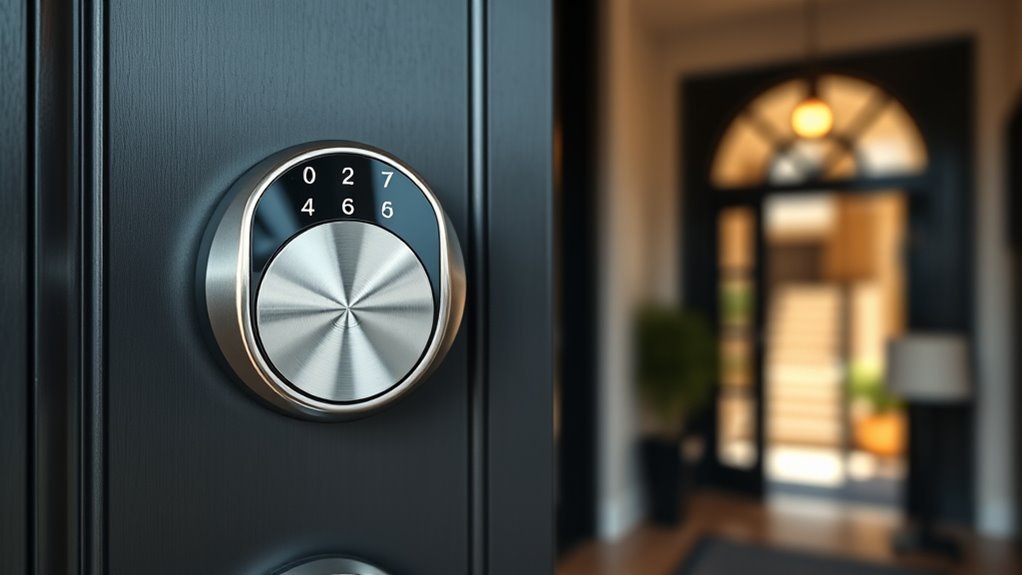
A Yale smart lock is an electronic door lock that can provide one or more alternatives to a traditional key. Depending on the model, you may unlock it with a keypad code, fingerprint, smartphone, Apple Home Key, physical key, or smart-home app.
Some Yale locks replace the complete deadbolt on a standard door. Others, such as the Yale Approach, fit over the inside portion of an existing deadbolt so the outside key cylinder and appearance remain in place.
Connected models can also provide scheduled guest access, activity history, low-battery alerts, Auto-Lock, and remote status checks. These features depend on the exact lock, wireless version, app, hub, and country.
A Yale lock’s name alone does not confirm its features. Always verify the complete model number, wireless technology, included module, and required hub before buying.
Which Yale Smart Lock Models Are Available?
Yale sells several lock families in the United States and Canada. Availability, finishes, modules, and integrations can change, so compare the exact product listing rather than relying only on the family name.
| Model | Main Access Options | Connectivity | Best For | Important Notes |
|---|---|---|---|---|
| Yale Assure Lock 2 | Keypad or touchscreen; keyed and key-free versions | Bluetooth, Wi-Fi, or Z-Wave configurations | Broad smart-home use | Features and integrations depend on the selected version and module. |
| Yale Assure Lock 2 Touch | Fingerprint, keypad, app, and an optional keyway on keyed versions | Bluetooth, Wi-Fi, or supported Z-Wave configurations | Fast biometric entry | Fingerprint access is limited to Touch models, not every Assure Lock. |
| Yale Assure Lock 2 Plus | Apple Home Key, touchscreen code, Yale Access, and Apple Home | Bluetooth or Wi-Fi configuration | Apple households | An Apple home hub may be required for remote Apple Home control and sharing features. |
| Yale Smart Lock with Matter | Keypad code, app control, and mechanical key backup on the YRD510 | Matter over Thread | Google Home or multi-platform Matter homes | Requires a compatible Matter controller and Thread border router for connected features. |
| Yale Approach Lock | Phone, Auto-Unlock, existing physical key, and optional keypad or fingerprint keypad | Bluetooth with Wi-Fi through Yale Connect | Renters and retrofit installations | Fits over the inside thumb turn and leaves the outside hardware unchanged. |
| Nest x Yale Lock | Touchscreen code, Nest app, Google Home app, and inside thumb turn | Nest Connect | Existing Google Nest homes | Initial setup still uses the Nest app. A Nest Connect is needed for internet connectivity. |
| Yale Code Keypad Lock | Keypad code and physical key | None | Simple key-free entry without an app | This is a standalone electronic lock, not a connected smart lock. |
Note: The older Yale Assure Lock SL remains available or supported in some configurations. Its Alexa, Apple Home, Google Home, Z-Wave, or Matter capabilities depend on the exact model and installed module. Do not assume every Assure Lock SL has the same integrations.
The Yale Code lock is useful for shoppers who want entry codes and Auto-Lock without an account, phone, or internet connection. However, it cannot send notifications, show remote status, or accept remotely managed guest codes.
What Features and Connectivity Options Does Yale Offer?
The type of wireless connection determines where you can control the lock and what additional equipment you need.
Bluetooth
Bluetooth connects your phone directly to a compatible lock when you are nearby. It can support local locking, unlocking, setup, code management, and activity viewing on supported Yale Access products.
Bluetooth by itself does not normally provide Yale Access control when you are away from home. A Wi-Fi module or bridge is needed for that feature unless another platform, such as Apple Home, supplies remote access through its own home hub.
Wi-Fi
A Wi-Fi-equipped Yale lock can send remote notifications and allow control from outside Bluetooth range. Some Assure Lock 2 versions include a Wi-Fi Smart Module, while other models use a Yale Connect bridge.
Wi-Fi can reduce battery life compared with local-only operation. Yale states that an Assure Lock 2 with Wi-Fi may provide up to three months of battery life under typical conditions, but actual life depends on signal strength, bolt friction, settings, temperature, and use.
Matter Over Thread
Matter is a smart-home interoperability standard. Yale Matter locks require a compatible Matter controller and Thread border router from a supported ecosystem such as Google Home, Apple Home, Amazon Alexa, or Samsung SmartThings.
The features available through Matter are not identical in every ecosystem. Code management, activity history, notifications, battery reporting, and automation support may differ by platform.
Z-Wave
Z-Wave Yale locks connect to a compatible Z-Wave hub instead of connecting directly to a standard Wi-Fi router. Supported Assure Lock 2 Z-Wave configurations can work with systems such as Ring, Samsung SmartThings, and Hubitat.
A Z-Wave outage does not necessarily disable the keypad. On supported Assure Lock 2 models, the keypad and nearby Bluetooth control can continue to work even when the Z-Wave hub is unavailable.
Apple Home and Apple Home Key
Compatible Yale Assure locks can work with Apple Home. Remote control through Apple Home normally requires a HomePod, HomePod mini, or Apple TV configured as a home hub.
The Yale Assure Lock 2 Plus adds Apple Home Key. A compatible iPhone or Apple Watch can unlock the door when held near the keypad. Android users can operate supported Assure Lock 2 Plus models through Yale Access, but Apple Home Key itself is not available on Android.
Google Home, Amazon Alexa, and Other Platforms
Google Home and Amazon Alexa compatibility depends on the Yale model and connection type. A Wi-Fi Assure Lock 2, Matter lock, Z-Wave lock, and Nest x Yale Lock reach these platforms in different ways.
Check which features are supported before buying. Voice locking, voice unlocking, status checks, routines, notifications, and access-code management may not all be available through the same integration.
Warning: Do not assume that a Bluetooth Yale lock includes remote access. Confirm whether the package includes Wi-Fi, Yale Connect, Nest Connect, a compatible smart module, or the required Matter or Z-Wave controller.
How Does Yale Access Work?
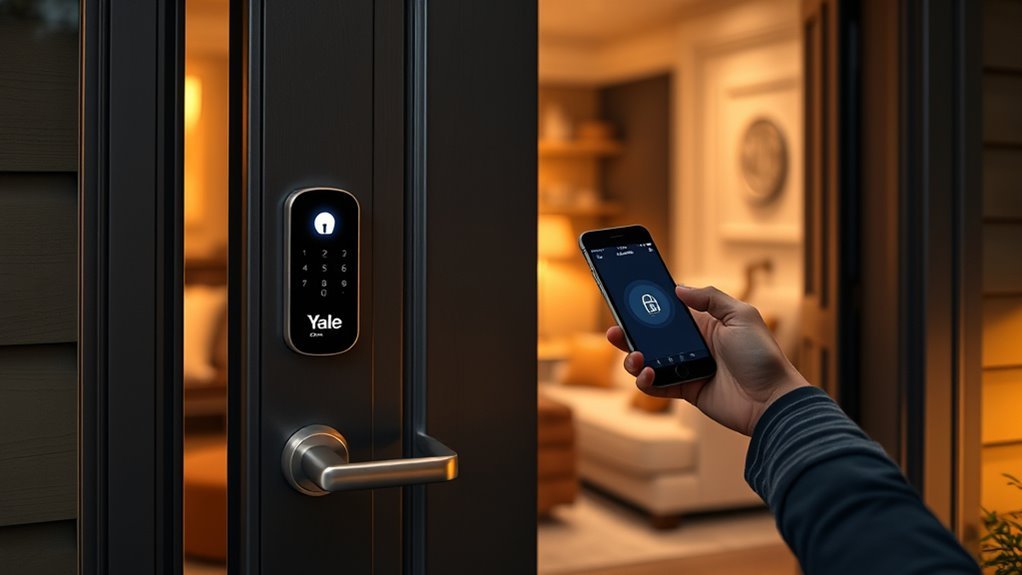
The Yale Access app controls compatible Yale Wi-Fi and Bluetooth products in the United States and Canada. Other regions may use a different Yale app, and some Matter or Nest models use their ecosystem’s app instead.
Setup normally follows these steps:
- Install the lock correctly and insert the recommended batteries.
- Download Yale Access and create or sign in to your Yale account.
- Select the option to set up a new device.
- Scan the QR code inside the lock or follow the model-specific pairing instructions.
- Allow the lock to determine the door handing and calibrate its movement.
- Create entry codes and review Auto-Lock, Auto-Unlock, DoorSense, notification, and privacy settings.
- Connect the required Wi-Fi module, bridge, or smart-home integration.
- Test every entry method while the door is open before relying on the lock.
Compatible locks let you create permanent, temporary, or scheduled access for household members, guests, cleaners, or rental visitors. You can later change or revoke that access without retrieving a physical key.
The app can also show lock activity, door status, battery warnings, and notifications on supported products. Remote status and alerts require an active internet path through the lock, bridge, module, hub, and phone.
Pro Tip: Before installing electronics, close and lock the existing deadbolt several times using one finger. If the bolt rubs, sticks, or needs the door to be pushed or pulled, adjust the strike and alignment first. A binding bolt can cause failed locking and shorter battery life.
How Nest x Yale Works in 2026
Nest x Yale uses Nest Connect to reach Wi-Fi. Initial setup continues through the Nest app, but Google has expanded daily lock controls in the Google Home app. Depending on the completed rollout and your app version, Google Home can provide passcode management, activity history, notifications, and additional settings.
Nest Guard can no longer serve as the lock’s Wi-Fi bridge. If a Nest x Yale Lock previously depended on Nest Guard, it must use Nest Connect to remain online.
Will a Yale Smart Lock Fit Your Door?
Check your door before selecting a replacement lock. Yale’s door compatibility guidance separates doors with a standard deadbolt from doors with a single bore, mortise hardware, or interconnected locksets.
Check the Existing Hardware
- Standard deadbolt: Assure Lock 2, Yale Matter, Nest x Yale, and Yale Code may fit compatible two-bore door preparations.
- Inside thumb turn you want to keep: Yale Approach may fit over a compatible single-cylinder deadbolt.
- Door without a deadbolt: A Yale smart lever may be more suitable.
- Mortise or interconnected lockset: Many consumer Yale deadbolts will not fit without changing the door hardware.
Measure the Door
Confirm the door thickness, face bore, edge bore, and backset listed for the exact model. Many Assure Lock 2 products support common North American door preparations, including 2 3/8-inch or 2 3/4-inch backsets, but you should verify every dimension against the current specification sheet.
Also check that the door closes squarely and the deadbolt enters the strike without pressure. Electronic locks are less tolerant of a poorly aligned bolt because the motor must move it without help from your hand.
How Do You Install a Yale Smart Lock?
The exact instructions vary, but a replacement Yale deadbolt generally follows this sequence:
- Keep the door open and remove the existing interior and exterior deadbolt parts.
- Check the latch backset and install the Yale latch in the correct orientation.
- Pass the exterior keypad cable through the door as directed.
- Attach the interior mounting plate without pinching the cable.
- Connect the cable and install the inside lock assembly.
- Insert the specified alkaline batteries.
- Complete handing and calibration with the bolt retracted.
- Test the thumb turn, keypad, app, key, fingerprint, or Home Key while the door remains open.
- Close the door and confirm that the bolt extends without rubbing.
A retrofit Yale Approach installation is different. It normally leaves the exterior cylinder and deadbolt in place, removes the inside thumb turn, attaches a mounting plate, and places the motorized lock over the existing tailpiece.
Warning: Never perform the first calibration with the door closed. A reversed latch, incorrect handing, pinched cable, or binding bolt could leave the door difficult to open.
How Do You Choose the Best Yale Smart Lock?
Choose the model by answering the following questions in order.
1. Do You Want a Replacement or Retrofit Lock?
Select Assure Lock 2, Yale Matter, Nest x Yale, or Yale Code when you want to replace the deadbolt hardware. Choose Yale Approach when you want to preserve the outside cylinder and appearance.
2. How Do You Want to Unlock the Door?
- Fingerprint: Consider Assure Lock 2 Touch or an Approach package with Keypad Touch.
- Apple Home Key: Choose Assure Lock 2 Plus.
- Keypad only: Yale Code offers simple offline operation.
- Phone and guest codes: Compare connected Assure Lock 2 or Approach configurations.
- Physical key backup: Choose a keyed version or retrofit model that keeps the existing cylinder.
3. Which Smart-Home System Do You Use?
Apple users should compare HomeKit and Home Key support. Google Home users can compare the Yale Smart Lock with Matter, supported Wi-Fi models, and Nest x Yale. Z-Wave users should confirm compatibility with their Ring, SmartThings, Hubitat, or other supported hub.
4. Do You Need Remote Access?
Local keypad entry does not require the internet, but locking or checking the door from another location does. Include the price and setup requirements of any Wi-Fi module, Yale Connect, Nest Connect, Apple home hub, Matter controller, Thread border router, or Z-Wave hub in your decision.
5. What Physical Security Rating Does It Have?
Review the exact model’s ANSI/BHMA grade rather than assuming that all Yale products have the same rating. For example, specified Assure Lock 2 Plus packages are listed as ANSI/BHMA Grade 2, while Yale Code is listed as Grade 3.
ANSI/BHMA testing evaluates factors such as operation, strength, security, durability, and finish. The lock’s performance also depends on the door, frame, strike, screws, and installation.
6. How Will You Enter During a Failure?
Check for a mechanical keyway, exterior emergency-power contacts, local keypad access, Apple Home Key support, or the ability to use the original key. Backup methods vary, especially between keyed and key-free models.
How Secure Is a Yale Smart Lock?
A Yale smart lock can improve access management by replacing shared keys with individual codes, recording supported lock events, and allowing old guest access to be revoked. Auto-Lock and door-status features can also reduce the chance of unintentionally leaving a door unlocked.
However, connected features do not make the entire doorway resistant to forced entry. A strong lock should be paired with a sound door, secure frame, correctly installed strike, suitable screws, and smooth deadbolt alignment.
For connected models, follow these security practices:
- Use a unique password for your Yale, Google, Apple, Amazon, or smart-home account.
- Enable two-factor authentication when the account or platform offers it.
- Protect your phone with a strong passcode or biometric lock.
- Keep the lock app, phone operating system, hub, router, and lock firmware updated.
- Create a separate code for each person instead of sharing one household code.
- Use scheduled access for cleaners, contractors, or short-term guests.
- Delete codes as soon as they are no longer needed.
- Review activity history and unexpected access notifications.
- Secure the home router and replace default administrator credentials.
The NIST consumer IoT guidance emphasizes capabilities such as secure configuration, data protection, software updates, and clear support information for connected devices.
Note: Activity logs can improve accountability, but they also reveal household access patterns. Share administrator access only with trusted people and review how your chosen app handles household members, guests, history, and notifications.
What Happens During Battery, Power, or Internet Problems?
| Situation | What Usually Continues Working | What May Stop Working |
|---|---|---|
| Internet outage | Keypad, physical key, inside thumb turn, and nearby Bluetooth on supported models | Remote control, cloud notifications, voice assistants, and cloud activity updates |
| Household power outage | The battery-powered lock and local entry methods | Wi-Fi router, bridges, hubs, and remote features unless those devices have backup power |
| Phone is lost or discharged | Keypad code, fingerprint, physical key, or another authorized user’s device | Phone-based Bluetooth or app access from that device |
| Lock batteries are depleted | Mechanical key or model-specific emergency-power method, when provided | Motor, keypad, fingerprint reader, Bluetooth, Wi-Fi, and electronic unlocking |
Replace all lock batteries together with the type recommended by Yale. Yale commonly recommends standard, non-rechargeable alkaline batteries for its battery-powered locks. Mixing old and new batteries or using an unsuitable chemistry can produce inaccurate warnings or unreliable operation.
Do not wait for a critical-battery condition. Replace the batteries when low-power alerts begin, then operate the lock several times and confirm that the warning clears.
Common Yale Smart Lock Problems and Fixes
The Lock Reports a Jam or Will Not Extend
Open the door and operate the deadbolt. If it works while open but fails when closed, adjust the strike or door alignment. Also check for loose mounting screws, incorrect handing, a twisted mounting plate, or an interior assembly installed too tightly.
The App Cannot Find the Lock
Move close to the lock, enable Bluetooth, confirm the app has Bluetooth and location permissions required by the phone, and restart the app. Check that the batteries are installed correctly and that the lock is not already registered to another account.
Remote Access Does Not Work
Confirm that the lock has the required Wi-Fi module, Yale Connect, Nest Connect, Matter controller, Thread border router, or Z-Wave hub. Then check whether the bridge or hub is online and close enough to the lock.
The Battery Drains Too Quickly
Check for a weak Wi-Fi signal, frequent motor operation, an enabled high-activity feature, extreme temperatures, or a bolt that rubs against the strike. A motor that must repeatedly fight the door can use much more power.
Auto-Lock Locks the Door While It Is Open
Review the Auto-Lock delay and DoorSense calibration on supported models. Confirm that the sensor is installed in the correct position and that the app accurately reports whether the door is open or closed.
Frequently Asked Questions
What are the downsides of Yale smart locks?
Possible disadvantages include battery replacement, higher cost, app or hub dependence for remote features, compatibility limits, account-security responsibilities, and installation problems when the door is misaligned. A connected model may also lose remote alerts and control during an internet or hub outage, although local entry can usually continue.
Is the Yale smart lock discontinued?
No. Yale smart locks as a product category are not discontinued. Yale continues to list Assure Lock 2, Touch, Plus, Matter, Approach, and Nest x Yale products. Individual finishes, bundles, older modules, or regional models may be unavailable or replaced, so check the exact product number and current support status.
What locks do police recommend?
There is no single smart-lock model recommended by every police department. Look for appropriately certified deadbolt hardware, a strong door and frame, a correctly installed strike, smooth bolt alignment, and secure code management. Ask your local police crime-prevention unit for advice based on local risks and building types.
What happens if Wi-Fi goes out on a Yale smart lock?
The battery-powered lock normally continues to operate locally. Depending on the model, you can still use the keypad, fingerprint reader, physical key, inside thumb turn, or nearby Bluetooth. Remote app control, cloud notifications, voice assistants, and cloud activity updates may remain unavailable until the internet, bridge, or hub reconnects.
What happens if the Yale lock batteries die?
Electronic features stop when the lock has no power. A keyed model can normally be opened with its physical key, while some key-free models provide an exterior emergency-power method. The available backup differs by product, so confirm it before installation and keep any backup key accessible outside the locked home.
Can you use a Yale smart lock without a phone?
Yes, if the model provides another entry method. You may use a keypad code, fingerprint, Apple Watch, physical key, or inside thumb turn. Yale Code is designed to work entirely without an app, while connected models usually need a phone during initial setup and administration.
Conclusion
A Yale smart lock can make guest access, code management, automatic locking, and remote monitoring more convenient. The best choice is not simply the newest model. It is the model that fits your door, preferred entry method, backup plan, smart-home platform, and remote-access needs.
Assure Lock 2 offers flexible configurations, Touch adds fingerprint entry, Plus serves Apple Home Key users, the Matter model suits compatible Matter homes, and Approach preserves your existing outside hardware. Yale Code is better for people who want a simple offline keypad rather than a connected lock.
Before relying on any model, verify its exact specifications, correct door alignment, test every backup-entry method, use unique access codes, and keep its software and batteries maintained.
Sources
- Yale Assure Lock 2 product family — current access methods, versions, door specifications, and integrations.
- Yale door compatibility guide — compatible deadbolts, levers, mortise doors, and interconnected hardware.
- Yale Access app support — app availability and compatible Yale mobile-device control.
- Google Home control for Nest x Yale — current Google Home and Nest app operation.
- ANSI/BHMA lock standards — performance grading and tested lock characteristics.
- NIST Consumer IoT Cybersecurity — connected-device security, updates, data protection, and support guidance.
