Last Updated on September 10, 2026 by Daniel Globe
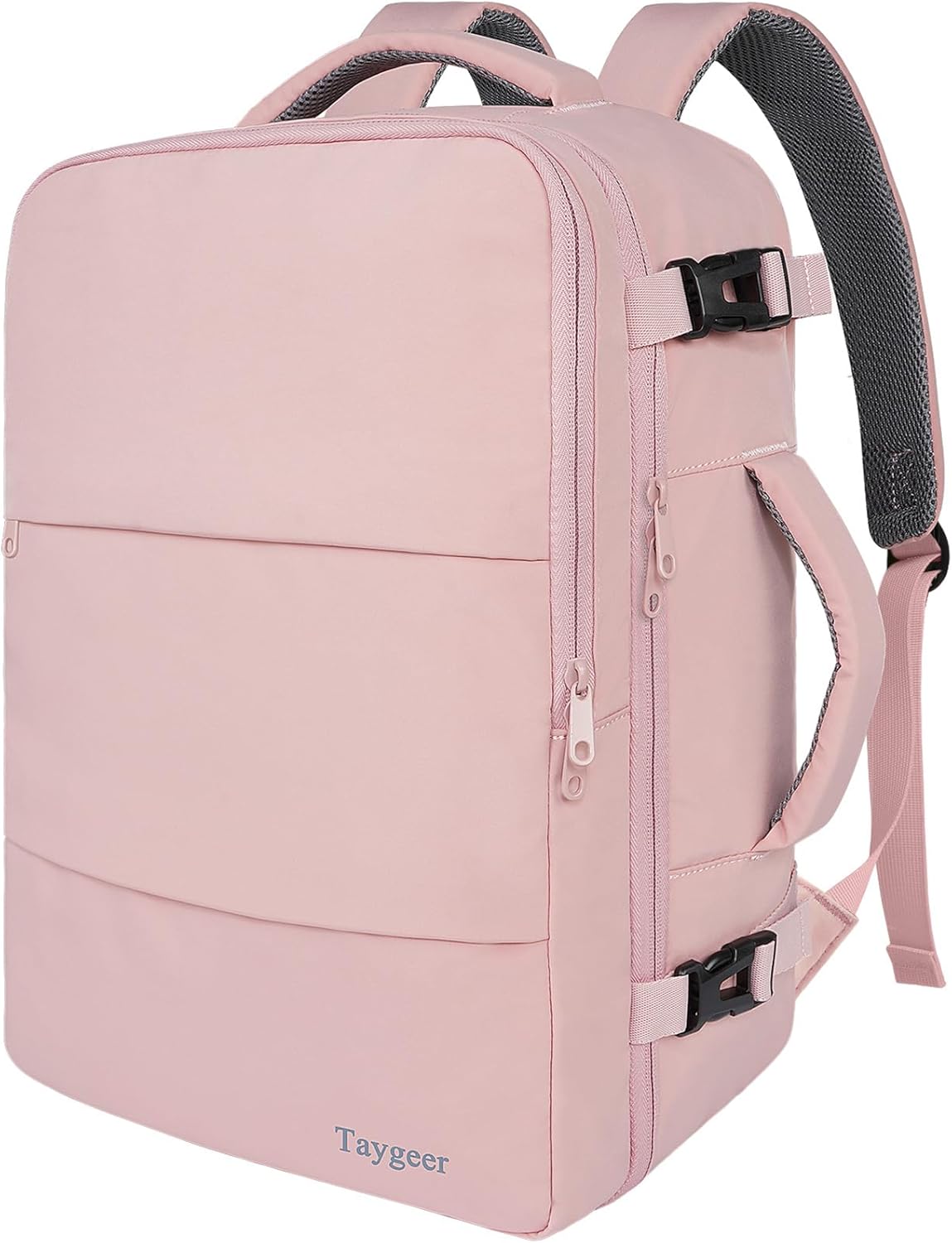
A commuter backpack is a backpack designed for repeated trips between home, work, school, or other daily destinations. It combines comfortable shoulder carry with organized storage for items such as a laptop, charger, lunch, water bottle, keys, and travel card. The best model is not simply the one with the most pockets; it is the one that fits your body, load, route, and routine.
Quick Answer
A commuter backpack is an everyday bag built for work, school, and city travel. It usually offers a protected laptop area, organized pockets, comfortable straps, and some weather resistance. Choose one by checking its capacity, loaded fit, device dimensions, access, empty weight, and suitability for walking, transit, cycling, or occasional flights.
Key Takeaways
- A commuter backpack is optimized for frequent daily use, fast access, device protection, and a cleaner office- or school-friendly appearance.
- An 18- to 24-liter model is a useful starting range for many commuters, but your actual load should determine the capacity.
- Measure your laptop rather than relying only on its advertised screen size.
- Water-resistant does not mean waterproof; protect electronics with an internal sleeve, dry bag, or rain cover in heavy rain.
- Try the backpack with your normal load and check strap comfort, stability, access, and clearance before buying.
Disclosure: As an Amazon Associate I earn from qualifying purchases. Some links on this page are affiliate links, at no extra cost to you.
Definition of a Commuter Backpack
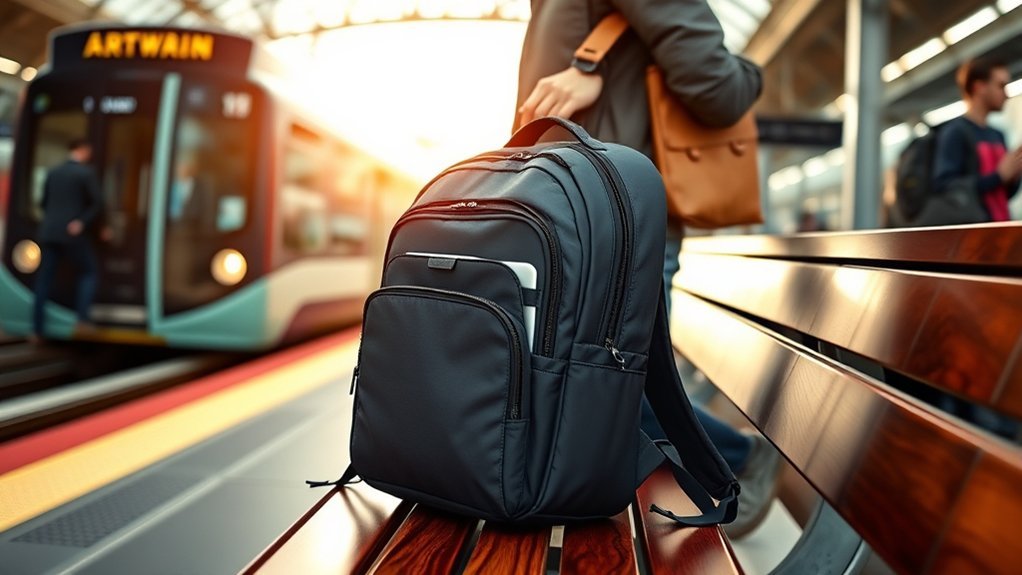
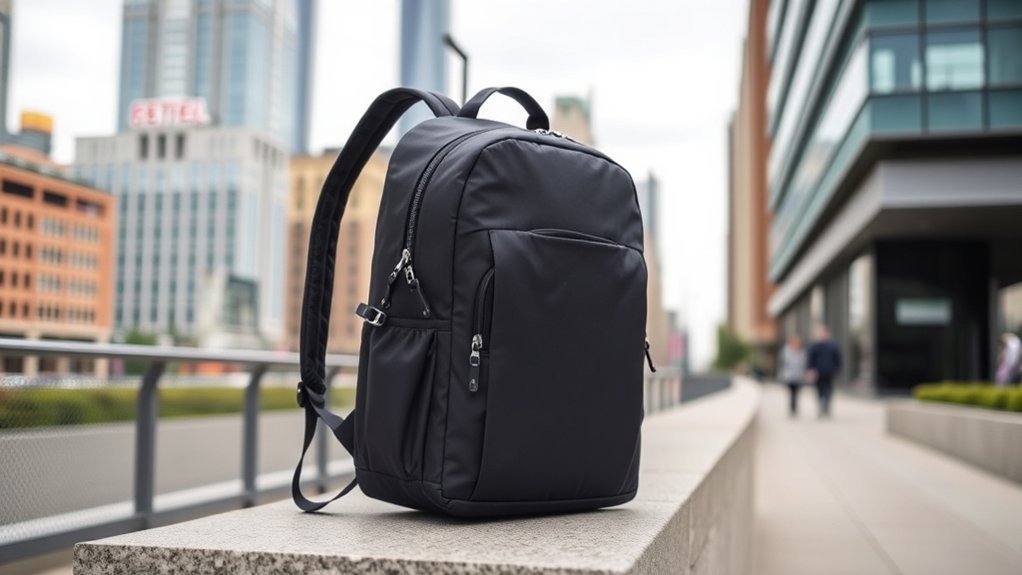
A commuter backpack is made for regular trips rather than occasional vacations or technical outdoor use. It normally has a structured layout that separates work or school equipment from personal items. Common features include a padded laptop sleeve, smaller pockets for cables and keys, a water bottle pocket, comfortable shoulder straps, and fabric that can handle routine contact with sidewalks, train floors, desks, and changing weather.
Unlike a basic book bag, a commuter model often gives more attention to quick access and professional appearance. Unlike a large travel backpack, it is usually compact enough for crowded buses, trains, elevators, and office storage. Some models also include a luggage-handle pass-through, reflective details, hidden pockets, or a compartment that opens wide for easier packing.
Comfort still depends on the individual bag and wearer. Padding alone does not guarantee a good fit. The shoulder straps must sit comfortably without rubbing the neck, the back panel should match the length of your torso, and the loaded bag should stay close to your body rather than sagging away from it.
Commuter Backpack vs. Regular Backpack
| Feature | Commuter Backpack | Basic Backpack |
| Primary use | Daily work, school, and city travel | General carrying |
| Device storage | Often padded, suspended, or separately accessible | May have no dedicated sleeve |
| Organization | Designed around chargers, documents, keys, bottles, and daily essentials | Usually simpler and more open |
| Appearance | Often streamlined for offices and urban settings | Varies widely |
| Outdoor support | Suitable for routine urban movement | Depends entirely on the model |
Key Features of Commuter Backpacks
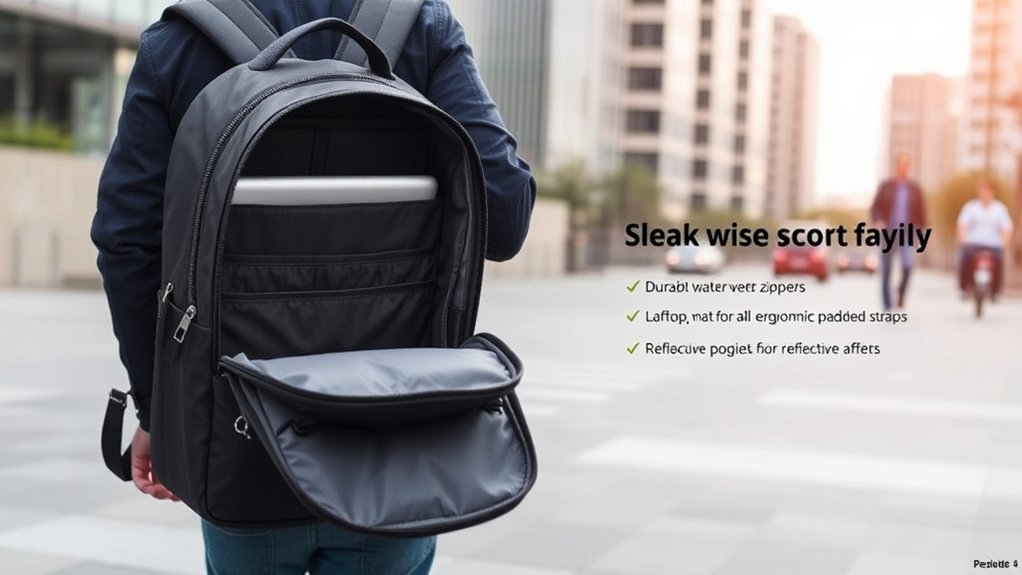
A useful commuter backpack should make daily movement simpler without adding unnecessary bulk. Focus on the features that support your actual routine rather than choosing a bag because it has the longest specification list.
Organization and Accessibility
A well-planned interior helps you reach important items without emptying the bag on a train platform or office floor. Helpful features may include:
- Wide or semi-clamshell opening: Improves visibility and makes the main compartment easier to pack.
- Quick-access pocket: Keeps small items such as keys, earbuds, transit cards, or sunglasses near the top.
- Admin section: Separates pens, cables, a mouse, notebooks, and other small work items.
- External bottle pocket: Keeps moisture away from electronics and documents.
- Key leash: Prevents keys from settling at the bottom of the bag.
- Separate laptop access: Lets you remove a computer without disturbing the rest of the load.
More pockets are not always better. A heavily divided interior can reduce usable space, add weight, and make it harder to carry bulky items. Choose an organization system that matches what you carry every day.
Comfort and Ergonomics
Look for shoulder straps that follow the shape of your shoulders without pressing into your neck. Padding should feel supportive rather than stiff, and the adjustment range should let the bag sit high enough that it does not bounce against your lower back.
A ventilated or channeled back panel may improve airflow, although no foam back panel will prevent sweating during hot weather. An adjustable sternum strap can help keep the shoulder straps stable while you walk quickly or ride a bicycle. It should sit comfortably across the chest without restricting breathing.
The most reliable comfort test is to load the backpack with the same laptop, bottle, lunch, clothing, and accessories you normally carry. Wear it for several minutes, walk around, climb stairs, and check for rubbing, pressure points, sagging, or excessive movement.
Pro Tip: When possible, test the bag with your real equipment instead of stuffing it with soft store displays. A backpack that feels comfortable when empty may behave very differently with a laptop, water bottle, charger, and lunch inside.
Durability and Materials
Nylon and polyester are common because they can offer a useful balance of abrasion resistance, weight, cost, and weather resistance. However, the fabric name alone does not determine durability. Construction, fabric weight, coatings, seam quality, reinforcement, zipper installation, and daily load all matter.
Inspect high-stress areas such as the shoulder-strap attachment points, top handle, bottom panel, zipper ends, and seams around the laptop compartment. Reinforced stitching and replaceable hardware may improve service life. A strong warranty can also be useful, but read its exclusions for normal wear, accidental damage, and misuse.
Branded hardware such as YKK zippers can be a positive sign, but the finished backpack still needs sound construction. Test every zipper around corners and under a moderate load. It should move smoothly without catching the lining or placing excessive strain on the teeth.
Laptop and Device Protection
A laptop sleeve should fit the device without forcing the zipper or allowing the computer to move excessively. Do not rely on the screen size alone. Measure the laptop’s width, height, and thickness, then compare those measurements with the manufacturer’s maximum sleeve dimensions.
A suspended or “false-bottom” sleeve leaves space between the device and the bottom of the bag, which may reduce direct impact when the backpack is set down. It does not make the laptop drop-proof. Use a separate protective sleeve when the built-in padding is thin or the computer is especially valuable.
Weather Resistance
Water-resistant fabric can slow the entry of light rain, but it should not be treated as waterproof unless the manufacturer specifically describes sealed construction and provides a clear waterproof rating or test standard. Water may still enter through seams, zipper gaps, openings, or saturated fabric.
Warning: Do not trust a water-resistant backpack as the only protection for a laptop, medication, passport, or important documents during heavy or prolonged rain. Use an internal dry bag, waterproof sleeve, or fitted rain cover.
Security Features
Hidden pockets, lockable zipper pulls, inward-facing openings, and compartments against the back panel may make casual access more difficult. They do not make a backpack theft-proof. Keep the bag closed, move it in front of your body in crowded areas, and avoid placing a phone or wallet in an exposed outer pocket.
Some models include RFID-blocking pockets. These may be useful for compatible contactless cards, but they do not prevent physical theft, protect a laptop, or secure every type of electronic device.
Advantages of Using a Commuter Backpack
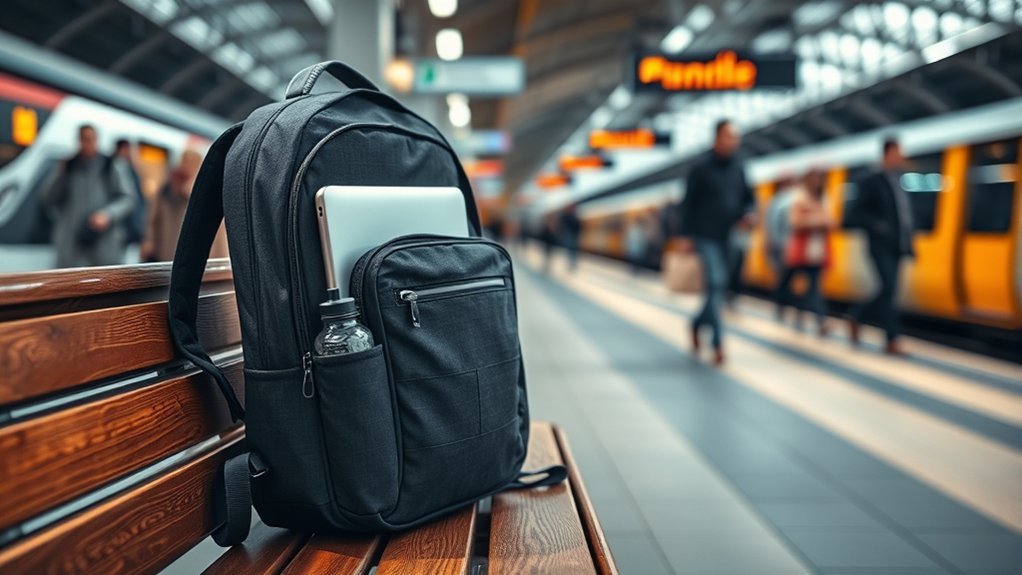
A commuter backpack keeps both hands free while spreading the load across two shoulder straps. This is useful when opening doors, holding a rail, handling a bicycle, carrying coffee, or using a phone or transit pass. A structured layout can also reduce the time spent searching for small items.
Enhanced Organization Options
Dedicated storage helps separate equipment that should not rub or leak against other items. A laptop can remain away from a bottle, cables can stay away from papers, and frequently used items can remain near the top or front.
Useful organization options include:
- Dedicated device sleeves: Separate a laptop and tablet from the main load.
- Quick-access pockets: Hold small items needed during the journey.
- External bottle storage: Limits the risk of a leaking bottle reaching electronics.
- Wide main-compartment access: Makes it easier to see and remove packed items.
- Document storage: Helps keep folders or papers flatter.
Comfort During Commutes
A two-strap design generally provides better stability than carrying the same load from one shoulder. Padded straps and a supportive back panel may make repeated travel more comfortable, but the result depends on fit and packing.
Place dense items such as a laptop, charger, or book close to the back panel. Keep the load balanced from side to side, tighten the shoulder straps enough to control movement, and avoid carrying items that you do not regularly use. A lighter empty backpack leaves more of your carrying capacity available for the items that matter.
The best commuter backpack is not the one with the most pockets. It is the one that carries your normal load comfortably and lets you reach important items without unpacking everything.
Ideal Users for Commuter Backpacks
Commuter backpacks are useful for people who carry a repeatable set of items between regular destinations. They are especially practical for:
- Office workers: A protected laptop area and document storage support a workday load.
- Students: A suitable capacity can hold books, a device, lunch, and small supplies.
- Public-transit riders: Compact dimensions and accessible pockets help in crowded stations and vehicles.
- Walking commuters: Stable straps and balanced packing make longer walks easier.
- Cyclists: A close-fitting design keeps the load contained while both hands remain available for control.
- Hybrid workers: Organized storage helps move chargers, headphones, notebooks, and work equipment between locations.
- Occasional travelers: Some models can serve as a personal item or small carry-on when their packed dimensions meet the airline’s rules.
A commuter backpack may be unnecessary for someone who carries only a phone and wallet, drives directly from home to a private office, or prefers a briefcase or tote for quick access.
Different Types of Commuter Backpacks
Commuter backpacks come in several styles. The right type depends on your route, clothing, equipment, and how often you need to remove items.
Professional Commuter Backpacks
These models use clean shapes, muted colors, and limited external straps. They often include document storage, a structured laptop compartment, and a luggage pass-through. They suit offices and meetings but may offer less flexibility for bulky gym clothing or groceries.
Tech-Focused Commuter Backpacks
Tech-oriented bags provide device sleeves and pockets for chargers, cables, headphones, adapters, and small accessories. Check the empty weight because extra structure and organization can make these bags heavy before they are packed.
Cycling Commuter Backpacks
A cycling-focused backpack should remain stable and avoid loose straps that can move near the wheel or drivetrain. Reflective details and a light attachment point can improve visibility, but they do not replace required bicycle lights or high-visibility equipment. The National Highway Traffic Safety Administration recommends bright or reflective gear and proper front and rear bicycle lighting when visibility is poor.
Convertible and Roll-Top Backpacks
Convertible bags may switch between backpack, briefcase, and shoulder-carry modes. Roll-top models can adapt to changing loads and may reduce the number of exposed zipper openings, but they can make items at the bottom slower to reach.
Minimalist Commuter Backpacks
Minimalist models keep weight and bulk low. They work well for a small laptop, charger, water bottle, and light personal items. The tradeoff is less space for lunch, gym clothes, winter layers, or shopping.
What Size Commuter Backpack Do You Need?
There is no single ideal capacity. Use the following ranges as practical starting points, then compare them with your actual load:
| Capacity | Best suited to | Possible limitation |
| 12–18 liters | Minimal laptop load, charger, small bottle, and a few personal items | Limited room for lunch, clothing, or large books |
| 18–24 liters | Typical work or school equipment, lunch, bottle, and a light layer | May be tight for gym gear or winter clothing |
| 24–30 liters | Larger daily loads, gym clothing, bulky layers, or occasional overnight use | More bulk on crowded transit and a greater risk of overpacking |
| More than 30 liters | Combined work, gym, shopping, or short-travel loads | May feel oversized for an ordinary commute |
Pack the items you carry on a normal day and measure the space they require. Avoid choosing a much larger backpack “just in case,” because unused capacity often encourages unnecessary weight.
Factors to Consider When Choosing a Commuter Backpack
- Actual daily load: List the items you carry at least several times per week.
- Device dimensions: Compare your laptop’s full measurements with the sleeve’s stated limits.
- Capacity: Allow enough space for your regular load without leaving excessive unused volume.
- Empty weight: A heavily structured backpack may feel substantial before anything is packed.
- Loaded fit: Test shoulder comfort, back-panel contact, stability, and adjustment range.
- Opening style: Choose top access, clamshell access, or separate device access according to your routine.
- Weather protection: Consider fabric, zipper design, seams, rain covers, and internal protection.
- External dimensions: Check clearance for lockers, desks, bicycle riding, transit, and airline use.
- Durability: Inspect stitching, handles, bottom fabric, zipper paths, and hardware.
- Repair and warranty: Review what the manufacturer covers and whether common parts can be repaired.
How to Test the Fit
- Load the backpack with your usual equipment.
- Loosen the shoulder and sternum straps before putting it on.
- Tighten the shoulder straps evenly until the bag sits close to your back.
- Adjust the sternum strap to stabilize the shoulder straps without restricting breathing.
- Walk, turn, bend, and climb stairs.
- Check for pressure at the neck, shoulders, lower back, and underarms.
- Confirm that you can remove the backpack and reach key pockets without difficulty.
Note: A manufacturer’s “fits up to 16-inch laptops” statement is only a starting point. Two computers with the same screen size can have different body dimensions, especially when a protective case is attached.
Popular Brands and Models
Product lines change, so use named models as examples of feature combinations rather than permanent rankings.
Aer’s City Pack Pro 2 24L is a current city-oriented model with a lay-flat compartment, quick-access pockets, bottle storage, a luggage pass-through, and a suspended sleeve designed for most 16-inch laptops. Its official dimensions are 18 by 12 by 7 inches, and its listed empty weight is 2.86 pounds.
The LTT Commuter Backpack is a smaller commuter-specific alternative to the company’s original larger backpack. The current model lists 20 liters of internal capacity, 19 pockets, external bottle storage, a ventilated back panel, a sternum strap, and a 2.6-pound empty weight. Its device fit should be checked against the manufacturer’s stated sleeve measurements rather than the screen-size label alone.
Other established backpack manufacturers offer office, cycling, travel, and hybrid designs. Compare models by fit and function instead of assuming that a more expensive or more heavily organized bag will suit your commute better.
Situations When to Use a Commuter Backpack
Walking and Public Transit
A compact backpack keeps your hands free and makes it easier to use railings, passes, phones, and doors. In crowded areas, keep zippers closed and move the bag in front of your body when necessary. Avoid long dangling straps that can catch on seats or other passengers.
Classroom and Campus Use
A commuter backpack can carry books, a laptop, supplies, lunch, and a light layer without the outdoor styling of a technical hiking pack. Students carrying large textbooks should pay close attention to loaded weight, bottom-panel strength, and strap comfort.
Business Meetings
A structured backpack with muted colors and limited exterior webbing can move from transit to a meeting without looking overly casual. Separate document storage and a luggage pass-through may be more useful than a large number of small pockets.
Cycling to Work
Choose a model that stays close to the body, has controllable straps, and does not block your view when checking behind you. Keep the load balanced and secure all loose strap ends. Reflective backpack details can supplement bright clothing and bicycle lights, but they should not be your only visibility measure.
Unpredictable Weather
Water-resistant fabric is useful for brief exposure to light rain or splashes. For longer exposure, use a rain cover or waterproof inner protection. After the commute, open the compartments and allow the backpack to dry fully before storing electronics or clothing inside.
Air Travel
A commuter backpack may work as a personal item, but only when its packed dimensions meet the specific airline’s allowance and it fits under the assigned seat. The Federal Aviation Administration advises passengers to check directly with their airline because baggage rules and available space vary.
Keep power banks and spare lithium batteries accessible in the cabin. According to the FAA’s airline passenger battery guidance, spare lithium batteries and portable chargers must be carried in carry-on baggage. Remove them if the backpack is gate-checked or checked planeside.
Frequently Asked Questions
Can a commuter backpack fit under an airplane seat?
Many compact commuter backpacks can fit under an airplane seat, but there is no universal under-seat size. Measure the packed backpack, including filled bottle pockets, and compare it with the personal-item dimensions published by your airline. Seat hardware and aircraft layout can also reduce available space.
Are commuter backpacks waterproof or water-resistant?
Most commuter backpacks are water-resistant rather than fully waterproof. Water-resistant fabric may handle light rain, but moisture can enter through seams, zippers, and openings. Use a rain cover or internal waterproof protection for electronics and important documents during heavy rain.
How do I clean a commuter backpack?
Check the care label first. Empty every pocket, remove detachable parts, and vacuum or shake out debris. Spot clean with mild soap and a damp cloth unless the manufacturer permits hand washing. Rinse away soap and air-dry the bag in a ventilated place away from direct heat. Do not machine wash unless the care instructions specifically allow it.
What is the average lifespan of a commuter backpack?
There is no reliable universal lifespan. A lightly loaded backpack may remain useful for many years, while daily heavy loads can wear the fabric, foam, coating, stitching, and zippers much sooner. Replace or repair the bag when straps loosen, seams separate, zippers fail, padding collapses, or the laptop area no longer provides secure support.
Can I use a commuter backpack for hiking?
A commuter backpack can work for a short, easy day hike when it fits well and has enough room for water, food, weather layers, navigation, and basic safety items. For rough terrain, heavy loads, long distances, or severe weather, a hiking daypack with better load control, outdoor durability, and activity-specific features is usually the safer choice.
What size commuter backpack is best?
Many daily loads fit into an 18- to 24-liter backpack, but capacity should follow what you carry. A minimalist setup may need less than 18 liters, while gym clothing, winter layers, or large books may require 24 to 30 liters. Pack your normal items before choosing.
How is a commuter backpack different from a school backpack?
A commuter backpack usually places more emphasis on device access, office-friendly styling, transit use, weather resistance, and organized storage for chargers and work items. A school backpack may prioritize books, simple open space, and lower cost. Some models can serve both purposes.
Sources
- REI Co-op: How to Choose a Daypack — capacity, activity-specific features, and fit considerations.
- REI Co-op: Backpack Fit and Adjustment Guide — strap and sternum-strap adjustment principles.
- Federal Aviation Administration: Carry-On Baggage Tips — airline baggage checks, under-seat storage, and gate-check precautions.
- Federal Aviation Administration: Airline Passengers and Batteries — current rules for laptops, spare lithium batteries, and power banks.
- National Highway Traffic Safety Administration: Bicycle Safety — visibility, lighting, and secure carrying guidance for cyclists.
- Osprey: How to Clean Your Backpack — mild cleaning, rinsing, air-drying, and machine-washing precautions.
Conclusion
A commuter backpack is a practical daily-carry tool, not simply a smaller travel bag. The right one protects your equipment, keeps frequently used items accessible, fits comfortably when loaded, and suits the way you move through the day. Start with your normal load, measure your devices, test the fit, and treat weatherproofing and security claims realistically. A well-matched backpack can simplify years of work, school, transit, cycling, and occasional travel without adding unnecessary bulk.