
Last Updated on September 11, 2026 by Daniel Globe
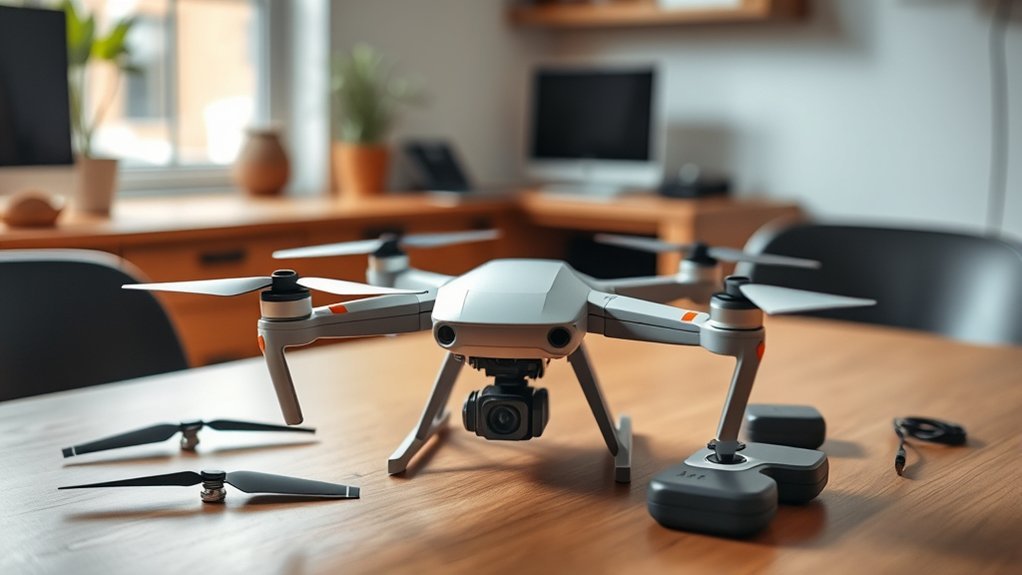
The UFLYTOO LA G10 is a lightweight GPS camera drone aimed at beginners who want a controller with its own screen. Its published features include a 4K UHD camera, GPS Return-to-Home, Follow Me mode, optical flow stabilization, brushless motors, and two batteries. However, several specifications come from seller and manual listings rather than independent testing, so you should understand its limits before buying.
Quick Answer
The UFLYTOO LA G10 can be a practical first GPS drone if you value a built-in controller screen, two batteries, and simple flight modes. Buy it for casual practice and basic aerial clips, not professional video. Its 4K, flight-time, weight, and wind-performance figures should be treated as published claims rather than independent test results.
Key Takeaways
- The 4.5-inch controller screen lets you view the FPV feed without attaching a phone.
- The drone is listed under 250g, but you should weigh it in its ready-to-fly condition before relying on a legal weight exception.
- Two batteries are advertised to provide up to about 45 minutes of combined flight time, although real use will usually be shorter.
- GPS Return-to-Home, optical flow stabilization, and Follow Me can help beginners, but they do not replace pilot attention or provide obstacle avoidance.
- The G10 suits casual practice and social-media clips better than cinematic video or demanding aerial photography.
Disclosure: As an Amazon Associate I earn from qualifying purchases. Some links on this page are affiliate links, at no extra cost to you.
UFLYTOO LA G10 Specifications at a Glance
| Model | UFLYTOO LA G10 |
| Listed weight | Under 249g or 250g, depending on the listing |
| Camera | Advertised as UHD 4K, capturing 3840 × 2160P images via a 120° wide-angle, 90°-adjustable lens and CMOS sensor |
| Controller display | 4.5-inch built-in non-touch screen; published resolution labels vary between HD, FHD, and 2K |
| Flight features | GPS with optical flow positioning, Return-to-Home, Follow Me, Point of Interest/orbit mode, headless mode, auto takeoff, and auto landing |
| Motors | Brushless |
| Batteries | Two lithium-polymer batteries, commonly listed at 2200 mAh each |
| Advertised flight time | Up to about 45 minutes combined across two batteries |
| Extra safety features | Emergency motor stop and night LEDs for low-light visibility |
| Media | JPEG photos, MP4 video, and memory-card storage |
| Best for | Beginner practice, casual travel clips, family outings, and basic outdoor aerial footage |
Note: These are published product specifications, not measurements from an independent laboratory test. Package contents and specifications can also change between sellers or production batches.
Why the G10 Stands Out for Beginners
The UFLYTOO LA G10 stands out mainly because its controller includes a screen. You do not have to attach your phone just to see the live FPV view, which removes one setup step and avoids phone-compatibility problems during basic flight.
The drone also combines several features that are useful while learning:
- GPS with optical flow positioning can help the aircraft hold its location outdoors, and optical flow sensors add stability when hovering closer to the ground where GPS signal alone is weaker.
- Return-to-Home can direct the drone toward its saved takeoff point after a manual command or certain signal and battery events.
- Auto takeoff and landing reduce the amount of stick control needed during the first few flights.
- Follow Me and orbit modes provide simple automated movements after you understand the basic controls.
- Headless mode removes the need to track the drone’s front-facing orientation, which is a common source of confusion for new pilots.
- Emergency stop and night LEDs add a safety cutoff and improve visibility during low-light flights.
- Brushless motors generally require less maintenance than small brushed motors and are commonly used for longer service life.
- Two removable batteries let you continue flying after changing a depleted pack.
These features can make the learning process easier, but the drone is not completely automatic. You still need to inspect it, calibrate it when required, wait for a reliable GPS lock, confirm the home point, monitor the battery, and keep the aircraft within sight.
Warning: GPS Return-to-Home is not obstacle avoidance. The drone may not detect trees, wires, walls, poles, or other objects in its return path. Confirm the home point and use a safe return altitude before relying on the feature.
Camera and FPV Features
Product listings describe the G10 as having a UHD 4K camera capturing images at 3840 × 2160 pixels through a 120° wide-angle lens with a 90° adjustable angle. That resolution qualifies as genuine 4K UHD by industry definition. However, the available documentation does not clearly explain every recording mode, frame rate, bitrate, or whether the stated resolution applies equally to still photos and recorded video.
For that reason, treat “4K” as a resolution specification rather than a promise of premium image quality. Sharpness also depends on the lens, sensor size, image processing, compression, lighting, vibration, and stabilization.
What Image Quality Should You Expect?
The G10 should be most useful for:
- Daylight travel clips
- Family outings
- Basic overhead views
- Short social-media videos
- Learning aerial framing
- Inspecting a scene from a safe, legal position
It is less suitable for professional real-estate work, cinematic panning, demanding low-light scenes, or footage that requires smooth mechanical stabilization. The G10 does not use a mechanical gimbal; instead, it relies on digital stabilization aided by GPS and optical flow sensors to keep footage steadier during hover and slow flight.
Without a mechanical gimbal, changes in pitch, wind, and pilot input may still be visible in the recording, particularly during fast movement or in gusty conditions. GPS and optical flow can help the drone hold position, but neither physically isolates the camera from aircraft movement.
Using the Controller Screen
The controller’s 4.5-inch non-touch screen displays the live camera feed without requiring a phone for basic FPV viewing. This is one of the G10’s strongest practical features.
Published descriptions use different terms for the display, including HD, FHD, and 2K. Because those labels are inconsistent, the safest conclusion is that the controller provides a built-in preview screen, not that it matches the brightness or detail of a premium camera-drone controller.
The listing does not provide a dependable high-brightness rating. Direct sunlight may therefore make the display harder to read. Stand in the shade when possible, adjust your viewing angle, and continue watching the drone itself rather than flying only through the screen.
Pro Tip: Record a short test clip before an important flight. Open the original file on a computer and check its resolution, frame rate, stability, and detail. The file information gives you a more useful answer than the word “4K” on the product page.
Saving and Transferring Files
The published specifications list JPEG photos, MP4 video, and SDXC or memory-card media. The available documentation does not clearly establish a direct wireless download workflow for every version of the product.
Plan to transfer full-quality recordings with the memory card unless the app or instructions supplied with your unit confirm another method. Turn off the drone before removing the card to reduce the chance of corrupting a file.
What to Expect in Real-World Flight
The advertised combined flight time is up to about 45 minutes from two batteries. That works out to roughly 22 to 23 minutes per battery under ideal conditions, but it should not be treated as guaranteed airtime.
Actual endurance can drop because of:
- Wind and repeated direction changes
- Cold or very hot weather
- High-speed flight
- Frequent climbing
- Camera and transmission use
- Battery age and charging history
- Early automatic landing or low-battery Return-to-Home settings
For a first flight, plan a much shorter session. Land while the battery still has a comfortable reserve instead of trying to reach the advertised maximum.
Stability and Wind
The brushless motors, GPS, and optical flow positioning should make the G10 more controlled outdoors than a basic indoor toy drone. However, no dependable wind-speed rating was found in the available documentation, and at least one buyer review described the drone as unsteady enough in flight to affect footage usability.
A lightweight aircraft can drift or use battery power quickly while fighting wind. Begin in calm, open conditions. Do not fly far downwind because the return trip may require much more power.
A sub-250g design can reduce the registration burden for some U.S. recreational flights, but it does not remove pilot testing, airspace, visual-line-of-sight, or safety responsibilities.
GPS and Smart Flight Modes
The G10’s listed GPS functions include Return-to-Home, Follow Me, Point of Interest/orbit flight, and headless mode. These modes can be useful, but each one has limits.
- Return-to-Home: Depends on a correctly saved home point, GPS reception, remaining battery power, and a clear route.
- Follow Me: May depend on the controller, app, or GPS position and can lose accuracy near trees, buildings, or interference.
- Point of Interest: Makes the drone circle a selected point, but the pilot must confirm that the entire circle is clear.
- Headless mode: Simplifies control direction for beginners but can still be disorienting if you lose track of the drone’s actual heading.
- Position hold: Can reduce drift outdoors, but weak GPS reception can cause movement or prevent GPS modes from starting.
The published material does not establish true obstacle-avoidance sensors. Do not assume that the drone will stop before hitting an object.
How to Set Up the G10 for a First Flight
At a Glance
| Time Required | About 15–30 minutes after charging |
| Difficulty | Beginner, with careful manual reading |
| Tools Needed | Controller, charged battery, supplied charging cable, memory card, and screwdriver if propeller work is needed |
| Cost | No added cost if the required battery, cable, card, and propellers are included |
- Read the supplied manual. Button combinations and calibration steps may differ between G10 packages or firmware versions.
- Charge the flight battery and controller. Use the supplied charging method and place the battery on a nonflammable surface where you can monitor it.
- Inspect the aircraft. Look for cracked propellers, loose screws, damaged arms, dirt around the motors, or a swollen battery.
- Unfold every arm fully. Confirm that nothing blocks a propeller.
- Insert the memory card. Use a compatible card and make sure it is seated before powering on the drone.
- Choose an open launch area. Stay away from people, pets, vehicles, trees, wires, buildings, and sources of radio interference.
- Place the drone on level ground. Keep the camera facing away from you so the controls are easier to understand.
- Power on and pair the equipment. Follow the sequence in the supplied instructions.
- Complete calibration when requested. Perform compass or level calibration away from large metal objects.
- Wait for a reliable GPS lock. Confirm that the controller shows the expected GPS status and that the home point has been recorded.
- Check the flight area again. Confirm that the airspace is legal and that no aircraft are nearby.
- Take off and hover at low height. Hold position for a short time and test small control movements before flying farther away.
- Test Return-to-Home carefully. Do this at a safe distance and height in a clear area, not over people or obstacles.
- Land early. Do not wait until the battery is almost empty.
Warning: Never touch the drone while its propellers are turning. Stop the motors and disconnect the battery before inspecting, cleaning, or replacing a propeller.
Battery Care and Charging
The two-battery kit adds useful practice time, but lithium-polymer batteries need careful handling.
- Use the supplied or manufacturer-approved charging method.
- Charge where you can monitor the battery.
- Keep the battery away from water, direct sun, heaters, and flammable materials.
- Do not charge a battery immediately after flight if it is still hot.
- Stop using a battery that is swollen, punctured, leaking, unusually hot, or physically damaged.
- Do not force a damaged battery into the drone.
- Allow the motors and battery to cool before starting the next flight.
- Follow the manual’s storage instructions if the drone will not be used for an extended period.
Traveling With the Drone
When flying on a passenger aircraft, check both airline rules and the FAA’s current drone battery guidance. Spare lithium batteries normally belong in carry-on baggage, not checked baggage. Protect the terminals from short circuits and keep damaged or recalled batteries off the aircraft.
What Comes in the G10 Kit
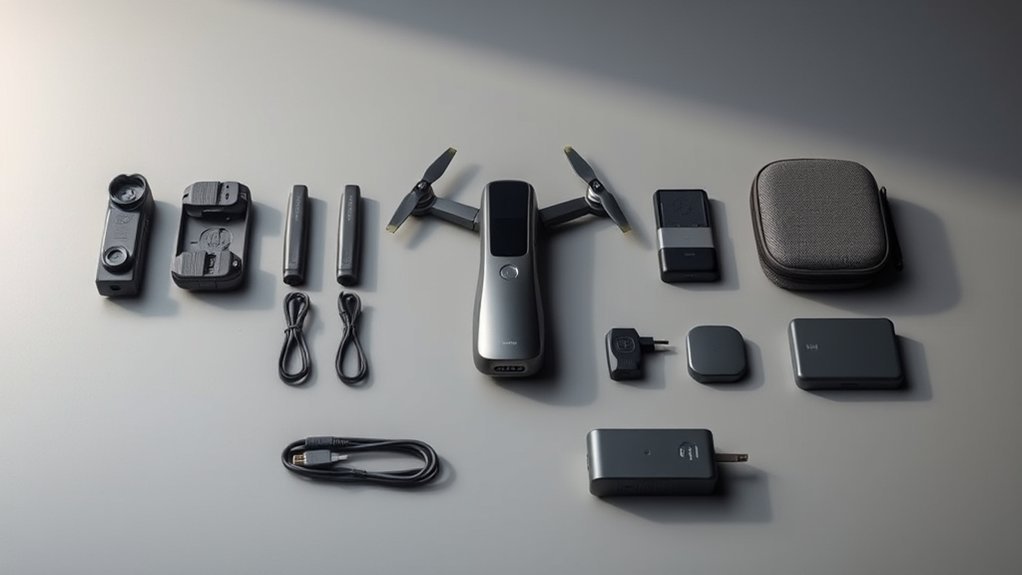
A typical G10 package is listed with the drone, screen-equipped controller, two intelligent batteries, charging cables, spare propellers, screws, a screwdriver or small tool, an SD card, and a black carrying bag. Some packages also mention tutorial videos.
Check the exact seller package before ordering because accessories can vary. In particular, confirm whether the following items are included:
- Two flight batteries
- Controller charging cable
- Flight-battery charging cable
- Compatible memory card
- Spare matched propellers
- Propeller screws and screwdriver
- Printed or digital manual
- Carrying case
The travel bag keeps the kit together, but protect the propellers and camera from pressure. Do not place loose metal items where they can contact battery terminals.
UFLYTOO LA G10 Pros and Cons
Advantages
- Built-in controller screen reduces dependence on a phone.
- GPS with optical flow positioning adds useful outdoor flight functions.
- Return-to-Home can provide a backup when correctly configured.
- Two batteries increase total practice time.
- Brushless motors should require less routine motor maintenance than small brushed units.
- Emergency stop and night LEDs add a modest safety margin.
- Foldable, lightweight design is easy to carry.
- Travel bag and spare propellers add practical value when included.
Limitations
- Real-world footage stability has been mixed in buyer feedback, with at least one review describing usability issues in unsteady flight.
- No clearly documented mechanical two-axis or three-axis gimbal was found.
- No dependable obstacle-avoidance system is documented.
- Published controller-resolution labels are inconsistent.
- No reliable independent wind or transmission-range test was found.
- Advertised flight time may be difficult to reach in normal outdoor use.
- Product support, firmware information, replacement parts, and warranty terms may be less established than those of major drone brands.
Who Should Buy the G10?
The G10 is a reasonable match for someone who:
- Wants a first outdoor GPS drone
- Prefers a controller with a built-in screen
- Does not want to mount a phone for every flight
- Plans to record casual daylight clips
- Values two included batteries
- Accepts that advertised specifications may not equal premium-drone performance
- Has a large, open, legal place to practice
Who Should Skip It?
Choose a different drone if you need:
- A verified mechanical gimbal
- Professional or paid video work
- Dependable obstacle sensing
- Published wind-resistance certification
- Long-range testing from an established manufacturer
- Detailed firmware support and a mature replacement-parts network
- Strong low-light performance
- Advanced manual camera controls
Is the UFLYTOO LA G10 Worth $85?
If the current checkout price is about $85 and the package includes two healthy batteries, the screen controller, carrying case, memory card, spare propellers, and a useful return policy, the G10 can offer reasonable value for beginner practice.
Its main value is not the 4K label alone. The stronger reasons to consider it are the built-in FPV screen, GPS-and-optical-flow-assisted flight, two batteries, brushless motors, and portable kit.
Before buying, compare the final price with entry-level drones from brands that provide clearer specifications, easier access to manuals, replacement batteries, firmware updates, and customer support. A slightly higher price may be worthwhile if it adds a verified gimbal, obstacle sensing, better image samples, or stronger warranty coverage.
The G10 is harder to recommend when the price rises far above the budget-drone range. At that point, its uncertain camera details, mixed real-world flight-stability feedback, lack of documented obstacle avoidance, and limited independent testing become more important.
Drone Rules to Check Before You Fly
Rules depend on your country and location. In the United States, being under 250 grams does not make a flight rule-free.
- Recreational pilots must complete the free Recreational UAS Safety Test, or TRUST, and carry proof while flying.
- A drone below 250 grams generally avoids FAA registration only when it is flown exclusively under the recreational exception.
- All drones flown under Part 107 must be registered, regardless of weight.
- A registered drone generally must meet applicable Remote ID requirements.
- Use an FAA-approved B4UFLY service to check airspace and restrictions.
- Controlled airspace may require authorization through LAANC or DroneZone before flight.
- Recreational flights in uncontrolled airspace generally must remain at or below 400 feet above ground level.
- Keep the drone within visual line of sight.
- Give way to crewed aircraft and never interfere with emergency operations.
- Check local rules governing parks, beaches, private property, takeoff, and landing.
Note: Accessories can affect weight. Weigh the complete ready-to-fly drone with its battery, memory card, propellers, guards, lights, or other attachments before relying on the under-250g recreational registration exception.
Common G10 Problems and Troubleshooting
The GPS Will Not Lock
- Move to a wide outdoor area with a clear view of the sky.
- Stay away from buildings, vehicles, reinforced concrete, power lines, and large metal objects.
- Wait longer for the satellite count or GPS indicator to become ready.
- Repeat the calibration process exactly as shown in the manual.
- Restart the controller and drone if the status does not change.
The Drone Drifts While Hovering
- Confirm that GPS mode is active.
- Repeat level or gyro calibration on a flat surface.
- Check for wind.
- Inspect every propeller for bends, chips, cracks, or incorrect installation.
- Move away from magnetic or radio interference.
The Controller Shows No FPV Video
- Confirm that the drone and controller are paired.
- Restart both devices in the sequence given by the manual.
- Move closer and remove nearby sources of wireless interference.
- Check the camera connection and memory card.
- Make sure both the controller and flight battery have enough charge.
Flight Time Is Much Shorter Than Advertised
- Fully charge the battery before flight.
- Let a hot battery cool before recharging.
- Avoid strong wind and repeated full-speed climbs.
- Check whether the battery is old, swollen, damaged, or poorly balanced.
- Expect shorter endurance in cold conditions.
- Land safely rather than trying to force the advertised maximum time.
Return-to-Home Is Inaccurate
- Confirm that the home point was saved before takeoff.
- Wait for a stronger GPS lock.
- Do not launch beside large metal objects or structures.
- Check the Return-to-Home altitude and route before flying away.
- Be ready to cancel the automatic return and take manual control when it is safe to do so.
Frequently Asked Questions
How do you get a G10 drone to fly?
Charge the drone and controller, inspect the propellers, unfold the arms, insert the memory card, and place the drone on level ground. Pair the controller, complete any required calibration, wait for GPS lock, confirm the home point, and take off in a clear legal area. Begin with a low hover and small control movements.
How much does the G10 drone weigh?
The G10 is commonly listed as weighing under 249 or 250 grams. Because some online listings contain inconsistent weight data, weigh your ready-to-fly unit with its battery and accessories before relying on the published figure for legal purposes.
How does the G10 drone camera work?
The camera’s sensor converts light into digital photos and video, capturing images at 3840 × 2160 pixels through a 120° wide-angle, 90°-adjustable lens. A live FPV feed is transmitted to the screen on the controller, while full recordings are saved to a memory card. The G10 does not use a mechanical gimbal; stability comes from GPS and optical flow-assisted digital stabilization instead.
Does the UFLYTOO LA G10 need FAA registration?
A G10 that actually weighs less than 250 grams generally does not require FAA registration when flown exclusively under the U.S. recreational exception. All Part 107 drones require registration regardless of weight. Recreational pilots must still pass TRUST, follow airspace rules, and carry proof of test completion.
Does the G10 have obstacle avoidance?
The available product documentation does not clearly identify a true obstacle-avoidance system. GPS positioning and Return-to-Home do not detect every tree, wire, wall, or pole. Fly in a clear area and keep the drone within sight.
Does each G10 battery last 23 minutes?
The approximate 23-minute figure is based on dividing the advertised 45-minute combined total between two batteries. Wind, temperature, speed, climbing, battery condition, and safety settings can make the actual flight time shorter.
Can you fly the G10 without a phone?
The built-in controller screen is designed to provide an FPV view without mounting a phone for basic operation. A phone or app may still be useful for tutorials, updates, file handling, or certain functions, depending on the version supplied.
Is the G10 suitable for children?
The controls may be beginner-friendly, but the G10 is not a harmless indoor toy. Its propellers, lithium battery, outdoor range, and legal requirements call for responsible adult supervision, a clear flight area, and careful instruction.
Sources
- UFLYTOO LA G10 GPS Drone User Manual mirror — published product features, package contents, setup, and troubleshooting information.
- UFLYTOO LA G10 retail listing (Amazon UK) — confirmed camera resolution, lens specs, controller screen, and weight details.
- FAA Recreational Flyers — current U.S. recreational flight, altitude, airspace, visual-line-of-sight, and registration guidance.
- FAA Drone Registration — under-250g recreational exception, Part 107 registration, and Remote ID information.
- FAA Recreational UAS Safety Test — TRUST requirements for recreational pilots.
- FAA B4UFLY — tools for checking airspace, flight restrictions, and authorization requirements.
- FAA PackSafe Drone Guidance — lithium-battery and airline-travel safety information.
Conclusion
The UFLYTOO LA G10 has a useful combination of GPS flight features, a built-in controller screen, brushless motors, two batteries, and a portable kit. Those features can make it an approachable first outdoor drone for casual practice.
Its limitations matter just as much. The 4K and flight-time figures are published claims, real-world flight-stability feedback has been mixed, no dependable obstacle-avoidance system is documented, and the camera should not be confused with a mechanically stabilized professional setup. Return-to-Home also depends on correct preparation and a clear route.
If the current price is around $85, the package is complete, and the seller provides reasonable return and support terms, the G10 can be a sensible beginner option. Choose a higher-tier drone instead when smooth cinematic footage, obstacle sensing, verified range, stronger support, or professional reliability is the priority.
