
Last Updated on September 11, 2026 by Daniel Globe
The Veeniix V11Air is a GPS camera drone aimed at beginners and recreational aerial photographers. Veeniix advertises 6K still photos, 4K video at 30 frames per second, a 3-axis gimbal, two batteries, and a maximum 10,000-foot transmission distance. Those figures come from the manufacturer and represent ideal conditions, so actual flight time, range, and image quality can vary.
Quick Answer
The Veeniix V11Air offers useful beginner features, steady 4K video, two batteries, GPS flight modes, and built-in Remote ID. Its main limits are the lack of confirmed obstacle avoidance, registration requirements, a lower-resolution live preview, and performance that depends heavily on wind, interference, GPS strength, and safe visual-line-of-sight operation.
Key Takeaways
- The camera records up to 4K at 30fps, while 6K refers to still-photo resolution.
- The two batteries provide up to 70 minutes total under ideal testing conditions, or about 35 minutes per battery.
- The advertised 10,000-foot transmission figure does not override visual-line-of-sight or airspace rules.
- Veeniix says the V11Air requires FAA registration and includes built-in Remote ID.
- The official feature list does not confirm automatic obstacle avoidance, so you must plan routes and Return-to-Home height carefully.
V11Air at a Glance
Verified Specifications
| Recorded Camera Output | Up to 6K still photos and 4K video at 30fps |
| Live Preview | Up to 1280×720 at 25fps through the app |
| Camera Hardware | 1/3.2-inch CMOS sensor, 3-axis brushless gimbal, listed 5× zoom, and AI Night Mode |
| Advertised Flight Time | Up to 35 minutes per battery; two batteries included for up to 70 minutes total |
| Charging Time | About 2.5 hours at the fastest supported rate |
| Advertised Transmission | Up to 10,000 feet in open space without interference |
| Storage | No built-in storage; supports a microSD card up to 128 GB |
| Mobile App | Veeniix MINI for supported iOS and Android devices |
| Weather Protection | Not waterproof |
| U.S. Compliance | Veeniix states that FAA registration is required and Remote ID is built in |
Note: This assessment is based on specifications and support information published by Veeniix. It should not be read as a claim that this website independently measured the drone’s camera output, maximum range, battery duration, or wind performance.
V11Air Specs That Matter Most
Camera and Gimbal
The V11Air is advertised with a 1/3.2-inch CMOS sensor, 6K still-photo capture, and 4K video at 30fps. A 3-axis brushless gimbal helps reduce movement in recorded video, especially during slow and controlled flight.
It is important to separate three different camera figures:
- 6K describes the maximum still-photo output.
- 4K at 30fps describes the maximum recorded-video setting.
- 1280×720 at 25fps is the maximum live image transmitted to the app, according to the manufacturer’s support information.
The live preview may therefore look softer than the video saved to a microSD card. The listed 5× zoom can help with framing, but zooming usually shows less fine detail than moving closer while maintaining a safe distance.
AI Night Mode can adjust the image for darker scenes, but the small sensor still needs reasonable light for its best results. Expect stronger detail in daylight than after sunset, and do not treat the word “6K” as proof of professional camera performance.
Flight Time and Range
Veeniix advertises up to 35 minutes from each battery in a windless environment while flying at a constant speed. The two-battery package therefore offers up to 70 minutes in total, but you must land and replace the battery between flights.
Real flight time can be lower because of wind, cold temperatures, fast movement, repeated climbing, GPS use, Return to Home, battery age, and the need to land with a safe reserve. Do not plan a route that requires the full advertised battery duration.
The listed 10,000-foot transmission distance is also an ideal-condition maximum. Veeniix says it applies in open space without interference. Trees, buildings, hills, wireless signals, phone performance, antenna position, and the controller’s orientation can reduce usable range.
Warning: A 10,000-foot radio specification is not permission to fly that far. In the United States, recreational pilots must keep the drone within visual line of sight and follow airspace, altitude, and authorization rules. Turn back before the battery or signal becomes weak.
Pro Tip: Set a personal turnaround point based on remaining battery, wind direction, obstacles, and distance. Returning against a headwind can use much more power than the outbound flight.
V11Air Design Highlights
The V11Air uses a folding design with blue and orange visual details. Published reviews commonly list the aircraft at about 357 g, but buyers should confirm the weight printed on their exact drone or manual because marketplace listings sometimes mix aircraft weight with packaged weight.
Vibrant Color Options
The blue and orange details make the V11Air look different from common gray camera drones. The contrasting colors may make its orientation easier to recognize at close range, especially while learning basic turns and hovering.
Color does not guarantee visibility at long range. Distance, haze, sun direction, trees, clouds, and the drone’s viewing angle can still make a small aircraft difficult to see.
Lightweight Folding Frame
The original carbon-fiber claim is not supported by the official V11Air product information. The safer description is a portable folding airframe designed to fit in the supplied carrying case.
- The arms fold inward for transport.
- The gimbal and camera should be protected before storage.
- The battery must click fully into place before takeoff.
- The propellers should be inspected before every flight.
- The drone should not be exposed to rain or wet conditions.
Portability is useful for travel, but the V11Air is not a sub-250 g pocket drone. U.S. pilots should expect registration and Remote ID requirements.
High-Visibility Propellers
The contrasting propellers add style and may help you identify the front and rear of the aircraft at close range. Replacement propellers must be installed in the correct marked positions because clockwise and counterclockwise blades are not interchangeable.
Replace a propeller if it is cracked, bent, chipped, loose, or badly scratched. A damaged blade can cause vibration, poor stability, motor strain, or loss of control.
V11Air Camera Performance
The V11Air’s strongest camera feature is the combination of 4K/30fps recording and a 3-axis gimbal. This setup should be most useful for travel scenes, landscapes, property views, and casual aerial video recorded in good light.
- 6K stills: Useful for larger images and cropping, although resolution alone does not determine sharpness or dynamic range.
- 4K/30fps video: Suitable for standard high-resolution playback and editing.
- 3-axis gimbal: Helps reduce visible aircraft movement during steady flight.
- AI Night Mode: Adjusts imaging for lower light but cannot replace a larger sensor or strong lighting.
- 5× zoom: Helps with framing but may reduce visible detail at stronger zoom levels.
The drone has no built-in storage. Install a compatible microSD card, up to the manufacturer’s stated 128 GB limit, when you want the best available recorded files. Recording only to a phone can produce different resolution or compression than recording to the card.
Warning: AI Night Mode is a camera setting, not a legal-flight feature. Recreational night operations must follow an FAA-recognized community-based organization’s night procedures and lighting requirements. Part 107 night operations have separate anti-collision-lighting requirements.
V11Air Flight Modes and Smart Features
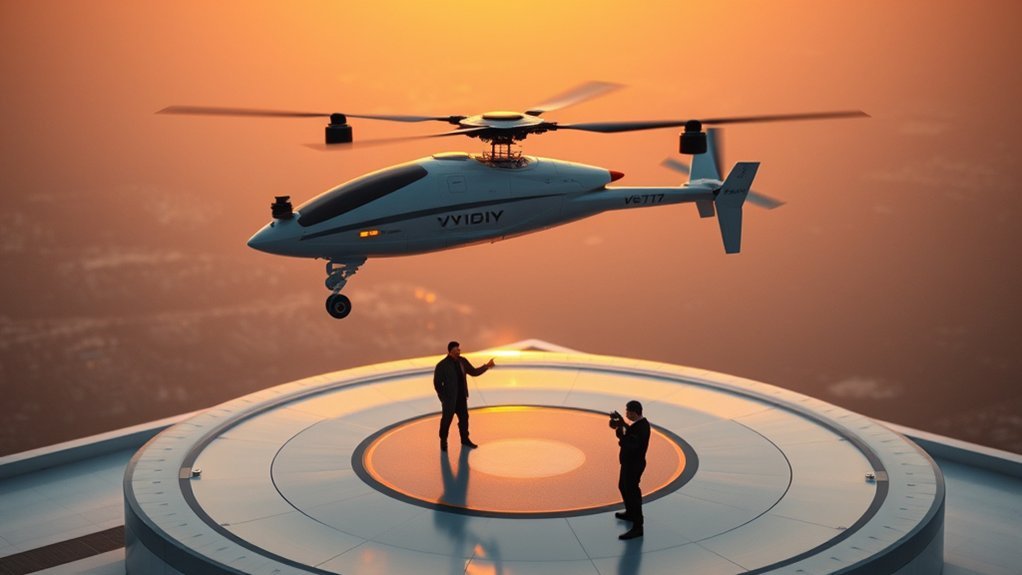
The V11Air includes GPS-assisted features intended to make basic flying and camera movement easier. The official product information lists functions such as GPS Follow, route planning, circle flight, cruise control, and Return to Home.
- GPS positioning: Helps the aircraft hold position when the satellite signal is strong.
- One-touch takeoff and landing: Simplifies the first and last part of a normal flight.
- Return to Home: Commands the drone to fly toward its recorded Home Point.
- GPS Follow: Directs the aircraft to follow the location used by the flight system.
- Circle flight: Moves the aircraft around a selected subject or point.
- Waypoint or route flight: Follows points selected in the app.
- Cruise control: Helps maintain a steady movement without constant stick pressure.
These features depend on a strong GPS connection, correct Home Point, sufficient battery, accurate compass data, and a route free of obstacles. They should not be treated as autonomous safety systems.
Warning: The official V11Air feature list does not confirm automatic obstacle avoidance. Plan as though the drone cannot detect trees, wires, buildings, poles, or other obstacles. Return to Home and waypoint flight can still lead the aircraft into an object if the route or return altitude is unsafe.
How to Set Up the V11Air for Your First Flight
- Read both manuals. Review the flight guide, battery warnings, controller diagram, and emergency procedures before installing the propellers or powering the drone.
- Charge the batteries and controller. Veeniix lists a fastest battery-charging time of about 2.5 hours. Use the charging equipment and limits specified for your package.
- Install a microSD card. Use a compatible card of up to 128 GB when you want the best recorded files.
- Install the correct app. The V11Air uses the Veeniix MINI app.
- Inspect the aircraft. Check the propellers, screws, gimbal, battery lock, arms, landing area, and camera cover.
- Power on and pair. Turn on the drone and controller, then allow the devices to complete pairing before opening the live camera view.
- Wait for strong GPS. Take off from a clear outdoor location away from roofs, vehicles, large metal objects, trees, and tall buildings.
- Confirm the Home Point. Do not rely on Return to Home until the correct takeoff location has been recorded.
- Set a safe return altitude. It should clear nearby obstacles while remaining within legal altitude limits.
- Use beginner settings. Practice hovering, slow turns, short straight flights, landing, and manual return before trying waypoint or follow modes.
Pro Tip: Test Return to Home at a short, safe distance in a large open area. Be ready to cancel the return and take manual control if the drone approaches an obstacle or does not follow the expected path.
App, Storage, and Troubleshooting
The App Shows No Live Video
Make sure you installed Veeniix MINI rather than another Veeniix app. Connect the phone and controller with the correct data cable and data port. Approve location, network, recording, and photo-library permissions when requested.
If the image still does not appear, close unused apps, reconnect the cable, restart the drone and controller, and wait for pairing to finish. A phone with limited processing power can also cause delay or freezing.
GPS Is Weak or the Drone Drifts
Move to an open outdoor location. Stay away from buildings, vehicles, reinforced concrete, power equipment, and large metal objects. Wait for a strong GPS signal before takeoff and repeat compass or gyroscope calibration only as directed by the manual.
Range Is Short or Video Lags
Wireless interference, trees, buildings, terrain, poor antenna direction, background phone apps, and low battery can reduce transmission. Keep the controller aimed correctly, maintain a clear path to the drone, and return before the signal becomes unreliable.
Return to Home Does Not Work as Expected
Check whether the correct Home Point was recorded and whether GPS remained strong. Return to Home may not work correctly with weak GPS or compass interference. It also cannot guarantee obstacle avoidance. Take manual control and land in a safe location when necessary.
FAA Registration, Remote ID, and Safe Flying
Veeniix states that the V11Air requires FAA registration and includes built-in Remote ID. Before registering, locate the Remote ID serial number on the aircraft’s QR-code label or in the app. You can also search the FAA’s public Remote ID Declaration of Compliance list for the applicable make, model, and serial-number range.
For recreational flight in the United States:
- Take the free Recreational UAS Safety Test, or TRUST, and carry proof of passing.
- Register the drone through FAA DroneZone.
- Mark the outside of the aircraft with the registration number and carry proof of registration.
- Confirm that Remote ID is working before flight unless you are using a lawful exception such as an eligible FRIA operation.
- Keep the aircraft within visual line of sight.
- Stay at or below 400 feet in Class G airspace.
- Obtain FAA authorization before flying in controlled airspace.
- Give way to crewed aircraft and never create a hazard.
- Check federal, state, local, park, property, and temporary flight restrictions.
- Follow an FAA-recognized community-based organization’s safety guidelines.
The controller’s maximum range shows what the radio may achieve under ideal conditions. It does not change the pilot’s duty to see the drone, avoid obstacles, respect airspace, and return with enough battery.
Safety Note: Drone rules vary by country and can change. The information above summarizes major U.S. recreational requirements and is not a substitute for current FAA instructions, local restrictions, or the flight manual.
Who Should Buy the V11Air?
The V11Air is most suitable for a beginner or casual pilot who wants more camera and GPS features than a basic toy drone. One-touch takeoff, GPS holding, Return to Home, route planning, a 3-axis gimbal, and two batteries make it a practical training and recreational package.
It may suit you if:
- You want 4K video and a stabilized camera without moving directly to a premium professional drone.
- You are willing to register the aircraft and learn U.S. recreational flight rules.
- You normally fly in open areas with few obstacles.
- You want two batteries in the standard package.
- You value GPS follow, circle flight, waypoint routes, and Return to Home.
- You understand that advertised range and battery figures are ideal-condition maximums.
Who Should Skip the V11Air?
Consider another model if:
- You specifically want a sub-250 g drone with fewer U.S. registration requirements for recreational use.
- You need confirmed multidirectional obstacle avoidance.
- You expect professional low-light image quality from a small camera sensor.
- You want a drone that can safely fly in rain.
- You mainly fly in tight spaces, forests, or areas with wires and buildings.
- You want a pocket-sized aircraft rather than a larger folding camera drone.
V11Air Price, Shipping, and Returns
The official Veeniix page displayed a price of $459.97 on July 24, 2026. Prices, discounts, taxes, bundles, and stock can change, so confirm the final amount before ordering. The earlier $299.89 figure should not be used because it appeared to match a different Veeniix model.
At the time of this review, Veeniix listed estimated delivery times of 3 to 7 days for U.S. orders and 10 to 20 days for international orders. The product page also displayed a 14-day return period and a 30-day exchange period.
Those statements do not explain every eligibility condition, shipping charge, return cost, or seller-specific exception. Review the checkout page and written policy before buying, especially when ordering from Amazon, a marketplace seller, or an international reseller instead of Veeniix directly.
Is the V11Air Worth It?
The V11Air can be worth considering when its price is competitive with other GPS camera drones that include a 3-axis gimbal and two batteries. Its strongest points are the stabilized 4K recording, long advertised battery package, app-based flight modes, built-in Remote ID, and beginner-oriented controls.
Its value is weaker if you need a sub-250 g aircraft, verified obstacle avoidance, strong low-light performance, weather protection, or a highly established camera ecosystem. The 6K photo label and 10,000-foot range also sound more impressive than they may be in normal use, so they should not be the only reasons to buy.
Pros
- 4K video at up to 30fps
- 3-axis brushless gimbal
- Two batteries included
- GPS positioning and Return to Home
- Waypoint, circle, follow, and cruise functions
- Built-in Remote ID according to Veeniix
- microSD support up to 128 GB
- Colorful, easy-to-recognize design
Cons
- Not a sub-250 g drone
- No confirmed automatic obstacle avoidance
- Live preview is limited to 720p rather than recorded 4K quality
- Advertised flight time and range require ideal conditions
- Not waterproof
- Small sensor limits difficult-light performance
- Registration, Remote ID, and TRUST requirements apply in the United States
Overall, the V11Air makes the most sense for a careful recreational pilot who wants stabilized video and smart GPS features but understands the model’s safety, legal, and camera limitations.
Frequently Asked Questions
How long does each V11Air battery take to charge?
Veeniix states that the fastest full charge takes about 2.5 hours. Charging time can be longer with a lower-output power source. Use the charging method specified in the manual and allow a warm battery to cool before charging.
Does the V11Air require FAA registration?
Yes. Veeniix states that the V11Air requires FAA registration. Recreational U.S. pilots must also pass TRUST, mark the drone, carry proof of registration, follow Remote ID requirements, and comply with airspace and visual-line-of-sight rules.
Does the V11Air have built-in Remote ID?
Veeniix says the V11Air has built-in Remote ID. Check the QR-code label and the drone information screen in the app, then confirm the applicable model and serial-number range in the FAA Declaration of Compliance list before registration.
Which mobile app does the V11Air use?
The V11Air uses the Veeniix MINI app. Veeniix lists support for iOS 10.0.2 or later and Android 6.0 or later, although compatibility can also depend on the phone model, cable, permissions, and current operating-system version.
Does the V11Air support a microSD card?
Yes. The drone has no built-in storage, and Veeniix states that it supports a microSD card with a capacity of up to 128 GB. Check the manual for the recommended card format and speed.
Does the V11Air have obstacle avoidance?
The official V11Air feature page does not confirm automatic obstacle avoidance. Fly as though it cannot detect or avoid trees, wires, buildings, poles, or other objects. Return to Home and automated routes still require a clear path.
Can the V11Air fly in windy or rainy conditions?
Avoid rain because Veeniix says the V11Air is not waterproof. Wind can shorten battery life, reduce stability, increase drift, and make the return flight difficult. Begin in calm weather and land when conditions exceed your skill level or the limits stated in the manual.
Can I legally fly the V11Air to its full 10,000-foot range?
The advertised range is a technical maximum measured under ideal conditions. U.S. recreational rules require you to keep the drone within visual line of sight, respect airspace limits, remain at or below authorized altitudes, and return with enough battery.
What spare parts normally come with the V11Air?
The common two-battery package is listed with the aircraft, controller, carrying case, two batteries, charging and phone cables, spare propellers, screws, a screwdriver, camera protection, and manuals. Check the exact seller’s package list because bundles can differ.
Does AI Night Mode make night flying legal?
No. AI Night Mode only changes camera processing. Recreational night flight must follow an FAA-recognized community-based organization’s night procedures and lighting rules. Part 107 operators must follow the applicable FAA night-operation and anti-collision-lighting requirements.
Conclusion
The Veeniix V11Air combines a 3-axis gimbal, 4K/30fps video, two batteries, GPS flight modes, built-in Remote ID, and app-based controls in a package aimed at beginner and recreational pilots. It offers more useful camera features than a basic toy drone, but its advertised 6K photos, 70-minute total flight time, and 10,000-foot transmission should be understood as maximum specifications rather than guaranteed real-world results.
Buy it for stabilized recreational video, GPS-assisted flight, and the two-battery package. Do not buy it expecting confirmed obstacle avoidance, professional low-light performance, waterproofing, or freedom from FAA requirements. With careful setup, open-space flying, proper registration, and realistic expectations, the V11Air can be a capable first GPS camera drone.
Sources
- Veeniix V11Air product page — camera, gimbal, battery, transmission, price, delivery, return, exchange, storage, charging, waterproofing, app, and advertised flight features
- Veeniix MINI app support page — correct app, operating-system requirements, route planning, GPS tracking, and recording functions
- Veeniix FAA and Remote ID support — V11Air Remote ID identification and manufacturer registration guidance
- FAA recreational flyer guidance — TRUST, registration, visual line of sight, altitude, airspace, and Remote ID rules
- FAA drone registration guidance — registration threshold, fees, marking, certificates, and device inventory
- FAA Remote Identification guidance — which drones must comply and the available compliance methods
