
Last Updated on September 11, 2026 by Daniel Globe
If SwissPass or SBB Mobile says that no travelcards are linked, the right fix depends on what you actually bought. A regular Half Fare Travelcard is referenced on SwissPass, while the tourist Swiss Half Fare Card follows different display rules. Start by identifying the product and checking how it was purchased before changing any app settings.
Quick Answer
If SwissPass says no travelcards are linked, sign in with the correct SwissPass login and check the Travelcards section at swisspass.ch. If you bought a tourist Swiss Half Fare Card as a guest or through another seller, it may not appear in SBB Mobile at all; use the issued QR code instead.
Key Takeaways
- Half Fare Travelcard and Swiss Half Fare Card are different products.
- SBB.ch and SBB Mobile use your SwissPass login; you do not need to maintain two separate matching accounts.
- A Swiss Half Fare Card bought while signed in can be displayed in SBB Mobile, but a guest purchase is normally used through the QR code delivered by email.
- You can manually select Half Fare Travelcard (1/2) in SBB Mobile to receive the appropriate reduced ticket prices, but that setting is not a substitute for the actual travelcard or tourist-card entitlement.
- If a SwissPass-linked travelcard is genuinely missing after you verify the correct account, contact SBB so it can check the underlying customer record.
At a Glance
| Time Required | Usually 5–15 minutes for account and app checks; longer if SBB must correct the customer record. |
| Difficulty | Easy |
| Tools Needed | SwissPass login, SBB Mobile or SBB.ch, purchase confirmation, and your SwissPass customer number if applicable. |
| Cost | Account checks are free. The SBB Contact Center number 0848 44 66 88 is currently CHF 0.08/min. when called in Switzerland. |
Disclosure: As an Amazon Associate I earn from qualifying purchases. Some links on this page are affiliate links, at no extra cost to you.
Why SwissPass Says No Travelcards Are Linked
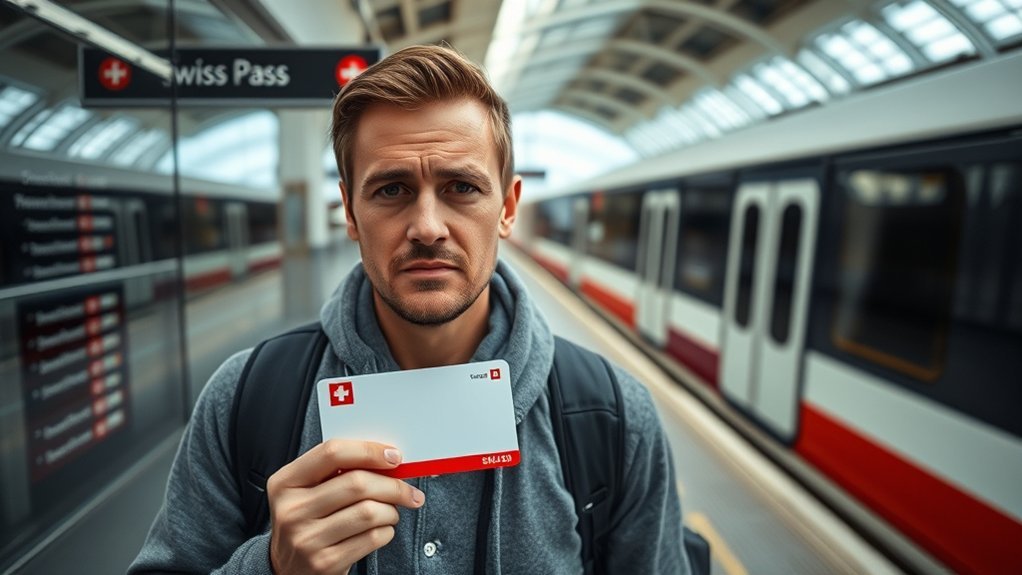
The message usually means that the account you are viewing does not currently have a SwissPass travelcard referenced to it. That does not automatically mean your purchase is lost or invalid.
According to SBB’s SwissPass travelcard guidance, travelcards referenced on your SwissPass can be viewed in the Travelcards section of your customer account at swisspass.ch or under Tickets & Travelcards in SBB Mobile.
The most important first step is to identify which product you have:
- Half Fare Travelcard: the regular Swiss public-transport travelcard. It is integrated onto SwissPass and is normally valid for one year.
- Swiss Half Fare Card: a tourist product for visitors whose permanent residence is outside Switzerland and Liechtenstein. It is currently valid for one month.
- Swiss Travel Pass: another tourist product. Despite the similar name, it is not the same thing as SwissPass.
Note: SwissPass is the account/card system used for Swiss public-transport travelcards and services. A Swiss Travel Pass is a separate tourist travel product.
Check Your SwissPass Login Details
SBB.ch, SBB Mobile, and swisspass.ch use the same SwissPass login. SBB describes the account on SBB.ch as your “Profile,” but you do not need to create two independent accounts and then make their email addresses match.
- Go to swisspass.ch and sign in with the login you normally use for SBB.
- Open the Travelcards section.
- If you have a regular Half Fare Travelcard, GA Travelcard, or another travelcard that should be on SwissPass, check whether it appears there.
- Open SBB Mobile and make sure you are signed in with that same SwissPass login.
- Look under Tickets & Travelcards.
SBB explains that a SwissPass customer account must be registered and linked before its SwissPass travelcards can be viewed online. If the wrong customer record is connected to your login, the app may legitimately show no linked travelcards even though you have purchased one.
If you have forgotten the password, use SBB’s password-reset process. Changing the password will require you to sign in again on services and apps that use the SwissPass login.
Add Your Half Fare Card on the SBB Website
Do not manually add a product until you know which Half Fare product you have. A regular Half Fare Travelcard should be referenced on your SwissPass. A tourist Swiss Half Fare Card has different rules.
Log In to SBB
If you bought the Swiss Half Fare Card while signed in with a SwissPass login, SBB says the card can be displayed in SBB Mobile. Sign in to the app with the same login used during the purchase and open Tickets & Travelcards.
If you purchased the Swiss Half Fare Card as a guest, SBB sends the card by email as a QR code. SBB states that a guest purchase cannot be displayed as the Swiss Half Fare Card in SBB Mobile. A tourist product bought through another vendor may likewise not be importable into SBB Mobile.
Warning: Do not create a second SwissPass login just because a guest-purchased Swiss Half Fare Card is missing from the app. If the purchase was made without a login, use the QR code supplied with the purchase for inspection.
Update Discount Cards
If you have a valid Swiss Half Fare Card but SBB Mobile is still showing full-price tickets, you can tell the app that you are entitled to half-fare/reduced-price tickets.
- Open SBB Mobile.
- Go to Tickets & Travelcards.
- Select Enter travelcard.
- Choose Half Fare Travelcard (1/2).
- Save the setting.
SBB’s current Swiss Half Fare Card instructions use this setting so eligible reduced fares are shown when you purchase tickets.
Note: Manually selecting “Half Fare Travelcard (1/2)” controls ticket pricing. It does not create, upload, or replace your actual Swiss Half Fare Card. During inspection you still need the valid entitlement required for your journey.
Why the SBB App May Show the Wrong Card
The app can appear to show the wrong card for several different reasons. Work through them in this order:
- Check the login. Confirm that SBB Mobile is using the SwissPass login connected to the traveller’s customer record.
- Check swisspass.ch. If a regular SwissPass travelcard appears there but not in SBB Mobile, sign out of the app and sign back in.
- Check whether the product is actually a tourist Swiss Half Fare Card. A card bought as a guest will not appear in the same way as a SwissPass-linked Half Fare Travelcard.
- Check manually entered travelcards. A manually stored “Half Fare Travelcard (1/2)” tells the app which ticket price to offer; it should not be confused with the actual Swiss Half Fare Card QR code.
- Check the traveller. Tickets and personal travelcards are associated with named travellers, so make sure you are viewing the correct person’s product.
If a SwissPass-linked travelcard is visible at swisspass.ch but repeatedly fails to appear in SBB Mobile after a fresh sign-in, contact SBB so it can check the account record.
How to Apply the Half Fare Discount at Purchase
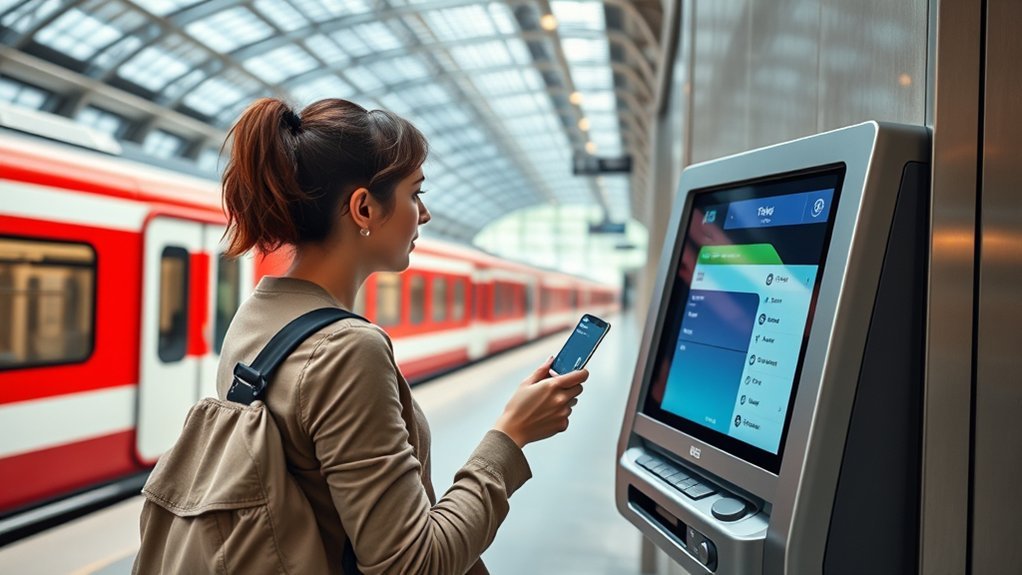
You can buy half-fare or otherwise reduced-price tickets in SBB Mobile as well as on SBB.ch. If you are using a tourist Swiss Half Fare Card, first make sure the app knows to price your journeys at the half-fare rate.
| Step | Action | Purpose |
| 1 | Open Tickets & Travelcards | Check your stored entitlement/settings |
| 2 | Enter Half Fare Travelcard (1/2), if needed | Show eligible reduced fares |
| 3 | Search for your journey | View the available ticket options |
| 4 | Verify the traveller and fare before paying | Avoid buying a full-price or wrong-person ticket |
| 5 | Carry the required card/QR and ID | Be ready for ticket inspection |
For the tourist Swiss Half Fare Card, SBB states that the card is valid only together with a valid original passport or official ID. Copies or smartphone photos of the ID are not accepted as a substitute for the original document.
Pro Tip: If you bought your Swiss Half Fare Card as a guest, save the emailed QR code somewhere you can reach without searching through your inbox during an inspection.
Who the Card Is Registered To
A personal travelcard belongs to the named traveller or holder, not necessarily the person who paid for it. SBB distinguishes between the contracting party and the passenger because one person can purchase certain travelcards for someone else.
For a regular Half Fare Travelcard, the traveller’s entitlement is referenced on that person’s SwissPass. For a Swiss Half Fare Card, the traveller should make sure the name and identity details used for the purchase are correct and carry the required original ID during travel.
- Buy or assign the product to the correct traveller.
- Check that the traveller’s name and personal details are accurate.
- Do not assume a travelcard purchased for another person will appear as your own entitlement.
How to Check Half Fare Card Validity
The correct validity check again depends on the product.
Regular Half Fare Travelcard
A regular Half Fare Travelcard is integrated onto SwissPass. SBB currently states that it is valid for one year and renews automatically under an indefinite contract unless it is cancelled according to the applicable terms. You can check SwissPass travelcard details at swisspass.ch.
SwissPass may show contract statuses such as:
- Valid: the travelcard is valid.
- Deposited: the travelcard has temporarily been deposited and cannot currently be used.
- Invalid: the travelcard is temporarily blocked.
Swiss Half Fare Card for Tourists
The tourist Swiss Half Fare Card is currently valid for one month. As of August 2026, SBB lists the price as CHF 150, although prices and conditions can change.
If you bought it as a guest, check the validity dates on the card or QR document sent with your purchase. If you bought it while signed in and it appears in SBB Mobile, you can also review it there.
What to Do If Regional Cards Don’t Appear
SBB says that the range of Regional Travelcards available on SwissPass continues to expand. If your Regional Travelcard does not appear, first determine whether that specific regional product is supported on SwissPass.
- Check Travelcards in your account at swisspass.ch.
- Check Tickets & Travelcards in SBB Mobile while signed in.
- Review the relevant fare network’s website if the Regional Travelcard is not supported on SwissPass.
- If the product should be integrated but is missing, confirm that the correct SwissPass customer record is linked to your login.
- Contact the relevant fare network or SBB if the record still appears incorrect.
SBB notes that one-month and 12-month Regional Travelcards are generally placed on SwissPass, while some seven-day regional products may still be issued in paper form depending on the fare network. See SBB’s Regional Travelcard help for current rules.
When to Contact SBB Support
Contact SBB when a travelcard that should be referenced on your SwissPass is missing even though you are signed in with the correct SwissPass login and the travelcard is valid.
Support is also appropriate when:
- your customer number appears to be linked to the wrong account;
- a regular Half Fare Travelcard or GA Travelcard is missing from swisspass.ch;
- the app and SwissPass account show conflicting travelcard information;
- you cannot determine why the travelcard status is Invalid;
- a purchase or account restriction requires access to SBB’s customer records.
According to SBB Help & Contact, the SBB Contact Center is currently available 24/7 at 0848 44 66 88 from Switzerland at CHF 0.08/min. From abroad, SBB lists +41 848 44 66 88.
A missing travelcard in SBB Mobile does not always mean the entitlement is missing. The purchase method and type of travelcard determine whether it should appear there at all.
Frequently Asked Questions
What is a travelcard in Switzerland?
A travelcard is a public-transport entitlement such as a Half Fare Travelcard, GA Travelcard, Regional Travelcard, Point-to-Point Travelcard, or another qualifying product. Benefits differ by product: some reduce ticket prices while others cover journeys within a defined network or validity area.
Why is my SwissPass blocked?
Do not assume a specific cause from the message alone. If the problem is simply that you cannot sign in, use the SwissPass password-reset process. If the account, travelcard, or SwissPass itself shows an unexplained restriction or Invalid status, contact SBB so it can check the customer record.
How do I activate my SwissPass?
There is no universal manual activation step for every SwissPass travelcard. If you have a SwissPass card, register or sign in at swisspass.ch and make sure the SwissPass/customer record is linked to your account. A purchased travelcard that belongs on SwissPass is then referenced to the holder’s SwissPass according to its validity and product rules.
Why did my travelcard not work?
Possible reasons include an expired or not-yet-valid product, an Invalid or Deposited SwissPass travelcard, travel outside the product’s validity area, or having the correct discount card but no separate ticket for a journey that still requires one. Check the exact product and validity before travelling.
Can I add a guest-purchased Swiss Half Fare Card to SBB Mobile?
SBB says a Swiss Half Fare Card purchased as a guest cannot be displayed as the card in SBB Mobile. Use the QR code delivered by email. You can still configure SBB Mobile with Half Fare Travelcard (1/2) so the app shows eligible reduced-price tickets.
Is SwissPass the same as the Swiss Travel Pass?
No. SwissPass is the Swiss public-transport customer account and card system used for many travelcards and partner services. The Swiss Travel Pass is a separate travel product designed for visitors to Switzerland.
Conclusion
If SwissPass says no travelcards are linked, first identify the product instead of repeatedly trying to add it. A regular Half Fare Travelcard should be referenced on the holder’s SwissPass, while a tourist Swiss Half Fare Card may follow a different path. If it was purchased as a guest, use the emailed QR code rather than expecting the card to appear in SBB Mobile.
For ticket buying, SBB Mobile can still show eligible half-fare or reduced-price tickets after you enter Half Fare Travelcard (1/2). If a travelcard that genuinely belongs on your SwissPass is missing from both swisspass.ch and the app, contact SBB and have the customer record checked.
Sources
- SBB — Help with your travelcards on SwissPass — travelcard visibility, validity status, and Regional Travelcard information.
- SBB — General questions on logins — relationship between the SwissPass customer account, SBB.ch profile, and SwissPass login.
- SBB — Buy Swiss Half Fare Card online — signed-in purchases, guest QR delivery, app display, and half-fare ticket settings.
- SBB — Swiss Half Fare Card — eligibility, current price, one-month validity, discounts, and ID requirements.
- SBB — Regional Travelcard help — SwissPass integration and regional-product rules.
- SBB — Help & Contact — current Contact Center numbers and availability.
