

Last Updated on September 11, 2026 by Daniel Globe
You can use the SBB Mobile app to plan journeys and buy many Swiss public transport tickets without a physical SwissPass card or a SwissPass login. Guest checkout works well for occasional trips. However, some features, especially EasyRide, require a valid SwissPass login, a working data connection, and a stored payment method.
Quick Answer
Yes. You can search timetables and buy most SBB tickets as a guest without registering. Select “Buy as guest,” enter your passenger details, pay, and keep the ticket shown in the app or sent by email. EasyRide is different: it requires a SwissPass login and cannot be used through guest checkout.
Key Takeaways
- You do not need a physical SwissPass card to use SBB Mobile or create a SwissPass login.
- Most standard, regional, and saver tickets can be purchased as a guest.
- EasyRide requires you to sign in with a valid SwissPass login before travel.
- Buy or activate your ticket before the scheduled departure time.
- Keep your ticket, matching ID, and any discount card ready for inspection.
Disclosure: As an Amazon Associate I earn from qualifying purchases. Some links on this page are affiliate links, at no extra cost to you.
Can You Use the SBB App Without SwissPass?
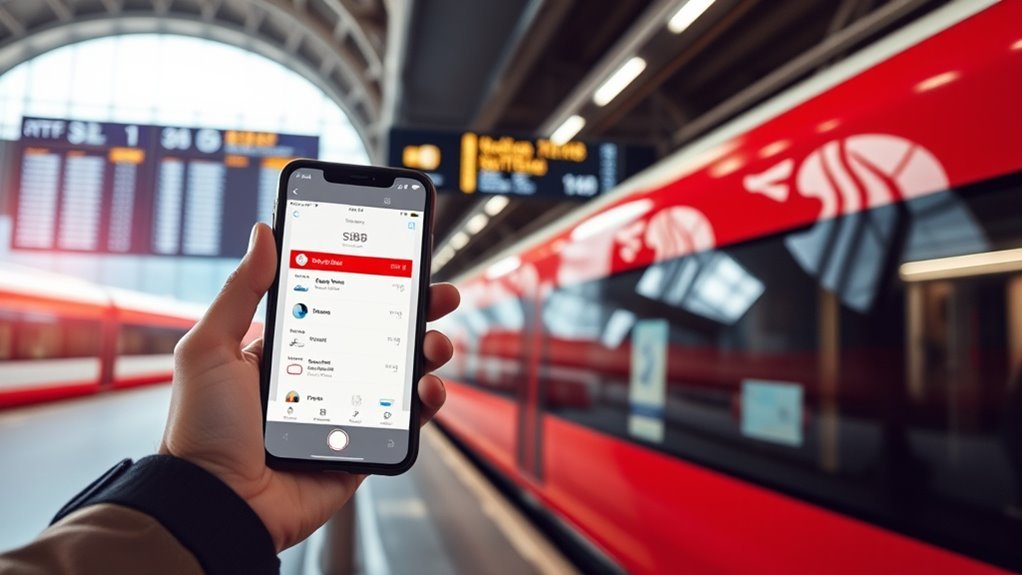
Yes, but it helps to separate three things that are often confused:
- SBB Mobile: The official app for timetables, tickets, trip updates, and other services.
- SwissPass login: An online account used on SBB.ch and in SBB Mobile. You can create one without owning a physical SwissPass card.
- SwissPass card: A physical card that can hold Swiss travelcards and other products.
You can search routes without signing in. When buying an eligible ticket, choose Buy as guest, enter your details, and complete payment. SBB confirms that registration is not required for ordinary guest purchases in the app. See the official SBB Mobile help page.
A login becomes useful when you want faster repeat purchases, saved co-passengers and payment methods, easier access to past orders, linked travelcards, or EasyRide. Some products, including certain long-term travelcards and group bookings, require a login.
Note: You can create a SwissPass login even if you do not have a SwissPass card. The login is an account; the card is a separate travel credential.
Guest Purchase vs. SwissPass Login
| Feature | Buy as Guest | With SwissPass Login |
| Search timetables and receive disruption updates | Yes | Yes |
| Buy most individual tickets | Yes | Yes |
| Use EasyRide | No | Yes, after setup |
| Save payment methods and co-passengers | No | Yes |
| Sync eligible purchases across SBB.ch and the app | No | Yes, when bought with the same login |
| Show linked SwissPass travelcards | No | Yes |
How to Buy SBB Tickets as a Guest
- Open SBB Mobile. Use the timetable search to enter your departure point, destination, date, and preferred time.
- Select a connection. Check the route, transfers, travel time, class, and ticket conditions.
- Choose the correct passenger and discount. Select full fare unless you hold a valid Half Fare Travelcard, Swiss Half Fare Card, or another accepted discount.
- Start checkout. Tap the purchase option and select Buy as guest.
- Enter personal details. SBB normally asks for the passenger’s first name, surname, date of birth, and email address.
- Select a payment method. Complete the payment and wait for the ticket confirmation.
- Confirm that the ticket exists. Check the app’s Tickets & Travelcards area and your confirmation email before boarding.
Warning: The purchase must be completed before the scheduled departure of the train, bus, tram, or boat. Buying after departure can be treated as travel without a valid ticket.
Guest checkout is convenient, but your personal details and payment method are not saved for the next purchase. Keep the confirmation email because it is also the easiest way to retrieve or manage a guest order.
What You Can Book in the SBB App
SBB Mobile offers more than basic train tickets. Depending on the route and availability, you can buy:
- Standard point-to-point tickets for journeys within Switzerland
- Regional fare-network and zone tickets
- Supersaver Tickets and Saver Day Passes
- City-Tickets and class upgrades
- Tickets for children, dogs, and bicycles
- Selected international tickets
- Seat or bicycle-space reservations when offered for the chosen connection
Trip Tickets and Route Validity
A standard Point-to-Point Ticket is normally valid for the selected route on the calendar day shown on the ticket, until 5 a.m. the following day. You may use another connection on the same permitted route and break your journey, unless the ticket conditions say otherwise.
Do not apply that rule to every ticket. Regional zone tickets can have shorter time limits. Supersaver Tickets and Supersaver Class Upgrades are tied to the selected connection. Read the validity line before paying.
EasyRide and Transit Modes
EasyRide covers much of Switzerland’s public transport network, including trains, buses, trams, boats, and urban transport. You check in before departure and check out after leaving the final vehicle. The app records the journey and calculates eligible fares after travel.
EasyRide can combine journeys into a cheaper daily ticket combination where the fare rules allow it. However, it does not offer Supersaver Tickets or Saver Day Passes, and it is not guaranteed to beat every ticket you could have purchased in advance.
Seat Reservations and Extras
Seat reservations appear under additional offers when they are available for your connection. Within Switzerland, selected InterCity seats can be reserved for CHF 5. Reservations may also be required or included on some international trains.
You can buy a seat reservation as a guest where guest purchase is offered. A restaurant-seat reservation is a separate service and is not the same as pre-ordering a meal. Check the official SBB seat-reservation page for the connection and booking channel.
How EasyRide Works
EasyRide is useful when you want to travel without choosing a ticket in advance, but it is not a guest feature. According to SBB’s official EasyRide requirements, you need:
- A valid SwissPass login signed in to SBB Mobile
- A supported smartphone with a working SIM and data connection
- A valid payment method
- Location services and required device permissions
- Bluetooth and other requested tracking settings enabled during the journey
EasyRide Step by Step
- Open the EasyRide tab before departure.
- Swipe to check in. Wait until the app confirms check-in and shows a valid QR code with the confirmation indicator.
- Board only after successful check-in.
- Travel and transfer as needed within the EasyRide network.
- After leaving at your destination, swipe to check out.
- Review the recorded journey and calculated price.
EasyRide requires a successful check-in before departure. Opening the app or starting the swipe after the vehicle has departed does not create a valid ticket for that journey.
Important EasyRide Limitations
- EasyRide is for the logged-in main traveler. It cannot buy EasyRide tickets for co-passengers.
- You can add eligible dogs and bicycles, but seat and bicycle-space reservations must be purchased separately.
- Supersaver Tickets, Saver Day Passes, multiple-journey tickets, and some special regional offers are not available through EasyRide.
- Power-saving settings, weak location data, disabled Bluetooth, or connection problems can affect journey recording.
Pro Tip: Before your first EasyRide trip, sign in, add a payment method, allow the requested location permissions, and test that the check-in screen loads while you still have time to buy a normal ticket.
What to Do if EasyRide Does Not Work
If EasyRide does not confirm check-in or does not generate a valid QR code, do not board and hope it fixes itself. Buy a normal ticket through the app, SBB.ch, a ticket machine, or a staffed counter before departure. SBB states that traveling without a presentable EasyRide QR code can lead to a surcharge.
When to Save Your SBB Ticket as a PDF
SBB sends tickets purchased through SBB Mobile by email as a PDF. For a guest purchase, the email is especially important because the order is not tied to a reusable account history.
Download the PDF to your device before traveling, and consider printing it when you expect poor connectivity or limited access to charging. A cloud-only copy may not help when you have no data connection.
Note: A PDF backup applies to regular purchased tickets. EasyRide uses an active in-app travel authorization and QR code, so a saved screenshot or ordinary PDF is not a substitute for a successful EasyRide check-in.
If you bought a valid personal e-ticket before departure but cannot present it during inspection because your battery is flat or the QR code is unreadable, SBB may record your details. You can present the valid ticket within 10 days for a CHF 5 fee. This is a fallback process, not a reason to travel without a working ticket display.
How Half Fare Works in the SBB App
The Swiss Half Fare Card for international visitors is different from the resident Half Fare Travelcard, although both can qualify you for reduced fares. In the app, edit the traveler and select the half-fare option only when the traveler holds a valid discount product.
If You Buy the Swiss Half Fare Card With a Login
When you purchase the tourist Swiss Half Fare Card while signed in, you can sign in to SBB Mobile with the same details and display the card under Tickets & Travelcards. You can also set the half-fare status for ticket purchases.
If You Buy the Swiss Half Fare Card as a Guest
SBB sends the card by email as a QR code. The card itself cannot be displayed in SBB Mobile when it was purchased as a guest, but you can still use SBB Mobile to buy reduced-price tickets. Keep the emailed card available separately.
The Swiss Half Fare Card is valid only with the traveler’s original passport or official identity document. A photo or copy of the ID is not accepted for inspection.
Warning: Selecting half fare without holding valid proof can turn the ticket into a partly valid ticket and lead to a surcharge plus the missing fare.
What Ticket Inspectors Will Check
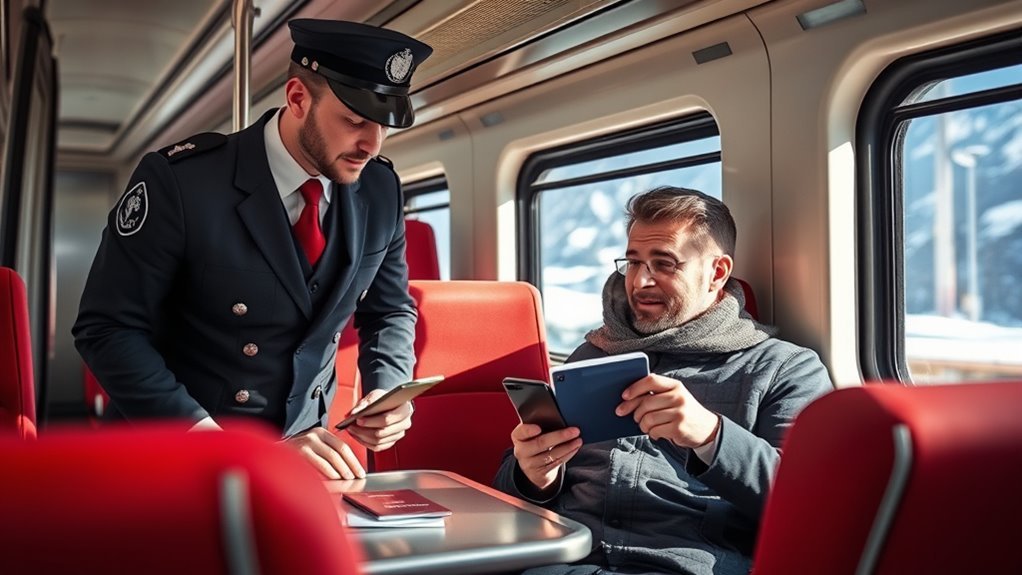
For a digital SBB ticket, be ready to show the full ticket or QR code on your phone. Online and mobile tickets are personal and non-transferable, so the inspector may also ask for an accepted ID whose details match the ticket.
Ticket Visibility On Board
Open the ticket before the inspector reaches you. Increase the screen brightness if needed and allow the inspector to view the required ticket details. Digital tickets are valid; you do not need paper simply because an inspector is checking tickets.
Required Travel Documents
- The valid ticket or active EasyRide QR code
- A matching passport, identity card, driving licence, or accepted travelcard when requested
- Your Half Fare Travelcard, Swiss Half Fare Card, or other discount proof if a reduced fare was used
- The original passport or official ID when using a tourist Swiss Half Fare Card
Half-Fare Card Checks
The name, birth date, travel date, class, route or zones, and discount entitlement must match. Each traveler needs a valid ticket in their own name. One person can purchase tickets for companions, but the individual tickets remain personal.
Travel Without a Valid Ticket
SBB’s current first-occurrence surcharge for traveling without a valid ticket is CHF 90, plus the applicable fare. The listed surcharge rises to CHF 130 for a second occurrence and CHF 160 from the third occurrence. A partly valid ticket has a lower but still substantial surcharge. See SBB’s official travel-without-a-valid-ticket guidance for current amounts and procedures.
Useful SBB Features for Travelers
- Journey planning: Compare connections, transfers, platforms, and scheduled travel times.
- Live trip information: Receive delay, platform, transfer, and disruption updates for saved journeys.
- Saver offers: Look for the percentage symbol showing available Supersaver Tickets.
- Co-passenger purchases: Buy named tickets for other travelers during normal checkout.
- Apple Wallet support: Eligible tickets can be added on iPhone. SBB does not currently support Google Wallet for purchased tickets.
- Dogs and bicycles: Add appropriate tickets during normal purchase or, where eligible, add them to EasyRide.
Is the SBB App Cheaper Than Buying at the Station?
A normal ticket is not automatically cheaper just because you buy it in the app. The main digital savings come from limited saver products. SBB offers Supersaver Tickets through SBB.ch and SBB Mobile with discounts of up to 50% when available.
Supersaver Tickets are tied to the selected connection and have stricter refund and change rules than standard Point-to-Point Tickets. Compare the lower price with the loss of flexibility before buying.
Frequently Asked Questions
Can I use SBB Mobile without a SwissPass login?
Yes. You can search routes and buy most individual tickets with the “Buy as guest” option. You must enter your details and payment information for each guest purchase.
Do I need a physical SwissPass card to create a login?
No. SBB allows you to create a SwissPass login without owning a physical SwissPass card. The login gives you account features such as synced tickets, stored details, and EasyRide access.
Can I use EasyRide without SwissPass?
You do not need a physical SwissPass card, but you do need a valid SwissPass login and must be signed in to SBB Mobile. EasyRide also requires a working phone, data connection, payment method, and location permissions.
How should tourists use the SBB app?
Search the route, compare standard and saver tickets, select the correct passenger discount, buy before departure, and keep the ticket plus matching ID ready. Create a login only when you want EasyRide or easier repeat purchases.
Is it cheaper to buy Swiss train tickets online?
Not always. Standard fares are not automatically reduced in the app. Online and mobile channels can be cheaper when a limited Supersaver Ticket or Saver Day Pass is available.
What happens if I travel without a valid ticket?
For a first recorded occurrence, SBB currently lists a CHF 90 surcharge plus the fare. Repeat occurrences cost more. Buying after departure, checking in late, or using an unjustified discount can also lead to a surcharge.
Conclusion
You can use SBB Mobile without a SwissPass card or account for most guest ticket purchases. The key exception is EasyRide, which requires a SwissPass login and proper phone setup. Buy or check in before departure, understand your ticket’s validity, and keep your ticket, matching ID, and discount proof ready. That preparation makes Swiss public transport simple and avoids costly mistakes.
Sources
- SBB Mobile help and contact – guest purchase, app tickets, payments, validity, and ticket display.
- SBB EasyRide help – login requirements, device setup, limitations, and check-in rules.
- SBB Point-to-Point Ticket – route flexibility and calendar-day validity.
- Buy the Swiss Half Fare Card – login and guest-purchase differences.
- SBB travel without a valid ticket guidance – ticket requirements, presentation fees, and surcharges.
- SBB seat reservations – domestic and international reservation options.
