
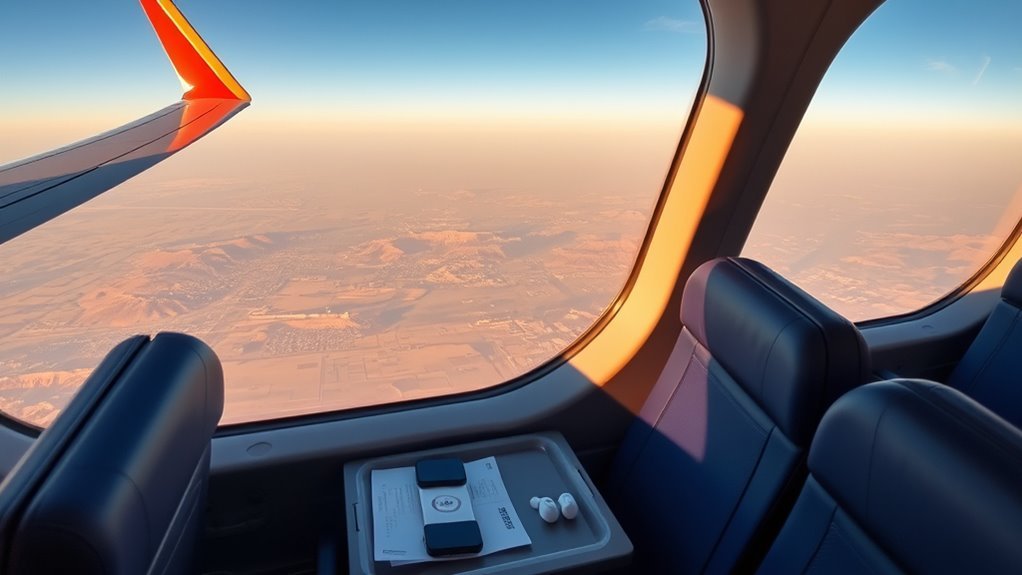
Southwest makes flying flexible and budget-friendly, especially if you know the fare options, boarding order, and baggage rules before you book. You can cancel flights up to 10 minutes before departure, check two bags free on many fares, and enjoy complimentary snacks and drinks onboard. Rapid Rewards points never expire with activity, and Companion Pass can nearly double your travel value. With assigned seating and WiFi rolling out, there’s plenty more to uncover.
Southwest Fare Types Explained

Southwest’s fare types give you a clear tradeoff between price and flexibility, so the best choice depends on how you like to travel.
In this fare comparison, Basic is the budget-friendly pick when you want the lowest upfront cost and can live with tighter limits. You won’t choose a seat, and if plans change, your credit isn’t transferable.
Choice adds more freedom: you can select a standard seat, make changes, and receive a transferable credit good for 12 months if you cancel.
Choice gives you more flexibility: pick a standard seat, change your plans, and keep a transferable credit for 12 months.
If comfort matters, Choice Preferred and Choice Extra provide upgrade options that can make your trip feel easier, with access to Extra Legroom seats and priority boarding.
Frequent flyers can stretch these benefits further with elite status, which may grant earlier boarding and free checked bags depending on your fare type.
When you want to move with more control, Southwest lets you match your ticket to your style.
How Southwest Assigned Seating Works
Southwest now assigns seats when you book, and you’ll choose from Standard, Preferred, or Extra Legroom options based on your fare.
Your seat choice depends on your ticket type—Basic, Choice, Choice Preferred, or Choice Extra—so higher fares can reveal better placement.
At the airport, you’ll board in one of eight groups by fare and loyalty status, so check your boarding group before you head to the gate.
Seat Types Explained
Under the new seating system, you can choose from three seat types—Standard, Preferred, and Extra Legroom—so you can balance comfort and cost before you even board.
You’re free to match your comfort preferences with your budget, and your seat selection strategies can start when you book. If you’re traveling with others, pick seats together to keep your group connected.
- Standard works for simple, no-frills trips.
- Preferred puts you closer to the front for a quicker exit.
- Extra Legroom gives you more space to stretch and breathe.
You can also use EarlyBird Check-In for a better boarding position, and families with young kids can board together more easily.
This setup gives you more control, less stress, and a smoother way to fly.
Fare-Based Selection Rules
With Southwest’s assigned seating model, your fare class now shapes both where you can sit and how early you can board, so it’s worth understanding the rules before you book.
When you choose Basic, Choice, Choice Preferred, or Choice Extra, you’re also choosing seat access, cancellation terms, and freedom levels.
Standard, Preferred, and Extra Legroom seats open up according to that fare, and you can pick yours during booking.
Higher fares and loyal status can grant earlier boarding privileges, giving you a better shot at prime placements and easier seat upgrades.
If you want more fare flexibility, Choice fares usually give you room to adjust plans without as much stress.
Knowing these rules helps you travel with less friction, more comfort, and a stronger sense of control.
Boarding Group Order
Once you’ve picked your fare, Southwest’s assigned seating system uses boarding groups 1 through 8 to decide when you step onto the plane. That order can make a big difference in what seats are still open.
You’ll usually see Premium and loyal customers in Group 1, while Basic fares often board later. Check your group before you reach the gate so you can move with confidence and skip stress.
EarlyBird Check-In can boost your position automatically, giving you stronger seat options and more freedom. Families with kids six and under may board between Groups A and B, making seating easier for everyone.
- Use boarding process tips to plan ahead.
- Try group boarding strategies like EarlyBird.
- Stay flexible for better seat choices.
Southwest Boarding Groups and Check-In
Southwest’s boarding groups organize you into A, B, and C lines, with your fare type, status, and family needs shaping when you board.
You can also buy EarlyBird Check-In to get automatically checked in up to 36 hours before departure, which can improve your boarding position.
Be sure to check your group before you reach the gate so you can board smoothly, especially now that assigned seating can affect the process.
Boarding Groups Explained
When you fly Southwest, your boarding position can make a big difference in how quickly you settle in and what seat options you’ll have.
Southwest uses eight boarding groups, from A1 to C60, and your fare class or elite status shapes where you land. If you want more freedom, use smart boarding group strategies and practical check-in hacks to improve your spot.
EarlyBird Check-In can auto check you in 36 hours before departure, while online check-in opens 24 hours ahead.
- Groups 1 and 2 often get the best seat choices.
- Families with kids six and under can board between A and B.
- Always confirm your group before you reach the gate.
Check-In Timing Tips
To improve your odds of a better boarding group, check in as soon as online check-in opens 24 hours before departure. Southwest assigns boarding groups by fare class, so timing matters. Smart check in strategies can lift you into a stronger spot, giving you more freedom to choose a seat and sit with your crew. If you want extra leverage, EarlyBird Check-In can secure check-in up to 36 hours ahead for $15 to $25, improving boarding efficiency.
| Moment | Effect |
|---|---|
| 24 hours | Better place |
| 36 hours | Earlier edge |
| Family boarding | Extra ease |
| Late arrival | Lost chance |
| Gate on time | Smooth boarding |
Watch your group, reach the gate early, and keep your travel flow unbroken.
Southwest Baggage Fees and Carry-On Rules
Southwest keeps baggage costs pleasingly simple, since you can check your first two bags for free on standard fares, while other fare types may charge $35 for the first checked bag and $45 for the second.
Southwest makes baggage simple: first two checked bags are free on standard fares.
You’ll want to know the baggage policies before you head out, so you can travel light and free.
- Checked bags: Keep each bag under 50 pounds and 62 linear inches to dodge extra fees.
- Carry on dimensions: Bring one free carry-on up to 10 x 16 x 24 inches, including wheels and handles.
- Military perk: If you’re active-duty, you get two free checked bags, no matter your fare.
Measure everything before you leave, because Southwest checks size and weight at the counter.
When you pack within the limits, you move through the airport with fewer surprises and more freedom to enjoy the journey.
Southwest Cancellation Rules and Flight Credits
After you’ve sorted your bags and packed within Southwest’s limits, it’s smart to know what happens if your plans change. You get real cancellation flexibility: you can cancel a Southwest flight up to 10 minutes before departure without penalty, so last-minute shifts don’t trap you.
If you booked Choice Extra or Choice Preferred, Southwest refunds the fare to your original payment method. Choice fares give you transferable travel credits that stay valid for 12 months, letting you reroute your plans with freedom.
Basic fares are stricter: cancellations produce non-transferable credits that expire in 6 months, and if you miss the deadline, you lose the funds. Make travel credit tracking part of your routine, because expiration dates vary by fare class.
Free WiFi, Entertainment, and the App
Staying connected at 35,000 feet is easy with Southwest’s free WiFi for Rapid Rewards members, which lets you browse the internet and open the in-flight entertainment portal during your flight.
Southwest’s free WiFi for Rapid Rewards members keeps you connected and lets you access in-flight entertainment midair.
You can stream your journey with dependable in-flight connectivity and enjoy entertainment options that keep travel feeling open, not confined.
If you’re not a member, you can still buy WiFi for $8 per flight per device, so you stay linked on your terms.
- Track your flight in real time.
- Watch movies, TV shows, and live TV.
- Use the Southwest app for quick access.
You’ll find the app makes setup simple, so you can tap in and move freely through your trip.
On some international flights, content may vary because of licensing limits.
Looking ahead, Southwest plans to launch Starlink WiFi fleetwide by Summer 2026, bringing faster, more reliable access that should make your cabin feel even more open.
Southwest Snacks, Drinks, and Onboard Rules
On most Southwest flights, you’ll get complimentary snacks and nonalcoholic beverages, so it’s easy to settle in without extra fees. You can expect simple snack options like pretzels or similar packaged treats, plus a friendly crew that keeps service moving with a light, relaxed touch.
Southwest’s beverage policies are straightforward: you can enjoy free soft drinks, water, and juice, while premium alcoholic drinks are available to buy onboard if you’re 21 or older and following FAA rules. You can’t bring outside beverages onto the plane, so plan ahead and pack your own snacks instead of drinks.
Since Southwest doesn’t offer full meals or extra snacks for purchase, longer flights may feel lean, but that also keeps the cabin uncluttered and easygoing. If you want more comfort and freedom, bring a solid snack stash and board ready to travel light.
How Rapid Rewards Works
Southwest’s Rapid Rewards program makes earning points feel straightforward because you collect them based on how much you spend, not how far you fly. That means your fare type shapes your rewards: Basic fares earn 2 points per dollar, while Choice Extra fares can earn up to 14. Your points never face points expiration as long as your account stays active, so you can build balance without pressure.
- Track your points in your account and redeem them for flights with no blackout dates.
- Use earning strategies like hotel stays, rental car bookings, and promotional offers.
- Boost your pace with A-List, which adds 25% more points, or A-List Preferred, which doubles them.
You stay in control, choosing when to save, spend, and fly. Credit card purchases can also add to your stash, helping you move freely and travel on your terms, not the airline’s schedule.
How Companion Pass Works
The Companion Pass is one of Southwest’s biggest perks because it lets you bring one designated companion along for nearly free—you just cover the taxes and fees when you buy your own ticket.
That means you can split travel costs without sacrificing freedom, whether you’re chasing beach time, family visits, or a last-minute escape.
To obtain it, you’ll need to either fly 100 qualifying one-way flights or earn 135,000 qualifying points in a calendar year. Earning points through everyday spending, including Southwest credit cards, can help you reach that goal faster.
Once you qualify, the pass stays with you for the rest of that year and all of the next, giving you a long runway of Companion Pass benefits.
You can also change your designated companion up to three times each year, so your plans can stay flexible as life shifts.
Frequently Asked Questions
Can Families Board Early With Small Children?
Yes, you can board early with small children through family boarding, which lets you find priority seating together. You’ll usually board after A group, giving you room to settle in and travel more freely.
How Do I Keep My Family Seated Together?
You can keep your family seated together by choosing a smart boarding strategy: check in early, secure adjacent seats, and board promptly. Crowded aisles, calm kids—your family seating stays united, free, and stress-light.
Are Southwest Flights Good for Long-Haul Trips?
They’re decent for long trips if you value freedom and flexibility, but you’ll want to manage your own long haul comfort. Southwest offers in flight entertainment, yet limited seat perks can make very long flights feel basic.
Can I Bring a Stroller on Southwest?
Yes, you can bring a stroller on Southwest. You’ll follow their stroller policies, check it at the gate or ticket counter, and keep your family travel smoother, lighter, and freer while you board.
Does Southwest Offer Special Assistance for Kids?
Yes, you can request special assistance for kids, especially for child travel or special needs. Southwest offers early boarding, family boarding, and support from staff, so you’re not left holding the bag.
Conclusion
With Southwest, you can turn travel chaos into a smoother journey if you know the rules. You’ve learned how fares, seating, boarding, bags, credits, WiFi, snacks, Rapid Rewards, and Companion Pass work together to shape your trip. Like a savvy traveler charting the yellow brick road, you can plan ahead and avoid surprises. Keep these tips in your back pocket, and you’ll fly with more confidence, comfort, and value on every Southwest adventure.