

Last Updated on September 11, 2026 by Daniel Globe
You can check available seats on a flight through the operating airline’s website or app, either while booking or later under Manage Trips. The map shows seats you may be able to select, but it does not reveal the exact number of tickets left. For a better decision, compare the airline map with a current cabin-layout or seat-alert tool and recheck before departure.
Quick Answer
The airline’s website or app is the best place to see currently selectable seats. Open the seat map while booking or in Manage Trips, then compare the layout with AeroLOPA, ExpertFlyer, or TripIt Pro. A seat map is not an exact count of unsold tickets, so recheck with the airline before departure.
Key Takeaways
- Check the operating airline’s seat map first because it shows the seats currently available for assignment.
- An open, occupied, or blocked seat does not tell you exactly how many tickets remain for sale.
- Use AeroLOPA or similar tools to study the cabin layout, but use the airline to select or change your seat.
- ExpertFlyer and TripIt Pro can monitor certain flights and alert you when a preferred seat appears.
- Recheck after schedule changes and before departure because aircraft swaps can change the entire seat map.
At a Glance
| Time Required | About 2–10 minutes |
| Difficulty | Easy |
| Tools Needed | Airline website or app; optional seat-layout or alert tool |
| Cost | Checking is usually free; seat assignments, premium seats, or advanced alerts may cost extra |
Disclosure: As an Amazon Associate I earn from qualifying purchases. Some links on this page are affiliate links, at no extra cost to you.
How Do You See Available Seats on a Flight?
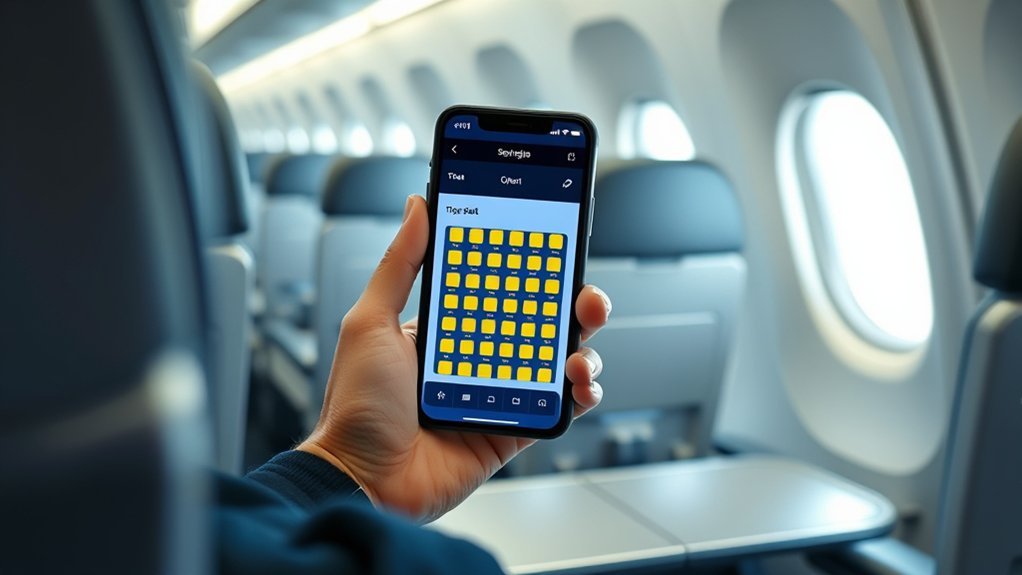
Start with the website or app of the airline that will operate the flight. Airlines commonly let you view, choose, or change a seat while booking, in the Manage Trips section, or during check-in. For example, Delta explains that passengers can view and change seats during booking, in My Trips, and at check-in.
- Find the exact flight. Note the date, flight number, route, and operating airline.
- Open the airline’s seat map. Select the flight during booking or enter the confirmation code and passenger name under Manage Trips.
- Review the symbols. Look for available, occupied, blocked, preferred, extra-legroom, exit-row, and paid seats.
- Check the aircraft layout. Compare the map with a current layout tool if you want to evaluate windows, lavatories, galleys, bassinets, or row spacing.
- Select through the airline. Third-party tools may identify a seat, but the airline normally controls the actual assignment.
- Recheck later. Seats can open after upgrades, cancellations, schedule changes, or check-in.
Warning: A seat map is not a reliable passenger count. A traveler may hold a ticket without choosing a seat, and an airline may block seats for airport staff, accessibility needs, families, crew, upgrades, or operational reasons.
What Does an Airline Seat Map Actually Show?
An airline seat-selection map usually shows which seats can be assigned to your reservation at that moment. It does not necessarily show every unsold seat or every passenger who already has a ticket.
- Available seat: You may be able to select it, sometimes after paying a fee.
- Occupied seat: It is currently assigned to another traveler.
- Blocked seat: The airline has temporarily withheld it or your fare does not permit you to select it.
- Unavailable seat: It may be reserved for airport control, accessibility, crew, families, upgrades, or another cabin or fare type.
- Unassigned passenger: A traveler has a confirmed ticket but has not yet selected or received a seat.
For that reason, ten visible open seats do not necessarily mean only ten tickets remain. The reverse is also true: a nearly full-looking map does not always mean the flight is nearly sold out.
Check Seat Maps on Airline and Booking Sites
When comparing flights, begin on the airline’s own booking page. After choosing an itinerary, continue until the seat-selection stage if the site allows you to review the map before payment. You can leave before completing the purchase if the available seats do not meet your needs.
Some online travel agencies display an aircraft type or a preliminary seating layout. However, their interfaces and seat information vary. After booking through Expedia, Orbitz, a travel agency, or another third party, use the airline confirmation number to open the reservation directly with the operating carrier.
Pro Tip: On a codeshare, use the operating airline rather than only the airline that sold the ticket. The operating carrier controls the aircraft, cabin layout, and day-of-departure seat assignments.
How to Check Seats Before Booking
- Search for the flight on the airline’s website.
- Select the exact departure time and operating carrier.
- Continue until the seat map appears.
- Check whether suitable seats are free, paid, blocked, or unavailable.
- Review the fare rules before paying, especially if the cheapest fare does not include advance seat selection.
How to Check Seats After Booking
- Open the airline’s Manage Trips or My Trips page.
- Enter the booking reference and passenger’s last name.
- Select the flight and open the seat map.
- Choose or change a seat if your fare and airline rules allow it.
- Review any fee and refund terms before confirming the change.
Why Do Seats Appear Blocked or Unavailable?
A blocked seat is not automatically occupied. Airlines may hold seats for several reasons:
- Passengers who need an accessible seating accommodation
- Families traveling with young children
- Airport or gate-agent assignment
- Crew rest or operational use
- Elite-status or upgrade processing
- Weight-and-balance requirements
- Bassinet positions or special-service requests
- A seat category that your fare cannot select
- A temporary technical or aircraft-assignment issue
Some blocked seats may open later, but there is no universal release time. Check periodically rather than assuming the seat will remain unavailable until departure.
How to Find the Correct Aircraft and Cabin Layout
The same aircraft model can have several seating configurations. One airline may operate multiple versions of a Boeing 737, Airbus A321, or Boeing 777, each with different row numbers, premium sections, exit locations, and window positions.
Use the following details to match the correct layout:
- Operating airline
- Flight number
- Departure date
- Aircraft type or equipment code
- Cabin names and seat counts
- Number and position of exit rows
AeroLOPA provides detailed aircraft layouts and supports searches by flight number and date. It is useful for studying window alignment, lavatory and galley positions, cabin boundaries, seat pitch, and aircraft variants. It is primarily a layout reference, not a guarantee that a particular seat is currently selectable.
Note: An aircraft type shown months before departure can change. Compare the layout again after a schedule update and shortly before the flight.
Use ExpertFlyer Seat Alerts
ExpertFlyer lets you review supported seat maps and create an alert for a preferred seat. Its current free plan includes one active seat alert at a time and does not require a credit card. A five-day trial unlocks broader premium features, though the trial may require payment details.
You can tell the service to watch for a particular seat or a preference such as an aisle or window. When a matching seat appears, ExpertFlyer sends a notification. You must then open the reservation with the airline and try to claim it.
An alert does not reserve the seat. Another traveler may select it first, the airline may block it again, or a fee may apply.
Use TripIt Pro Seat Tracker
TripIt Pro’s Seat Tracker can notify you when a seat matching your preferences becomes available on a supported flight. Preferences may include cabin, aisle or window position, part of the aircraft, or seats together.
TripIt’s current help information distinguishes between its website seat-map view and its app-based alert setup. Some airlines and flights cannot be monitored, and TripIt warns that an airline may charge a service fee when you change seats.
Best SeatGuru Alternatives
SeatGuru shut down in late 2025, so travelers now need different tools for cabin research and live seat monitoring. No single replacement does everything SeatGuru once attempted to do.
AeroLOPA: Best for Detailed Cabin Layouts
AeroLOPA uses detailed, scaled layouts that can help you compare window positions, cabin boundaries, lavatories, galleys, premium rows, and aircraft variants. It does not show the live airline seat assignment for your reservation.
ExpertFlyer: Best for Seat Alerts
ExpertFlyer combines supported seat maps with alerts. It is especially useful after booking when you want to monitor a specific aisle, window, row, or cabin.
TripIt Pro: Best for Travelers Already Using TripIt
TripIt Pro adds seat tracking to an itinerary-management service. It is convenient when your flights are already organized in TripIt, but coverage is not universal.
SeatMaps: Useful for Seat Details and Amenities
SeatMaps provides airline and aircraft pages with cabin layouts, seat measurements, amenities, and seat notes. Confirm the aircraft variant against the airline before relying on a map.
SeatMaestro: Useful for Color-Coded Maps and Reviews
SeatMaestro offers color-coded seat maps and traveler reviews. User reports can add context, but reviews may be subjective or refer to a different aircraft configuration.
SeatCompare.ai: Useful for Side-by-Side Research
SeatCompare.ai compares seats and cabin products, but the service remains in beta. Treat its recommendations as research rather than a substitute for the operating airline’s current map.
What These Tools Can’t Tell You
Third-party seat tools cannot reliably tell you the exact number of unsold tickets. They may show a cabin layout, seats currently offered for assignment, or fare-class availability, but those are different types of information.
They may also miss:
- Ticketed passengers who have not selected seats
- Seats held for airport assignment
- Standby travelers and upgrades
- Last-minute cancellations or reaccommodation
- Operational blocks
- Recent aircraft substitutions
- Fees or eligibility restrictions attached to a seat
A tool may also fail to flag every comfort issue. Check the exact map for lavatories, galleys, bulkheads, exit rows, misaligned windows, limited recline, bassinets, and the location of the wings.
Can You Estimate How Full a Flight Is?
You can make a rough estimate, but you usually cannot determine an exact passenger count from public information.
Useful clues include:
- The airline’s current seat-selection map
- The number of fare options still being sold
- Whether low-cost fare classes have disappeared
- Upgrade, standby, or waitlist information shown by the airline
- The seat map during online check-in
These clues can still be misleading. A map with many open seats may include passengers who have not chosen assignments, while a map with few open seats may include blocked seats that are released later.
When Should You Check the Seat Map Again?
- Immediately after booking: Confirm that the seat appears on the operating airline’s reservation.
- After a schedule-change email: Check whether the aircraft, departure time, or seat assignment changed.
- Several days before departure: Look for seats released after upgrades or reservation changes.
- When check-in opens: Airlines may make additional seats assignable.
- At the airport: Ask an agent about last-minute options if your preferred seat is still unavailable.
The U.S. Department of Transportation advises passengers to confirm seat assignments before going to the airport because an aircraft substitution may create a different seating arrangement. DOT also recommends confirming seats directly with the airline when a trip was booked through another company.
Family and Accessible Seating
Families should place adults and children on the same reservation when possible and review the airline’s family-seating policy before booking. If seats together are not available online, contact the airline rather than relying only on a third-party map.
Travelers who need a disability-related seating accommodation should contact the airline early and explain the required accommodation. Certain seats may be blocked or designated for accessibility needs. The DOT seating accommodation guide explains federal requirements for covered air travel.
Pro Tip: If family members were booked under separate confirmation numbers, contact the airline and ask whether the reservations can be linked or cross-referenced.
Frequently Asked Questions
Is there a way to find out exactly how many seats are available on a flight?
Usually not from a public seat map. The map shows seats currently available for assignment, not every ticket sold or every seat the airline may still sell. Passengers without assignments, blocked seats, standby travelers, upgrades, and overbooking can all affect the true count.
Why should you avoid seat 11A on a plane?
Seat 11A is not universally bad. Its position depends on the airline, aircraft, and cabin configuration. It could be a standard window seat, an exit-row seat, a premium seat, a windowless position, or absent entirely. Check the exact aircraft layout instead of judging the number alone.
How do you find seat availability after booking?
Open the operating airline’s website or app, enter the reservation details under Manage Trips, and select the seat-map option. You can also create an ExpertFlyer or TripIt Pro alert for a preferred seat, but you must complete the change through the airline.
What drinks should you avoid on a plane?
There is no universal rule that passengers must avoid onboard tea or coffee. Aircraft drinking-water systems are covered by the EPA’s Aircraft Drinking Water Rule. You may choose sealed water for personal preference, and limiting excess alcohol or caffeine can help if you are concerned about hydration or motion sickness.
Can a blocked seat become available later?
Yes. Airlines may release blocked seats after upgrades, cancellations, aircraft changes, check-in, or airport review. There is no standard release time, and the seat may still carry a fee or eligibility restriction.
Why did my seat or aircraft change after booking?
Airlines may substitute aircraft or reassign seats for scheduling, maintenance, safety, security, or operational reasons. A replacement aircraft can have a different cabin layout, so confirm the reservation after any schedule-change notice.
Sources
- Delta Air Lines — Seats Help — viewing, selecting, and changing airline seats
- U.S. Department of Transportation — Family Seating Tips — confirming seats, third-party bookings, and aircraft substitutions
- ExpertFlyer — Free Seat Alerts and Seat Maps — current free-alert and trial features
- TripIt — Seat Maps and Seat Tracker — supported seat maps, alerts, and limitations
- AeroLOPA — Detailed Aircraft Seat Maps — aircraft configurations, cabin layouts, and seat measurements
- U.S. Environmental Protection Agency — Aircraft Drinking Water Rule — regulation of aircraft drinking-water systems
Conclusion
The operating airline’s seat map is the best starting point for seeing which seats you can select, but it is not an exact measure of how many tickets remain. Use current layout tools to compare comfort and seat position, and use alert services when you are waiting for a better seat. Confirm every change through the airline and check again after schedule updates, at check-in, and before departure.
