
Last Updated on September 10, 2026 by Daniel Globe
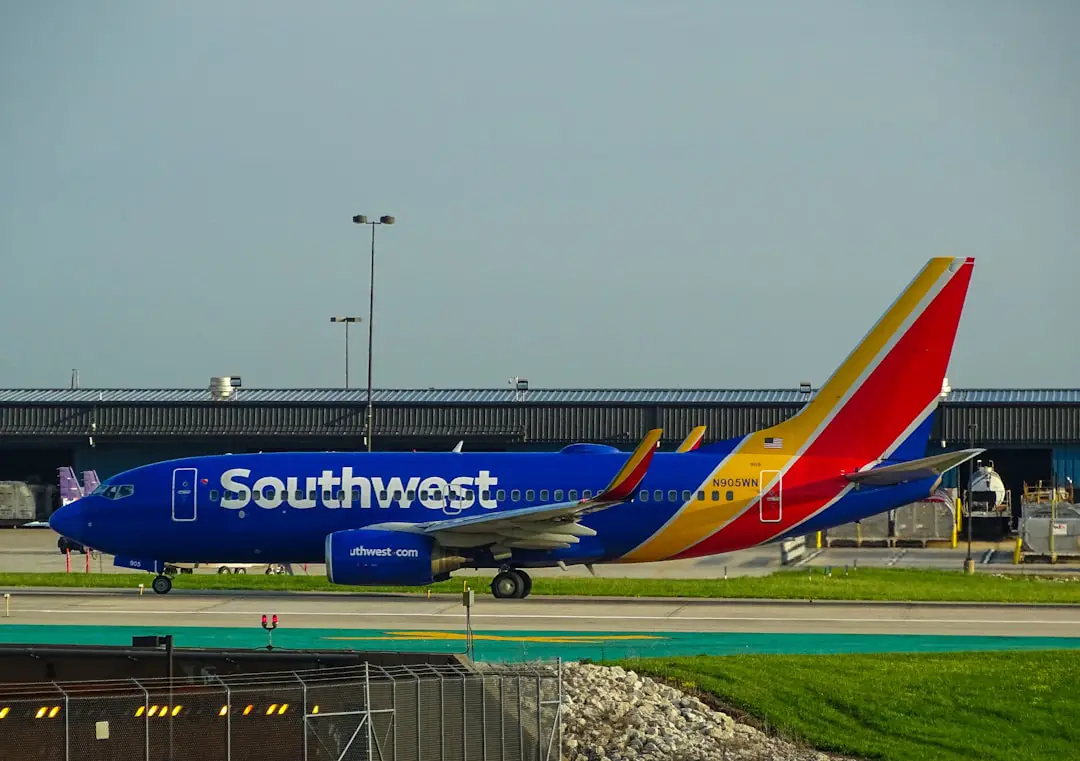
Southwest Airlines check-in is available online, through the Southwest mobile app, and at participating airport kiosks, Skycap podiums, and ticket counters. The process changed significantly in 2026 because Southwest now uses assigned seats and Boarding Groups 1 through 8 instead of open seating. Knowing the current deadlines and seat rules can help you avoid airport delays or a missed flight.
Quick Answer
Southwest online and mobile check-in opens 24 hours before the flight’s original scheduled departure. Enter your confirmation number plus the passenger’s first and last name. Southwest now uses assigned seats and Groups 1–8, so checking in early no longer determines which open seat you can claim.
Key Takeaways
- Southwest check-in opens exactly 24 hours before the flight’s original scheduled departure time.
- You need the confirmation number and a passenger’s first and last name to check in online.
- Southwest changed to assigned seating and Boarding Groups 1–8 on January 27, 2026.
- EarlyBird Check-In and Upgraded Boarding are no longer available; Priority Boarding may be purchased when available.
- Domestic check-in closes 30 minutes before departure. International deadlines are earlier.
- Some travelers must complete document verification or obtain a boarding pass at the airport.
At a Glance
| Time Required | About 3–5 minutes for most online or mobile check-ins |
| Difficulty | Easy |
| Tools Needed | Confirmation number, passenger name, and a phone or computer; international travelers may also need a passport and visa information |
| Cost | $0 for check-in; checked-bag, seat-upgrade, fare-upgrade, or Priority Boarding charges may apply |
Disclosure: As an Amazon Associate I earn from qualifying purchases. Some links on this page are affiliate links, at no extra cost to you.
How Southwest Airlines Check-In Works
Although online check-in is standard across major carriers such as Delta and American Airlines, each airline sets its own timing and eligibility rules. For Southwest, online check-in opens 24 hours before the flight’s original scheduled departure time, even if the flight later becomes delayed.
Southwest online check-in opens 24 hours before the flight’s original scheduled departure time.
| Check-In Milestone | Current Southwest Rule |
| Online and mobile check-in opens | 24 hours before the original scheduled departure |
| Domestic check-in deadline | 30 minutes before departure |
| Domestic checked-bag deadline | At least 45 minutes before departure |
| International check-in and bag deadline | At least 60 minutes before departure |
| Flight departing Aruba | At least 75 minutes before departure |
| Boarding pass and gate deadline | Be in the gate area and available to board at least 10 minutes before departure |
Warning: If you miss Southwest’s check-in cutoff, you may have to be rebooked on the next available flight. Your reservation may also be canceled if you do not have a boarding pass and are not available in the gate area at least 10 minutes before departure.
How to Check In on Southwest.com
Checking in on the Southwest website is usually the fastest option for a traveler using a desktop or laptop computer.
- Go to the official Southwest flight check-in page.
- Enter your six-character confirmation number.
- Enter the first and last name of a passenger exactly as they appear on the reservation.
- Select Check in and review the passengers included in the itinerary.
- Review your assigned seat, seat options, or available upgrades when applicable.
- Add checked bags and pay any applicable bag charges if you want to complete that step online.
- Retrieve your digital boarding pass, print it, or follow the instructions if Southwest issues a security document instead.
If the reservation includes several passengers, you may be able to check in everyone together or select individual travelers. Eligibility can vary for groups, international trips, partner itineraries, and passengers who require special airport handling.
Mobile Check-In
Mobile check-in uses the same 24-hour window but allows you to complete the process through the Southwest app or mobile website. The app is available for supported iOS and Android devices and can also display gate information, flight-status updates, baggage information, and boarding alerts.
How to Check In Through the Southwest App
- Open the Southwest app and select Check in.
- Sign in to your Rapid Rewards account or retrieve the reservation with your confirmation number and passenger name.
- Review the itinerary and complete any seat, bag, or passenger-information prompts.
- Open the boarding pass after check-in is complete.
- Save it to Apple Wallet or Google Wallet when the option is available.
Pro Tip: Save the boarding pass to your phone’s wallet before leaving home. This makes it easier to access if the app loads slowly or the airport has weak mobile service.
A mobile boarding pass is not available for every passenger or itinerary. Lap children, unaccompanied minors, travelers on certain international or partner itineraries, and passengers using some military or government fares may need a printed boarding pass or airport-issued document. See Southwest’s mobile boarding-pass rules for current restrictions.
What Check-In Does and Does Not Do
Checking in confirms that you plan to take the flight and allows Southwest to issue a boarding pass or security document. It may also let you review your seat, pay for bags, purchase an eligible upgrade, or access Priority Boarding when offered.
Checking in does not always complete every airport requirement. You may still need to:
- Drop checked bags at a kiosk, bag-drop point, Skycap podium, or ticket counter.
- Show identification at the TSA security checkpoint.
- Have a passport, visa, or residency document verified.
- Visit the counter for an unaccompanied minor, group reservation, or other special itinerary.
- Check in with a partner airline when that airline operates the first flight.
Current Southwest Seating and Boarding Rules
Southwest transitioned from open seating to assigned seating on January 27, 2026. The old A, B, and C boarding-position system was replaced with Boarding Groups 1 through 8. This means passengers no longer board and choose any unoccupied seat.
How Seat Assignment Works
Most Choice, Choice Preferred, and Choice Extra travelers can select an eligible seat during booking or before departure, subject to the fare’s rules and availability. Basic-fare passengers generally receive an assigned seat at check-in unless a qualifying Rapid Rewards tier or credit-card benefit allows earlier selection.
Available seat categories may include:
- Standard: Standard-legroom seats, generally toward the rear of the aircraft.
- Preferred: Standard-legroom seats positioned closer to the front.
- Extra Legroom: Seats with additional space, including locations near the front or eligible exit rows.
Because seats are assigned, checking in at exactly the 24-hour mark does not provide the same seat-selection advantage it once did. Basic passengers should still check in promptly so they can see their assignment, address seating concerns, and complete the remaining travel steps.
EarlyBird Check-In and Priority Boarding
EarlyBird Check-In was part of Southwest’s former open-seating system. It automatically reserved a boarding position before the regular check-in window, but it did not guarantee a specific position or seat.
EarlyBird Check-In is no longer available for purchase. Southwest ended the service when assigned seating began. Upgraded Boarding under the old A1–A15 system was also retired.
Travelers who want earlier boarding can review fares that include an earlier group or purchase Priority Boarding when it is available. Priority Boarding can generally be offered beginning 24 hours before departure and is subject to availability.
Note: Earlier boarding can provide earlier access to overhead-bin space, but it does not replace your assigned seat.
Rapid Rewards Benefits During Check-In
Rapid Rewards is Southwest’s loyalty program, but “Rapid Rewards check-in” is not a separate check-in method. Members still check in through Southwest.com, the mobile app, a kiosk, a Skycap podium where available, or a ticket counter.
Benefits depend on the traveler’s fare, tier status, and eligible Southwest credit card. They may include:
- Earlier boarding groups for qualifying fares or status levels.
- Access to Preferred or Standard seat selection under eligible benefits.
- Potential Extra Legroom seat upgrades when included and available.
- Priority or Express airport lanes at participating locations.
- One or more complimentary checked bags for eligible fares, tiers, or primary cardmembers.
The primary member’s Rapid Rewards number should be attached to the reservation before travel. Benefits do not apply equally to every member, authorized card user, companion, partner-operated flight, or passenger on a separate booking.
Self-Service Kiosk Check-In
Southwest self-service kiosks provide an airport alternative for travelers who did not check in online, need a printed boarding pass, or want to process baggage. Kiosk availability and features vary by airport.
A kiosk may allow you to:
- Retrieve a reservation with a confirmation number or Rapid Rewards number.
- Scan a passport or mobile boarding pass.
- Print a boarding pass.
- Add a Known Traveler Number or Rapid Rewards number.
- Review a seat assignment or access available seat-change options.
- Upgrade to an eligible fare.
- Check bags, print bag tags, and pay applicable charges.
- Add a lap child to an eligible domestic reservation.
Unaccompanied minors and passengers traveling on qualifying group reservations must generally visit the Southwest ticket counter. Some partner-airline and special reservations also have limited kiosk functionality. These machines are part of the broader airline self-service process used at airports worldwide.
Curbside and Skycap Check-In
Curbside service can help passengers avoid carrying bags through the terminal lobby. Southwest may provide a Skycap podium or curbside assistance at select airports and during certain operating hours. It is not available at every airport or throughout the entire day.
| Curbside Detail | What to Expect |
| Availability | Select airports and operating hours only |
| Possible services | Passenger check-in, boarding-pass assistance, baggage tagging, and bag acceptance where offered |
| If no Skycap is present | Use a self-service kiosk, bag-drop point, or Southwest ticket counter inside the terminal |
| Best for | Travelers with checked luggage, families, and passengers who need help transporting bags |
Check Southwest’s airport information before relying on curbside service. Even where it is normally offered, staffing, construction, weather, and local airport operations can affect availability.
Ticket Counter Check-In
The Southwest ticket counter is the most complete airport check-in option. Use it when you need help with travel documents, a special reservation, an unaccompanied minor, a group booking, a passport-verification issue, or a boarding pass that cannot be issued online.
Counter lines can become long during holidays and peak departure periods. Arrive early enough to complete check-in, baggage, document verification, security screening, and travel to the gate before all applicable deadlines.
Checking Bags During Check-In
Southwest allows eligible passengers to add checked bags and pay standard charges during or after online check-in. You must still bring the luggage to an approved airport bag-drop point, self-tagging kiosk, Skycap podium, or ticket counter.
Checked-bag charges depend on the fare, itinerary, Rapid Rewards tier, qualifying credit card, booking or change date, and other exemptions. Review the current Southwest optional travel charges rather than relying on an older price quoted in a third-party guide.
- Domestic checked bags must normally be accepted at least 45 minutes before departure.
- International bags must normally be accepted at least 60 minutes before departure.
- Bags for flights departing Aruba must normally be accepted at least 75 minutes before departure.
- Checked baggage is generally not accepted more than four hours before the scheduled departure.
- International baggage must be presented at the ticket counter.
Group Check-In
Southwest’s Group Travel program generally applies to parties of 10 or more passengers. Eligible groups can begin online check-in 24 hours before the flight’s original scheduled departure.
To check in a group online:
- Open the Southwest check-in page.
- Enter the group confirmation number and the first and last name of a passenger on the reservation.
- Choose whether to check in the entire group or selected passengers.
- Review the list of successfully checked-in travelers.
- Follow any instruction directing individual passengers to a counter.
- Proceed to the airport ticket counter for boarding passes or bag tags when required.
Group reservations cannot use every kiosk feature available to an individual reservation. Some passengers may also need separate handling because of identification, document, accessibility, or itinerary requirements.
International Check-In
International check-in involves additional document and baggage requirements. Every passenger, including infants and children, needs the documents required by the destination and transit countries. Southwest requires a valid passport book for international air travel; a passport card is not accepted as a replacement for the passport book on these flights.
Depending on the trip, passengers may also need:
- A visa or permanent resident card.
- Destination-specific entry or transit documents.
- Completed immigration, customs, health, or contact forms.
- Proof of onward travel or other documents required by local authorities.
Travelers who do not require a visa may be able to scan a passport or U.S. I-551 Permanent Resident Card through a supported mobile device during check-in. Otherwise, a Southwest agent or airport kiosk must verify the document before a boarding pass can be issued.
Online check-in is not available for Southwest travel to or from Aruba, Havana, and Punta Cana. Passengers on those itineraries must complete the necessary airport process.
Note: The 60- or 75-minute cutoff is a minimum deadline, not a recommended airport arrival time. Check the departure airport’s guidance and allow additional time for document checks, baggage, security, and immigration procedures.
Identification and Airport Security
Adults age 18 and older flying domestically must show a REAL ID-compliant driver’s license or another form of identification accepted by the Transportation Security Administration. Acceptable alternatives can include a U.S. passport, passport card, Enhanced Driver’s License, or qualifying trusted-traveler card.
Children age 17 and younger generally do not need identification for ordinary domestic travel, although separate documents may be required for lap children, unaccompanied minors, age verification, or international trips. Review the current TSA identification list before traveling.
The name on the reservation should match the identification document used for travel. Minor differences involving a middle name or initial may sometimes be accepted, but a significant mismatch can prevent online check-in or require assistance at the airport.
Partner-Airline Itineraries
If the first flight on the itinerary is operated by Southwest and the reservation is eligible, check in through Southwest starting 24 hours before departure. If another airline operates the first flight, check in through that airline’s website, app, or airport counter.
Partner itineraries may have different seat, boarding-pass, baggage, kiosk, and mobile-pass rules. Check the operating carrier listed beside each flight number instead of assuming every segment follows Southwest’s procedures.
Southwest Check-In Troubleshooting
The Check-In Window Has Not Opened
Confirm that you are calculating 24 hours from the flight’s original scheduled departure time and using the departure city’s local time. A later delay does not move the opening time.
The Reservation Cannot Be Found
Re-enter the six-character confirmation number and make sure the first and last name match the reservation. Avoid using a nickname unless that is how the traveler was booked.
The App or Website Is Not Working
Try the mobile website, a different browser, or the Southwest app. If the problem continues, use a kiosk or ticket counter at the airport and arrive early enough to meet the mandatory cutoff.
You Received a Security Document Instead of a Boarding Pass
A security document may let you proceed through the TSA checkpoint, but it does not always authorize boarding. Follow Southwest’s instructions and obtain the final boarding pass from an agent at the gate or another designated airport location.
No Seat Appears After Check-In
Some Basic-fare, standby, special, or disrupted reservations may not receive an immediate seat assignment. Continue to the airport and speak with an agent. Do not assume that a security document includes a confirmed seat.
International Check-In Is Unavailable
The itinerary may require passport or visa verification, or the route may be excluded from online check-in. Bring all original documents to the Southwest ticket counter and arrive well before the international deadline.
A Group Passenger Cannot Check In
Southwest may successfully check in some group members while directing others to the counter. Review the list shown after group check-in and make sure every passenger follows their individual instruction.
You Are Close to the Cutoff
Do not rely on completing the process at the last minute. Airport parking, bag lines, security screening, terminal transfers, and document checks can take longer than expected. If the deadline has passed, contact a Southwest agent about rebooking.
More Travel Planning Guides
Check-in is only one part of preparing for a trip. Travelers planning an outdoor break can also explore these tent camping destinations.
A portable white noise machine for travel may help reduce unfamiliar hotel, aircraft, or campground noise.
Backpackers comparing lightweight shelters can read this guide to choosing the best ultralight tent for backpacking.
Frequently Asked Questions
What do I need to check in for a Southwest flight?
For online or mobile check-in, you normally need the six-character confirmation number plus a passenger’s first and last name. You can also retrieve some reservations while signed in to a Rapid Rewards account. International travelers may need passport, visa, or residency information.
How can I check in for a Southwest Airlines flight?
You can check in on Southwest.com, through the Southwest mobile app, at an eligible self-service kiosk, at a Skycap podium where offered, or at the Southwest ticket counter.
When does Southwest check-in open?
Online and mobile check-in opens 24 hours before the flight’s original scheduled departure time. The opening time does not change merely because the flight is delayed later.
What is the Southwest check-in deadline?
The domestic check-in deadline is 30 minutes before departure. International check-in closes 60 minutes before departure, except for flights departing Aruba, which have a 75-minute deadline. Passengers must also have a boarding pass and be available at the gate at least 10 minutes before departure.
Does checking in early give me a better seat?
Not under Southwest’s current assigned-seating system. Most non-Basic fares can select an eligible seat before check-in, while Basic passengers generally receive an assignment during check-in. Earlier check-in no longer lets you board and choose any open seat.
Is Southwest EarlyBird Check-In still available?
No. Southwest stopped selling EarlyBird Check-In after transitioning to assigned seating. Travelers seeking earlier boarding can review eligible fares or purchase Priority Boarding when it is offered and available.
Can I check in for my Southwest flight at the airport?
Yes. You can use an eligible self-service kiosk, a Skycap podium at participating airports, or the Southwest ticket counter. Airport availability and kiosk features vary by location and itinerary.
Can I check and pay for bags online?
Eligible passengers can add checked bags and pay applicable standard charges online during or after check-in. The bags must still be tagged and handed to Southwest at an approved airport location before the bag deadline.
Why can’t I get a Southwest mobile boarding pass?
Certain international trips, partner reservations, lap-child bookings, unaccompanied-minor travel, military fares, government fares, standby situations, and document-verification cases may require an airport-issued boarding pass or security document.
Can a Southwest group check in online?
Eligible Group Travel passengers can begin checking in online 24 hours before departure. The group leader can normally check in the entire group or selected passengers, but some travelers must still visit the ticket counter for boarding passes, baggage, or special handling.
What identification do I need for a domestic Southwest flight?
Adults age 18 and older need a REAL ID-compliant license or another TSA-accepted form of identification. Children age 17 and younger generally do not need ID for ordinary domestic travel, although exceptions and age-verification requirements can apply.
What is different about international Southwest check-in?
International passengers need destination-specific travel documents and must meet earlier check-in and baggage deadlines. Passport verification may be required online or at the airport. Online check-in is unavailable for Southwest travel to or from Aruba, Havana, and Punta Cana.
Sources
- Southwest Airlines Online Check-In — check-in opening time, methods, deadlines, partner-flight rules, and gate requirements.
- Southwest Assigned Seating — assigned seats, current fare seating rules, boarding groups, and the January 27, 2026 transition.
- Southwest Self-Service Kiosks — kiosk functions, bag tagging, fare upgrades, seat review, and passenger restrictions.
- Southwest International Mobile Check-In — passport scanning, document verification, and destinations excluded from online check-in.
- Southwest International Travel Requirements — passport, visa, and destination-document guidance.
- TSA Acceptable Identification — REAL ID and other documents accepted at U.S. airport checkpoints.
