
Last Updated on July 25, 2026 by Daniel Globe
Contactless payments make getting around London much easier, but a few rules matter if you want to avoid extra fares or card problems. You can use many contactless bank cards, mobile wallets, and wearables for everyday purchases and across much of London’s transport network. The key is knowing when to tap, which card or device to keep using, and what fees your bank may charge.
Quick Answer
In London, tourists can tap a compatible contactless bank card, mobile-wallet device, or wearable at shops and on much of the public transport network. On TfL, use the same card or device for every tap, tap out on rail-style journeys but not buses or trams, and check your bank for foreign transaction fees.
Key Takeaways
- A compatible contactless debit or credit card, mobile wallet, or wearable can be used for many London purchases and TfL journeys.
- On the Tube, DLR, London Overground, Elizabeth line, National Rail and similar journeys, touch in and out with the same card or device. On buses and trams, touch in only.
- TfL applies daily and Monday-to-Sunday weekly fare caps when you use the same payment method correctly.
- Physical contactless cards commonly still have a £100 single-payment limit in the UK, but providers gained more flexibility in March 2026. Mobile wallets do not have the same fixed £100 limit.
- International visitors should check card compatibility, foreign transaction fees, and currency-conversion costs before travelling.
Disclosure: As an Amazon Associate I earn from qualifying purchases. Some links on this page are affiliate links, at no extra cost to you.
Understanding Contactless Payment Technology
Contactless payments use short-range wireless technology to let a payment card, phone, watch, or other supported device communicate with a compatible reader. Instead of inserting the card, you hold it close to the contactless symbol until the terminal confirms the payment.
According to EMVCo, EMV contactless technology generates a one-time security code for each transaction. That dynamic data helps make copied transaction information less useful to a fraudster.
Mobile wallets add another layer. Rather than simply sending the visible number printed on your card, supported wallets can use a device-specific payment credential or token together with device authentication such as a passcode, fingerprint, or facial recognition.
Note: A physical contactless card and a mobile wallet linked to that same card are not always treated as the same payment method. This distinction is especially important on London public transport.
Setting Up Your Payment Methods for Use in London
You do not need to register a normal contactless bank card with TfL before using it. For most adult visitors, the easiest setup is to bring a compatible contactless card with low or no foreign transaction fees and keep a second payment method as backup.
Before travelling, check that your bank allows overseas contactless purchases and ask whether it charges foreign transaction or currency-conversion fees. Some cards issued outside the UK may work in shops but not work reliably for TfL contactless travel.
Choosing the Right Card
Do not choose a card based on debit versus credit alone. What matters more is whether the card supports contactless payments in the UK, whether your issuer permits overseas use, and what fees or limits your provider applies.
UK Finance says most customers currently continue to see a £100 single-payment limit on physical contactless debit and credit cards, although payment providers have had greater regulatory flexibility over limits since March 2026. Mobile-wallet payments are not subject to the same fixed £100 limit.
| Payment Method | Current Limit Consideration | Tourist Fee Consideration |
|---|---|---|
| Physical debit or credit card | £100 remains common for a single physical-card contactless payment, but issuer and terminal rules can vary | Foreign transaction and exchange-rate fees depend on the issuer |
| Mobile wallet | No fixed UK £100 mobile-wallet limit; bank, merchant, and authentication rules still apply | Fees on the underlying card can still apply |
| Prepaid contactless card | Limits depend on the prepaid-card provider | Check loading, exchange, foreign-transaction, and other card fees |
Keep the card’s PIN available even when you normally pay contactlessly. A physical card can occasionally require chip-and-PIN authentication after repeated contactless use or because of an issuer security check.
Adding Payment Apps
Apple Pay, Google Wallet, and other supported mobile wallets can be convenient in London. Before relying on one:
- Add a supported debit, credit, or prepaid card and complete any verification requested by the issuer.
- Protect the device with a passcode, fingerprint, facial recognition, or another supported authentication method.
- Confirm that tap-to-pay works before your trip. On devices where NFC must be enabled manually, make sure it is switched on.
- Check the linked card for foreign transaction or currency-conversion fees. Using a wallet does not automatically remove fees charged by the underlying card.
- For TfL travel, choose one device and stick with it. A phone, smartwatch, and physical card may be treated as different payment methods even when they are linked to the same account.
- Keep the device charged for the full journey.
Contactless vs. Oyster for Visitors
For many adult tourists, a supported contactless bank card is the simplest way to pay because there is nothing to buy or top up. Oyster can still be useful if your overseas card is not accepted, your bank charges expensive foreign transaction fees, or you need certain child discounts.
| Feature | Contactless Bank Card or Device | Oyster / Visitor Oyster |
|---|---|---|
| Setup | Use a compatible card or device directly | Buy the card and add pay-as-you-go credit |
| Adult pay-as-you-go capping | Daily and weekly capping when used correctly | Daily and weekly capping when used correctly |
| Foreign bank fees | May apply on an overseas-issued card | No foreign-card charge on each TfL journey once Oyster has been funded, although buying or topping up can involve your own card’s conversion costs |
| Children aged 11–15 | Standard adult contactless fares; Young Visitor discount cannot be added to a bank card | A Young Visitor discount can be added to an eligible Oyster or Visitor Oyster card |
| Upfront card cost | None from TfL | Visitor Oyster currently includes a non-refundable card fee |
TfL’s current Visitor Oyster guidance lists a £10.50 non-refundable Visitor Oyster card fee and explains the Young Visitor discount for children aged 11–15. Fees and fares can change, so check TfL before buying.
Note: TfL weekly pay-as-you-go capping runs from Monday through Sunday. If your seven-day stay crosses two different TfL weeks, compare pay as you go with a 7 Day Travelcard before assuming the weekly cap is best.
Using Contactless Payments on Public Transport
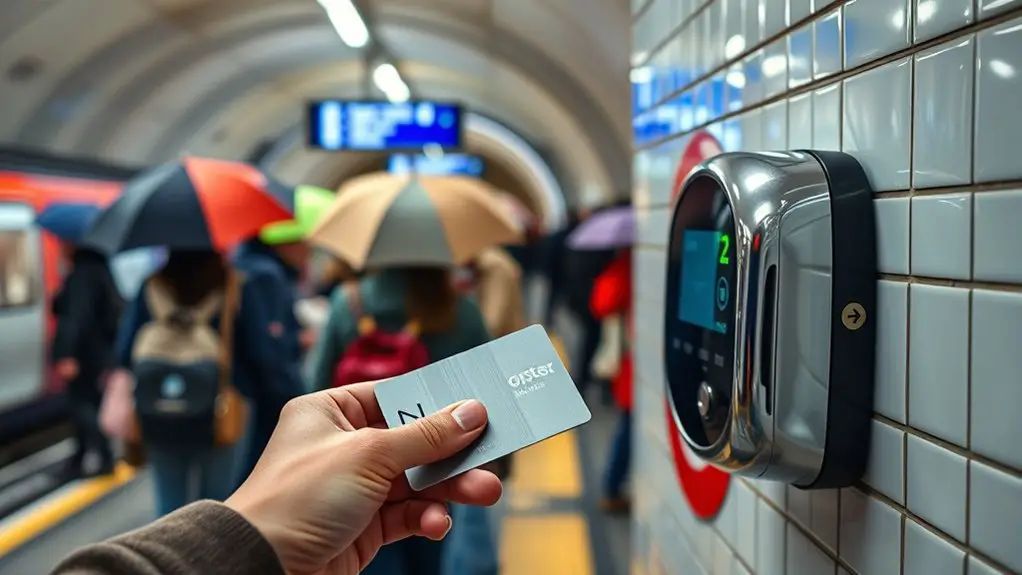
Contactless pay as you go can be used on the Tube, London buses, trams, DLR, London Overground, Elizabeth line, and most National Rail services in London. TfL also supports contactless payment on some additional services, although special fares and capping rules can differ.
The most important part is tapping correctly. TfL uses your taps to work out the journey you made and the fare you should pay.
How to Tap Correctly
- Tube, DLR, London Overground, Elizabeth line and National Rail: touch in at the beginning and touch out at the end, even when a gate is open.
- Buses: touch in when you board. Do not touch out.
- Trams: normally touch in at the start only. Some interchange locations have special reader instructions, so follow station signage.
- Ungated stations: look for a freestanding yellow reader and remember to touch out.
TfL publishes the full rules on its touching in and out page.
Warning: Use exactly the same physical card or the same device to touch in and out. Do not touch in with your phone and touch out with your smartwatch or plastic card. TfL may record two incomplete journeys and charge maximum fares.
How Fare Capping Works
TfL tracks the journeys made with each individual card or device. When your qualifying pay-as-you-go fares reach the relevant cap, further eligible travel within that cap’s conditions does not increase the charge.
There are daily caps and Monday-to-Sunday weekly caps. The amount depends on the zones and services you use. You must keep using the same card or device for the journeys to combine toward the same cap.
TfL also warns that a maximum fare caused by an incomplete journey does not count toward capping. Current caps can be checked on TfL’s fare-capping page.
For TfL fare calculations, your physical bank card, phone, and smartwatch can behave like separate payment methods even when they are connected to the same underlying bank account.
Pro Tip: Take only the card or device you intend to tap out of your wallet or purse. This helps prevent “card clash,” where the reader detects a different contactless card. When a route avoids Zone 1 and TfL provides a pink reader at your interchange, touching it can help TfL calculate the correct route and fare.
Contactless Travel for Families and Groups
Do not pass one contactless bank card between several people at a gate or bus reader. Each traveler aged 11 or over who is paying by contactless needs a separate card or device so TfL can track that person’s journey correctly.
Families with children should compare contactless with Oyster options. TfL offers free or discounted travel to eligible children under specific conditions, and the Young Visitor discount for ages 11–15 is an Oyster-based benefit rather than a discount you can add to a normal bank card.
Making Purchases at Retail Stores and Restaurants
Contactless payment is common in London shops, cafés, pubs, restaurants, hotels, and attractions, although individual businesses decide which card networks and payment methods they accept. Look for the contactless symbol at the terminal rather than assuming every business accepts every card.
For a physical UK contactless card, £100 remains a common single-tap limit as of July 2026. However, the regulatory framework changed in March 2026 to give qualifying banks and payment providers more flexibility. Your issuer may set different controls, and a terminal can still ask you to insert the card and use your PIN.
Mobile wallets work differently. UK Finance says they do not have a fixed £100 mobile-payment limit because the device can authenticate the user. Your bank, the merchant, or the payment terminal can still impose its own restrictions.
Loyalty programs are merchant-specific. Some businesses let you collect loyalty points automatically or scan a loyalty card before tapping to pay, while others require a separate app or barcode.
Pro Tip: If a London terminal asks whether you want to pay in your home currency or in pounds sterling (GBP), compare the conversion before accepting. Visa’s Dynamic Currency Conversion guidance explains that home-currency conversion can include an exchange rate plus additional fees or markup. Paying in GBP avoids the merchant’s DCC conversion and lets your card issuer handle the exchange instead.
Security Measures and Tips for Safe Transactions
Contactless technology is designed with transaction-specific security controls, but good card and phone habits still matter. For tourists, the most useful precautions are protecting the payment device, enabling alerts, keeping a backup method separate, and acting quickly after a loss or suspicious charge.
Know Your Contactless Limits
Do not rely on a single universal limit. The UK changed its regulatory approach to contactless payments in March 2026, allowing qualifying payment providers to use more flexible risk-based limits.
In practice, UK Finance says the £100 single-payment limit remains common for physical contactless debit and credit cards, while background security checks can require a PIN after repeated transactions or cumulative spending. Mobile wallets continue without a fixed £100 limit.
Check your own bank’s current rules before departure because issuer controls can differ.
Protect Card Details
Keep your physical card and phone secure, particularly in crowded stations, restaurants, nightlife areas, and tourist attractions. Do not share card numbers, PINs, passwords, or one-time verification codes.
Enable your bank’s transaction alerts where available. Protect mobile wallets with the device’s screen lock and biometric or passcode authentication.
An RFID-blocking wallet or sleeve is optional rather than a substitute for normal payment security. More important steps are keeping control of the card, monitoring transactions, and immediately locking or reporting a lost payment method.
You do not need public Wi-Fi to make an ordinary tap-to-pay transaction. When changing bank or wallet settings online, use the bank’s official app or website and avoid entering sensitive credentials into unfamiliar Wi-Fi login pages or links.
Warning: If a card or payment device is lost or stolen, lock or freeze it through your issuer as soon as possible. If you notice an unauthorized payment, contact your bank promptly. The Financial Conduct Authority explains the UK’s rules for reporting and seeking refunds for unauthorized payments.
Monitor Transactions Regularly
Check your bank or card activity during the trip rather than waiting until you return home. This makes it easier to spot an unfamiliar charge or a TfL fare that looks higher than expected.
- Turn on transaction notifications if your issuer offers them.
- Review recent purchases and transport charges regularly.
- Keep receipts for larger purchases until the final amount appears on your statement.
- Use TfL journey history to investigate incomplete journeys or unexpected maximum fares.
You do not have to register a contactless card with TfL just to travel. TfL’s Contactless and Oyster service currently allows up to seven days of contactless journey and payment history without an account. Creating an account provides additional history and account-management features.
Troubleshooting Common Issues During Your Trip
A declined contactless payment does not necessarily mean the card is broken. The cause may be the card issuer, the terminal, a security check, insufficient funds, an unsupported overseas card, a mobile-wallet problem, or an incorrect TfL tap.
- Check which card actually touched the reader. Remove the intended card from your wallet to avoid card clash.
- On TfL, do not switch payment methods in the middle of a journey. If you touched in successfully, use that exact card or device to touch out.
- If using a phone or watch, check the battery and wallet status. Make sure the device is ready for contactless payment.
- Check funds, credit, and issuer restrictions. Your bank may have blocked an overseas or unusual transaction.
- Try another reader or ask station/shop staff. A single terminal may have a temporary problem.
- Use a backup payment method for a new journey or purchase. Keep it separate from the card you normally use for TfL.
- Check TfL journey history after an unexpected fare. A missing touch can create an incomplete journey and maximum fare.
If TfL charged a maximum fare after an incomplete journey, do not assume the money is permanently lost. TfL says many corrections are handled automatically. Its incomplete journey refund service advises waiting at least 48 hours before applying because some refunds are processed automatically.
Note: Replacing or re-adding a card in a mobile wallet can change the payment credential used by that device. Avoid making unnecessary wallet changes during a day of TfL travel if the existing setup is working.
Frequently Asked Questions
Can I Use International Contactless Cards in London?
Yes, many international contactless cards work in London. Visa, Mastercard, and American Express cards are generally accepted on TfL, but some cards issued outside the UK may not work for contactless travel. Check with your issuer before departure, confirm any foreign transaction fees, and carry a backup payment method.
Are There Any Transaction Limits When Using Contactless Payments?
Yes, but there is no longer one fixed regulatory limit that applies in every situation. As of July 2026, £100 remains the common single-payment limit for many physical contactless cards in the UK, while providers can use more flexible controls under rules introduced in March 2026. Mobile wallets do not have the same fixed £100 limit, although issuer and merchant restrictions can still apply.
How Do I Get a Contactless Travel Card or Oyster Card?
You do not need a special TfL contactless travel card. If your normal bank card or mobile wallet is compatible, you can use it directly on TfL readers. Oyster is a separate TfL smartcard that you buy and load with credit. Visitor Oyster cards can be ordered for tourists, while standard Oyster cards are available through TfL sales locations in London.
Do I Need to Register My Contactless Card Before Use?
No. You can normally use a compatible contactless card or device on TfL without registering it first. A TfL Contactless and Oyster account is optional and is mainly useful for viewing journey and payment history and managing certain refunds. TfL also offers up to seven days of contactless journey history without an account.
What Should I Do if My Contactless Payment Is Declined?
Check your balance or credit, make sure overseas transactions are enabled, and confirm the card or wallet has not been blocked by the issuer. At a shop, try chip-and-PIN or another payment method. On TfL, do not switch cards between touch-in and touch-out; complete the journey with the same card or device whenever possible and then check your journey history if the fare looks wrong.
Do I Tap Out on London Buses and Trams?
No. On London buses and normal tram journeys, touch your card or device on the yellow reader at the start of the journey only. Do not touch out when leaving. Tube, DLR, London Overground, Elizabeth line and most rail journeys require both a touch-in and a touch-out.
Can Two People Use the Same Contactless Card on TfL?
Not for the same journey. Each traveler aged 11 or over who is paying by contactless needs a separate card or device. TfL uses each payment method to track one person’s journey, calculate the correct fare, and apply any eligible daily or weekly cap.
Is Oyster Cheaper Than Contactless for Tourists?
For many adults, contactless and Oyster use the same adult pay-as-you-go fare structure and capping, so contactless is often simpler. Oyster can be more useful when an overseas bank card charges high fees or does not work on TfL, or when a child aged 11–15 can use the Young Visitor discount.
Conclusion
Contactless payment is one of the easiest ways for a tourist to pay in London, especially when you already have a compatible bank card or mobile wallet. The technology itself is straightforward: tap the payment method on the reader and wait for confirmation. The details that matter most are the rules around fares, card limits, fees, and keeping the same payment method throughout a TfL journey.
For public transport, remember the simple rule: use the same card or device every time, touch in and out on rail-style journeys, and touch in only on buses and trams. Check your issuer’s foreign transaction fees before travelling, keep a backup payment method available, and review unexpected TfL charges promptly. With those habits in place, contactless payments can make travelling, shopping, and dining around London fast and convenient.
Sources
- Transport for London — Touching in and out — TfL tap rules, same-card/device requirement, incomplete journeys, and maximum fares.
- Transport for London — Fare capping — daily and Monday-to-Sunday weekly caps and same-device requirements.
- Transport for London Visitor Shop — Visitor Oyster Card — Visitor Oyster use, current card fee, family travel, and Young Visitor discount information.
- UK Finance — Contactless cards information — current physical-card limits, mobile-wallet limits, authentication, and fraud protection.
- EMVCo — EMV Contactless Chip — contactless payment technology and transaction-specific security codes.
- Visa — Dynamic Currency Conversion — foreign-currency payment choices, exchange-rate disclosure, and DCC fees or markup.

