
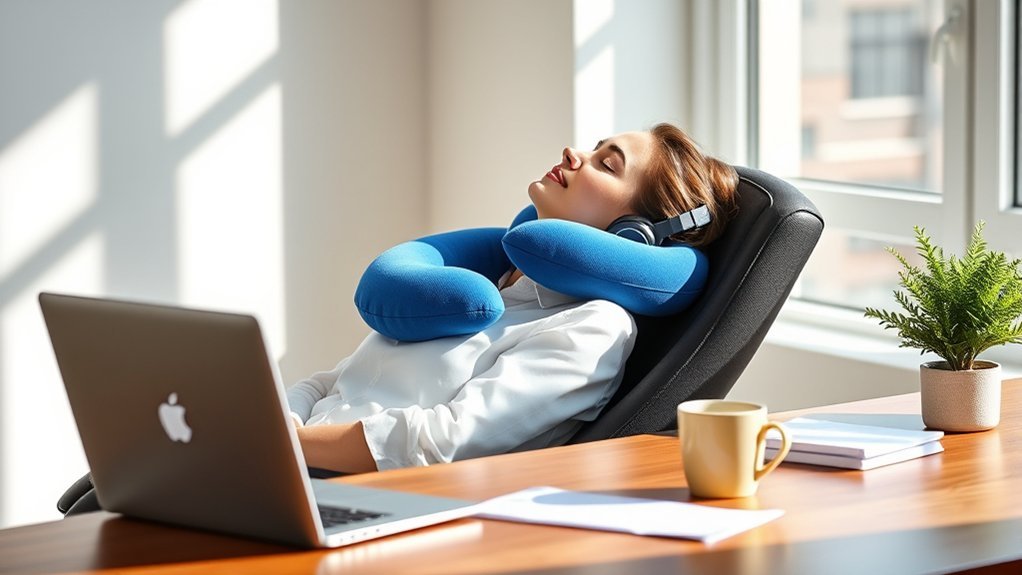
Last Updated on September 10, 2026 by Daniel Globe
Yes, you can use a travel pillow at your desk, but it should be treated as optional comfort support rather than a cure for neck pain. The pillow must fit your chair and body without pushing your head forward, tilting it sideways, or restricting normal movement. Your chair, monitor, keyboard, and movement habits remain more important.
Quick Answer
A travel pillow can provide short-term neck support at a desk, especially during calls, reading, or brief reclined rest. It should not push your chin forward, hold your neck in one position, or replace a properly adjusted workstation. Stop using it if your pain, stiffness, headache, tingling, or numbness increases.
Key Takeaways
- Use a travel pillow only when it keeps your head balanced over your torso.
- A thick pillow behind your neck may push your head forward against some chair backs.
- Adjust your chair, monitor, keyboard, and foot support before adding a pillow.
- Change position and take short movement breaks instead of wearing the pillow continuously.
- Persistent or spreading neck pain, numbness, tingling, or weakness needs professional evaluation.
Disclosure: As an Amazon Associate I earn from qualifying purchases. Some links on this page are affiliate links, at no extra cost to you.
How Travel Pillows Can Support Your Neck at Work and During Travel
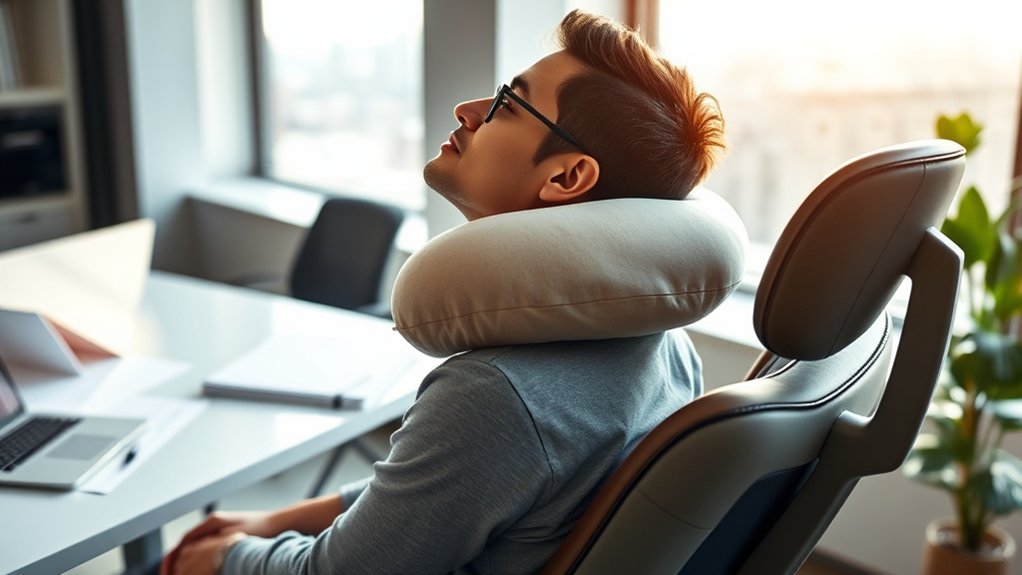
A travel pillow may help you feel more comfortable when your head needs light support. At a desk, it can be useful during a phone call, while reading, or during a short break in a chair with a suitable backrest or headrest. During travel, it may also reduce unwanted head movement when you are trying to rest in an upright seat.
However, the pillow should not force your head into a fixed position while you type, use a mouse, or turn between screens. Your head should remain level, face forward, and stay reasonably balanced over your torso. That neutral position is a central part of OSHA’s computer-workstation guidance.
Note: There is limited direct evidence that travel pillows prevent or treat desk-related neck pain. Think of the pillow as a comfort accessory. It does not correct an unsuitable chair, a low laptop screen, or long periods without movement.
Benefits and Limits of Using a Travel Pillow at Your Desk
A well-fitted pillow may fill a small gap between your neck and a chair or reduce the effort needed to hold your head during a brief rest. An adjustable design may also let you change the support as your position changes.
Possible benefits include:
- Temporary comfort: Soft support may feel helpful during low-movement tasks.
- Reduced side-to-side movement: A wrap or U-shaped pillow may steady your head when you recline.
- Portable support: You can use the same pillow at work, on a flight, or during a road trip.
- Adjustable positioning: Inflatable or wrap-style designs can often be loosened or reshaped.
The limits are equally important. A travel pillow cannot compensate for a monitor that is too low, a keyboard that makes you reach, or a chair that does not support your lower back. It may also become uncomfortable if it traps heat, presses on your throat, limits head movement, or pushes your chin forward.
The best pillow position is not the one that feels tightest. It is the one that lets your head remain level and balanced without pressure, strain, or restricted breathing.
Must-Have Features for a Desk-Friendly Travel Pillow
The right design depends on your neck size, chair, working position, and how often you need to turn your head. Look for features that allow adjustment rather than forcing your body into one fixed position.
- Moderate thickness: The rear section should not push your head away from the chair.
- Adjustable closure: A snap, drawcord, or hook-and-loop closure should secure the pillow without squeezing your neck.
- Flexible support: The pillow should allow small, comfortable head movements.
- Breathable cover: A removable, washable cover can reduce heat and simplify cleaning.
- Suitable firmness: The pillow should compress slightly rather than creating a hard pressure point.
- Correct size: There should be no strong pressure on your jaw, throat, ears, or shoulders.
A very thick memory foam pillow may work well in an open travel seat but fit poorly between your head and an office-chair back. An inflatable pillow can be easier to fine-tune because you can release air until it supports you without changing your posture.
Common Mistakes When Using Travel Pillows at Work
A travel pillow can become another source of strain when it is positioned poorly or worn for too long. Watch for these common mistakes:
- Following one orientation rule: The opening does not always need to face forward or sideways. The correct orientation depends on the design and your chair.
- Using too much padding behind the head: A thick rear section can push the chin forward and round the upper back.
- Fastening it too tightly: The pillow should not press on your throat or make swallowing or breathing uncomfortable.
- Keeping the neck fixed: Wearing the pillow continuously can discourage normal position changes.
- Ignoring the workstation: A pillow cannot fix a low screen, unsupported feet, or a mouse placed too far away.
- Using it through worsening symptoms: Increasing pain, tingling, numbness, weakness, dizziness, or headache is a reason to stop.
- Working against the chair: A pillow that fits a headrest-free chair may become too bulky when used against a projecting headrest.
Pro Tip: Test the pillow for five to ten minutes before using it for a longer session. Take a side-view photo or ask someone to check whether your ear remains roughly over your shoulder instead of moving forward.
How to Position a Travel Pillow for Neck Support at a Desk
There is no single position that works for every pillow. Use this fit test to find a position that supports you without creating a new problem:
- Adjust your chair first. Sit back so the backrest supports your lower back. Keep your feet flat on the floor or on a stable footrest.
- Face your main screen. Your head, neck, and torso should face forward rather than twist toward the display.
- Add the pillow lightly. Place it where it fills an unsupported gap. Do not assume the thick section belongs behind your neck.
- Check your chin. Your chin should remain level. It should not be pushed forward or forced down toward your chest.
- Check side-to-side balance. Your head should not lean toward one shoulder.
- Loosen the closure. You should be able to breathe, swallow, and turn your head comfortably.
- Move through your normal tasks. Type, use the mouse, read, and turn toward anything you regularly use.
- Remove it periodically. Change position and allow your neck to move instead of depending on constant support.
If the pillow only feels comfortable when you recline, reserve it for calls, reading, or short breaks rather than active keyboard work. If your chair has no head support, a travel pillow may reduce side movement, but it cannot create a headrest by itself. Your head may still have nothing stable to rest against.
Comparing Travel Pillows for Desk Use and Neck Comfort
Choose a design based on fit and adjustability rather than appearance alone. The following comparison shows how common pillow types may perform at a desk.
| Pillow Type | Potential Desk Benefit | Main Watch-Out |
|---|---|---|
| Memory foam U-shape | Firm side support during brief reclined rest | A thick back can push the head forward |
| Inflatable U-shape | Firmness can be adjusted by releasing air | Overinflation may create hard pressure points |
| Wrap or scarf-style pillow | Can be shaped for one-sided or front support | May feel restrictive if wrapped tightly |
| Microbead or fiber-filled pillow | Lightweight and easy to reshape | May compress unevenly or provide limited support |
| Small cervical roll | Can fill a small gap without surrounding the neck | It may slip unless the chair provides a stable surface |
Front-leaning travel pillows are designed for resting rather than typing or using a mouse. They are usually a poor choice for active desk work because they require you to lean away from the backrest and may interfere with your arms or desk surface.
How to Use Movement and Stretching to Support Neck Comfort
A travel pillow should not keep you in one position for an entire work session. Regular movement gives your muscles a break from static loading and lets you reset your posture.
Importance of Regular Breaks
The CDC’s National Institute for Occupational Safety and Health notes that short breaks every hour can reduce discomfort among computer users. OSHA also recommends frequent short pauses from computer work.
During a break, you can:
- Stand up and walk for a few minutes.
- Let your arms hang loosely and relax your shoulders.
- Look away from the screen and blink normally.
- Change from sitting to standing when a suitable work surface is available.
- Remove or reposition the travel pillow.
- Complete a non-computer task that uses a different posture.
You do not need to wait until discomfort becomes severe. A short position change is often easier than trying to undo stiffness after several uninterrupted hours.
Effective Stretching Techniques
Move slowly and stay within a comfortable range. Do not bounce, pull hard on your head, or force a painful movement. The following gentle movements are similar to exercises described in NHS neck-pain guidance:
- Chin tuck: Sit tall and slide your chin straight back without looking down. Hold for about three to five seconds, then relax.
- Gentle rotation: Turn your head slowly toward one side until you feel a mild stretch. Return to the center and repeat on the other side.
- Side bend: Tilt one ear gently toward the same-side shoulder without lifting the shoulder. Return to the center and switch sides.
- Shoulder-blade squeeze: Draw your shoulder blades gently together and down. Avoid arching your lower back.
- Upper-back stretch: Reach your arms forward, soften your elbows, and gently spread your shoulder blades.
- Torso turn: Sit tall and rotate your upper body gently to one side, then the other, while keeping your hips stable.
Stop the exercise if it causes sharp pain, dizziness, spreading pain, tingling, numbness, or weakness. People with an injury, a diagnosed spinal condition, or recent surgery should ask a qualified healthcare professional which movements are appropriate.
Alternatives to Travel Pillows for Desk Comfort
A travel pillow is not always the most effective way to improve desk comfort. The following changes address the workstation itself and may provide more consistent support:
- Adjustable ergonomic chair: Choose a chair that supports your lower back and allows you to sit close to your work.
- Chair headrest: An adjustable headrest may offer more stable support during brief reclined periods than a loose pillow.
- Lumbar support cushion: Supporting the lower back can help you sit against the backrest instead of collapsing forward.
- Laptop riser: Raising the screen can reduce the need to look downward.
- External keyboard and mouse: These allow you to raise a laptop screen without raising your hands to an uncomfortable height.
- Footrest: Use one when your feet do not rest securely on the floor after the chair is adjusted.
- Sit-stand workstation: A height-adjustable surface can make it easier to alternate positions, but standing should not become another prolonged static posture.
A small rolled towel may work better than a bulky U-shaped pillow when you only need to fill a narrow gap. Place it lightly and use the same neutral-position checks described above.
Tips for Improving Your Workspace Ergonomics
Set up your workstation before deciding whether you need extra neck support. A pillow added to a poor setup may hide discomfort briefly without addressing its cause.
Monitor Height and Distance
Place your main monitor directly in front of you so you do not need to turn your head for long periods. According to OSHA’s monitor guidance, the top of the screen should generally be at or slightly below eye level. The preferred viewing distance is usually about 20 to 40 inches, depending on screen size, text size, and vision.
- Keep your head and torso upright while reading normal-sized text.
- Increase text size instead of leaning toward the screen.
- Lower the monitor when bifocals or progressive lenses make you tilt your head back.
- Position a frequently used second monitor close to the main display.
- Reduce glare that makes you lean or twist to see the screen.
Chair Support Features
A supportive chair should let you sit back without losing contact with the backrest. OSHA recommends a backrest that follows the natural curve of the spine, a comfortable seat, and supported feet.
- Adjust the seat height so your feet rest flat or use a footrest.
- Support your lower back rather than perching on the front edge.
- Keep your shoulders relaxed and your elbows close to your body.
- Leave a small gap between the seat edge and the backs of your knees.
- Adjust armrests so they support your arms without lifting your shoulders.
- Make sure a headrest does not push your head forward.
Keyboard, Mouse, and Laptop Setup
Keep the keyboard and mouse close enough that your elbows remain near your sides. Your wrists should stay reasonably straight instead of bending sharply upward, downward, or sideways.
When a laptop is your main computer, raising only the laptop may place the keyboard too high. Use an external keyboard and mouse so the screen and hand position can be adjusted separately. Keep frequently used phones, documents, and controls within easy reach. Use a headset when you need to type during calls rather than holding the phone between your shoulder and ear.
Break and Stretch Routine
A simple routine is more useful than waiting for stiffness to build:
- Every 20 to 30 minutes: Change position briefly, relax your grip, and look away from the screen.
- About every hour: Stand, walk, or complete another task for several minutes.
- When the pillow feels warm or restrictive: Remove it and let your neck move normally.
- After a long meeting: Reset the chair, screen, keyboard, and pillow before returning to focused work.
These times are practical reminders rather than rigid medical rules. Change position sooner when you feel pressure, fatigue, or stiffness.
When to Consult a Professional for Neck Pain
A travel pillow is not a treatment for an injury, nerve problem, severe headache, infection, or persistent neck condition. Arrange an evaluation if pain continues despite changing your workstation and activity habits, or if it repeatedly interferes with work, sleep, or normal movement.
Warning: Seek urgent medical care for severe neck pain after a fall, collision, diving accident, or other injury. Contact a healthcare professional promptly if pain spreads into an arm or leg or occurs with numbness, tingling, weakness, severe headache, fever, loss of balance, or rapidly worsening symptoms.
A doctor or other qualified clinician can check for causes that require treatment. A physical therapist may assess your movement, workstation habits, strength, and tolerance for exercise before creating an individual plan.
Some people consider massage, mobilization, or spinal manipulation. These treatments are not necessary for every case. The National Center for Complementary and Integrative Health reports that evidence for neck manipulation is limited or inconsistent and that temporary discomfort is common. Rare serious complications involving arteries in the neck have also been reported. Discuss the possible benefits and risks with a qualified healthcare professional before receiving neck manipulation.
Note: This article provides general ergonomic information and is not a diagnosis or personal medical treatment plan.
Frequently Asked Questions
Can travel pillows be washed and maintained easily?
Many have removable washable covers, but care depends on the fill and construction. Follow the care label. Do not machine wash a memory foam core, inflatable bladder, or other pillow insert unless the manufacturer specifically permits it. Spot-clean the core when directed and let every part dry fully before use.
Are travel pillows suitable for all body types?
No single size or shape fits everyone. Neck length, shoulder width, chair design, headrest position, and personal comfort all affect fit. Choose a pillow that can be adjusted or returned, and stop using it when it causes pressure or changes your neutral head position.
How do travel pillows affect workspace appearance?
A compact pillow with a neutral cover can blend into an office, while a large travel design may look out of place in a formal workspace. A removable, washable cover can keep it looking cleaner. Comfort and safe fit should take priority over color or style.
Can I use a travel pillow in a chair without head support?
You can try one, but the pillow may not provide stable support when there is no chair surface behind your head. It may reduce side movement without supporting the weight of your head. A chair with an adjustable headrest may work better for reclined rest.
What material is best for a travel pillow used at a desk?
Memory foam provides firm shaping but may be warm or too thick. Inflatable pillows offer the most firmness adjustment. Fiber-filled and microbead designs are lighter but may compress unevenly. The best material is the one that supports you without pushing, overheating, or limiting movement.
How long should I wear a travel pillow at my desk?
There is no universal time limit. Start with a five-to-ten-minute trial and remove it regularly so you can change position. It is better suited to short low-movement tasks than continuous all-day wear. Stop sooner if pressure, stiffness, heat, headache, or altered posture develops.
Can a travel pillow cure neck pain?
No. A travel pillow may provide temporary comfort, but it does not diagnose or cure the cause of neck pain. Improve the workstation, change position regularly, and seek professional advice when pain is severe, persistent, spreading, or accompanied by neurological symptoms.
Conclusion
You can use a travel pillow at your desk when it provides light support without changing your natural head position. Test it with your actual chair, loosen it enough for easy movement and breathing, and use it mainly for short periods or low-movement tasks.
Do not rely on the pillow to correct a poor workstation. A properly positioned monitor, supported lower back, comfortable keyboard and mouse placement, supported feet, and regular movement provide a stronger foundation for desk comfort. Remove the pillow if symptoms increase, and seek professional care when neck pain is severe, persistent, spreading, or accompanied by numbness, tingling, or weakness.
Sources
- Occupational Safety and Health Administration: Computer Workstations — neutral posture and complete workstation setup.
- OSHA: Monitor Positioning — monitor height, distance, viewing angle, and screen placement.
- OSHA: Chair Selection and Adjustment — back support, seat fit, armrests, and foot support.
- CDC/NIOSH: Office Environments and Your Safety — workstation design, awkward posture, and short hourly breaks.
- Mayo Clinic: Neck Pain Symptoms and Causes — posture guidance and signs that need medical attention.
- National Center for Complementary and Integrative Health: Spinal Manipulation — evidence limitations, common side effects, and potential risks.
