
Last Updated on August 26, 2026 by Ethan Caldwell
Yes, you can take a T-Mobile router traveling, but whether you should use it away from home depends on the internet plan attached to the device. T-Mobile’s standard 5G Home Internet plans are intended for one approved service address, while AWAY is the company’s mobile internet option for RVers, digital nomads, seasonal travelers, and other people who regularly use internet in multiple locations.
Quick Answer
Yes—but only if your plan allows it. T-Mobile’s Rely, Amplified, and All-In Home Internet plans are approved for one service address and may be restricted elsewhere. AWAY is the travel plan: it works across T-Mobile’s nationwide network, including in motion, with 200GB and unlimited options.
Key Takeaways
- Standard T-Mobile Home Internet is location-based. Rely, Amplified, and All-In plans are approved for use at one home service address.
- AWAY is built for travel. It can be used at multiple locations across T-Mobile’s nationwide network and supports use while a vehicle is moving.
- AWAY currently has 200GB and unlimited options. The 200GB plan drops to speeds up to 128 Kbps after the monthly allotment unless more data is added.
- Coverage still matters. A mobile plan cannot provide service where the T-Mobile network does not have usable signal.
- Do not rely on anecdotes about Home Internet working far from home. Technical operation outside the approved address does not change the plan’s location restrictions.
Disclosure: As an Amazon Associate I earn from qualifying purchases. Some links on this page are affiliate links, at no extra cost to you.
Can You Take a T-Mobile Router Traveling?
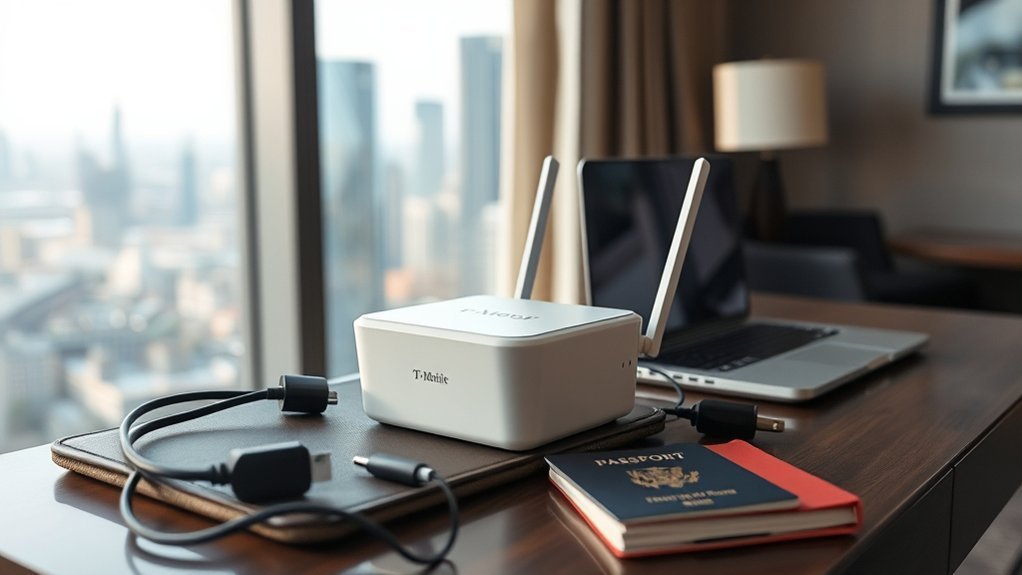
You can physically take a T-Mobile Home Internet gateway with you, but that does not mean every plan authorizes mobile use. T-Mobile calls the device a gateway because it combines cellular-modem and Wi-Fi-router functions in one unit.
For current Rely, Amplified, and All-In Home Internet plans, T-Mobile says service is approved for the home address associated with the account and may be restricted away from that location. This is often described informally as geo-locking.
If you want to use the gateway during RV trips, seasonal travel, road trips, or remote work from changing locations, T-Mobile AWAY is the plan specifically designed for that use.
Warning: Do not plan an important trip around reports that a fixed Home Internet gateway happens to work away from its approved address. Current T-Mobile terms restrict fixed Home Internet service away from the approved location, even if the gateway can technically detect a usable cellular signal elsewhere.
T-Mobile Home Internet vs Away Plan
The most important distinction is whether you need fixed home service or mobile multi-location service. T-Mobile’s current fixed Home Internet lineup is Rely, Amplified, and All-In. AWAY is the travel-focused alternative.
| Plan | Typical Use | Data | Mobility | Price With AutoPay* |
|---|---|---|---|---|
| Rely Home Internet | Home use | Unlimited | Approved home address | $50/month; eligible voice-line pricing may be lower |
| Amplified Home Internet | Faster fixed home service | Unlimited | Approved home address | $60/month; eligible voice-line pricing may be lower |
| All-In Home Internet | Premium fixed home service | Unlimited | Approved home address | $70/month; eligible voice-line pricing may be lower |
| AWAY 200GB | Travel and RV use | 200GB, then up to 128 Kbps | Multiple locations on T-Mobile network | $110/month |
| AWAY Unlimited | Frequent travel and heavier use | Unlimited, subject to network management | Multiple locations on T-Mobile network | $160/month |
*Prices shown are T-Mobile’s advertised AutoPay prices checked August 26, 2026. Promotions, qualifying voice-line discounts, taxes, fees, and account-specific offers can change, so confirm the current amount before ordering.
Home Internet Limits
T-Mobile Home Internet is fixed wireless internet. Although it reaches your gateway through the cellular network, current Rely, Amplified, and All-In plans are intended for the approved home service address. Taking one of these gateways on a road trip can therefore result in restricted or interrupted service.
- Service is approved for one home address.
- Moving to another home requires checking eligibility at the new address.
- Changing gateway placement inside the approved home is fine and may improve reception.
- A mesh extender improves Wi-Fi coverage inside a home but does not change the service-address restriction.
- Older references to Home Internet Plus should not be treated as the current 2026 consumer-plan lineup.
If you permanently move, do not treat the move as ordinary travel. T-Mobile instructs customers to check availability at the new address and update the service location before using Home Internet there.
Away Plan Benefits
AWAY is designed for people who need internet in different places. T-Mobile markets it to RVers, van and camper travelers, seasonal travelers, digital nomads, and other customers who use service while moving between locations.
- Works across T-Mobile’s nationwide network where coverage is available.
- Supports multiple travel locations rather than one approved home address.
- T-Mobile says passengers can remain connected while a vehicle is moving.
- The included gateway can support up to 64 connected devices, subject to signal and network conditions.
- Service can be paused for up to 90 days twice per year for $10 per month while paused under current terms.
- There is no off-network roaming.
As of August 26, 2026, T-Mobile advertises AWAY at $110 per month with AutoPay for 200GB and $160 per month with AutoPay for unlimited data.
The original claim that AWAY video is universally capped at 1080p is no longer accurate. Current T-Mobile terms say video resolution depends on available speeds. T-Mobile also warns that some live-TV streaming services may not be compatible.
Note: AWAY is intended for use at multiple locations. Current T-Mobile terms say it should not be used primarily for extended service in one location and that off-network roaming is not available.
Where T-Mobile Home Internet Works
Standard T-Mobile Home Internet works at the approved service address associated with your account. Address eligibility depends in part on local network capacity, so a place can have general T-Mobile cellular coverage without necessarily being eligible for fixed Home Internet service.
- Rely, Amplified, and All-In are intended for the approved home address.
- AWAY is intended for travel across T-Mobile’s network.
- General cellular coverage does not guarantee the same speed everywhere.
- Buildings, terrain, congestion, network bands, and gateway placement can affect performance.
Anecdotal reports that fixed Home Internet happens to work far from an approved address do not override the plan terms. If reliable mobile use is essential, choose a plan that explicitly permits it.
How T-Mobile Geo-Locking Works
“Geo-locking” is a convenient way to describe T-Mobile’s location restriction, although T-Mobile’s current customer-facing language generally says that fixed Home Internet is approved for a particular service address and may be restricted away from it.
| Service Type | Location Rule | Best For |
|---|---|---|
| Rely / Amplified / All-In | Approved home address | Permanent home internet |
| AWAY 200GB | Multiple locations on T-Mobile network | Moderate travel data use |
| AWAY Unlimited | Multiple locations on T-Mobile network | Frequent travel and heavier use |
If you are moving permanently rather than traveling, check the new address through T-Mobile before the move and update your Home Internet service location. That lets T-Mobile determine whether sufficient network capacity is available for fixed Home Internet at the new property.
What the Gateway GPS Tracks

Current T-Mobile G4 and G5 gateway specifications list GPS hardware. However, that fact should not be stretched into claims that T-Mobile publicly documents every detail of continuous GPS monitoring or exactly how location restrictions are enforced.
GPS Location Monitoring
The safe factual distinction is straightforward: current gateways can include GPS capability, and T-Mobile separately states that fixed Home Internet is restricted away from the approved service address. T-Mobile’s public gateway documentation does not provide enough detail to claim that GPS alone performs every address check or that a specific movement automatically triggers a particular warning.
- Current G4AR/G4SE gateway specifications list GPS.
- Current G5AR/G5SE gateway specifications also list GPS.
- Fixed Home Internet still has an approved-address rule regardless of the precise technical enforcement method.
- Customers should follow their plan terms rather than trying to predict or bypass location enforcement.
Note: The presence of GPS hardware is documented. Claims that the gateway continuously reports your exact position in real time for every enforcement decision are not explained in that level of detail in T-Mobile’s public technical documentation.
Plan-Based Restrictions
Your plan matters more than speculation about the tracking technology. Fixed Home Internet plans are tied to an approved address. AWAY is specifically designed for multi-location use across T-Mobile’s network.
Before traveling, review the current plan terms in your account. If your internet connection is essential for work, school, navigation, or communication, use a service whose written terms match how you intend to travel.
What Real Travelers Report
Traveler experiences with cellular internet vary widely. Someone parked near a strong T-Mobile 5G site may see excellent performance, while another traveler a few miles away can encounter congestion, terrain blockage, or weak indoor reception.
Older anecdotal claims attributed to travelers such as Denese Weems and Laurie Wood, including claims of reliable use hundreds of miles from home, are not a substitute for current plan terms because those individual reports are not supported here by a stable authoritative source.
- A successful connection away from home does not prove that a fixed Home Internet plan permits travel.
- Signal and congestion can change dramatically between campsites.
- An RV’s metal body and window coatings can affect indoor cellular reception.
- AWAY gives frequent travelers the clearer policy fit because mobile use is part of the plan design.
The practical lesson from traveler anecdotes is useful but limited: test the connection at each stop, maintain a backup option for important work, and use official T-Mobile terms to decide whether your plan permits the trip.
Using T-Mobile Home Internet in an RV
An RV is one of the clearest examples of why the distinction between fixed Home Internet and AWAY matters. A standard Rely, Amplified, or All-In account is designed around an approved home address. AWAY is specifically marketed for RVs, vans, campers, and customers who move between locations.
RV Use Limits
If you want reliable RV internet, do not assume a standard Home Internet gateway becomes a mobile plan just because you can plug it into your RV.
- Use AWAY when you need authorized multi-location service.
- Check T-Mobile coverage before choosing a campground or overnight stop.
- Keep a backup connection if internet access is mission-critical.
- Remember that AWAY has no off-network roaming.
- The 200GB AWAY plan slows substantially after the included allotment.
T-Mobile also says AWAY can remain connected while traveling in motion. That can be useful for passengers working or streaming during a drive, but the driver should remain focused on driving rather than operating connected devices.
Signal And Coverage
Signal strength is still a major factor. T-Mobile’s official coverage map lets you inspect predicted 4G LTE and 5G service before traveling, but any coverage map is an estimate rather than a guarantee of campsite-level performance.
| Location | Typical Challenge | What to Do |
|---|---|---|
| City or suburb | Congestion | Test at the times you normally work or stream |
| Highway corridor | Changing towers and bands | Expect speed variation while moving |
| Remote campground | Distance, terrain, weak signal | Check coverage and keep a backup option |
| Inside a metal RV | Signal attenuation | Use the placement assistant and test near suitable windows |
Pro Tip: Before committing to a gateway location inside an RV, run several speed tests in different positions. Cellular signal often improves near a window or higher position, while your Wi-Fi devices still need reasonable proximity to the gateway.
Plan Restrictions
The core restriction is simple: fixed Home Internet is for the approved home address; AWAY is for multi-location travel. Do not choose between them only by monthly price.
- Choose fixed Home Internet for a permanent residence.
- Choose AWAY if you regularly travel with the gateway.
- Choose AWAY 200GB if your monthly usage comfortably fits the cap.
- Consider AWAY Unlimited for heavier remote-work or streaming use.
- Consider another provider or a second connection when T-Mobile coverage is weak along your regular route.
An RV setup also needs a reliable source of electrical power for the gateway. Current T-Mobile gateways use an AC power adapter, so travelers running off batteries should make sure their RV electrical system, inverter, or portable power station can safely supply the required power.
T-Mobile Data Limits, Throttling, and Speed
The old idea that a T-Mobile Home Internet router is simply “throttled after about 5GB” is incorrect for the current products discussed here. Data treatment depends on the plan.
- Rely, Amplified, and All-In: include unlimited Home Internet data. T-Mobile states that during congestion customers may experience lower priority, with further reduction possible after more than 1.2TB of monthly use under applicable current network-management terms.
- AWAY 200GB: includes 200GB of full-speed data. After the monthly allotment, service is reduced to speeds up to 128 Kbps for the rest of the billing cycle unless additional data is added.
- AWAY Unlimited: provides unlimited data, but network management and congestion can still affect performance, including additional prioritization effects after very heavy usage.
Cellular internet speed also changes with location, network congestion, signal strength, gateway model, nearby towers, radio bands, building materials, and the number of devices using the connection. T-Mobile publishes current performance information and Broadband Facts labels with its plans rather than promising one speed everywhere.
Apps do not use a fixed amount of data. Navigation, social media, cloud backups, video calls, operating-system updates, and streaming can all vary dramatically according to settings and usage. Video is normally the biggest concern for travelers trying to stay within a 200GB monthly allowance.
For additional details about prioritization and performance, review T-Mobile’s Internet Service network-management information.
How to Check T-Mobile Coverage First
Before you rely on a T-Mobile router while traveling, check both network coverage and the plan attached to the gateway.
- Confirm the plan. Check whether your gateway is on fixed Home Internet or AWAY.
- Check the official coverage map. Search each major destination rather than looking only at the highway between them.
- Check campground or RV-park conditions. Terrain, trees, hills, and metal structures can make local reception worse than a broad coverage map suggests.
- Test gateway placement. Use T-Mobile’s placement tools and try multiple positions.
- Estimate your data use. This is especially important before choosing the AWAY 200GB tier.
- Plan a backup. Important remote work is safer with a phone hotspot, second carrier, campground Wi-Fi, or another independent connection available.
Coverage is necessary, but it is not the same as plan eligibility. A fixed Home Internet gateway can see a T-Mobile signal somewhere without that location becoming an approved Home Internet service address.
When to Switch Internet Options
Switch when the way you use internet no longer matches the plan. A fixed Home Internet plan makes sense when the gateway stays at one eligible residence. AWAY makes more sense when the gateway regularly travels between locations.
| Scenario | Better Fit | Why |
|---|---|---|
| Permanent home | Rely / Amplified / All-In | Designed for one approved service address |
| Occasional gateway travel | AWAY or another mobile option | Fixed Home Internet does not become travel-authorized because trips are infrequent |
| Frequent RV travel | AWAY | Built for multiple locations and in-motion connectivity |
| Moderate monthly travel data | AWAY 200GB | Lower AWAY price if 200GB is sufficient |
| Heavy remote work or streaming | AWAY Unlimited | Avoids the 200GB monthly high-speed-data cap |
| Regular weak T-Mobile coverage | Alternative or backup provider | A suitable plan cannot overcome a missing usable network signal |
| Moving permanently | Transfer Home Internet if eligible | Update the approved home address instead of treating the move as travel |
Also consider your streaming needs. T-Mobile Home Internet uses dynamic IP addressing, and T-Mobile warns that some live-TV services that depend on IP-based location can be incompatible. That limitation can matter to RVers who expect their home television setup to work identically at every stop.
Frequently Asked Questions
Can I Take My T-Mobile Gateway Anywhere?
Not on a standard fixed Home Internet plan. Rely, Amplified, and All-In are approved for a home service address and may be restricted elsewhere. AWAY is T-Mobile’s plan for authorized multi-location travel across its nationwide network.
What Is the Downside of T-Mobile Internet for Seniors?
There is no technical disadvantage unique to seniors. General drawbacks can include variable cellular speeds, the approved-address restriction on fixed Home Internet, the need to find good gateway placement, and compatibility issues with some live-TV services. Those factors matter to customers of any age.
Can I Have T-Mobile Internet at Two Different Locations?
One fixed Home Internet service is approved for one home address. If you need permanent internet at two homes, each location should have its own eligible service arrangement. If you instead need one gateway that moves between locations, AWAY is the T-Mobile plan designed for that type of use.
Where Should I Put My T-Mobile Router?
Use T-Mobile’s gateway placement assistant and test several locations. A higher position or suitable window can improve the cellular connection, while a reasonably central position helps Wi-Fi reach devices inside your home or RV. Keep the gateway away from large metal obstructions and sources of interference when possible.
Does T-Mobile AWAY Work While an RV Is Moving?
Yes. T-Mobile specifically advertises AWAY as supporting connectivity in motion and says passengers can remain connected while traveling. Actual performance can change as the gateway moves between coverage areas and cell sites.
Does T-Mobile AWAY Work Internationally?
Do not assume so. T-Mobile markets AWAY for nationwide use across its own network and states that off-network roaming is not available. International roaming benefits associated with some T-Mobile phone plans should not be assumed to apply to an AWAY gateway.
What Happens After 200GB on the AWAY 200GB Plan?
After you use the monthly 200GB allotment, T-Mobile says speeds are reduced to up to 128 Kbps for the remainder of the billing cycle unless you purchase additional data. Unused monthly data does not roll over.
Can I Move My T-Mobile Home Internet to a New Address?
Yes, if the new address is eligible. T-Mobile instructs customers to check availability at the new home and contact T-Mobile to update the service address before moving the gateway. Availability can differ because Home Internet capacity is managed by location.
Conclusion
So, can you take a T-Mobile router traveling? Yes, but the plan determines whether mobile use is allowed. T-Mobile’s Rely, Amplified, and All-In Home Internet plans are designed for one approved home address. For RV trips, seasonal travel, digital nomad work, and other multi-location use, AWAY is the appropriate T-Mobile option.
Before leaving, confirm your plan, check coverage at your destinations, estimate whether 200GB is enough, and test gateway placement. If you permanently move instead of travel, update your Home Internet service address rather than simply taking the fixed service to a different home. Those steps give you a much more reliable setup than depending on old reports that a home gateway happened to work away from its registered location.
Sources
- T-Mobile AWAY Internet Plans — current AWAY pricing, 200GB and unlimited options, travel use, in-motion connectivity, pausing, device support, data limits, and roaming terms.
- T-Mobile 5G Home Internet Plans — current Rely, Amplified, and All-In plan lineup, pricing, and Home Internet data information.
- T-Mobile Home Internet FAQ — approved-address rules, AWAY eligibility, moving guidance, data-cap information, and current Home Internet policies.
- T-Mobile G5 Gateway Support — current gateway technical specifications, including GPS hardware.
- T-Mobile Coverage Map — official 4G LTE and 5G coverage checker.
- T-Mobile Internet Service and Network Management — network performance, congestion, prioritization, and service-management information.
