
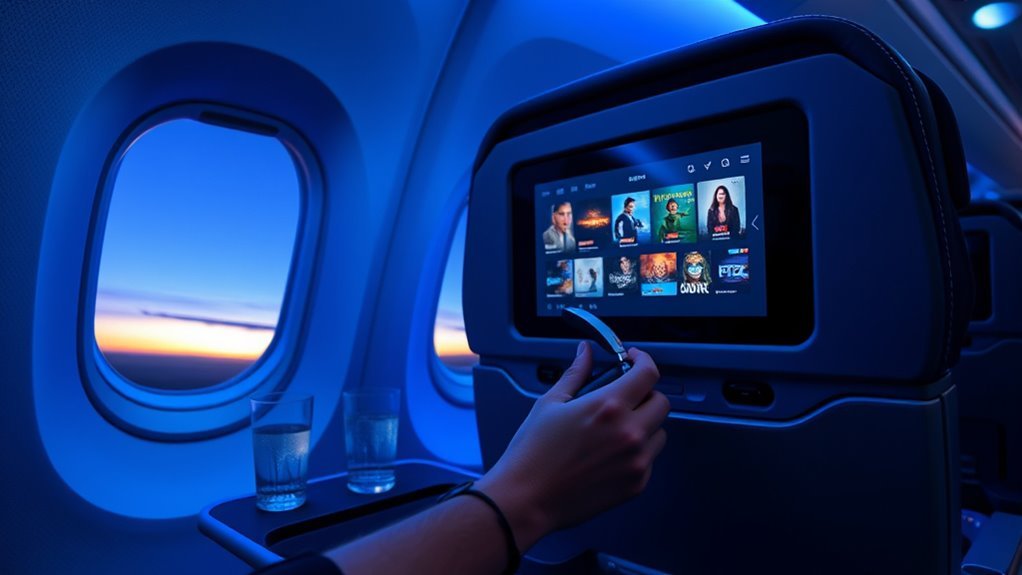
On Alaska Airlines, you can watch over 800 free movies and TV shows, including new releases and holiday favorites. You can stream on your own device through AlaskaWiFi or use seatback screens on 787 Dreamliners with HD touch displays and more than 1,000 titles. Check that your device is compatible, connect to AlaskaWiFi.com, and use headphones for better sound. You’ll also get live maps, charging ports, and more tips ahead.
What’s Included in Alaska Entertainment

Alaska Airlines gives you plenty to watch and do in the air, with over 800 free movies and TV shows, including new releases and holiday favorites.
You can explore strong in flight variety across entertainment genres, from acclaimed films to popular series, so you won’t feel boxed in by a narrow lineup.
On 787 Dreamliners, you’ll use seatback screens with 1080p HD touchscreen monitors for crisp, responsive viewing.
On 737 flights, you can stream the library on your own device through the AlaskaWiFi network.
You’ll also get complimentary headphones or earbuds, which help keep the cabin calm while improving sound.
If you want more than shows, you can follow your journey with the interactive moving map and watch your route unfold in real time.
Together, these features give you choice, control, and a more open, engaging flight.
Check Device Compatibility for Alaska Wi-Fi
Before you connect to Alaska’s Wi-Fi, make sure your device is compatible: an iPhone 5s or newer, or another device from 2013 or later, should work with the streaming service.
Do quick compatibility checks before boarding so you’re not stuck without access once you’re airborne. Different device types may behave differently, so test your browser, update your software, and confirm you can stream smoothly.
Check compatibility before boarding, test your browser, and update software so streaming works smoothly once you’re airborne.
On iOS, turn off Privacy Mode if you want full access to movie titles in the browser. You can still enjoy the library without giving up control; the system works offline during the flight, so a dropped connection won’t shut down your entertainment.
Closed captions appear on many titles, though availability varies, so look for captioned options if you need them. A little prep keeps the experience open, easy, and fully yours.
Connect to Alaska Wi-Fi and Open the Library
| Step | Action | Result |
|---|---|---|
| 1 | Join the network | You’re connected |
| 2 | Open AlaskaWiFi.com | The library appears |
| 3 | Choose a title | You start watching |
Your selected movies and shows keep playing even if the connection drops, because the system works offline. If your device is compatible, you’re ready to enjoy the cabin your way.
Watch Movies and TV on Your Own Device
You can stream movies and TV shows right in your device’s browser by visiting AlaskaWiFi.com after connecting to Alaska_WiFi.
Alaska Airlines gives you access to more than 800 free titles, and you won’t need to install any apps or plugins.
If you run into trouble, try selecting “continue” in the portal and then “Open in Safari” for smoother access.
Device Browser Access
- Check device limitations before you fly; iPhone 5s or newer and many 2013-or-later devices work.
- Open your browser, go to AlaskaWiFi.com, and stream directly.
- Enjoy many titles with closed captions for added accessibility.
This browser-based access keeps entertainment open, flexible, and easy, so you can watch on your terms.
Free Streaming Library
After the flight door closes, connect to the Alaska_WiFi network and open AlaskaWiFi.com in your browser to access Alaska Airlines’ free streaming library of more than 800 movies and TV shows on your own device.
You don’t need to buy Wi-Fi, so you can enjoy more streaming benefits without extra cost. The library works on many phones and tablets, including iPhone 5s or newer and 2013-or-newer Android devices, giving you freedom to watch on the screen you already trust.
Many titles include closed captions, so you can tailor the viewing to your needs. This simple setup improves the passenger experience by putting movies and shows within your reach, wherever you sit.
If you want entertainment that feels open, easy, and personal, this library delivers.
Connection Troubleshooting Tips
- Select continue on the captive portal, then tap Open in Safari for better access.
- On iPhone or iPad, turn off Privacy Mode in Settings, since it can block titles.
- If you still can’t play a show, contact live help during flights with internet access.
You can also filter for captioned titles when you want closed captions.
With a few quick checks, you stay in control and enjoy movies and TV on your own terms.
Use Seatback Screens on 787 Flights
On Alaska Airlines’ 787 Dreamliner flights, you can use the seatback screens to watch a huge library of movies and TV shows in 1080p HD.
The responsive touchscreen makes it easy to browse options, and you’ll get complimentary headphones or earbuds for better sound.
You can also keep your devices charged with USB-A and USB-C ports at your seat.
787 Seatback Screens
Alaska Airlines’ 787 Dreamliner gives you a built-in entertainment upgrade with 1080p HD seatback touchscreen monitors at every seat. You get over 1,000 movies and TV shows, so your time stays yours.
The seatback functionality puts everything within reach, and entertainment navigation feels simple and fast.
- Browse genres and titles directly on your screen.
- Tap through the library with responsive controls.
- Plug into USB A or USB C ports to keep power flowing.
Alaska also provides complimentary headphones or earbuds, so you can enjoy crisp audio without extra gear.
With a sharp display, huge library, and easy access at your seat, you can relax, choose freely, and turn the flight into your own space.
HD Touchscreen Controls
With Alaska’s 787 seatback screens, you can tap and swipe your way through the entertainment library with ease. The 1080p HD display delivers crisp visuals, so every movie and show looks sharp and vivid.
Touch response is quick, letting you use touchscreen navigation to browse more than 1,000 titles across genres without hassle. You can jump between options, check details, and start watching in seconds.
The system also adds interactive features, including a real-time map that tracks your flight route and keeps you engaged while you travel. This setup puts control in your hands, giving you a smoother, more independent inflight experience.
With intuitive controls and bright, clear screens, you’re free to explore entertainment on your own terms.
Charging And Headphones
As you use the 787 seatback screens, you’ll find complimentary headphones or earbuds available for a better audio experience while you watch movies and shows. You can plug in your own gear too, but Alaska gives you solid charging options with USB A and USB C ports at every seat. Stay powered, stay free.
- Connect your device before the movie starts.
- Use the included headphones for crisp sound.
- Follow headphone etiquette so you don’t disturb nearby travelers.
The 1080p touchscreen makes browsing 1,000+ titles effortless, and the responsive controls keep you in command.
With power at hand and audio ready, you can enjoy the flight on your terms, without giving up comfort or cabin harmony.
Use the Live Map and 3D Tracking
One of the easiest ways to stay engaged during your Alaska Airlines flight is to use the live map and 3D tracking features. You can tap the interactive map anytime to follow real time tracking of your route, see your current location, and watch your destination draw closer. The 3D flight view gives you an immersive experience that makes the journey feel active, not passive. It also keeps you aware of progress without breaking your flow.
| Feature | What you see | Why it helps |
|---|---|---|
| Live map | Route and location | Stay informed |
| 3D tracking | Flight visualization | Boost engagement |
| Updates | Progress changes | Track movement |
These tools are easy to access during the flight, and they invite you to participate in your own travel story. With every update, you gain a clearer sense of movement, freedom, and arrival.
Understand Alaska Wi-Fi Options
After you’ve explored the live map and 3D tracking, Alaska’s Wi-Fi lets you stay connected for the rest of the flight. You can choose the right plan with a quick Wi-Fi comparison:
- Standard Wi-Fi: Best when you want freedom to stream Netflix or Hulu. It’s available on Boeing 737 MAX, 737-900ERs, and 737-800s.
- Basic Wi-Fi: Use it for email and web browsing. It’s on all Boeing 737-700s, but it won’t support streaming.
- Free access for T-Mobile customers: On equipped flights, you may get unlimited free sessions or four full-flight sessions with unlimited 60-minute sessions.
Alaska’s satellite internet delivers streaming-fast speeds, about 20 times faster than Basic Wi-Fi, with gate-to-gate coverage on many routes.
You can connect from boarding to arrival by joining “Alaskawifi.com” and opening AlaskaWiFi.com in your browser.
These connectivity benefits help you stay connected on your terms, so your trip feels less confined and more open.
Fix Alaska Entertainment Issues
If a title won’t play, exit the captive portal by tapping Continue and then Open in Safari to get back into the entertainment library. That quick reset solves many entertainment troubleshooting problems and gets you watching again.
If you’re on an iPhone or iPad, check that Privacy Mode is off, since it can block access to available titles. Next, browse the catalog and choose a movie with captions if you want easier follow-along viewing; many titles offer this option.
If you run into connectivity issues, remember the seatback entertainment system doesn’t need the internet to play content you’ve already selected, so your flight can still stay free of interruption.
For extra support, use the live help option when you’re connected online. These simple connectivity solutions help you reclaim your screen and keep your in-flight entertainment working.
Use Audio and Charging Features
At your seat, you can power up your devices with USB A and USB C charging ports, so your phone or tablet stays ready for the whole flight. That charging convenience keeps your entertainment flowing without hunting for an outlet or rationing battery.
For better audio quality, use the complimentary headphones or earbuds provided onboard, or plug in your own through USB for a more personal, isolated sound.
- Charge continuously: Keep your device powered from takeoff to landing.
- Listen your way: Choose free earbuds or your own headphones for comfort.
- Stay considerate: Use headphones so you don’t disturb nearby passengers.
You’ll get a cleaner, more immersive movie or series experience when you match strong charging convenience with reliable audio.
If you want freedom to watch, listen, and move through the cabin with ease, these features help you stay connected, entertained, and in control throughout the journey.
Frequently Asked Questions
What Movies Are on Inflight Entertainment?
You’ll find In Flight Classics, New Releases, Family Favorites, Documentaries Galore, and Travel Inspiration among Streaming Options, giving you plenty to watch. You can browse hundreds of titles on your seatback or device.
Conclusion
Alaska Airlines in-flight entertainment gives you plenty to enjoy, from movies and shows to live maps and charging options. Once you know how to connect, check device compatibility, and pick the right Wi-Fi plan, you can settle in and stream with ease. If anything goes wrong, quick fixes usually get you back on track fast. So, before takeoff, plug in, log on, and let your screen time fly by like a breeze.