
Last Updated on November 4, 2026 by Daniel Globe
Southwest Airlines does not install individual seatback TV screens on its planes. Instead, it uses a bring-your-own-device entertainment model. You can connect a phone, tablet, or laptop to the available Southwest WiFi network and watch movies, television series, live TV, or your own downloaded content. Availability can vary by aircraft and route.
Quick Answer
No, Southwest Airlines planes do not have seatback TVs. On eligible flights, passengers can use their own phones, tablets, or laptops to watch free movies, TV series, and live TV. Rapid Rewards members can also receive free WiFi where available, while nonmembers may purchase access.
Key Takeaways
- Southwest does not have individual seatback television screens or devices for rent.
- Free movies, TV series, live TV, and a flight tracker are available on eligible aircraft through your own device.
- You do not need the Southwest app to open the onboard entertainment portal.
- Rapid Rewards members receive free WiFi where available; nonmembers may pay $8 per device per flight.
- Bring headphones, charge your device, and download backup entertainment before boarding.
Disclosure: As an Amazon Associate I earn from qualifying purchases. Some links on this page are affiliate links, at no extra cost to you.
Does Southwest Airlines Have TVs on Its Planes?
Southwest Airlines does not have individual seatback TV screens. It also does not rent tablets, entertainment players, or headphones onboard. Passengers who want to watch or listen to something need to bring a compatible personal device and their own headphones.
The airline was incorporated in 1967 and began scheduled service in 1971. It is headquartered in Dallas and serves more than 100 destinations through a network that still emphasizes direct, point-to-point travel while also connecting passengers through major operating stations. Its fare, seating, and baggage policies have changed over time, so travelers should check Southwest’s current optional charges rather than relying on older descriptions of the airline.
| Entertainment feature | What to expect |
| Seatback TV screen | Not available |
| Device provided by Southwest | No; bring your own phone, tablet, or laptop |
| Free portal entertainment | Movies, TV series, live TV, and a flight tracker where available |
| Southwest app required | No; the portal opens through a supported web browser |
| General WiFi access | Free for Rapid Rewards members where available; otherwise $8 per device per flight |
| Headphones supplied | No; bring your own headphones or earbuds |
Southwest Airlines’ Approach to Inflight Entertainment
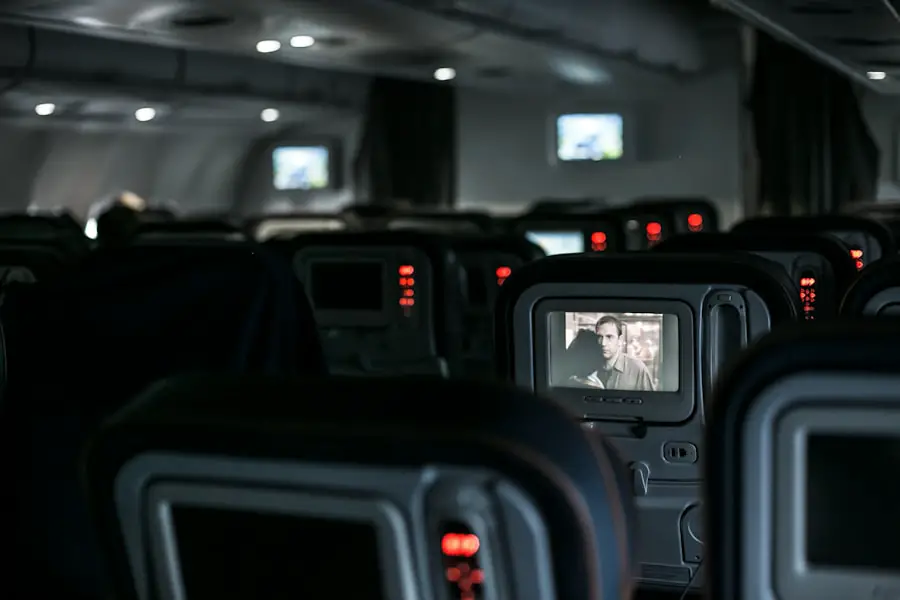
Southwest uses a personal-device entertainment system instead of installing screens in every seat. On eligible aircraft, passengers connect to the onboard network and open the Southwest Inflight Entertainment Portal.
This system lets travelers choose content on a device they already know how to use. It also avoids requiring passengers to navigate an unfamiliar seatback interface. However, the experience depends on having a charged, compatible device and suitable headphones.
Note: Southwest’s consumer information confirms that it does not provide seatback screens, rental devices, or headphones. It does not identify one single reason for this policy, so claims that screens were removed solely to lower fares should be treated as an assumption rather than an official explanation.
What Entertainment Is Available on Southwest?
Movies and On-Demand TV Series
Southwest offers free movies and television series through its onboard portal on eligible aircraft. You watch the content directly in a supported browser, so you normally do not need to download a special player, create an entertainment account, or sign in to a streaming service.
Southwest reported offering more than 115 free on-demand movies each month, along with live and on-demand television where available.
The exact library changes over time. A title shown on Southwest’s website before your trip may not appear on every flight because aircraft equipment, licensing rights, and route restrictions can differ.
Live TV
Yes, Southwest offers live TV on eligible flights. The lineup may include news, sports, and general programming, but channel availability can change. Licensing restrictions may also limit live TV on some international services.
This corrects a contradiction in the original information: Southwest does not have seatback television screens, but it can still deliver live television to your personal device through the onboard system.
Flight Tracker
The entertainment portal may include a flight tracker showing information such as your route and estimated progress. This feature is free where the portal is available.
Your Own Downloaded Content
You can always watch movies, shows, podcasts, music, or audiobooks that you downloaded legally before departure. Downloaded entertainment is the most dependable option because it does not rely on an onboard connection.
How to Watch Entertainment on Southwest
- Turn on Airplane Mode. Wait until you are onboard and follow crew instructions for electronic devices.
- Turn WiFi back on. Choose the available Southwest WiFi network from your device’s network settings.
- Open the portal. Follow the connection prompt or enter SouthwestWiFi.com in a supported browser.
- Select your entertainment. Choose a movie, TV series, live channel, flight tracker, or available internet option.
- Use headphones. Southwest requires headphones whenever a passenger listens to audio.
Pro Tip: Open SouthwestWiFi.com directly when the login or portal page does not appear automatically. Temporarily turning off a VPN, private relay, or cellular-data switching feature may also help the onboard page load.
Do You Need the Southwest App?
No. The Southwest app can help with reservations, boarding information, and checking whether a trip lists Starlink WiFi, but it is not required to watch portal entertainment. A supported browser is enough.
Southwest currently supports recent versions of common browsers on iPhone, iPad, Android, Mac, and Windows devices. Its supported-device page says the current operating system and two previous versions are generally supported.
Is WiFi Free on Southwest Airlines?
Free entertainment and free internet are not the same benefit. Movies, on-demand television, live TV, and the flight tracker may be free through the onboard portal even when a passenger does not have general internet access.
Where WiFi is available, Rapid Rewards members receive free WiFi through Southwest’s T-Mobile sponsorship. Joining Rapid Rewards is free. A passenger who is not a member may purchase WiFi for $8 per device per flight where offered. Prices and availability can change.
Members may need to sign in with their Rapid Rewards username or membership number. When the membership number is linked to the reservation, the flight confirmation number may also provide access.
Note: WiFi may not remain available for the entire flight. Weather, satellite coverage, aircraft equipment, technical problems, route restrictions, and last-minute aircraft changes can affect service.
Can You Watch Netflix, Hulu, or YouTube?
It depends on the aircraft and connection. On aircraft equipped with Starlink WiFi, Southwest says passengers can stream movies, TV shows, music, and podcasts from their own services. You still need any subscription or account required by the streaming provider.
On some other WiFi-equipped aircraft, high-bandwidth websites or applications may be restricted to protect connection quality. Video quality can also fall when many passengers are online at once.
Starlink-equipped aircraft may not provide the traditional Southwest entertainment portal. Instead, passengers use the available internet connection to reach their own streaming platforms and other online content.
The safest plan is to download at least one movie, episode, playlist, podcast, or audiobook before leaving home. That gives you something to use if WiFi is unavailable or your flight receives a different aircraft.
Why Doesn’t Southwest Have Seatback TVs?
Southwest has chosen a bring-your-own-device system rather than installing a screen at every seat. A screen-free system avoids the need to provide and maintain individual displays throughout the cabin, but Southwest’s current passenger guidance focuses on what travelers can access rather than claiming one official cost-based reason.
The model works well for passengers who already carry a smartphone or tablet and want control over what they watch. It can be less convenient for travelers who do not own a compatible device, have limited battery power, or prefer not to use personal electronics during a flight.
This is why preparation matters more on Southwest than on an airline that supplies a working seatback screen at every seat.
What to Bring for Inflight Entertainment
- A fully charged phone, tablet, or laptop
- Wired or wireless headphones that work with your device
- A charging cable suitable for your device
- A permitted portable charger or power bank
- Downloaded movies, shows, podcasts, music, games, or reading material
- Your Rapid Rewards login information or linked flight confirmation number
- A device stand if you do not want to hold your screen throughout the flight
Some Southwest aircraft have USB-A and USB-C charging ports, but power is not guaranteed at every seat on every plane. Charge your device before boarding even when your reservation appears to use an updated aircraft.
Warning: Southwest currently limits each customer to one power bank or portable charger. It must stay in carry-on baggage, may not be placed in checked baggage, and must not be charged through in-seat power. Review Southwest’s current onboard guidance before traveling because battery rules can change.
A dependable charger can be helpful when your device is your main source of entertainment. This guide to portable phone chargers for a getaway explains several travel-friendly options.
Customer Experience and Satisfaction
Passengers can view Southwest’s entertainment model differently. Travelers who carry a charged device may appreciate choosing their own screen and using familiar controls. The free portal can also provide more entertainment than a passenger downloaded before the trip.
Other travelers may prefer an airline with seatback screens, especially when traveling with children, using an older device, or trying to conserve battery power. Passengers without headphones or a compatible device cannot rely on Southwest to provide replacements.
No reliable evidence in the supplied article proves that satisfaction decreased, complaints increased, or Southwest’s competitive position weakened because of its screen policy. Those claims should not be presented as measured facts without a named survey and methodology.
Accessibility and Family Considerations
Closed captions are available for movies, television series, and live TV when Southwest’s content providers supply them. Caption support may therefore differ between programs.
Families should prepare each child’s device before departure. Download age-appropriate content, test the headphones, disable accidental purchases, and confirm that the battery is charged. A splitter may help two children listen to one compatible device, although passengers should test it before traveling.
Travelers who need accessibility support should contact Southwest before the trip when a specific accommodation could affect their ability to use a personal-device entertainment system.
Troubleshooting Southwest Inflight Entertainment
The Portal Does Not Open
- Confirm that Airplane Mode is on and WiFi is enabled.
- Make sure you selected the available Southwest WiFi network.
- Open a browser and type SouthwestWiFi.com manually.
- Close and reopen the browser.
- Temporarily disable a VPN, private relay, or secure DNS service.
- Forget the onboard network, reconnect, and try again.
A Movie Keeps Buffering
Pause the video briefly and allow it to load. Close unused browser tabs and background applications. If the problem continues, choose a lower-bandwidth activity or switch to content downloaded on your device.
There Is No Sound
Confirm that your headphones are connected to the correct device and that Bluetooth is enabled when using wireless earbuds. Check the player volume, device volume, and mute settings. Southwest does not sell headphones onboard.
Live TV Is Missing
Live TV is not guaranteed on every flight. Licensing limits, international routes, aircraft equipment, or a Starlink configuration can change what appears. Try the movie and on-demand sections or use your own downloaded content.
Your Battery Is Running Low
Reduce screen brightness, close background apps, turn off Bluetooth when using wired headphones, and enable your device’s battery-saving mode. Use an approved power bank when permitted, but do not assume your seat will have a working charging port.
Current Inflight Entertainment Upgrades
Southwest is updating its connectivity and cabin technology rather than adding traditional seatback screens. Its newest connectivity option is Starlink, which supports personal streaming, browsing, online work, cloud access, and gaming on eligible aircraft.
The airline has also installed USB-A and USB-C ports on portions of its fleet and continues updating cabins. Equipment still varies, so a scheduled aircraft may have different power or connectivity features from another Southwest plane.
You may see “WiFi Powered by Starlink” in the Southwest app before departure. That notice is useful, but it is not a guarantee because an operational aircraft change can occur before the flight.
Conclusion and Final Thoughts
Southwest Airlines does not have seatback TVs, but that does not mean you must fly without entertainment. Eligible flights offer movies, television series, live TV, and a flight tracker on your personal device. Rapid Rewards members can also receive free WiFi where available, while nonmembers may purchase access.
The best preparation is simple: charge your device, bring headphones, save your login details, and download backup content. That way, you will still have something to watch or listen to if the portal, WiFi connection, live channels, or charging ports are unavailable.
Frequently Asked Questions
Does Southwest Airlines have seatback TVs?
No. Southwest does not install individual television screens in its seatbacks. Passengers use their own phones, tablets, or laptops for inflight entertainment.
What free entertainment does Southwest offer?
On eligible aircraft, the free onboard portal may include movies, on-demand television series, live TV, and a flight tracker. Content and availability vary by aircraft, route, and licensing rights.
Can I watch live TV on Southwest flights?
Yes, live TV is available on eligible flights. It may be unavailable on some aircraft or international routes because of equipment and licensing restrictions.
Is Southwest WiFi free?
Rapid Rewards members receive free WiFi where available. Passengers who are not members may purchase access for $8 per device per flight. Prices and availability are subject to change.
Do I need the Southwest app to watch movies?
No. Connect to the available Southwest WiFi network and open SouthwestWiFi.com in a supported browser. The app is useful for trip information but is not required for portal entertainment.
Can I stream Netflix or Hulu on Southwest?
Personal streaming is supported on Starlink-equipped aircraft, provided you have any subscription required by the service. Other aircraft may limit high-bandwidth applications, so downloaded content is a safer backup.
Does Southwest provide headphones or entertainment devices?
No. Southwest does not rent personal entertainment devices or sell headphones onboard. Bring a compatible device and your own wired or wireless headphones.
Does every Southwest flight have WiFi and entertainment?
No service is guaranteed on every flight. Aircraft equipment, technical problems, route restrictions, licensing, and last-minute aircraft changes can affect WiFi and entertainment availability.
Can I bring my own downloaded entertainment?
Yes. You can use legally downloaded movies, television episodes, music, podcasts, audiobooks, games, and reading material on your device while following crew instructions.
Sources
- Southwest Inflight Entertainment and WiFi — portal connection steps, free entertainment, and availability limitations
- Southwest Onboard Experience and WiFi — seatback screens, headphones, WiFi pricing, entertainment, and onboard power
- Free WiFi for Rapid Rewards Members — membership eligibility and connection requirements
- Southwest Starlink WiFi — personal streaming, browsing, gaming, and aircraft identification
- Supported Devices for Inflight WiFi — compatible devices, operating systems, and browsers
- Southwest Airlines 2025 Annual Report — route network, free WiFi rollout, entertainment library, and in-seat power updates
