
Last Updated on September 11, 2026 by Daniel Globe
Frontier Airlines does not offer inflight Wi-Fi, internet connectivity, or seatback entertainment on any of its flights. As an ultra-low-cost carrier, Frontier keeps base ticket prices low by eliminating non-essential equipment, which saves aircraft weight, reduces fuel burn, and removes maintenance costs. If you are flying Frontier, you must prepare all work files, entertainment, and device charging before boarding your flight.
Quick Answer
No, Frontier Airlines does not have Wi-Fi. None of Frontier’s Airbus aircraft are equipped with satellite internet, onboard streaming networks, or seatback monitors. Furthermore, standard seats do not have USB ports or electrical outlets. To stay entertained or productive, you must download all media offline and bring a fully charged portable power bank.
Key Takeaways
- Zero Inflight Internet: Frontier operates a completely offline cabin across its entire fleet.
- No In-Seat Power: Standard cabin seats lack USB ports and AC outlets, making external battery packs essential.
- Cellular Hotspots Do Not Work at Cruising Altitude: Personal hotspots and mobile data only function on the ground before takeoff and after landing.
- Pre-Trip Preparation is Mandatory: Download movies, podcasts, and cloud documents to your local device storage before leaving home.
- A La Carte Cabin: Snacks, soft drinks, and alcoholic beverages are available exclusively for onboard cashless purchase.
Disclosure: As an Amazon Associate I earn from qualifying purchases. Some links on this page are affiliate links, at no extra cost to you.
Does Frontier Airlines Have Wi‑Fi?
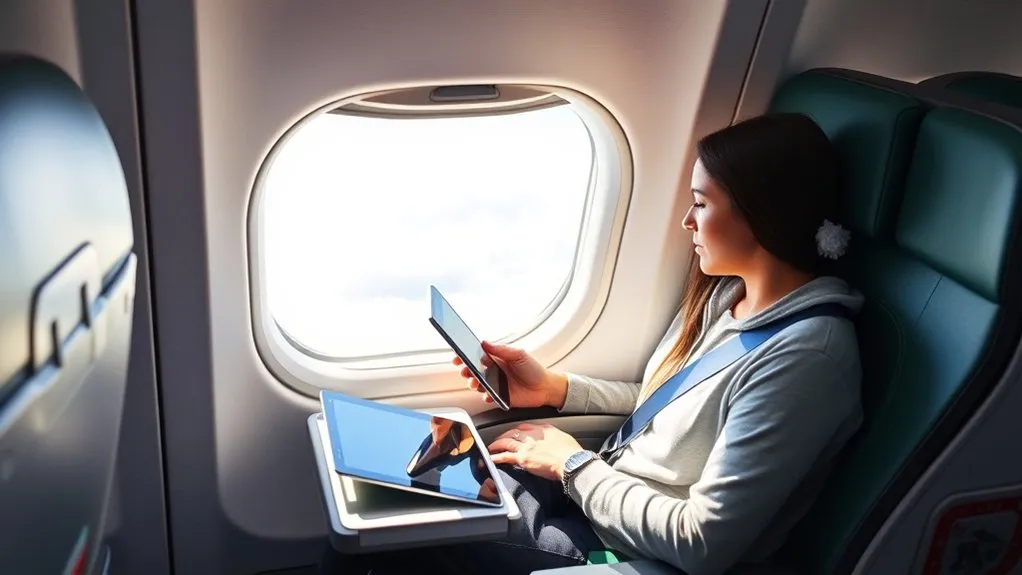
Frontier Airlines does not provide inflight Wi-Fi or wireless intranet systems on any commercial route. Whether you are taking a short regional hop or a cross-country flight, your personal devices will have no wireless access to the internet once the aircraft doors close.
Frontier’s business model centers on unbundled fares. Installing satellite radomes and cabin routing hardware adds substantial physical weight to an aircraft, increasing fuel consumption and operational overhead. By omitting onboard connectivity systems, Frontier Airlines minimizes operating expenses and passes those savings to travelers through discounted base fares.
Note: While leadership at Frontier has periodically evaluated satellite connectivity partnerships, the airline has not committed to an installation timeline. For the foreseeable future, all Frontier flights remain completely offline environments.
What to Expect Inside the Frontier Cabin
Flying on an ultra-low-cost carrier requires adjusting your expectations regarding cabin amenities. Frontier designs its Airbus A320 and A321 aircraft interiors for maximum space efficiency and fuel economy rather than luxury convenience.
| Amenity / Service | Availability on Frontier | Traveler Action Required |
|---|---|---|
| Inflight Wi-Fi | Not Available | Set up offline work, sync email, and notify colleagues. |
| Seatback Screens | Not Available | Pre-download streaming video and audio to your mobile device. |
| USB / AC Power Outlets | Not Available | Carry a TSA-compliant portable battery pack (power bank). |
| Complimentary Snacks & Drinks | Not Available | Bring TSA-approved food and an empty water bottle to fill at the gate. |
| Buy-on-Board Menu | Available (Cashless Only) | Have a major credit or debit card ready for snacks and drinks. |
Onboard Service and Refreshments
Unlike legacy carriers that hand out complimentary pretzels, sodas, and water, Frontier operates a 100% buy-on-board refreshment model. Flight attendants pass through the cabin offering snacks, sodas, juices, coffee, and alcoholic beverages for purchase using credit or debit cards (cash is not accepted).
You are permitted to bring your own food and non-alcoholic beverages onboard, provided they comply with TSA food security checkpoints. Liquids, gels, and aerosols brought through security must adhere to the 3-1-1 liquids rule, or be purchased past security inside the airport terminal.
Seating and Cabin Hardware
Frontier’s slimline composite seats are engineered for weight reduction. Standard rows feature pre-reclined seating with approximately 28 to 29 inches of seat pitch and compact tray tables. Because there are no built-in device holders, charging ports, or headrest screens, your personal comfort and entertainment depend entirely on the gear you pack in your personal item.
Warning: Frontier aircraft do not have electrical outlets or USB ports to charge your electronics. If your phone or laptop battery dies during the flight, you will not be able to recharge until you reach the airport terminal.
Can You Get Internet While Flying Frontier?
You cannot access the internet during flight on Frontier Airlines. It is a common misconception that personal cellular equipment can bridge the gap in an aircraft lacking onboard satellite systems.
Personal Wi-Fi hotspots, MiFi devices, and cellular tethering require line-of-sight communication with ground cell towers. When an aircraft climbs above 10,000 feet and cruises at speeds near 500 mph, cellular signals cannot establish reliable connections. Furthermore, Federal Aviation Administration (FAA) and Federal Communications Commission (FCC) regulations require all passengers to switch cellular-enabled devices to Airplane Mode during flight to avoid interference with aircraft navigation and ground cellular networks.
Your cellular data and mobile hotspots will function normally while seated at the gate before pushback and immediately upon taxiing after landing, but will remain offline throughout the flight.
How to Prepare for Offline Work and Productivity
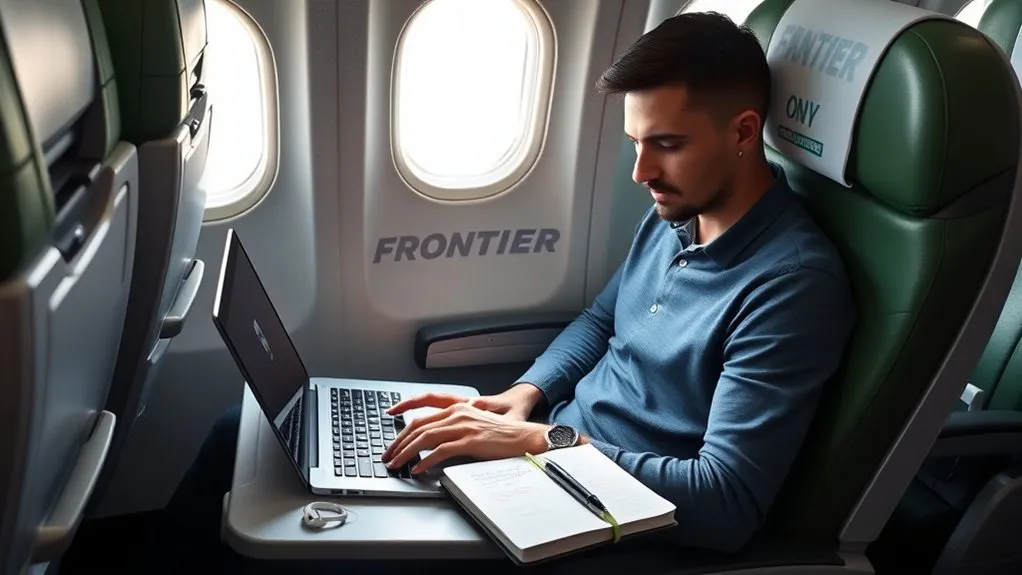
A lack of onboard Wi-Fi does not mean your flight has to be unproductive. With deliberate pre-flight preparation, you can turn an offline cabin into a focused, distraction-free workspace.
Offline travel eliminates digital interruptions, creating an ideal environment for deep focus, writing, data analysis, and reading.
- Enable Offline Cloud Access: Open Google Drive, Dropbox, or Microsoft OneDrive and toggle “Available Offline” on all spreadsheets, presentations, and documents you plan to edit.
- Cache Reference Materials: Save web pages, PDF reports, industry briefs, and research articles locally to your laptop or tablet storage before leaving home.
- Sync Offline Email: Configure Microsoft Outlook, Apple Mail, or Gmail Offline to download recent threads. You can draft replies mid-flight, which will automatically queue in your outbox and send the moment your device reconnects on the ground.
- Pack an External Power Bank: Bring a TSA-approved lithium-ion portable power bank (rated under 100 watt-hours) in your carry-on luggage to keep your mobile devices powered.
- Download Media Catalogs: Pre-load video content from streaming apps (Netflix, Amazon Prime Video, YouTube Premium) and download playlists or audiobooks on Spotify or Audible.
Pro Tip: Invest in a compact, adjustable tablet or phone stand that attaches to the tray table latch. This elevates your screen to eye level, freeing up tray table space for a notebook or drink.
Inflight Wi-Fi Comparison: Frontier vs. Competitors
If internet connectivity is a non-negotiable requirement for your travel itinerary, compare how Frontier’s connectivity policy stacks up against other major domestic U.S. carriers:
| Airline | Wi-Fi Available? | Typical Cost | In-Seat Power Outlets |
|---|---|---|---|
| Frontier Airlines | No | N/A (No equipment installed) | No |
| Spirit Airlines | Yes | $3–$6 (Browsing) / $6–$15 (Streaming) | Select newer cabins only |
| Allegiant Air | No | N/A (No equipment installed) | No |
| Delta Air Lines | Yes | Free for SkyMiles members | Yes (AC + USB on most aircraft) |
| JetBlue Airways | Yes | Free for all passengers (Fly-Fi) | Yes (AC + USB across fleet) |
| Southwest Airlines | Yes | $8 per device (Free messaging) | Expanding on newer 737 MAX fleet |
| United Airlines | Yes | $8–$10 (Starlink rollout planned) | Yes on mainline aircraft |
| American Airlines | Yes | $10+ / Ad-supported free sessions | Yes on mainline aircraft |
Will Frontier Add Wi‑Fi in the Future?
Frontier leadership has acknowledged rising customer demand for inflight connectivity, particularly as rival low-cost carriers like Spirit Airlines successfully rolled out high-speed satellite connectivity across their Airbus fleet. However, retrofitting an entire commercial fleet with satellite radomes requires massive capital expenditures and aircraft downtime.
Until next-generation, lightweight satellite solutions become cost-effective enough to preserve Frontier’s low-fare structure, the airline will continue operating an offline cabin. If real-time connectivity or inflight messaging is mandatory for your schedule, consider booking a carrier that already provides verified gate-to-gate Wi-Fi.
Frequently Asked Questions
Does Frontier have internet on their flights?
No, Frontier does not have internet access or Wi-Fi on any of its flights. Passengers cannot connect to the web, browse social media, or stream video while in the air.
Can I text or use iMessage on a Frontier flight?
No, you cannot send text messages, iMessages, or WhatsApp chats mid-flight on Frontier. Because there is no onboard Wi-Fi network and cellular data does not reach cruising altitudes, messaging apps will remain offline until landing.
Are there TV screens or movies on Frontier Airlines?
No, Frontier aircraft do not feature seatback TV monitors, shared overhead screens, or wireless streaming portals. All inflight entertainment must be downloaded onto your personal phone, tablet, or laptop prior to departure.
Can I charge my phone on a Frontier flight?
Standard Frontier seats do not have electrical outlets or USB ports. You must bring a fully charged, TSA-compliant portable battery pack (under 100 watt-hours) in your carry-on luggage to charge your phone or tablet.
How much does Frontier charge for Wi-Fi?
Frontier does not charge for Wi-Fi because the service does not exist on their aircraft. There are no paid internet packages or subscription plans available for purchase.
Conclusion
Flying on Frontier Airlines offers substantial savings on base ticket prices, but it comes with a strict no-frills onboard environment. With no inflight Wi-Fi, no seatback monitors, and no in-seat power outlets, staying comfortable and productive requires personal preparation. By fully charging your electronics, packing a TSA-approved power bank, and downloading all necessary work documents and entertainment offline before boarding, you can enjoy a seamless and distraction-free journey.
Sources
- Frontier Airlines Official Portal — Aircraft fleet specs, onboard service policies, and fare structure.
- Federal Aviation Administration (FAA) — Portable electronic devices (PED) and cellular usage guidelines in flight.
- Transportation Security Administration (TSA) — Security screening rules for external lithium-ion battery packs and food items.
