
Last Updated on September 11, 2026 by Daniel Globe
You can get a Southwest boarding pass in several ways: print it from Southwest.com after checking in, retrieve a paper copy from an airport kiosk or ticket counter, or use a mobile pass in the Southwest app. The best method depends on your device, printer access, itinerary, and whether Southwest needs to verify documents at the airport.
Quick Answer
Check in for your Southwest flight beginning 24 hours before its original scheduled departure. Then print the boarding pass from Southwest.com, get a paper copy at an airport kiosk or ticket counter, or use the mobile pass in the Southwest app. Keep the barcode clear and meet the applicable check-in deadline.
Key Takeaways
- Southwest check-in normally opens 24 hours before the flight’s original scheduled departure time.
- You can print at home, use a mobile pass, or obtain a paper pass from a kiosk, Skycap podium at select airports, or ticket counter.
- Southwest now uses assigned seats and boarding groups 1–8. EarlyBird Check-In is no longer available for purchase.
- Not every traveler is eligible for a mobile boarding pass; some passengers must complete check-in or document review at the airport.
- Do not wait until the final minutes. Check-in, baggage, and gate deadlines are separate requirements.
At a Glance
| Time Required | Usually a few minutes after check-in opens |
| Difficulty | Easy |
| Tools Needed | Confirmation number and passenger name; computer and printer for a home copy, or a charged phone for a mobile pass |
| Cost | No charge to retrieve or print a standard boarding pass |
Where Can You Print a Southwest Boarding Pass?
Southwest offers several ways to retrieve a boarding pass. According to its official online check-in guidance, eligible passengers can check in through Southwest.com, the Southwest app, a self-service kiosk where available, a Skycap podium at select airports, or the Southwest ticket counter.
- At home: Check in on Southwest.com from a computer and print the boarding pass with a connected printer.
- On your phone: Check in through the Southwest app or mobile website and open the electronic boarding pass.
- At an airport kiosk: Retrieve the reservation and print a paper pass where Southwest kiosks are available.
- At the ticket counter: Ask an agent to print the pass or complete any required identity or travel-document checks.
- At select Skycap podiums: Some airports offer curbside or lobby assistance that includes check-in services.
Note: Southwest now uses assigned seating on all flights and boarding groups 1–8. EarlyBird Check-In is no longer available for purchase. Current boarding priority depends on factors such as fare, seat type, status, and eligible card benefits.
If you are staying at a hotel or traveling on a cruise ship, you may use a business-center printer as long as the complete boarding pass and barcode print clearly. If the printer clips, shrinks, smudges, or fades the code, retrieve a fresh copy at the airport.
What You Need Before Checking In
Have the following information ready before you try to print or save the pass:
- Your Southwest confirmation number
- The first and last name of a passenger on the reservation
- Your flight’s original scheduled departure time
- Any required passport, visa, or international travel documents
- Your Known Traveler Number, if you need to add or correct TSA PreCheck information
Your confirmation email can help you find the reservation number, but the email itself is not normally the boarding pass. You must retrieve the pass after checking in through Southwest.com, the app, or an airport check-in location.
Southwest check-in normally opens 24 hours before the flight’s original scheduled departure. Checking in promptly gives you time to review your assigned seat, confirm flight information, resolve document issues, and save or print a backup.
How to Print Your Southwest Boarding Pass at Home
- Open Southwest.com. Use a computer connected to a working printer.
- Select “Check In.” You can begin once the 24-hour check-in window opens.
- Enter the reservation information. Provide the confirmation number and the passenger’s first and last name.
- Complete check-in. Review the flight, passenger details, assigned seat, and boarding group.
- Open the boarding pass. Choose the available print option or use your browser’s standard print command.
- Check the printout. Make sure the passenger name, date, flight number, airport, seat, boarding group, and complete barcode are visible.
You do not need to purchase color ink solely for a boarding pass. A clear, high-contrast printout is normally sufficient. Print at normal size, avoid draft-quality settings, and confirm that no edge of the barcode has been cut off.
Pro Tip: Do not fold the paper through the barcode. Keep it in an outer pocket of your bag or travel wallet so you can reach it quickly at security and the gate.
If you change flights, change seats, clear standby, or update passenger information after printing, retrieve a new pass. The old copy may no longer show the correct flight, seat, boarding group, or security indicator.
How to Use the Southwest App for a Mobile Boarding Pass
A mobile boarding pass is a scannable electronic pass displayed on a phone or other compatible device. Southwest provides mobile passes through its app and mobile website for eligible passengers.
- Open the Southwest app or mobile website.
- Select the check-in option beginning 24 hours before departure.
- Enter your confirmation number and passenger name if the trip is not already linked to your account.
- Complete check-in and tap the boarding-pass button.
- Save the pass to Apple Wallet or Google Wallet for easier access.
- Repeat the process for each passenger and review the pass for every flight segment.
Southwest provides a separate boarding pass for each leg when you change planes. Swipe between saved passes carefully so the correct flight is open at security and the boarding gate.
Before leaving for the airport, charge your phone and open the saved pass once to confirm it is available. Saving it to your phone’s wallet reduces your dependence on airport Wi-Fi or mobile data.
Note: Southwest says mobile boarding passes are not available for some travelers, including lap children, unaccompanied minors, passengers on certain international itineraries, partner reservations, and military or government fares. These travelers may need assistance at the airport.
How to Print a Southwest Boarding Pass at the Airport
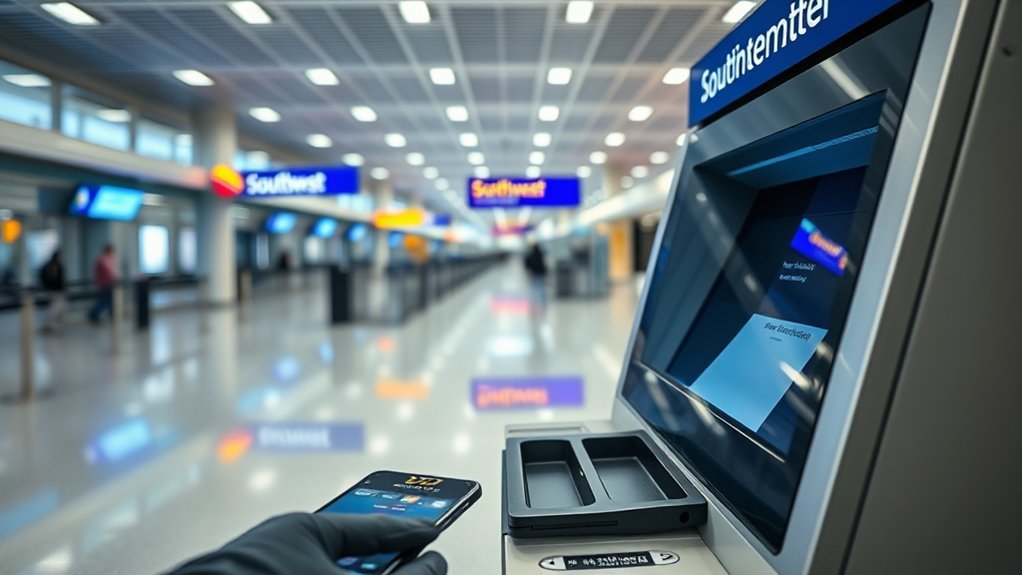
If you do not have a printer, your phone is unavailable, or you prefer a paper backup, use a Southwest self-service kiosk where available. The Southwest kiosk instructions confirm that eligible passengers can print boarding passes and complete several other airport tasks.
- Find a Southwest self-service kiosk in the airport lobby.
- Retrieve the reservation by following the prompts. Depending on the kiosk, you may be able to scan a mobile pass or enter your reservation details.
- Review the passenger, flight, seat, and boarding information.
- Select the option to print the boarding pass.
- Take the entire printout and confirm that the barcode is complete.
Visit the ticket counter instead when you need personal assistance, must verify travel documents, have an unaccompanied minor reservation, are traveling on a group booking that is not kiosk-eligible, or cannot retrieve the reservation electronically.
Southwest Check-In and Gate Deadlines
The following are minimum deadlines, not recommended airport-arrival times:
- Domestic passenger check-in: At least 30 minutes before the flight’s original scheduled departure.
- International passenger check-in: At least 60 minutes before departure.
- Flights departing Aruba: At least 75 minutes before departure.
- Domestic checked bags: Bags generally must be accepted at least 45 minutes before departure.
- International checked bags: Bags generally must be accepted at least 60 minutes before departure, or 75 minutes when departing Aruba.
- Gate requirement: Passengers must have a boarding pass and be in the gate area ready to board at least 10 minutes before the original scheduled departure.
Warning: Do not plan to arrive at the airport at the minimum check-in cutoff. Parking, ticket-counter lines, baggage processing, document checks, and security screening can take much longer. Review Southwest’s airport-specific information and allow a suitable buffer.
Why Can’t I Get a Southwest Boarding Pass Online?
Checking in successfully does not always mean Southwest can immediately issue a printable or mobile boarding pass. You may be directed to an airport employee when:
- Southwest must verify a passport, visa, residency document, or other international requirement.
- You are traveling with a lap child or as an unaccompanied minor.
- Your reservation uses a military or government fare.
- Your itinerary includes a partner airline.
- You are traveling on a group reservation that requires counter service.
- Your passenger information does not match the reservation.
- You checked in too close to departure and received a security document instead of a boarding pass.
For a partner itinerary, check in with the airline operating the first flight unless Southwest’s instructions for the reservation say otherwise. The operating airline’s check-in and boarding-pass rules may apply to that segment.
Bring your confirmation number and required identification to the airport. An agent can review the reservation and issue the correct document when you are eligible to travel.
What If Your Southwest Boarding Pass Won’t Scan?
If a paper or mobile pass does not scan, stay nearby and try these steps:
For a Paper Boarding Pass
- Flatten creases that cross the barcode.
- Check for fading, smudges, torn areas, or clipped edges.
- Make sure the printout is the current pass for the correct flight segment.
- Reprint it at a Southwest kiosk or ticket counter if the barcode is damaged.
For a Mobile Boarding Pass
- Open the pass directly in the Southwest app, mobile website, Apple Wallet, or Google Wallet.
- Increase the screen brightness and remove glare from the display.
- Confirm that you have opened the correct passenger and flight segment.
- Refresh or retrieve the pass again after a seat change, flight change, standby clearance, or TSA PreCheck update.
- If the phone is dead or inaccessible, obtain a paper copy from a kiosk or agent.
Keep the reservation confirmation number available. A Southwest customer service agent can use it to retrieve the booking and print a replacement pass.
A mobile boarding pass is convenient, but a saved wallet copy—or a paper backup when practical—can prevent a dead battery, weak signal, or damaged printout from slowing you down.
Frequently Asked Questions
How do I print out my boarding pass for Southwest Airlines?
Check in on Southwest.com beginning 24 hours before the flight’s original scheduled departure. Enter your confirmation number and passenger name, complete check-in, open the boarding pass, and use the print option. You can also obtain a paper pass from an airport kiosk or ticket counter.
Do seniors get to board early on Southwest?
No. Age by itself does not provide automatic early boarding. Southwest offers preboarding to customers with disabilities who identify themselves at the gate as needing additional time or assistance to board, stow accessibility equipment, or reach their seat. Ask a gate agent before boarding begins when assistance is needed.
Do I need to print my boarding pass if I checked in online?
No. Eligible passengers can use the electronic boarding pass in the Southwest app or mobile website. Save it to Apple Wallet or Google Wallet before leaving for the airport. A paper pass remains useful when your phone is unavailable or you prefer a backup.
How do I find my Southwest tickets or reservation?
Look for the confirmation number in your Southwest booking email, Rapid Rewards account, or the Trips section of the Southwest app. Use that number with the passenger’s first and last name to retrieve the reservation, check in, and access the boarding pass.
Can I print a Southwest boarding pass in black and white?
A standard high-contrast printout should work when the full barcode, passenger details, and flight information are sharp and unobstructed. Avoid faded ink, draft-quality printing, unusual scaling, or folds through the barcode.
What can I do if I do not have a printer?
Use a mobile boarding pass if you are eligible, or print a paper copy at a Southwest self-service kiosk or ticket counter. Select airports may also offer check-in assistance at a Skycap podium.
Conclusion
Printing a Southwest boarding pass is straightforward once check-in opens. Use Southwest.com for a home copy, save a mobile pass in Apple Wallet or Google Wallet, or visit a kiosk or ticket counter at the airport. Review the current seat, boarding group, flight segment, and barcode before traveling, and leave enough time to meet every check-in, baggage, security, and gate requirement.
Sources
- Southwest Airlines: Online Check-In — check-in window, available check-in channels, and passenger deadlines
- Southwest Airlines: Mobile Boarding Pass Information — wallet storage, separate flight-leg passes, and mobile-pass restrictions
- Southwest Airlines: Self-Service Kiosks — airport printing and kiosk eligibility
- Southwest Airlines: Airport Arrival and Check-In Times — domestic, international, Aruba, baggage, and gate deadlines
- Southwest Airlines: Boarding Process — assigned seating, boarding groups, and preboarding order
- Southwest Airlines: EarlyBird Check-In Update — discontinuation of EarlyBird Check-In purchases
