

Last Updated on July 24, 2026 by Ethan Caldwell
Hyatt online check-in can help you prepare for your stay through the World of Hyatt app before you reach the hotel. At participating properties, you may confirm room preferences, provide a preferred check-in time, review upgrade options, complete digital check-in, and receive a digital room key. Availability varies, and the hotel may still require identification, payment verification, or a front-desk visit.
Quick Answer
To use Hyatt online check-in, sign in to the World of Hyatt app, open your upcoming reservation, and follow the check-in prompt when it becomes available. You can submit stay preferences and request a digital key at participating hotels, but room readiness, early access, and front-desk bypass are not guaranteed.
Key Takeaways
- Digital check-in, digital checkout, and room keys are available only at participating Hyatt properties.
- The app may let you confirm room preferences, but it does not guarantee selection of a particular room.
- A completed mobile check-in does not guarantee that your room will be ready early.
- Keep a government-issued ID and an accepted payment card available in case the hotel requires in-person verification.
- Review your reservation’s rate rules because prepayment, deposits, authorization holds, and incidental requirements vary.
At a Glance
| Time Required | About 3–5 minutes when the reservation and app are ready |
| Difficulty | Easy |
| Tools Needed | World of Hyatt account, app, compatible phone, reservation, ID, and payment method |
| Cost | No separate app check-in fee; room charges, deposits, upgrades, and early-arrival fees may apply |
Disclosure: As an Amazon Associate I earn from qualifying purchases. Some links on this page are affiliate links, at no extra cost to you.
How Hyatt Online Check-In Works
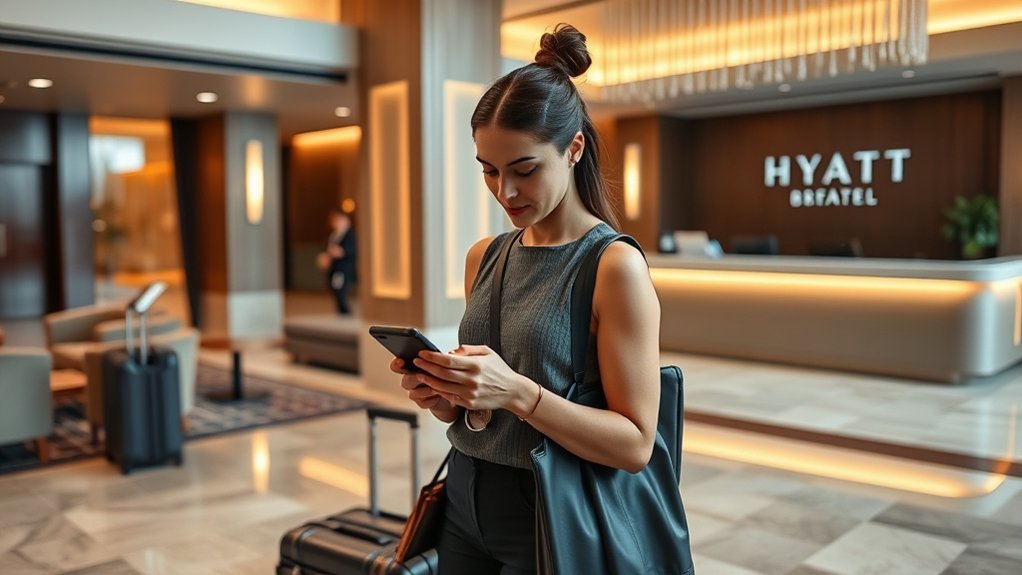
Hyatt offers enhanced digital check-in through the World of Hyatt app at participating hotels. World of Hyatt membership is free and is required to use the app features described by Hyatt.
Depending on the property and reservation, the app may allow you to confirm room preferences, view your upgrade status, purchase an offered upgrade, choose housekeeping preferences, provide a preferred check-in time, and request a digital room key. These options can reduce the time you spend at reception, but the available features differ by hotel.
Digital check-in does not mean that your room is immediately ready. The hotel must still finish cleaning the room, complete any required verification, and assign an eligible room. Wait for a room-ready or key-activation notice before going directly to the room.
Who Can Use Hyatt Mobile Check-In?
You generally need all of the following:
- A free World of Hyatt account
- The current World of Hyatt app on a compatible phone
- An eligible reservation connected to your account
- A stay at a participating property
- Any identification and payment method required by the hotel
If you booked through another website or travel agency, the stay may not automatically appear in your account. Try adding the reservation with its confirmation details or contact Hyatt or the hotel for assistance.
How to Check In Through the World of Hyatt App
- Update the app. Install the latest World of Hyatt app version before your travel day.
- Sign in. Use the World of Hyatt account associated with your reservation.
- Open your upcoming stay. Check that the hotel, dates, guest name, and room type are correct.
- Look for the check-in prompt. It appears only when digital check-in is available for that reservation.
- Review your stay details. Correct any guest, arrival, or payment issue before submitting.
- Enter your preferences. Depending on the hotel, you may be able to provide a preferred arrival time, housekeeping preference, or room preference.
- Request a digital key when offered. Follow the app instructions for Hyatt’s Bluetooth key or a room key in Apple Wallet.
- Wait for confirmation. Do not assume your room is ready until the app or hotel confirms it.
- Visit the front desk when instructed. Bring your ID and payment method if the app says verification or physical-key pickup is required.
Note: If no check-in button appears, the property may not participate, the check-in window may not have opened, or the reservation may need to be linked or verified.
What You Need for Hyatt Check-In
Prepare your reservation, World of Hyatt login, government-issued photo ID, and an accepted payment method. Even after mobile check-in, a hotel may need to verify your identity, confirm the cardholder, collect a deposit, or authorize funds for room charges and incidentals.
| What You Need | Why It Matters |
|---|---|
| Reservation in the app | Connects the stay to your account and displays eligible digital options |
| Government-issued photo ID | Allows the property to verify the registered guest when required |
| Accepted payment method | Covers the rate, taxes, deposits, or incidental authorization |
| Updated app and charged phone | Reduces sign-in, notification, Bluetooth, and key-access problems |
| Bluetooth and required permissions | May be needed for Hyatt’s standard in-app Digital Key |
Warning: The card used to guarantee a reservation is not always the only payment requirement. Some properties require the physical card, the cardholder, a different accepted payment method, or an incidental authorization at arrival. Review your confirmation and the hotel’s policy page before traveling.
How to Submit Room Preferences and Arrival Time
The World of Hyatt app may let you confirm preferences for your stay, such as a preferred check-in time, housekeeping choice, room location, or other available requests. You may also see your upgrade status or an option to purchase an upgrade.
A preference is not the same as selecting and reserving a particular room. Hyatt assigns rooms according to the category booked, property availability, operational needs, eligible World of Hyatt benefits, and any upgrade confirmed for the reservation. A request for a high floor, quiet location, specific view, connecting room, or nearby rooms can remain unfulfilled.
Providing your estimated arrival time helps the property understand when you expect to arrive, but it does not change the hotel’s standard check-in time or guarantee early access.
Pro Tip: When a specific room feature is essential, contact the hotel directly before arrival. Ask whether the request is confirmed, merely noted, or unavailable so you can adjust your plans.
When You Still Need the Front Desk
Mobile check-in can reduce front-desk time, but it does not always replace an in-person check. You may still need to visit reception when:
- The hotel must inspect your ID or confirm your age.
- The name on the reservation does not match your identification.
- The property requires a physical payment card or cardholder verification.
- A deposit or incidental authorization cannot be completed digitally.
- The reservation includes multiple rooms, special rates, packages, or third-party booking details that need review.
- Your room is not ready or has been reassigned.
- The hotel does not offer Digital Key.
- The app or door lock cannot activate your key.
- You need a physical key, accessibility assistance, or help with a special request.
Follow any instruction shown in the app. A message asking you to visit the desk normally means the hotel must finish a verification or key-issuance step before granting room access.
How Hyatt’s Digital Key Works
At participating properties, Hyatt provides digital room access through the World of Hyatt app. Hyatt documents two main forms of mobile access: its standard Bluetooth Digital Key and, at selected hotels, a room key in Apple Wallet.
Hyatt Bluetooth Digital Key
Hyatt’s standard Digital Key uses Bluetooth to communicate with a compatible hotel lock. After check-in is complete and the room is assigned, the app can activate the key. You then open the app near the appropriate door and follow the on-screen instructions.
Depending on the property, the key may also provide access to eligible common areas such as a fitness center, pool, or elevator.
Room Key in Apple Wallet
At participating hotels, eligible guests can add a room key to Apple Wallet from the upcoming-stay card in the World of Hyatt app. After check-in and room assignment, the key activates automatically.
With Express Mode, you can hold a compatible iPhone or Apple Watch near the lock without opening the Hyatt app or manually unlocking the device. On supported Apple devices, power reserve may keep the room key working for a limited period after the phone needs charging.
| Feature | What It Means |
|---|---|
| Bluetooth Digital Key | Uses the World of Hyatt app and Bluetooth near a compatible lock |
| Room key in Apple Wallet | Allows tap-style access with an eligible iPhone or Apple Watch at participating hotels |
| Common-area access | May open eligible pools, fitness centers, elevators, or other guest areas |
| Multiple guests | Each user may need a separate World of Hyatt account connected to the same reservation; unrestricted key forwarding is not supported |
Digital-key availability depends on the property, lock system, reservation, device, and successful identity or payment verification. A physical key remains the most reliable backup.
Warning: If your phone or watch is lost or stolen, secure the device through its account-recovery or device-finding service and ask the front desk to issue a replacement key. Do not rely on a compromised device for room access.
Common Hyatt App Check-In Problems
Most mobile check-in problems fall into four groups: the reservation is missing, the check-in option is unavailable, verification is required, or the digital key cannot communicate with the door. Work through the relevant checks below before relying on the app for direct room access.
Reservation or Check-In Button Missing
First confirm that you are signed into the correct World of Hyatt account. Compare the guest name, hotel, dates, and confirmation number with your booking email. Refresh the stay list, sign out and back in, and update the app.
The check-in option may also be absent because the property does not participate, the reservation is not eligible, or the hotel has not opened digital check-in for the stay. Contact the hotel when the prompt remains unavailable near arrival.
App Glitches and Delays
If the app freezes, loads slowly, or rejects a submission, switch between Wi-Fi and mobile data, close and reopen the app, install updates, and restart your phone. Avoid repeatedly submitting payment or check-in details when the app appears stuck because duplicate attempts can make the reservation status harder to interpret.
Check your email and the stay screen before trying again. The first submission may have succeeded even if the confirmation screen did not load.
ID Checks and Key Pickup
A successful mobile submission may still lead to an in-person ID, payment, or age check. Keep your government-issued identification and accepted payment method accessible rather than packed deep inside checked or stored luggage.
If the app directs you to reception, complete that step before expecting the digital key to activate. The property may issue a physical key instead.
Digital Key Does Not Unlock the Door
Try these steps in order:
- Confirm that the app says your room is ready and the key is active.
- Verify that Bluetooth is on for an in-app Digital Key.
- Allow the app permissions required by your phone.
- Move close to the correct lock and keep the phone away from other cards or devices that may interfere.
- Turn the phone screen on and reopen the key screen if you are using the standard app key.
- Restart Bluetooth or the phone.
- Try the key on an eligible common-area lock, when available, to determine whether the issue affects one door or the entire key.
- Visit the front desk for a physical key or lock assistance.
Pro Tip: Get a physical key when your phone battery is low, you will be away from a charger, or more than one traveler needs dependable access.
Hyatt Check-In vs. Other Hotel Apps
Hyatt, Hilton, and Marriott all provide mobile stay tools, but feature availability varies by brand and property. No app guarantees that every guest can bypass reception.
| Hotel App | Documented Arrival Features | Important Difference |
|---|---|---|
| World of Hyatt | Digital check-in, room preferences, upgrade information, preferred check-in time, digital checkout, Bluetooth key, and Apple Wallet room key at participating hotels | Hyatt describes room preferences rather than universal selection of a specific room from a hotel map |
| Hilton Honors | Digital check-in, room selection at available properties, Digital Key, Digital Key Share, and digital checkout | Hilton officially promotes choosing a room through an interactive property map when available |
| Marriott Bonvoy | Mobile check-in, Mobile Key, mobile requests, checkout tools, and Mobile Key sharing at participating properties | Availability varies across Marriott brands and hotels |
The best app for a particular stay is the one supported by that hotel and reservation. Check the property’s amenities and policies rather than assuming that a chain-wide feature is active everywhere.
Tips for a Smoother Hyatt Arrival
Prepare the app and your backup documents before leaving for the hotel. A few checks can prevent most delays even when the property requires an in-person step.
Pre-Check Before Arrival
Open the World of Hyatt app before travel and verify that the reservation appears correctly. Update your contact information, review the booked room category, check the rate rules, and submit your expected arrival time when the option is available.
If you plan to arrive late, contact the hotel directly. An arrival-time entry in the app is helpful, but direct confirmation is safer when you may arrive after the property’s normal arrival period or near midnight.
Keep ID Handy
Keep your government-issued photo ID where you can reach it quickly. The name should match the reservation. When another person will arrive first, contact the hotel in advance to ask whether that guest can be added and what identification or authorization is required.
Know Your Key Options
Check whether your property supports a Bluetooth Digital Key, a room key in Apple Wallet, or only physical keys. Even when digital entry is available, you can ask the hotel for a physical key as a backup.
| Option | Best For | Notes |
|---|---|---|
| Bluetooth Digital Key | Guests using the Hyatt app on a compatible iPhone or Android phone | Requires a participating hotel, active key, Bluetooth, and suitable phone permissions |
| Room key in Apple Wallet | Eligible iPhone and Apple Watch users who prefer tap-style access | Available only at listed participating Hyatt properties |
| Physical key | Backup access, low phone battery, shared travel, or unsupported properties | May require ID verification at the front desk |
Plan for Early or Late Arrival
Early check-in is normally subject to room availability and may involve a fee. Entering an early arrival time in the app is a request, not a guarantee. If early room access is essential, contact the hotel and consider reserving the previous night when the property recommends it.
For a late arrival, tell the hotel directly so it does not mistake your delay for a no-show. Keep the hotel’s phone number and your confirmation number available during travel.
Hyatt Payment Holds, Charges, and Checkout
Hyatt does not use one universal payment schedule for every booking. Your card may be:
- Used only to guarantee a flexible reservation
- Charged a deposit
- Charged in full when you book a prepaid or nonrefundable rate
- Authorized before or during arrival
- Used for a separate incidental hold at check-in
Read the cancellation, deposit, and payment rules shown during booking and in your confirmation. The hotel’s local policy may also require the physical card or the named cardholder.
At departure, use digital checkout in the app when it is offered, follow any instructions sent by the hotel, or check out at the front desk. Review the folio for incorrect charges before leaving or as soon as the final bill becomes available. The World of Hyatt app can also provide access to recent hotel bills.
Mobile check-in can reduce arrival steps, but the hotel’s room-readiness, identity, payment, and security requirements still control when you receive access.
Frequently Asked Questions
How does Hyatt digital check-in work?
Sign in to the World of Hyatt app, open your eligible reservation, and follow the check-in prompt. You may be able to confirm preferences, provide an arrival time, review upgrades, and request a Digital Key. Wait for confirmation that the room and key are ready.
Can I choose my exact Hyatt room in the app?
Not as a universal Hyatt feature. The app may let you confirm room preferences, view upgrade status, or select an offered upgrade. Final room assignment depends on the booked category, availability, property operations, and applicable member benefits.
Will Hyatt let me check in early?
Early room access is not guaranteed. It depends on room availability and the hotel’s policy, and a fee may apply. Submit your arrival time in the app and contact the hotel directly when early access is important.
Do I have to visit the Hyatt front desk after checking in online?
Not always. At a participating property, you may be able to go directly to your room after the room is ready and your digital key is active. The hotel may still require ID, payment, age, rate, or reservation verification.
Do I have to tell Hyatt that I am checking out?
Use digital checkout when it appears in the app, follow the property’s departure instructions, or check out through the front desk. You usually do not need a separate front-desk visit after successfully completing the hotel’s digital checkout process, but review your final folio.
Does Hyatt wait until check-in to charge my card?
Not necessarily. Flexible rates may use a card only as a guarantee until arrival, while prepaid, deposit, package, or nonrefundable rates can be charged earlier. The hotel may also place an authorization hold for room charges and incidentals.
Can two people use a Hyatt digital room key?
Multiple guests may be able to use digital access on separate devices when each person has a World of Hyatt account associated with the same reservation. Availability and setup depend on the property and key system. Further forwarding of an Apple Wallet room key is not supported.
What happens if my phone dies?
Ask the front desk for a physical key whenever battery life may be a problem. On eligible Apple devices, an Apple Wallet room key may continue working for a limited period through power reserve, but you should not depend on that as your only backup.
Conclusion
Hyatt online check-in can make arrival faster when your reservation and hotel support the required digital features. Use the World of Hyatt app to review your stay, submit available preferences, provide your arrival time, and request a digital key. Keep your ID, payment method, and a physical-key backup available because room readiness and verification requirements still vary by property.
Sources
- World of Hyatt Mobile App — Hyatt’s official description of digital check-in, preferences, checkout, app membership, and participating-property limitations.
- Hyatt Digital Key — Bluetooth Digital Key, room key in Apple Wallet, multiple-user requirements, Express Mode, and power-reserve information.
- Hyatt Terms and Conditions — reservation, rate, eligibility, cancellation, and prepaid-booking conditions.
- Hyatt Early Check-In and Late Check-Out Guidance — availability limits for early arrival and departure requests.
- Hilton Honors App — official room-selection, Digital Key, key-sharing, and digital-checkout features used in the comparison.
- Marriott Bonvoy Mobile App — official mobile check-in, Mobile Key, and participating-property information used in the comparison.

2 Comments
Pingback: Lufthansa Flight Number: Ticket Vs PNR Guide [2026]
Pingback: How To Wash A Microbead Travel Pillow Safely At Home 2026