
Last Updated on July 24, 2026 by Daniel Globe
Breeze Airways does not use seatback TV screens, so your phone, tablet, or laptop becomes the entertainment system. As of July 2026, Breeze directs passengers to connect through the BreezeWiFi.com network, where supported flights offer free movies, TV series, and messaging. Airbus A220 flights also offer high-speed internet for browsing and personal streaming.
Quick Answer
Breeze Airways does not have seatback TVs. Bring your own phone, tablet, or laptop and connect to the BreezeWiFi.com network for available free movies, TV series, and messaging. High-speed internet is currently available on A220-operated flights, with access included in some bundles or available as an add-on.
Key Takeaways
- Breeze is a budget carrier that uses personal-device entertainment instead of seatback screens.
- The current onboard network and portal name is BreezeWiFi.com, not the older BreezeOnBoard name.
- Free messaging, movies, and TV series are advertised on supported flights, but availability can vary by aircraft and route.
- High-speed WiFi is currently available on A220-operated flights. Nicer and Nicest bundles include WiFi when available, while other fares may add it.
- A220 seats have USB-C power, but you should still board with a charged device and keep any power bank in your carry-on bag.
Breeze began flying on May 27, 2021, and has built most of its scheduled network around the Airbus A220-300. Its entertainment model follows the airline’s “Seriously Nice” approach: keep fares flexible, avoid heavy seatback systems, and let passengers use devices they already know.
What’s in This Article
- In-Flight Entertainment Options
- Does Breeze Airways Have Seatback TVs?
- How to Connect to Breeze WiFi and Entertainment
- Alternatives to In-Flight TVs
- Passenger Experience and Aircraft Differences
- Troubleshooting Breeze WiFi
- Current Direction and Future Outlook
- Strengths and Trade-Offs
- Is Breeze a Good Choice for In-Flight Entertainment?
Disclosure: As an Amazon Associate I earn from qualifying purchases. Some links on this page are affiliate links, at no extra cost to you.
Breeze Airways In-Flight Entertainment Options
Breeze’s onboard entertainment is built around your personal device. According to the airline’s current WiFi connection guide, you connect to the BreezeWiFi.com network, then open the Breeze app or visit BreezeWiFi.com in a browser.
On supported flights, Breeze advertises free messaging, movies, and TV series. You do not need to buy full internet access just to use the available onboard entertainment catalog. The exact selection can change, so treat it as a rotating library rather than a guaranteed list of specific titles.
On Airbus A220 flights, high-speed internet lets you browse, message, work, or stream from your own subscriptions. Breeze says WiFi is included with Nicer and Nicest bundles when available and can be added to other eligible bookings. Price and availability can change, so check your trip in the Breeze app before departure.
Pro Tip: Download at least one movie, show, podcast, book, or playlist before leaving home. It gives you a reliable backup if the onboard portal is unavailable or the internet connection slows down.
Does Breeze Airways Have Seatback TVs?

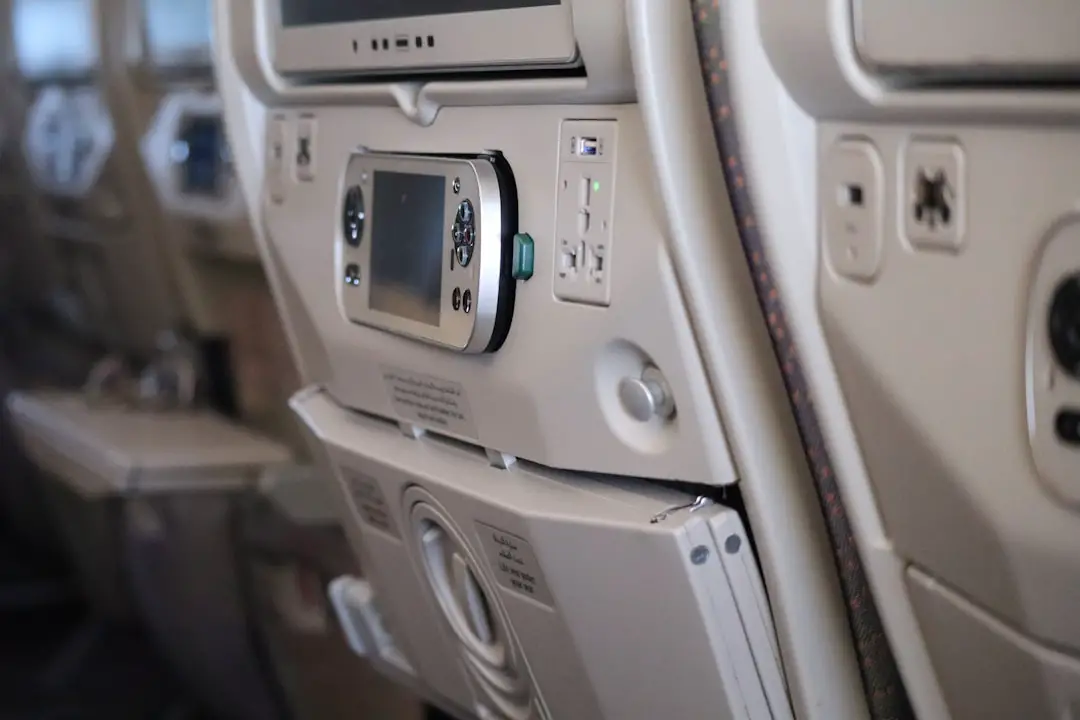
No. Breeze Airways does not install individual entertainment screens in the seatbacks. Instead, the airline provides wireless entertainment and internet options that work through your own smartphone, tablet, or laptop.
This setup reduces the need for built-in screens, remotes, wiring, and related maintenance. It also gives you control over screen size, headphones, accessibility settings, and downloaded content. The trade-off is that you must bring a compatible device and keep it charged.
Breeze does not advertise an onboard tablet-rental program. Plan to bring your own device, wired or Bluetooth headphones, and any charging cable you may need.
How to Connect to Breeze WiFi and Entertainment
- Turn on airplane mode. Keep airplane mode enabled for the flight, then switch WiFi back on.
- Select the onboard network. Choose BreezeWiFi.com from the available WiFi networks.
- Open the portal. Launch the Breeze app or type BreezeWiFi.com into your browser.
- Choose your service. Open the free entertainment or messaging options, or follow the prompts to activate internet access included with your booking or buy an eligible WiFi add-on.
- Use headphones. Keep all audio private so it does not disturb nearby passengers.
Note: High-speed internet is currently limited to A220-operated flights. The free entertainment menu and connection quality may vary, and an aircraft change can alter the services available on your flight.
Alternatives to Seatback TVs on Breeze
| Option | Typical Cost | Best For | Main Limitation |
|---|---|---|---|
| Free onboard movies and TV | Free when available | Casual viewing without buying internet | Title selection and availability can vary |
| High-speed A220 WiFi | Included in some bundles or sold as an add-on | Web browsing, work, and personal streaming accounts | Only on A220-operated flights; performance can change in flight |
| Downloaded content | Depends on your subscriptions | Reliable offline viewing | Requires preparation and storage space |
| Books, games, and podcasts | Often free or already owned | Battery-friendly backup entertainment | Must be downloaded or packed before the flight |
The safest plan is to combine two options. Use Breeze’s free portal or A220 internet when it works well, but keep downloaded entertainment ready in case the service is unavailable. A phone stand can also make viewing more comfortable, although you must stow larger items when the crew requires it.
Passenger Experience and Aircraft Differences
Breeze’s current scheduled operation is centered on the Airbus A220-300. The airline reported 52 A220s in May 2026, while older Embraer aircraft may still appear in supplemental or charter flying. Because airlines can change equipment, check your booking close to departure and do not assume a listed aircraft can never change.
The A220 is the better-equipped Breeze aircraft for device-based entertainment. Breeze says every A220 seat has USB-C power, and all A220s have high-speed WiFi. That makes it easier to watch the free catalog, use personal streaming services, or stay connected during a longer flight.
If your trip uses an older Embraer aircraft, do not count on high-speed internet or seat power. Board with your device fully charged and keep a compact backup battery in your carry-on.
Warning: Spare lithium batteries and power banks must stay in carry-on baggage, not checked baggage. Protect them from damage and short circuits, and check the battery’s watt-hour rating before travel.
What to Pack for Entertainment
- A fully charged phone, tablet, or laptop
- Headphones that are already paired or tested
- The correct USB-C or device charging cable
- A carry-on-safe power bank for backup
- At least one downloaded movie, show, podcast, playlist, game, or e-book
- Your streaming-service login details, saved securely
Troubleshooting Breeze WiFi and the Entertainment Portal
The Portal Does Not Open Automatically
Confirm that airplane mode is on and WiFi is enabled. Disconnect from the network, reconnect to BreezeWiFi.com, then type BreezeWiFi.com directly into the browser address bar. Avoid using an old bookmark for the former BreezeOnBoard portal.
Your Device Says “Connected, No Internet”
That message can be normal before you finish the portal sign-in. Open a browser and visit BreezeWiFi.com. If the page still does not load, temporarily pause a VPN, private relay, or custom DNS service, complete the portal connection, and then restore your privacy settings when practical.
Video Buffers or Stops
Close unused apps and browser tabs, lower the video’s quality setting, and pause large downloads. Satellite internet can slow when many passengers are online or when coverage changes. Switch to downloaded content if streaming remains unstable.
The Free Entertainment Menu Is Missing
Wait until the crew announces that onboard services are available, then reconnect. Service can depend on the aircraft and flight. Ask a flight attendant whether entertainment is available on that specific trip.
Current Direction and Future Outlook for Breeze Entertainment

Enhancing the Current Model
Breeze’s current model combines free personal-device entertainment with high-speed connectivity on its A220 fleet. The airline’s official A220 information says all A220s have high-speed WiFi, so the main improvement now is broader access as more scheduled flights use that aircraft.
Embracing App-Based Technology
The Breeze app and BreezeWiFi.com portal act as the main access points for onboard connectivity and entertainment. This approach lets the airline update digital content without installing seatback screens throughout the cabin.
A Commitment to Passenger Satisfaction
Breeze markets itself as a high-value, low-cost airline with modern amenities. Its entertainment strategy fits that position: provide useful digital options while allowing passengers to pay for the extras that matter to them. The airline has not announced a plan to install seatback TVs, so travelers should continue to expect a bring-your-own-device system.
Strengths and Trade-Offs of Breeze In-Flight Entertainment
The biggest strength is flexibility. You can use a familiar screen, your own accessibility settings, and your preferred headphones. Free entertainment provides a no-cost option, while A220 internet can support messaging, browsing, and streaming.
The biggest trade-off is dependence on your device. A dead battery, forgotten headphones, incompatible browser, or unstable connection can leave you with fewer choices. The experience also differs by aircraft, so a passenger on an A220 may have better connectivity and charging than someone on an older jet.
Breeze replaces the seatback screen with a personal-device system: free onboard content where available, plus high-speed internet on A220 flights.
Is Breeze Airlines a Good Choice for In-Flight Entertainment?
Breeze is a good fit if you are comfortable using your own device. Its free entertainment, free messaging on supported flights, and A220 internet options are competitive for a low-cost airline without seatback screens. The experience is less ideal for travelers who prefer built-in displays or do not want to manage a device and battery.
Bring a charged phone or tablet, download backup content, and check your aircraft and WiFi options before departure. That preparation lets you enjoy entertainment from a comfortable seat without depending on one connection method.
For more travel recommendations, check out our guide to the best golf travel bags. Having the right gear can make your next trip easier.
Frequently Asked Questions
Does Breeze Airlines have TVs on its planes?
No. Breeze does not provide seatback TV screens. Passengers use their own phones, tablets, or laptops for onboard entertainment.
What entertainment is free on Breeze Airways?
Breeze advertises free messaging, movies, and TV series on supported flights. Connect to BreezeWiFi.com and open the onboard portal to see what is available on your flight.
How do I connect to Breeze in-flight entertainment?
Turn on airplane mode, enable WiFi, choose the BreezeWiFi.com network, and open the Breeze app or visit BreezeWiFi.com in your browser.
Does every Breeze flight have high-speed WiFi?
No. Breeze says high-speed WiFi is currently available on A220-operated flights. Aircraft substitutions and service conditions can affect availability.
Is Breeze WiFi free?
WiFi is included with Nicer and Nicest bundles when available. Passengers on other eligible fares may be able to add it. Free onboard entertainment and messaging do not necessarily require a full internet purchase.
Can I watch Netflix or another streaming service on Breeze?
On an A220 flight with active high-speed internet, you may be able to use personal streaming services. Performance can vary, so download backup content before departure.
Can passengers rent tablets from Breeze?
Breeze does not advertise a tablet-rental service. Bring your own phone, tablet, or laptop if you want to use the onboard entertainment.
Are charging ports available on Breeze aircraft?
Breeze says USB-C power is available at every seat on its A220 aircraft. Do not assume the same charging setup on an older Embraer flight.
Sources
- Breeze Airways: Connect to WiFi — current network name, connection steps, and A220 WiFi availability
- Breeze Airways: A New Breeze Air-A — A220 high-speed WiFi, bundle inclusion, and free entertainment catalog
- Breeze Airways: Transcontinental Flights — USB-C power, free messaging, movies, TV series, and onboard amenities
- Breeze Airways five-year anniversary release — launch date and 2026 A220 fleet count
- FAA PackSafe: Lithium Batteries — carry-on rules for power banks and spare lithium batteries
