
Last Updated on July 25, 2026 by Daniel Globe
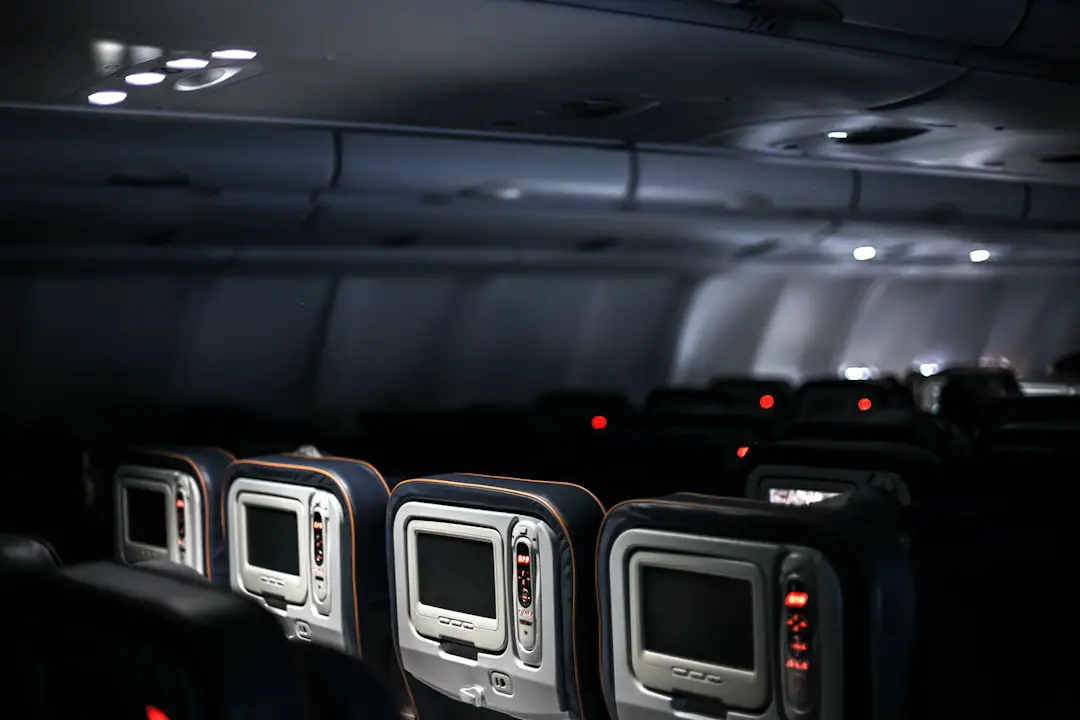
American Airlines international flights may have seatback TVs, but the answer depends on the aircraft operating your flight. Long-haul Boeing 777 and 787 aircraft have personal seatback screens in every cabin. Many shorter international flights use Airbus A320-family or Boeing 737 aircraft, where passengers usually stream free entertainment to their own phone, tablet, or laptop instead.
Quick Answer
American Airlines’ Boeing 777 and 787 international flights have seatback TVs in all cabins. Shorter international flights on most Airbus A320-family and Boeing 737 aircraft usually offer free entertainment streamed to your device instead. Check your flight number before departure because the assigned aircraft can change.
Key Takeaways
- American’s Boeing 777-200, 777-300ER, 787-8, and 787-9 aircraft have seatback entertainment screens.
- Most A320, A321, A321neo, Boeing 737-800, and 737 MAX 8 aircraft use personal-device entertainment instead of seatback TVs.
- The onboard movie and TV library is complimentary and does not require the purchase of internet access.
- Internet Wi-Fi is a separate service. Free high-speed Wi-Fi is available to AAdvantage members on select international flights, while other flights may offer paid plans.
- Use American’s flight-number entertainment checker and confirm which airline operates each segment of a codeshare itinerary.
Disclosure: As an Amazon Associate I earn from qualifying purchases. Some links on this page are affiliate links, at no extra cost to you.
Entertainment Options on American Airlines International Flights
American Airlines offers two main types of inflight entertainment: a personal seatback screen or free wireless entertainment streamed to a passenger’s device. The type you receive depends more on the aircraft than on whether the destination is international.
Available content varies by aircraft and month, but American’s library can include movies, television programs, music, audiobooks, podcasts, children’s programming, and selected educational or lifestyle content. Games are also available on select seatback systems. American says its movie and television catalog is refreshed regularly, and passengers can preview the scheduled selection by entering their flight number in the airline’s inflight entertainment checker.
Some titles include dubbing in different languages, subtitles, or audio descriptions. Exact language and accessibility options vary by title, so passengers should open a program’s information page before starting it.
Note: An international itinerary can include both a long-haul aircraft with a seatback screen and a shorter connecting flight that requires your own device. Check each flight segment separately.
Which American Airlines International Flights Have Seatback TVs?

American’s official fleet information lists seatback screens throughout the cabins of its Boeing 777 and 787 aircraft. These widebody aircraft commonly operate longer routes between the United States and Europe, Asia, Australia, New Zealand, and parts of South America.
| Aircraft | Seatback TV? | Typical entertainment setup |
|---|---|---|
| Boeing 777-200 | Yes | Personal seatback screen and power available in every listed cabin |
| Boeing 777-300ER | Yes | Personal seatback screen and power available in every listed cabin |
| Boeing 787-8 | Yes | Personal seatback screen and power available in every listed cabin |
| Boeing 787-9 | Yes | Personal seatback screen and power; the newer premium configuration adds 4K QLED screens and Bluetooth |
| Airbus A319 | Varies | One listed configuration has seatback screens, while other configurations use personal devices |
| Airbus A320, A321, and A321neo | Usually no | Free entertainment streamed to a phone, tablet, or laptop |
| Boeing 737-800 and 737 MAX 8 | Usually no | Free entertainment streamed to a phone, tablet, or laptop |
The airline’s official aircraft guide is the most reliable general reference for comparing entertainment and power by aircraft. However, an aircraft substitution can change the available system, so passengers should check again shortly before departure.
Pro Tip: Open American’s “What’s on my flight” tool, enter the flight number shown on your boarding pass, and review each segment. Do not assume a route has a TV just because the flight crosses an international border.
Benefits of In-Flight TVs on International Flights
| Benefit | Why it matters |
|---|---|
| No personal-device setup | Passengers can begin watching without installing an app, connecting a device, or using their battery. |
| Individual control | Each passenger can choose, pause, rewind, or change available content independently. |
| Free entertainment | American lists both in-seat and wireless entertainment as complimentary. |
| Long-flight convenience | A built-in screen is easier to use during meals and does not require holding or positioning a device. |
| Accessibility options | Selected programs may include subtitles, dubbing, or audio descriptions. |
Seatback entertainment is especially convenient on an overnight or all-day flight because it preserves the passenger’s device battery and leaves the tray table available. The screen may also provide flight-map information, although exact features vary by aircraft and system.
The main disadvantage is that a failed screen can leave a passenger without built-in entertainment. Seatback content is also limited to the airline’s current catalog, so bringing downloaded backup content remains sensible.
Alternatives When Your Flight Does Not Have a Seatback TV
On most flights equipped for wireless entertainment, passengers can stream American’s complimentary library to a phone, tablet, or laptop without purchasing an internet plan. The onboard Wi-Fi signal is used to reach the aircraft’s local entertainment portal, but that does not mean the passenger is connected to the public internet.
How to watch free entertainment on your device
- Charge your phone, tablet, or laptop before boarding.
- For a phone or tablet, install or update the American Airlines app before leaving the ground.
- After boarding, enable airplane mode and turn Wi-Fi back on.
- Connect to the aircraft’s “AA-Inflight” Wi-Fi network.
- If the entertainment portal does not open automatically, visit aainflight.com in a browser.
- Select “View free entertainment,” then choose an available movie, show, or audio program.
American notes that wireless entertainment may not become available until the aircraft reaches 10,000 feet. Its official entertainment instructions should be checked for the latest connection steps.
Free entertainment versus internet Wi-Fi
These are separate services:
- Free onboard entertainment: Gives access to American’s stored movie, television, and audio library. No internet purchase is required on supported flights.
- Internet Wi-Fi: Allows browsing, messaging, email, social media, or outside streaming services. Availability and speed vary by aircraft, route, coverage, and provider.
As of July 2026, American states that AAdvantage members can use sponsored free high-speed internet on most domestic flights and select international flights. On other flights, an internet plan may be offered for purchase. Passengers can review current eligibility on American’s Wi-Fi and connectivity page.
Warning: Do not rely on onboard internet as your only source of work files, travel documents, children’s entertainment, or essential information. Coverage, speed, and equipment can change, and an aircraft may depart with Wi-Fi unavailable.
Headphones, Bluetooth, and Charging
Bring your own headphones whenever possible. Complimentary earbuds are available only on select flights, and the quality and connector type may vary. Traditional wired headphones are the safest choice for older seatback systems.
American’s newer premium Boeing 787-9 configuration includes Bluetooth connectivity across all cabins, allowing passengers to pair compatible personal headphones with its 4K QLED entertainment screens. Bluetooth should not be assumed on older 777 or 787 interiors, so wired headphones remain a useful backup.
American says most of its aircraft have AC outlets, USB ports, or both. Its current fleet guide lists power as available throughout the Boeing 777 and 787 cabins. However, the outlet may be shared, damaged, occupied, or incompatible with a particular plug, so boarding with a charged device is still important.
What to pack for onboard entertainment
- A fully charged phone, tablet, or laptop
- The updated American Airlines app
- Wired headphones with a standard 3.5 mm plug
- Bluetooth headphones if your aircraft supports pairing
- A charging cable and compact power adapter
- Downloaded movies, shows, music, books, or games as a backup
- A device stand for aircraft without a built-in holder
Common Passenger Experiences and Limitations

Seatback screens are generally the easiest option on long-haul flights because they require little setup and do not use a passenger’s battery. Personal-device entertainment can also work well, especially when the aircraft includes a device holder and in-seat power.
However, neither system is guaranteed to work perfectly. Possible problems include a frozen seatback screen, a damaged headphone jack, an unavailable Wi-Fi portal, a low device battery, or an aircraft substitution that changes the advertised amenities.
What to do if a seatback screen is not working
- Check that the screen and handset are powered on.
- Disconnect and reconnect the headphones.
- Ask a flight attendant whether the system can be restarted.
- Report the problem early, before the crew becomes busy with meal or cabin service.
- Use your downloaded backup content if the problem cannot be corrected.
What to do if personal-device entertainment will not load
- Confirm that airplane mode is on and Wi-Fi has been turned back on.
- Make sure the device is connected to the aircraft’s AA-Inflight network.
- Open a browser and enter aainflight.com manually.
- Close and reopen the browser or American Airlines app.
- Ask a crew member whether entertainment is active on that flight.
Note: On a codeshare itinerary, the flight number may be sold by American but operated by British Airways, Iberia, Japan Airlines, Qatar Airways, or another partner. The operating airline determines the aircraft, screen, Wi-Fi, headphone, and entertainment setup.
Current and Upcoming Entertainment Improvements
Confirmed improvements are more useful to travelers than speculation about unannounced technology. American introduced its premium Boeing 787-9 configuration in June 2025. The aircraft includes 4K QLED seatback screens, Bluetooth headphone connectivity across all cabins, and USB-C and AC power at each Main Cabin seat.
The airline has also expanded its onboard internet service. Free high-speed Wi-Fi sponsored by AT&T is available to AAdvantage members on most domestic flights and select international flights. American currently lists the service on all single-aisle narrowbody aircraft, select Boeing 787-8 and 787-9 aircraft, and most regional aircraft, with availability continuing to expand.
These developments do not mean every international flight has the same system. Older aircraft interiors remain in service, and features may differ between two aircraft carrying the same general model name. Flight-specific verification is therefore more reliable than assuming every 787 or international route has the newest equipment.
The Overall In-Flight Entertainment Experience
American Airlines offers a strong range of free inflight entertainment, but passengers should not use “international flight” as the deciding factor when expecting a TV. The operating aircraft is what matters.
A Boeing 777 or 787 operated by American should have a personal seatback screen in every cabin. A shorter international flight on an A320-family or Boeing 737 aircraft will usually require a passenger’s own device. Some A319 configurations differ, so checking the exact flight remains important.
The best preparation is simple: confirm the operating carrier and aircraft, preview the available entertainment, charge your device, update the American app, and carry headphones plus downloaded backup content. These steps provide a reliable entertainment option even if the aircraft changes or an onboard system is unavailable.
For the rest of your cabin preparation, this guide to the best carry-on luggage for international travel explains what to consider when choosing a bag for an overseas trip.
Frequently Asked Questions
Do American Airlines international flights have TVs?
American’s Boeing 777-200, 777-300ER, 787-8, and 787-9 aircraft have seatback TVs in every cabin. Many shorter international flights on A320-family or Boeing 737 aircraft use free personal-device entertainment instead.
How can I tell whether my American Airlines flight has a seatback screen?
Use American’s “What’s on my flight” entertainment checker and enter the flight number from your confirmation or boarding pass. You can also compare the assigned aircraft with American’s official fleet guide. Check again near departure in case the aircraft changes.
What content is available on American Airlines entertainment systems?
The selection can include movies, television shows, music, audiobooks, podcasts, children’s content, and lifestyle programming. Games are available on select seatback systems. The catalog changes regularly and varies by aircraft.
Do passengers have to pay for American Airlines inflight entertainment?
No. American lists its in-seat and wireless entertainment as complimentary. Internet access is a separate service and may be free or paid depending on the flight, aircraft, coverage, and the passenger’s AAdvantage membership.
Do I need to buy Wi-Fi to watch free movies on my device?
No internet purchase is normally required for American’s free onboard library. Connect to the AA-Inflight network, open the American app or aainflight.com, and select the free entertainment option.
Are power outlets or USB ports available?
American says most aircraft have AC power, USB ports, or both. Power is listed as available in every cabin on its Boeing 777 and 787 aircraft. Availability on shorter international aircraft varies, so check the fleet guide and board with a charged device.
Can I use my own headphones with an American Airlines TV?
Yes. Wired headphones are the most dependable option for seatback screens. The newer premium 787-9 also supports Bluetooth headphones, but Bluetooth is not available on every aircraft. Complimentary earbuds are offered only on select flights.
Will a codeshare flight have American Airlines entertainment?
Not necessarily. A flight sold under an American Airlines flight number may be operated by a partner airline. The operating carrier controls the aircraft, screens, Wi-Fi, power, and entertainment catalog.
Sources
- American Airlines aircraft guide — aircraft-specific seatback entertainment, personal-device entertainment, Wi-Fi, and power information.
- American Airlines: How to watch — instructions for seatback and personal-device entertainment.
- American Airlines inflight entertainment — current content categories and the flight-number entertainment checker.
- American Airlines Wi-Fi and connectivity — current free Wi-Fi eligibility, paid plans, onboard power, and connection instructions.
- American Airlines optional service fees — complimentary in-seat and wireless entertainment and select-flight earbud availability.
- American Airlines premium Boeing 787-9 announcement — 4K QLED screens, Bluetooth connectivity, USB-C, and AC power.
