

Last Updated on October 28, 2026 by Caleb Warren
Finding a travel router under $50 can make hotel Wi-Fi easier to share across your phone, laptop, tablet, and other devices. The best budget travel routers are small, easy to power, and flexible enough to work with different internet connections. In this 2026 guide, we compare four portable Wi-Fi routers from TP-Link and GL.iNet. You’ll find options for dual-band Wi-Fi, VPN use, and basic internet sharing, along with the limitations you should know before buying.
Disclosure: As an Amazon Associate I earn from qualifying purchases. Some links on this page are affiliate links, at no extra cost to you.
Quick Answer: The TP-Link AC750 TL-WR902AC is our best overall choice for travelers who want dual-band Wi-Fi and several connection modes. If you need an inexpensive router with VPN support, consider the GL.iNet GL-MT300N-V2 Mango. The GL.iNet GL-AR300M16 Shadow is a good option for users who want more control over their network, while the TP-Link N300 TL-WR802N suits basic hotel Wi-Fi sharing. Check current Amazon prices because individual listings may move above or below $50.
Key Takeaways
- Best overall: TP-Link AC750 TL-WR902AC offers dual-band Wi-Fi and flexible travel connection modes.
- Best for budget VPN use: GL.iNet Mango supports OpenVPN and WireGuard, but its Wi-Fi operates on 2.4GHz only.
- Best for customization: GL.iNet Shadow offers OpenWrt-based features, VPN support, and two Ethernet ports.
- Best for basic travel Wi-Fi: TP-Link N300 TL-WR802N provides a compact solution for everyday internet sharing.
- Important: These four routers have no built-in batteries or cellular SIM slots. They need an existing internet source and external power.
- Before buying: Check the current Amazon price, seller details, hardware version, and supported connection modes.
| TP-Link AC750 Wireless Portable Travel Router (TL-WR902AC) |  |
Best Overall | Wi-Fi: Dual-band AC750 | Power: External USB power | Best For: Hotel Wi-Fi and versatile connections | Check Price on Amazon | Read Our Analysis |
| GL.iNet GL-MT300N-V2 Mango Mini Travel VPN Router | 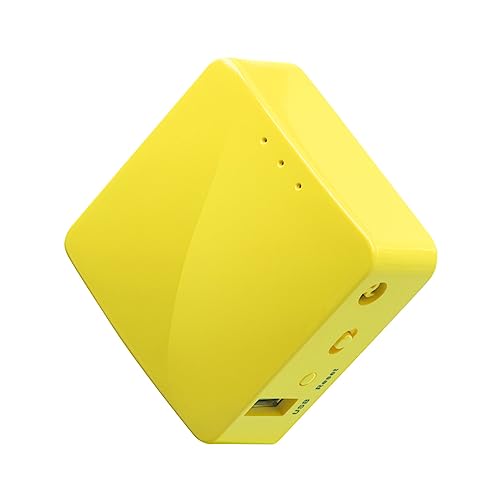 |
Best for Budget VPN Use | Wi-Fi: 2.4GHz, up to 300Mbps | Power: External USB power | Best For: VPN and public Wi-Fi sharing | Check Price on Amazon | Read Our Analysis |
| GL.iNet GL-AR300M16 Portable Mini Travel WiFi Router | 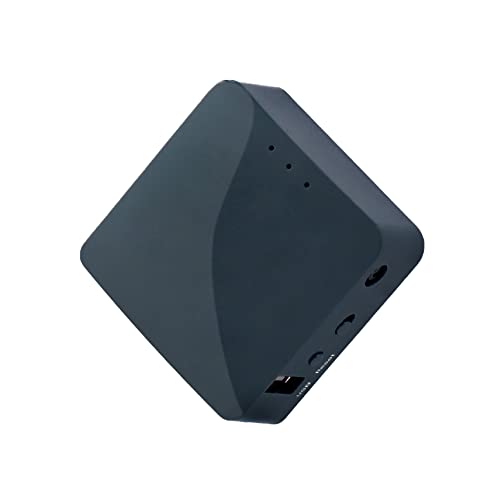 |
Best for Customization | Wi-Fi: 2.4GHz, up to 300Mbps | Power: External USB power | Best For: VPN and advanced configuration | Check Price on Amazon | Read Our Analysis |
| TP-Link N300 Wireless Portable Nano Travel Router |  |
Best for Basic Travel Wi-Fi | Wi-Fi: 2.4GHz, up to 300Mbps | Power: External USB power | Best For: Simple hotel internet sharing | Check Price on Amazon | Read Our Analysis |
Comparison Note: The Wi-Fi speed figures above are manufacturer-rated wireless link speeds, not guaranteed internet speeds. Actual performance depends on the hotel network, signal strength, connected devices, and router configuration. All four products require an internet source and external power.
More Details on Our Top Picks
-
TP-Link AC750 Wireless Portable Travel Router (TL-WR902AC)
If you want a versatile travel router without complicated networking features, the TP-Link AC750 TL-WR902AC is a strong starting point. Its compact design fits into a small travel bag, while its dual-band Wi-Fi provides more flexibility than single-band budget routers.
The router supports 2.4GHz connections up to 300Mbps and 5GHz connections up to 433Mbps. These are theoretical wireless link rates, so your internet connection may be slower. The dual-band design is useful when you have compatible phones, laptops, or streaming devices.
You can choose between Router, Hotspot, Access Point, Range Extender, and Client modes. This makes the device useful for sharing a hotel’s wired internet connection, connecting to supported public Wi-Fi networks, or creating wireless access from an Ethernet connection.
The device includes a 10/100Mbps Ethernet port and uses external USB power. You can connect it to a suitable USB adapter or power bank, but it does not contain an internal battery.
Why You’ll Like It
- Dual-band flexibility: Works with compatible 2.4GHz and 5GHz devices.
- Multiple connection modes: Useful for different hotel and travel networking situations.
- Compact design: Easy to pack with your laptop and other travel accessories.
- Simple controls: A physical mode switch and web-based management help with configuration.
Who Should Buy This: Travelers who want an easy-to-carry router for hotel internet sharing, streaming devices, and everyday browsing.
Who Should Avoid This: Users who specifically need built-in cellular internet, an internal battery, or dedicated router-level OpenVPN and WireGuard functionality.
Important Limitation: The Ethernet port supports up to 100Mbps, which can limit wired internet throughput. Also, AC750 is an advertised wireless speed class, not a promise of 750Mbps internet downloads.
- Wi-Fi Standard:Wi-Fi 5 (802.11ac/n)
- Frequency Bands:2.4GHz and 5GHz
- Wireless Link Rates:Up to 300Mbps on 2.4GHz and 433Mbps on 5GHz
- Ethernet:One 10/100Mbps WAN/LAN port
- Power:External USB power, 5V/2A
- Battery:No built-in battery
- Connectivity Modes:Router, Hotspot/WISP, Access Point, Range Extender, Client
- VPN:Not a dedicated OpenVPN/WireGuard travel VPN router
- Warranty:Confirm coverage with the Amazon seller
- Additional Feature:Dual-band Wi-Fi connectivity
- Additional Feature:Compact travel-friendly design
- Additional Feature:USB port for supported sharing functions
-
GL.iNet GL-MT300N-V2 Mango Mini Travel VPN Router
The GL.iNet GL-MT300N-V2 Mango is worth considering if you want a compact travel router with built-in support for VPN configuration. It can share a supported wired or wireless internet connection while giving you more control over network privacy than a basic mini router.
Running GL.iNet firmware based on OpenWrt, the Mango supports OpenVPN and WireGuard. You can configure a compatible VPN service to route connected-device traffic through the VPN tunnel. This requires setup and a suitable VPN connection; the router does not automatically encrypt all upstream internet traffic simply because you turn it on.
The Mango operates on the 2.4GHz Wi-Fi band with a maximum advertised wireless rate of 300Mbps. GL.iNet lists lower maximum VPN throughput figures under its test conditions, so you should not expect full 300Mbps internet performance when using a VPN.
Its two Ethernet ports and USB connectivity add flexibility. Depending on compatibility and configuration, it can connect through Ethernet, Wi-Fi repeater mode, supported USB cellular modems, or USB tethering. It is powered by micro USB and can work with a suitable power bank.
Why You’ll Like It
- VPN support: Configure OpenVPN or WireGuard for compatible VPN services.
- Travel-friendly size: The small body fits easily into a tech pouch.
- Flexible internet sources: Supports wired, wireless repeater, and selected USB internet options.
- Two Ethernet ports: Useful when you need both a wired internet input and a wired local connection.
Who Should Buy This: Budget-conscious travelers, remote workers, and users who want to share an internet connection through a VPN-capable router.
Who Should Avoid This: Buyers who need 5GHz Wi-Fi, high-speed VPN performance, or a battery-powered hotspot with its own SIM connection.
Important Limitation: This is a single-band Wi-Fi 4 router. VPN throughput depends on the protocol, server, firmware, and network conditions. You must configure a VPN connection before receiving its encryption benefits.
- Model:GL-MT300N-V2 Mango
- Wi-Fi Standard:Wi-Fi 4 (802.11n)
- Frequency Band:2.4GHz only
- Wireless Link Rate:Up to 300Mbps
- Ethernet:One WAN and one LAN port, 10/100Mbps
- Power:Micro USB, 5V/2A
- Battery:No built-in battery
- VPN Support:OpenVPN and WireGuard
- Connectivity Types:Ethernet, Wi-Fi repeater, supported USB tethering and USB modems
- Warranty:Confirm coverage with the Amazon seller
- Additional Feature:OpenWrt-based firmware
- Additional Feature:Compact design weighing approximately 40g
- Additional Feature:USB 2.0 port
-
GL.iNet GL-AR300M16 Portable Mini Travel WiFi Router
For travelers who enjoy adjusting their network settings, the GL.iNet GL-AR300M16 Shadow offers useful flexibility in a small package. Its OpenWrt-based firmware and compact hardware make it suitable for people who want more than basic Wi-Fi sharing.
Weighing approximately 40g, the Shadow is easy to carry in a pocket or travel electronics bag. It supports a 2.4GHz wireless connection up to 300Mbps and includes two 10/100Mbps Ethernet ports for wired network connections.
The router supports OpenVPN and WireGuard, allowing you to configure a compatible VPN service. It can also use Ethernet, wireless repeater connections, and supported USB tethering or modem options as internet sources.
One of its strengths is customization. The GL-AR300M16 uses a Qualcomm-based platform and offers hardware features that may interest users familiar with networking and OpenWrt. These features are useful for advanced configurations, although most casual travelers will not need them.
Its small size comes with limits. The device uses 2.4GHz Wi-Fi only, and VPN speeds will be substantially lower than the advertised wireless link rate in many situations.
Why You’ll Like It
- Flexible network control: OpenWrt-based software supports more detailed configuration.
- VPN capabilities: Supports OpenVPN and WireGuard with proper setup.
- Dual Ethernet ports: Useful for wired connection arrangements.
- Extremely compact: Easy to carry alongside other travel accessories.
Who Should Buy This: Travelers who want a configurable mini router for VPN connections, hotel Wi-Fi sharing, and networking projects.
Who Should Avoid This: Users who want dual-band Wi-Fi, the fastest possible VPN throughput, or a simple cellular hotspot without configuration.
Important Limitation: The GL-AR300M16 has 16MB NOR flash and does not include the additional NAND storage found in some other Shadow variants. Check the exact model before buying if custom firmware or additional packages are important to you.
- Model:GL-AR300M16 Shadow
- Wi-Fi Standard:Wi-Fi 4 (802.11n)
- Frequency Band:2.4GHz only
- Wireless Link Rate:Up to 300Mbps
- Ethernet:One WAN and one LAN port, 10/100Mbps
- Power:Micro USB, 5V/2A
- Battery:No built-in battery
- VPN Support:OpenVPN and WireGuard
- Firmware:OpenWrt-based GL.iNet firmware
- Storage:16MB NOR flash
- Warranty:Confirm coverage with the Amazon seller
- Additional Feature:Compatible with supported USB tethering and modem connections
- Additional Feature:Advanced hardware customization options
- Additional Feature:Compact body measuring approximately 58 x 58 x 25mm
-
TP-Link N300 Wireless Portable Nano Travel Router
Not every traveler needs advanced VPN settings or dual-band Wi-Fi. If you mainly want a small device for sharing internet access, the TP-Link N300 TL-WR802N is a practical option to consider.
This pocket-sized router supports 2.4GHz Wi-Fi with an advertised maximum link rate of 300Mbps. Its small form factor makes it easy to carry in a backpack, laptop bag, or electronics organizer.
It offers several operating modes, including Router, Hotspot, Access Point, Range Extender, and Client modes. This flexibility lets you use the router with different supported wired and wireless networks.
The TP-Link N300 uses a micro USB power connection and can run from a suitable adapter or power bank. It also has a 10/100Mbps Ethernet port, which can be useful for connecting a wired internet source or a compatible wired device, depending on the selected mode.
The main tradeoff is its older single-band Wi-Fi 4 technology. It lacks 5GHz connectivity and is not designed as a dedicated VPN router. Still, its straightforward features can suit travelers who only need basic connection sharing.
Why You’ll Like It
- Pocket-sized design: Easy to carry without adding much bulk.
- Several operating modes: Useful for basic travel networking tasks.
- External USB power: Works with compatible adapters and power banks.
- Simple connectivity: Suitable for everyday browsing and lightweight internet sharing.
Who Should Buy This: Occasional travelers, students, and hotel guests who want a compact router without advanced networking requirements.
Who Should Avoid This: Users who require 5GHz Wi-Fi, dedicated VPN client support, cellular SIM connectivity, or high-speed wired networking.
Important Limitation: The advertised 300Mbps is a wireless link rate, not a guaranteed download speed. Actual speed depends on the upstream internet connection, wireless interference, and connected devices.
- Model:TL-WR802N
- Wi-Fi Standard:Wi-Fi 4 (802.11n)
- Frequency Band:2.4GHz only
- Wireless Link Rate:Up to 300Mbps
- Ethernet:One 10/100Mbps WAN/LAN port
- Power:Micro USB, 5V/1A
- Battery:No built-in battery
- Connectivity Modes:Router, Hotspot/WISP, Access Point, Range Extender, Client
- VPN:No dedicated built-in OpenVPN/WireGuard client feature
- Setup:Web-based configuration
- Warranty:Confirm coverage with the Amazon seller
- Additional Feature:Compact travel-friendly design
- Additional Feature:Supports basic Wi-Fi sharing
- Additional Feature:Can use a compatible USB power source
How to Choose the Best Travel Router Under $50
Before buying a travel router, think about where you will use it and how you plan to get online. A router that works well with hotel Ethernet may not offer the same features as one designed for wireless repeating or VPN connections.
The most useful factors are connection modes, Wi-Fi bands, security features, portability, and power requirements. Understanding these details helps you avoid paying for features you do not need.
Hotel Wi-Fi and Connection Modes
A good hotel Wi-Fi router should support the type of internet connection available at your accommodation.
Look for these common operating modes:
- Router Mode: Shares an internet connection, often from an Ethernet cable, with multiple devices.
- Hotspot or WISP Mode: Can connect to a supported existing wireless network and share that connection through a local network.
- Access Point Mode: Creates Wi-Fi access from an existing wired network.
- Range Extender Mode: Extends a compatible wireless network’s coverage.
- Client Mode: Lets certain wired devices connect through a wireless network.
For hotel stays, WISP or wireless repeater support is especially useful when there is no Ethernet port available. However, hotel login pages, network restrictions, and device limits may affect whether the router can connect successfully.
Pro Tip: Configure your router at home before traveling. Save the administration password and learn how to access its settings. This can make hotel setup much easier.
Understanding Wi-Fi Speed and Frequency Bands
Advertised Wi-Fi speed is one of the most confusing parts of choosing a travel router.
For example, a router advertising 300Mbps does not guarantee that your laptop will download files at 300Mbps. That figure describes a theoretical wireless connection rate under suitable conditions.
The actual internet speed may be limited by:
- The speed of the hotel or public internet connection.
- Distance and obstacles between your router and the source network.
- Wireless interference from nearby devices.
- The number of devices sharing the connection.
- The router’s processing power, Ethernet ports, and operating mode.
- VPN encryption overhead when a VPN is enabled.
2.4GHz Wi-Fi generally offers wider coverage and good compatibility, but it can experience more interference in crowded locations.
5GHz Wi-Fi may provide better performance in some environments with compatible devices, although its range and wall penetration can be more limited.
Among the four reviewed products, the TP-Link AC750 TL-WR902AC is the dual-band option. The two GL.iNet models and the TP-Link N300 use 2.4GHz Wi-Fi only.
VPN Support and Online Security
Security is important when you connect through hotel, airport, or café networks.
A travel router can create a local network for your devices, but this alone does not make the upstream internet connection private or fully secure.
Look for these security features:
- WPA2 encryption: Helps protect your local wireless network from unauthorized access.
- Router administration password: Prevents easy access to your router’s settings.
- Firmware updates: Help address known security vulnerabilities.
- VPN client support: Allows compatible routers to encrypt traffic between the router and a configured VPN server.
- Firewall and network controls: Provide additional options for managing connections.
The GL.iNet Mango and Shadow support OpenVPN and WireGuard. They are worth considering if router-level VPN use is important to you.
Remember that using a VPN requires configuration and may require a separate VPN subscription. A VPN also does not eliminate every online security risk.
Security Note: Change default passwords, install appropriate firmware updates, and use HTTPS websites. Avoid assuming that a shared hotel network is fully protected simply because your devices connect through a travel router.
Battery Life and Power Requirements
Power requirements matter because you may use your router in airports, hotels, rental properties, or places with limited outlets.
Unlike cellular hotspots with internal batteries, the four travel routers in this guide require external USB power.
The TP-Link N300 uses a 5V/1A power input, while the TP-Link AC750 and the reviewed GL.iNet models specify 5V/2A power requirements.
Depending on the model, you can use a compatible USB wall adapter, laptop USB connection, or portable power bank. Make sure the power source can provide sufficient current.
Pro Tip: If you plan to use a travel router with a power bank, check the router’s required power input and the power bank’s available output before departure.
For international travel, you may also need a compatible wall adapter or plug converter. Do not assume every included USB power adapter supports all international voltages.
Portability and Design
A good portable router should be easy to pack, place, and power while traveling.
When comparing models, consider:
- Physical size: Smaller routers are easier to carry in a laptop bag or tech organizer.
- Weight: Lightweight designs reduce unnecessary travel bulk.
- Power cable: Check whether the device uses micro USB and whether the required cable is included.
- Ethernet ports: More ports may help when connecting wired devices.
- Controls: Simple buttons or mode switches may reduce setup time.
- Ventilation: Leave enough space around the router to prevent unnecessary heat buildup.
The GL.iNet Mango and Shadow are particularly compact. TP-Link’s AC750 and N300 models are also designed for portable use.
Choose based on your actual travel setup rather than size alone. A slightly larger router with the features you need may be more useful than the smallest available device.
Compatibility With Devices and Networks
Most common phones, laptops, and tablets can connect to supported Wi-Fi networks created by travel routers.
However, compatibility with the internet source deserves extra attention.
For example:
- A hotel Ethernet connection requires a suitable Ethernet port and operating mode.
- Sharing hotel Wi-Fi requires compatible wireless repeater or hotspot functionality.
- USB phone tethering requires router firmware and phone compatibility.
- Using a USB cellular modem requires a supported modem and suitable mobile service.
- Devices requiring 5GHz Wi-Fi need a router that supports that band.
None of the four featured routers has a built-in SIM slot or cellular modem. If you need internet access directly from a mobile data plan without a separate phone or compatible USB modem, you need a different type of device.
Before You Buy: Check the product’s official specifications and confirm that it supports the connection method you intend to use.
Setup and Ease of Use
A travel router should not take your entire evening to configure.
For a smoother experience, look for a straightforward administration interface, clear setup instructions, and an easy way to switch connection modes.
TP-Link’s compact routers provide accessible configuration options for basic tasks. GL.iNet models provide additional flexibility through their router interfaces, but VPN configuration may require more steps.
Before your first trip:
- Connect the router to a compatible power source.
- Connect your phone or laptop to its default network or Ethernet port.
- Open the router’s administration interface using the official instructions.
- Set a strong administration password.
- Configure a secure Wi-Fi network name and password.
- Select the correct connection mode.
- Install an appropriate firmware update if available.
- Test the connection before leaving home.
If you intend to use a VPN, test that feature separately. Confirm that connected devices can access the internet and that the intended VPN tunnel is active.
Checking the Current Price and Warranty
Since this guide focuses on budget travel routers, current pricing should be part of your final buying decision.
Amazon prices can change, and different sellers may offer different hardware revisions, bundles, or warranty terms.
Before purchasing, check:
- The current total Amazon price.
- Whether the product is new or renewed.
- The exact model number and hardware version.
- Whether a power cable and adapter are included.
- The seller’s return policy and warranty conditions.
- Shipping charges and any applicable taxes.
A product that normally fits a budget category may not always be available within that budget. If the price exceeds $50, compare the available alternatives rather than assuming the listing still qualifies.
Which Budget Travel Router Should You Buy?
The right choice depends on what matters most during your trip.
- Choose the TP-Link AC750 TL-WR902AC if you want dual-band Wi-Fi, multiple operating modes, and a general-purpose hotel travel router.
- Choose the GL.iNet Mango if you want a small VPN-capable router for everyday travel connections and are comfortable with 2.4GHz Wi-Fi.
- Choose the GL.iNet Shadow if you want OpenWrt-based flexibility, networking customization, and VPN support.
- Choose the TP-Link N300 TL-WR802N if your main goal is simple connection sharing and you do not need 5GHz or advanced VPN features.
For most casual travelers, the TP-Link AC750 is a sensible starting point because of its dual-band connectivity and flexible operation modes. If router-level VPN configuration is your priority, compare the two GL.iNet models instead.
Frequently Asked Questions
Can These Routers Connect to Public Wi-Fi Networks Securely?
Yes, the reviewed routers offer supported modes for connecting to existing wireless networks. However, connection success depends on the network’s restrictions and login requirements. A private Wi-Fi network does not automatically encrypt all upstream traffic. Use strong passwords, HTTPS, updated firmware, and a properly configured VPN when appropriate.
How Do I Set Up These Travel Routers for First-Time Use?
Connect the router to a suitable power source, join its default Wi-Fi network or connect through Ethernet, and open the administration interface using the manufacturer’s instructions. Set a strong password, choose the correct operating mode, and connect to your internet source. Test the router at home before traveling.
Are These Routers Compatible With International Power Outlets?
The four reviewed models use external USB power, but international compatibility depends on the power adapter you connect. A suitable universal-input USB adapter and the correct plug adapter can help when traveling abroad. Always check the adapter’s voltage and output specifications before use.
What Is the Average Battery Life for These Travel Routers?
None of the four reviewed routers has a built-in battery, so there is no internal battery-life figure to compare. You can power them with a compatible power bank. Actual runtime depends on the power bank’s usable capacity, output, and the router’s power consumption.
Can I Use Multiple Devices With These Travel Routers Simultaneously?
Yes. These routers can create Wi-Fi networks for multiple compatible devices. However, actual connection quality depends on the internet source, network congestion, signal strength, and router performance. Connecting more devices does not increase the available internet bandwidth.
Do I Need a SIM Card for a Travel Router?
No. The four routers reviewed here do not accept SIM cards directly. They typically share an existing wired or wireless connection. Some GL.iNet models can also use supported USB tethering or compatible cellular modems. A dedicated SIM-based mobile hotspot is a different product category.
Can I Use a Travel Router in a Hotel?
Often, yes. A suitable router can connect through hotel Ethernet or supported hotel Wi-Fi and share the connection with your devices. However, captive portals, device authentication, and hotel network policies may prevent or restrict this setup. Check the hotel’s terms and connection requirements.
Which Travel Router Is Best for VPN Use?
The GL.iNet Mango and Shadow are better suited to router-level VPN use than the two TP-Link models in this comparison. Both support OpenVPN and WireGuard. Their real-world VPN speeds depend on the protocol, VPN server, firmware, and network conditions.
Is Dual-Band Wi-Fi Worth It for Travel?
Dual-band Wi-Fi can be useful when you travel with modern phones, laptops, or streaming devices that support 5GHz connections. It gives you another wireless band to use when 2.4GHz is crowded. However, a dual-band router cannot overcome a slow hotel internet connection.
Are Travel Routers Under $50 Worth Buying?
They can be worthwhile if you want portable internet sharing without spending much. Budget travel routers often provide useful basic modes and compact designs. The tradeoffs may include older Wi-Fi standards, limited Ethernet speeds, and slower VPN performance. Check current pricing and choose the features you actually need.
Conclusion
A good travel router under $50 can make sharing hotel internet easier without adding much weight to your bag. The key is choosing a device that matches how you plan to connect, rather than focusing only on advertised speed.
For a balanced combination of portability, dual-band Wi-Fi, and useful operating modes, the TP-Link AC750 TL-WR902AC is our best overall pick. The GL.iNet Mango offers a useful option for budget VPN connectivity, while the GL.iNet Shadow suits users who prefer more control over network settings. For simple everyday connection sharing, the TP-Link N300 TL-WR802N remains worth considering.
Before placing your order, check the current Amazon price, exact model, power requirements, and seller details. With the right router and a compatible internet connection, you can keep your devices connected more conveniently during your next trip.
