

Last Updated on July 28, 2026 by Ethan Caldwell
Google Maps is excellent for getting from one place to another, but it does not always choose the road you would choose. It may favor a fast or fuel-efficient route instead of a scenic road, a familiar highway, or a motorcycle-friendly backroad. The good news is that you can compare suggested routes, change route options, add stops to guide the path, and use a specialty app when you need more control.
Quick Answer
To choose a better route in Google Maps, tap a gray alternate route, adjust options such as avoiding tolls or highways, and add stops along roads you want to use. Google Maps cannot permanently lock every exact road, so scenic or motorcycle trips may be easier to plan with Scenic, inRoute, Waze, or Google My Maps.
Key Takeaways
- Google Maps shows alternate routes when practical alternatives are available; tap a gray route before starting navigation.
- Route options can avoid tolls, highways, or ferries, while fuel-efficient routing may favor a lower-energy route with a similar arrival time.
- Add and reorder stops to steer the route toward a preferred road, town, viewpoint, or rest stop.
- Use Waze for traffic-driven rerouting, Scenic for motorcycle-focused curvy routes, or inRoute for Apple-device planning based on weather, elevation, and curves.
- Review and save the route before driving, and make changes only when safely parked.
At a Glance
| Time Required | 5–15 minutes for a simple route; longer for a multi-day scenic trip |
| Difficulty | Easy |
| Tools Needed | Google Maps on a phone or computer; optional specialty navigation app |
| Cost | Google Maps is free; specialty apps may offer optional paid features |
Disclosure: As an Amazon Associate I earn from qualifying purchases. Some links on this page are affiliate links, at no extra cost to you.
Why Google Maps Does Not Always Choose Your Preferred Route
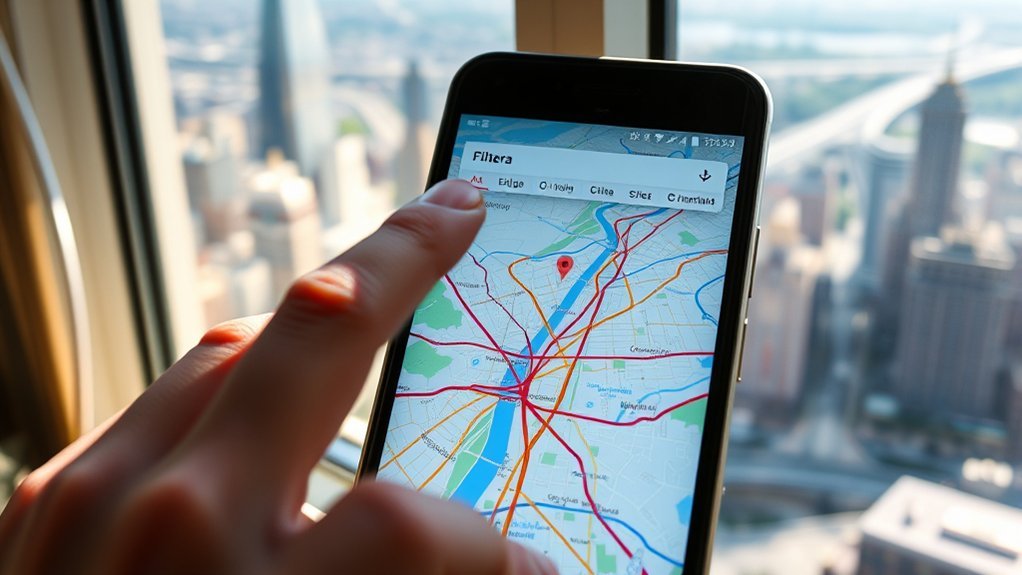
Google Maps ranks routes by factors such as expected travel time, traffic, road conditions, and the route settings you select. When several routes are available, the recommended route appears in blue and other choices appear in gray. That design works well for everyday travel, but it may not match a preference for scenic roads, fewer turns, wider roads, or a familiar route.
The standard app offers broad controls rather than an exact-road preference system. You can avoid categories such as tolls, highways, and ferries, choose an alternate route, or add stops that pull the route toward a desired road. However, there is no documented setting that permanently tells standard Google Maps to use one exact road for every future trip.
Motorcyclists and leisure travelers often notice this limitation most. A route that is efficient for a car may skip the curves, viewpoints, small towns, and backroads that make a recreational drive enjoyable. In that situation, the best solution is usually to add carefully chosen waypoints or switch to a route planner designed for scenic travel.
Limitations of Automatic Route Selection
Automatic routing is useful, but no navigation app knows every personal preference. It also has to respond to changing traffic, closures, and map data. That means a route you selected before departure may change after navigation begins if the app finds a major delay or believes another road is better.
| Aspect | What Automatic Routing Usually Does | Best Workaround |
|---|---|---|
| Exact-road control | Chooses among calculated routes rather than obeying a permanent preferred-road rule | Add stops or waypoints on the road you want |
| Scenic routing | May favor time or energy efficiency over scenery | Use Scenic, inRoute, or another leisure-route planner |
| Traffic response | May recalculate when traffic or closures change | Check the route overview and decline a suggested change when the app offers that choice |
| Offline use | Can provide downloaded driving directions but lacks live traffic and alternate routes | Download the full area and save a backup route before leaving coverage |
| Road suitability | May not know a driver’s comfort with narrow, steep, rough, or seasonal roads | Check road conditions, restrictions, and recent local notices |
Note: Google Maps supports fuel- or energy-efficient routing. When that setting is enabled, Maps may recommend an efficient route when its arrival time is close to the fastest option. You can change the setting under Navigation settings or the route’s Options menu.
How to Choose or Build a Better Route in Google Maps
1. Choose an Alternate Route
Enter the destination and review the map before tapping Start. When Google Maps finds more than one practical route, the recommended route is blue and alternate routes are gray. Tap a gray route to select it and compare its estimated time and distance.
2. Change Route Options
Open the route’s Options menu and turn on the preferences that fit the trip. Depending on the device, travel mode, and region, these may include avoiding tolls, highways, or ferries. Google Maps also offers fuel-efficient routing and, in supported areas, options such as HOV preferences.
3. Add Stops to Guide the Route
When the app keeps avoiding a road you want, add a stop on that road or in a town along it. Google Maps allows up to nine stops, including the final destination, for supported travel modes. You can hold the reorder control and drag stops into the desired sequence.
Choose waypoints that are easy to identify and safe to reach, such as a gas station, visitor center, town center, or scenic overlook. Avoid placing a waypoint on the opposite side of a divided highway or inside a restricted property because that can create an unnecessary detour.
4. Check Departure Time and Traffic
For a route with one destination, set a planned departure or arrival time to compare expected traffic. For a multi-stop trip, check each major segment separately because one traffic estimate may not reflect the entire day.
5. Download Offline Maps
Download the full travel area before entering a region with weak cellular service. Offline driving guidance works when the entire route is inside the downloaded area, but live traffic, walking, cycling, public-transit directions, and alternate-route updates are unavailable while offline.
Pro Tip: Add only enough waypoints to shape the route. Too many closely spaced stops can make the trip harder to follow and may cause repeated arrival prompts.
Google Maps supports up to nine stops, including the final destination, while Apple Maps currently supports up to 14 stops on a multistop driving route.
Google Maps, Desktop Planning, and Google My Maps
The phone app is best for live navigation, but a larger desktop screen is easier for comparing roads and organizing a longer trip. On Google Maps, you can enter multiple stops and reorder them before sending or opening the route on your phone.
For a visual itinerary, Google My Maps lets you create a custom map with places, layers, and saved directions. It is useful for organizing viewpoints, hotels, fuel stops, and attractions. However, a My Maps plan is not the same as locking an exact route into standard turn-by-turn navigation, so verify the route in the navigation app before departure.
Alternative Navigation Apps for Custom Routes
Google Maps is a strong general-purpose tool, but another app may fit better when scenery, curves, road surface, weather, or live driver reports matter more than the quickest arrival.
| App | Best For | Useful Route Controls | Main Limitation |
|---|---|---|---|
| Google Maps | Everyday driving and place search | Alternate routes, route avoidance, fuel-efficient routing, multiple stops | Limited exact-road and scenic-route control |
| Waze | Live traffic, closures, hazards, and commuter rerouting | Alternate routes and preferences for tolls, freeways, ferries, and unpaved roads | Not designed primarily for scenic trip building |
| Apple Maps | Navigation within the Apple ecosystem | Alternate routes, highway or toll avoidance, future travel times, up to 14 stops | Preferred routes are learned automatically; exact-road control is limited |
| Scenic | Motorcycle rides and curvy or unpaved adventures | Via points, stops, curvy routing, paved or unpaved preferences, public routes | Some advanced features may require a paid plan |
| inRoute | Road trips affected by weather, elevation, and curves | Custom course planning, stop optimization, weather and elevation analysis | Designed for iPhone, iPad, Mac, and CarPlay rather than Android |
Scenic is built for motorcyclists and supports straight, curvy, paved, and unpaved route styles. inRoute focuses on multi-stop planning and route comparisons using weather, elevation, and curves. Choose the tool that matches the trip rather than expecting one app to handle every use case.
Essential Features in a Route-Planning App
The right app should reduce uncertainty without making the route harder to manage. Focus on controls that solve a real travel problem instead of choosing the app with the longest feature list.
Key Navigation Features
| Feature | Benefit | When It Matters Most |
|---|---|---|
| Customizable routes | Keeps the trip on preferred roads | Scenic drives, motorcycle rides, RV travel |
| Real-time traffic and closures | Helps avoid major delays | Commuting and urban travel |
| Offline maps | Provides guidance with weak service | Remote and international travel |
| Road-surface controls | Avoids or seeks unpaved roads | Motorcycles, sports cars, gravel travel |
| Weather and elevation data | Reveals conditions along the route | Mountain passes and long road trips |
| Community reports | Adds recent hazard and closure reports | Fast-changing traffic conditions |
User-Friendly Interface Design
A route-planning app should make the next action obvious. Clear route colors, readable turn instructions, visible arrival times, and simple stop reordering matter more than decorative features. The screen should also show when a route uses tolls, ferries, highways, unpaved roads, or a slower scenic option.
Real-time alerts are useful only when they are easy to understand without taking attention from the road. Voice guidance, dashboard integration, and large controls can reduce the need to touch the phone while driving.
Customizable Route Options
Look for the controls that match your travel style:
- Avoid highways, tolls, or ferries: Useful when cost, vehicle limits, or road comfort matter.
- Choose paved or unpaved roads: Important for motorcycles, low-clearance cars, and adventure travel.
- Compare fastest, efficient, or curvy routes: Lets you balance arrival time with fuel use or enjoyment.
- Add and reorder stops: Helps organize fuel, meals, attractions, lodging, and charging.
- Download maps or export a route: Provides a backup when service or app compatibility is uncertain.
Common Route-Selection Problems and Fixes
Route problems often come from settings, limited alternatives, weak location data, or a mismatch between the app and the type of trip. Use the table below to identify the likely cause before rebuilding the route.
| Problem | Likely Cause | What to Do |
|---|---|---|
| No alternate route appears | The app may not see another practical route under current conditions | Change an avoidance setting or add a waypoint on another road |
| “Can’t apply some route options” | The selected options conflict with available roads, travel mode, or regional support | Turn off one option at a time and recalculate |
| Route changes after starting | Traffic, closure data, or automatic rerouting changed | Review the route overview; add a waypoint if the road is essential |
| Detour or closure is missing | Map data may be delayed or incomplete | Follow official signs, check the road authority, and report the map issue later |
| GPS jumps or points the wrong way | Weak satellite reception, disabled precise location, or sensor calibration | Move to an open area, enable precise location, restart the app, and recalibrate if offered |
| Offline route lacks alternatives | Live traffic and alternate routes require a connection | Save a second route or screenshots before losing service |
Warning: Build or change the route before driving or after pulling over safely. The National Highway Traffic Safety Administration includes adjusting a navigation system among activities that can take attention away from driving.
How Route-Planning Technology Is Improving

Route planning is moving beyond a simple fastest-versus-shortest choice. Several improvements are already available, although support varies by app, vehicle, and region:
- Energy-aware routing: Google Maps can compare fuel or energy efficiency using factors such as hills, stop-and-go traffic, and road type.
- Vehicle profiles: Engine type, EV settings, toll passes, HOV preferences, and road restrictions can produce more relevant suggestions.
- Better traffic and closure data: Live reports from drivers, agencies, and connected vehicles can help apps react faster.
- Dashboard integration: CarPlay, Android Auto, and built-in vehicle systems make route guidance easier to view and control.
- Specialized route scoring: Scenic-road, weather, elevation, curve, and road-surface tools help travelers optimize for something other than speed.
Longer-term route-planning concepts may include more AI-assisted trip design, improved satellite and sensor accuracy, augmented-reality overlays at complex intersections, and vehicle-to-everything communication that shares road and traffic data. These capabilities remain dependent on the app, vehicle, infrastructure, and region, so they should be described as developing possibilities rather than guaranteed features.
These tools can improve a trip, but they do not replace road signs, closure notices, weather warnings, or driver judgment. Always confirm that a suggested road is legal and suitable for your vehicle.
Frequently Asked Questions
Why does Google Maps say it can’t apply some route options?
The selected options may conflict with the available road network, travel mode, or regional feature support. Turn off one preference at a time, such as avoiding highways or ferries, and recalculate. Also confirm that the app is updated and that the start and destination are correct.
Why isn’t Google Maps showing alternate routes?
Google Maps displays alternate routes only when it calculates practical alternatives. Try changing route options, moving the starting point slightly, setting a different travel time, or adding a stop on the road you want. A weak connection can also limit fresh traffic-based alternatives.
Can I force Google Maps to use a specific road?
You cannot save a permanent exact-road rule in standard Google Maps. The most reliable workaround is to add one or more stops on the preferred road. Review the complete route before leaving because the app may still recalculate around traffic or closures.
Why is Waze not giving me route options?
Waze may not have a useful alternative at that moment. Open the alternate-routes view before or during the drive and check navigation preferences. If the control is missing, update and restart the app, confirm location access, and try again with a stable connection.
How do I add a preferred route in Apple Maps?
Apple Maps lets you choose among suggested routes, avoid tolls or highways, and add up to 14 stops. It can learn repeated trips and show them as a preferred “Your Route,” but you cannot manually pin one exact road as a permanent preference. Add stops when you need to shape a specific trip.
Will Google Maps keep my custom route during navigation?
It usually follows the selected route and stops, but live navigation may suggest or apply a change when traffic, closures, or road conditions shift. Add a waypoint on any essential road and watch for rerouting prompts before accepting a different path.
Sources
- Google Maps Help: Get directions and show routes — alternate routes, multiple destinations, stop limits, reordering, and travel-time planning
- Google Maps Help: Use eco-friendly routes — fuel- and energy-efficient routing settings and calculations
- Google Maps Help: Download areas and navigate offline — offline map capabilities and limitations
- Waze Help: View alternate routes — choosing route alternatives before and during a drive
- Apple Support: Get driving directions in Maps — route selection, future travel times, and toll or highway avoidance
- National Highway Traffic Safety Administration: Distracted driving — safety guidance about navigation-system distraction
Conclusion
Google Maps can give you more route control than it first appears to offer, but it is still designed around calculated suggestions rather than permanent exact-road preferences. Compare alternate routes, adjust avoidance and fuel-efficiency settings, and add stops to guide the trip. For scenic rides, motorcycle routes, weather-sensitive trips, or complex road adventures, use a specialized planner and confirm the final route before you drive.
