
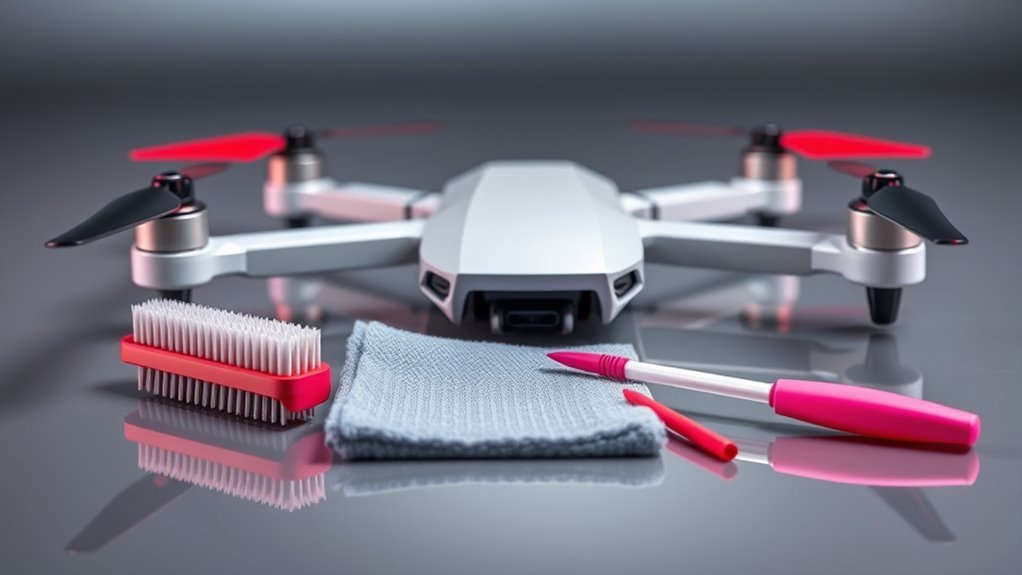
Last Updated on July 24, 2026 by Caleb Warren
A good drone cleaning kit helps you remove loose dust, fingerprints, insects, and light grime without scratching the camera or pushing debris deeper into the aircraft. The best choice depends on whether you need a drone-focused set, a camera-lens kit, a multi-device toolkit, or only basic field-cleaning tools. You should also check your drone’s manual before using any liquid, solvent, or lubricant.
Quick Answer
The best drone cleaning kit includes a hand air blower, clean microfiber cloths, soft brushes, precision swabs, and a lens-safe solution approved for your model. The Midukit set is the most drone-focused pick here, while ParaPace and Bower suit camera care. Treat AtomOil as optional lubricant, not a cleaner.
Key Takeaways
- Power off the drone, remove its battery when the design allows, and let hot components cool before cleaning.
- Use a hand blower before wiping so loose grit does not scratch the lens or housing.
- Never assume one liquid is safe for every camera coating, vision sensor, plastic, or screen.
- Replace cracked, bent, chipped, corroded, or loose propellers instead of trying to clean and reuse them.
- Do not oil motors, propeller hubs, bearings, or gimbals unless the manufacturer’s instructions specifically call for lubrication.
Affiliate disclosure: This article contains Amazon affiliate links. We may earn a commission from qualifying purchases at no extra cost to you.
We compared these products by their tool selection, intended use, portability, and safety limitations. Product contents and availability can change, so confirm the current listing before buying. The selections below are not all direct substitutes: four are cleaning-tool sets, while AtomOil is a lubricant for limited, manufacturer-approved uses.
| ParaPace 28pcs Camera Cleaning Kit for DSLRs | Best Full Camera Kit | Best Use: Drone cameras, action cameras, DSLR lenses, and general optical cleaning | Main Tools: Hand blower, lens pen, microfiber items, APS-C sensor swabs, and cleaning solution | Main Caution: Do not use camera-sensor swabs inside a drone unless its manual permits that procedure | CHECK PRICE ON AMAZON | Read Our Analysis | |
| Drone Cleaning Kit for DJI and FPV Drones | Best Drone-Focused Set | Best Use: Routine exterior, camera-cover, controller-screen, and crevice cleaning | Main Tools: Microfiber cloths, soft brushes, precision swabs, and a 60 ml spray | Main Caution: Verify the spray against your exact drone manual before applying it | CHECK PRICE ON AMAZON | Read Our Analysis | |
| 32-in-1 Multi-Functional Cleaning Kit for Electronics | Best Multi-Device Kit | Best Use: Drone accessories, controllers, phones, keyboards, monitors, and camera covers | Main Tools: Small brushes, swabs, tweezers, cloths, and interchangeable cleaning tips | Main Caution: Keep metal picks and hard tools away from lenses, sensors, ports, and exposed contacts | CHECK PRICE ON AMAZON | Read Our Analysis | |
| AtomOil Gun and Drone Oil Lubricant | Optional Lubricant | Best Use: Only mechanical points that the aircraft or component manufacturer says may be lubricated | Main Tool: Precision needle-tip oil applicator | Main Caution: This is not a cleaning kit and should not be applied to motors or propeller hubs by default | CHECK PRICE ON AMAZON | Read Our Analysis | |
| Bower 4-Piece Drone Essential Camera Cleaning Kit | Best Basic Lens Kit | Best Use: Simple field care for drone lenses, action cameras, and other optical covers | Main Tools: Lens pen, hand blower, microfiber cloth, and cleaning solution | Main Caution: It lacks the wider brush and swab selection included with larger kits | CHECK PRICE ON AMAZON | Read Our Analysis |
More Details on Our Top Picks
-
ParaPace 28pcs Camera Cleaning Kit for DSLRs
The ParaPace 28-piece kit is mainly designed for DSLR and mirrorless-camera care, but several of its tools can also help with a drone’s camera cover, controller screen, and exterior surfaces. Its hand blower lets you remove loose particles before touching a lens. The lens pen and clean microfiber materials can then handle fingerprints or light smudges.
The larger tool selection makes this set useful when you maintain several cameras in addition to your drone. Its case also helps keep the cloths and swabs away from grit inside a gear bag. However, the included APS-C sensor swabs are sized for camera-sensor cleaning. Do not insert them into a drone camera, gimbal, or vision-sensor opening unless the aircraft manufacturer provides that exact procedure.
- Best For:Drone pilots who also own DSLR, mirrorless, or action cameras
- Cleaning Tools:Hand blower, lens pen, cloths, swabs, and solution
- Storage:Protective hard case for organizing the tools
- Main Strength:Broad optical-cleaning selection
- Solution:Listing describes an alcohol- and ammonia-free camera-cleaning formula
- Important Limit:Camera-sensor swabs are not automatically suitable for drone internals
- Use First:Blower for loose grit before any wiping
- Use After:Clean microfiber material for remaining marks
-
Drone Cleaning Kit for DJI and FPV Drones
This Midukit set is the most drone-focused option in the group. The listing describes microfiber cloths, soft brushes, precision swabs, and a 60 ml spray cleaner. That combination covers many common field tasks, including brushing dust from seams, wiping a controller screen, and cleaning accessible exterior areas.
The small brushes and swabs can be useful around landing feet, guards, and body joints, but they should not be pushed into motors, vents, connector pins, or sensor openings. The seller markets the spray for several drone brands, yet that is not the same as approval from every aircraft manufacturer. Check the liquid’s ingredients and your model’s care instructions before using it on a coated lens or vision sensor.
- Best For:Pilots who want one compact, drone-oriented set
- Cleaning Tools:Microfiber cloths, soft brushes, precision swabs, and spray
- Portability:Compact enough for many drone bags
- Main Strength:Useful mix of broad and precision tools
- Compatibility:Seller lists DJI, Holy Stone, Scoot, and FPV uses
- Important Limit:Seller compatibility does not replace the aircraft manual
- Safe Practice:Apply approved liquid to a cloth rather than spraying the aircraft
- Avoid:Forcing swabs into motors, ports, or gimbal gaps
-
32-in-1 Multi-Functional Cleaning Kit for Electronics
The Ryaacphi 32-in-1 kit is designed for many electronics rather than drones alone. Its collection of brushes, swabs, cloths, tweezers, and small cleaning tips can be useful for a remote controller, phone, tablet, monitor, keyboard, charging case, and other accessories that travel with your aircraft.
The large number of tools is also its main limitation. A sharp pick, stiff brush, or metal tweezer that works around a computer keyboard may scratch a lens, bend a connector, or damage a drone sensor. Separate the soft, nonabrasive tools from the harder tools before taking the kit into the field. Use only the pieces appropriate for the surface you are cleaning.
- Best For:Users who want one kit for drones and other electronics
- Cleaning Tools:Brushes, swabs, cloths, tweezers, and interchangeable tips
- Organization:Tools are stored together in a compact body
- Main Strength:Wide range of accessory-cleaning options
- Drone Use:Best suited to controllers, screens, cases, and accessible exterior areas
- Important Limit:Not every included tool is safe for drone components
- Avoid:Metal tools on lenses, contacts, sensors, and moving assemblies
- Check:Cleaner label and model manual before using any included liquid
-
AtomOil Gun and Drone Oil Lubricant
AtomOil is different from the other products in this guide. It is lubricating oil with a precision applicator, not a complete drone cleaning kit. It does not remove dust from a lens, replace a microfiber cloth, or provide the basic brushes needed for routine cleaning.
Some serviceable RC mechanisms may have approved lubrication points, but many modern camera drones use enclosed motors, sealed bearings, or assemblies that owners are not instructed to oil. Applying lubricant without model-specific guidance may attract dirt, spread onto optical surfaces, affect adhesives, or create a warranty concern. Use this product only when the aircraft, motor, gimbal, or component manufacturer clearly identifies a lubrication point and procedure.
- Product Type:Precision lubricant rather than a cleaning kit
- Applicator:Needle tip for controlled placement
- Potential Use:Manufacturer-approved mechanical lubrication points
- Main Strength:Precise application when lubrication is expressly required
- Important Limit:Not needed for normal exterior or lens cleaning
- Do Not Assume:Drone motors or propeller hubs require oil
- Avoid:Lenses, vision sensors, electrical contacts, brakes, adhesives, and unapproved bearings
- Required Check:Consult the exact model or component service instructions first
-
Bower 4-Piece Drone Essential Camera Cleaning Kit
The Bower four-piece kit keeps the tool selection simple. Listings for the SCS-CK4 describe a lens pen, hand blower, microfiber cloth, and cleaning solution. These are the main items many pilots need for routine care of a drone’s camera cover or an action camera carried with the aircraft.
Start with the blower to remove particles without touching the glass. Use the lens pen or a freshly cleaned microfiber cloth only after the loose grit is gone. For stubborn marks, confirm that the included solution is safe for the lens coating, then place a small amount on the cleaning material instead of spraying it directly onto the drone. Availability and packaging may vary because this is an older basic kit.
- Best For:Basic camera-lens care in a small field kit
- Cleaning Tools:Lens pen, hand blower, microfiber cloth, and solution
- Portability:Only four main pieces to carry
- Main Strength:Simple tool selection without many unused accessories
- Camera Use:Drone camera covers, action cameras, and other compatible optics
- Important Limit:No broad set of detailing brushes or precision swabs
- Use First:Hand blower to lift loose debris
- Availability:Confirm the current package contents before ordering
How to Clean a Drone Safely
Cleaning should remove contamination without pushing dirt into moving parts or exposing electronics to unnecessary liquid. The exact procedure in your aircraft manual takes priority over general advice.
At a Glance
| Time Required | About 5 to 15 minutes for routine cleaning; longer if the drone must dry after moisture exposure |
| Difficulty | Easy for exterior cleaning and inspection; internal repair should be left to qualified service personnel |
| Tools Needed | Hand air blower, clean microfiber cloth, soft brush, approved lens cleaner when needed, and the model manual |
| Cost | Usually limited to reusable cleaning tools and occasional replacement cloths or approved solution |
Warning: Never clean a drone while it is powered on. Remove the battery when the model design allows it. Keep liquids away from motors, vents, seams, charging ports, microphones, connector pins, and open battery compartments. Do not fly until every cleaned area is fully dry.
1. Check the Manual and Prepare the Work Area
Place the drone on a clean, stable table away from wind, sand, food, and drinks. Review the care section of the aircraft manual, especially any instructions for the lens, vision sensors, motors, battery, and waterproofing. Some manufacturers permit a specific cleaner on one component while warning against it on another.
Wash and dry your hands before touching the camera or optical sensors. Use clean tools reserved for electronics or optics. A cloth that has been used on a car, kitchen surface, or oily machine can transfer grit or residue to the drone.
2. Power Off and Remove Accessories
Turn off the aircraft and controller. Remove the flight battery if it is designed to be user-removable. Take off the gimbal cover, memory card, removable filters, landing accessories, and any payload that blocks inspection. Let the motors, battery, and camera cool if the drone was recently used.
Note: Do not remove a permanently installed battery or open the aircraft body merely for cleaning. Internal disassembly may damage seals, cables, calibrations, or warranty coverage.
3. Inspect the Propellers and Frame
Look closely at each propeller under good light. Check the leading and trailing edges, tips, hubs, screws, and mounting points. Replace a propeller if it is cracked, bent, chipped, deeply scratched, misshapen, corroded, or loose. DJI’s current propeller guidance also directs pilots to replace damaged, deformed, corroded, or loosened propellers rather than relying on cleaning alone.
Inspect the arms, shell, landing feet, guards, gimbal dampers, antennas, and accessory mounts. A crack, loose arm, damaged guard, or abnormal gimbal movement needs repair rather than cosmetic cleaning.
4. Remove Loose Dust and Sand
Use a hand-squeeze air blower to lift loose particles from the camera cover, body seams, landing feet, and other accessible surfaces. Hold the drone so loosened debris falls away instead of deeper into an opening.
Follow with a clean, very soft brush where needed. Use light strokes and brush outward. Do not force bristles into motors, vents, microphones, USB ports, card slots, cooling openings, or the small gaps around a gimbal.
Pro Tip: Keep separate microfiber cloths for optical glass and the aircraft body. A body cloth may collect hard grit that could scratch a lens during the next cleaning.
5. Clean the Camera Lens and Vision Sensors
Begin with the hand blower. If a fingerprint or mark remains, gently wipe the optical cover with a clean lens cloth or other manufacturer-approved material. Use minimal pressure and stop if you feel grit beneath the cloth.
When liquid is necessary, follow the drone manufacturer’s instructions and the cleaner label. Apply only a small amount to the cloth or lens tissue unless the manual says otherwise. Do not spray the aircraft directly because mist can enter seams or reach the gimbal, microphone, motor, or sensor housing.
Manufacturer instructions can differ. DJI provides some camera guidance that uses lens-cleaning solution on lens tissue, while its support guidance for certain dirty vision-system lenses permits a clean cloth lightly moistened with alcohol. These are component-specific instructions, not proof that one cleaner is safe for every drone.
6. Clean the Body, Controller, and Screen
Wipe the aircraft shell with a clean, dry microfiber cloth. For an approved damp-cleaning method, make the cloth slightly damp rather than wet and keep moisture away from openings. Support the gimbal instead of pushing or twisting it while cleaning nearby surfaces.
Use a separate clean cloth on the controller screen and phone. Remove dust from control-stick bases with a blower or soft brush. Do not drip cleaner around buttons, speaker holes, charging ports, removable-stick sockets, or cooling vents.
7. Check Motors, Vents, and Battery Contacts
Inspect motors and vents for grass, thread, hair, or compacted dirt. Remove only loose, accessible debris with a soft brush or hand blower. Do not insert picks, tweezers, cotton fibers, or swabs into a motor. Do not spin a motor at high speed with compressed air.
Inspect the battery casing for swelling, cracks, leaking material, burned areas, damaged terminals, or an unusual smell. A damaged battery should be isolated and handled according to the manufacturer’s safety and disposal instructions. Wipe accessible contacts only with the method approved for the model, usually a clean, dry material unless the manufacturer states otherwise.
8. Let the Drone Dry and Complete a Preflight Check
Allow every cleaned surface to dry fully before reinstalling the battery or powering the aircraft. Reattach filters, covers, propellers, screws, and accessories according to the manual. Confirm that nothing blocks the gimbal or sensors.
Before the next flight, inspect the aircraft again, verify that the propellers are correctly installed, check the control link, review app warnings, and test the camera and gimbal. The FAA places responsibility on the remote pilot to ensure the drone is safe before operation, including conducting an appropriate preflight inspection.
What to Do After Sand, Mud, Rain, or Salt Exposure
After Flying in Sand or Dust
Do not wipe a dusty lens immediately. Blow away loose grains first. Inspect motor gaps, folding joints, propeller hubs, landing feet, vents, and the gimbal area. If sand has entered a motor or produces grinding, resistance, or unusual sound, stop using the aircraft and seek manufacturer-approved service.
After Mud or Insect Contact
Let wet mud soften only through a manufacturer-approved method. Do not scrape hardened material from a lens or optical sensor. Remove insects from the body with a lightly damp approved cloth, but keep moisture out of seams and moving parts.
After Rain or Fresh Water
Land as soon as it is safe when using a drone that is not rated for the conditions. Power it off, remove the battery if safe, and follow the manufacturer’s wet-aircraft guidance. Do not use heat guns, ovens, hair dryers, or direct high heat. Do not power the aircraft merely to see whether it still works while moisture may remain inside.
After Saltwater or Sea Spray
Salt residue is conductive and corrosive. Keep the aircraft powered off and contact the manufacturer or an authorized repair provider promptly. Do not assume that wiping the exterior has removed salt from internal components. Follow model-specific instructions before rinsing any aircraft, because most consumer camera drones should not be washed or submerged.
Factors to Consider When Choosing a Drone Cleaning Kit
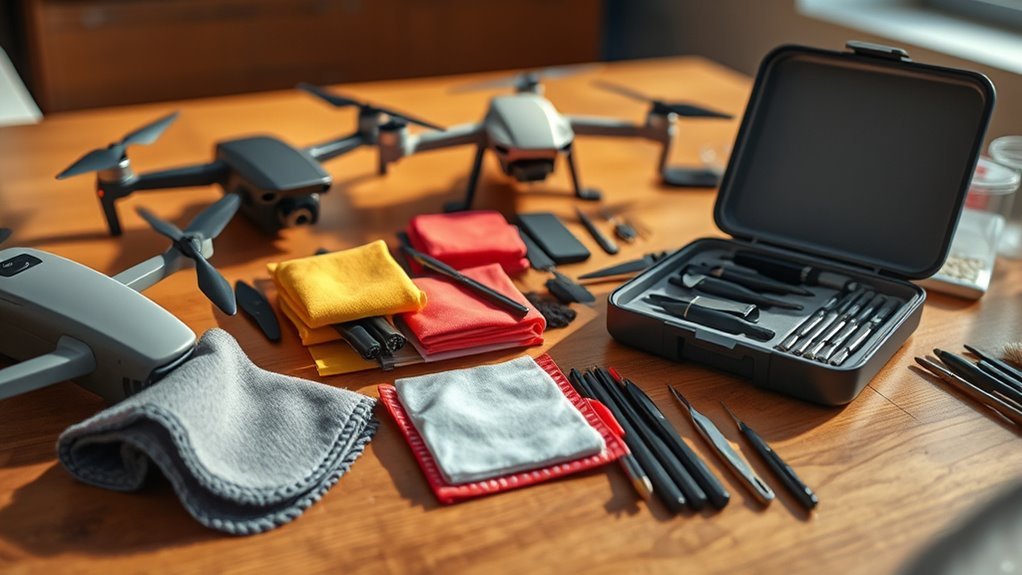
A useful kit should match the surfaces you actually clean. Most pilots need only a blower, clean microfiber cloths, a soft brush, and a model-approved optical cleaner. Larger kits are worthwhile when you also maintain cameras, phones, controllers, headsets, and other electronics.
Cleaning Tool Versatility
Look for several soft-tool sizes rather than the largest possible tool count. A broad brush can clean the shell and landing gear, while a small soft brush can reach accessible seams. Precision swabs can help around safe exterior details, but they should not be forced into motors, ports, or sensor openings.
A hand blower is one of the most useful tools because it removes loose particles before you touch a surface. It also avoids the pressure, propellant, condensation, and overspeed risks associated with some canned-air products.
Safe Formulation Requirements
Do not judge a cleaner only by words such as “gentle,” “natural,” “non-toxic,” or “safe for electronics.” Check whether the manufacturer identifies the intended surface, ingredients, application method, and restrictions. A solution suitable for a monitor may not be suitable for a coated camera lens or optical sensor.
There is no universal rule that every drone cleaner must be alcohol-free. The correct choice depends on the component and the manufacturer’s instructions. Avoid ammonia, abrasives, strong household solvents, scented cleaners, and unknown mixtures unless the aircraft manufacturer expressly approves them.
Size and Portability
A field kit should fit in your drone bag without allowing liquids or dirty tools to touch batteries and electronics. Choose a case that protects the lens cloth and keeps the blower nozzle clean. A small kit is usually enough for routine cleaning, while a larger camera kit is more useful at home.
Surface Compatibility
Check compatibility separately for the camera cover, vision sensors, shell, controller screen, propellers, rubber parts, and metal contacts. “For drones” on a seller page does not guarantee approval for every material or model.
When you are uncertain, begin with dry methods: a hand blower, soft brush, and clean microfiber cloth. Contact the manufacturer before using liquid on an unusual coating or exposed sensor.
Effectiveness on Stubborn Grime
Stubborn grime should be softened with the least aggressive approved method rather than scraped away. Hard rubbing can grind particles into a lens coating. A safe kit gives you a sequence of tools: blower first, soft brush second, cloth third, and approved liquid only when needed.
Included Accessories and Components
Useful components include a hand blower, two or more clean microfiber cloths, soft brushes, lens tissue, safe swabs, and a protective case. Tweezers and picks may help with a carrying case or controller accessory, but they are rarely appropriate for exposed drone optics or moving assemblies.
User-Friendly Design
Choose tools that are easy to identify and hold without touching the cleaning surface. A divided case helps prevent a used body cloth from contaminating the lens cloth. Clear bottle labels and instructions are more important than decorative packaging or a high tool count.
Maintenance and Longevity
Clean tools also need maintenance. Wash reusable cloths according to their care instructions and keep them free of fabric softener, oil, and grit. Replace worn lens pens, dirty swabs, damaged brushes, or leaking bottles. Store liquid upright and away from batteries.
Cleaning supports inspection, but it cannot repair a crack, warped propeller, swollen battery, loose arm, or damaged gimbal. Stop flying when a flight-critical part is damaged or the aircraft produces unusual vibration, heat, smell, sound, or warnings.
Common Drone Cleaning Mistakes
- Spraying liquid directly onto the aircraft: Mist can enter seams, motors, microphones, ports, and the gimbal assembly.
- Wiping before removing grit: Sand or hard dust can scratch optical coatings and screens.
- Using household glass cleaner: Ammonia, fragrance, dye, and other ingredients may affect coatings or plastics.
- Blasting motors with canned air: Excess pressure may drive debris inward, create condensation, or spin components too fast.
- Oiling motors without instructions: Extra lubricant can attract contamination and may not suit sealed assemblies.
- Reusing a dirty cloth: A cloth that looks clean may still hold abrasive particles.
- Cleaning damaged propellers instead of replacing them: Surface cleaning cannot restore structural strength.
- Powering on a wet drone: Current flowing through damp electronics can worsen damage.
The safest cleaning method is usually the least aggressive one that removes the contamination: inspect first, blow away loose grit, wipe gently, and use liquid only when the model instructions allow it.
Frequently Asked Questions
How often should I clean my drone?
Inspect it before every flight and clean it whenever you see dust, sand, insects, mud, fingerprints, moisture, salt, or other contamination. A full cleaning after every normal flight is usually unnecessary. Clean sooner after flights in dusty, sandy, wet, coastal, or agricultural areas.
Can I use household cleaners on my drone?
Avoid general glass, kitchen, bathroom, furniture, and disinfecting cleaners. Their solvents, ammonia, fragrance, dye, or residue may affect optical coatings, plastics, rubber, screens, or adhesives. Use dry cleaning tools first and only use a liquid approved for the exact component.
Are these kits safe for every drone model?
No kit is automatically safe for every model or every surface. The soft blower, brush, and clean microfiber tools are broadly useful, but liquids, swabs, lens pens, picks, and lubricants require extra care. Check your drone manual and the product instructions before use.
Can I use compressed or canned air on a drone?
A hand-squeeze blower is the safer general choice. Canned or powered air can be too forceful, may contain propellant, can create condensation, and may push dirt deeper into motors or ports. Never use air pressure to spin a motor or propeller at high speed.
Should I lubricate my drone motors?
Not unless the manufacturer’s maintenance instructions identify an approved lubricant, amount, and application point. Many consumer-drone motors and bearings are not intended for routine owner lubrication. Unapproved oil can attract dust or spread to nearby components.
What should I do if a propeller is chipped or bent?
Replace it with the correct approved propeller and hardware. Do not sand, glue, straighten, or continue using a damaged propeller. Match marked and unmarked propellers to the correct motors and follow the model’s installation instructions.
Do drone cleaning kits come with warranties?
Warranty and return terms vary by brand, seller, region, and product condition. Review the current listing and manufacturer policy before ordering. A retailer’s return window is not always the same as a manufacturer warranty.
Where can I purchase these cleaning kits?
They may be available through Amazon, camera stores, electronics retailers, drone dealers, and manufacturer-authorized shops. Confirm the seller, current package contents, return policy, and delivery restrictions before buying.
Conclusion
The best drone cleaning kit is not necessarily the one with the most pieces. For routine maintenance, prioritize a hand blower, clean microfiber cloths, soft brushes, safe storage, and a cleaner approved for your exact model. The Midukit option offers the most drone-focused tool mix, ParaPace suits pilots with several cameras, the 32-in-1 kit is useful across many electronics, and Bower covers basic lens care.
AtomOil serves a different purpose and should be treated as optional lubricant rather than a cleaner. Use it only where the component manufacturer specifically calls for lubrication. Whatever kit you choose, inspect the aircraft before every flight, replace damaged propellers, keep liquid out of openings, and let the drone dry fully before restoring power.
Sources
- Federal Aviation Administration: Small UAS Regulations — supports the pilot’s responsibility to ensure the drone is safe and perform a preflight inspection.
- DJI: Attaching and Detaching Propellers — supports replacing damaged, misshapen, corroded, or loose propellers.
- DJI Enterprise: Drone Maintenance Tips — supports propeller inspection and cleaning accessible propeller and lens surfaces with a soft cloth.
- DJI Support: Vision System Cleaning Guidance — demonstrates why cleaner instructions must be specific to the model and component.
- DJI Osmo Action Support — provides manufacturer guidance for using lens-cleaning solution on lens tissue rather than spraying optical equipment directly.
- Nikon USA: Microfiber Cleaning Cloth — supports using clean microfiber material for compatible optical surfaces.

