
Last Updated on July 23, 2026 by Daniel Globe
Airport security lines can eat up hours before your flight ever leaves the ground. Adding your Known Traveler Number (KTN) to your Porter Airlines booking lets you skip the worst of those delays. This guide walks you through every step so you can breeze through security and reach your gate faster.
Quick Answer
Add your 9-digit Known Traveler Number (KTN) to your Porter Airlines booking during online checkout, under “My Bookings” on fly.porter.com, or inside your VIPorter profile. Submitting your KTN at least 72 hours before departure ensures TSA PreCheck or CATSA Verified Traveller status prints directly on your boarding pass.
Key Takeaways
- A 9-digit KTN is issued to travelers approved for TSA PreCheck, Global Entry, NEXUS, or SENTRI.
- Your full legal name and date of birth on your Porter ticket must match your Trusted Traveler account profile exactly.
- You can add a KTN during initial booking, by editing an existing reservation online, saving it to your VIPorter account, or at web check-in.
- TSA PreCheck operates at participating U.S. airports, while NEXUS and Global Entry KTNs unlock CATSA Verified Traveller priority lanes at major Canadian airports.
- Submitting your number 72 hours prior to departure allows automated Secure Flight processing by security agencies.
At a Glance
| Time Required | 2–5 minutes |
| Difficulty | Easy |
| Tools Needed | Porter confirmation number or VIPorter login, 9-digit KTN |
| Cost | Free (Airline does not charge to add KTN) |
Disclosure: As an Amazon Associate I earn from qualifying purchases. Some links on this page are affiliate links, at no extra cost to you.
Why Add Your KTN to Your Porter Airlines Ticket
Adding a Known Traveler Number to your Porter Airlines ticket gives you access to dedicated TSA PreCheck lanes at participating U.S. airports. These separate lanes move significantly faster and feel far less stressful than standard security lines. You spend more time relaxing before your flight and less time standing in a crowded terminal.
TSA PreCheck lets you keep your shoes, belts, and light jackets on during the screening process. You can also leave your laptop and 3-1-1 compliant liquids inside your carry-on bag. This removes the hassle of unpacking your personal items at the checkpoint and helps you clear security in minutes.
How to Get a Known Traveler Number
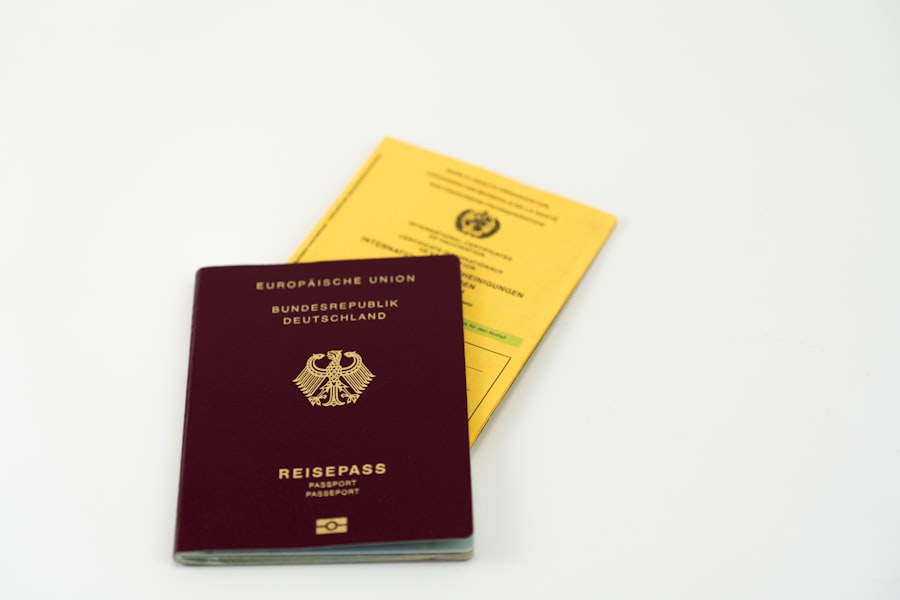
You must enroll in a trusted traveler program administered by the U.S. Department of Homeland Security or its partner agencies to receive a Known Traveler Number. Most U.S. domestic travelers choose TSA PreCheck. Programs like Global Entry and NEXUS also issue KTNs and suit travelers who cross international borders frequently.
The TSA PreCheck application starts online. You will provide basic personal details, address history, and citizenship information, then pay an application fee. After initial vetting, you will schedule an in-person appointment at an enrollment center to provide fingerprints and present valid identification.
Once approved, the government issues your 9-digit Known Traveler Number. Approval can take anywhere from a few days to several weeks, so apply well in advance of your upcoming trip.
Pro Tip: Save your KTN inside your smartphone’s password manager or notes app, and store it directly in your VIPorter account profile so it populates automatically every time you book.
Before You Begin
Gather these essential details before adding your KTN to a Porter Airlines booking:
- Your 9-Digit Known Traveler Number — Found in your TSA PreCheck approval notification or trusted traveler portal account.
- Exact Match of Your Legal Name — Your first, middle, and last names on the ticket must match your trusted traveler membership record exactly.
- Porter Airlines Account or Confirmation Number — Log in via your VIPorter credentials at fly.porter.com, or keep your 6-character booking reference handy.
- At Least 72 Hours Lead Time — Submitting your KTN 72 hours before your flight gives TSA Secure Flight systems adequate time to vet your itinerary.
Steps to Add Your KTN to a Porter Airlines Booking
Follow these steps to link your KTN to a new or existing Porter Airlines reservation:
- Log in to fly.porter.com using your VIPorter account credentials. If you booked as a guest, navigate to “My Bookings” and enter your 6-character confirmation reference and passenger last name.
- Open passenger details. For new bookings, locate the KTN input field during the passenger information step at checkout. For existing trips, select “Edit Passenger Details.”
- Locate the Known Traveler Number field. It appears under the TSA PreCheck / Secure Flight Passenger Data section labeled as “Known Traveler Number” or “KTN.”
- Enter your 9-digit number carefully. Re-check every digit to ensure no typographical errors exist.
- Save changes and confirm. Verify that the number appears saved in your reservation summary prior to check-in.
Warning: Double-check that your date of birth and full legal name on the flight reservation match your KTN record precisely. Even a minor middle-name discrepancy or typo will prevent security clearance indicators from printing on your boarding pass.
Does TSA PreCheck Work on Flights Leaving Canada?
Because Porter Airlines is headquartered in Canada, travelers frequently ask how expedited screening functions for Canadian departures. TSA PreCheck is a U.S. Transportation Security Administration program that operates physically at participating U.S. airports.
When departing from Canadian airports (such as Toronto Billy Bishop YTZ, Toronto Pearson YYZ, Montreal YUL, or Vancouver YVR), airport security is managed by the Canadian Air Transport Security Authority (CATSA). While TSA PreCheck lanes do not operate in Canada, NEXUS and Global Entry members can access CATSA Verified Traveller priority lines at major Canadian airports, offering expedited screening benefits similar to PreCheck.
Note: On flights originating in Canada bound for the U.S. where U.S. Customs and Border Protection (CBP) Preclearance is available, your NEXUS or Global Entry card also grants expedited border clearance.
What to Do If TSA PreCheck Is Missing From Your Boarding Pass
Your boarding pass must explicitly display the TSA PreCheck logo or indicator to enter the dedicated lane. Security personnel cannot accept your approval letter or card in lieu of the printed indicator.
If the indicator is missing when you complete web check-in:
- Verify that your KTN was saved correctly in your reservation online.
- Confirm that your name on the boarding pass matches your KTN card exactly.
- Visit the Porter Airlines airport check-in desk. A ticket agent can verify your Secure Flight data, re-enter your KTN, and reprint your boarding pass with the PreCheck badge.
How Long Your KTN Stays Valid
Your assigned Known Traveler Number remains the same for life, but your active membership in trusted traveler programs requires periodic renewal. TSA PreCheck, Global Entry, and NEXUS memberships remain valid for five years.
You can renew your membership up to six months prior to expiration. Keeping your membership active ensures uninterrupted access to expedited lanes across all participating carriers.
Tips for Traveling With Your KTN
Save your KTN directly inside your VIPorter member profile. Doing so automatically links your number to every future booking, eliminating the need to enter it manually each time you travel.
Even with expedited security access, arrive at the airport with sufficient buffer time. Dedicated lanes can experience peak queues during major travel periods, and standard security rules may apply if an expedited lane is temporarily closed.
How the TSA PreCheck Program Works
According to the Transportation Security Administration, PreCheck streamlines security checkpoints for pre-approved, low-risk travelers at over 200 U.S. airports. Approved passengers walk through metal detectors rather than full-body scanners in designated lanes.
U.S. citizens, U.S. lawful permanent residents, and foreign nationals enrolled in partner trusted traveler programs (such as NEXUS) qualify for expedited screening. The system relies on Secure Flight pre-screening conducted before passengers arrive at the terminal.
Other Airlines That Accept Your KTN
In addition to Porter Airlines, over 90 major domestic and international carriers participate in TSA PreCheck. U.S. legacy carriers like American Airlines, Delta Air Lines, and United Airlines offer full integration across their networks.
Transborder and international carriers serving North America—including Air Canada, British Airways, and Lufthansa—also integrate KTN data into their departure control systems for flights leaving U.S. airports.
Frequently Asked Questions
What is a Known Traveler Number (KTN)?
A Known Traveler Number (KTN) is a unique 9-digit identifier issued by Homeland Security or CBP to individuals approved for programs like TSA PreCheck, Global Entry, NEXUS, or SENTRI. Airlines pass this number to security screening systems to grant expedited checkpoint access.
Why add my Known Traveler Number to my Porter Airlines reservation?
Adding your KTN grants access to expedited TSA PreCheck lanes at participating U.S. airports and CATSA Verified Traveller access at major Canadian airports, letting you bypass long security lines and keep shoes, light jackets, and laptops in place.
How do I add my Known Traveler Number to my Porter Airlines reservation?
You can enter your KTN during initial online checkout on fly.porter.com, edit an existing reservation via the “My Bookings” portal, save it inside your VIPorter member profile, or enter it during 24-hour web check-in.
Can I add my Known Traveler Number after booking my flight?
Yes. You can add your KTN at any time prior to departure by managing your trip online at fly.porter.com, during 24-hour web check-in, or at the Porter Airlines check-in desk at the airport.
Does Porter Airlines charge a fee to add a Known Traveler Number?
No. Porter Airlines does not charge any fee to add or update a KTN on your booking. Enrollment fees for trusted traveler programs are paid directly to government agencies during application.
Linking your Known Traveler Number takes just a few minutes and pays off every time you fly. Check your Porter Airlines profile today to confirm your KTN is saved for all future bookings.
Sources
- TSA PreCheck Application & Program Information — Transportation Security Administration
- Identification Requirements & KTN Guidelines — Transportation Security Administration
- CATSA Verified Traveller Guidelines — Canadian Air Transport Security Authority
- Porter Airlines Official Travel Information — Porter Airlines

