
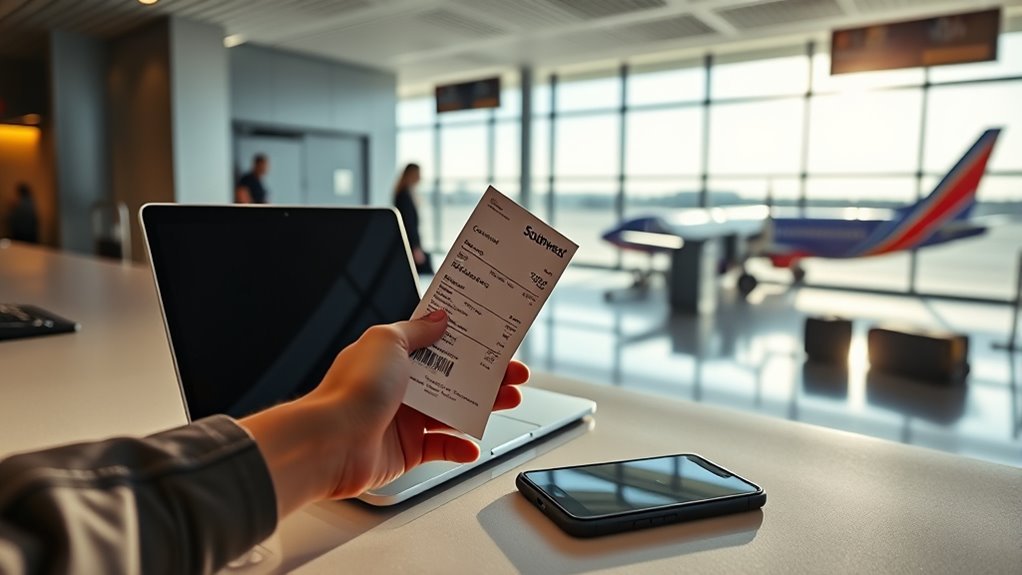
To look up a Southwest receipt, sign in to your Southwest account with your Rapid Rewards number or login, then open My Account and check your upcoming or past trips. Use the confirmation number to find the flight, and choose “Resend receipt” if you didn’t get the email. Double-check that your email address is correct before sending. Older trips may not show full pricing, so keep going to learn the best ways to save and retrieve them.
How to Log In to Your Southwest Account

To log in to your Southwest account, go to southwest.com and enter your Rapid Rewards number or account credentials.
Before you continue, agree to the Terms of Use and Privacy Policy so your access stays compliant and your login security stays intact.
If you can’t remember your password, use the recovery option on the login page to reset it quickly and regain control.
Enter your details carefully; one typo can block access and slow you down.
After you sign in, open the “My Account” section to handle account management for your upcoming or past trips.
Check that you’re fully logged in before you search for flight information or review anything tied to your profile.
This simple process helps you move through the system with confidence, keep your data protected, and stay in charge of your travel records without unnecessary friction.
Find Your Southwest Receipt in My Account
Once you’re signed in to southwest.com, you can find your receipt in My Account. Use your Rapid Rewards number or account credentials, then open Upcoming Trips or Past Trips to see your flight details.
For smart receipt retrieval tips, look for the confirmation number in the gray-blue strip and click it to open the trip record. Inside that view, you’ll see the receipt options tied to the reservation. These account navigation tricks help you move quickly without wasting time hunting through menus.
If you’re checking an older itinerary, keep in mind that detailed pricing may not appear for flights taken before Rapid Rewards 2.0, so some past invoices can’t be fully recovered.
Even so, this path gives you direct control over your travel records and lets you manage them on your own terms.
Resend a Southwest Receipt by Email
If you need Southwest to resend a receipt, log in to your account at southwest.com with your Rapid Rewards number or account credentials. Then open the flight details page and enter your first name, last name, and confirmation code.
After your itinerary loads, find the “Resend receipt” link in the confirmation code bar and start the resend process. Southwest will show the receipt email address on file, so check it carefully before you click “Send.”
Find the “Resend receipt” link in the confirmation code bar, then verify the email address before clicking Send.
This quick step keeps you in control and helps you get the right record without waiting on support. Once you confirm, the receipt should land in your inbox shortly. If it doesn’t appear right away, give it a moment and refresh your email.
You can repeat the resend process anytime you need another copy for your records, expense tracking, or peace of mind.
Fix a Missing Southwest Receipt
Missing a Southwest receipt usually takes just a few quick steps. Start your receipt retrieval by logging in at southwest.com with your Rapid Rewards number or account credentials.
Then head to My Account and open Upcoming or Past Trips to find the flight you need.
- Select the trip and review the confirmation details.
- Click the flight, then choose “Resend receipt” in the confirmation code bar.
- Check the email on file, and confirm it’s right before sending.
- If you flew before RR 2.0, some historical invoices may not show full pricing because of system limits.
This process keeps you in control and avoids waiting on support for something you can handle yourself.
If your info’s current, account verification is quick, and the receipt should land in your inbox soon. If it doesn’t, recheck the trip date and email address, then try again.
Get Past Southwest Receipts
To get past Southwest receipts, log in to your account and open the Past Trips section, where you can usually see flight details and confirmation numbers for completed travel. You can use that information as a starting point for receipt retrieval tips and smarter account management strategies. For many recent trips, this gives you enough data to document your travel and keep your records in order.
| What you can access | Notes |
|---|---|
| Past Trips details | Shows completed flights |
| Confirmation number | Helps identify the booking |
| Flight date and route | Useful for records |
| Detailed invoice | May be unavailable for older trips |
| Rapid Rewards 2.0 trips | Usually have better detail |
If you flew before Rapid Rewards 2.0, you may not see full pricing or an invoice online. That can make tax prep and record-keeping harder, but you still know where to start. Check your account regularly, save what you can, and ask support when you need more than the site shows.
Why Southwest Past Trip Receipts Disappear
Southwest past trip receipts can disappear because the airline limits detailed pricing access for flights taken before Rapid Rewards 2.0.
Southwest past trip receipts may vanish as detailed pricing access is limited for flights before Rapid Rewards 2.0.
So older trips may show a notice that says, “Pricing detailed information isn’t available.” That change means you may still see the booking and flight details, but not the full invoice you need for taxes or personal records.
You’re left with partial data, not complete historical records.
- You can review itinerary basics, but the price breakdown may be gone.
- You may need to rely on your own files if you tracked expenses.
- Southwest’s customer communication has left many travelers confused.
- Community feedback shows you’re not alone in wanting clearer support.
This loss can feel frustrating, especially when you want control over your records.
The airline’s access limits make older receipts harder to retrieve, so you may need to act quickly and keep copies of anything you can still view.
Save Southwest Receipts for Tax Records
You can save Southwest receipts for tax records by downloading them from your account’s flight details or past trips page.
Keep digital copies organized so you’ve got clear proof of deductible travel expenses when you file.
If a receipt isn’t showing, resend it from the trip page to make sure your records stay complete.
Downloadable Receipt Access
- Find trips in My Account
- Open flight details
- Select Resend receipt
- Save the emailed copy
If your flight was booked before Rapid Rewards 2.0, some pricing details may be missing, so historical invoices can be limited.
If receipt access gives you trouble, send Southwest feedback and push for better support.
Tax Record Retention
After you’ve saved a copy of your Southwest receipt, keep it with your tax records so you can verify business travel expenses or maintain personal documentation.
Good receipt organization helps you prove costs tied to tax deductions and makes filing easier. Save each receipt right after travel, because past trip invoices can be hard to recover later, especially for flights before Rapid Rewards 2.0.
When you need a copy, log in to your Southwest account and check your flight details online. Keep every receipt with dates, destinations, and fare amounts in one secure place.
This simple system protects you during IRS review, reduces stress, and gives you control over your records. You don’t need to wait for missing paperwork to stay compliant.
Frequently Asked Questions
Can I Lookup a Southwest Receipt Without Logging Into My Account?
Yes, you can often lookup a Southwest receipt without logging in by using receipt retrieval methods like email search or confirmation number lookup. Try account access alternatives through customer service if you can’t find it.
Are Southwest Receipt Details Available for Cancelled Flights?
Yes, you can usually get receipt details for a cancelled flight—like a lighthouse in fog, they’ll still guide you. You should check Southwest’s cancelled flight policies and refund procedures, since records often remain available.
How Long Does Southwest Keep Receipt Records Online?
You can usually access Southwest receipt records online for about 12 months, though availability can vary. Use receipt retrieval tips in online account management, and download copies early so you’re not dependent on later access.
Can I Get a Receipt for a Flight Booked With Points?
Yes—you can, like finding a lighthouse in fog. Your flight confirmation and points redemption record usually show your trip details; you can download or request a receipt through Southwest, then keep it for expenses.
Does Southwest Provide Itemized Receipts for Baggage Fees?
Yes, you can usually get itemized receipts for baggage fees; Southwest’s baggage fee policies and itemized receipt process let you request proof of purchase through your confirmation, account, or customer support, if charges applied.
Conclusion
So, after all that easy booking and swift flying, it’s almost funny that finding a Southwest receipt can feel like a treasure hunt. But you can log in, check My Account, resend the email, and track down past trip records without much hassle. Keep your receipts saved for taxes and reimbursements, because nothing says “simple travel” like needing proof you already paid to get there. A few clicks now can save you a lot of frustration later.